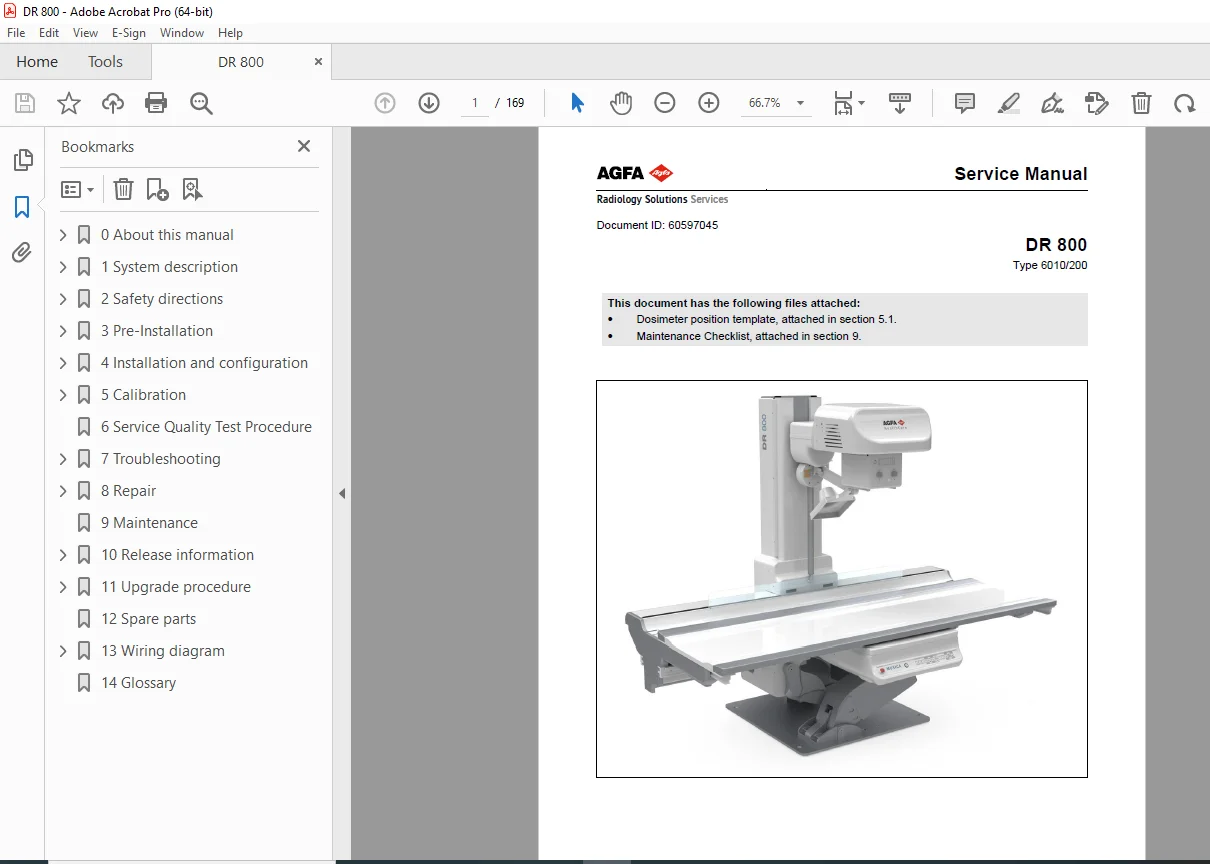
Agfa DR 800 Digital Radiography System Service Manual PDF
Original price was: $70.00.$27.95Current price is: $27.95.
Download the official Agfa DR 800 Service Manual (Document ID: 60597045, Edition 1 Revision 13, 05-2023) PDF for Type 6010/200. This 169-page guide covers system description, safety, installation, calibration (AEC, detector, tube), troubleshooting, repair, maintenance, and wiring diagrams. Ideal for radiology technicians – instant digital access for efficient X-ray system servicing.
Description
Agfa DR 800 Digital Radiography System Service Manual – PDF DOWNLOAD
IMAGES:
Table of Contents for Agfa DR 800 Service Manual (Document ID: 60597045 Edition 1 Rev. 13)
Enhance your radiology system repairs with this SEO-friendly TOC, integrating keywords like “DR 800 AEC calibration guide” and “Agfa digital radiography troubleshooting manual” for targeted searches in medical equipment service.
- 0 About This Manual (Page 7 | 2 Pages)
- 0.1 Purpose of This Document (Page 7)
- 0.2 Changes Compared to Previous Revision (Page 7)
- 0.3 Referenced Documents (Page 7)
- 0.4 Explanation of Notes (Page 8)
- 0.5 Conventions (Page 8)
- 1 System Description (Page 9 | 19 Pages)
- 1.1 Intended Use (Page 9)
- 1.2 DR 800 Main Components of the System (Page 9)
- 1.2.1 Table and DR 800 Positioner Cabinet (Page 10)
- 1.2.2 Collimator with Camera (Webcam) (Page 11)
- 1.2.3 NX Workstation (Page 11)
- 1.2.4 Detectors (Page 12)
- 1.2.5 Cabinets and Power Switch (Page 13)
- 1.2.6 Optional: Wallstand (Page 14)
- 1.2.7 Optional: Ceiling Suspension MSP 150 (Page 17)
- 1.2.8 Optional: FLFS Overlay (Page 17)
- 1.3 System Architecture – Hardware and Software Overview (Page 19)
- 1.3.1 Signal Transmission in the System (Page 20)
- 1.3.2 Software Overview (Page 23)
- 1.4 Functional Description (Page 23)
- 1.5 Monitor Combinations (Page 27)
- 2 Safety Directions (Page 28 | 3 Pages)
- 2.1 Component-Specific Safety Notes (Page 28)
- 2.2 System-Specific Safety Notes (Page 28)
- 2.3 Labels (Page 29)
- 2.4 Safety Devices (Page 29)
- 2.4.1 Emergency Stop (Page 29)
- 3 Pre-Installation (Page 30 | 1 Page)
- 3.1 Items to Be Organized Locally Before Installation (Page 30)
- 3.2 Technical Data (Page 30)
- 4 Installation and Configuration (Page 31 | 66 Pages)
- 4.1 System Installation Overview (Page 32)
- 4.2 System Installation Details (Page 33)
- 4.2.1 Optional – Digital Tomosynthesis Application: Installing NVIDIA Board (Page 37)
- 4.2.2 Mounting the DR 800 Cabinet Mounting Set (Page 44)
- 4.2.3 Perform System Cabling (Page 51)
- 4.2.4 Programming the Collimator (Page 53)
- 4.2.5 Mounting the FL Detector (Page 55)
- 4.2.6 Checking the Voltage Supply Before First Switch On (Page 59)
- 4.2.7 Optional – Connections of Wallstand and Second Tube to the Generator (Page 60)
- 4.2.8 Optional: Mounting XD 17 as Fixed Detector in the Wallstand (Page 66)
- 4.2.9 Connecting Displays (Page 68)
- 4.2.10 Monitor Setup for Up to Four Displays (Page 70)
- 4.2.11 Monitor Setup for Five and Six Monitors (Page 79)
- 4.2.12 Enable Speaker as Default Output Device (Page 94)
- 4.2.13 Configure Additional External Speaker If Required (Page 94)
- 4.2.14 Adjusting Volume Control and Disabling Related System Icon (Page 96)
- 4.3 Verifying the Installation (Page 98)
- 4.4 User Training (Page 98)
- 5 Calibration (Page 99 | 17 Pages)
- 5.1 AEC Calibration (Page 99)
- 5.1.1 Introduction (Page 99)
- 5.1.2 AEC Calibration Prerequisites (Page 102)
- 5.1.3 AEC Calibration Procedure for the Table (Page 104)
- 5.1.4 AEC Calibration Procedure for the Wallstand (Page 104)
- 5.1.5 Performing AEC Calibration – ROW Settings (Page 105)
- 5.1.6 Performing AEC Calibration – Additional US Settings (Page 108)
- 5.1.7 Adapting GenWeb Settings – US (Page 108)
- 5.1.8 Adapting NX Settings – US (Page 112)
- 5.1.9 Performing AEC Calibration – US (Page 113)
- 5.2 Detector Calibration (Page 115)
- 5.3 Touch Screen Calibration (Page 115)
- 5.4 X-ray Tube Calibration (Page 116)
- 5.5 Air Kerma Calibration (Page 119)
- 5.1 AEC Calibration (Page 99)
- 6 Service Quality Test Procedure (Page 121 | 1 Page)
- 7 Troubleshooting (Page 122 | 9 Pages)
- 7.1 Providing Data When Escalating a Problem (Page 123)
- 7.2 Issues with the NX During Powering On (Page 124)
- 7.3 Issues Related to Powering On or Off the Complete System (Page 124)
- 7.3.1 NX Cannot Establish Connection to Positioner – Error GMPMESS6 (Page 125)
- 7.4 Issues with the Touchscreen Monitor (Page 125)
- 7.5 Troubleshooting Monitor Setup (Page 125)
- 7.5.1 Not Possible to Configure All Barco Diagnostic Displays to Full Screen Display (Page 125)
- 7.5.2 Result After Monitor Setup Is Not as Expected (Page 126)
- 7.6 Troubleshooting Black Screens on Some Monitors After Disconnecting Power (Page 126)
- 7.7 Analyzing Signals with the XRDI Status Monitor (Page 127)
- 7.8 Troubleshooting Failed Service Quality Test (SQT) Tests (Page 127)
- 7.8.1 Failed SQT Test “1.10 – Dose Rate” (Page 127)
- 7.9 Troubleshooting Additional External Speaker Setup (Page 129)
- 8 Repair (Page 131 | 1 Page)
- 8.1 Required Tools (Page 131)
- 8.1.1 Tools for Installation, Corrective and Preventive Maintenance (Page 131)
- 8.1.2 Torque for Screw Connections (Page 134)
- 8.2 Clean Installation of the DR 800 PC (Page 135)
- 8.2.1 Configuring the IP Address for Webcam and DR GSB (Page 135)
- 8.2.2 Installing the Google Chrome Browser After a Clean Installation to Get Access to DR GSB Cockpit (Page 138)
- 8.3 Webcam Firmware Upgrade and Configuration (Page 138)
- 8.3.1 Checking Webcam Firmware Version (Identify 1 Mpix Webcam) (Page 139)
- 8.3.2 Upgrading the Webcam Firmware (1 Mpix Webcam Only) (Page 140)
- 8.3.3 Configuring the Webcam (Page 142)
- 8.3.4 Checking Webcam View Orientation (Page 146)
- 8.4 Changing the IP Address of the Webcam (Page 147)
- 8.5 Replacements (Page 149)
- 8.1 Required Tools (Page 131)
- 9 Maintenance (Page 150 | 1 Page)
- 10 Release Information (Page 151 | 5 Pages)
- 10.1 System Version Overview (Page 151)
- 11 Upgrade Procedure (Page 155 | 3 Pages)
- 11.1 Adding a Detector to the System (Page 155)
- 11.2 Adding a Shared Detector to the System (Page 155)
- 11.2.1 Adding a Shared DR 10s / DR 14s (Page 155)
- 11.2.2 Adding a Shared XD Detector (Page 155)
- 11.3 Installing Interface Board 166213 (In-Room Footpedal X-ray Interlock) (Page 156)
- 11.4 Replacing the Monitor Board (Display Adapter) (Page 157)
- 12 Spare Parts (Page 159 | 2 Pages)
- 13 Wiring Diagram (Page 160 | 9 Pages)
- 13.1 DR 800 – Connection NX, Processing Unit and DR GSB (Page 161)
- 13.2 DR 800 – Connection Wallstand to Generator (Page 162)
- 13.3 Monitor Connection Diagrams (Page 163)
- 13.4 Radiographic Wallstand DR 400 Wiring Diagram (Page 168)
- 14 Glossary (Page 169 | 1 Page)
(Attractively formatted with bold chapters, page references, and indented subsections; SEO keywords in titles for improved discoverability. Compiled from extracted pages for comprehensive navigation.)
Product Description
Unlock advanced radiology maintenance with the official Agfa DR 800 service manual PDF (Document ID: 60597045, Edition 1 Revision 13, May 2023) – a critical 169-page guide for the DR 800 Type 6010/200 digital radiography system. Launched in 2018 with FDA clearance, this multi-purpose DR unit supports general X-ray, fluoroscopy, tomosynthesis, and dynamic imaging for anatomies like chest, abdomen, extremities, spine, and more. Featuring MUSICA image processing, webcam-equipped collimator, NX workstation, and optional wallstand/ceiling suspension, it’s designed for hospitals and clinics seeking versatile diagnostic solutions.
Whether calibrating AEC or troubleshooting monitors, this Agfa DR 800 repair manual delivers step-by-step procedures, wiring diagrams, and tools to ensure compliance and optimal performance.
Why Choose This Agfa DR 800 Service Manual PDF?
- System Insights: Detailed description, intended use (radiography/fluoroscopy), components (table, collimator, detectors, cabinets), architecture (hardware/software), functional overview, monitor combos.
- Safety Priority: Component/system notes, labels, emergency stop devices.
- Installation Excellence: Pre-install items, technical data, system setup (NVIDIA board, cabinet mounting, cabling, collimator programming, FL detector, voltage checks, wallstand connections, display setup, audio configs).
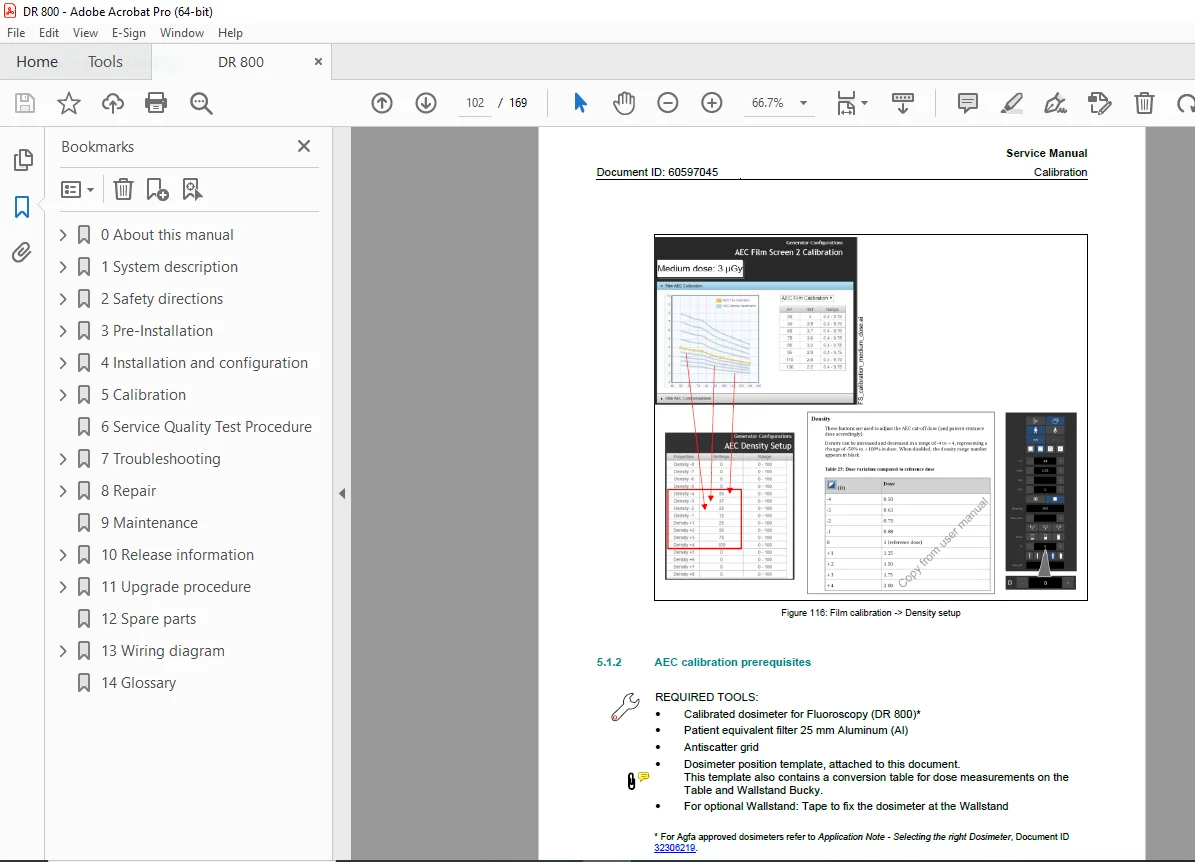
- Calibration Mastery: AEC (prerequisites, table/wallstand procedures, ROW/US settings), detector/touch screen/tube/air kerma calibrations.
- Troubleshooting & Repair: Data escalation, NX/positioner issues, touchscreen/monitor/black screen fixes, XRDI monitoring, SQT test resolutions (e.g., dose rate), clean PC install, webcam upgrades/configs/IP changes, replacements.
- Upgrades & Maintenance: Detector additions (shared DR/XD), interface board install, monitor board replacement; Maintenance checklist attached.
- Reference Tools: Release info, system versions, spare parts, wiring diagrams (NX/GSB, wallstand/generator, monitors, DR 400 wallstand), glossary.
Full Table of Contents for Quick Access
Navigate X-ray repairs with this keyword-rich TOC, perfect for “Agfa DR 800 AEC calibration” or “digital radiography wiring diagrams”.
- 0 About This Manual (Page 7): Purpose, changes, referenced docs, notes, conventions.
- 1 System Description (Page 9): Intended use, main components (table/positioner, collimator/camera, NX workstation, detectors, cabinets, optional wallstand/ceiling suspension/FLFS overlay), architecture (signal transmission, software), functional description, monitor combinations.
- 2 Safety Directions (Page 28): Component/system notes, labels, safety devices (emergency stop).
- 3 Pre-Installation (Page 30): Local items, technical data.
- 4 Installation and Configuration (Page 31): Overview/details (tomosynthesis NVIDIA, cabinet mounting, cabling, collimator programming, FL detector, voltage checks, wallstand/second tube connections, XD detector in wallstand, displays, monitor setups (4/5-6 displays), speaker configs, volume control, verification, user training.
- 5 Calibration (Page 99): AEC (intro/prerequisites/table/wallstand/ROW/US settings/GenWeb/NX adaptations/procedures), detector/touch screen/X-ray tube/air kerma calibrations.
- 6 Service Quality Test Procedure (Page 121).
- 7 Troubleshooting (Page 122): Data escalation, NX/power issues (GMPMESS6 error), touchscreen/monitor setups (full screen/result discrepancies/black screens), XRDI monitoring, SQT failures (dose rate), external speaker setups.
- 8 Repair (Page 131): Tools (installation/maintenance/torque), clean PC install (IP configs, Chrome for GSB), webcam (firmware/check/upgrade/config/orientation/IP change), replacements.
- 9 Maintenance (Page 150).
- 10 Release Information (Page 151): System version overview.
- 11 Upgrade Procedure (Page 155): Detector additions (shared DR 10s/14s/XD), interface board (footpedal interlock), monitor board replacement.
- 12 Spare Parts (Page 159).
- 13 Wiring Diagram (Page 160): NX/processing/GSB connections, wallstand/generator, monitor diagrams, DR 400 wallstand.
- 14 Glossary (Page 169).
This digital PDF download is instantly accessible – no shipping required. Attached: Dosimeter template (5.1), Maintenance Checklist (9). Perfect for clinics optimizing Agfa’s DR systems. Download now and master “DR 800 fluoroscopy calibration”!
Complete File Details
| Attribute | Details |
|---|---|
| Manufacturer | Agfa NV (Agfa HealthCare / Radiology Solutions) |
| Model | DR 800 Digital Radiography System (Type 6010/200) |
| Years Covered | 2018 onwards (FDA clearance 2018-2019; manual revision 2023; ongoing support as of 2025) |
| Document Type | Service Manual (Installation, Calibration, Repair, and Maintenance Guide) |
| Document ID/Revision | Document ID: 60597045, Edition 1, Revision 13 |
| Publication Date | May 2023 |
| Total Pages | 169 |
| File Name | 700023778-DR-800-Service-Manual.pdf |
| File Format | PDF (Digital Download) |
| Key Specifications | Multi-purpose DR system for radiography, fluoroscopy, tomosynthesis; X-ray tube, collimator with webcam, NX workstation, detectors (FL/XD), MUSICA image processing; Optional: Wallstand, ceiling suspension MSP 150, FLFS overlay; Hardware: Table/positioner cabinet, power switch; Software: System architecture overview |
| Applications | General X-ray imaging, dynamic fluoroscopy for chest/abdomen/extremities/spine; Hospitals, clinics, radiology departments |
| Target Audience | Radiology technicians, service engineers, biomedical professionals |
| Content Focus | System description, safety, pre-installation, installation/configuration, calibration (AEC, detector, tube, air kerma), service quality tests, troubleshooting, repair, maintenance, release info, upgrades, spare parts, wiring diagrams, glossary |
| Attached Files | Dosimeter position template (Section 5.1), Maintenance Checklist (Section 9) |
| Compliance Standards | Controlled document per Agfa MedImg Library; Confidential; Regulatory compliance for medical devices |
| Language | English |