
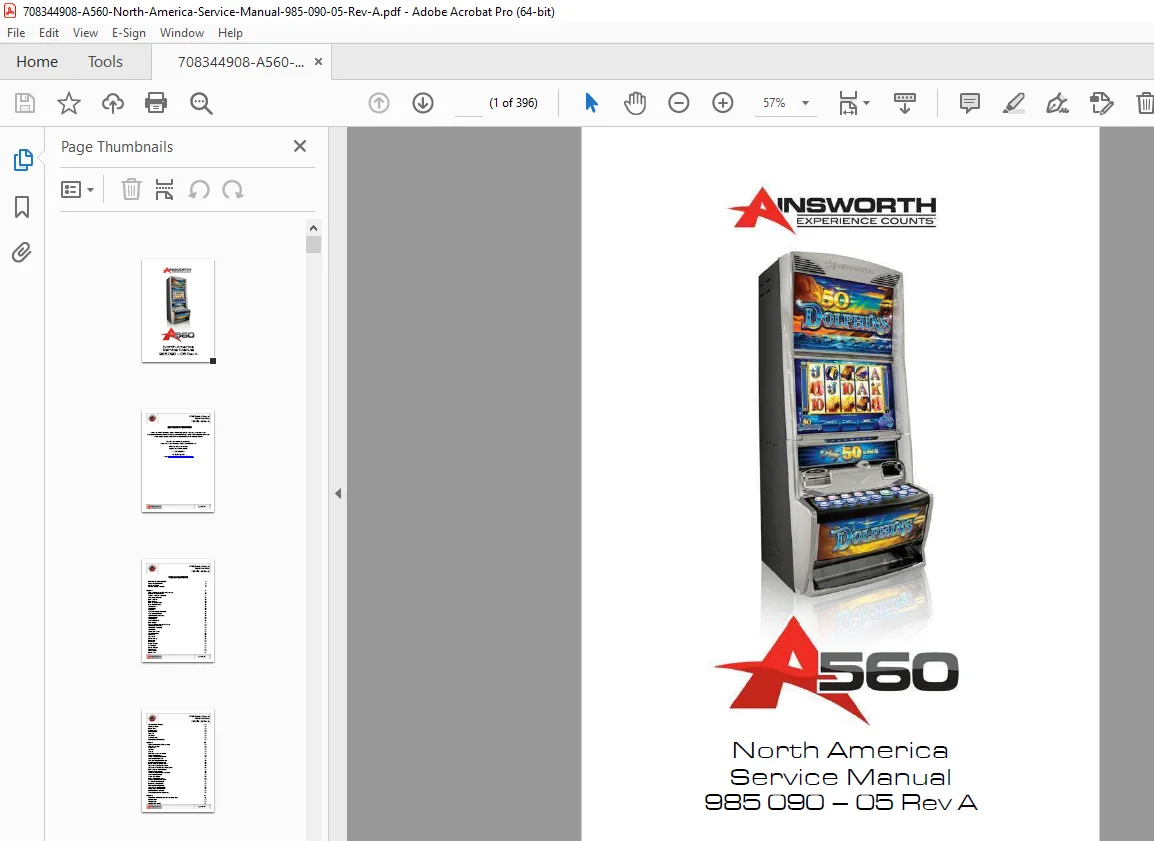
Ainsworth A560 Slot Machine Service Manual North America Gaming EGM PDF
Original price was: $120.00.$18.95Current price is: $18.95.
Instant download Ainsworth A560 slot machine service manual with complete installation, maintenance, troubleshooting, and repair procedures for North America gaming equipment. This comprehensive 396-page Ainsworth gaming machine service manual includes dual monitor assembly procedures, bill validator service, ticket printer maintenance, hopper repair, configuration settings, audit modes, and complete wiring diagrams. Casino technicians get full access to error codes, component replacement procedures, system tests, and diagnostic information for professional slot machine servicing.
Description
Ainsworth A560 Slot Machine Service Manual North America Gaming EGM PDF DOWNLOAD
DESCRIPTION
Ainsworth A560 Slot Machine Service Manual – Complete Gaming Equipment Service Guide
Get instant access to the Ainsworth A560 service manual in downloadable PDF format. This official Ainsworth slot machine repair manual is the factory-level technical documentation used by certified gaming technicians and casino maintenance professionals worldwide. Whether you’re servicing casino floor equipment, gaming venues, or tribal gaming facilities, this A560 gaming machine technical manual provides everything needed for professional installation, diagnostics, repairs, and preventive maintenance.
📋 File Details
| Specification | Details |
|---|---|
| Manual Name | Ainsworth A560 North America Service Manual |
| Document Number | 985 090 – 05 Rev A |
| Manufacturer | Ainsworth Game Technology Limited |
| Equipment Type | Electronic Gaming Machine (EGM) / Slot Machine |
| Region | North America |
| Total Pages | 396 Pages (Note: PDF indicates 198 pages in footer, full document is 396) |
| File Format | PDF (Professional Quality Documentation) |
| Manual Quality | Factory Original OEM Documentation |
| File Size | 5.3 MB |
| Language | English |
| Publication Date | February 2011 |
🎰 Equipment Covered
Ainsworth A560 Gaming Machine:
- ✅ Cabinet Type: Upright slot machine cabinet
- ✅ Display: Dual 22″ LCD Monitor Assembly
- ✅ Configuration: North America compliance
- ✅ Payment Systems: Coin, bill acceptor, ticket-in/ticket-out (TITO)
- ✅ All A560 Variants: Various game packages and denominations
Key Features Covered:
- ✅ Dual monitor video gaming system
- ✅ Bill/note validator integration
- ✅ Ticket printer systems (if fitted)
- ✅ Coin hopper mechanisms
- ✅ Player tracking module provision
- ✅ Touch screen interface
- ✅ Button panel controls
- ✅ Audio system (speakers and subwoofer)
- ✅ Network connectivity (multi-host)
- ✅ Progressive jackpot systems
- ✅ Cashless gaming options
📖 Complete Manual Contents
This Ainsworth EGM maintenance guide covers all technical aspects across 396 comprehensive pages:
CHAPTER 1 – PHYSICAL COMPONENTS / BASIC OPERATION (Pages 9-32)
Cabinet and External Components:
Cabinet Body Assembly:
- ✅ Main cabinet construction and materials
- ✅ Main door assembly and locking mechanisms
- ✅ Belly panel door assembly
- ✅ Monitor door assembly
- ✅ Three-lock security system
- ✅ Access procedures for each compartment
Dual 22″ Monitor Assembly:
- ✅ Upper and lower monitor configuration
- ✅ LCD panel specifications
- ✅ Monitor mounting and adjustment
- ✅ Touch screen overlay
- ✅ Video signal routing
- ✅ OSD (On-Screen Display) controls
Main Door Assembly Components:
- ✅ Coin Validator – Coin acceptance and routing
- ✅ Coin Diverter – Coin path control (hopper vs. cashbox)
- ✅ Coin Chute Assembly – Physical coin routing
- ✅ Chip Tray Assembly – Coin collection area
- ✅ Button Panel – Player control interface with LED indicators
- ✅ Door Optics – Door open/close detection
- ✅ Speakers – Stereo audio system and subwoofer
Belly Panel Door Assembly:
- ✅ Lower access compartment
- ✅ Bill acceptor cashbox access
- ✅ Artwork display panel
- ✅ LED light panel
- ✅ Hard meter assembly mounting
Internal Components:
Note Validator Assembly:
- ✅ Bill/note acceptor mechanism
- ✅ Note authentication sensors
- ✅ Note stacker (cashbox)
- ✅ Note path and jam clearing
- ✅ Currency denomination recognition
Ticket Printer (If Fitted):
- ✅ Thermal ticket printer
- ✅ Paper loading procedures
- ✅ Ticket validation system
- ✅ Ticket-in/ticket-out (TITO) operation
Coin Hopper:
- ✅ Coin storage and dispensing mechanism
- ✅ Hopper motor and coin counting
- ✅ Fill and payout procedures
- ✅ Hopper capacity specifications
Player Tracking Module Provision:
- ✅ Card reader mounting location
- ✅ Player loyalty system integration
- ✅ Communication protocols
Logic Cage Assembly:
- ✅ Mainboard Assembly – Core gaming computer
- ✅ Backplane Board – I/O expansion and connectivity
- ✅ Power distribution
- ✅ Peripheral connections
- ✅ Network interface cards
Basic Operation:
Power Up Sequence:
- ✅ Boot process and initialization
- ✅ Self-diagnostics
- ✅ System checks
Play Mode Interface:
- ✅ Game display layout
- ✅ Game title and branding
- ✅ Win table (paytable) display
- ✅ Credit window
- ✅ Bet window
- ✅ Status display
- ✅ Win window
- ✅ Lines played indicator
- ✅ Game reels (video simulation)
- ✅ Denomination window
- ✅ Message panel
- ✅ Game rules display
Specifications:
- ✅ Configuration options
- ✅ Physical dimensions and weight
- ✅ Electrical requirements (voltage, current, power)
- ✅ Environmental operating conditions
- ✅ Standards of compliance (gaming regulations)
CHAPTER 2 – MACHINE INSTALLATION / CONVERSIONS (Pages 33-60)
Installation Procedures:
A560 Dimensions:
- ✅ Complete dimensional drawings
- ✅ Clearance requirements
- ✅ Mounting footprint
Inspection Procedures:
- ✅ Exterior inspection checklist
- ✅ Interior component verification
- ✅ Damage assessment
- ✅ Pre-installation testing
A560 Mounting Instructions:
- ✅ Floor mounting procedures
- ✅ Leveling requirements
- ✅ Anchor bolt specifications
- ✅ Anti-tip device installation
Machine Installation Configuration:
Touch Screen Configuration:
- ✅ Calibration procedures
- ✅ Touch sensitivity adjustment
- ✅ Multi-point touch setup
Location Configuration:
- ✅ Venue identification
- ✅ Machine position number
- ✅ Floor plan assignment
Date and Time Configuration:
- ✅ Time zone settings
- ✅ Clock synchronization
- ✅ Daylight saving time
Identification Configuration:
- ✅ Serial number entry
- ✅ Asset tag assignment
- ✅ Regulatory IDs
Game Package Configuration:
- ✅ Game software selection
- ✅ Denomination settings
- ✅ RTP (Return to Player) percentage
- ✅ Volatility settings
Player Interface Configuration:
- ✅ Language selection
- ✅ Attract mode settings
- ✅ Screen brightness
- ✅ Volume levels
- ✅ Button response settings
Peripheral Device Configuration:
- ✅ Coin Validator Configuration – Accepted coins, coin scaling
- ✅ Hopper Configuration – Payout limits, refill thresholds
- ✅ Banknote Validator Configuration – Accepted denominations, security level
- ✅ Printer Configuration – Ticket format, validation codes
- ✅ Ticket Information – Venue name, location data
- ✅ Cashout Validation Mode – Ticket expiration, redemption rules
Network Configuration:
- ✅ Poll Category Configuration – Gaming system communication
- ✅ Multi Host Configuration – Multiple accounting systems
- ✅ Cashless Configuration – Digital payment systems
- ✅ Win Limits Configuration – Jackpot thresholds and limits
Accounting Configuration:
- ✅ Hard Meters Configuration – Mechanical counter settings
- ✅ Tower Light Configuration – Status indicator lights
Configuration Summary:
- ✅ Complete settings review
- ✅ Verification procedures
Performing a Game Conversion:
- ✅ Step-by-step game change procedures
- ✅ Software update protocols
- ✅ Configuration transfer
- ✅ Testing requirements
CHAPTER 3 – TECHNICIAN MAINTENANCE & TROUBLESHOOTING (Pages 61-144)
System Tests:
Comprehensive Diagnostic Tests:
Hopper Test:
- ✅ Hopper motor operation verification
- ✅ Coin dispensing test
- ✅ Coin counting accuracy
- ✅ Jam detection
- ✅ Fill level sensing
Note Validator Test:
- ✅ Bill acceptance testing
- ✅ Note path verification
- ✅ Stacker operation
- ✅ Counterfeit detection test
- ✅ Communication protocol check
Printer Test:
- ✅ Paper feed operation
- ✅ Print quality verification
- ✅ Barcode readability
- ✅ Cutter operation (if equipped)
- ✅ Paper low detection
Touchscreen Test:
- ✅ Multi-point touch verification
- ✅ Calibration accuracy
- ✅ Dead zone detection
- ✅ Response time testing
Video Test:
- ✅ Display output verification
- ✅ Resolution testing
- ✅ Color calibration
- ✅ Pixel testing
- ✅ Dual monitor synchronization
Sound Test:
- ✅ Speaker output verification
- ✅ Volume control testing
- ✅ Audio channel testing
- ✅ Subwoofer operation
- ✅ Available sounds library
Door Status Test:
- ✅ All door switch verification
- ✅ Security sensor testing
- ✅ Interlock functionality
Button Test:
- ✅ All button response verification
- ✅ LED indicator testing
- ✅ Button illumination
Lamp Test:
- ✅ Tower light testing
- ✅ Panel illumination
- ✅ Artwork lighting
PSA Check:
- ✅ Program Storage Area verification
- ✅ Software authentication
- ✅ Integrity checking
General Maintenance:
Cleaning Procedures:
- ✅ Cabinet exterior cleaning
- ✅ Monitor cleaning (screens and touch overlay)
- ✅ Button panel cleaning
- ✅ Ventilation cleaning
Note Stacker and Validator:
- ✅ Regular cleaning schedules
- ✅ Note path cleaning
- ✅ Sensor cleaning procedures
- ✅ Note validator jam clearing step-by-step
- ✅ Preventive maintenance
Component Replacement Procedures:
Button LED Replacement:
- ✅ LED removal procedures
- ✅ Replacement LED specifications
- ✅ Installation and testing
Circuit Breaker Resetting:
- ✅ Breaker location
- ✅ Reset procedures
- ✅ Troubleshooting tripped breakers
Coin Validator Replacement:
- ✅ Validator removal procedures
- ✅ Wiring disconnection
- ✅ New validator installation
- ✅ Programming and testing
- ✅ Coin validator cleaning procedures
Monitor Assembly:
- ✅ Monitor Door Opening – Safe access procedures
- ✅ Monitor Adjustment – Position and tilt settings
- ✅ OSD Menu Screens – On-screen display navigation
- ✅ OSD Control Functions – Brightness, contrast, color
- ✅ Monitor Replacement – Complete removal and installation
- ✅ Disassembling Dual Monitor Assembly – Step-by-step breakdown
- ✅ Reassembling Dual Monitor Assembly – Proper reassembly sequence
Speaker and Subwoofer Replacement:
- ✅ Speaker removal procedures
- ✅ Wiring identification
- ✅ Mounting hardware
- ✅ Sound system testing
Main Door Sub-Assemblies:
- ✅ Main door opening procedures
- ✅ Component access methods
Belly Panel Door Assembly:
- ✅ Door removal and installation
- ✅ Hinge adjustment
- ✅ Lock mechanism service
Button Panel Replacement:
- ✅ Complete button panel removal
- ✅ Wiring harness disconnection
- ✅ New panel installation
- ✅ Button configuration
Coin Diverter Replacement:
- ✅ Diverter mechanism removal
- ✅ Installation procedures
- ✅ Path routing verification
Hard Meter Assembly Replacement:
- ✅ Mechanical counter removal
- ✅ New meter installation
- ✅ Counter reset procedures
Changing Belly Panel Artwork:
- ✅ Artwork removal
- ✅ New graphics installation
- ✅ Proper alignment
LED Light Panel Replacement:
- ✅ Panel removal procedures
- ✅ LED replacement
- ✅ Power supply verification
Internal Components Replacement:
Coin Hopper Replacement:
- ✅ Complete hopper removal
- ✅ Mounting hardware
- ✅ Wiring connections
- ✅ Hopper testing and calibration
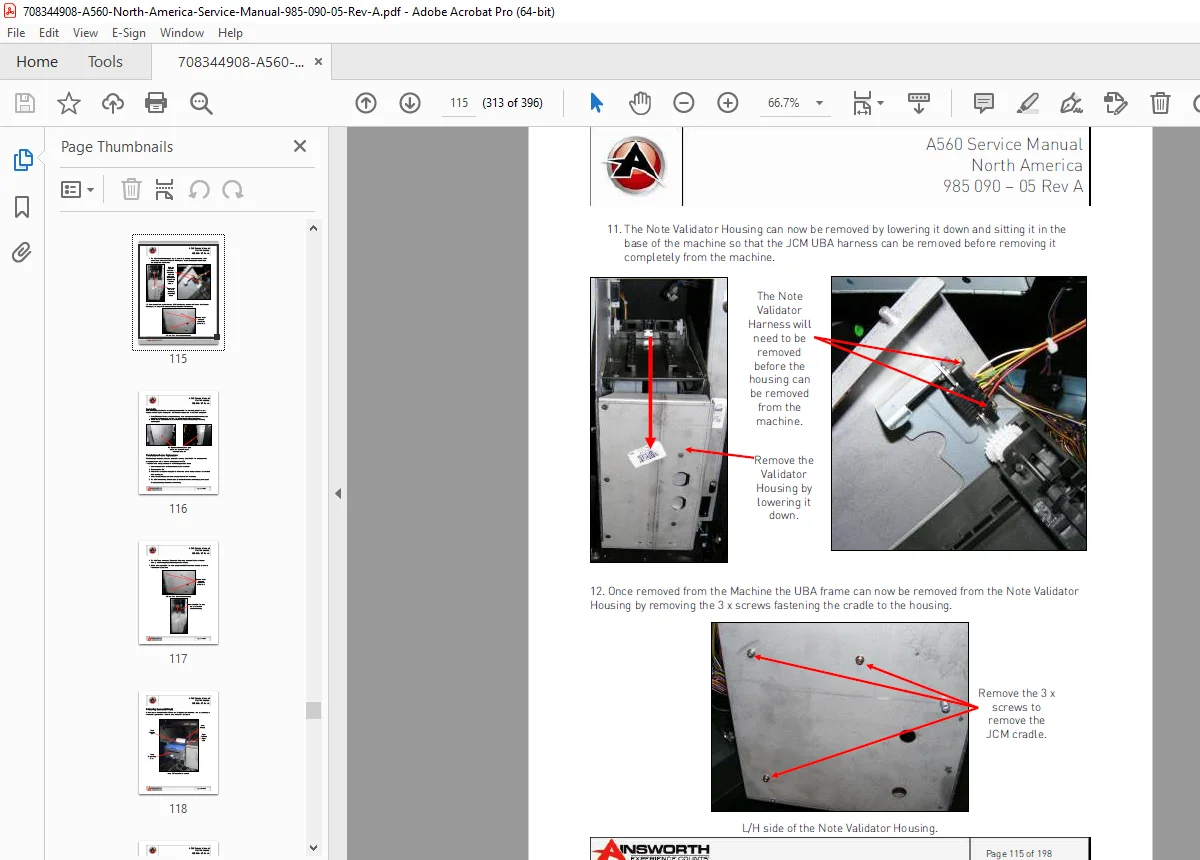
Note Validator Replacement:
- ✅ Validator removal procedures
- ✅ Housing replacement
- ✅ Frame replacement
- ✅ Complete installation sequence
Printer Replacement (If Fitted):
- ✅ Printer removal procedures
- ✅ Paper path setup
- ✅ Communication setup
- ✅ Test print verification
Player Tracking Module Fitment:
- ✅ Module installation procedures
- ✅ Mounting brackets
- ✅ Wiring connections
- ✅ System configuration
Power Supply Replacement:
- ✅ Power supply removal
- ✅ Voltage verification
- ✅ New supply installation
- ✅ Load testing
Logic Cage Assembly:
- ✅ Mainboard Replacement – CPU board removal and installation
- ✅ Backplane Board Replacement – I/O board service
- ✅ Complete Logic Cage Replacement – Full assembly replacement
- ✅ Configuration restoration
Software Troubleshooting:
- ✅ Software Assertion Error – Error interpretation and resolution
- ✅ Clear NVRAM – Memory reset procedures
- ✅ Error Messages – Complete error code reference (Pages 132-136)
- ✅ Error code meanings
- ✅ Corrective actions
Troubleshooting Guide:
- ✅ Systematic problem diagnosis (Page 137)
- ✅ Note validator error display interpretation (Page 138)
- ✅ Component-level troubleshooting
Spare Parts List:
- ✅ Complete parts catalog (Page 139+)
- ✅ Part numbers and descriptions
- ✅ Ordering information
A560 Wiring Diagram:
- ✅ Complete electrical schematic (Page 144)
- ✅ Power distribution
- ✅ Signal routing
- ✅ Connector pinouts
- ✅ Component interconnections
CHAPTER 4 – AUDIT MODES (Pages 145-198)
Reset / Audit Mode Switch:
- ✅ Accessing audit mode
- ✅ Security key procedures
- ✅ Mode navigation
Audit Mode Main Menu:
- ✅ Menu structure and navigation
- ✅ Audit menu page layout
Maintenance Menu:
- ✅ Hopper Refill – Manual coin loading procedures
- ✅ Stacker Clear – Bill validator cashbox reset
- ✅ Power Save – Energy management settings
Meters:
- ✅ Real-time meter displays
- ✅ Current session data
History / Logs Menu:
Game Replay:
- ✅ Last game review
- ✅ Result verification
- ✅ Payout confirmation
Game Meters:
- ✅ Per-game accounting data
- ✅ Win/loss statistics
- ✅ Theoretical vs. actual RTP
Cumulative Meters:
- ✅ Lifetime machine statistics
- ✅ Coin in totals
- ✅ Coin out totals
- ✅ Jackpot totals
- ✅ Bills accepted
- ✅ Tickets printed/accepted
- ✅ Hopper payouts
Gamble History:
- ✅ Double-up feature tracking
- ✅ Win/loss on gambles
Progressive Hits:
- ✅ Progressive jackpot history
- ✅ Win amounts and dates
Machine Faults:
- ✅ Error log with timestamps
- ✅ Fault descriptions
- ✅ Fault resolution status
Game Statistics:
- ✅ Detailed game performance data
- ✅ Bonus trigger rates
- ✅ Feature frequencies
Progressive History:
- ✅ Progressive contribution tracking
- ✅ Jackpot increment history
Event Logs:
- ✅ General Event Log – All system events
- ✅ Error Event Log – All error conditions
- ✅ Access Event Log – Door opens, key turns
- ✅ Power Event Log – Power on/off events
- ✅ BNA Event Log – Bill acceptor events
Monetary / Bonus:
- ✅ Banknotes History – Bill acceptance tracking
- ✅ Notes Insertion Summary – Denomination breakdown
- ✅ Ticket History – All ticket transactions
- ✅ Printed Ticket History – Tickets paid out
- ✅ Accepted Ticket History – Tickets redeemed
Door Statistics:
- ✅ Door open count
- ✅ Time door was open
- ✅ Last door open timestamp
Configuration Mode:
- ✅ Configuration Summary – All settings at a glance
- ✅ Machine Identification – Serial numbers, IDs
- ✅ Game Configuration – Current game settings
- ✅ Peripherals Information – Connected device status
Peripheral Configuration Screens:
- ✅ Coin Validator – Settings and status
- ✅ Bill Acceptor – Configuration and diagnostics
- ✅ Printer – Printer settings and paper status
- ✅ Hopper – Hopper configuration and coin levels
- ✅ Touchscreen – Calibration status
- ✅ Hard Meters – Mechanical meter settings
- ✅ Tower Light – Status light configuration
Networking:
- ✅ Multi Host – Network host configuration
- ✅ Poll Category – Accounting system communication
- ✅ AFT Register – Asset/Financial Transfer settings
- ✅ Configuration Info – Network parameters
System Settings:
- ✅ Date and Time – Clock settings
- ✅ Sound System Setup – Audio configuration
- ✅ Progressive Status – Jackpot system status
- ✅ Game Play Options – Gameplay parameters
System Tests:
- ✅ Quick access to diagnostic tests from audit mode
🎰 Professional Applications
This casino slot machine service manual is essential for:
- Casino Slot Technicians – Gaming floor equipment maintenance
- Gaming Machine Technicians – Multi-venue service providers
- Casino Maintenance Managers – Fleet management and training
- Tribal Gaming Operations – Native American casino equipment
- Gaming Equipment Distributors – Installation and warranty service
- Slot Route Operators – Bar and tavern gaming equipment
- Gaming Regulatory Inspectors – Compliance verification
- Gaming Equipment Refurbishers – Used machine reconditioning
- Technical Training Schools – Gaming technician certification programs
⚡ Key Service Areas Covered
Gaming Technology:
- Video reel simulation technology
- Random number generation (RNG)
- Game math and probability
- Paytable configuration
- Progressive jackpot systems
- Bonus feature triggers
Payment Systems:
- Coin acceptance and validation
- Bill/note validation and security
- Ticket-in/ticket-out (TITO) systems
- Thermal ticket printing
- Barcode validation
- Cashless gaming integration
Accounting Systems:
- Electronic metering
- Hard meter (mechanical counter) systems
- Event logging and history
- Audit trail maintenance
- Regulatory compliance reporting
Network Communication:
- Gaming system protocols
- Multi-host connectivity
- Player tracking system integration
- Central determination systems
- Wide-area progressive (WAP) systems
💡 Advanced Features of This Manual
✔️ 396 Pages of Gaming Equipment Documentation – Comprehensive coverage
✔️ Dual Monitor System – Complete LCD assembly service
✔️ TITO System Integration – Ticket printer and validator
✔️ Complete Wiring Diagrams – Full electrical schematics
✔️ Error Code Reference – All fault codes explained
✔️ Configuration Procedures – Regulatory compliance setup
✔️ Audit Mode Guide – Complete accounting access
✔️ Event Logging – Historical data interpretation
✔️ Spare Parts List – Part numbers and ordering
✔️ Network Configuration – Multi-host system setup
📱 Technical Support Resource
- ✅ Compatible with all devices (PC, Mac, tablet, smartphone)
- ✅ Searchable PDF for quick information access
- ✅ Print specific procedures for workbench reference
- ✅ Detailed photographs and diagrams
- ✅ Step-by-step component replacement
- ✅ Lifetime access with no restrictions
🛠️ Common Service Tasks Covered
The manual guides you through:
- Machine installation and setup
- Game software conversion
- Touch screen calibration
- Bill validator cleaning and service
- Ticket printer maintenance
- Coin hopper repair and refill
- Monitor replacement and adjustment
- Button panel LED replacement
- Speaker and audio system service
- Logic board replacement
- Power supply troubleshooting
- Network configuration
- Audit mode navigation
- Error code diagnosis
- Preventive maintenance schedules
🎯 Technical Specifications Included
- Display System – Dual 22″ LCD monitors with touch
- Cabinet Type – Upright slot machine cabinet
- Payment Systems – Coin, bill, ticket in/out
- Audio System – Stereo speakers plus subwoofer
- Gaming Computer – Mainboard and backplane specifications
- Power Requirements – AC voltage and current
- Physical Dimensions – Height, width, depth, weight
- Environmental – Operating temperature and humidity
- Compliance – Gaming regulatory standards
- Network – Communication protocols and connectivity
📥 Download Your Gaming Service Manual Now!
Get instant access to your Ainsworth A560 service manual immediately after purchase! No shipping delays, no backorders – download all 396 pages of professional gaming equipment service documentation right now. This Ainsworth A560 troubleshooting manual provides the same factory-level technical information used by Ainsworth-certified technicians worldwide. Reduce machine downtime, improve first-time fix rates, and maintain your gaming equipment to regulatory standards with this essential casino technician resource!
Pricing Rationale:
- 396 pages of comprehensive gaming equipment content
- Casino/gaming equipment (highly regulated, professional market)
- Ainsworth brand (established gaming manufacturer)
- North America compliance (specific regulatory documentation)
- Dual monitor system (complex video technology)
- Complete TITO integration (ticket-in/ticket-out systems)
- Network configuration (accounting system integration)
- Audit mode documentation (critical for compliance)
- Gaming technicians are specialized, well-compensated professionals
- High equipment value (A560 machines cost $10,000-$20,000+)
- Regulatory requirements – must maintain to standards