Alienware Aurora R5 Desktop Service Manual PDF
Original price was: $95.00.$25.95Current price is: $25.95.
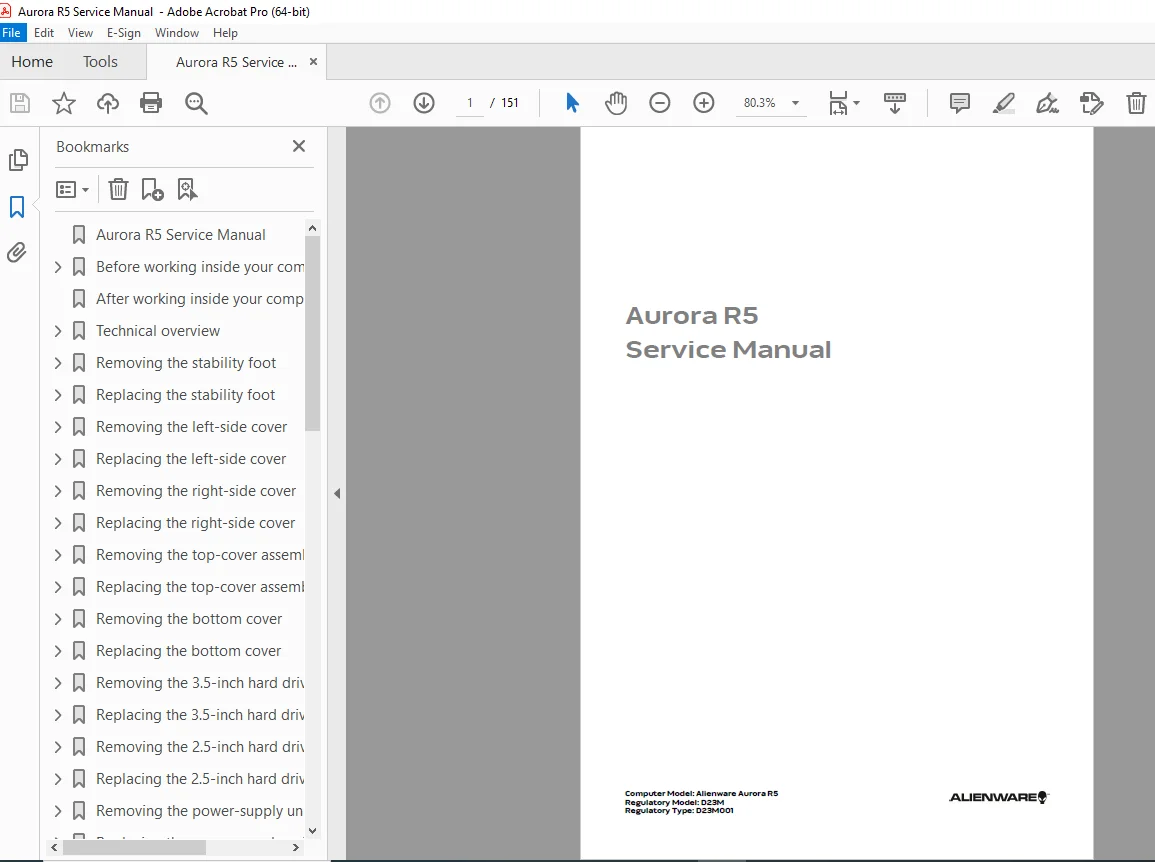
Complete official Dell service manual for Alienware Aurora R5 gaming desktop computer model D23M. Professional repair guide covers component removal, replacement procedures, system specifications, and technical diagnostics. Essential resource for computer technicians performing hardware upgrades, troubleshooting, and repairs on Aurora R5 systems. Includes detailed disassembly instructions, part identification, cooling system maintenance, and safety protocols.
Description
Alienware Aurora R5 Desktop Service Manual Repair Guide D23M 2016 PDF DOWNLOAD
DESCRIPTION
Professional Service & Repair Manual for Alienware Aurora R5 Gaming Desktop
This official Dell Alienware Aurora R5 service manual provides comprehensive technical documentation for professional technicians and experienced users performing repairs, upgrades, and maintenance on the Aurora R5 gaming desktop computer. This Alienware Aurora R5 disassembly instructions guide contains factory-authorized procedures ensuring proper servicing techniques.
FILE DETAILS
- Manual Name: Aurora R5 Service Manual
- Models Covered: Alienware Aurora R5, Regulatory Model D23M, Type D23M001
- Publication Date: July 2016
- Format: Official Dell PDF
- Pages: 151 pages
- Quality: High-resolution factory original
- Language: English (en-us)
- File Size: 11.2 MB
COMPLETE TABLE OF CONTENTS
Safety & Preparation
- Before Working Inside Your Computer
- Safety instructions and warnings
- Recommended tools list
- Complete screw identification list
- After Working Inside Your Computer
- Technical Overview
- Inside view of your computer
- System-board components diagram
Component Removal & Replacement Procedures
STRUCTURAL COMPONENTS
- Stability Foot (Removal & Replacement)
- Left-Side Cover (Removal & Replacement)
- Right-Side Cover (Removal & Replacement)
- Top-Cover Assembly (Removal & Replacement)
- Bottom Cover (Removal & Replacement)
STORAGE DEVICES
- 3.5-inch Hard Drive (Removal & Replacement)
- 2.5-inch Hard Drives (Removal & Replacement)
- Solid-State Drive (SSD) (Removal & Replacement)
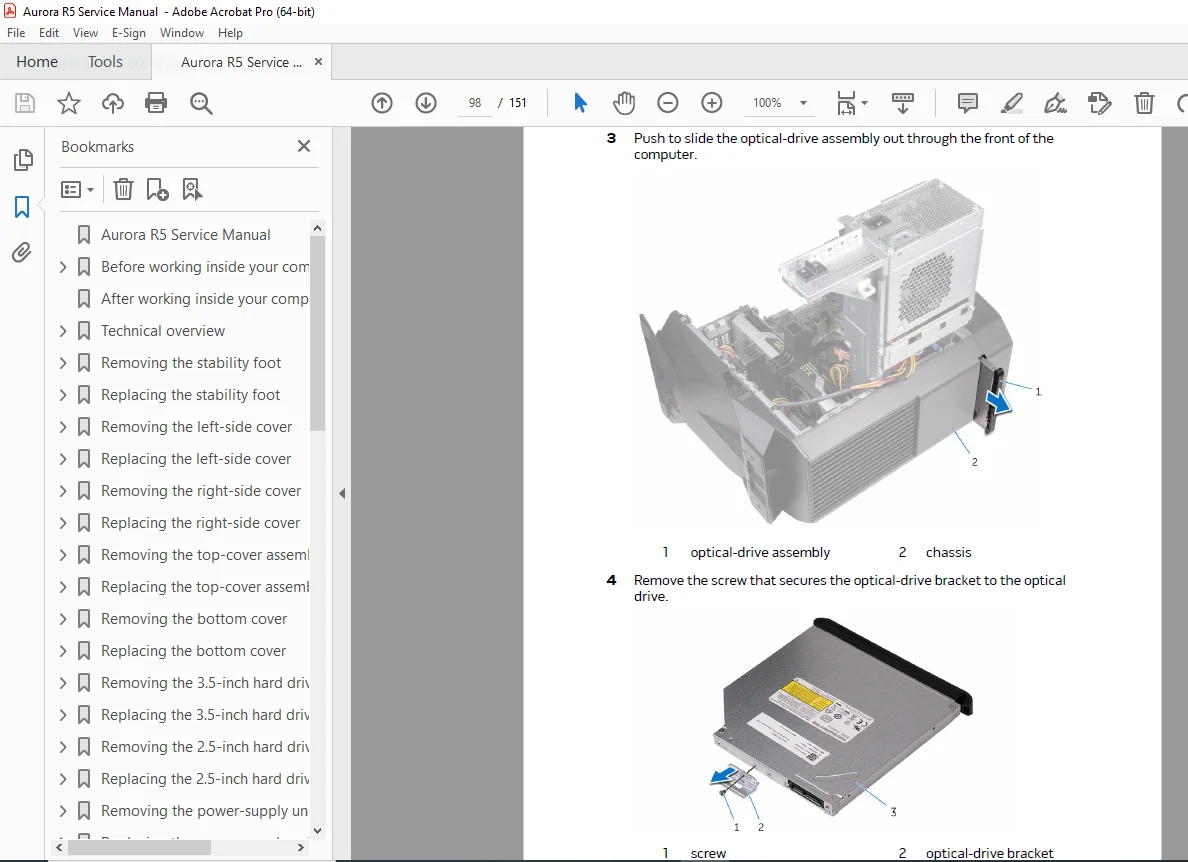
- Optical Drive (Removal & Replacement)
POWER & COOLING SYSTEMS
- Power-Supply Unit (Removal & Replacement)
- Processor-Cooling Assembly (Removal & Replacement)
- Processor Fan and Heat-Sink Assembly (Removal & Replacement)
- Front-Chassis Fan (Removal & Replacement)
- Top-Chassis Fan (Removal & Replacement)
CORE COMPONENTS
- Coin-Cell Battery (CMOS) (Removal & Replacement)
- Memory Modules (RAM) (Removal & Replacement)
- Graphics Card (GPU) (Removal & Replacement)
- Processor (CPU) (Removal & Replacement)
CONNECTIVITY COMPONENTS
- Wireless Card (Removal & Replacement)
- Antenna (Removal & Replacement)
WHAT THIS GAMING DESKTOP TECHNICAL MANUAL INCLUDES
✓ Step-by-Step Disassembly Procedures – Detailed instructions with prerequisites and post-requisites for each component
✓ Component Identification – System board layout diagrams showing all major components
✓ Safety Protocols – Critical warnings, cautions, and notes throughout procedures
✓ Screw Reference Guide – Complete listing of screw types and locations
✓ Tool Requirements – Recommended tools for professional servicing
✓ Proper Reassembly Sequences – Ensures components are reinstalled correctly
✓ Technical Specifications – Official Dell engineering documentation
✓ Upgrade Compatibility Information – Guidelines for hardware upgrades
WHO NEEDS THIS AURORA R5 REPAIR GUIDE PDF?
This computer hardware replacement procedures manual is essential for:
- Computer Repair Technicians – Performing warranty and out-of-warranty repairs
- IT Support Professionals – Maintaining gaming workstations and desktop fleets
- System Builders – Upgrading RAM, storage, graphics cards, and processors
- PC Enthusiasts – DIY repairs and custom modifications
- Service Centers – Authorized and independent repair facilities
- Corporate IT Departments – Supporting Alienware desktop deployments
KEY FEATURES OF THIS ALIENWARE TROUBLESHOOTING GUIDE
COMPREHENSIVE COVERAGE
Every major component covered with detailed removal and replacement procedures, including graphics cards, processors, cooling systems, storage devices, and power supplies.
FACTORY-AUTHORIZED PROCEDURES
Official Dell documentation ensures you’re following manufacturer-recommended servicing techniques, preventing damage and maintaining system integrity.
SAFETY-FOCUSED
Critical warnings and cautions highlighted throughout the manual to protect both technician and equipment during service procedures.
PREREQUISITE GUIDANCE
Each procedure clearly lists which components must be removed first, preventing common mistakes and saving valuable service time.
PROFESSIONAL QUALITY
High-resolution diagrams and clear formatting make complex procedures easy to follow, even for intricate gaming desktop technical manual procedures.
TECHNICAL HIGHLIGHTS
| Specification | Details |
|---|---|
| System Type | Gaming Desktop Computer |
| Form Factor | Mid-Tower |
| Processor Support | Intel Core (6th Generation) |
| Memory Support | DDR4 DIMM modules |
| Storage Options | 3.5″ HDD, 2.5″ HDD/SSD, M.2 SSD |
| Graphics | Dedicated GPU slot (PCIe) |
| Cooling | Liquid cooling compatible |
| Power Supply | Modular ATX |
SAMPLE PROCEDURES COVERED
- Graphics Card Upgrade – Complete removal of existing GPU and installation of replacement card
- Memory Installation – Adding or replacing DDR4 modules with proper slot configuration
- Storage Expansion – Installing additional hard drives or upgrading to SSD
- Cooling System Maintenance – Servicing processor coolers and chassis fans
- Power Supply Replacement – Removing and installing PSU with proper cable management
- Wireless Card Installation – Upgrading Wi-Fi capabilities
- CMOS Battery Replacement – Replacing coin-cell battery for BIOS settings retention
WHY CHOOSE THIS OFFICIAL SERVICE MANUAL?
✓ Authentic Dell Documentation – Not third-party or reverse-engineered content
✓ Immediate PDF Download – Start repairs within minutes of purchase
✓ Lifetime Access – Keep in your digital library for future reference
✓ Print-Friendly Format – Bring to your workbench for hands-on repairs
✓ Searchable Content – Quickly find specific procedures using PDF search
✓ Professional Standard – Used by Dell-certified technicians worldwide
COMPATIBLE WITH THESE ALIENWARE MODELS
- Alienware Aurora R5
- Regulatory Model: D23M
- Regulatory Type: D23M001
WHAT YOU’LL RECEIVE
Upon purchase, you receive instant download access to the complete 151-page Alienware Aurora R5 service manual in PDF format. This is the identical manual used by Dell-authorized service centers and contains every technical specification, procedure, and diagram needed for professional-level repairs and upgrades.
Don’t risk expensive mistakes or component damage—get the official factory service manual trusted by professional technicians worldwide. Download instantly and start your repair with confidence today!