
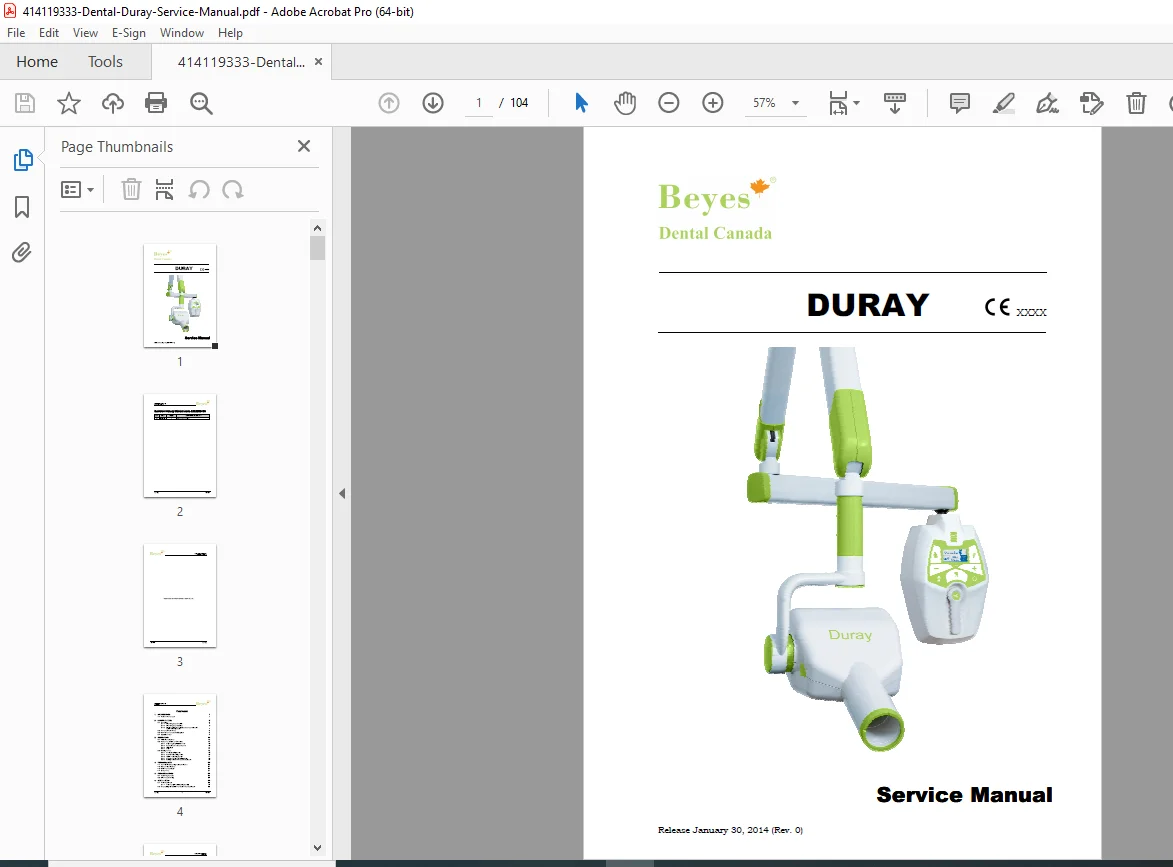
Beyes Duray Dental X-Ray Service Manual PDF
Original price was: $65.00.$23.95Current price is: $23.95.
Essential Beyes Duray service manual PDF for dental X-ray troubleshooting guide, Duray installation and calibration procedures, tubehead replacement instructions for Duray, safety aspects in dental radiology, and technical data for Duray X-ray units. Covers configurations, error messages, maintenance, schematics, spare parts, and fixing templates for wall, mobile, and remote setups.
Description
Beyes Duray Dental X-Ray Service Manual – PDF DOWNLOAD
Description
This Beyes Duray service manual PDF is a comprehensive guide for technicians servicing the Duray intra-oral dental X-ray unit from Beyes Dental Canada. It provides detailed dental X-ray troubleshooting guide with error message explanations, including fatal errors during power-up, idle states, cooling, X-ray emission, and non-fatal errors. The manual includes Duray installation and calibration procedures for wall, mobile stand, and remote timer configurations, covering arm assembly, electrical connections, optional parts like remote/wireless X-ray buttons, and power-up sequences.
Key sections emphasize safety aspects in dental radiology, such as warnings on electromagnetic emissions/immunity, separation distances for radio equipment, X-ray protection, environmental risks, disposal, and symbols. Technical data details measurement methods for factors, tube features curves, reference standards, and dimensions. Checks and adjustments cover arm frictioning and balance, while set-up instructions guide operational configurations.
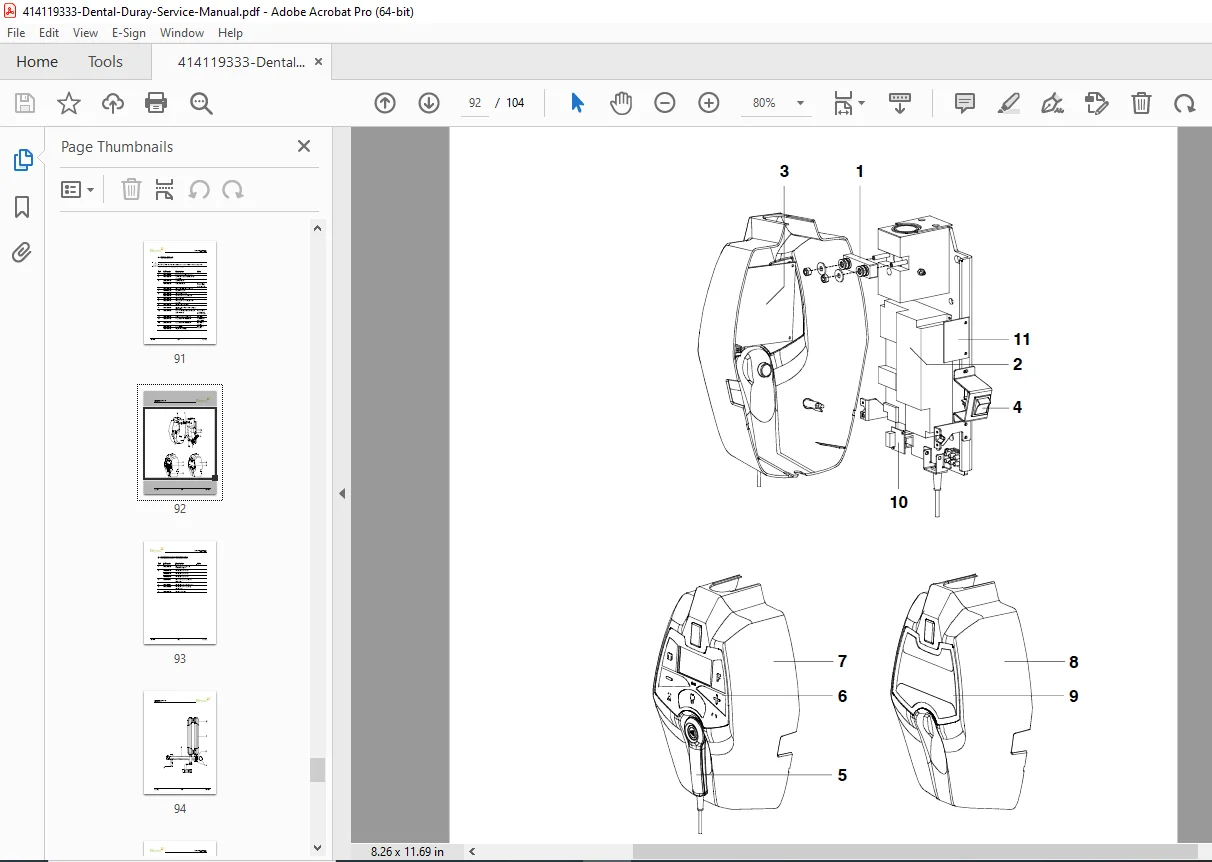
Replacing parts procedures include tubehead and Driver board replacement, CPU board, keypad, and scissors arm for various configurations. Maintenance guidelines ensure long-term reliability, with schematics, drawings, spare parts lists, and fixing templates for precise installations.
Table of Contents (Extracted from Pages i-iii, Categorized with Subsections and Page References):
- 1. Introduction (1)
- 1.1 Icons in the manual (1)
- 2. Safety Aspects (2)
- 2.1 Warnings (3)
- 2.1.1 Electromagnetic emissions (4)
- 2.1.2 Electromagnetic immunity (5)
- 2.1.3 Recommended separation distances to portable and mobile radio equipment (7)
- 2.2 Protection from X-rays (8)
- 2.3 Environmental risks and disposal (8)
- 2.4 Symbols in use (9)
- 2.1 Warnings (3)
- 3. Description (10)
- 3.1 Identification plates (10)
- 3.2 Functions, Models and Versions (12)
- 3.2.1 High Frequency (HF) Generator (13)
- 3.2.2 Extension arm and scissors arm (13)
- 3.2.3 Tube-head (14)
- 3.2.4 Timer (14)
- 3.3 Configurations (15)
- 3.3.1 Standard configuration (15)
- 3.3.2 Remote timer configuration (16)
- 3.3.3 Mobile stand configuration (17)
- 3.3.4 Remote X-ray button configuration (18)
- 3.3.5 Configuration with wireless X-ray button (19)
- 4. Technical Data (20)
- 4.1 Method for measuring technical factors (23)
- 4.2 Curves tube features (24)
- 4.3 Reference standard (26)
- 4.4 Dimensions (27)
- 5. Pre-Installation (28)
- 5.1 Mounting methods (28)
- 5.2 Electric pre-setting (29)
- 6. Installation (30)
- 6.1 Wall installation (30)
- 6.1.1 Timer set up (standard configuration) (31)
- 6.2 Assembling the mobile stand and timer installation (32)
- 6.3 Assembling the arms (34)
- 6.3.1 Assembling the extension arm (34)
- 6.3.2 Assembling the scissors arm (DP) (36)
- 6.3.3 Assembling the stand arms set (40)
- 6.4 Installation of the optional parts (41)
- 6.4.1 External signaling devices (41)
- 6.4.2 Remote X-ray button (42)
- 6.4.3 Wireless X-ray button (44)
- 6.4.3.1 Wireless X-ray button – battery assembling (44)
- 6.4.3.2 Wireless upgrade kit assembling (45)
- 6.4.3.3 Wireless X-ray button – Timer matching (47)
- 6.4.4 Remote Timer configuration (48)
- 6.4.4.1 Wall support set-up (48)
- 6.4.4.2 Remote Timer set up (49)
- 6.4.5 Installation of chemical screws (50)
- 6.5 Electrical connection (51)
- 6.5.1 Electrical connection for standard and mobile stand versions (51)
- 6.5.2 Electrical connection for Remote Timer version (53)
- 6.5.2.1 Wall support connection (53)
- 6.5.2.2 Remote Timer connection (54)
- 6.6 Power-up sequence (55)
- 6.1 Wall installation (30)
- 7. Checks, Calibrations and Adjustments (56)
- 7.1 Arm adjustment (56)
- 7.1.1 Adjusting the extension arm support frictioning mechanism (57)
- 7.1.2 Adjusting the extension arm frictioning mechanism (58)
- 7.1.3 Adjusting the balance scissors arm (59)
- 7.1 Arm adjustment (56)
- 8. Set-Up (61)
- 9. Troubleshooting (67)
- 9.1 Error messages on the display (68)
- 9.1.1 Fatal errors upon power-up and in the ready, idle and cooling statuses (69)
- 9.1.2 Fatal errors during X-ray emission (70)
- 9.1.3 NON fatal errors (71)
- 9.1 Error messages on the display (68)
- 10. Replacing Parts (72)
- 10.1 Replacing the tubehead and the Driver board (72)
- 10.1.1 Replacing the tubehead (73)
- 10.1.2 Replacing the Driver board (73)
- 10.2 Replacing the CPU board (74)
- 10.3 Replacing the keypad (75)
- 10.4 Replacing the scissors arm (76)
- 10.4.1 Replacing the scissors arm with wall timer (standard configuration) (76)
- 10.4.2 Replacing the scissor arm on mobile stand (77)
- 10.1 Replacing the tubehead and the Driver board (72)
- 11. Maintenance (78)
- 12. Schematics and Drawings (79)
- 13. Spare Parts (83)
- 14. Fixing Templates (95)
No separate bookmarks or index are present beyond the table of contents. Visual aids include diagrams of configurations, dimensions, assembly steps, and identification plates throughout the Duray installation and calibration procedures and tubehead replacement instructions for Duray.
File Details
- Manual Name: Duray Service Manual
- Models Covered: Duray (intra-oral X-ray units)
- Year: 2014
- Manual PDF Quality: High-resolution with clear text, diagrams, and illustrations
- No of Pages: 104