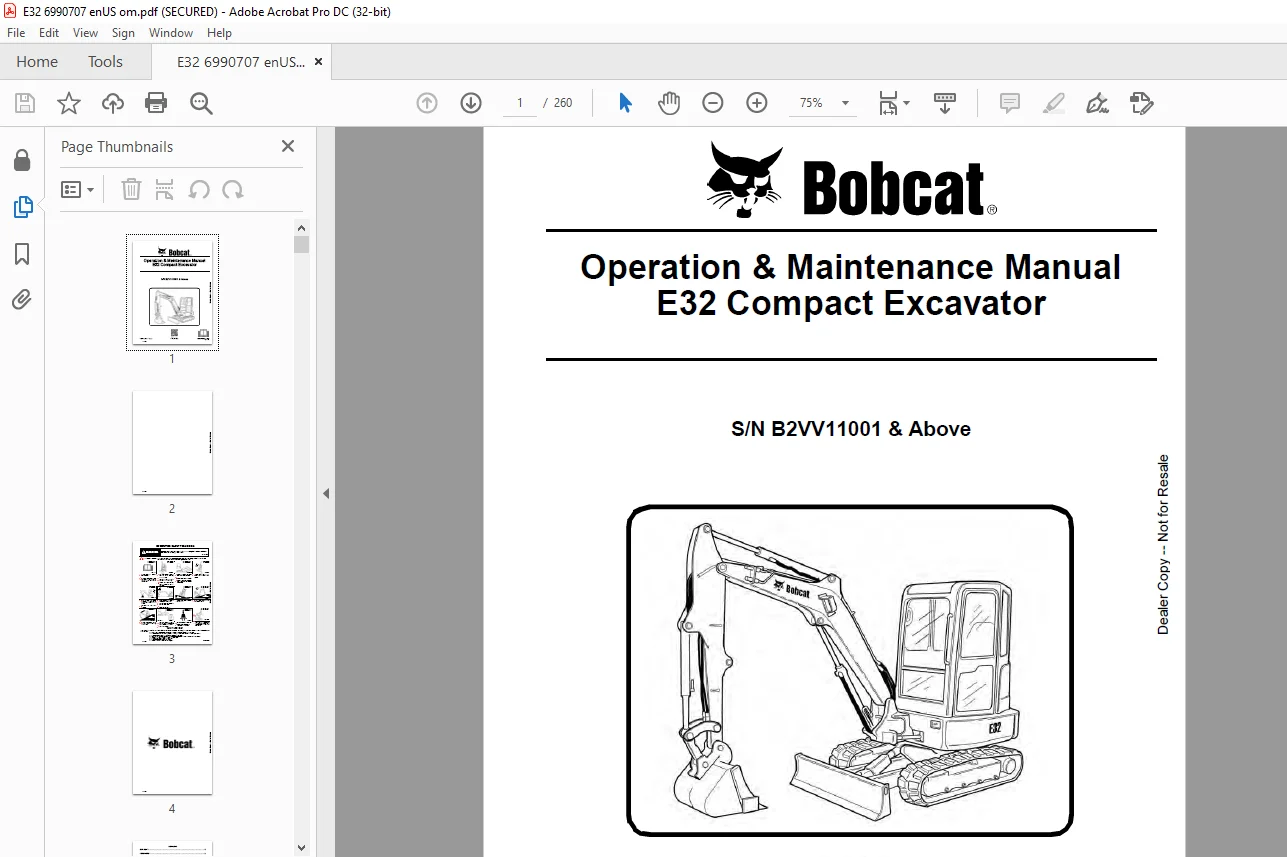
Bobcat E32 Compact Excavator Operation & Maintenance Manual 6990707 (11-15) – PDF DOWNLOAD
$28.95
Bobcat E32 Compact Excavator Operation & Maintenance Manual 6990707 (11-15) – PDF DOWNLOAD
S/N B2VV11001 & Above
Description
Bobcat E32 Compact Excavator Operation & Maintenance Manual 6990707 (11-15) – PDF DOWNLOAD
FILE DETAILS:
Bobcat E32 Compact Excavator Operation & Maintenance Manual 6990707 (11-15) – PDF DOWNLOAD
Language : English
Pages :260
Downloadable : Yes
File Type : PDF
Size:9.04 MB
DESCRIPTION:
Bobcat E32 Compact Excavator Operation & Maintenance Manual 6990707 (11-15) – PDF DOWNLOAD
FOREWORD
This Operation & Maintenance Manual was written to give the owner / operator instructions on the safe operation and maintenance of the Bobcat excavator. READ AND UNDERSTAND THIS OPERATION & MAINTENANCE MANUAL BEFORE OPERATING YOUR BOBCAT EXCAVATOR. If you have any questions, see your Bobcat dealer. This manual may illustrate options and accessories not installed on your excavator.
SAFETY INSTRUCTIONS
Before Operation
- Carefully follow the operating and maintenance instructions in this manual. The Bobcat excavator is highly manoeuvrable and compact. It is rugged and useful under a wide variety of conditions. This presents an operator with hazards associated with off motorway, rough terrain applications, common with Bobcat excavator usage.
- The Bobcat excavator has an internal combustion engine with resultant heat and exhaust. All exhaust gases can kill or cause illness so use the excavator with adequate ventilation. The dealer explains the capabilities and restrictions of the Bobcat excavator and attachment for each application.
- The dealer demonstrates the safe operation according to Bobcat instructional materials, which are also available to operators. The dealer can also identify unsafe modifications or use of unapproved attachments. The attachments and buckets are designed for a Rated Lift Capacity. They are designed for secure fastening to the Bobcat excavator. The user must check with the dealer, or Bobcat literature, to determine safe loads of materials of specified densities for the machine – attachment combination.
The following publications and training materials provide information on the safe use and maintenance of the Bobcat machine and attachments:
- The Delivery Report is used to assure that complete instructions have been given to the new owner and that the machine and attachment is in safe operating condition.
- The Operation & Maintenance Manual delivered with the machine or attachment gives operating information as well as routine maintenance and service procedures. It is a part of the machine and can be stored in a container provided on the machine. Replacement Operation & Maintenance Manuals can be ordered from your Bobcat dealer.
- Machine signs (decals) instruct on the safe operation and care of your Bobcat machine or attachment. The signs and their locations are shown in the Operation & Maintenance Manual. Replacement signs are available from your Bobcat dealer.
- An Operator’s Handbook is fastened to the operator cab of the excavator. It’s brief instructions are convenient to the operator. The handbook is available from your dealer in an English edition or one of many other languages. See your Bobcat dealer for more information on translated versions.
- The AEM Safety Manual delivered with the machine gives general safety information.
- The Compact Excavator Operating Training Course is available through your Bobcat dealer. This course is intended to provide rules and practices of correct operation of the Bobcat excavator. The course is available in English and Spanish versions.
- Service Safety Training Courses are available from your Bobcat dealer. They provide information for safe and correct service procedures.
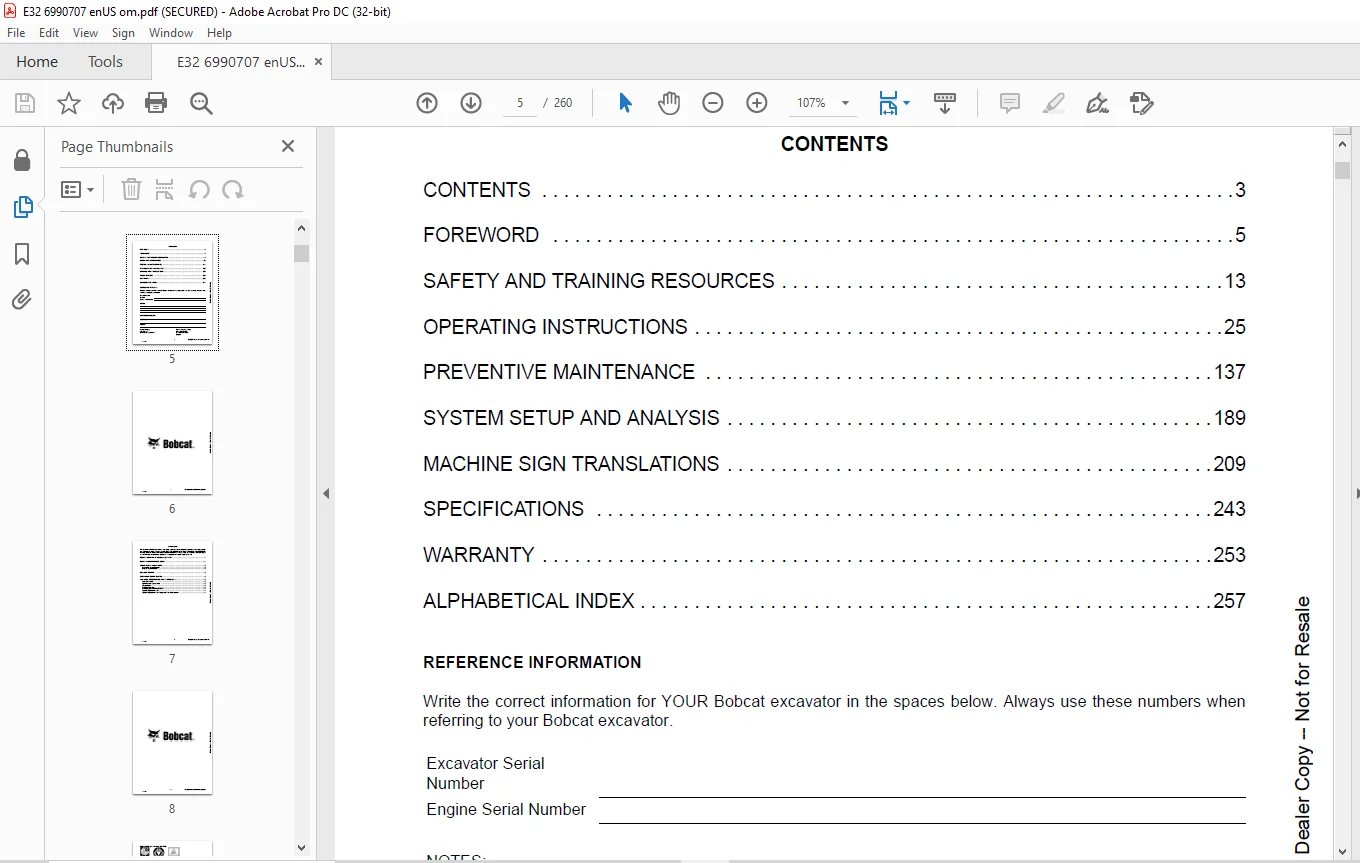
TABLE OF CONTENTS:
Bobcat E32 Compact Excavator Operation & Maintenance Manual 6990707 (11-15) – PDF DOWNLOAD
OPERATOR SAFETY WARNING 3
CONTENTS 5
FOREWORD 7
BOBCAT COMPANY IS IS0 9001 CERTIFIED 9
REGULAR MAINTENANCE ITEMS 9
SERIAL NUMBER LOCATIONS 10
Excavator Serial Number 10
Engine Serial Number 10
DELIVERY REPORT 10
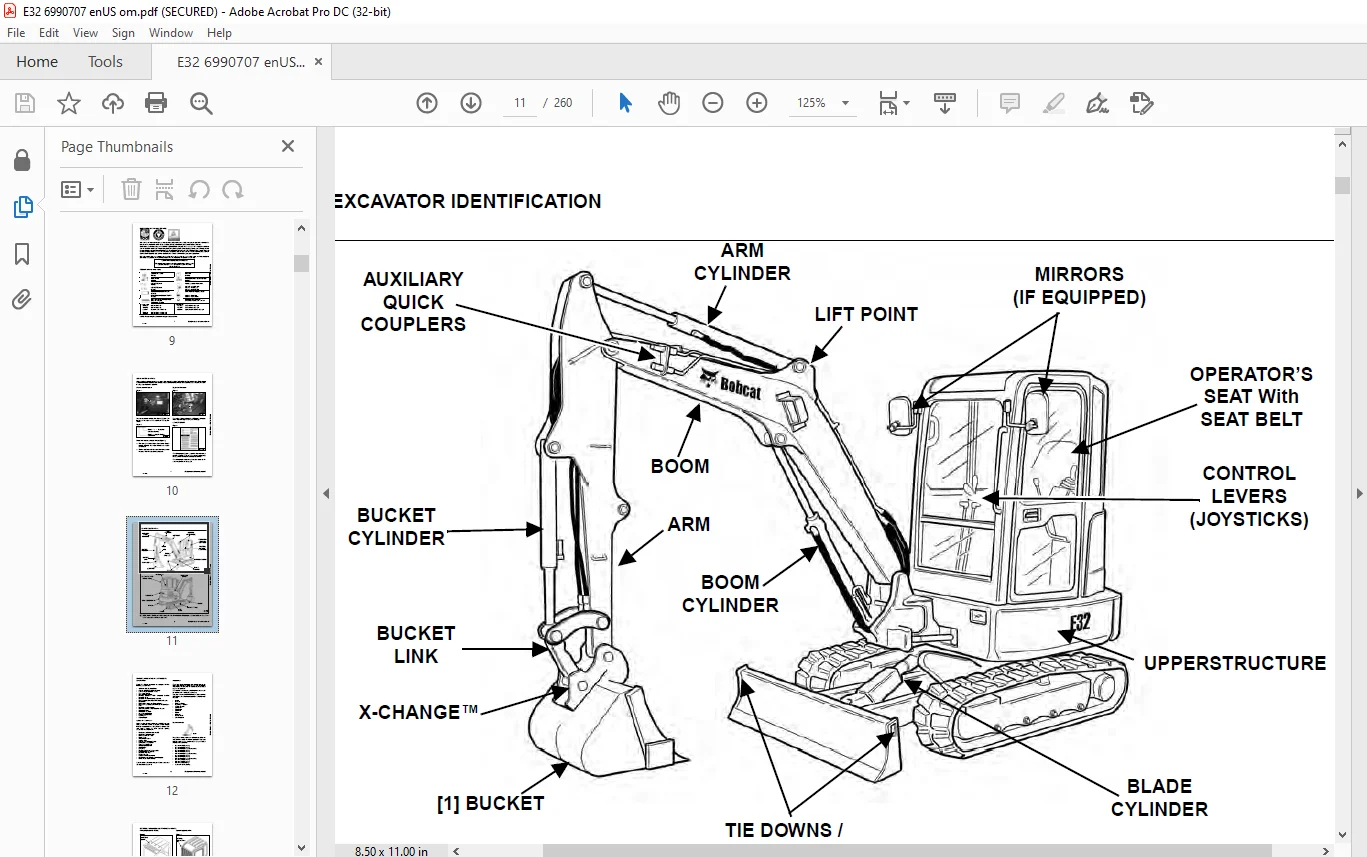
EXCAVATOR IDENTIFICATION 11
FEATURES, ACCESSORIES AND ATTACHMENTS 12
Standard Items 12
Options And Accessories 12
Attachments 12
Buckets Available 12
Falling-Object Guards (FOGS) 13
Special Applications Kit 13
Special Applications Kit Inspection And Maintenance 13
SAFETY AND TRAINING RESOURCES 15
SAFETY INSTRUCTIONS 17
Before Operation 17
Safe Operation Is The Operator’s Responsibility 18
Safe Operation Needs A Qualified Operator 18
Avoid Silica Dust 19
FIRE PREVENTION 19
Maintenance 19
Operation 19
Electrical 19
Hydraulic System 20
Fueling 20
Starting 20
Spark Arrester Exhaust System 20
Welding And Grinding 20
Fire Extinguishers 20
PUBLICATIONS AND TRAINING RESOURCES 21
MACHINE SIGNS (DECALS) 22
Pictorial Only Safety Signs 25
OPERATING INSTRUCTIONS 27
INSTRUMENTS AND CONSOLES 31
Left Console 31
Right Console 32
Instrument Panel – Standard 33
Instrument Panel – Deluxe 36
Radio Option 37
STD / ISO Selector Valve 39
Raising And Lowering The Console 39
Two-Speed Travel 40
Auto Shift Drive Motors 40
Auto Idle Feature 41
OPERATOR CANOPY (ROPS / TOPS) 42
Description 42
OPERATOR CAB (ROPS / TOPS) 42
Description 42
Cab Door 43
Front Window 44
Front Wiper 45
Window Washer Reservoir 45
Right Side Windows 46
Heating, Ventilation, And Air Conditioning Ducting 47
EMERGENCY EXIT 48
Right Side Rear Window 48
Front Window 48
MOTION ALARM SYSTEM 49
Operation 49
TRAVEL CONTROLS 50
Forward And Reverse Travel 50
Turning 50
HYDRAULIC CONTROLS 52
Description 52
STANDARD Control Pattern 52
ISO Control Pattern 53
Quick Couplers 54
Auxiliary Hydraulics – Standard Instrument Panel 55
Auxiliary Hydraulics – Deluxe Instrument Panel 56
Relieve Hydraulic Pressure With Standard Instrument Panel (Excavator And Attachment) 57
Relieve Hydraulic Pressure With Deluxe Instrument Panel (Excavator And Attachment) 57
Secondary Auxiliary Hydraulics 58
Relieve Secondary Auxiliary Hydraulic Pressure (Excavator And Attachment) 58
Return To Tank Valve 59
BLADE CONTROL LEVER 60
Raising And Lowering Blade 60
ENGINE SPEED CONTROL DIAL 60
Setting Engine Speed (RPM) 60
ECO Mode (With Deluxe Instrument Panel Only) 60
BOOM SWING 61
Operation 61
BOOM LOAD HOLDING VALVE 62
Description 62
Lowering Boom With Load Holding Valve 62
ARM LOAD HOLDING VALVE 64
Description 64
Lowering Arm With Load Holding Valve 64
DAILY INSPECTION 66
Daily Inspection And Maintenance 66
PRE-STARTING PROCEDURE 67
Operation & Maintenance Manual And Operator’s Handbook Locations 67
Entering The Excavator 67
Seat Adjustment 68
Seat Belt 68
Control Console 69
Mirror Adjustment 69
STARTING THE ENGINE 70
Key Switch 70
Keyless 71
Deluxe Instrument Panel 72
Warming The Hydraulic System 73
Cold Temperature Starting 73
Cold Temperature Engine Speed Control 73
MONITORING THE DISPLAY PANELS 74
Instrument Panel 74
Warning And Shutdown 74
STOPPING THE ENGINE AND LEAVING THE EXCAVATOR 75
Procedure 75
ATTACHMENTS 76
Installing And Removing The Attachment (Hydraulic X-Change) 76
Installing And Removing The Attachment (Pin-On X-Change) 79
Installing And Removing The Attachment (Pin-On Attachment) 85
Installing And Removing The Pro Clamp System Tool 86
OPERATING PROCEDURE 94
Inspect The Work Area 94
Basic Operating Instructions 94
Lowering The Work Equipment (Engine STOPPED) 94
Object Handling 95
Object Handling With The Lifting Device 96
Lift Capacity 98
Using The Hydraulic Clamp (If Equipped) 100
Using The Pro Clamp System (If Equipped) 101
Excavating 102
Boom Swing 104
Backfilling 105
Driving The Excavator 105
Operating On Slopes 106
Operating In Water 108
Extending The Arm (If Equipped) 109
Avoiding Track Damage 111
DEPTH CHECK 112
Setup / Calibration 112
Initial Setup 122
Operation 129
TOWING THE EXCAVATOR 135
Procedure 135
LIFTING THE EXCAVATOR 136
Procedure 136
TRANSPORTING THE EXCAVATOR ON A TRAILER 137
Loading And Unloading 137
Fastening 137
PREVENTIVE MAINTENANCE 139
MAINTENANCE SAFETY 143
SERVICE SCHEDULE 145
Maintenance Intervals 145
CONTROL CONSOLE LOCKOUTS 147
Inspection And Maintenance 147
SEAT BELT 148
Inspection And Maintenance 148
MOTION ALARM SYSTEM 149
Description 149
Inspecting 149
Adjusting Switch Position 150
TAILGATE 151
Opening And Closing 151
Adjusting The Latch 151
RIGHT SIDE COVER 152
Opening And Closing 152
CAB FILTERS 153
Cleaning And Maintenance 153
HEATING, VENTILATION AND AIR CONDITIONING (HVAC) 154
Cleaning And Maintenance 154
AIR CLEANER SERVICE 155
Replacing The Filter Elements 155
FUEL SYSTEM 157
Fuel Specifications 157
Biodiesel Blend Fuel 157
Filling The Fuel Tank 158
Fuel Filters 159
Removing Air From The Fuel System 160
Draining The Fuel Tank 160
ENGINE LUBRICATION SYSTEM 161
Checking And Adding Engine Oil 161
Engine Oil Chart 161
Removing And Replacing Oil And Filter 162
ENGINE COOLING SYSTEM 163
Cleaning 163
Checking Level 164
Removing And Replacing Coolant 165
ELECTRICAL SYSTEM 167
Description 167
Fuse And Relay Location / Identification 167
Battery Maintenance 169
Using A Booster Battery (Jump Starting) 170
Removing And Installing The Battery 171
HYDRAULIC SYSTEM 172
Checking And Adding Hydraulic Oil 172
Hydraulic / Hydrostatic Fluid Chart 173
Removing And Replacing The Hydraulic Filters 174
Removing And Replacing The Hydraulic Fluid 176
TRACK TENSION 177
Adjusting 177
TRAVEL MOTOR 180
Checking And Adding Oil 180
Removing And Replacing Oil 180
ALTERNATOR BELT 181
Belt Adjustment 181
Belt Replacement 181
AIR CONDITIONING BELT 183
Belt Adjustment 183
Belt Replacement 183
X-CHANGE 184
Inspection And Maintenance 184
BUCKET 184
Bucket Teeth Removal And Installation 184
TRACK ROLLER AND IDLER LUBRICATION 185
Procedure 185
LUBRICATION OF THE HYDRAULIC EXCAVATOR 186
Lubrication Locations 186
PIVOT PINS 189
Inspection And Maintenance 189
EXCAVATOR STORAGE AND RETURN TO SERVICE 190
Storage 190
Return To Service 190
SYSTEM SETUP AND ANALYSIS 191
DIAGNOSTIC SERVICE CODES 193
Viewing Service Codes 193
CONTROL PANEL SETUP 199
Panel Setup (Deluxe Instrument Panel) 199
PASSWORD SETUP (KEYLESS START PANEL) 204
Password Description 205
Changing The Owner Password 205
Password Lockout Feature 205
PASSWORD SETUP (DELUXE INSTRUMENT PANEL) 206
Password Description 206
Changing The Owner Password 206
Changing The User Passwords 207
Password Lockout Feature 207
MAINTENANCE CLOCK 208
Description 208
Standard Instrument Panel 208
Setup 208
Reset 208
Deluxe Instrument Panel 209
MACHINE SIGN TRANSLATIONS 211
MACHINE SIGN TRANSLATIONS 213
Service Schedule (7241461) 213
Warning (7178178) 216
Lift Chart (7174898) With Standard Arm 217
Lift Chart (7182361) With Standard Arm And Counterweight 220
Lift Chart (7174899) With Long Arm 223
Lift Chart (7203641) With Extendable Arm 226
Warning (7148157) 229
Warning (7178177) 231
Warning (6708929) 234
Warning (7185933) 234
Warning (7148145) 235
Warning (7148147) 235
Using the X-Change (6818059) 236
Using the X-Change System (7220131) 239
Joystick Control Pattern Selector Lever (7178179) 242
Warning (6810004) 243
Warning (7169006) 243
SPECIFICATIONS 245
EXCAVATOR SPECIFICATIONS 247
Excavator Machine Dimensions 247
Excavator Machine Dimensions – Standard Arm 248
Excavator Machine Dimensions – Long Arm 249
Excavator Machine Dimensions – Extendable Arm 250
Performance 251
Engine 251
Controls 252
Hydraulic System 252
Hydraulic Cylinders 253
Hydraulic Cycle Times 253
Drive System 253
Slew System 253
Undercarriage 253
Electrical 254
Capacities 254
Tracks 254
Ground Pressure 254
WARRANTY 255
WARRANTY 257
ALPHABETICAL INDEX 259
IMAGES PREVIEW OF THE MANUAL:
Contact us: [email protected]
https://vimeo.com/841462042?share=copy
PLEASE NOTE:
- This is the SAME exact manual used by your dealers to fix your vehicle.
- The same can be yours in the next 2-3 mins as you will be directed to the download page immediately after paying for the manual.
- Any queries / doubts regarding your purchase, please feel free to contact [email protected]
s.m