
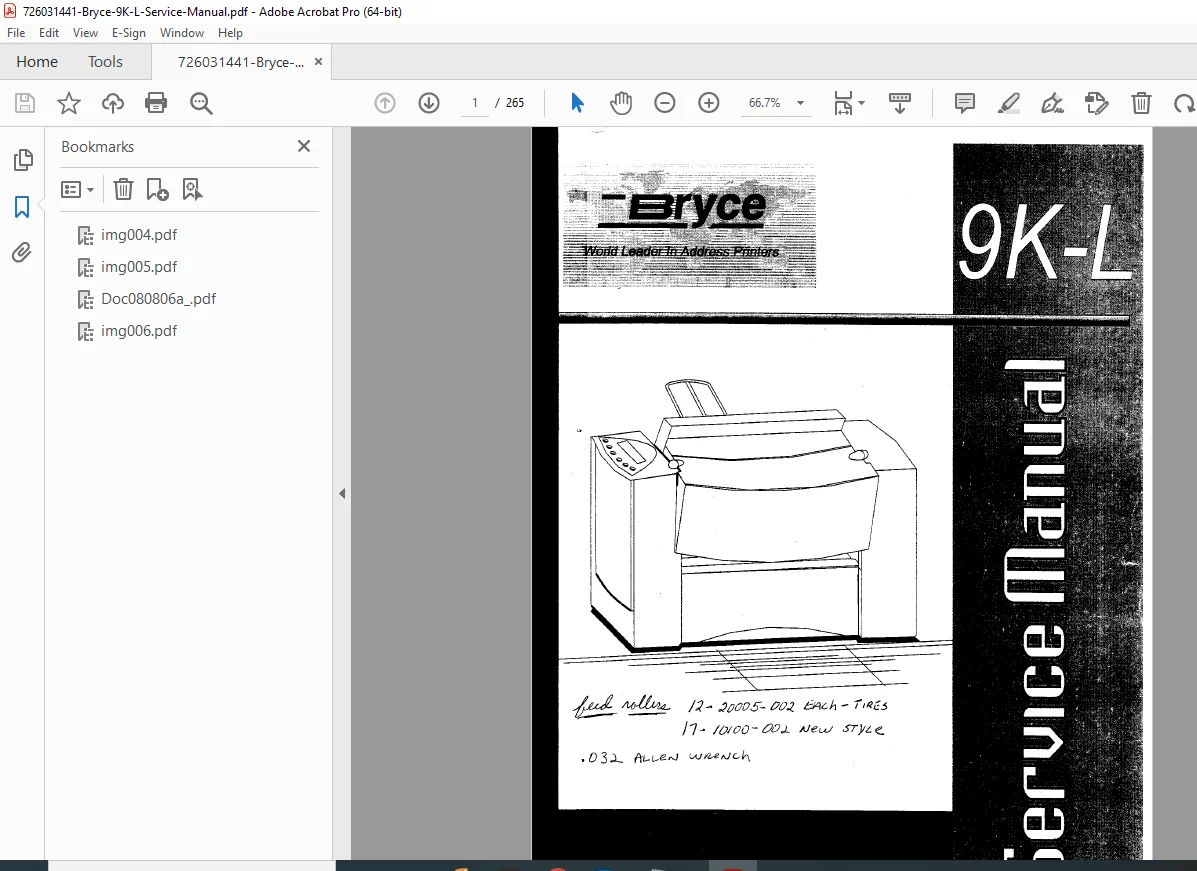
Bryce 9K-L/9K-LC Address Printer Complete Service Manual PDF
Original price was: $85.00.$27.95Current price is: $27.95.
Comprehensive factory service manual for Bryce 9K-L and 9K-LC address printers. Professional technical documentation with complete setup, operation, troubleshooting, and repair procedures. Includes step-by-step removal and replacement instructions, electrical schematics, printer adjustments, menu system guides, and PCL command references. Essential resource for technicians servicing Bryce industrial address printing equipment used in bulk mail operations.
Description
Bryce 9K-L/9K-LC Address Printer Complete Service Manual PDF DOWNLOAD
DESCRIPTION
This complete Bryce 9K-L/9K-LC Address Printer Service Manual provides comprehensive technical documentation for professional service technicians working with Bryce industrial address printing systems. Designed for bulk mailing operations, this manual covers all aspects of setup, operation, maintenance, troubleshooting, and repair for both the 9K-L and 9K-LC address printer models.
Equipment Covered
- Bryce 9K-L Address Printer – Standard model for bulk mail addressing
- Bryce 9K-LC Address Printer – Enhanced model with additional features
- Compatible with industrial mailing operations and mail houses
Complete Manual Contents
CHAPTER 1-3: INTRODUCTION & SETUP
- Component identification and accessory installation
- Step-by-step assembly procedures for new printer setup
- Parts identification with detailed nomenclature
- Proper installation of feed mechanisms and transport systems
- Initial configuration and basic operation guidelines
CHAPTER 4-6: PRINTER ADJUSTMENTS & MENU SYSTEM
- Performance maximization adjustments and calibration
- Complete printer menu system documentation with keypad definitions
- Main Menu sections including:
- Address Layout configuration
- Print Quality settings and optimization
- Font selection and management
- Barcode printing parameters
- Address Recovery procedures
- Job Settings customization
- Setup Menu functions including:
- Heavy Media Mode configuration
- Print Head testing and purging
- Lines Per Address settings
- Communications setup (Baud Rate, Parity, Word Length, Line Termination)
- Handshaking Protocol configuration
- Hex Dump Mode for diagnostics
- Language and Symbol Set selection
- Envelope Feed Delay and Auto Eject settings
- ROM Revision identification
- Service Menu options including:
- Left Justify adjustments
- Paper Sensor testing
- Paper Motor diagnostics
- Display testing procedures
- Envelope Bottom Edge calibration
- Paper Step adjustment
- Print Head Skew correction
- Color Alignment procedures
- Factory Default restoration
CHAPTER 7: TROUBLESHOOTING AND MAINTENANCE
- Comprehensive diagnostic charts for rapid fault identification
- Common problems and solutions organized by symptom
- Preventive maintenance procedures and schedules
- Photo sensor and bracket cleaning procedures
- Floor assembly and cover cleaning guidelines
- Exit roller slider maintenance
- General maintenance steps for optimal performance
CHAPTER 8: THEORY OF OPERATION
- Functional description of printer systems
- Timing diagrams for operational understanding
- System architecture and component interactions
- Print head operation and control mechanisms
- Paper transport theory and timing sequences
CHAPTER 9: MECHANICAL ASSEMBLY/REMOVAL PROCEDURES Complete step-by-step removal and replacement procedures for:
- Front Cover Sub-Assembly and Door Transport
- Rear Cover Sub-Assembly
- Front Panel and LCD Assembly
- Processor Main Board Assembly
- Lithium Battery replacement
- Miniature Flash Card installation
- DIMM Module installation and configuration
- Floor Assembly components
- Exit Roller and Bearings
- Feed Roller Assembly
- Transport Motor Assembly
- Power Board Assembly and Fuses
- Transformer Assembly
- Line Filter Assembly
- Separator Fingers
CHAPTER 10: PRINTER ADJUSTMENTS Detailed adjustment procedures including:
- Synchronizing the Adjustable Roller Assembly
- Upper Print Head Shaft Assembly adjustment
- LCD Display positioning
- Rear Support Brake Assembly calibration
- Print Head Drive Belt tension adjustment
- Sensor and Emitter alignment
- Service Station Assembly positioning
CHAPTER 11: ELECTRICAL TROUBLESHOOTING
- Processor Main Board voltage checking procedures
- Battery voltage verification
- Electrical diagnostics and fault isolation
- Voltage and continuity testing guidelines
Comprehensive Appendices
APPENDIX A: PRINTER MENUS
- Quick reference for Main Menu options
- Setup Menu command summary
- Service Menu complete listing
APPENDIX B: HEX CHART
- Hexadecimal reference chart for HEX dump diagnostics
- ASCII conversion tables
APPENDIX C: PRINTER CONTROL COMMANDS
- Complete PCL command codes reference
- Programming commands for software integration
- Command syntax and parameter descriptions
APPENDIX D: CHARACTER SET
- Complete character set documentation
- Font mapping and symbol references
APPENDIX E: COMPUTER INTERFACE WIRING DIAGRAM
- RS-232 serial cable wiring diagrams
- Pin configurations and signal assignments
- Cable specifications for proper connectivity
APPENDIX F: PRINTING WITH SOFTWARE
- Software setup procedures and guidelines
- Configuration for popular mailing software packages
- Driver installation and optimization
APPENDIX G: TECHNICAL SPECIFICATIONS Comprehensive specifications including:
- Agency Regulatory Notices: FCC Compliance, CE Mark requirements
- EMC Compliance: EN 55022 Class B, EN 50081-1:1992, EN 50082-1:1992
- Safety Standards: UL 1950 3rd Edition, CSA C22.2 No. 950-95, EN60950:1992
- Physical Dimensions and Weight
- Electrical Requirements: Power specifications and line cord information
- Media Size Specifications: Supported envelope and paper sizes
- Environmental Conditions: Operating temperature and humidity ranges
- Maximum Printing Area and Print Density
- Print Resolution: DPI specifications
- Maximum Print Size: Character dimensions
- Printer Speed: Throughput specifications
- Interface Panel: Connector specifications and pinouts
APPENDIX H: US MAIL REQUIREMENTS
- Delivery Point Barcode specifications
- USPS addressing standards and requirements
- Mail sorting and postal compliance guidelines
APPENDIX I: GLOSSARY
- Technical terminology and definitions
- Industry-specific mailing terms
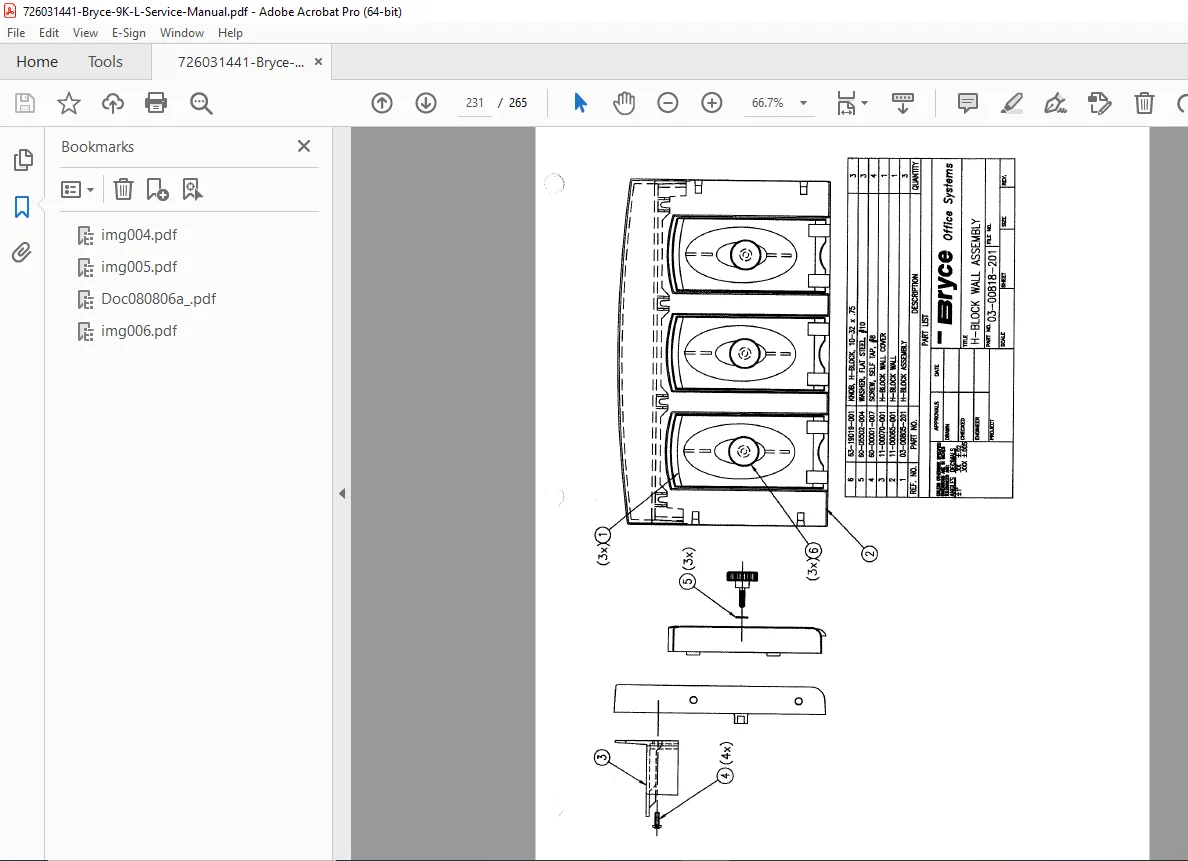
APPENDIX J: PARTS LIST & ILLUSTRATIONS
- Complete illustrated parts breakdown
- Part numbers and ordering information
- Exploded view diagrams for all assemblies
Key Features of This Service Manual
✓ Professional-Grade Documentation – Factory-authorized service information for Bryce address printers ✓ Step-by-Step Procedures – Detailed instructions for technicians new to Bryce equipment ✓ Complete Coverage – Both 9K-L and 9K-LC models fully documented ✓ Safety Information – High voltage warnings and proper service precautions ✓ Regulatory Compliance – FCC, CE, UL, CSA certification documentation ✓ Software Integration – PCL commands and software setup guidance ✓ Quick Reference Appendices – Menu charts, hex tables, and command summaries ✓ Illustrated Parts Diagrams – Visual guides for component identification
Who Should Use This Manual
- Professional service technicians maintaining Bryce address printers
- Mail house equipment repair specialists
- Industrial printing equipment technicians
- Service centers supporting bulk mailing operations
- Technical training institutions teaching printer repair
- In-house maintenance teams at mailing facilities
Safety and Compliance Information
This manual includes critical safety warnings about high voltages present in the printer assembly. The documentation emphasizes that only authorized service representatives should service electrical and sensitive components. Complete FCC Part 15 compliance information is provided, along with Canadian DOC compliance details and international safety certifications.
File Details
- Manual Name: Bryce 9K-L/9K-LC Service Manual
- Part Number: P/N 90-00863-001, Revision A
- Models Covered: 9K-L, 9K-LC Address Printers
- Document Type: Complete Factory Service Manual
- Year: 2008
- Pages: 265 pages
- File Format: PDF (Digital Download)
- File Quality: Good – Scanned original documentation with clear text and diagrams
- File Size: 9.6 MB