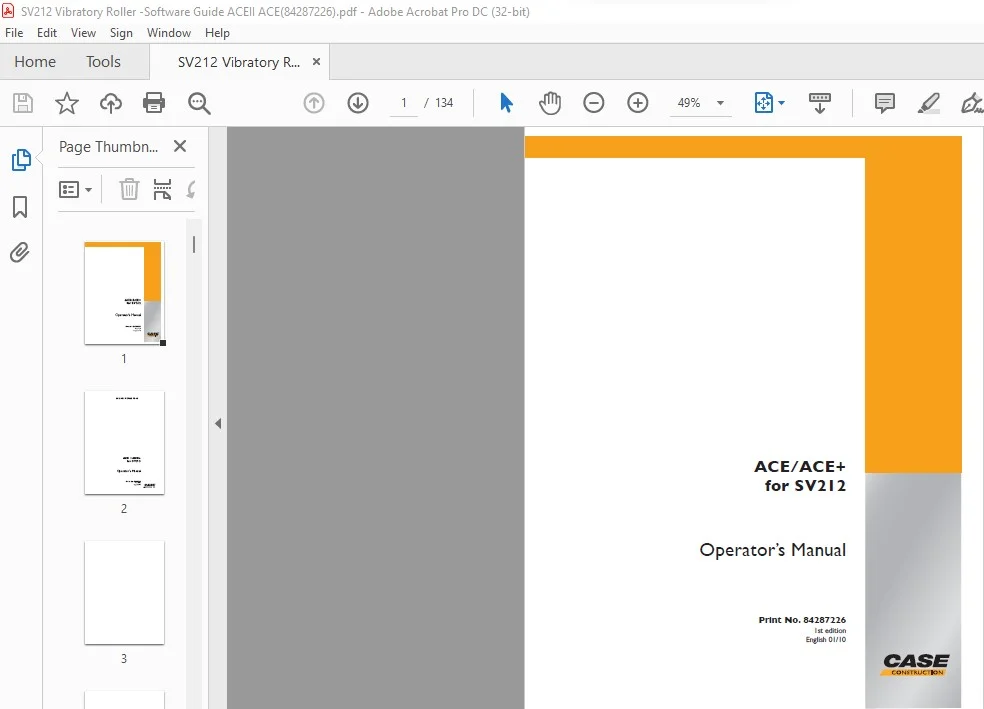
Case ACE ACE+ for SV212 Operator’s Manual Print No. 84287226 – PDF DOWNLOAD
Original price was: $89.95.$27.95Current price is: $27.95.
Case ACE ACE+ for SV212 Operator’s Manual Print No. 84287226 – PDF DOWNLOAD
Description
Case ACE ACE+ for SV212 Operator’s Manual Print No. 84287226 – PDF DOWNLOAD
DESCRIPTION:
Case ACE ACE+ for SV212 Operator’s Manual Print No. 84287226 – PDF DOWNLOAD
Preface :
- Information, specifications, and recommended operation and maintenance instructions contained in this
publication are basic and final information at the time of the printing of this publication. Printer’s errors, technical
modifications, and modifications of figures are reserved. All dimensions and weights are approximate
and, therefore, not binding. - CASE reserves the right to perform modifications without obligation to inform the machine user. If you identify
any differences between the machine operated by you and the information contained in this publication,
contact your local dealer. - Reproduction or copying of any kind is prohibited without the written permission of CASE.
TABLE OF CONTENTS:
Case ACE ACE+ for SV212 Operator’s Manual Print No. 84287226 – PDF DOWNLOAD
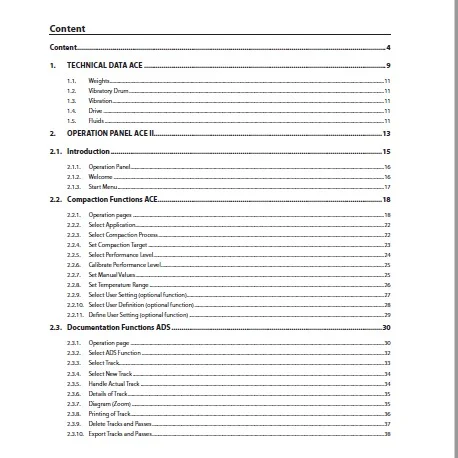
Content ………………………………………………………………………………………………………………………………………….4
1. TECHNICAL DATA ACE ……………………………………………………………………………………………………………9
1.1. Weights …………………………………………………………………………………………………………………………………………………………………………………………….11
1.2. Vibratory Drum ……………………………………………………………………………………………………………………………………………………………………………….11
1.3. Vibration …………………………………………………………………………………………………………………………………………………………………………………………..11
1.4. Drive …………………………………………………………………………………………………………………………………………………………………………………………………11
1.5. Fluids ………………………………………………………………………………………………………………………………………………………………………………………………..11
2. OPERATION PANEL ACE II……………………………………………………………………………………………………..13
2.1. Introduction …………………………………………………………………………………………………………………………15
2.1.1. Operation Panel ………………………………………………………………………………………………………………………………………………………………………………16
2.1.2. Welcome ………………………………………………………………………………………………………………………………………………………………………………………….16
2.1.3. Start Menu ……………………………………………………………………………………………………………………………………………………………………………………….17
2.2. Compaction Functions ACE ……………………………………………………………………………………………………18
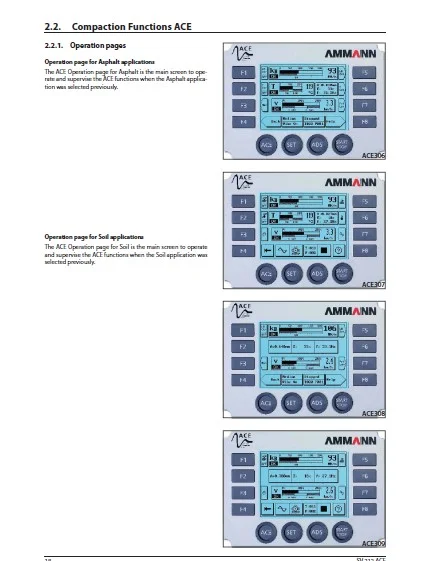
2.2.1. Operation pages …………………………………………………………………………………………………………………………………………………………………………….18
2.2.2. Select Application …………………………………………………………………………………………………………………………………………………………………………..22
2.2.3. Select Compaction Process …………………………………………………………………………………………………………………………………………………………..22
2.2.4. Set Compaction Target ………………………………………………………………………………………………………………………………………………………………….23
2.2.5. Select Performance Level ………………………………………………………………………………………………………………………………………………………………24
2.2.6. Calibrate Performance Level …………………………………………………………………………………………………………………………………………………………25
2.2.7. Set Manual Values …………………………………………………………………………………………………………………………………………………………………………..25
2.2.8. Set Temperature Range …………………………………………………………………………………………………………………………………………………………………26
2.2.9. Select User Setting (optional function)……………………………………………………………………………………………………………………………………….27
2.2.10. Select User Defi nition (optional function) ………………………………………………………………………………………………………………………………….28
2.2.11. Defi ne User Setting (optional function) ……………………………………………………………………………………………………………………………………..29
2.3. Documentation Functions ADS ……………………………………………………………………………………………..30
2.3.1. Operation page ………………………………………………………………………………………………………………………………………………………………………………30
2.3.2. Select ADS Function ………………………………………………………………………………………………………………………………………………………………………32
2.3.3. Select Track ………………………………………………………………………………………………………………………………………………………………………………………33
2.3.4. Select New Track …………………………………………………………………………………………………………………………………………………………………………….34
2.3.5. Handle Actual Track ……………………………………………………………………………………………………………………………………………………………………….34
2.3.6. Details of Track ………………………………………………………………………………………………………………………………………………………………………………..35
2.3.7. Diagram (Zoom) ……………………………………………………………………………………………………………………………………………………………………………..35
2.3.8. Printing of Track ………………………………………………………………………………………………………………………………………………………………………………36
2.3.9. Delete Tracks and Passes ……………………………………………………………………………………………………………………………………………………………….37
2.3.10. Export Tracks and Passes ……………………………………………………………………………………………………………………………………………………………….38
SV 212 ACE 5
OPERATING MANUAL
2.4. Setup Functions SET ……………………………………………………………………………………………………………..39
2.4.1. Setup: Select Setting ……………………………………………………………………………………………………………………………………………………………………..39
2.4.2. Setup: Adjust Display……………………………………………………………………………………………………………………………………………………………………..39
2.4.3. Setup: Select Country Setup …………………………………………………………………………………………………………………………………………………………40
2.4.4. Setup: Set Clock ………………………………………………………………………………………………………………………………………………………………………………41
2.4.5. Setup: Read Alert List …………………………………………………………………………………………………………………………………………………………………….41
2.4.6. Setup: Select Reset Options ………………………………………………………………………………………………………………………………………………………….42
2.4.7. Setup: Select System Data …………………………………………………………………………………………………………………………………………………………….43
2.4.8. Setup: Enter User Code ………………………………………………………………………………………………………………………………………………………………….44
2.4.9. Setup: Set ACE Adjustments …………………………………………………………………………………………………………………………………………………………45
2.4.10. Setup: Set ADS Adjustments …………………………………………………………………………………………………………………………………………………………46
2.5. General Functions …………………………………………………………………………………………………………………47
2.5.1. Help pages……………………………………………………………………………………………………………………………………………………………………………………….47
2.5.2. Quit Error ………………………………………………………………………………………………………………………………………………………………………………………….47
2.6. Error Messages ……………………………………………………………………………………………………………………..48
3. ADS EVALUATION SOFTWARE 2.2 ……………………………………………………………………………………………..49
Introduction……………………………………………………………………………………………………………………………………………………………………………………………………50
Installation / system requirements ……………………………………………………………………………………………………………………………………………………………..52
Basic settings ………………………………………………………………………………………………………………………………………………………………………………………………….55
Using the software ………………………………………………………………………………………………………………………………………………………………………………………..56
Saving data from the memory device ………………………………………………………………………………………………………………………………………………………..56
Data evaluation ……………………………………………………………………………………………………………………………………………………………………………………………..57
Software properties ………………………………………………………………………………………………………………………………………………………………………………………58
Additional software functions …………………………………………………………………………………………………………………………………………………………………….61
Example: Analysis using an areas diagram ………………………………………………………………………………………………………………………………………………..64
4. MAINTENANCE MANUAL ACE …………………………………………………………………………………………………..65
Every 250 hours or 3 months …………………………………………………………………………………………………66
Drum drive gearbox ……………………………………………………………………………………………………………………………………………………………………………………..66
Vibrator Housing ……………………………………………………………………………………………………………………………………………………………………………………………67
Vibration Control Gearbox ………………………………………………………………………………………………………………………………………………………………………….68
Every 1000 hours or 1x a year ………………………………………………………………………………………………..69
Drum Drive Gearbox …………………………………………………………………………………………………………………………………………………………………………………….69
Every 2000 hours or after 2 years …………………………………………………………………………………………..70
Vibration Control Gearbox …………………………………………………………………………………………………………………………………………………………………………..70
Vibrator Housing ……………………………………………………………………………………………………………………………………………………………………………………………72
As needed …………………………………………………………………………………………………………………………….73
TCP printer – Trouble shooting …………………………………………………………………………………………………………………………………………………………………….73
General errors ………………………………………………………………………………………………………………………………………………………………………………………………..73
WIRING DIAGRAM SV 212 ACE …………………………………………………………………………………………………………………………………………………………………….75
6 SV 212 ACE
Content
5. OPERATING MANUAL ACEPLUS (OPTIONAL FUNCTION) ……………………………………………………….77
Introduction …………………………………………………………………………………………………………………………………78
5.1. Installation ………………………………………………………………………………………………………………………….79
5.1.1. System Requirements …………………………………………………………………………………………………………………………………………………………………..79
5.1.2. Program installation……………………………………………………………………………………………………………………………………………………………………….79
5.2. Standard Settings ………………………………………………………………………………………………………………..81
5.2.1. Confi guring ACEplus ……………………………………………………………………………………………………………………………………………………………………..81
5.2.1.1. ACEplus Standard View ………………………………………………………………………………………………………………………………………………………………….82
5.2.1.2. ACEplus System Settings ………………………………………………………………………………………………………………………………………………………………84
5.2.1.3. Machine Settings ……………………………………………………………………………………………………………………………………………………………………………87
5.2.1.4. Extended Settings …………………………………………………………………………………………………………………………………………………………………………88
5.2.1.5. Language Settings …………………………………………………………………………………………………………………………………………………………………………91
5.2.1.6. Project Settings ………………………………………………………………………………………………………………………………………………………………………………91
5.3. Project Confi guration …………………………………………………………………………………………………………..92
5.3.1. General Project Settings ………………………………………………………………………………………………………………………………………………………………..92
5.3.2. Exporting a Project …………………………………………………………………………………………………………………………………………………………………………95
5.3.3. Point Mapping ………………………………………………………………………………………………………………………………………………………………………………..96
5.3.4. Worksteps ……………………………………………………………………………………………………………………………………………………………………………………….99
5.3.5. Construction Plans ……………………………………………………………………………………………………………………………………………………………………… 102
5.3.6. Reconstruct Cache ………………………………………………………………………………………………………………………………………………………………………. 103
5.4. Confi guration of the GPS-Receiver ………………………………………………………………………………………104
5.5. Machine Installation ……………………………………………………………………………………………………………105
5.5.1. ACEplus Connectors ………………………………………………………………………………………………………………………………………………………………….. 105
5.5.2. Industry-PC Installation ……………………………………………………………………………………………………………………………………………………………… 105
5.5.3. GPS-Receiver and GPS Antenna Installation …………………………………………………………………………………………………………………………… 105
5.6. Initiation ……………………………………………………………………………………………………………………………106
5.6.1. First Initiation of ACEplus …………………………………………………………………………………………………………………………………………………………… 106
5.6.2. First start of ACEplus ………………………………………………………………………………………………………………………………………………………………….. 109
5.7. Project Administration ………………………………………………………………………………………………………..111
5.7.1. Creating a New Project ………………………………………………………………………………………………………………………………………………………………. 111
5.7.2. Data Recording (Start Measurement) ………………………………………………………………………………………………………………………………………. 116
5.7.3. Editing Existing Projects ……………………………………………………………………………………………………………………………………………………………. 117
5.7.4. Analyzing Existing Project ………………………………………………………………………………………………………………………………………………………… 119
6 Additional Functions ………………………………………………………………………………………………………………..
5.8.1. Merge Projects …………………………………………………………………………………………………………………………………………………………………………………….
5.8.2. Transformation of Coordinates (WGS84 -> UTM) …………………………………………………………………………………………………………………………..
5.9. UTM-Zones Worldwide ……………………………………………………………………………………………………………..
5.9.1. List of all UTM Zones in a table ……………………………………………………………………………………………………………………………………………………….
5.9.2. UTM-Zones Europe……………………………………………………………………………………………………………………………………………………………………………..
5.9.4. UTM-Zones Africa ……………………………………………………………………………………………………………………………………………………………………………….
5.9.5. UTM-Zones South America ……………………………………………………………………………………………………………………………………………………………….
SV 212 ACE 7
OPERATING MANUAL
5.10. Hemisphere ……………………………………………………………………………………………………………………………..
5.10.1. Northern Hemisphere ………………………………………………………………………………………………………………………………………………………………………..
5.10.2. Southern Hemisphere ………………………………………………………………………………………………………………………………………………………………………..
5.11. Toolbars and Symbols ……………………………………………………………………………………………………………..
5.11.1. General Toolbars …………………………………………………………………………………………………………………………………………………………………………………
5.11.2. Project Toolbar …………………………………………………………………………………………………………………………………………………………………………………….
5.11.3. Map Selection Toolbar ……………………………………………………………………………………………………………………………………………………………………….
5.11.4. Map View Toolbar ……………………………………………………………………………………………………………………………………………………………………………….
5.11.5. Recorder Toolbar …………………………………………………………………………………………………………………………………………………………………………………
5.11.6. Toolbar View Settings ……………………………………………………………………………………………………………………………………………………………………….
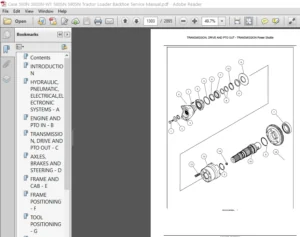
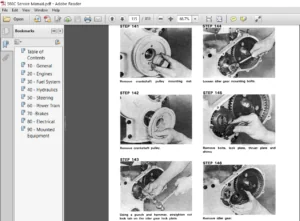
IMAGES PREVIEW OF THE MANUAL:
Questions? Email us: [email protected]
PLEASE NOTE:
- This is the SAME exact manual used by your dealers to fix your vehicle.
- The same can be yours in the next 2-3 mins as you will be directed to the download page immediately after paying for the manual.
- Any queries / doubts regarding your purchase, please feel free to contact [email protected]
S.V