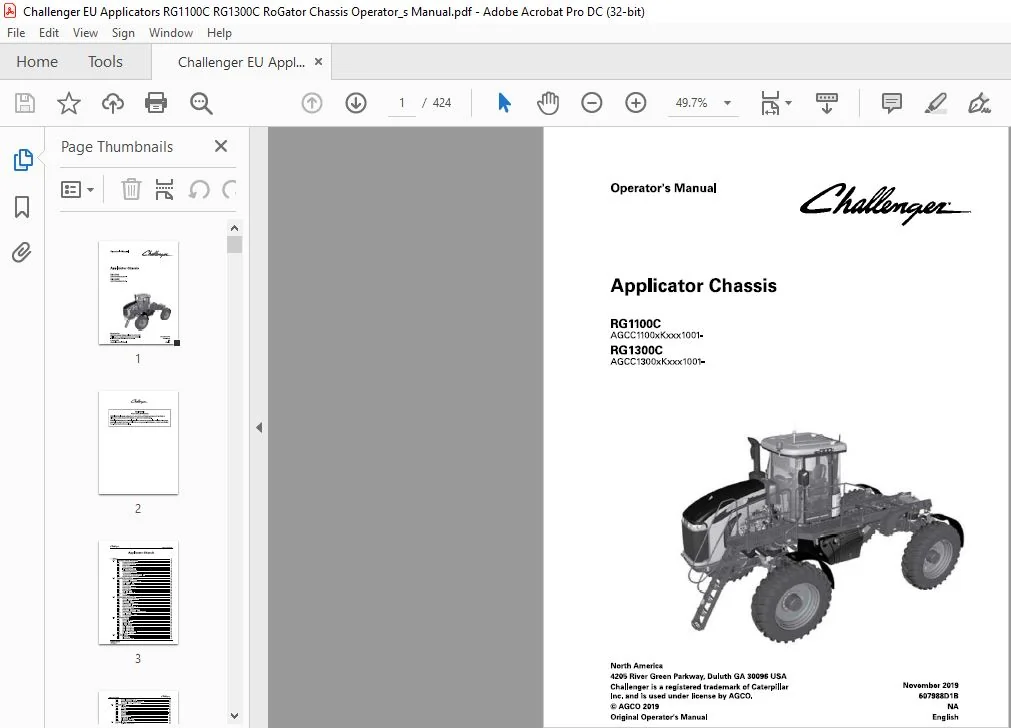
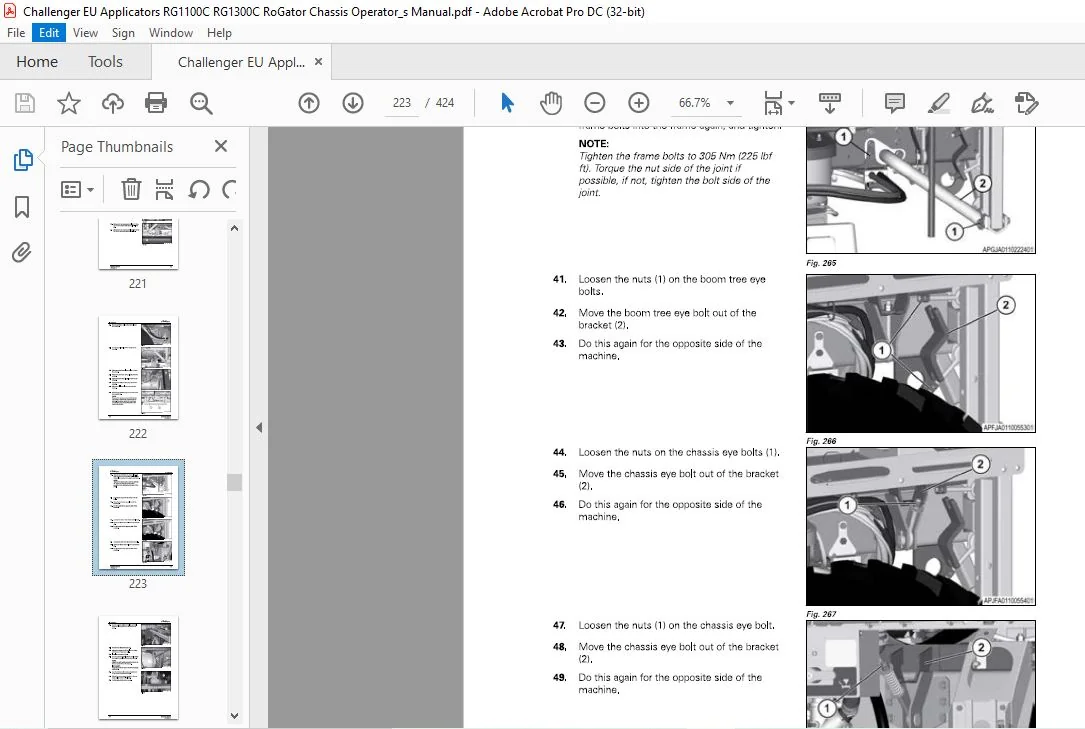
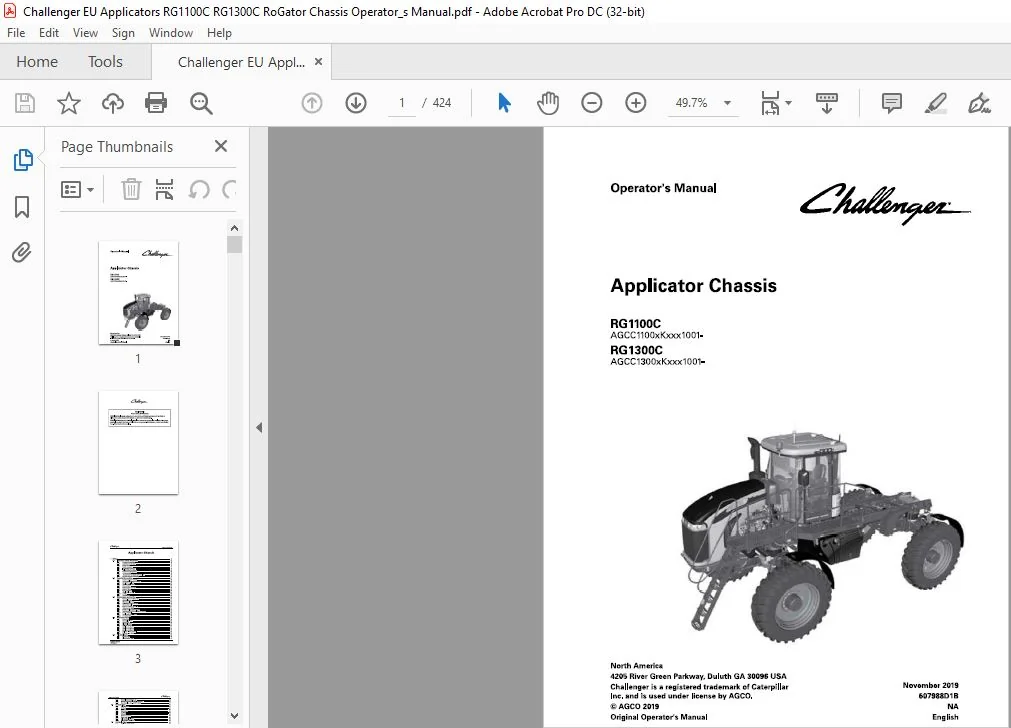
Challenger EU Applicators RG1100C RG1300C RoGator Chassis Operator’s Manual 607988D1B
Original price was: $89.95.$25.95Current price is: $25.95.
Challenger EU Applicators RG1100C RG1300C RoGator Chassis Operator’s Manual 607988D1B – PDF DOWNLOAD
RG1100C
AGCC1100xKxxx1001-
RG 1300C
AGCC1300xKxxx1001-
Description
Challenger EU Applicators RG1100C RG1300C RoGator Chassis Operator’s Manual 607988D1B – PDF DOWNLOAD
IMAGES PREVIEW OF THE MANUAL:


FILE DETAILS:
Challenger EU Applicators RG1100C RG1300C RoGator Chassis Operator’s Manual 607988D1B – PDF DOWNLOAD
Size: 58.3 MB
Format: PDF
Language: English
Brand: Challenger
Type of Machine: Applicators
Type of document: Operator’s Manual
Model: Challenger EU RoGator RG1100B RG1300B Applicator Chassis
Serial Number: AGCCXX00XKXXX1001- AND LATER
RG1100C AGCC1100xKxxx1001-
RG1300C AGCC1300xKxxx1001-
Number of Pages: 424 pages
Part Number: 607988D1B
Date Modified: 11/2019
DESCRIPTION:
Challenger EU Applicators RG1100C RG1300C RoGator Chassis Operator’s Manual 607988D1B – PDF DOWNLOAD
RG1100C
AGCC1100xKxxx1001-
RG 1300C
AGCC1300xKxxx1001-
Prepare for operation:
Read and understand all operation instructions and precautions in this manual before you operate the machine or do the servicing. Make sure that you know and understand the positions and operations of all controls. Make sure that all controls are in neutral and that the parking brake is applied before you start the machine. Make sure that all persons are away from your area of work before you start and operate the machine.
- Examine and learn the controls in an area that is clear of persons and obstacles before you start work. Know the machine dimensions and make sure that you have sufficient space available to operate the machine.
- Do not operate the machine at high speeds in crowded areas. It is important to know and use the correct procedures when you do work around and operate the machine. Do not let children or unqualified persons operate the machine.
- Keep others, especially children, away from your area of work. Do not let others ride on the machine. Make sure that the machine is in good condition for operation. Refer to the operator manual. Make sure that the machine has the correct equipment required by local regulations.
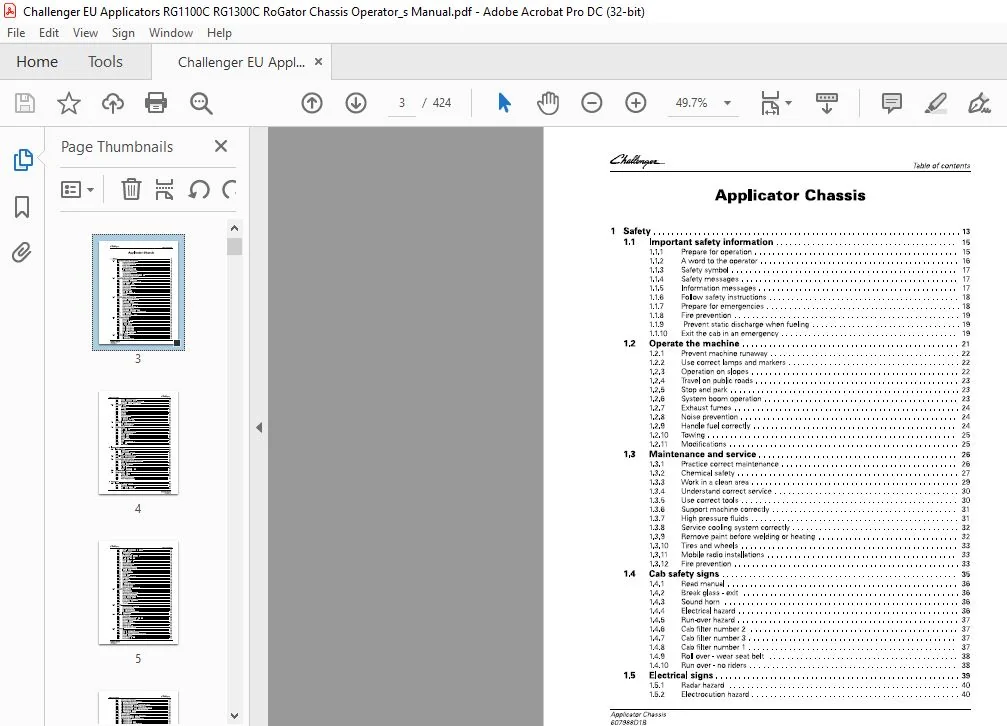
TABLE OF CONTENTS:
Challenger EU Applicators RG1100C RG1300C RoGator Chassis Operator’s Manual 607988D1B – PDF DOWNLOAD
1 Safety 13
1 1 Important safety information 15
1 1 1 Prepare for operation 1 5
1 1 2 A word to the operator 16
1 1 3 Safety symbol 17
1 1 4 Safety messages 17
1 1 5 Information messages 17
1 1 6 Follow safety instructions 1 8
1 1 7 Prepare for emergencies 1 8
1 1 8 Fire prevention 1 9
1 1 9 Prevent static discharge when fueling 1 9
1 1 10 Exit the cab in an emergency 1 9
1 2 Operate the machine 21
1 2 1 Prevent machine runaway 2 2
1 2 2 Use correct lamps and markers 2 2
1 2 3 Operation on slopes 2 2
1 2 4 Travel on public roads 2 3
1 2 5 Stop and park 2 3
1 2 6 System boom operation 2 3
1 2 7 Exhaust fumes 2 4
1 2 8 Noise prevention 2 4
1 2 9 Handle fuel correctly 2 4
1 2 10 Towing 2 5
1 2 1 1 Modifications 2 5
1 3 Maintenance and service 26
1 3 1 Practice correct maintenance 26
1 3 2 Chemical safety 27
1 3 3 Work in a clean area 2 9
1 3 4 Understand correct service 30
1 3 5 Use correct tools 30
1 3 6 Support machine correctly 3 1
1 3 7 High pressure fluids 3 1
1 3 8 Service cooling system correctly 3 2
1 3 9 Remove paint before welding or heating 3 2
1 3 10 T ires and wheels 3 3
1 3 1 1 Mobile radio installations 3 3
1 3 1 2 Fire prevention 3 3
1 4 Cab safety signs 35
1 4 1 Read manual 36
1 4 2 Break glass – exit 36
1 4 3 Sound horn 36
1 4 4 Electrical hazard 36
1 4 5 Run-over hazard 37
1 4 6 Cab filter number 2 37
1 4 7 Cab filter number 3 37
1 4 8 Cab filter number 1 37
1 4 9 Roll over – wear seat belt 3 8
1 4 10 Run over – no riders 3 8
1 5 Electrical signs 39
1 5 1 Radar hazard 40
1 5 2 Electrocution hazard 40
Applicator Chassis
607988018
Table of contents
1 5 3 Fuse/relay and battery sign 40
1 5 4 Battery box fuse/relay sign – 602 6 92D1 40
1 5 5 Cab fuse/relay sign -ACW71 4 5 6 60 4 1
1 6 Chassis signs 42
1 6 1 Fall off hazard 4 3
1 6 2 Air dump 4 3
1 6 3 Roll over 4 3
1 6 4 Pinch hazard 4 3
1 6 5 Tie down 4 4
1 6 6 Lift point 4 4
1 6 7 Drain the air tank 4 4
1 6 8 Hand wash 4 4
1 6 9 Axle spacing left-hand 4 5
1 6 10 Axle spacing right-hand 4 5
1 7 Hydraulic signs 46
1 7 1 Explosion injury hazard 4 7
1 7 2 High pressure hazard 4 7
1 8 Engine signs 48
1 8 1 Separator filter 4 9
1 8 2 Fuel filter 4 9
1 8 3 Fuel water separator head 4 9
1 8 4 High pressure hazard 50
1 8 5 Entanglement 50
1 8 6 Entanglement 50
1 8 7 Run over hazard 5 1
1 8 8 Ether 5 1
1 8 9 Diesel exhaust fluid filter 5 1
1 8 10 Fuel filter 5 1
1 8 1 1 Burn hazard 5 2
2 Introduction 53
2 1 Introduction 55
2 1 1 Intended use 5 5
2 1 2 Proper disposal of waste 5 5
2 1 3 Pre-delivery checklist 5 5
2 2 Serial number identification 56
2 2 1 Serial number definition 5 7
2 3 Hydrostatic drive system 58
2 3 1 Hydrostatic drive system introduction 5 8
2 3 2 Drive lever 5 8
2 3 3 Hydraulic drive pump 5 9
2 3 4 Charge pump 5 9
2 3 5 Oil cooler 60
2 3 6 Hydraulic system oil filters 60
2 4 Component locations 62
2 5 Fuses and relays 64
2 5 1 Fuse/relay panel 6 4
2 5 2 Main fuses 71
2 5 3 Chassis harness fuses 71
2 5 4 Power distribution module 71
3 Operation 75
3 1 Instruments and controls 79
3 1 1 Dash panel 79
3 1 2 Operating status displays 80
3 1 3 Multiple display screens 80
Applicator Chassis
607988018
Table of contents
3 1 4 How to clear dash panel fault codes 8 1
3 1 5 Console keypad 8 3
3 1 6 Ignition switch 8 4
3 1 7 Multifunction lever 8 5
3 1 8 Set the windshield wiper delay 8 5
3 1 9 Tilt – telescoping lever 8 6
3 1 10 Brake pedal 8 6
3 1 1 1 Drive lever controls 8 7
3 1 1 2 Armrest controls 8 7
3 1 1 3 Armrest adjustment 8 8
3 1 1 4 Chassis keypad 8 8
3 1 1 5 Automatic heated mirrors 8 8
3 1 1 6 Power mirror adjustment 89
3 1 1 7 Interior lamps 89
3 1 1 8 Radio (if equipped) 90
3 1 1 9 Sun Visor 90
3 1 20 Cup holders 90
3 1 2 1 Storage compartments 90
3 1 2 2 Power strip 91
3 1 2 3 Power ports 91
3 1 2 4 Cargo net 92
3 1 2 5 Lamp switches 92
3 1 2 6 Bluetooth microphone 94
3 1 2 7 Objects in the cab 94
3 1 2 8 Automatic battery disconnect 94
3 2 Temperature control 95
3 2 1 Heater operation 95
3 2 2 Defrost or defog operation 96
3 2 3 Air conditioner operation 96
3 2 4 Automatic fan speed control 96
3 2 5 Manual fan speed control 97
3 2 6 Heater water valve 97
3 2 7 Cab air temperature sensor 97
3 2 8 Pressurizer blower 97
3 2 9 Air vents 98
3 3 Seats 99
3 3 1 Heated and ventilated seats 99
3 3 2 Basic operator seat 99
3 3 3 Deluxe operator seat 101
3 3 4 Deluxe vented operator seat 10 3
3 3 5 Instructor seat 104
3 4 General inspection 106
3 4 1 Check fluids 106
3 4 2 Check for Condition and Cleanliness 106
3 4 3 Do a check of the hydraulics 106
3 4 4 Check fuel system 107
3 4 5 Do a check of the cab 107
3 4 6 Check mirrors 107
3 4 7 Check the Hoses 107
3 4 8 Check the Safety Signs 107
3 5 Terminal 109
3 5 1 Terminal introduction 109
3 5 2 Audible alarms and indicators 1 10
3 5 3 Display the chassis software information 1 10
3 5 4 Set the language 1 1 1
3 5 5 Set the date and time 1 1 2
3 5 6 Set the audio level 1 1 3
Applicator Chassis
Set the screen brightness 114
Switch between day and night mode 116
Call up the USB Data screen 116
Select and transfer individual data to the USB stick 117
Select and transfer all data to the USB stick 118
Select and transfer individual data from the USB stick 120
Select and transfer all data from the USB stick 122
Clean the terminal screen 123
Calibrate the touch screen 124
Do a touch test 125
Set up the camera application – if equipped 126
View the service interval screens 127
Program the user-defined service intervals 127
Calibrate the radar 129
Calibrate the wheel speed 129
Calibrate the wheel speed and radar 13 0
Calibrate the steering angle sensor 13 1
Calibrate the steering valve 13 2
Calibrate the lever 13 3
Calibrate the brake pedal 13 4
View the diagnostic screens 13 8
View the active errors screen 13 9
Set the power management values 13 9
Display the four wheel steer 140
Set the track width presets 142
View the fuel consumption screen 143
Call up the ISOBUS Information screen 144
Set the acceleration rate 145
Select a four wheel steering mode 146
View the Auto-Guide™ map 146
View the worked area settings 147
Make a wayline from the map 149
3 5 3 8 1 AB wayline 15 0
3 5 3 8 2 Contour wayline 15 0
3 5 3 8 3 A+ angle wayline 15 1
3 5 3 8 4 Pivot wayline 15 2
3 5 3 8 5 AB coordinates wayline 15 2
3 5 3 9 Make a boundary from the map 15 2
3 5 40 Make an obstacle from the map 15 4
3 5 41 Update the terminal software 15 6
Break-in-period 158
3 6 1 Do a check of the hydraulic system 15 8
3 6 2 Do a check of the wheel drive gearboxes 15 8
3 6 3 Coolant level 15 8
3 6 4 T ighten the wheel mounting hardware 15 8
3 6 5 Do a check of the torque rods 15 9
3 6 6 Do a check of the batteries 15 9
3 6 7 Do a check of the axle shims 15 9
3 6 8 Change the pressure washer pump oil – if equipped 16 0
3 6 9 Inspect the engine belts 16 0
3 6 10 Replace the fuel filter and the fuel pre-filter 16 0
3 6 11 Chassis and cab modification 16 0
Start the engine 161
3 7 1 Cold weather start procedure 16 2
3 7 2 Cold weather starting procedure for hydrostatic system 16 4
3 7 3 Cold start option 16 4
3 7 4 Restart a stalled engine 16 5
3 7 5 Engine overspeed protection 16 5
Applicator Chassis
607988018
Table of contents
3 7 6 Engine anti-stall protection 16 5
3 7 7 Engine power limitations 16 5
3 7 8 Low diesel exhaust fluid (DEF) level 16 6
3 7 9 Stop the engine and afterrun 16 7
3 8 Drive the machine 168
3 8 1 Drive modes 16 8
3 8 2 Increase the drive speed 16 9
3 8 3 Decrease the drive speed 17 0
3 8 4 Change the drive direction 17 1
3 8 5 Stop the machine 17 1
3 8 6 Traction control 17 2
3 8 7 Engine R P M Guidelines 17 2
3 8 8 Set the cruise control speeds 17 3
3 8 9 Set the drive handle aggressiveness 17 4
3 8 10 Transmission management system (T MS) 17 4
3 8 11 Set the power management values 17 5
3 8 12 Weight determined speed 17 5
3 8 13 Machine braking 17 6
3 8 14 Backup alarm 17 6
3 9 Accufield Command 177
3 9 1 Manual configuration 17 7
3 9 2 General function – AccuField Command 17 8
3 9 3 Functions and dependencies 17 8
3 9 4 Call up and activate AccuField Command 18 0
3 9 5 Joystick assignment 18 1
3 9 6 Record an operational sequence 18 2
3 9 7 Start an operational sequence 18 4
3 9 8 Configure an operational sequence manually 18 4
3 9 9 Step mode 18 6
3 10 GatorTrak 4 wheel steer modes 188
3 10 1 Off mode 18 8
3 10 2 2WS mode 18 8
3 10 3 Auto 4WS mode 18 9
3 10 4 4WS mode 18 9
3 10 5 Crab mode 190
3 10 6 Automatic engagement and disengagement 190
3 11 Track adjust 19 1
3 11 1 Adjustment of track width 19 1
3 11 2 Adjust the manual track width 19 1
3 11 3 Adjust the hydraulic track width 19 2
3 11 4 Set the automatic track width 19 3
3 12 Transporting the machine 195
3 12 1 Travel on public roads 19 5
3 12 2 Air dump valve 19 5
3 12 3 Trailer the machine 19 6
3 12 4 Load the machine 19 6
3 12 5 Unload the machine 198
3 12 6 Tow the machine 19 9
3 12 7 Release the park brake manually 20 0
3 12 8 Re-engage the park brake 20 2
3 13 Camera settings 2 03
3 13 1 Camera options and connections 20 3
3 13 2 Position the camera image 20 4
3 13 3 Change cameras 20 4
3 13 4 Display the camera image while reversing 20 5
3 13 5 Change the camera to and from full-screen 20 6
3 13 6 Adjust the brightness 20 7
Applicator Chassis
607988018
Table of contents
3 1 3 7 Adjust the contrast 207
3 1 3 8 Adjust the color saturation 208
3 14 Optional pressure washer 2 09
3 1 4 1 Input water supply 209
3 1 4 2 Prime the pump 209
3 1 4 3 Operate the pressure washer 2 10
3 15 Optional accessories 2 12
3 1 5 1 Slingshot – if equipped 2 1 2
3 1 5 2 Weather station – if equipped 2 1 2
3 1 5 3 Install the mini SIM card for Global System for Mobile communication (GSM) 2 1 3
3 1 6 Change the system 2 16
3 1 6 1 Remove the liquid system 2 1 6
3 1 6 2 Install the spinner system 2 2 5
3 1 6 3 Install the AirMax 1 80 system 2 3 1
3 1 6 4 Remove the AirMax 1 80 system 2 3 4
3 1 6 5 Remove the spinner system 2 3 7
3 1 6 6 Install the liquid system 2 4 2
4 Engine Operation 255
4 1 Safety instructions 257
4 2 To the user 258
4 2 1 Engine type designations 2 5 8
4 2 2 Location of the engine serial number 2 5 9
4 2 3 Type plate of the electronic control unit 2 60
4 3 Technical data 2 6 1
4 3 1 Principal dimensions and data 2 6 1
4 3 2 Fuel system 2 6 1
4 3 3 Lubrication system 2 6 1
4 3 4 Cooling system 2 6 1
4 4 Air control system 262
4 4 1 2 stage turbocharging 2 6 3
4 4 2 Interstage charge air cooling 2 6 3
4 4 3 Throttle valve 2 6 3
4 4 4 Exhaust gas recirculation system 2 6 4
4 5 Fuel system 265
4 6 Engine control system 266
4 7 Lubrication system 267
4 7 1 Oil pressure regulating valve 2 6 7
4 7 2 Oil filter and oil cooler 2 6 7
4 8 Cooling system 268
4 8 1 Engine heater 2 6 8
4 9 Electrical system 269
4 10 SCR system 270
4 10 1 Selective Catalyst Reduction (SCR) system overview 2 70
4 10 2 Selective Catalyst Reduction (SCR) system components and their functions 2 71
4 11 Operation and driving 273
4 1 2 Daily pre-start check 274
4 13 Starting the engine 275
4 1 3 1 Break in the engine 2 75
4 14 Starting the engine in cold conditions 277
4 1 4 1 Warming up the engine 2 77
4 15 Start the engine with an auxiliary battery 278
4 1 6 Attention during operation 279
4 17 Stopping the engine 280
Applicator Chassis
607988018
Table of contents
5 Maintenance 28 1
5 1 Maintenance introduction 285
5 1 1 Lubricants and fluids 2 8 5
5 1 2 Fuel qual ity requirements 2 8 5
5 1 3 Coolant quality requirements 2 8 7
5 1 4 Oil quality 2 8 8
5 1 5 Lubricant filling reminders 2 8 8
5 2 Maintenance schedule 289
5 3 Engine maintenance information 293
5 3 1 Maintenance chart 2 93
5 3 2 Maintenance to be made daily or at 10 hours intervals 2 94
5 3 2 1 Do a check for the engine oil level 2 94
5 3 2 2 Check coolant level 2 94
5 3 2 3 Check for leakages 2 95
Maintenance to be made weekly or at 100 hours interval 2 95
5 3 3 1 Clean cooling system (from outside) 2 95
5 3 3 2 Examining the condition of the belt 2 95
Maintenance to be made at 300 – 600 hours intervals 2 96
5 3 4 1 Change engine oil 2 96
5 3 4 2 Oil sump capacity 2 96
5 3 4 3 Change oil filter 2 97
5 3 4 4 U pdate the engine software 2 97
5 3 4 5 How to recognize an engine with hydraulic lash adjusters 2 98
Change fuel filters 2 98
Bleed the fuel system 300
Maintenance to be made at 4000 hours intervals 301
5 3 7 1 Check turbocharger play and check that the intercooler cell is clean 301
Maintenance to be made once a year 301
5 3 8 1 Selective Catalyst Reduction (SCR) system maintenance 301
5 3 8 2 Replace the main filter and the inlet filter of the supply module 302
Maintenance to be made every two years 304
5 3 9 1 Change coolant 304
5 3 10 Additional maintenance instructions 305
5 3 10 1 Before the cold season 305
5 3 10 2 Tightening torques 305
5 3 10 3 Coolant quality requirements 306
5 3 10 4 Fuel quality requirements 307
5 4 Support the machine 3 11
5 4 1 Lifting and jacking points 3 1 1
5 4 2 Release the air from the air suspension 3 1 2
5 4 3 Place the jacks 3 1 3
5 4 4 J ack up the machine 3 1 4
5 5 Chassis maintenance 3 16
5 5 1 Lubricate the axles 3 1 6
5 5 2 Torque rods 3 1 7
5 5 3 Do maintenance on the torque rods and hardware 3 1 8
5 5 4 Install the axle bolts 3 1 8
5 5 5 Anti-roll bar 3 1 9
5 5 6 Do a check and tighten the inner axle weldment 3 1 9
5 5 7 Adjust a crop deflector 3 20
5 6 Wheel drive gearbox 32 1
5 6 1 Maintenance information 3 2 1
5 6 2 Do a check of the gearbox oil level 3 2 1
5 6 3 Fill the gearbox oil 3 2 2
5 6 4 Drain and replace the oil 3 2 2
5 6 5 Do a check of the wheel drive gearbox mounting hardware 3 2 3
Applicator Chassis
607988018
Table of contents
5 7 Engine maintenance 324
5 7 1 Do a check of the engine coolant 3 2 4
5 7 2 Do a check of the engine oil 3 2 4
5 7 3 Change the engine oil and filter 3 2 5
5 7 4 Engine belts 3 2 6
5 7 5 Replace the main serpentine belt 3 2 6
5 7 6 Replace the belt for the air conditioner compressor and water pu mp 3 2 8
5 7 7 Inspect and change the air filters 3 2 9
5 7 8 Clean the cooling package 3 3 1
5 7 9 Change the engine coolant 3 3 2
5 8 Fuel system maintenance 334
5 8 1 Check and tighten the fu el tank bolts 3 3 4
5 8 2 Fu el qu ality requ irements 3 3 4
5 8 3 Fu el tank 3 3 6
5 8 4 Fill the fu el system 3 3 7
5 8 5 Fu el filtration system 3 3 8
5 8 6 Change the pre-filter and fu el filter 3 3 8
5 8 7 Drain the additional fu el/water separator – if equ ipped 3 40
5 8 8 Change the fu el water separator element – if equ ipped 3 4 1
5 8 9 Bleed the fu el system 3 4 1
5 8 10 Fu el storage 3 4 2
5 8 1 1 Remove sediment and water from the fu el tank s 3 4 2
5 9 Hydraulic system maintenance 343
5 9 1 Hydrau lic system 3 4 3
5 9 2 Drain the hydrau lic tank 3 4 3
5 9 3 Replace the hydrau lic flu id 3 4 4
5 9 4 Replace the retu rn oil manifold filters 3 4 5
5 9 5 Replace the charge filter 3 4 5
5 9 6 Replace the hydrau lic tank breather 3 4 5
5 9 7 Torqu e the breather cover bolts 3 4 6
5 9 8 Start u p after the hydrau lic oil is drained 3 4 6
5 9 9 Diagnostic port locations 3 4 7
5 9 10 Check the charge pressu re 3 4 8
5 10 Electrical system maintenance 350
5 10 1 Electrical system safety 3 50
5 10 2 Replace a fu se 3 50
5 10 3 Do a check on the batteries 3 50
5 10 4 U se a booster battery 3 5 1
5 10 5 Remove the batteries 3 5 1
5 10 6 Install the batteries 3 5 3
5 11 Cab maintenance 355
5 1 1 1 Do a check of the cab mou nt bolts 3 55
5 1 1 2 Cab air filters 3 5 6
5 1 1 3 Change the primary fresh air filter 3 5 7
5 1 1 4 Change the secondary clean air filter 3 5 8
5 1 1 5 Change the recircu lation air filter 3 60
5 1 1 6 Clean the cab air filter element 3 6 1
5 1 1 7 Do a check of the windshield washer reservoir 3 6 1
5 1 2 Pressure washer – if equipped 362
5 1 2 1 Do a check of the pressu re washer pu mp motor oil 3 6 2
5 1 2 2 Change the pressu re washer pu mp oil – if equ ipped 3 6 2
5 1 2 3 Change the pressu re washer strainer 3 6 3
5 1 2 4 Winterize the pressu re washer system 3 6 4
5 13 Air system maintenance 365
5 1 3 1 Drain the air tank 3 6 5
5 1 3 2 Replace the desiccant cartridge 3 6 5
5 14 Tire maintenance 367
Applicator Chassis
607988018
Table of contents
5 1 4 1 Tire service 3 6 7
5 1 4 2 Ro tate the tires 3 6 7
5 1 4 3 Tire safety lo ads and pressure 3 6 8
5 1 4 4 Maximum tire lo ads 3 6 8
5 1 4 5 Example tire inflatio ns 3 6 9
5 1 4 6 Determine the lo ad per tire 3 71
5 1 4 7 Replace a tire o n a rim 3 72
5 1 4 8 Remo ve the wheel 3 72
5 1 4 9 Install the wheel 3 73
5 1 4 10 Tighten the wheel mo unting hardware 3 74
5 1 4 1 1 Adj ust the two wheel steer to e-in 3 74
5 1 4 1 2 Adjust the fo ur wheel steer to e-in 3 76
5 1 4 1 3 To e-in values 3 8 1
5 15 Machine storage 382
5 1 5 1 Sto re the machine 3 8 2
5 1 5 2 Operate the machine after sto rage 3 8 2
6 Troubleshooting 383
6 1 Engine troubleshooting 385
6 1 1 Engine co ntro l system fault co des 3 8 5
6 1 2 Tro ubleshoo ting o f the engine 3 8 5
6 2 Heating and cooling troubleshooting 390
6 3 Dash code reference 392
6 4 Fault code reference 393
7 Specifications 409
7 1 Chassis specifications 4 1 1
7 2 Machine dimensions 4 1 4
8 Index 4 1 7
CHALLENGER EU APPLICATORS RG1100C RG1300C ROGATOR CHASSIS OPERATOR’S MANUAL 607988D1B:
PLEASE NOTE:
- This is the SAME manual used by the dealers to troubleshoot any faults in your vehicle. This can be yours in 2 minutes after the payment is made.
- Contact us at [email protected] should you have any queries before your purchase or that you need any other service / repair / parts operators manual.
S.V