Challenger Windrower (AP44 AP49 AP49-3 & AP66 engines) WR9840 WR9860 WR9870 Operator’s Manual
Original price was: $89.95.$29.95Current price is: $29.95.
Challenger Windrower (AP44 AP49 AP49-3 & AP66 engines) WR9840 WR9860 WR9870 Operator’s Manual – PDF DOWNLOAD
WR9840
AGCx98400GHS11101-
WR9860
AGCx98600GHS12101-
WR9870
AGCx98700GHS13101-
Description
Challenger Windrower (AP44 AP49 AP49-3 & AP66 engines) WR9840 WR9860 WR9870 Operator’s Manual – PDF DOWNLOAD
IMAGES PREVIEW OF THE MANUAL:


FILE DETAILS:
Challenger Windrower (AP44 AP49 AP49-3 & AP66 engines) WR9840 WR9860 WR9870 Operator’s Manual – PDF DOWNLOAD
Size: 41.7 MB
Format: PDF
Language: English
Brand: Challenger
Type of Machine: Harvesting Equipment
Type of document: Operator’s Manual
Model: Challenger EU WR9840 WR9860 WR9870 Windrower Tractor With AP44, AP49, AP49-3, AP66 Engines
Number of Pages: 306 pages
Part Number: 700748084C
Date Modified: 06/2016
DESCRIPTION:
Challenger Windrower (AP44 AP49 AP49-3 & AP66 engines) WR9840 WR9860 WR9870 Operator’s Manual – PDF DOWNLOAD
WR9840
AGCx98400GHS11101-
WR9860
AGCx98600GHS12101-
WR9870
AGCx98700GHS13101-
A word to the operator :
It is your responsibility to read and understand the safety section in this manual and the manual for all attachments before operating this machine. Remember you are the key to safety. Good safety practices not only protect you, but also the people around you. Study the content in this manual and make the content a working part of your safety program.
- Keep in mind that this safety section is written only for this type of machine. Practice all other usual and customary safe working precautions, and above all remember – safety is your responsibility. You can prevent serious injury or death. This safety section is intended to point out some of the basic safety situations that may be encountered during the normal operation and maintenance of your machine.
- This section also suggests possible ways of dealing with these situations. This section is not a replacement for other safety practices featured in other sections of this manual. Personal injury or death may result if these precautions are not followed. Learn how to operate the machine and how to use the controls properly.
- Do not let anyone operate the machine without instruction and training. For your personal safety and the personal safety of others, follow all safety precautions and instructions found in the manuals and on safety signs affixed to the machine and all attachments. Use only approved attachments and equipment.
This manual:
This manual covers general safety practices for this machine. The operator manual must always be kept with the machine. Right-hand and left-hand, as used in this manual, are determined by facing the direction the machine will travel when in use. The photos, illustrations, and data used in this manual were current at the time of printing, but due to possible in-line production changes, your machine can vary slightly in detail. The manufacturer reserves the right to redesign and change the machine as necessary without notification.
TABLE OF CONTENTS:
Challenger Windrower (AP44 AP49 AP49-3 & AP66 engines) WR9840 WR9860 WR9870 Operator’s Manual – PDF DOWNLOAD
1 Safety 1 3
1 1 Introduction 15
1 1 1 Safety alert symbol 15
1 1 2 Safety messages 15
1 1 3 Informational messages 15
1 1 4 Safety signs 15
1 1 5 A word to the operator 1 6
1 1 6 This manual 17
1 2 Operation 18
1 2 1 Prepare for operation 18
1 2 2 General information 18
1 2 3 Personal protective equipment 19
1 2 4 Seat instructions 20
1 2 5 Shield and guards 20
1 2 6 Exhaust warning 2 1
1 2 7 Flying debris 2 1
1 2 8 Handrails 2 1
1 2 9 Agricultural chemicals 2 1
1 3 Travel on public roads 23
1 4 Maintenance 24
1 4 1 General maintenance information 2 4
1 4 2 Fire prevention and first aid 25
1 4 3 High pressure leaks 2 6
1 4 4 Engine safety 27
1 4 5 Fuel safety 28
1 4 5 1 Ultra-low sulfur diesel 29
1 4 6 Battery safety 29
1 4 7 Accumulator safety 30
1 4 8 Tire safety 30
1 4 9 Replacement parts 3 1
1 5 Safety and informational signs 32
2 Introduction 45
2 1 Introduction 47
2 1 1 Units of measurement 47
2 1 2 Replacement parts 47
2 1 3 Intended use 47
2 1 4 Proper disposal of waste 47
2 2 Machine identification 48
2 2 1 Serial number plate 48
2 2 2 Engine serial number 49
2 2 3 Serial number description 49
2 2 4 Terminal identification 49
2 3 Machine main components 51
2 4 Component access 5 2
2 4 1 Opening the engine compartment 52
2 4 2 Opening the radiator compartment 52
2 5 Ground drive system description 5 3
2 5 1 Rear steer system description 54
2 6 Ground drive protection modes 5 6
Wind rower
700748084C
Table of contents
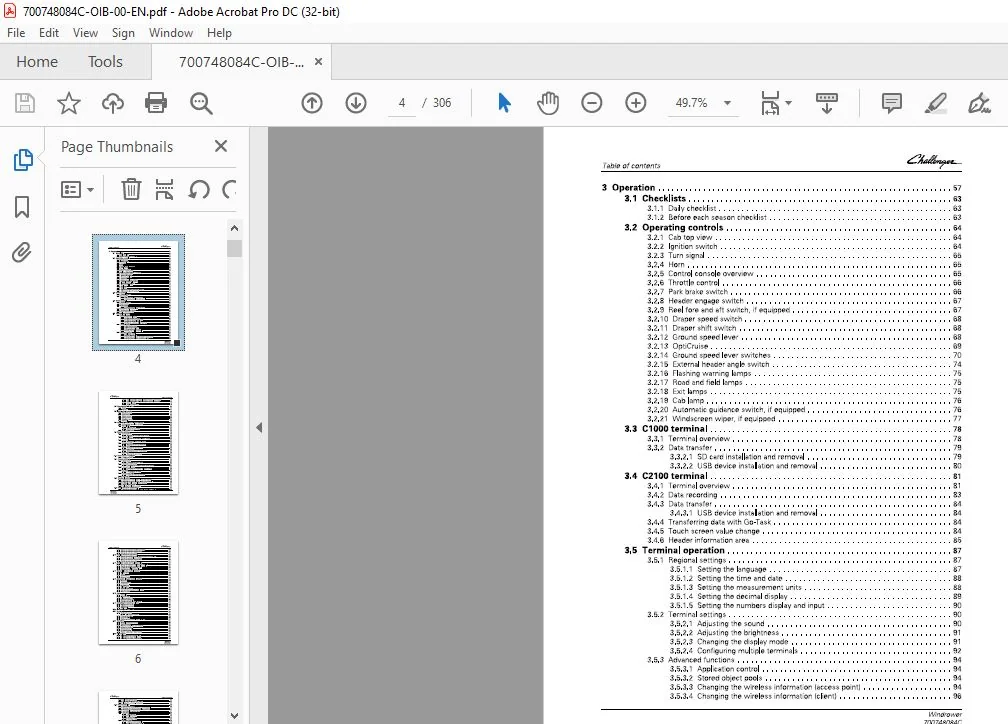
3 Operation 57
3 1 Checklists 63
3 1 1 Daily checklist 6 3
3 1 2 Before each season checklist 6 3
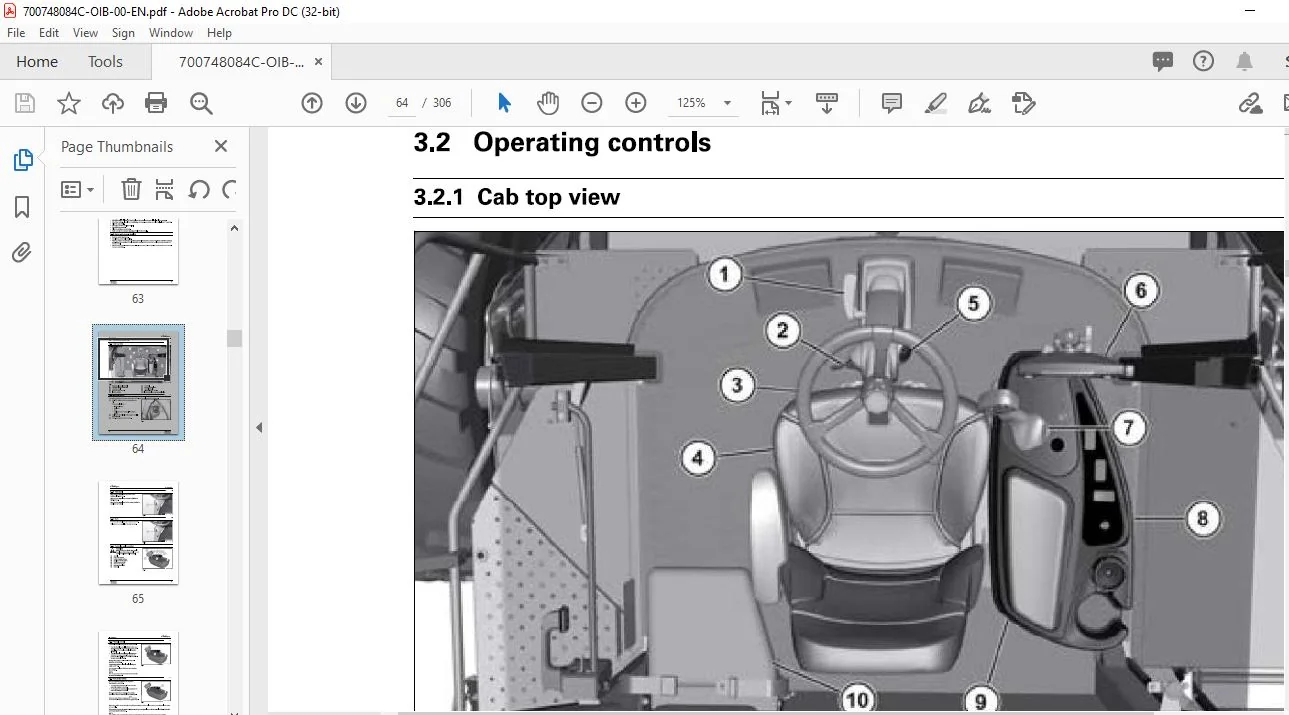
3 2 Operating controls 64
3 2 1 Cab top view 6 4
3 2 2 Ignition switch 6 4
3 2 3 Turn signal 6 5
3 2 4 Horn 6 5
3 2 5 Control console overview 6 5
3 2 6 Throttle control 6 6
3 2 7 Park brake switch 6 6
3 2 8 Header engage switch 6 7
3 2 9 Reel fore and aft switch, if equipped 6 7
3 2 1 0 Draper speed switch 6 8
3 2 11 Draper shift switch 6 8
3 2 12 Ground speed lever 6 8
3 2 13 OptiCruise 6 9
3 2 1 4 Ground speed lever switches 70
3 2 15 External header angle switch 74
3 2 16 Flashing warning lamps 7 5
3 2 17 Road and field lamps 75
3 2 18 Exit lamps 75
3 2 1 9 Cab lamp 76
3 2 2 0 Automatic guidance switch, if equipped 76
3 2 2 1 Windscreen wiper, if equipped 77
3 3 C1000 terminal 78
3 3 1 Terminal overview 78
3 3 2 Data transfer 79
3 3 2 1 SD card installation and removal 79
3 3 2 2 USB device installation and removal 80
3 4 C2100 terminal 81
3 4 1 Terminal overview 81
3 4 2 Data recording 83
3 4 3 Data transfer 84
3 4 3 1 USB device installation and removal 84
3 4 4 Transferring data with Go-Task 84
3 4 5 Touch screen value change 84
3 4 6 Header information area 85
3 5 Terminal operation 87
3 5 1 Regional settings 87
3 5 1 1 Setting the language 87
3 5 1 2 Setting the time and date 88
3 5 1 3 Setting the measurement units 88
3 5 1 4 Setting the decimal display 89
3 5 1 5 Setting the numbers display and input 90
3 5 2 Terminal settings 90
3 5 2 1 Adjusting the sound 90
3 5 2 2 Adjusting the brightness 91
3 5 2 3 Changing the display mode 91
3 5 2 4 Configuring multiple terminals 92
3 5 3 Advanced functions 94
3 5 3 1 Application control 94
3 5 3 2 Stored object pools 94
3 5 3 3 Changing the wireless information (access point) 94
3 5 3 4 Changing the wireless information (client) 96
Wind rower
700748084C
Table of contents
3 5 3 5 Enabling the video camera – software version 3 2 and before 9 6
3 5 3 6 Enabling the video camera – software version 3 3 and after 9 7
3 5 3 7 Radar calibration 9 8
3 5 3 8 Auxiliary assignment 9 9
3 6 Gauges and indicators 1 oo
3 6 1 Gauges 100
3 6 2 Indicators 101
3 7 Information screens 1 02
3 7 1 Main work screen 102
3 7 2 Engine screen 104
3 7 3 Counter screen 1 105
3 7 4 Counter 2 screen 106
3 7 5 Resetting a counter 107
3 7 6 Header slip 108
3 8 Ground speed lever switch settings 1 09
3 8 1 Set the ground speed lever switches 112
3 8 2 User selection 112
3 8 2 1 Select the user 112
3 8 2 2 Change the user name 113
3 8 3 Scroll or touch mode 114
3 9 Machine settings 1 1 5
3 9 1 One touch down 115
3 9 1 1 Changing the one touch down setting 115
3 9 2 Automatic flotation 115
3 9 2 1 Changing the automatic flotation setting 116
3 9 3 Load control 116
3 9 3 1 Changing the load control setting 117
3 9 4 Steering sensitivity 117
3 9 4 1 Changing the steering sensitivity 117
3 9 5 Steering effort 118
3 9 5 1 Changing the steering effort 118
3 9 6 Header height target 118
3 9 6 1 Changing the header height target 119
3 9 7 Speed range 119
3 9 7 1 Changing the speed range 120
3 10 Rear steer, if equipped 1 21
3 10 1 Engage rear steer 121
3 11 Header settings 1 23
3 11 1 Header speed 123
3 11 1 1 Changing the header speed 123
3 11 2 Automatic header speed 124
3 11 2 1 Changing the automatic header speed setting 124
3 11 3 Automatic reel speed 125
3 11 3 1 Changing the automatic reel speed setting 125
3 11 4 Cut width 126
3 11 4 1 Changing the cut width 126
3 11 5 Return to cut height 126
3 11 5 1 Setting the return to cut height 127
3 11 6 One touch up 127
3 12 Header flotation 1 28
3 12 1 Adjusting the header flotation – both sides together 128
3 12 2 Adjusting the header flotation – each side separately 129
3 12 3 Setting the initial header flotation pressure 129
3 12 4 Header flotation mode 13 1
3 12 5 Releasing the flotation pressure 13 2
3 13 Triple windrow attachment 1 34
Wind rower
700748084C
3 13 1 Change the setting for triple windrow attachment installed 13 4
Table of contents
3 13 2 Change the automatic swathboard setting 13 5
3 13 3 Change the conveyor engage setting 13 5
3 13 4 Change the conveyor speed 13 6
3 14 Double windrow attachment 138
3 1 4 1 Change the setting for double windrow attachment installed 13 8
3 1 4 2 Change the conveyor lock up setting 13 9
3 1 4 3 Change the conveyor engage setting 1 4 0
3 1 4 4 Change the conveyor speed 1 4 1
3 15 Auxiliary pump and auxiliary valve 142
3 1 5 1 Change the setting for auxiliary pump installed 1 4 2
3 1 5 2 Change the setting for auxiliary valve installed 1 4 2
3 1 5 3 Turning the auxiliary pump off or on 1 4 2
3 1 5 4 Changing the auxiliary pump flow 1 4 3
3 16 Manual climate control system 144
3 1 6 1 Blower speed 1 4 4
3 1 6 2 Heater 1 4 4
3 1 6 3 Air conditioner 1 4 4
3 1 6 4 Return air vents 1 4 5
3 17 Automatic climate control system 146
3 1 7 1 Operation 1 4 6
3 17 2 Automatic control 14 6
3 1 7 3 Temperature 1 4 6
3 1 7 4 Air conditioner 1 4 7
3 1 7 5 Blower speed 1 4 7
3 1 7 6 External temperature 1 4 7
3 1 7 7 Changing the temperature display units 1 4 8
3 17 8 Return air vents 14 8
3 18 Seat 149
3 1 8 1 Seat belts 1 4 9
3 1 8 2 Instructor seat 1 4 9
3 1 8 3 Deluxe operator seat 1 4 9
3 1 8 4 Standard operator seat 15 0
3 1 8 5 Changing the control console height 15 1
3 19 Adjusting the steering column 153
3 1 9 1 Adjusting fore and aft 15 3
3 1 9 2 Adjusting up and down 15 3
3 1 9 3 Adjusting tilt 15 3
3 20 Electrical power outlets 154
3 21 Engine 155
3 2 1 1 Starting the engine 15 5
3 2 1 1 1 Cold weather starting 15 5
3 2 1 2 Stopping the engine 15 6
3 2 1 3 Engine break-in 15 6
3 2 1 4 Engine operation with no load or low load 15 7
3 22 Operation 158
3 2 2 1 General operating information 15 8
3 2 2 2 Machine steering 15 8
3 2 2 3 Machine steering – rear steer engaged 15 8
3 2 2 4 Driving the machine 15 9
3 2 2 5 Operating in the field 15 9
3 2 2 6 Shutdown system 15 9
3 2 2 7 Header connecting or disconnecting 16 0
3 23 Calibrations 161
3 23 1 Calibrating the ground speed lever 16 1
3 23 2 Calibrating the header angle sensor 16 2
3 23 3 Calibrating the header height sensor 16 3
Wind rower
700748084C
Table of contents
3 23 4 Calibrating ground speed 16 3
3 23 5 Calibrating the ground drive pumps 16 4
3 23 6 Aligning the rear steer, if equipped 16 7
3 24 Task Controller 169
3 2 4 1 Main screen overview 16 9
3 2 4 2 Changing the information boxes – C1000 terminal 170
3 2 4 3 Changing the information boxes – C2 100 terminal 171
3 2 4 4 Task Controller condition icons 171
3 2 4 5 Task setup 173
3 2 4 5 1 Making a task 173
3 2 4 5 2 Selecting a task 173
3 2 4 5 3 Editing a task 174
3 2 4 5 4 Removing a task 174
3 2 4 6 Customer setup 175
3 2 4 6 1 Making a customer profile 175
3 2 4 6 2 Selecting a customer profile 175
3 2 4 6 3 Editing a customer profile 176
3 2 4 6 4 Removing a customer profile 176
3 2 4 7 Farm setup 177
3 2 4 7 1 Making a farm profile 177
3 2 4 7 2 Selecting a farm profile 177
3 2 4 7 3 Editing a farm profile 178
3 2 4 7 4 Removing a farm profile 178
3 2 4 8 Field setup 179
3 2 4 8 1 Making a field profile 179
3 2 4 8 2 Selecting a field profile 179
3 2 4 8 3 Editing a field profile 180
3 2 4 8 4 Removing a field profile 180
3 2 4 9 Crop setup 181
3 2 4 9 1 Making a crop profile 181
3 2 4 9 2 Editing a crop profile 181
3 2 4 9 3 Selecting a crop profile 182
3 2 4 10 Operator setup 182
3 2 4 10 1 Making an operator profile 182
3 2 4 10 2 Selecting an operator profile 183
3 2 4 10 3 Editing an operator profile 183
3 2 4 10 4 Removing an operator profile 184
3 2 4 11 Implement setup 184
3 2 4 11 1 Making an implement profile – software 3 3 and after 184
3 2 4 11 2 Editing an implement profile – software version 3 3 and after 185
3 2 4 12 Task Controller operation 186
3 2 4 12 1 Starting a task 186
3 2 4 12 2 Stopping a task 186
3 2 4 12 3 Starting guidance, if equipped 187
3 2 4 13 Map 187
3 2 4 13 1 Map information box – C1000 terminal 187
3 2 4 13 2 Map information box – C2 100 terminal 188
3 2 4 13 3 Full screen map 188
3 2 4 14 Summary 190
3 2 4 14 1 Summary information box 190
3 2 4 15 Marker setup 190
3 2 4 15 1 Markers information box 190
3 2 4 15 2 Setting a marker 191
3 2 4 15 3 Making a marker 191
3 2 4 15 4 Selecting a marker 192
3 2 4 15 5 Editing a marker 192
3 2 4 15 6 Removing a marker 193
3 25 Automatic guidance setup 194
Wind rower
700748084C
Table of contents
3 25 1 Windrower (vehicle) setup 19 4
3 25 2 Header (implement) setup 19 5
3 25 3 Steering setup 19 6
3 25 4 Operating the automatic guidance 19 6
3 26 Rear hook and hitch 198
3 26 1 Rear hook 19 8
3 26 2 Header tow hitch, if equipped 19 8
3 27 Cab suspension air pressure, if equipped 199
4 Maintenance 201
4 1 Service schedule 203
4 2 General information 205
4 2 1 Inspection during lubrication 205
4 2 2 Sealed bearings 205
4 2 3 After service work 205
4 3 Lubrication points 206
4 4 Engine oil 208
4 4 1 Checking the engine oil level 208
4 4 2 Changing the engine oil and the oil filter 208
4 5 Engine air filter 21o
4 5 1 Engine air filter service interval 210
4 5 2 Replacing the primary element 211
4 5 3 Replacing the secondary element 211
4 6 Fuel system 212
4 6 1 Fuel fill location 212
4 6 2 Fuel valve 212
4 6 3 Removing the water from the fuel system 213
4 6 4 Replacing the fuel filters 213
4 6 5 Replacing the auxiliary fuel filter 214
4 6 6 Bleeding the fuel system 215
4 7 Belts 216
4 7 1 Belt maintenance 216
4 7 2 Belt adjustment 216
4 7 3 Replacing the aspirator pump belt 216
4 7 3 1 Removing the aspirator pump belt 216
4 7 3 2 Installing the aspirator pump belt 217
4 7 4 Replacing the engine belt 217
4 8 Engine coolant 218
4 8 1 Coolant level 218
4 8 2 Coolant mixture 218
4 8 3 Changing the engine coolant 218
4 8 3 1 Draining the engine coolant 218
4 8 3 2 Filling the engine coolant 219
4 8 4 Heater valve 219
4 9 Pump drive gearbox 220
4 9 1 Oil level 220
4 9 2 Changing the oil 220
4 10 Planetary drives 222
4 10 1 Checking the oil 222
4 10 2 Changing the oil 222
4 10 3 Disengaging the planetaries 222
4 10 4 Engaging the planetaries 223
4 11 Cab air filter 225
4 12 Windscreen cleaning 226
4 13 Hydraulic system 227
Wind rower
700748084C
Table of contents
4 13 1 Hydraulic oil level 227
4 13 2 Hydraulic oil filters 227
4 13 2 1 Changing the header drive charge filter – 4 6 cu cm pump 227
4 13 2 2 Changing the header drive charge filter – 7 8 cu cm pump 227
4 13 2 3 Changing the ground drive charge filter 228
4 13 2 4 Changing the return filter 228
4 13 3 Auxiliary function valve 229
4 13 4 Ground drive circuit 229
4 13 5 Engine fan circuit 23 0
4 13 6 Park brake circuit 23 1
4 13 7 Header drive circuit 23 1
4 13 8 Header angle control circuit 23 2
4 13 9 Reel lift and roll pressure circuit 23 2
4 13 10 Header lift and flotation circuit 23 3
4 13 11 Rear steer circuit 23 4
4 14 Electrical system 23 5
4 14 1 Battery 23 5
4 14 2 Alternator 23 5
4 14 3 Starting with a booster battery 23 6
4 14 4 Lighting system and reflector maintenance 23 6
4 14 5 Bulb replacement 23 7
4 14 5 1 Replacing the front work lamp bulbs 23 7
4 14 5 2 Replacing the rear work lamp bulbs 23 7
4 14 5 3 Replacing the round amber lamp bulbs 23 8
4 14 5 4 Replacing the rear lamp bulbs 23 8
4 14 5 5 Tail lamps 23 8
4 14 5 6 Replacing the dome lamp 23 9
4 14 6 Fuses and relays 23 9
4 15 Header lift linkage 24 4
4 15 1 Leveling the header 24 4
4 15 2 Adjustable lift links, if equipped 24 4
4 16 Rear axle 24 6
4 16 1 Adjusting the dampener, if equipped 24 6
4 16 2 Adjusting the rear axle tread width 24 6
4 17 Wheels and tires 24 8
4 17 1 Tire pressure 24 8
4 17 2 Wheel bolt torque 24 8
4 17 3 Tire repair 24 8
4 17 4 Tire size change 24 8
4 17 5 Removing the drive wheel 24 8
4 17 6 Installing the drive wheel 24 9
4 17 7 Removing the tailwheel 24 9
4 17 8 Installing the tailwheel 24 9
4 18 Storage 251
5 Troubleshooting 25 3
5 1 Engine troubleshooting 255
5 2 Header troubleshooting 256
5 3 Miscellaneous troubleshooting 258
5 4 Terminal troubleshooting 259
5 5 Diagnostics 26 1
Wind rower
700748084C
5 5 1 Engine will not start 26 1
5 5 2 Park brake will not disengage 26 1
5 5 3 Header will not increase float pressure 26 2
5 5 4 Header drive will not engage 26 2
5 5 5 Header will not lift, lower, or tilt 26 3
Table of contents
5 6 Errors 264
5 6 1 Active errors 26 4
5 6 2 Recent errors 26 4
5 7 Software version 266
6 Specifications 267
6 1 Specifications 2 6 9
6 1 1 Dimensions 26 9
6 1 2 Weight 27 1
6 1 3 Tire specifications 27 1
6 1 4 Engine specifications 27 2
6 1 5 Electrical system specifications 27 2
6 1 6 Ground drive system specifications 27 3
6 1 7 Header drive pump specifications 27 4
6 1 8 Auxiliary hydraulic system specifications 27 4
6 1 9 Cab specifications 27 4
6 1 10 Air conditioning specifications 27 4
6 1 11 Accessory specification 27 5
6 1 12 Lubrication specifications 27 5
6 1 13 Lubricating oil quality requirements 27 6
6 1 14 Coolant quality requirements 27 6
6 1 15 Fuel quality requirements 27 7
6 1 15 1 Biodiesel blends 27 8
7 Accessories 28 1
7 1 Accessories 28 3
7 1 1 Automatic guidance 28 3
7 1 2 Windscreen wiper kit 28 3
7 1 3 Radio 28 3
7 1 4 Satellite antenna kit 28 3
7 1 5 Cab suspension compressor kit 28 4
7 1 6 Beacon lamp kit 28 4
7 1 7 Telemetry kit 28 4
7 1 8 Field lamp kit 28 4
7 1 9 Hydraulic quick disconnect kit 28 5
7 1 10 Single point coupler kit 28 5
7 1 11 Rear hitch kit 28 5
7 1 12 Reel fore/aft kit 28 5
7 1 13 Draper and auger header adapter kit 28 6
7 1 14 Auxiliary pump kit 28 6
7 1 15 Auxiliary hose kit 28 6
7 1 16 Triple windrow attachment 28 7
7 1 17 Double windrow attachment 28 7
7 1 18 Tripler kit 28 7
7 1 19 Offset tail wheel kit 28 8
7 1 20 High header lift kit 28 8
7 1 21 Windrower tractor weights 28 8
8 Assem bly 28 9
8 1 Assem bly 2 91
8 1 1 Unloading the machine 29 1
8 1 2 Tire pressure 29 1
8 1 3 Checking the wheel nut torque 29 1
8 1 4 Washing the machine 29 1
8 1 5 Removing the door retaining strap 29 1
8 1 6 Removing the shipping brackets 29 2
8 1 7 Assembling the lift arms, if equipped 29 2
Wind rower
700748084C
Table of contents
8 1 8 Assembling the receivers, if equipped 29 3
8 1 9 Adjusting the rear axle tread width 29 3
8 1 10 Install the rear steer cylinders 29 4
8 1 11 Turning the SMV sign 29 5
8 1 12 Installing the header 29 5
8 1 13 Flotation pressure 29 5
8 1 14 Setting the cab suspension pressure, if equipped 29 6
8 2 Checklists 297
8 2 1 Pre-delivery checklist 29 7
8 2 2 Delivery checklist 29 7
9 Index 299
Wind rower
CHALLENGER WINDROWER (AP44 AP49 AP49-3 & AP66 ENGINES) WR9840 WR9860 WR9870 OPERATOR’S MANUAL:
PLEASE NOTE:
- This is the same manual used by the dealers to diagnose and troubleshoot your vehicle
- You will be directed to the download page as soon as the purchase is completed. The whole payment and downloading process will take anywhere between 2-5 minutes
- Need any other service / repair / parts manual, please feel free to contact [email protected] . We still have 50,000 manuals unlisted
S.V