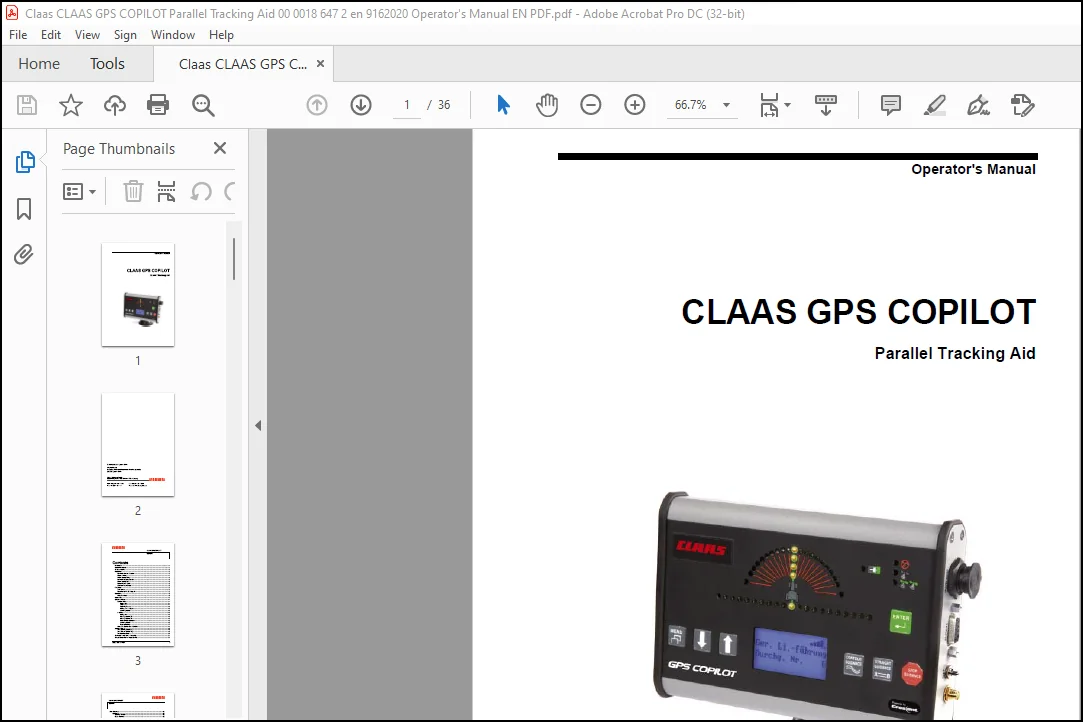
CLAAS GPS COPILOT Parallel Tracking Aid Operator’s Manual – PDF DOWNLOAD
Original price was: $78.00.$19.95Current price is: $19.95.
CLAAS GPS COPILOT Parallel Tracking Aid Operator’s Manual – PDF DOWNLOAD
Description
CLAAS GPS COPILOT Parallel Tracking Aid Operator’s Manual – PDF DOWNLOAD
IMAGES OF MANUAL :
DESCRIPTION:
CLAAS GPS COPILOT Parallel Tracking Aid Operator’s Manual – PDF DOWNLOAD
Introduction
Congratulations on your purchase of the CLAAS GPS COPILOT
parallel tracking aid. We appreciate your confidence in CLAAS
GPS COPILOT equipment. The GPS COPILOT system has
been carefully designed and sturdily built to ensure many years
of reliable service and a good return on your investment. This
manual is to assist you in operating your GPS COPILOT parallel
tracking aid and provide you with the necessary information
needed for proper maintenance.
The product is covered by the warranty customary in the country
of use and as contractually agreed with the dealer in question.
Failure to comply with the operating and setting instructions given
in this manual will invalidate this warranty
TABLE OF CONTENTS:
CLAAS GPS COPILOT Parallel Tracking Aid Operator’s Manual – PDF DOWNLOAD
Contents
Introduction ……………………………………………………………………………………………………………. 1
Correction Signals ………………………………………………………………………………………………….. 1
Scope of supply ……………………………………………………………………………………………………… 2
Installation ……………………………………………………………………………………………………………… 3
Determine Antenna Position ………………………………………………………………………………. 3
Mount Antenna ………………………………………………………………………………………………… 4
Mount Display Fixing ………………………………………………………………………………………… 5
Determine Display Location ……………………………………………………………………………….. 5
Mount Display Unit ……………………………………………………………………………………………. 6
Route Antenna Cable ……………………………………………………………………………………….. 6
Connect Power Cable ……………………………………………………………………………………….. 6
Power Up ………………………………………………………………………………………………………………. 8
Turn Unit on …………………………………………………………………………………………………….. 8
Reception of the GPS signal ………………………………………………………………………………. 8
Operation ………………………………………………………………………………………………………………. 9
Menu Functions ……………………………………………………………………………………………….. 9
Status LED …………………………………………………………………………………………………………… 13
Guidance Modes …………………………………………………………………………………………………… 14
Contour Mode ……………………………………………………………………………………………….. 14
Background ……………………………………………………………………………………………… 14
Initial Pass ………………………………………………………………………………………………. 14
Following Passes ……………………………………………………………………………………… 15
Making a new first pass …………………………………………………………………………….. 15
Switching Modes ………………………………………………………………………………………. 15
A-B Mode ………………………………………………………………………………………………………. 16
Background ……………………………………………………………………………………………… 16
Marking of point “A”: …………………………………………………………………………………. 16
Marking of point “B”: …………………………………………………………………………………. 16
Begin Straight Guidance ……………………………………………………………………………. 16
Switching Modes ………………………………………………………………………………………. 16
Pass Numbering ………………………………………………………………………………………. 17
Overview: Contour and A-B Mode …………………………………………………………………….. 18
Steering Display ……………………………………………………………………………………………………. 19
The “Steering Guide” (A) …………………………………………………………………………………. 19
The “Current Position” (B)………………………………………………………………………………… 19
The Optimum Track ………………………………………………………………………………………… 20
“Perimeter Setup” (Area Surveying) ………………………………………………………………………… 21
“Snap” (Automatic line displacement) ………………………………………………………………………. 22
CLAAS GPS COPILOT
Contents
ii CLAAS GPS COPILOT
Stop Guidance ……………………………………………………………………………………………………… 23
Application …………………………………………………………………………………………………….. 23
Stopping Function …………………………………………………………………………………….. 23
Erase Memory …………………………………………………………………………………………. 23
Return Here …………………………………………………………………………………………….. 23
Return to Previous Track …………………………………………………………………………… 24
Update E-Dif ……………………………………………………………………………………………. 24
STOP functions – Overview ……………………………………………………………………….. 24
Short Instructions ………………………………………………………………………………………………….. 25
Serial Interface …………………………………………………………………………………………………….. 26
Modify NMEA Standard Settings ………………………………………………………………………………. 26
Diagnostics ………………………………………………………………………………………………………….. 27
Troubleshooting ……………………………………………………………………………………………………. 28
Check Antenna Voltage …………………………………………………………………………………… 28
Check BIT Error Rate (BER) …………………………………………………………………………….. 28
Frequently Asked Questions…………………………………………………………………………………… 29
PLEASE NOTE:
- This is the same manual used by dealerships to diagnose and troubleshoot your vehicle
- You will be directed to the download page as soon as the purchase is complete. The whole payment and download process will take between 2 and 5 minutes
- Need any other service/repair/parts manual, please feel free to contact [email protected]. We still have 50,000 unlisted manuals
S.M