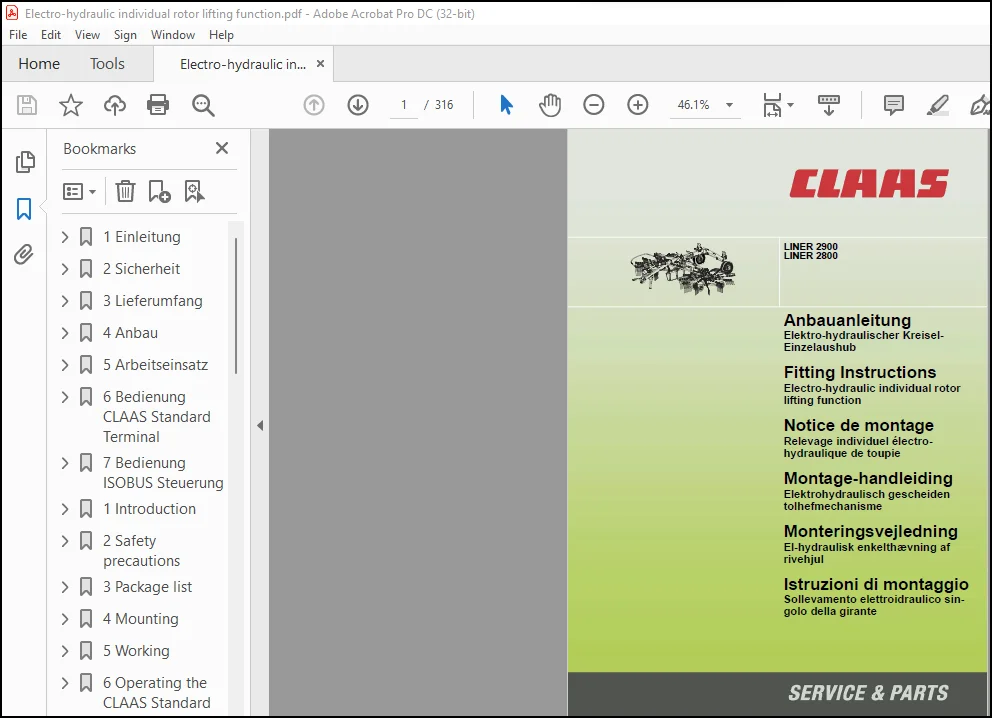
Claas Swathers LINER 2900 2800 Electro-hydraulic individual rotor lifting function Fitting Instructions Manual_DE_EN_FR
Original price was: $89.00.$30.95Current price is: $30.95.
Claas Swathers LINER 2900 2800 Electro-hydraulic individual rotor lifting function Fitting Instructions Manual_DE_EN_FR – PDF DOWNLOAD
Description
Claas Swathers LINER 2900 2800 Electro-hydraulic individual rotor lifting function Fitting Instructions Manual_DE_EN_FR – PDF DOWNLOAD
DESCRIPTION:
Claas Swathers LINER 2900 2800 Electro-hydraulic individual rotor lifting function Fitting Instructions Manual_DE_EN_FR – PDF DOWNLOAD
Introduction
1.1 General Information
1.1.1 How to use this manual
The present manual shows you how to install the parts
listed in the “Shipping package” chapter.
Please observe that in the chapters below, the CLAAS
rotary swather will also be referred to as machine.
Texts and pictures apply to all models as far as possible.
Differences are referred to in captions to the
pictures or in the main text.
Before starting work, ensure that all tools and auxiliary
devices are available. Compare the existing type of
machine/front attachment with the list in the “Shipping
package” chapter and with the parts delivered.
For specifications of parts, e.g. of bolts, please refer to
the “Shipping package” list. In that list, every component
has an item no. Further details relating to the
components include the part no., the quantity, the
dimension, ISO/DIN standards and their use.
To make the installation instructions easier to understand,
existing parts are marked by letters whereas
new parts are marked by numbers.
Front, rear, right and left always refer to the direction of
forward travel.
Technical specifications, dimensions, and weights are
understood with the usual tolerances. CLAAS reserves
the right to make subsequent changes in the course of
technical developments.
Safety precautions
2.1 Important
2.1.1 Important information
In order to avert danger, the instructions in this manual
must be read and heeded by all persons who carry out
or check this assembly.
In particular, read the “Safety Rules” sections in the
Operator’s Manual of the machine and of the front
attachment.
The use of spare parts, accessories and auxiliary
equipment that are not original CLAAS products and
have not specifically been tested and approved by
CLAAS, can change the specified design characteristics
of the CLAAS combine or detract from its
functional performance, with a possible adverse effect
on the active and/or passive operational safety and on
its occupational safety standards (accident
prevention).
CLAAS is in no way liable for any damage or personal
injury caused as a result of the use of other than original
or approved CLAAS parts, accessories and
auxiliary equipment.
When safety decals are damaged during the conversion
or parts with decals are replaced, always make
sure to install the relevant new decals with each new
part. The individual decals are explained in more detail
in the Operator’s manual.
Always disengage the drive and stop the engine
before carrying out installation and cleaning work! –
Remove the ignition key.
Installation work may be carried out only by qualified
personnel.
Only personnel with special knowledge and experience
in hydraulic systems shall be allowed to work on
the hydraulic systems of the machine/front attachment!
Before working on the hydraulic system, lower the
machine/front attachment and/or hydraulically actuated
components and relieve the pressure of the
hydraulic system!
Before carrying out installation work on pre-loaded
energy accumulators (springs, pressure accumulators,
etc.), relieve their pressure properly!
When working on the jacked-up machine/front attachment,
always secure the machine/front attachment
using suitable supports!
When removing or installing working parts, always use
suitable tools and wear safety gloves.
Dispose of oil, grease, and filters in the prescribed
manner.
TABLE OF CONTENTS:
Claas Swathers LINER 2900 2800 Electro-hydraulic individual rotor lifting function Fitting Instructions Manual_DE_EN_FR – PDF DOWNLOAD
1 Einleitung……………………………………………………………………………………0
1.1 Allgemeine Hinweise………………………………………………………………………0
1.1.1 Handhabung der Anleitung…………………………………………………………….0
1.1.2 Gültigkeit der Anleitung…………………………………………………………….0
2 Sicherheit……………………………………………………………………………………0
2.1 Beachten………………………………………………………………………………..0
2.1.1 Besonders zu beachten……………………………………………………………….0
2.1.2 Kennzeichnung von Warn- und Gefahrenhinweisen………………………………………….0
3 Lieferumfang………………………………………………………………………………….0
3.1 Elektro-hydraulischer Kreisel-Einzelaushub………………………………………………….0
3.1.1 Teilesatz 00 0486 146 0 – R03 0330 …………………………………………………..0
3.2 CLAAS Standard Terminal…………………………………………………………………..0
3.2.1 Teilesatz 00 0486 275 0 – Q06 0130 …………………………………………………..0
3.3 CLAAS COMMUNICATOR……………………………………………………………………….0
3.3.1 Teilesatz 00 0486 290 0 – Q06 0090 …………………………………………………..0
4 Anbau………………………………………………………………………………………..0
4.1 Anbau Kreisel-Einzelaushub………………………………………………………………..0
4.1.1 Maschine vorbereiten………………………………………………………………..0
4.1.2 Hydraulikleitungen abbauen…………………………………………………………..0
4.1.3 Ventil anbauen……………………………………………………………………..0
4.1.4 Modul anbauen………………………………………………………………………0
4.1.5 Hydraulikleitungen anbauen…………………………………………………………..0
4.1.6 Druckspeicher anbauen……………………………………………………………….0
4.1.7 Kabelsatz LINER Basis anbauen………………………………………………………..0
4.2 Anbau CLAAS Standard Terminal……………………………………………………………..0
4.2.1 Kabelsatz LINER CLAAS Standard Terminal anbauen………………………………………..0
4.2.2 Halter anbauen……………………………………………………………………..0
4.2.3 Bedienteil anbauen………………………………………………………………….0
4.2.4 Software überprüfen…………………………………………………………………0
4.3 Anbau CLAAS COMMUNICATOR………………………………………………………………….0
4.3.1 Kabelsatz CLAAS COMMUNICATOR…………………………………………………………0
4.3.2 Halter anbauen……………………………………………………………………..0
4.3.3 Bedienteil anbauen………………………………………………………………….0
4.3.4 Software überprüfen…………………………………………………………………0
4.4 Vor Inbetriebnahme……………………………………………………………………….0
4.4.1 Zusatzgewichte……………………………………………………………………..0
4.4.2 Vor Inbetriebnahme prüfen und beachten………………………………………………..0
5 Arbeitseinsatz………………………………………………………………………………..0
5.1 Arbeitseinsatz auf dem Feld……………………………………………………………….0
5.1.1 Allgemeine Hinweise…………………………………………………………………0
5.1.2 Kreisel-Einzelaushub (Zusatzausrüstung)……………………………………………….0
5.1.3 Maschine abbauen……………………………………………………………………0
6 Bedienung CLAAS Standard Terminal……………………………………………………………….0
6.1 Beschreibung…………………………………………………………………………….0
6.1.1 Übersicht………………………………………………………………………….0
6.1.2 Kennzeichnung der Tasten…………………………………………………………….0
6.2 Funktionsweise…………………………………………………………………………..0
6.2.1 Ein/Aus……………………………………………………………………………0
6.2.2 Vorwahl Arbeitsstellung……………………………………………………………..0
6.2.3 Vorwahl Arbeitsbreite……………………………………………………………….0
6.2.4 Vorwahl Kreisel-Einzelaushub (Zusatzausrüstung)………………………………………..0
6.2.5 Vorwahl Rechhöhe (Zusatzausrüstung)…………………………………………………..0
6.2.6 Vorwahl Transportstellung……………………………………………………………0
7 Bedienung ISOBUS Steuerung……………………………………………………………………..0
7.1 Einleitung………………………………………………………………………………0
7.1.1 Beschreibung……………………………………………………………………….0
7.1.2 Handhabung der Anleitung…………………………………………………………….0
7.1.3 Erläuterungen zu ISOBUS-Begriffen…………………………………………………….0
7.2 Übersicht……………………………………………………………………………….0
7.2.1 Bildschirm…………………………………………………………………………0
7.2.2 Titelleiste………………………………………………………………………..0
7.2.3 Menüleiste…………………………………………………………………………0
7.2.4 Softkey……………………………………………………………………………0
7.2.5 Statusleiste……………………………………………………………………….0
7.2.6 Datenfeld………………………………………………………………………….0
7.2.7 Programm-Version……………………………………………………………………0
7.3 Erste Schritte…………………………………………………………………………..0
7.3.1 Steuerungsprogramm starten…………………………………………………………..0
7.4 Bedienung der Maschine……………………………………………………………………0
7.4.1 Transportstellung…………………………………………………………………..0
7.4.2 Arbeitsstellung…………………………………………………………………….0
7.4.3 Arbeitseinsatz im Feld………………………………………………………………0
7.4.4 Vorwahl Rechhöhe (Zusatzausrüstung)…………………………………………………..0
1 Introduction………………………………………………………………………………….0
1.1 General Information………………………………………………………………………0
1.1.1 How to use this manual………………………………………………………………0
1.1.2 Validity of instructions…………………………………………………………….0
2 Safety precautions…………………………………………………………………………….0
2.1 Important……………………………………………………………………………….0
2.1.1 Important information……………………………………………………………….0
2.1.2 Identification of warning and danger signs…………………………………………….0
3 Package list………………………………………………………………………………….0
3.1 Electro-hydraulic individual rotor lifting function………………………………………….0
3.1.1 Parts kit 00 0486 146 0 – R03 0330 …………………………………………………..0
3.2 CLAAS standard terminal…………………………………………………………………..0
3.2.1 Parts kit 00 0486 275 0 – Q06 0130……………………………………………………0
3.3 CLAAS COMMUNICATOR……………………………………………………………………….0
3.3.1 Parts kit 00 0486 290 0 – Q06 0090 …………………………………………………..0
4 Mounting……………………………………………………………………………………..0
4.1 Attaching the individual rotor lift………………………………………………………..0
4.1.1 Preparing the machine……………………………………………………………….0
4.1.2 Removing the hydraulic lines…………………………………………………………0
4.1.3 Installing the valve………………………………………………………………..0
4.1.4 Installing the module……………………………………………………………….0
4.1.5 Attaching the hydraulic lines………………………………………………………..0
4.1.6 Installing the accumulator…………………………………………………………..0
4.1.7 Installing the LINER base wiring loom…………………………………………………0
4.2 Installing the CLAAS standard terminal……………………………………………………..0
4.2.1 Installing the LINER CLAAS standard terminal wiring loom………………………………..0
4.2.2 Fitting the bracket…………………………………………………………………0
4.2.3 Attaching the control unit…………………………………………………………..0
4.2.4 Check software……………………………………………………………………..0
4.3 Installing the CLAAS COMMUNICATOR………………………………………………………….0
4.3.1 CLAAS COMMUNICATOR wiring loom……………………………………………………….0
4.3.2 Fitting the bracket…………………………………………………………………0
4.3.3 Attaching the control unit…………………………………………………………..0
4.3.4 Check software……………………………………………………………………..0
4.4 Before putting the machine into operation…………………………………………………..0
4.4.1 Additional weights………………………………………………………………….0
4.4.2 Items to check and observe before operation……………………………………………0
5 Working………………………………………………………………………………………0
5.1 Working in the field……………………………………………………………………..0
5.1.1 General information…………………………………………………………………0
5.1.2 Individual rotor lift……………………………………………………………….0
5.1.3 Unhitching the machine………………………………………………………………0
6 Operating the CLAAS Standard Terminal……………………………………………………………0
6.1 Description……………………………………………………………………………..0
6.1.1 Presentation……………………………………………………………………….0
6.1.2 Key identification………………………………………………………………….0
6.2 Operation……………………………………………………………………………….0
6.2.1 On/Off…………………………………………………………………………….0
6.2.2 Working position preselection………………………………………………………..0
6.2.3 Working width preselection…………………………………………………………..0
6.2.4 Individual rotor lifting function preselection (accessory)………………………………0
6.2.5 Raking height preselection (accessory)………………………………………………..0
6.2.6 Transport position preselection………………………………………………………0
7 Operating the ISOBUS control……………………………………………………………………0
7.1 Introduction…………………………………………………………………………….0
7.1.1 Description………………………………………………………………………..0
7.1.2 Using the manual……………………………………………………………………0
7.1.3 Explanations of ISOBUS terminology……………………………………………………0
7.2 Overview………………………………………………………………………………..0
7.2.1 Monitor……………………………………………………………………………0
7.2.2 Title bar………………………………………………………………………….0
7.2.3 Menu bar…………………………………………………………………………..0
7.2.4 Softkey……………………………………………………………………………0
7.2.5 Status bar…………………………………………………………………………0
7.2.6 Data field…………………………………………………………………………0
7.2.7 Program version…………………………………………………………………….0
7.3 First steps……………………………………………………………………………..0
7.3.1 Starting the control program…………………………………………………………0
7.4 Machine operation………………………………………………………………………..0
7.4.1 Transport position………………………………………………………………….0
7.4.2 Working position……………………………………………………………………0
7.4.3 Fieldwork………………………………………………………………………….0
7.4.4 Raking height preselection (accessory)………………………………………………..0
1 Introduction………………………………………………………………………………….0
1.1 Conseils généraux………………………………………………………………………..0
1.1.1 Utilisation de la notice…………………………………………………………….0
1.1.2 Validité de la notice ………………………………………………………………0
2 Conseils de sécurité…………………………………………………………………………..0
2.1 Observer………………………………………………………………………………..0
2.1.1 Important………………………………………………………………………….0
2.1.2 Marquage des avertissements et des dangers…………………………………………….0
3 Pièces fournies……………………………………………………………………………….0
3.1 Relevage individuel électro-hydraulique de toupie……………………………………………0
3.1.1 Jeu de pièces 00 0486 146 0 – R03 0330 ……………………………………………….0
3.2 Terminal standard CLAAS…………………………………………………………………..0
3.2.1 Jeu de pièces 00 0486 275 0 – Q06 0130 ……………………………………………….0
3.3 CLAAS COMMUNICATOR……………………………………………………………………….0
3.3.1 Jeu de pièces 00 0486 290 0 – Q06 0090 ……………………………………………….0
4 Montage………………………………………………………………………………………0
4.1 Montage du relevage individuel des toupies………………………………………………….0
4.1.1 Préparation de la machine……………………………………………………………0
4.1.2 Dépose des flexibles hydrauliques…………………………………………………….0
4.1.3 Poser la vanne……………………………………………………………………..0
4.1.4 Poser le module…………………………………………………………………….0
4.1.5 Montage des flexibles hydrauliques……………………………………………………0
4.1.6 Pose de l’accumulateur de pression……………………………………………………0
4.1.7 Pose du jeu de câbles LINER Basis…………………………………………………….0
4.2 Pose du terminal standard CLAAS……………………………………………………………0
4.2.1 Poser le jeu de câbles du terminal standard LINER CLAAS…………………………………0
4.2.2 Poser le support……………………………………………………………………0
4.2.3 Montage de l’élément de commande……………………………………………………..0
4.2.4 Vérifier le logiciel………………………………………………………………..0
4.3 Pose du COMMUNICATOR CLAAS………………………………………………………………..0
4.3.1 Jeu de câbles COMMUNICATOR CLAAS……………………………………………………..0
4.3.2 Poser le support……………………………………………………………………0
4.3.3 Montage de l’élément de commande……………………………………………………..0
4.3.4 Vérifier le logiciel………………………………………………………………..0
4.4 Avant la mise en service………………………………………………………………….0
4.4.1 Lests supplémentaires……………………………………………………………….0
4.4.2 Avant la mise en service de la machine, vérifier les points suivants……………………..0
5 Travail………………………………………………………………………………………0
5.1 Travail dans le champ…………………………………………………………………….0
5.1.1 Conseils généraux…………………………………………………………………..0
5.1.2 Relevage individuel des toupies………………………………………………………0
5.1.3 Dépose de la machine………………………………………………………………..0
6 CLAAS Standard Terminal………………………………………………………………………..0
6.1 Descriptif………………………………………………………………………………0
6.1.1 Présentation……………………………………………………………………….0
6.1.2 Identification des touches…………………………………………………………..0
6.2 Fonctionnement…………………………………………………………………………..0
6.2.1 Marche/Arrêt……………………………………………………………………….0
6.2.2 Présélection position de travail……………………………………………………..0
6.2.3 Présélection de la largeur de travail…………………………………………………0
6.2.4 Présélection de relevage individuel de toupie (équipement supplémentaire)…………………0
6.2.5 Présélection de la hauteur de ratissage (équipement supplémentaire)………………………0
6.2.6 Présélection position de route……………………………………………………….0
7 Utilisation de la commande ISOBUS……………………………………………………………….0
7.1 Introduction…………………………………………………………………………….0
7.1.1 Description………………………………………………………………………..0
7.1.2 Utilisation de la notice…………………………………………………………….0
7.1.3 Explications concernant les termes ISOBUS……………………………………………..0
7.2 Vue d’ensemble…………………………………………………………………………..0
7.2.1 Ecran……………………………………………………………………………..0
7.2.2 Barre de titre……………………………………………………………………..0
7.2.3 Barre de menu………………………………………………………………………0
7.2.4 Softkey (touche programmable)………………………………………………………..0
7.2.5 Barre d’état……………………………………………………………………….0
7.2.6 Champ de données……………………………………………………………………0
7.2.7 Version du programme………………………………………………………………..0
7.3 Premières étapes…………………………………………………………………………0
7.3.1 Lancer le programme de gestion……………………………………………………….0
7.4 Utilisation de la machine…………………………………………………………………0
7.4.1 Position de transport……………………………………………………………….0
7.4.2 Position de travail…………………………………………………………………0
7.4.3 Travail dans le champ……………………………………………………………….0
7.4.4 Présélection de la hauteur de ratissage (équipement supplémentaire)………………………0
1 Inleiding…………………………………………………………………………………….0
1.1 Algemene aanwijzingen…………………………………………………………………….0
1.1.1 Gebruik van de handleiding…………………………………………………………..0
1.1.2 Geldigheid van de handleiding………………………………………………………..0
2 Veiligheid……………………………………………………………………………………0
2.1 In acht nemen……………………………………………………………………………0
2.1.1 Let vooral op het volgende…………………………………………………………..0
2.1.2 Aanduiding van waarschuwings- en gevarenindicaties……………………………………..0
3 Leveringsomvang……………………………………………………………………………….0
3.1 Elektrohydraulisch gescheiden tolhefmechanisme………………………………………………0
3.1.1 Onderdelenset 00 0486 146 0 – R03 0330 ……………………………………………….0
3.2 Standaard CLAAS-terminal………………………………………………………………….0
3.2.1 Onderdelenset 00 0486 275 0 – Q06 0130 ……………………………………………….0
3.3 CLAAS COMMUNICATOR……………………………………………………………………….0
3.3.1 Onderdelenset 00 0486 290 0 – Q06 0090 ……………………………………………….0
4 Montage………………………………………………………………………………………0
4.1 Montage gescheiden tolhefmechanisme………………………………………………………..0
4.1.1 Machine voorbereiden………………………………………………………………..0
4.1.2 Hydraulische leidingen demonteren…………………………………………………….0
4.1.3 Ventiel monteren……………………………………………………………………0
4.1.4 Module monteren…………………………………………………………………….0
4.1.5 Hydraulische leidingen monteren………………………………………………………0
4.1.6 Drukbollen monteren…………………………………………………………………0
4.1.7 Kabelset LINER Basis monteren………………………………………………………..0
4.2 Montage standaard CLAAS-terminal…………………………………………………………..0
4.2.1 Kabelset LINER Standaard CLAAS-terminal monteren……………………………………….0
4.2.2 Houder monteren…………………………………………………………………….0
4.2.3 Bedieningselement monteren…………………………………………………………..0
4.2.4 Software controleren………………………………………………………………..0
4.3 Montage CLAAS COMMUNICATOR………………………………………………………………..0
4.3.1 Kabelset CLAAS COMMUNICATOR………………………………………………………….0
4.3.2 Houder monteren…………………………………………………………………….0
4.3.3 Bedieningselement monteren…………………………………………………………..0
4.3.4 Software controleren………………………………………………………………..0
4.4 Vóór ingebruikname……………………………………………………………………….0
4.4.1 Extra gewichten…………………………………………………………………….0
4.4.2 Vóór ingebruikname controleren en in acht nemen………………………………………..0
5 Werkstand…………………………………………………………………………………….0
5.1 Uitvoeren van werkzaamheden in het veld…………………………………………………….0
5.1.1 Algemene aanwijzingen……………………………………………………………….0
5.1.2 Gescheiden tolhefmechanisme………………………………………………………….0
5.1.3 Machine demonteren………………………………………………………………….0
6 Standaard CLAAS-terminal……………………………………………………………………….0
6.1 Beschrijving…………………………………………………………………………….0
6.1.1 Overzicht………………………………………………………………………….0
6.1.2 Betekenis van de toetsen…………………………………………………………….0
6.2 Werking…………………………………………………………………………………0
6.2.1 Aan/Uit……………………………………………………………………………0
6.2.2 Voorkeuze werkstand…………………………………………………………………0
6.2.3 Voorkeuze werkbreedte……………………………………………………………….0
6.2.4 Voorkeuze gescheiden tolhefmechanisme (extra uitrusting)………………………………..0
6.2.5 Voorkeuze harkhoogte (extra uitrusting)……………………………………………….0
6.2.6 Voorkeuze transportstand…………………………………………………………….0
7 Bediening ISOBUS-regeling………………………………………………………………………0
7.1 Inleiding……………………………………………………………………………….0
7.1.1 Beschrijving……………………………………………………………………….0
7.1.2 Gebruik van de handleiding…………………………………………………………..0
7.1.3 Verklaringen van de ISOBUS-begrippen………………………………………………….0
7.2 Overzicht……………………………………………………………………………….0
7.2.1 Scherm…………………………………………………………………………….0
7.2.2 Titelbalk………………………………………………………………………….0
7.2.3 Menubalk…………………………………………………………………………..0
7.2.4 Softkey……………………………………………………………………………0
7.2.5 Statusbalk…………………………………………………………………………0
7.2.6 Gegevensveld……………………………………………………………………….0
7.2.7 Programmaversie…………………………………………………………………….0
7.3 Begin…………………………………………………………………………………..0
7.3.1 Besturingsprogramma starten………………………………………………………….0
7.4 Bediening van de machine………………………………………………………………….0
7.4.1 Transportstand……………………………………………………………………..0
7.4.2 Werkstand………………………………………………………………………….0
7.4.3 Gebruik op het veld…………………………………………………………………0
7.4.4 Voorkeuze harkhoogte (extra uitrusting)……………………………………………….0
1 Indledning……………………………………………………………………………………0
1.1 Generelle anvisninger…………………………………………………………………….0
1.1.1 Anvendelse af anvisningen……………………………………………………………0
1.1.2 Gyldighed………………………………………………………………………….0
2 Sikkerhed…………………………………………………………………………………….0
2.1 Bemærk!…………………………………………………………………………………0
2.1.1 Bemærk…………………………………………………………………………….0
2.1.2 Advarselsmarkering………………………………………………………………….0
3 Medfølgende dele………………………………………………………………………………0
3.1 El-hydraulisk enkelthævning af rivehjul…………………………………………………….0
3.1.1 Reservedelssæt 00 0486 146 0 – R03 0330 ………………………………………………0
3.2 CLAAS standardterminal……………………………………………………………………0
3.2.1 Reservedelssæt 00 0486 275 0 – Q06 0130 ………………………………………………0
3.3 CLAAS COMMUNICATOR……………………………………………………………………….0
3.3.1 Reservedelssæt 00 0486 290 0 – Q06 0090 ………………………………………………0
4 Montering…………………………………………………………………………………….0
4.1 Montering af enkelthævning af rivehjul……………………………………………………..0
4.1.1 Klargøring af maskinen………………………………………………………………0
4.1.2 Afmontering af hydraulikslanger………………………………………………………0
4.1.3 Montering af ventil…………………………………………………………………0
4.1.4 Montering af modul………………………………………………………………….0
4.1.5 Afmonter hydraulikslangerne………………………………………………………….0
4.1.6 Montering af trykakkumulator…………………………………………………………0
4.1.7 Montering af ledningsnet LINER Basis………………………………………………….0
4.2 Montering af CLAAS standardterminal………………………………………………………..0
4.2.1 Montering af ledningsnet LINER CLAAS standardterminal…………………………………..0
4.2.2 Montering af holder…………………………………………………………………0
4.2.3 Monter betjeningsdel………………………………………………………………..0
4.2.4 Kontrol af software…………………………………………………………………0
4.3 Montering af CLAAS COMMUNICATOR……………………………………………………………0
4.3.1 Ledningsnet CLAAS COMMUNICATOR……………………………………………………….0
4.3.2 Montering af holder…………………………………………………………………0
4.3.3 Monter betjeningsdel………………………………………………………………..0
4.3.4 Kontrol af software…………………………………………………………………0
4.4 Før ibrugtagning…………………………………………………………………………0
4.4.1 Ekstravægte………………………………………………………………………..0
4.4.2 Kontrol før ibrugtagning…………………………………………………………….0
5 Arbejde………………………………………………………………………………………0
5.1 Arbejde på marken………………………………………………………………………..0
5.1.1 Generelle anvisninger……………………………………………………………….0
5.1.2 Enkelthævning af rivehjul (Tilbehør)………………………………………………….0
5.1.3 Afmonter maskinen…………………………………………………………………..0
6 CLAAS standardterminal…………………………………………………………………………0
6.1 Beskrivelse……………………………………………………………………………..0
6.1.1 Oversigt…………………………………………………………………………..0
6.1.2 Beskrivelse af tasterne……………………………………………………………..0
6.2 Funktion………………………………………………………………………………..0
6.2.1 Til/fra……………………………………………………………………………0
6.2.2 Forvalg arbejdsstilling……………………………………………………………..0
6.2.3 Forvalg arbejdsbredde……………………………………………………………….0
6.2.4 Forvalg enkelthævning af rivehjul (ekstraudstyr)……………………………………….0
6.2.5 Forvalg rivehøjde (ekstraudstyr)……………………………………………………..0
6.2.6 Forvalg transportstilling……………………………………………………………0
7 Betjening af ISOBUS-styring…………………………………………………………………….0
7.1 Indledning………………………………………………………………………………0
7.1.1 Beskrivelse………………………………………………………………………..0
7.1.2 Brug af anvisningen…………………………………………………………………0
7.1.3 Forklaringer til ISOBUS-begreber……………………………………………………..0
7.2 Oversigt………………………………………………………………………………..0
7.2.1 Skærm……………………………………………………………………………..0
7.2.2 Titellinje…………………………………………………………………………0
7.2.3 Menulinje………………………………………………………………………….0
7.2.4 Softkey……………………………………………………………………………0
7.2.5 Statuslinje………………………………………………………………………..0
7.2.6 Datafelt…………………………………………………………………………..0
7.2.7 Programversion……………………………………………………………………..0
7.3 Første trin……………………………………………………………………………..0
7.3.1 Start af styringsprogram…………………………………………………………….0
7.4 Betjening af maskinen…………………………………………………………………….0
7.4.1 Transportstilling…………………………………………………………………..0
7.4.2 Arbejdsstilling…………………………………………………………………….0
7.4.3 Arbejde i marken……………………………………………………………………0
7.4.4 Forvalg rivehøjde (ekstraudstyr)……………………………………………………..0
1 Introduzione………………………………………………………………………………….0
1.1 Indicazioni generali……………………………………………………………………..0
1.1.1 Applicazione del libretto d’uso………………………………………………………0
1.1.2 Validità del libretto d’uso………………………………………………………….0
2 Sicurezza…………………………………………………………………………………….0
2.1 Da osservare…………………………………………………………………………….0
2.1.1 Avvertenze importanti……………………………………………………………….0
2.1.2 Segnalazione di avvertimento e pericolo……………………………………………….0
3 Complessivo di fornitura……………………………………………………………………….0
3.1 Sollevamento elettroidraulico singolo della girante………………………………………….0
3.1.1 Serie dei particolari 00 0486 146 0 – R03 0330 ………………………………………..0
3.2 Terminale standard CLAAS………………………………………………………………….0
3.2.1 Serie dei particolari 00 0486 275 0 – Q06 0130 ………………………………………..0
3.3 CLAAS COMMUNICATOR……………………………………………………………………….0
3.3.1 Serie dei particolari 00 0486 290 0 – Q06 0090 ………………………………………..0
4 Montaggio…………………………………………………………………………………….0
4.1 Montaggio del sollevamento singolo delle giranti…………………………………………….0
4.1.1 Preparazione della macchina………………………………………………………….0
4.1.2 Smontaggio delle tubazioni idrauliche…………………………………………………0
4.1.3 Montaggio della valvola……………………………………………………………..0
4.1.4 Montaggio del modulo………………………………………………………………..0
4.1.5 Montaggio delle tubazioni idrauliche………………………………………………….0
4.1.6 Montaggio dell’accumulatore di pressione………………………………………………0
4.1.7 Montaggio della matassa cavi LINER di base…………………………………………….0
4.2 Montaggio del terminale standard CLAAS……………………………………………………..0
4.2.1 Montaggio della matassa cavi del terminale standard LINER CLAAS………………………….0
4.2.2 Montaggio del supporto………………………………………………………………0
4.2.3 Montaggio del dispositivo di comando………………………………………………….0
4.2.4 Controllare il Software……………………………………………………………..0
4.3 Montaggio del CLAAS COMMUNICATOR…………………………………………………………..0
4.3.1 Matassa cavi CLAAS COMMUNICATOR………………………………………………………0
4.3.2 Montaggio del supporto………………………………………………………………0
4.3.3 Montaggio del dispositivo di comando………………………………………………….0
4.3.4 Controllare il Software……………………………………………………………..0
4.4 Prima della messa in campo………………………………………………………………..0
4.4.1 Zavorre supplementari……………………………………………………………….0
4.4.2 Prima della messa in esercizio, eseguire i seguenti controlli ed osservare le prescrizioni….0
5 Uso lavorativo………………………………………………………………………………..0
5.1 Uso lavorativo sul campo………………………………………………………………….0
5.1.1 Indicazioni generali………………………………………………………………..0
5.1.2 Sollevamento singolo delle giranti……………………………………………………0
5.1.3 Smontaggio della macchina……………………………………………………………0
6 CLAAS Standard Terminal………………………………………………………………………..0
6.1 Descrizione……………………………………………………………………………..0
6.1.1 Presentazione………………………………………………………………………0
6.1.2 Identificazione dei tasti……………………………………………………………0
6.2 Funzionamento……………………………………………………………………………0
6.2.1 On / Off…………………………………………………………………………..0
6.2.2 Preselezione posizione di lavoro……………………………………………………..0
6.2.3 Preselezione larghezza di lavoro……………………………………………………..0
6.2.4 Preselezione sollevamento singolo della girante (attrezzatura accessoria)…………………0
6.2.5 Preselezione altezza del pettine (attrezzatura accessoria)………………………………0
6.2.6 Preselezione posizione di trasporto…………………………………………………..0
7 Impiego della gestione ISOBUS…………………………………………………………………..0
7.1 Introduzione…………………………………………………………………………….0
7.1.1 Descrizione………………………………………………………………………..0
7.1.2 Applicazione del libretto d’uso………………………………………………………0
7.1.3 Spiegazioni sui termini ISOBUS……………………………………………………….0
7.2 Vista…………………………………………………………………………………..0
7.2.1 Schermo……………………………………………………………………………0
7.2.2 Barra del titolo……………………………………………………………………0
7.2.3 Barra dei menù……………………………………………………………………..0
7.2.4 Softkey……………………………………………………………………………0
7.2.5 Barra di stato……………………………………………………………………..0
7.2.6 Settore dati……………………………………………………………………….0
7.2.7 Versione del programma………………………………………………………………0
7.3 Prima fase………………………………………………………………………………0
7.3.1 Avvio del programma di gestione………………………………………………………0
7.4 Impiego della macchina……………………………………………………………………0
7.4.1 Posizione di trasporto………………………………………………………………0
7.4.2 Posizione di lavoro…………………………………………………………………0
7.4.3 Impiego lavorativo in campo………………………………………………………….0
7.4.4 Preselezione altezza del pettine (attrezzatura accessoria)………………………………0
IMAGES PREVIEW OF THE MANUAL:
PLEASE NOTE:
- This is the SAME manual used by dealers to troubleshoot faults in your vehicle. It can be yours in 2 minutes after payment.
- Contact us at [email protected] if you have any questions before your purchase or if you need any other service/repair/parts user manual.
S.M.