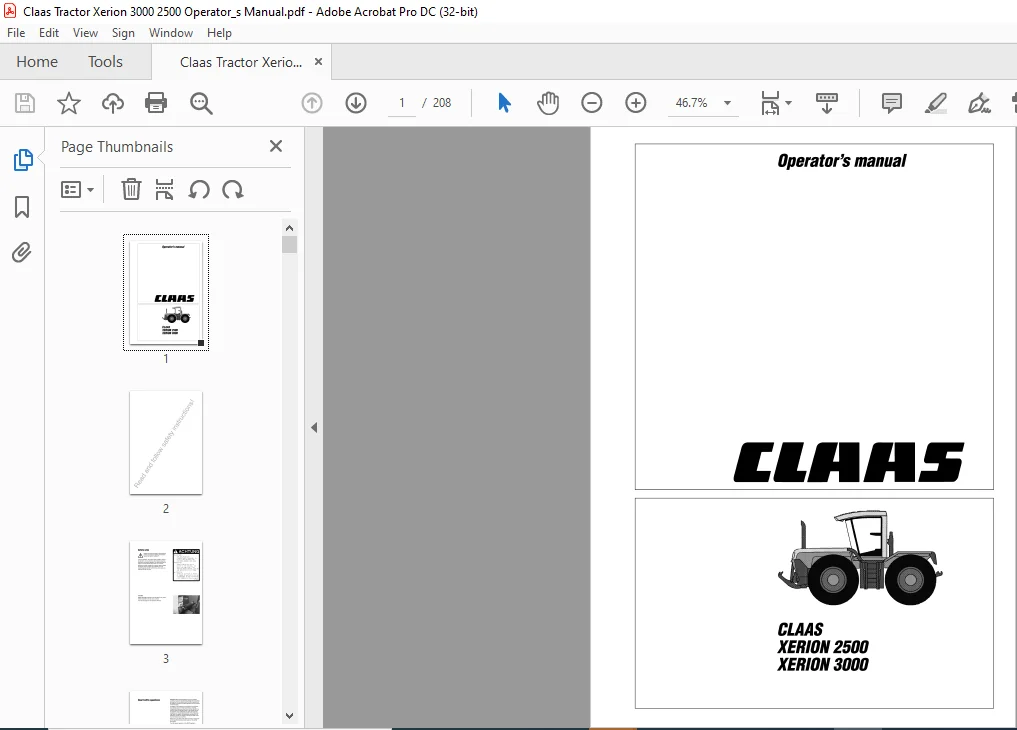
Claas Tractor Xerion 3000 2500 Operator’s Manual – PDF DOWNLOAD
Original price was: $56.95.$26.95Current price is: $26.95.
Claas Tractor Xerion 3000 2500 Operator’s Manual – PDF DOWNLOAD
Description
Claas Tractor Xerion 3000 2500 Operator’s Manual – PDF DOWNLOAD
DESCRIPTION:
Claas Tractor Xerion 3000 2500 Operator’s Manual – PDF DOWNLOAD
INTRODUCTION:
This operator’s manual applies to the prime mover XERION 2500 and is primarily intended to give the machine operator information on setting, using and servicing the machine. Provided you follow the advice on the care and servicing of your machine, you will be rewarded with reliable and long service from your prime mover.
- The Operator’s Manual describes possible configurations of the machine. Please obtain information on the configuration of your machine from your confirmation of order.
- In case you have ordered equipment and/or accessories which are not described in this Manual or to which the descriptions in this manual do not apply you should request the instructions for using such equipment from our Service Department or from your authorised dealer before you start operating it.
- We recommend that you allow your authorized CLAAS Dealer to carry out the regular maintenance. Omissions of parts of the maintenance schedule or incorrect operation lead to a drop in performance and cost valuable time. By correctly servicing and operating your prime mover you can ensure that it always operates reliably.
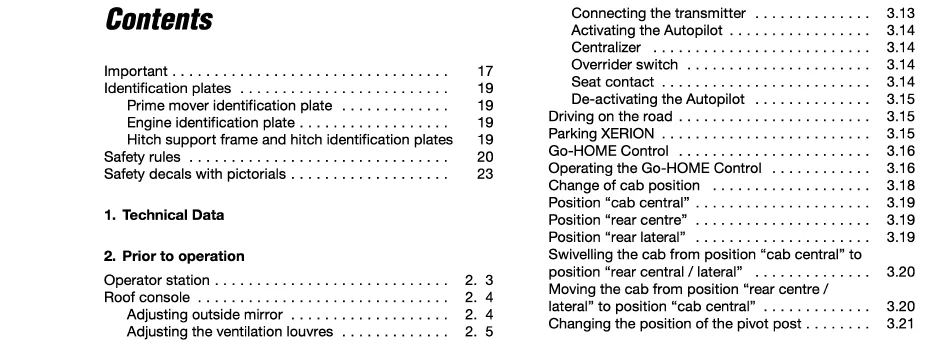
TABLE OF CONTENTS:
Claas Tractor Xerion 3000 2500 Operator’s Manual – PDF DOWNLOAD
Important
Identification plates
Prime mover identification plate
Engine identification plate
Hitch support frame and hitch identification plates
Safety rules
Safety decals with pictorials
1 Technical Data
2 Prior to operation
Operator station
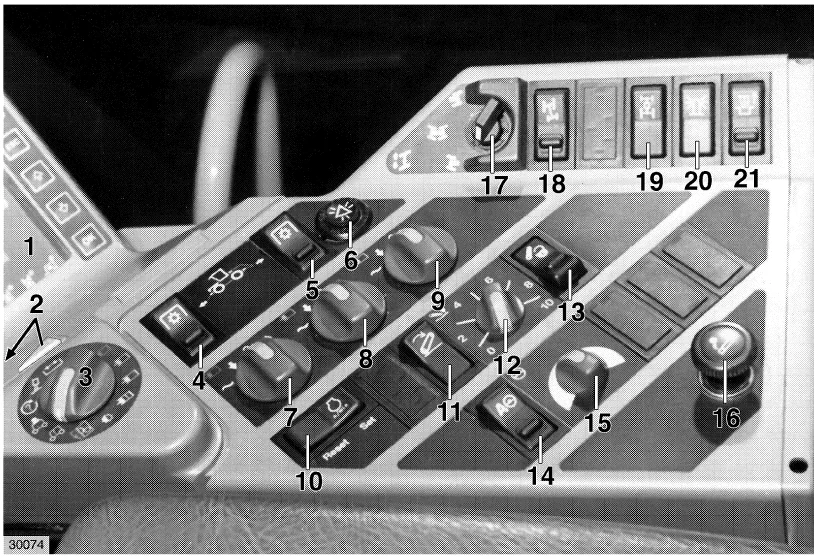
Roof console
Adjusting outside mirror
Adjusting the ventilation louvres
Adjusting the air conditioning system
Adjusting the heater
Sunblinds (Extra)
Set lighting
Travel on road with lighting
Warning plates
Work with lighting
Control panel
Instrument monitor
Adjusting the steering column
Adjusting the operator’s seat
Vehicle information unit
Multi-function switch
Multi-function handle on control and steering lever
Wheel chocks
Tyres
Steering stops
Ladder to the cab
Windscreen washer system
Central electric switch and fuse box
3 Operation
Start XERION
Start the engine
Select start-off gear
Select a gear strategy
Drive lever
Power
Accelerator pedal
Constant
Hand throttle function
Activating hand throttle
The inching pedal
Select steering strategy
Steering the front axle
Steering the rear axle
Activating four wheel steering
Steering both axles/ Crab steering
Driving the XERION
Unlocking drive lever
Selecting direction of travel
Automatic disengagement of gears
Service brake
Parking brake
Engaging the differential lock
Use of the Autopilot
Connecting the transmitter
Activating the Autopilot
Centralizer
Overrider switch
Seat contact
De-activating the Autopilot
Driving on the road
Parking XERION
Go-HOME Control
Operating the Go-HOME Control
Change of cab position
Position “cab central”
Position “rear centre”
Position “rear lateral”
Swivelling the cab from position “cab central” to
position “rear central/ lateral”
Moving the cab from position “rear centre /
lateral” to position “cab central”
Changing the position of the pivot post
4 Operation – mounted / attached imnplements
Coupling and uncoupling of attached instruments
Components of the front power lift
Connecting implements to the front power lift
Attaching the implement
Adjusting the length of the upper link and to
connect the upper link
Removing the implement
Components of the rear power lift
Connecting the implements to the rear power lift
Adjusting the length of upper link and
connecting the upper link
Uncoupling the implement
Adjusting the distance between the lower links
Changing the kick-up angle of the implement
Adjusting the length of the lift rods
Providing the lower links with a degree
of vertical float
Setting for rigid lower links
Setting for lateral float or rigid position
Mounted implements
Oscillating axle lock
Activating the oscillating axle lock
De-activating the oscillating axle lock
Attaching universal drive shafts
Fitting universal drive shafts
Connecting implements to the hydraulic system
Hydraulic connections, front
Hydraulic connections, rear
Load sensing
Hydraulic connectors with non return valve
Priority arrangement – red hydraulic connectors
Blue hydraulic connectors
Removing hydraulic hoses
Hitches
Trailer coupling
Moving trailer coupling
Coupling trailers and trailed implements
Uncoupling trailers and trailed implements
Swinging Drawbar
Piton-fix
Trailer brake connections
Connecting trailer to the hydraulic brake system
Connecting trailer to the brake system
Electric power supply to trailers and implements
Fitting additional controls and/or indicators
Operating attached and mounted implements
Using the PTO
Displaying PTO speed
Adjusting PTO speed
Engaging PTO
Operating the power lift
Operating the front power lift
Operating the rear power lift
Unlocking EHR D (electronic lift control)
Defect diagnostic functions
Setting preadjustments
Setting the mix between positioning and
traction force
External controls
To set lowering speed
To set transport height
To pre-select pressure or slip control
Activating the pressure control
Activating slip control
To set target value
Using the touch keys on the multi-function
handle
To raise rear power lift to pre-set transport
height
To lower rear power lift to pre-set working
depth
To raise rear power lift
To lower rear power lift
External controls
Front power lift
Rear power lift
Driving on public roads with attached
implements
Damping of vibrations
To activate vibration damping
Setting the threshold speed at which the
damping starts to operate
Operating hydraulically powered mounted or
attached implements
Setting hydraulic flow rate
Setting flow throttle flow for all hydraulic
connectors
Additional control panels
5 Operation XIMO – Xerion instrument monitor
Monitor: Keys, switches, displays
XIMO instrument monitor
Prior to initial installation
Rotary switch D
Machine and system settings by the instrument
monitor XIMO
Adjustments
Selecting the national language
Setting the clock
“Learn” power lift end stops
Front power lift end stops
Rear power lift end stops
Calibrate tachometer
Calibration run output
Impulses 100 m output
Guide for impulses 100 m
Setting the radar sensor
Define type of radar sensor
Define permissible slip
Calibrate radar sensor
Calibration run Radar
Impulses 100 m radar
Save wheel position
Front wheel position
Rear wheel position
Define working position
Working position, front
Working position, rear
Defining the type of area calculation
Selecting measuring unit
Setting the working width
Setting the partial width
Saving/loading/displaying implement data
CLAAS implement settings
Display settings
Load adjustments
Freely selectable implement adjustments
Display settings
Load settings
Save settings
Recording
Type of area calculation / manual area counting
Daily recorder
Display current area work rate
Display engine RPM
Display operating hours
Maintenance
Display service intervals
Reset service intervals
6 Faults and remedies
Alarms and fault messages on the information monitor
Fault, cause and remedy
Emergency handcontrol of attached /
mounted implements
Fuses and relays
7 Maintenance
Important maintenance instructions
Maintenance chart
Filling volumes
To open protective covering
Front grill
Side covers
Compressor-type air conditioning system
Tension compressor drive belt
Clean condenser
Check refrigerant level
Check moisture saturation of the filter-drier
HMS Transmission
Check transmission oil level
Topping up with small quantities of oil
Change transmission oil
Filling gearboxes with oil
Replace oil filter
Hydraulics and steering
Check instrument monitor for warning displays
Check oil level in hydraulic oil reservoir
Change hydraulic oil
Top up hydraulic oil
Replace 10 μm oil filter
Replace 60 μm oil filter
Cab
Clean/replace filters
Check windscreen washer
Rigid and oscillating axle
Check oil level of planetary final drives
Change oil of planetary final drives
Check oil level in differentials
Change oil of differentials
Clean breather valves
Check track width
7 17
7 17
7 18
7 18
7 18
7 19
7 20
7 21
7 21
Adjust track width 7 22
Check backlash of king pin bearings 7 22
Have wear and leaks of multi-disc brakes checked
and brake discs replaced 7 22
Front PTO 7 22
Adjust drive pulley 7 23
Pivot post 7 23
Check oil level in planetary gearbox 7 23
Change oil 7 23
Top up oil 7 23
Retighten mounting bolts of swivelling drive 7 23
Brakes/air brake system 7 24
Check brake fluid level of service brake 7 24
Drain the pressure tank 7 24
Check operating clearance of parking brake 7 25
Check anti-freeze level 7 25
Switch off anti-freeze pump 7 25
8 Lubrication Chart
9 Maintenance – Engine
Important maintenance instructions 9 3
Engine maintenance schedule 9 4
Engine lubricants chart 9 5
Engine views 9 6
Fuel system 9 7
Filling the fuel tank 9 7
Replacing the fuel filter canister and the fuel filter
screen 9 7
Bleeding the fuel system 9 8
Draining water from fuel tank 9 9
Clean fuel prefilter in the water separator 9 9
Engine oil 9 10
Checking the engine oil level 9 10
Changing engine oil and oil filters 9 10
Draining the engine oil 9 10
Changing the lubricating oil filter 9 11
Pouring in lubricating oil 9 11
Checking the fan I alternator drive belt 9 12
Cooling system 9 13
Checking coolant level 9 13
Checking coolant temperature 9 13
Topping coolant 9 14
Draining coolant 9 14
Renewing the coolant filter canister 9 15
Cleaning the radiator housing/ radiator 9 17
To clean the radiator air intake screen 9 17
Dry-type air filter 9 18
To clean the main cartridge 9 18
Removing the main air filter cartridge 9 18
Installing the main air filter cartridge 9 19
Renewing the safety cartridge 9 19
To clean the ari filter intake screen 9 19
To clean the air intake chamber 9 20
Batteries 9 21
Opening the battery compartment 9 21
Battery isolating switch
Electrolyte level and electrolyte concentration
IMAGES PREVIEW OF THE MANUAL:
Questions? Email us: [email protected]
PLEASE NOTE:
- This is not a physical manual but a digital manual – meaning no physical copy will be couriered to you. The manual can be yours in the next 2 mins as once you make the payment, you will be directed to the download page IMMEDIATELY.
- This is the same manual used by the dealers inorder to diagnose your vehicle of its faults.
- Require some other service manual or have any queries: please WRITE to us at [email protected]
S.V