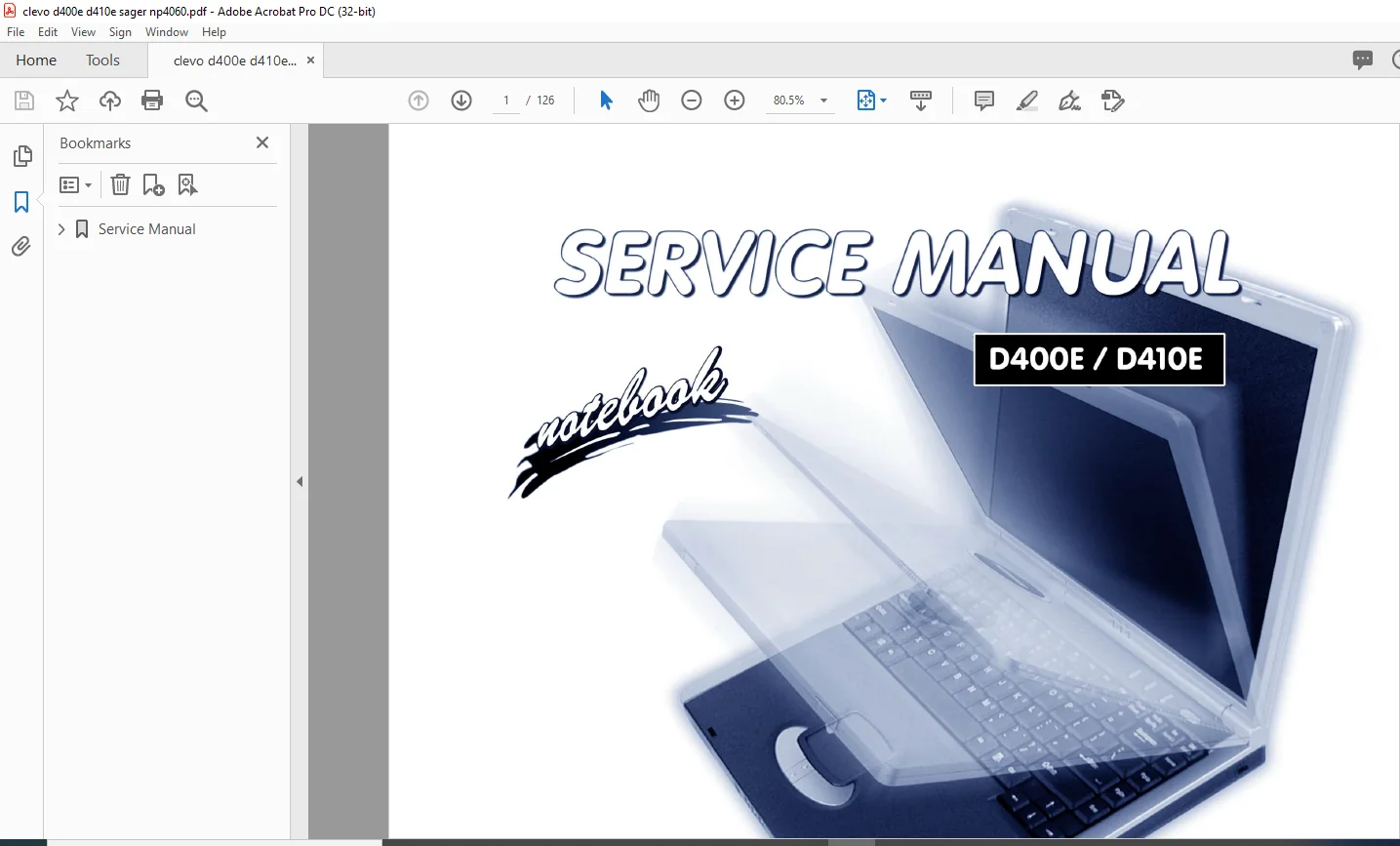
Clevo D400E/D410E Notebook Computer Service Manual – PDF DOWNLOAD
Original price was: $80.00.$17.95Current price is: $17.95.
Clevo D400E/D410E Notebook Computer Service Manual – PDF DOWNLOAD
Description
Clevo D400E/D410E Notebook Computer Service Manual – PDF DOWNLOAD

Notice
The company reserves the right to revise this publication or to change its contents without notice. Information contained
herein is for reference only and does not constitute a commitment on the part of the manufacturer or any subsequent vendor.
They assume no responsibility or liability for any errors or inaccuracies that may appear in this publication nor are
they in anyway responsible for any loss or damage resulting from the use (or misuse) of this publication.
This publication and any accompanying software may not, in whole or in part, be reproduced, translated, transmitted or
reduced to any machine readable form without prior consent from the vendor, manufacturer or creators of this publication,
except for copies kept by the user for backup purposes.
Brand and product names mentioned in this publication may or may not be copyrights and/or registered trademarks of
their respective companies. They are mentioned for identification purposes only and are not intended as an endorsement
of that product or its manufacturer
Clevo D400E/D410E Notebook Computer Service Manual – PDF DOWNLOAD
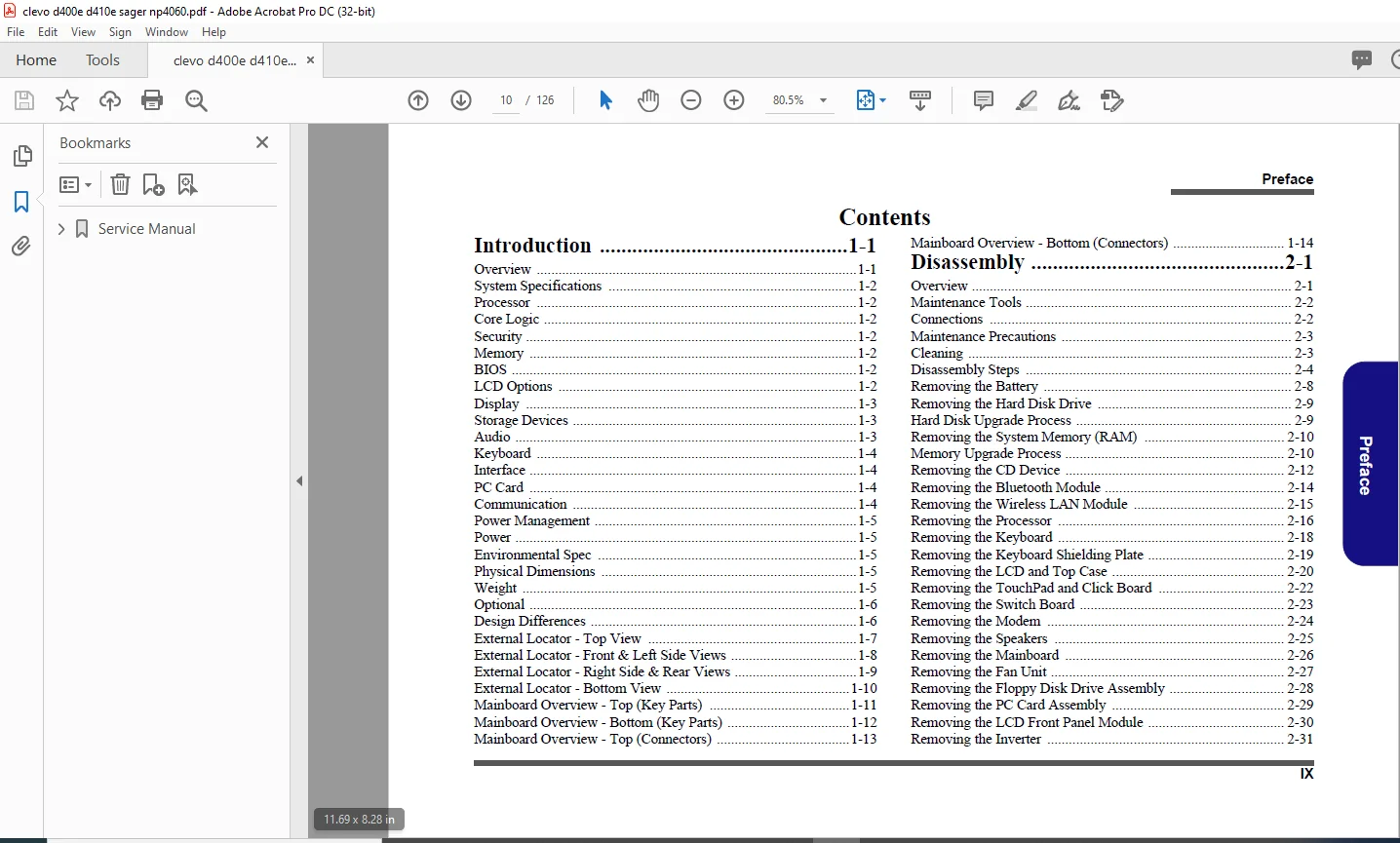
Service Manual.......................................................................  1
	Preface..........................................................................  3
		Trademarks...................................................................  3
		About this Manual............................................................  4
		IMPORTANT SAFETY INSTRUCTIONS................................................  5
			CAUTION..................................................................  5
		Instructions for Care and Operation..........................................  6
		Power Safety.................................................................  7
		Battery Precautions..........................................................  8
			Related Documents........................................................  9
		Introduction 1-1............................................................. 10
		Disassembly 2-1.............................................................. 10
	1: Introduction.................................................................. 14
		Overview..................................................................... 14
		System Specifications........................................................ 15
		Processor.................................................................... 15
		Core Logic................................................................... 15
		Security..................................................................... 15
		Memory....................................................................... 15
		BIOS......................................................................... 15
		LCD Options.................................................................. 15
		Display...................................................................... 16
		Storage Devices.............................................................. 16
		Audio........................................................................ 16
		Keyboard..................................................................... 17
		Interface.................................................................... 17
		PC Card...................................................................... 17
		Communication................................................................ 17
		Power Management............................................................. 18
		Power........................................................................ 18
		Environmental Spec........................................................... 18
		Physical Dimensions.......................................................... 18
		Weight....................................................................... 18
		Optional..................................................................... 19
		Design Differences........................................................... 19
		External Locator - Top View.................................................. 20
		External Locator - Front & Left Side Views................................... 21
		External Locator - Right Side & Rear Views................................... 22
		External Locator - Bottom View............................................... 23
		Mainboard Overview - Top (Key Parts)......................................... 24
		Mainboard Overview - Bottom (Key Parts)...................................... 25
		Mainboard Overview - Top (Connectors)........................................ 26
		Mainboard Overview - Bottom (Connectors)..................................... 27
	2: Disassembly................................................................... 28
		Overview..................................................................... 28
		Maintenance Tools............................................................ 29
		Connections.................................................................. 29
		Maintenance Precautions...................................................... 30
			Cleaning................................................................. 30
		Disassembly Steps............................................................ 31
			To remove the Battery:................................................... 31
				1. Remove the battery page 2 - 8..................................... 31
			To remove the HDD:....................................................... 31
				1. Remove the battery page 2 - 8..................................... 31
				2. Remove the HDD page 2 - 9......................................... 31
			To remove the System Memory:............................................. 31
				1. Remove the battery page 2 - 8..................................... 31
				2. Remove the system memory page 2 - 10.............................. 31
			To remove the CD Device:................................................. 31
				1. Remove the battery page 2 - 8..................................... 31
				2. Remove the CD Device page 2 - 12.................................. 31
			To remove the Bluetooth Module:.......................................... 31
				1. Remove the battery page 2 - 8..................................... 31
				2. Remove the Bluetooth module page 2 - 14........................... 31
			To remove the Wireless LAN Module:....................................... 31
				1. Remove the battery page 2 - 8..................................... 31
				2. Remove the Wireless LAN module page 2 - 15........................ 31
			To remove the Processor:................................................. 31
				1. Remove the battery page 2 - 8..................................... 31
				2. Remove the processor page 2 - 16.................................. 31
			To remove the Keyboard:.................................................. 31
				1. Remove the battery page 2 - 8..................................... 31
				2. Remove the keyboard page 2 - 18................................... 31
			To remove the Keyboard Shielding Plate:.................................. 31
				1. Remove the battery page 2 - 8..................................... 31
				2. Remove the keyboard page 2 - 18................................... 31
				3. Remove the keyboard shielding plate page 2 - 19................... 31
			To remove the LCD and Top Case:.......................................... 31
				1. Remove the battery page 2 - 8..................................... 31
				2. Remove the HDD page 2 - 9......................................... 31
				3. Remove the system memory page 2 - 10.............................. 31
				4. Remove the CD Device page 2 - 12.................................. 31
				5. Remove the Bluetooth module page 2 - 14........................... 31
				6. Remove the Wireless LAN module page 2 - 15........................ 31
				7. Remove the processor page 2 - 16.................................. 31
				8. Remove the keyboard page 2 - 18................................... 31
				9. Remove the keyboard shielding plate page 2 - 19................... 31
				10. Remove the LCD & top case page 2 - 20............................ 31
			To remove the TouchPad and Click Board:.................................. 32
				1. Remove the battery page 2 - 8..................................... 32
				2. Remove the HDD page 2 - 9......................................... 32
				3. Remove the system memory page 2 - 10.............................. 32
				4. Remove the CD Device page 2 - 12.................................. 32
				5. Remove the Bluetooth module page 2 - 14........................... 32
				6. Remove the Wireless LAN module page 2 - 15........................ 32
				7. Remove the processor page 2 - 16.................................. 32
				8. Remove the keyboard page 2 - 18................................... 32
				9. Remove the keyboard shielding plate page 2 - 19................... 32
				10. Remove the LCD & top case page 2 - 20............................ 32
				11. Remove the TouchPad and Click Board page 2 - 22.................. 32
			To remove the Switch Board:.............................................. 32
				1. Remove the battery page 2 - 8..................................... 32
				2. Remove the HDD page 2 - 9......................................... 32
				3. Remove the system memory page 2 - 10.............................. 32
				4. Remove the CD Device page 2 - 12.................................. 32
				5. Remove the Bluetooth module page 2 - 14........................... 32
				6. Remove the Wireless LAN module page 2 - 15........................ 32
				7. Remove the processor page 2 - 16.................................. 32
				8. Remove the keyboard page 2 - 18................................... 32
				9. Remove the keyboard shielding plate page 2 - 19................... 32
				10. Remove the LCD & top case page 2 - 20............................ 32
				11. Remove the switch board page 2 - 23.............................. 32
			To remove the Modem:..................................................... 32
				1. Remove the battery page 2 - 8..................................... 32
				2. Remove the HDD page 2 - 9......................................... 32
				3. Remove the system memory page 2 - 10.............................. 32
				4. Remove the CD Device page 2 - 12.................................. 32
				5. Remove the Bluetooth module page 2 - 14........................... 32
				6. Remove the Wireless LAN module page 2 - 15........................ 32
				7. Remove the processor page 2 - 16.................................. 32
				8. Remove the keyboard page 2 - 18................................... 32
				9. Remove the keyboard shielding plate page 2 - 19................... 32
				10. Remove the LCD & top case page 2 - 20............................ 32
				11. Remove the modem page 2 - 24..................................... 32
			To remove the Speakers:.................................................. 32
				1. Remove the battery page 2 - 8..................................... 32
				2. Remove the HDD page 2 - 9......................................... 32
				3. Remove the system memory page 2 - 10.............................. 32
				4. Remove the CD Device page 2 - 12.................................. 32
				5. Remove the Bluetooth module page 2 - 14........................... 32
				6. Remove the Wireless LAN module page 2 - 15........................ 32
				7. Remove the processor page 2 - 16.................................. 32
				8. Remove the keyboard page 2 - 18................................... 32
				9. Remove the keyboard shielding plate page 2 - 19................... 32
				10. Remove the LCD & top case page 2 - 20............................ 32
				11. Remove the speakers page 2 - 25.................................. 32
			To remove the Mainboard:................................................. 33
				1. Remove the battery page 2 - 8..................................... 33
				2. Remove the HDD page 2 - 9......................................... 33
				3. Remove the system memory page 2 - 10.............................. 33
				4. Remove the CD Device page 2 - 12.................................. 33
				5. Remove the Bluetooth module page 2 - 14........................... 33
				6. Remove the Wireless LAN module page 2 - 15........................ 33
				7. Remove the processor page 2 - 16.................................. 33
				8. Remove the keyboard page 2 - 18................................... 33
				9. Remove the keyboard shielding plate page 2 - 19................... 33
				10. Remove the LCD & top case page 2 - 20............................ 33
				11. Remove the speakers page 2 - 25.................................. 33
				12. Remove the mainboard page 2 - 26................................. 33
			To remove the Fan Unit:.................................................. 33
				1. Remove the battery page 2 - 8..................................... 33
				2. Remove the HDD page 2 - 9......................................... 33
				3. Remove the system memory page 2 - 10.............................. 33
				4. Remove the CD Device page 2 - 12.................................. 33
				5. Remove the Bluetooth module page 2 - 14........................... 33
				6. Remove the Wireless LAN module page 2 - 15........................ 33
				7. Remove the processor page 2 - 16.................................. 33
				8. Remove the keyboard page 2 - 18................................... 33
				9. Remove the keyboard shielding plate page 2 - 19................... 33
				10. Remove the LCD & top case page 2 - 20............................ 33
				11. Remove the speakers page 2 - 25.................................. 33
				12. Remove the mainboard page 2 - 26................................. 33
				13. Remove the fan unit page 2 - 27.................................. 33
			To remove the Floppy Disk Drive Assembly:................................ 33
				1. Remove the battery page 2 - 8..................................... 33
				2. Remove the HDD page 2 - 9......................................... 33
				3. Remove the system memory page 2 - 10.............................. 33
				4. Remove the CD Device page 2 - 12.................................. 33
				5. Remove the Bluetooth module page 2 - 14........................... 33
				6. Remove the Wireless LAN module page 2 - 15........................ 33
				7. Remove the processor page 2 - 16.................................. 33
				8. Remove the keyboard page 2 - 18................................... 33
				9. Remove the keyboard shielding plate page 2 - 19................... 33
				10. Remove the LCD & top case page 2 - 20............................ 33
				11. Remove the speakers page 2 - 25.................................. 33
				12. Remove the mainboard page 2 - 26................................. 33
				13. Remove the floppy disk drive page 2 - 28......................... 33
			To remove the PC Card Assembly:.......................................... 33
				1. Remove the battery page 2 - 8..................................... 33
				2. Remove the HDD page 2 - 9......................................... 33
				3. Remove the system memory page 2 - 10.............................. 33
				4. Remove the CD Device page 2 - 12.................................. 33
				5. Remove the Bluetooth module page 2 - 14........................... 33
				6. Remove the Wireless LAN module page 2 - 15........................ 33
				7. Remove the processor page 2 - 16.................................. 33
				8. Remove the keyboard page 2 - 18................................... 33
				9. Remove the keyboard shielding plate page 2 - 19................... 33
				10. Remove the LCD & top case page 2 - 20............................ 33
				11. Remove the speakers page 2 - 25.................................. 33
				12. Remove the mainboard page 2 - 26................................. 33
				13. Remove the PC Card assembly page 2 - 29.......................... 33
			To remove the LCD Front Panel Module:.................................... 34
				1. Remove the battery page 2 - 8..................................... 34
				2. Remove the HDD page 2 - 9......................................... 34
				3. Remove the system memory page 2 - 10.............................. 34
				4. Remove the CD Device page 2 - 12.................................. 34
				5. Remove the Bluetooth module page 2 - 14........................... 34
				6. Remove the Wireless LAN module page 2 - 15........................ 34
				7. Remove the processor page 2 - 16.................................. 34
				8. Remove the keyboard page 2 - 18................................... 34
				9. Remove the keyboard shielding plate page 2 - 19................... 34
				10. Remove the LCD & top case page 2 - 20............................ 34
				11. Remove the front panel module page 2 - 30........................ 34
			To remove the Inverter:.................................................. 34
				1. Remove the battery page 2 - 8..................................... 34
				2. Remove the HDD page 2 - 9......................................... 34
				3. Remove the system memory page 2 - 10.............................. 34
				4. Remove the CD Device page 2 - 12.................................. 34
				5. Remove the Bluetooth module page 2 - 14........................... 34
				6. Remove the Wireless LAN module page 2 - 15........................ 34
				7. Remove the processor page 2 - 16.................................. 34
				8. Remove the keyboard page 2 - 18................................... 34
				9. Remove the keyboard shielding plate page 2 - 19................... 34
				10. Remove the LCD & top case page 2 - 20............................ 34
				11. Remove the front panel module page 2 - 30........................ 34
				12. Remove the inverter page 2 - 31.................................. 34
			To remove the PC Video Camera Module:.................................... 34
				1. Remove the battery page 2 - 8..................................... 34
				2. Remove the HDD page 2 - 9......................................... 34
				3. Remove the system memory page 2 - 10.............................. 34
				4. Remove the CD Device page 2 - 12.................................. 34
				5. Remove the Bluetooth module page 2 - 14........................... 34
				6. Remove the Wireless LAN module page 2 - 15........................ 34
				7. Remove the processor page 2 - 16.................................. 34
				8. Remove the keyboard page 2 - 18................................... 34
				9. Remove the keyboard shielding plate page 2 - 19................... 34
				10. Remove the LCD & top case page 2 - 20............................ 34
				11. Remove the front panel module page 2 - 30........................ 34
				12. Remove the PC Video Camera page 2 - 32........................... 34
			To remove the LCD Module:................................................ 34
				1. Remove the battery page 2 - 8..................................... 34
				2. Remove the HDD page 2 - 9......................................... 34
				3. Remove the system memory page 2 - 10.............................. 34
				4. Remove the CD Device page 2 - 12.................................. 34
				5. Remove the Bluetooth module page 2 - 14........................... 34
				6. Remove the Wireless LAN module page 2 - 15........................ 34
				7. Remove the processor page 2 - 16.................................. 34
				8. Remove the keyboard page 2 - 18................................... 34
				9. Remove the keyboard shielding plate page 2 - 19................... 34
				10. Remove the LCD & top case page 2 - 20............................ 34
				11. Remove the front panel module page 2 - 30........................ 34
				12. Remove the inverter page 2 - 31.................................. 34
				13. Remove the LCD module page 2 - 33................................ 34
		Removing the Battery......................................................... 35
			1........................................................................ 35
			2........................................................................ 35
			3........................................................................ 35
			4........................................................................ 35
			5........................................................................ 35
		Removing the Hard Disk Drive................................................. 36
		Hard Disk Upgrade Process.................................................... 36
			1........................................................................ 36
			4........................................................................ 36
			5........................................................................ 36
			6........................................................................ 36
			7........................................................................ 36
		Removing the System Memory (RAM)............................................. 37
		Memory Upgrade Process....................................................... 37
			1........................................................................ 37
			6........................................................................ 37
			7........................................................................ 37
			8........................................................................ 37
			1........................................................................ 38
			2........................................................................ 38
			3........................................................................ 38
			3........................................................................ 38
		Removing the CD Device....................................................... 39
			1........................................................................ 39
			6........................................................................ 39
			7........................................................................ 39
			8........................................................................ 39
			1........................................................................ 40
			2........................................................................ 40
		Removing the Bluetooth Module................................................ 41
			1........................................................................ 41
			2........................................................................ 41
			3........................................................................ 41
			3........................................................................ 41
			6........................................................................ 41
			8........................................................................ 41
			9........................................................................ 41
			10....................................................................... 41
		Removing the Wireless LAN Module............................................. 42
			1........................................................................ 42
			6........................................................................ 42
			7........................................................................ 42
			8........................................................................ 42
			9........................................................................ 42
			10....................................................................... 42
			11....................................................................... 42
			12....................................................................... 42
			13....................................................................... 42
		Removing the Processor....................................................... 43
			1........................................................................ 43
			6........................................................................ 43
			7........................................................................ 43
			8........................................................................ 43
			9........................................................................ 43
			12....................................................................... 43
			13....................................................................... 43
			1........................................................................ 44
			3........................................................................ 44
		Removing the Keyboard........................................................ 45
			1........................................................................ 45
			2........................................................................ 45
			3........................................................................ 45
			3........................................................................ 45
		Removing the Keyboard Shielding Plate........................................ 46
			1........................................................................ 46
			9........................................................................ 46
			10....................................................................... 46
		Removing the LCD and Top Case................................................ 47
			1........................................................................ 47
			11....................................................................... 47
			12....................................................................... 47
			13....................................................................... 47
			16....................................................................... 47
			21....................................................................... 47
			17....................................................................... 47
			18....................................................................... 47
			19....................................................................... 47
			20....................................................................... 47
			1........................................................................ 48
			2........................................................................ 48
			3........................................................................ 48
			4........................................................................ 48
			5........................................................................ 48
			6........................................................................ 48
			7........................................................................ 48
			8........................................................................ 48
			9........................................................................ 48
			10....................................................................... 48
		Removing the TouchPad and Click Board........................................ 49
			1........................................................................ 49
			8........................................................................ 49
			9........................................................................ 49
			10....................................................................... 49
			11....................................................................... 49
			12....................................................................... 49
			13....................................................................... 49
		Removing the Switch Board.................................................... 50
			10....................................................................... 50
			1........................................................................ 50
			2........................................................................ 50
			3........................................................................ 50
		Removing the Modem........................................................... 51
			1........................................................................ 51
			2........................................................................ 51
			3........................................................................ 51
			4........................................................................ 51
		Removing the Speakers........................................................ 52
			1........................................................................ 52
			2........................................................................ 52
			3........................................................................ 52
		Removing the Mainboard....................................................... 53
			1........................................................................ 53
			2........................................................................ 53
			3........................................................................ 53
			4........................................................................ 53
			9........................................................................ 53
			10....................................................................... 53
			11....................................................................... 53
			12....................................................................... 53
		Removing the Fan Unit........................................................ 54
			1........................................................................ 54
			4........................................................................ 54
			5........................................................................ 54
		Removing the Floppy Disk Drive Assembly...................................... 55
			1........................................................................ 55
			4........................................................................ 55
			5........................................................................ 55
			8........................................................................ 55
			9........................................................................ 55
			10....................................................................... 55
			11....................................................................... 55
		Removing the PC Card Assembly................................................ 56
			1........................................................................ 56
			2........................................................................ 56
			3........................................................................ 56
			4........................................................................ 56
			5........................................................................ 56
		Removing the LCD Front Panel Module.......................................... 57
			1........................................................................ 57
			6........................................................................ 57
			7........................................................................ 57
		Removing the Inverter........................................................ 58
			1........................................................................ 58
			2........................................................................ 58
			3........................................................................ 58
			4........................................................................ 58
		Removing the PC Video Camera Module.......................................... 59
			1........................................................................ 59
			2........................................................................ 59
			3........................................................................ 59
			4........................................................................ 59
		Removing the LCD Module...................................................... 60
			1........................................................................ 60
			6........................................................................ 60
			7........................................................................ 60
			8........................................................................ 60
			9........................................................................ 60
			16....................................................................... 60
			17....................................................................... 60
			18....................................................................... 60
	Appendix A: Part Lists........................................................... 62
		Part List Illustration Location.............................................. 63
		Top (D400E).................................................................. 64
			Figure 1 Top (D400E)..................................................... 64
		Bottom (D400E)............................................................... 65
			Figure 2 Bottom (D400E).................................................. 65
		LCD 14" (D400E).............................................................. 66
			Figure 3 LCD 14" (D400E)................................................. 66
		LCD 15" (D400E).............................................................. 67
			Figure 4 LCD 15" (D400E)................................................. 67
		CD-ROM Drive (D400E)......................................................... 68
			Figure 5 CD-ROM Drive (D400E)............................................ 68
		CD-RW Drive (D400E).......................................................... 69
			Figure 6 CD-RW Drive (D400E)............................................. 69
		Combo Drive (D400E).......................................................... 70
			Figure 7 Combo Drive (D400E)............................................. 70
		DVD-ROM Drive (D400E)........................................................ 71
			Figure 8 DVD-ROM Drive (D400E)........................................... 71
		Floppy Disk Drive (D400E).................................................... 72
			Figure 9 Floppy Disk Drive (D400E)....................................... 72
		Hard Disk Drive (D400E)...................................................... 73
			Figure 10 HDD Drive (D400E).............................................. 73
		Top (D410E).................................................................. 74
			Figure 11 Top (D410E).................................................... 74
		Bottom (D410E)............................................................... 75
			Figure 12 Bottom (D410E)................................................. 75
		LCD 14" (D410E).............................................................. 76
			Figure 13 LCD 14" (D410E)................................................ 76
		LCD 15" (D410E).............................................................. 77
			Figure 14 LCD 15" (D410E)................................................ 77
		CD-ROM Drive (D410E)......................................................... 78
			Figure 15 CD-ROM Drive (D410E)........................................... 78
		CD-RW Drive (D410E).......................................................... 79
			Figure 16 CD-RW Drive (D410E)............................................ 79
		Combo Drive (D410E).......................................................... 80
			Figure 17 Combo Drive (D410E)............................................ 80
		DVD-ROM Drive (D410E)........................................................ 81
			Figure 18 DVD-ROM Drive (D410E).......................................... 81
		Floppy Disk Drive (D410E).................................................... 82
			Figure 19 Floppy Disk Drive (D410E)...................................... 82
		Hard Disk Drive (D410E)...................................................... 83
			Figure 20 HDD Drive (D410E).............................................. 83
	Appendix B: Schematic Diagrams................................................... 84
		System Block Diagram......................................................... 85
			Sheet 1 of 41 System Block Diagram....................................... 85
		Socket 478 1 of 2............................................................ 86
			Sheet 2 of 41 Socket 478 1 of 2.......................................... 86
		Socket 478 & ITP 2 of 2...................................................... 87
			Sheet 3 of 41 Socket 478 & ITP 2 of 2.................................... 87
		Clock Generator.............................................................. 88
			Sheet 4 of 41 Clock Generator............................................ 88
		M645DX (Host/AGP) 1 of 4..................................................... 89
			Sheet 5 of 41 M650 (Host/AGP) 1 of 4..................................... 89
		M645DX (Memory for DDR) 2 of 4............................................... 90
			Sheet 6 of 41 M650 (Memory for DDR) 2 of 4............................... 90
		M645DX (& CRT Out) 3 of 4.................................................... 91
			Sheet 7 of 41 M650 & CRT Out 3 of 4...................................... 91
		M645DX (Power) 4 of 4........................................................ 92
			Sheet 8 of 41 M650 (Power) 4 of 4........................................ 92
		DDR Memory DIMM.............................................................. 93
			Sheet 9 of 41 DDR Memory DIMM............................................ 93
		DDR SSTL-2 Termination....................................................... 94
			Sheet 10 of 41 DDR SSTL-2 Termination.................................... 94
		LVDS Interface (SiS302LV).................................................... 95
			Sheet 11 of 41 LVDS interface (SiS302LV)................................. 95
		Panel Con & LED Indicator.................................................... 96
			Sheet 12 of 41 Panel Con & LED Indicator................................. 96
		962 (PCI/IDE/HyperZip) 1 of 4................................................ 97
			Sheet 13 of 41 962 (PCI/IDE/ HyperZip) 1 of 4............................ 97
		962 (Misc Signals) 2 of 4.................................................... 98
			Sheet 14 of 41 962 (Misc Signals) 2 of 4................................. 98
		962 (USB I/F) 3 of 4......................................................... 99
			Sheet 15 of 41 962 (USB I/F) 3 of 4...................................... 99
		962 (Power & RTC) 4 of 4.....................................................100
			Sheet 16 of 41 962 (Power & RTC) 4 of 4..................................100
		HDD/Combo Connector..........................................................101
			Sheet 17 of 41 HDD/Combo Connector.......................................101
		USB Port.....................................................................102
			Sheet 18 of 41 USB Port..................................................102
		PCMCIA ENE CB1410............................................................103
			Sheet 19 of 41 PCMCIA TI1410.............................................103
		PCMCIA Power.................................................................104
			Sheet 20 of 41 PCMCIA Power..............................................104
		1394 PHY TSB41LV01...........................................................105
			Sheet 21 of 41 1394 PHY TSB41LV01........................................105
		LPC Super I/O................................................................106
			Sheet 22 of 41 LPC Super I/O.............................................106
		LPT/COM Port.................................................................107
			Sheet 23 of 41 LPT/COM Port..............................................107
		LPC H8.......................................................................108
			Sheet 24 of 41 LPC H8....................................................108
		LAN RTL8100BL................................................................109
			Sheet 25 of 41 LAN RTL8100BL.............................................109
		Audio Codec ALC201A..........................................................110
			Sheet 26 of 41 Audio Codec ALC201A.......................................110
		Audio Out & Off Board Connectors.............................................111
			Sheet 27 of 41 Audio Out & Off Board Connectors..........................111
		System Power Control.........................................................112
			Sheet 28 of 41 System Power Control......................................112
		Fan Control and SpeedStep....................................................113
			Sheet 29 of 41 Fan Control & SpeedStep...................................113
		Mobility M9-P................................................................114
			Sheet 30 of 41 Mobility M9-P.............................................114
		Mobility M9-P MEM A/B........................................................115
			Sheet 31 of 41 Mobility M9-P MEM A/B.....................................115
		VGA DRAM 1 of 2..............................................................116
			Sheet 32 of 41 VGA DRAM 1 of 2...........................................116
		VGA DRAM 1 of 2 - Termination................................................117
			Sheet 33 of 41 VGA DRAM 1 of 2 - Termination.............................117
		VGA DRAM 2 of 2..............................................................118
			Sheet 34 of 41 VGA DRAM 2 of 2...........................................118
		Mobility M9-P POW............................................................119
			Sheet 35 of 41 Mobility M9-P POW.........................................119
		VCORE........................................................................120
			Sheet 36 of 41 VCORE.....................................................120
		DDR Power....................................................................121
			Sheet 37 of 41 DDR Power.................................................121
		System Power.................................................................122
			Sheet 38 of 41 System Power..............................................122
		Charger......................................................................123
			Sheet 39 of 41 Charger...................................................123
		SW Board and HotKey..........................................................124
			Sheet 40 of 41 SW Board and HotKey.......................................124
		TouchPad and Switch Board....................................................125
			Sheet 41 of 41 TouchPad and Switch Board.................................125
	Appendix C: Updating the FLASH ROM BIOS..........................................126
		To update the FLASH ROM BIOS you must:.......................................126
			Unzip the file you have just downloaded on to a bootable floppy disk.....126
PLEASE NOTE:
- This is the SAME MANUAL used by the dealerships to diagnose your vehicle
- No waiting for couriers / posts as this is a PDF manual and you can download it within 2 minutes time once you make the payment.
- Your payment is all safe and the delivery of the manual is INSTANT – You will be taken to the DOWNLOAD PAGE.
- So have no hesitations whatsoever and write to us about any queries you may have : heydownloadss @gmail.com
S.M