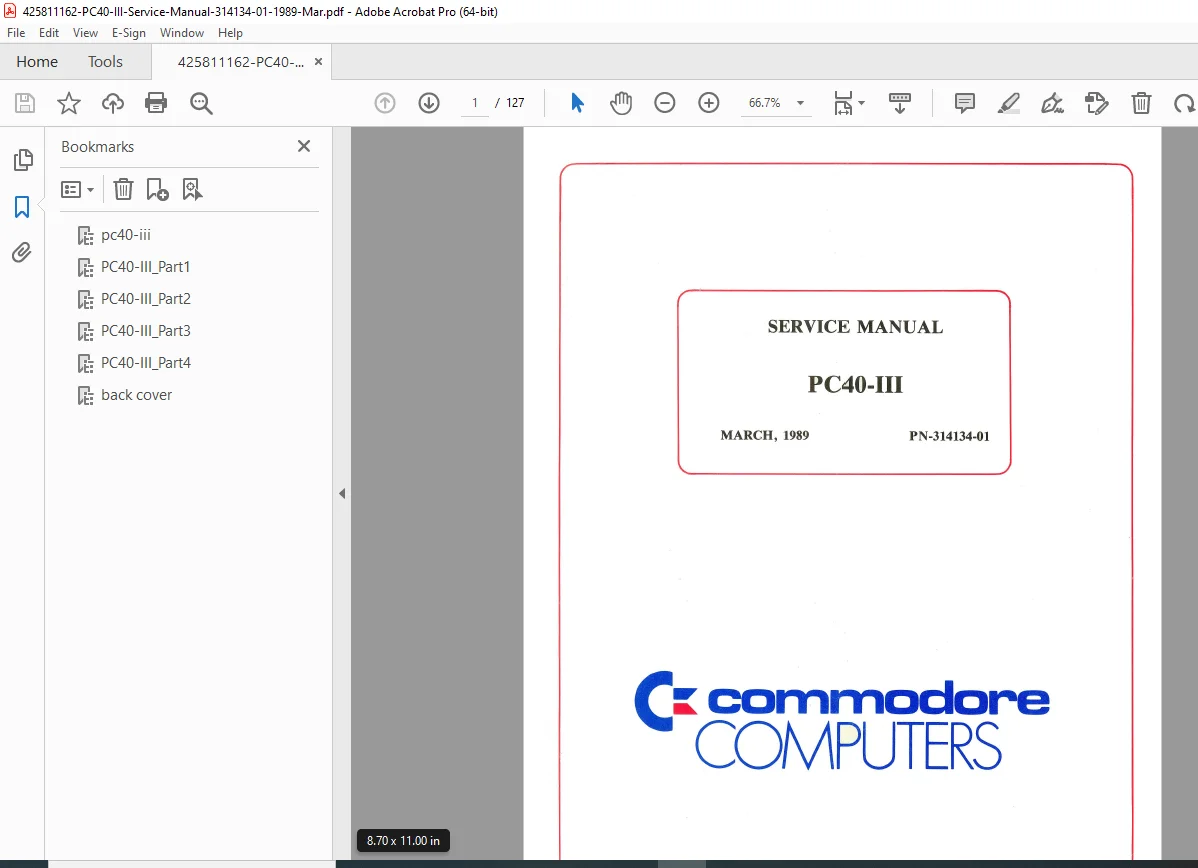
Commodore PC40-III Service Manual 80286 AT Compatible Computer 1989 PDF
Original price was: $95.00.$18.95Current price is: $18.95.
Official factory service manual for Commodore PC40-III AT-compatible computer featuring Intel 80286 processor with switchable 6/8/12 MHz speeds, 1MB onboard RAM, VGA graphics with 256KB video memory, 40MB hard drive, and 1.2MB floppy. Complete technical documentation includes specifications, theory of operations, troubleshooting guides, AutoConfig BIOS system, component parts lists, IC pinouts, schematics, power supply diagrams, disk drive documentation, and keyboard specifications for vintage computer repair.
Description
Commodore PC40-III Service Manual 80286 AT Compatible Computer 1989 – PDF DOWNLOAD
DESCRIPTION
This comprehensive Commodore PC40-III Service Manual (Part Number PN-314134-01, March 1989) provides complete technical documentation for servicing and repairing this IBM AT-compatible personal computer system. This professional-grade manual is essential for vintage computer technicians, retro computing enthusiasts, Commodore collectors, and authorized service personnel working on classic 80286-based PC systems.
System Overview
The Commodore PC40-III represents Commodore Business Machines’ entry into the IBM AT-compatible market, featuring advanced specifications for 1989 and IBM AT series full compatibility. The system consists of integrated processor, memory, control unit, and keyboard in a professional desktop configuration requiring a separate VGA-compatible monitor.
Manufacturer: Commodore Business Machines, Inc.
Location: 1200 Wilson Drive, West Chester, Pennsylvania 19380 U.S.A.
Document Date: March 1989
Classification: CBM Inter-Company (Original service documentation)
Copyright: 1989 Commodore Electronics Limited
Section 1: Specifications
Microprocessor & Performance:
- CPU: Intel 80286 microprocessor
- Clock Speeds: User-selectable 6 MHz (standard), 8 MHz (turbo), 12 MHz (double speed)
- Speed Switching: Keyboard combinations (CTRL-ALT-S/T/D) or MS-DOS ATSPEED command
- Optional Math Coprocessor: Intel 80287 support (5, 6, 8, 12 MHz versions)
- Downward Compatibility: 80287-8 (8 MHz) required for full multi-speed operation
Memory Configuration:
- Base Memory: 1 MB (1024 KB) RAM onboard
- Extended Memory: 384 KB (enabled/disabled via DIP switch 4)
- Total Addressable: Up to 16 MB with expansion
- Video Display RAM: 256 KB dedicated VRAM
Memory Map:
- 000000-09FFFF: 640K base RAM
- 0A0000-0BFFFF: Video RAM
- 0C0000-0CFFFF: VGA BIOS
- 0C8000-0EFFFF: Option ROMs
- 0F0000-0F8000: Internal use
- 0F8000-0FFFFF: 32K AT ROM BIOS
- 100000-15FFFF: 384K extended RAM
Video Graphics System:
- Graphics Adapter: VGA (Video Graphics Array) compatible
- Horizontal Scan Frequency: 31.5 KHz
- Video Memory: 256 KB dedicated VRAM
- Compatibility: IBM CGA, VGA, MDA, EGA standards
- Recommended Monitors: Commodore 1403, 1450 (monochrome), 1950 (color)
- Connector: 15-pin VGA output
Alphanumeric Display Modes:
| Mode | Resolution | Columns×Rows | Character Matrix | Colors | Standard |
|---|---|---|---|---|---|
| 0,1 | 320×200 / 360×400 | 40×25 | 8×8 / 9×16 | 16 / 16 of 256K | CGA / VGA |
| 2,3 | 640×200 / 720×400 | 80×25 | 8×8 / 9×16 | 16 / 16 of 256K | CGA / VGA |
| 7 | 720×350 / 720×400 | 80×25 | 9×14 / 9×16 | Monochrome | MDA / VGA |
| 54,55 | 924×387 / 924×400 | 132×43 | 7×9 / 7×16 | Color / Monochrome | Enhanced |
| 56,57 | 924×387 / 924×400 | 132×25 | 7×9 / 7×16 | Monochrome | Enhanced |
Graphics Display Modes:
| Mode | Resolution | Colors | Standard |
|---|---|---|---|
| 4,5 | 320×200 | 4 / 4 of 256K | CGA / VGA |
| 6 | 640×200 | 2 / 2 of 256K | CGA / VGA |
| D,E,F | 320×200 / 640×200 / 640×350 | 16 of 256K | VGA |
| 10 | 640×350 | Monochrome | VGA |
| 11,12 | 640×480 | 2 of 256K / 16 of 256K | VGA |
| 13 | 320×200 | 256 of 256K | VGA/MCGA |
Input/Output Ports:
- Parallel Output: Centronics (IBM) compatible printer port
- Serial Output: RS-232 IBM compatible (COM1, COM2)
- Mouse Port: Commodore 1352 mouse, Microsoft Bus Mouse hardware/software compatible
- Keyboard: AT-style connector
Expansion Capabilities:
- AT-Style Slots: 3 full-length expansion slots (16-bit ISA bus)
- XT-Style Slot: 1 short card slot (8-bit ISA bus)
- Expansion Compatibility: All IBM AT aftermarket options supported
Disk Storage:
- Hard Disk: 40 MB formatted capacity (AT-style with embedded controller)
- Floppy Drive: 1.2 MB 5.25″ formatted capacity
- Additional Bays: 1 unused slot for second floppy or streaming tape
- 3.5″ Support: Either or both floppy drives may be 3.5″ drives
Power Supply:
- Rating: 112 Watt
- Input: Standard AC (voltage specifications per region)
Advanced Features:
- AutoConfig™ BIOS: Automatic peripheral detection and configuration
- Battery-Backed Clock: Real-time clock with NiCad battery backup (3.6V)
- Reset Switch: Physical reset button for system reboot
Section 2: Theory of Operations
AutoConfig™ Technology:
The revolutionary AutoConfig™ feature automatically detects expansion peripherals and adjusts onboard resources to prevent conflicts. This proprietary Commodore technology prevents hardware damage and simplifies installation.
AutoConfig™ Process:
Video Configuration:
- Scans expansion bus for video BIOS (0C0000h-0C7FFFh range)
- If expansion video found: disables onboard VGA to avoid conflict
- If no expansion video: configures per DIP switches 1, 2, 3
- Supports dual-monitor configurations (VGA + MDA/CGA/Hercules)
- MODE command switching between monitors
Serial Port Auto-Detection (COMn:):
- Scans standard COM port addresses (03F8h, 02F8h)
- Bootup messages indicate expansion vs. onboard configuration
- “EXPANSION COM at 03F8h” or “ONBOARD COM at 03F8h”
- Automatic address assignment to avoid conflicts
Parallel Port Auto-Detection (LPTn:):
- Scans three standard LPT addresses (0378h, 0278h, 03BCh)
- Priority sequence: 03BCh → 0378h → 0278h
- Bootup messages confirm configuration
- “EXPANSION LPT” or “ONBOARD LPT” with address
Mouse Port Configuration:
- Checks for Microsoft Bus Mouse at 023Ch
- Enables onboard mouse if no expansion detected
- Compatible with Commodore 1352 mouse
- Bootup message indicates status
80287 Coprocessor Detection:
- Automatic detection during bootup
- Message: “80287 Numeric Coprocessor” if present
- Speed compatibility warnings (6 MHz, 8 MHz, 12 MHz parts)
Commodore Configuration Register:
- I/O Address: 0230h (read/write)
- Controls: video mode, video enable, RTC, mouse, serial ports, parallel ports
- Programmable override of default configuration
- Advanced programmer access for custom configurations
IRQ Vector Assignments:
Interrupt Controller #1:
- IRQ 0: System Timer
- IRQ 1: Keyboard
- IRQ 2: Cascade to Controller #2
- IRQ 3: COM2
- IRQ 4: COM1
- IRQ 5: XT Compact HD (unused)
- IRQ 6: Floppy disk
- IRQ 7: LPT1, LPT2, LPT3
Interrupt Controller #2 (Cascaded):
- IRQ 8: Real-Time Clock
- IRQ 9: Onboard Mouse
- IRQ 10: Unused
Motherboard Jumper Settings:
| Jumper | Function | Default | Result |
|---|---|---|---|
| JMP 903 | Disable HD | Not Installed | HD Installed |
| JMP 904 | HD Type | Location A/B | Conner/Quantum HD |
| PAD 301 | 80287 Clock Mode | ÷3 Mode | 8MHz part runs to 12MHz |
| PAD 302 | 80287 Clock Speed | CPU Clock ÷3 | 8MHz part runs to 12MHz |
Speed Switching Methods:
- Keyboard: CTRL-ALT-S (6 MHz), CTRL-ALT-T (8 MHz), CTRL-ALT-D (12 MHz)
- MS-DOS Command: ATSPEED -S/T/D
Setup Utility:
- Hard disk configuration (drive type selection from menu)
- Video default mode setting
- Coprocessor detection
- Base memory customization
- Extended memory enable/disable
DIP Switch Functions:
- Switches 1-3: Video configuration
- Switch 4: Extended memory (384K) enable/disable
Reset Switch:
- Location: Right side behind keyboard connector
- Function: System reboot without power cycling
- Warning: Data loss in RAM, avoid during disk access
Section 3: Troubleshooting Guide
Comprehensive diagnostic procedures covering:
- Systematic fault isolation procedures
- Component-level troubleshooting
- AutoConfig™ conflict resolution
- Video adapter problems
- Serial and parallel port issues
- Mouse configuration troubleshooting
- Hard disk and floppy drive diagnostics
- Memory testing procedures
- Keyboard diagnostics
- Power supply verification
- Expansion slot conflicts
- Coprocessor installation issues
Section 4: Component Parts List
PCB Assembly #313055-01 Complete Parts Breakdown:
Radial Ceramic Capacitors (5% @ 50V):
- Various values: 0.1µF, 0.047µF, 0.33µF, 0.22µF
- Part numbers with location codes
Electrolytic Capacitors:
- Aluminum radial: 1µF, 47µF, 10µF
- Tantalum: 10µF
- Complete reference designators
EMI Filters:
- 100pF, 22000pF, 2200pF, 150pF
- Murata DSS306-55Y510IM
- Ferrite beads (axial and three-turn)
Semiconductors:
- Diodes: 1N4148
- Transistors: 2N3904
- Complete IC listings
Electromechanical Components:
- Battery: NiCad 3.6V
- Fuse: Pico 4A
- Piezo beeper: QMB12
- Push button N.O. switch
- Piano DIP switch (4 position)
IC Sockets:
- 28-pin, 40-pin DIP sockets
- 68-pin, 84-pin, 100-pin PLCC sockets
Connectors:
- D-SUB: 9-pin male, 15-pin female, 25-pin male/female (right angle)
- Expansion: 62-pin and 36-pin
- DIN: 5-pin round female
- RCA jack: Right angle female
- Headers: 2-pin, 3-pin SIL; 34-pin, 40-pin DIL
- Power connector: 6-pin
- Shorting blocks and jumpers
Substitute Parts:
- IC replacements with part numbers
- Cross-reference information
Section 5: IC Pinouts and Schematics
- Complete IC pinout diagrams for all integrated circuits
- Motherboard schematic diagrams
- Signal flow diagrams
- Bus timing diagrams
- Video adapter schematics
- I/O controller circuits
- Clock generation circuits
- Memory address decoding
- Interrupt controller schematics
Appendix A: Power Supplies
- 112W power supply specifications
- Voltage regulation circuits
- Power distribution diagrams
- Load testing procedures
- Troubleshooting power issues
- Replacement procedures
Appendix B: Disk Drives
- 40 MB hard disk specifications (Conner/Quantum)
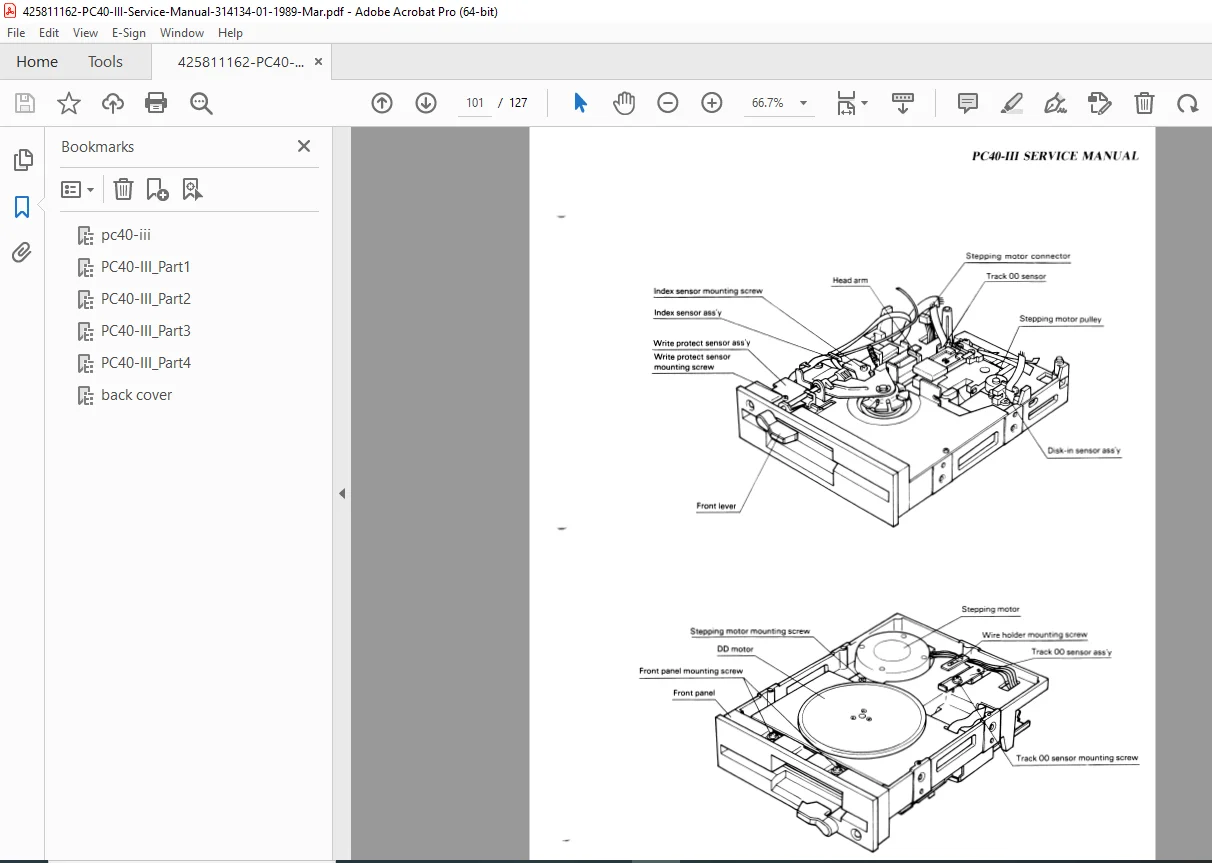
- 1.2 MB floppy drive technical data
- Drive controller documentation
- Installation procedures
- Formatting procedures
- Drive type configuration table
- Troubleshooting disk problems
Appendix C: Keyboard
- AT-style keyboard specifications
- Key matrix diagrams
- Connector pinouts
- Communication protocol
- Keyboard controller interface
- Troubleshooting procedures
Appendix D: Options
- Expansion card installation
- Memory upgrade procedures
- 80287 coprocessor installation
- Additional drive installation
- Video card upgrades
- Modem installation
- Network adapter compatibility
Appendix E: Technical Updates
- Field service bulletins
- Engineering change orders
- Firmware updates
- Known issues and resolutions
- Component revisions
Key Features & Historical Significance
✓ IBM AT Compatibility – Full software and hardware compatibility with IBM AT standard
✓ AutoConfig™ BIOS – Proprietary automatic peripheral configuration system
✓ Switchable CPU Speeds – 6/8/12 MHz for software compatibility
✓ VGA Graphics – Advanced 256-color capability with 256KB VRAM
✓ 80287 Math Coprocessor – Optional floating-point acceleration
✓ 1 MB Base RAM – Substantial memory for 1989 applications
✓ 40 MB Hard Drive – Large storage capacity for the era
✓ ISA Expansion – 3 full AT slots + 1 XT slot
✓ Microsoft Mouse Compatible – Onboard mouse port hardware
✓ Battery-Backed RTC – Real-time clock with backup power
Vintage Computing Importance
The PC40-III represents Commodore’s attempt to capture the business PC market during the late 1980s clone wars. This manual provides essential documentation for:
- Vintage computer restoration and repair
- Retro computing projects and preservation
- Computer history research
- Commodore collector maintenance
- Museum equipment documentation
File Details
Manual Name: Commodore PC40-III Service Manual
Part Number: PN-314134-01
Publication Date: March 1989
Manufacturer: Commodore Business Machines, Inc.
System Type: IBM AT-Compatible Personal Computer
Processor: Intel 80286 (6/8/12 MHz)
Total Pages: 127 pages
PDF Quality: High-quality scanned service documentation
File Size: 10.2 MB
Format: Searchable PDF
Original Use: CBM Inter-Company service documentation
Copyright: 1989 Commodore Electronics Limited