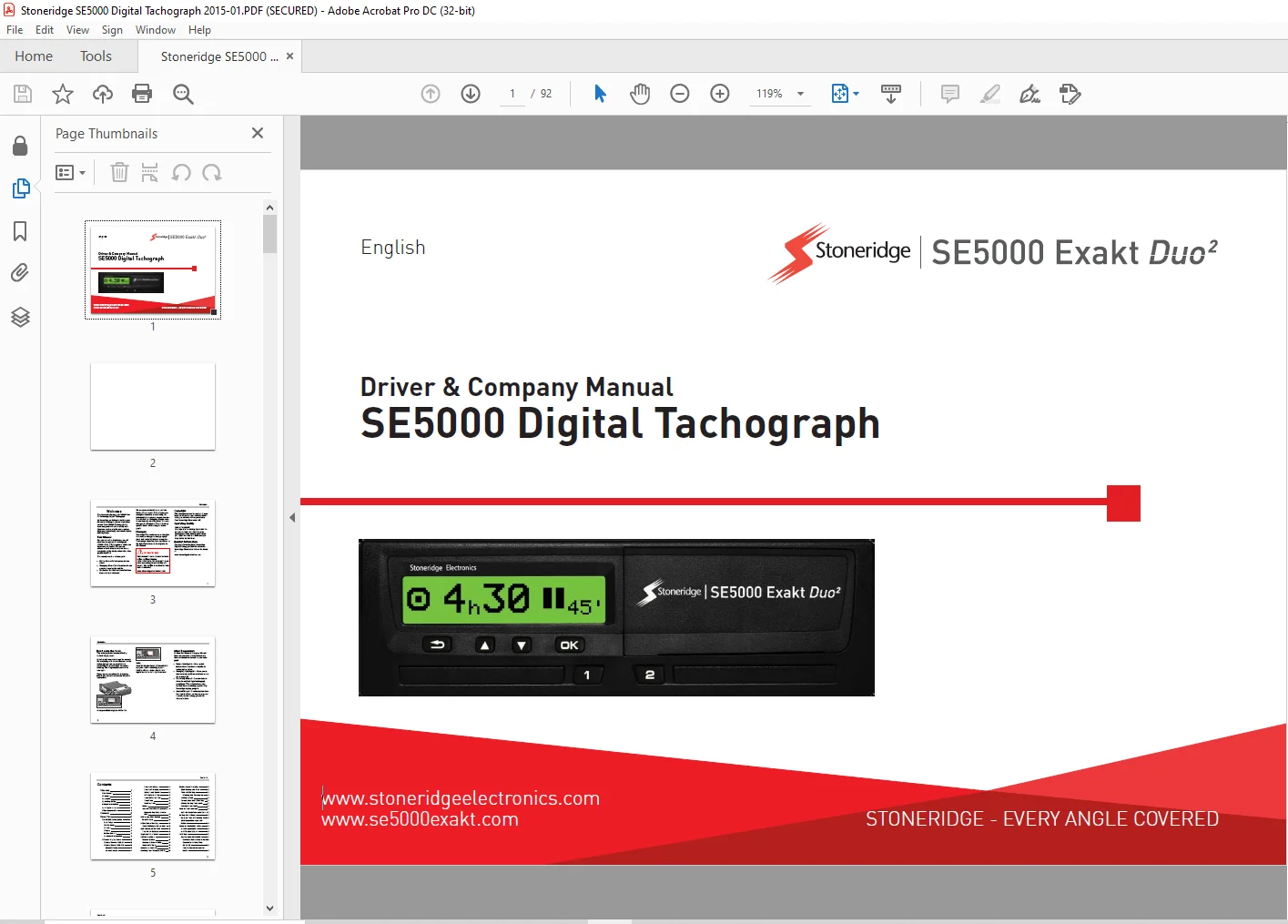
DAF Stoneridge SE5000 Exakt Duo2 Digital Tachograph Driver & Company Manual – PDF DOWNLOAD
$20.95
DAF Stoneridge SE5000 Exakt Duo2 Digital Tachograph Driver & Company Manual – PDF DOWNLOAD
Description
DAF Stoneridge SE5000 Exakt Duo2 Digital Tachograph Driver & Company Manual – PDF DOWNLOAD
FILE DETAILS:
DAF Stoneridge SE5000 Exakt Duo2 Digital Tachograph Driver & Company Manual – PDF DOWNLOAD
Language : English
Pages : 92
Downloadable : Yes
File Type : PDF
IMAGES PREVIEW OF THE MANUAL:
DESCRIPTION:
DAF Stoneridge SE5000 Exakt Duo2 Digital Tachograph Driver & Company Manual – PDF DOWNLOAD
This Manual:
Use this manual to familiarize yourself with how to operate the tachograph (Vehicle Unit, VU), in
order to obtain the maximum use from it. The manual addresses both drivers and fleet owner
companies with vehicles where the tacho- graph is installed.
The manual consists of three parts:
⚫ Driver Part with information for the driver.
⚫ Company Part with information for the company owning the vehicle.
⚫ Reference Part with additional inform- ation used as a reference.
We recommend that all users read the Driver Part as a start. This will give you enough information
to start using the tachograph. As company owners you also have to read the Company Part in order to
understand your obligations. You can then use the Reference Part to look up specifi the tachograph.
Driver Part:
The Driver Part contains the following:
- The SE5000 Tachograph – a presentation on what you can see
on the SE5000 Tachograph, the card tray, printer panel, buttons
and the different displays. Finally, information on how activities
are registered is given. - Before you Start Driving – information about the most frequent
handling of the tachograph. - At Card Insertion – Describes how to carry out manual entries.
- Driver Settings – this section contains all settings available to the
driver. - Driver Card – how to insert and withdraw a card.
- Printouts – how to handle the built-in printer.
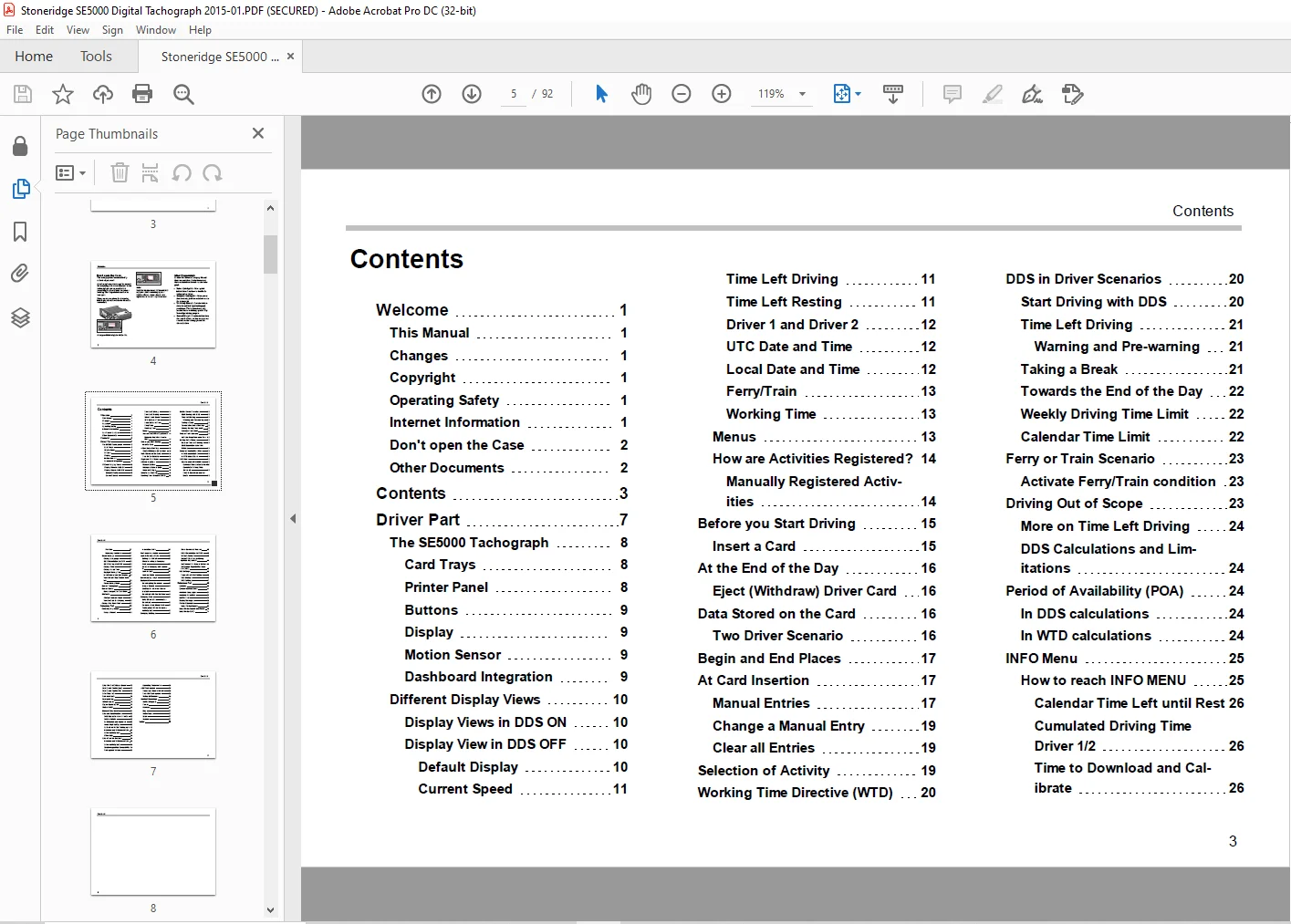
TABLE OF CONTENTS:
DAF Stoneridge SE5000 Exakt Duo2 Digital Tachograph Driver & Company Manual – PDF DOWNLOAD
Welcome.................................................... 3
	This Manual............................................ 3
	Changes................................................ 3
	Copyright.............................................. 3
	Operating Safety....................................... 3
	Internet Information................................... 3
	Don't open the Case.................................... 4
	Other Documents........................................ 4
Contents................................................... 5
Driver Part................................................ 9
	The SE5000 Tachograph..................................10
		Card Trays.........................................10
		Printer Panel......................................10
		Buttons............................................11
		Display............................................11
		Motion Sensor......................................11
		Dashboard Integration..............................11
	Different Display Views................................12
		Display Views in DDS ON............................12
		Display View in DDS OFF............................12
			Default Display................................12
			Current Speed..................................13
			Time Left Driving..............................13
			Time Left Resting..............................13
			Driver 1 and Driver 2..........................14
			UTC Date and Time..............................14
			Local Date and Time............................14
			Ferry/Train....................................15
			Working Time...................................15
		Menus..............................................15
		How are Activities Registered?.....................16
			Manually Registered Activities.................16
	Before you Start Driving...............................17
		Insert a Card......................................17
	At the End of the Day..................................18
		Eject (Withdraw) Driver Card.......................18
	Data Stored on the Card................................18
		Two Driver Scenario................................18
	Begin and End Places...................................19
	At Card Insertion......................................19
		Manual Entries.....................................19
		Change a Manual Entry..............................21
		Clear all Entries..................................21
	Selection of Activity..................................21
	Working Time Directive (WTD)...........................22
	DDS in Driver Scenarios................................22
		Start Driving with DDS.............................22
		Time Left Driving..................................23
			Warning and Pre-warning........................23
		Taking a Break.....................................23
		Towards the End of the Day.........................24
		Weekly Driving Time Limit..........................24
		Calendar Time Limit................................24
	Ferry or Train Scenario................................25
		Activate Ferry/Train condition.....................25
	Driving Out of Scope...................................25
		More on Time Left Driving..........................26
		DDS Calculations and Limitations...................26
	Period of Availability (POA)...........................26
		In DDS calculations................................26
		In WTD calculations................................26
	INFO Menu..............................................27
		How to reach INFO MENU.............................27
			Calendar Time Left until Rest..................28
			Cumulated Driving Time Driver 1/2..............28
			Time to Download and Calibrate.................28
			Revision.......................................29
			Company Locked in..............................29
	Driver Settings........................................29
		Change Language....................................30
		DDS Presentation ON/OFF............................30
		DDS Warnings ON/OFF................................30
		Change Time........................................31
		Change Local Time..................................31
		Daylight Saving Time...............................31
		Invert Colours on the Display......................32
		View Vehicle Registration Number...................32
		Power Saving Mode..................................32
	Care of Tachograph.....................................33
	Care of Cards..........................................33
		Card damaged, lost or stolen.......................33
	Printouts..............................................33
		Printout Data on Paper.............................33
		View Data on the Display...........................34
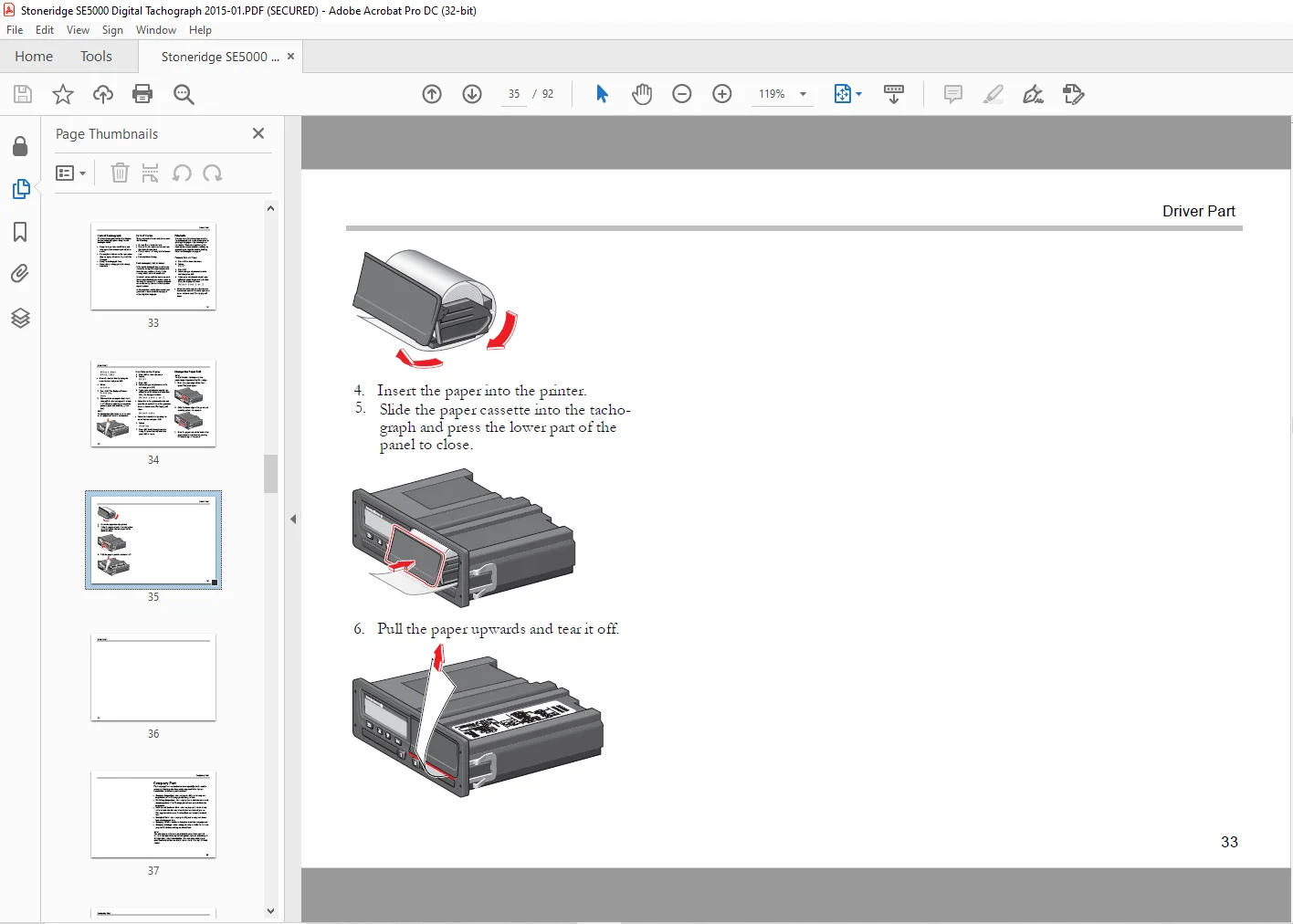
	Change the Paper Roll..................................34
Company Part...............................................37
	Company Inspection.....................................38
		Keep a Record......................................38
		Inspection Fails...................................38
	Workshop Inspection....................................39
	Lock-in/Lock-out Data..................................40
		Selling the Vehicle................................40
		When inserting a Company Card......................40
		Another Company still Locked-in....................40
		Lock-in Data.......................................41
		Lock-out Data......................................41
	Downloading - why?.....................................42
	Equipment..............................................42
		Downloading Procedure..............................42
		Keep a Record......................................43
		Certificate - when not Downloadable................43
		Download with Control Card.........................43
	Company Card...........................................44
		Data Stored at Lock-in/out or Download.............44
		Company Card Stored Data...........................44
		Tachograph Stored Company Activity Data............44
	Company Settings.......................................45
		Show Download Process..............................45
		WTD Presentation ON/OFF............................45
		D8 Data Format.....................................45
		Set Activity when Switching Ignition Key on/off....46
		Set Timeout for Manual Entries.....................46
		Set Vehicle Registration Number (VRN)..............47
	DDS Settings...........................................47
		Table with all DDS Settings........................47
		DDS Displays.......................................48
		WTD Settings.......................................49
Reference Part.............................................51
	Symbols................................................51
	Symbol Combinations....................................53
	Available Languages....................................53
	Available Countries....................................54
	Built-in Test..........................................56
	Display Messages.......................................58
	Printout Examples......................................70
		Daily Printout (card)..............................71
	Daily Printout (card) continued........................72
	Daily Printout (VU)....................................73
	Daily Printout (VU) continued..........................74
	Events and Faults (card)...............................75
	Events and Faults (VU).................................76
	Drive Time Info........................................77
	Technical Data.........................................78
	Overspeeding...........................................79
	Vehicle Speed..........................................80
	Engine Speed (rpm).....................................81
	Status D1/D2...........................................82
	Manual Entry Sheet.....................................83
	Data and Specifications................................84
		DDS Calculations and Limits........................84
		DDS in Details.....................................84
		Certification and Approval.........................85
		Avoid High Voltage.................................85
		Data stored in the Tachograph......................85
		Insertion and Withdrawal Data......................85
		Driver Activity Data...............................86
		Other Data.........................................86
	Data stored on the Card................................86
		Insertion and Withdrawal Data......................86
		Driver Activity Data...............................86
		Electromagnetical Compability......................86
		Tachograph Version.................................87
		Operating Temperature..............................87
	ADR Tachograph.........................................88
		Hazardous Goods Vehicles...........................88
		The ADR Tachograph.................................88
		Visible Differences................................88
	Contact Stoneridge.....................................89
		United Kingdom.....................................89
		France.............................................89
		Germany............................................89
		Italy..............................................89
		Netherlands........................................89
		Spain..............................................89
		Sweden.............................................89
Index......................................................90
Bookmarks.................................................. 0
	Display................................................58
	Display................................................59
	Display................................................60
	Display................................................61
	Display................................................62
	Display................................................63
	Display................................................64
	Display................................................65
	Display................................................66
	Display................................................67
	Display................................................68
Questions? Email us: [email protected]
S.V