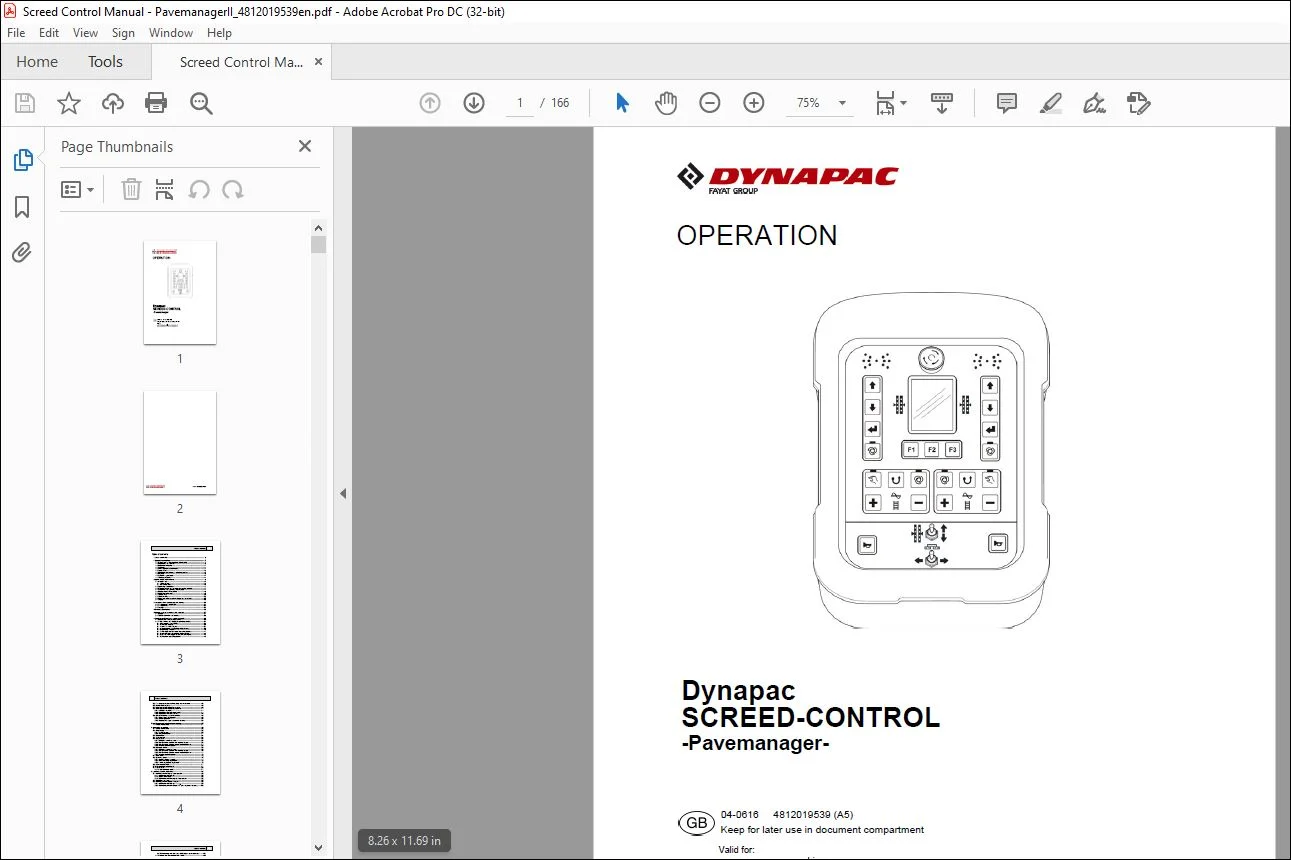
Dynapac SCREED-CONTROL Pavemanager Operation Manual 4812019539 – PDF DOWNLOAD
Original price was: $74.95.$26.95Current price is: $26.95.
Dynapac SCREED-CONTROL Pavemanager Operation Manual 4812019539 – PDF DOWNLOAD
Description
Dynapac SCREED-CONTROL Pavemanager Operation Manual 4812019539 – PDF DOWNLOAD
FILE DETAILS:
Dynapac SCREED-CONTROL Pavemanager Operation Manual 4812019539 – PDF DOWNLOAD
Language : English
Pages : 166
Downloadable : Yes
File Type : PDF
TABLE OF CONTENTS:
Dynapac SCREED-CONTROL Pavemanager Operation Manual 4812019539 – PDF DOWNLOAD
Table of contents 3
1 General information 7
1 1 Information on the operating instructions 7
1 2 Explanation of symbols 9
1 3 Limitation of liability 11
1 4 Copyright 11
1 5 Other applicable documents 11
1 6 Spare parts 12
1 7 Final decommissioning / rendering useless 12
1 8 Disposal 13
1 9 Warranty regulations 14
1 10 Customer service 14
2 Basic safety instructions 15
2 1 Intended use 15
2 1 1 Proper use 15
2 1 2 Incorrect use 16
2 2 Operating boundaries 17
2 3 Modifications to and conversions on the product 17
2 4 Content of the operating instructions 17
2 5 Responsibility of the owner 18
2 6 Operating personnel 19
2 7 Special risks 20
2 8 Safety facility 22
2 9 Behaviour in the event of danger and accidents 23
2 10 Signs 23
3 Transportation, packaging and storage 24
3 1 Transportation inspection 24
3 2 Transportation 25
3 3 Storage 25
4 Product description 26
5 Design, system overview and function 27
5 1 Design 27
5 2 System overview and function 28
6 Controls and displays, operating modes 33
6 1 Description of the remote control 33
6 1 1 The controls and displays, operating modes 34
6 1 2 Emergency stop switch 35
6 1 3 The LED display 36
6 1 4 The 3 5″ colour display 37
6 1 5 The levelling system operating buttons 39
6 1 6 Operating buttons F1-F3 40
6 1 7 The auger and conveyor operating buttons 41
6 1 8 Traction point adjustment toggle switch 42
6 1 9 Screed width toggle switch (left and right) 42
6 1 10 The horn operating button 42
4 Table of contents
6 2 The display elements of the prop laser receiver 43
6 3 Malfunction displays 46
6 4 Levelling system operating modes 46
6 5 Levelling system operating variants 47
6 5 1 Standard operation 47
6 5 2 Operation with semi-automatic 47
6 5 3 Operation with auto zeroing 48
6 6 Special levelling system functions 49
6 6 1 Direct menu changeover 49
6 6 2 Cross operation 50
6 6 3 Display of 2 separate control circuits 55
7 Installation and initial commissioning 57
7 1 Safety instructions 57
8 Operation in general 58
8 1 Safety instructions 58
8 2 Initial steps 59
8 2 1 Switching on 59
8 2 2 Sensor selection 61
8 3 Modification 64
8 4 Switching off 64
8 5 Auger menu 65
8 5 1 MANUAL control system 65
8 5 2 AUTO control system with material sensor 66
8 5 3 AUTO control system without material sensor 67
8 5 4 Reverse control system 68
8 6 Conveyor menu 69
8 6 1 MANUAL control system 69
8 6 2 AUTO control system with material sensor 70
8 6 3 AUTO control system without material sensor 71
8 6 4 Reverse control system 72
8 7 View menu 72
8 8 Crowning menu 76
8 8 1 Manual control system 77
8 8 2 Auto crowning adjustment 78
8 8 3 Travel-dependent adjustment 79
8 9 Basic screed width 81
8 10 Auger height adjustment 81
8 11 User menu 82
8 11 1 Configuration menu 87
9 Levelling system operation 93
9 1 Working with the digital slope sensor 93
9 1 1 Installation and set-up 93
9 1 2 Actual value reset 93
9 1 3 Controlling with the digital slope sensor 95
9 2 Calibration to zero 96
9 3 Working with the Sonic-Ski® plus 98
9 3 1 Installation and set-up 98
9 3 2 Controlling with the Sonic-Ski® plus in ground sensing 100
Table of contents 5
9 3 3 Controlling with the Sonic-Ski® plus in cable sensing 101
9 4 Working with the digital rotary sensor 102
9 4 1 Installation and set-up 102
9 4 2 Controlling with the digital rotary sensor 103
9 5 Working with the dual sonic sensor 104
9 5 1 Installation and set-up 104
9 5 2 Controlling with the dual sonic sensor 105
9 6 Working with the Big Sonic-Ski® 106
9 6 1 Installation and set-up 106
9 6 2 Controlling with the Big Sonic-Ski® 109
9 7 Working with the prop laser receiver 110
9 7 1 Safety instructions 110
9 7 2 Installation and set-up 111
9 7 3 Controlling with the prop laser receiver 113
9 8 Working with the power mast and prop laser receiver 114
9 8 1 Safety instructions 114
9 8 2 Installation and set-up 115
9 8 3 The mast menu 116
9 8 4 Calling up the mast menu 117
9 8 5 Moving the power mast manually 118
9 8 6 Automatic laser beam search 119
9 8 7 Controlling with the power mast and prop laser receiver 121
9 9 Working with the 3D TPS 122
9 9 1 Installation and set-up 122
9 9 2 Controlling with the 3D TPS 123
9 10 Working with the 3D GNSS 124
9 10 1 Installation and set-up 124
9 10 2 Controlling with the 3D GNSS 125
9 11 Working with the 3D slope sensor 126
9 11 1 Installation and set-up 126
9 11 2 Actual value reset 126
9 11 3 Controlling with the 3D slope sensor 127
9 12 Travel-dependent working with the digital slope sensor 128
9 12 1 Installation and set-up 129
9 12 2 Actual value reset 129
9 12 3 Controlling with the travel-dependent digital slope sensor 129
10 Operating the emergency control 132
10 1 Activating the emergency control 133
10 2 Functions of the emergency control 135
11 Material calculation 137
11 1 Calculating the applied material 137
11 2 Advance material planning (calculation) 141
11 3 Changing the units of measurement 144
12 External levelling 147
13 Servicing and maintenance 148
13 1 Safety instructions 148
13 2 Cleaning and drying 149
13 3 Repairs 149
6 Table of contents
14 Help in the event of malfunctions 150
14 1 Safety instructions 150
14 2 Troubleshooting and malfunction rectification 151
15 Definitions/Glossary 164
IMAGES PREVIEW OF THE MANUAL:
PLEASE NOTE:
- This is the SAME manual used by the dealers to troubleshoot any faults in your vehicle. This can be yours in 2 minutes after the payment is made.
- Contact us at [email protected] should you have any queries before your purchase or that you need any other service / repair / parts operators manual.
S.V