Epson L810 / L850 Series Service Manual (Repair + Adjustment) Rev A PDF
Original price was: $95.00.$18.95Current price is: $18.95.
Service & repair manual for Epson L810 and L850 Series color inkjet printers. Covers operating principles, troubleshooting, disassembly/assembly, adjustment calibrations, maintenance, and appendix parts/exploded diagrams. Ideal for technicians fixing print quality issues, paper feed faults, carriage errors, scanner problems (L850), and ink system servicing.
Description
Epson L810 / L850 Series Service Manual (Repair + Adjustment) Rev A PDF DOWNLOAD
Description
If you’re servicing an Epson L810 / L850 Series printer, this manual gives you the official repair flow—from diagnostics and fault isolation to complete teardown, calibration, and final checks. It’s built for real workshop use with structured procedures and adjustment programs.
✅ What You’ll Learn / Fix
Error & warning diagnosis and step-by-step troubleshooting
Printer operating principles (mechanism, sensors, motors, sequences)
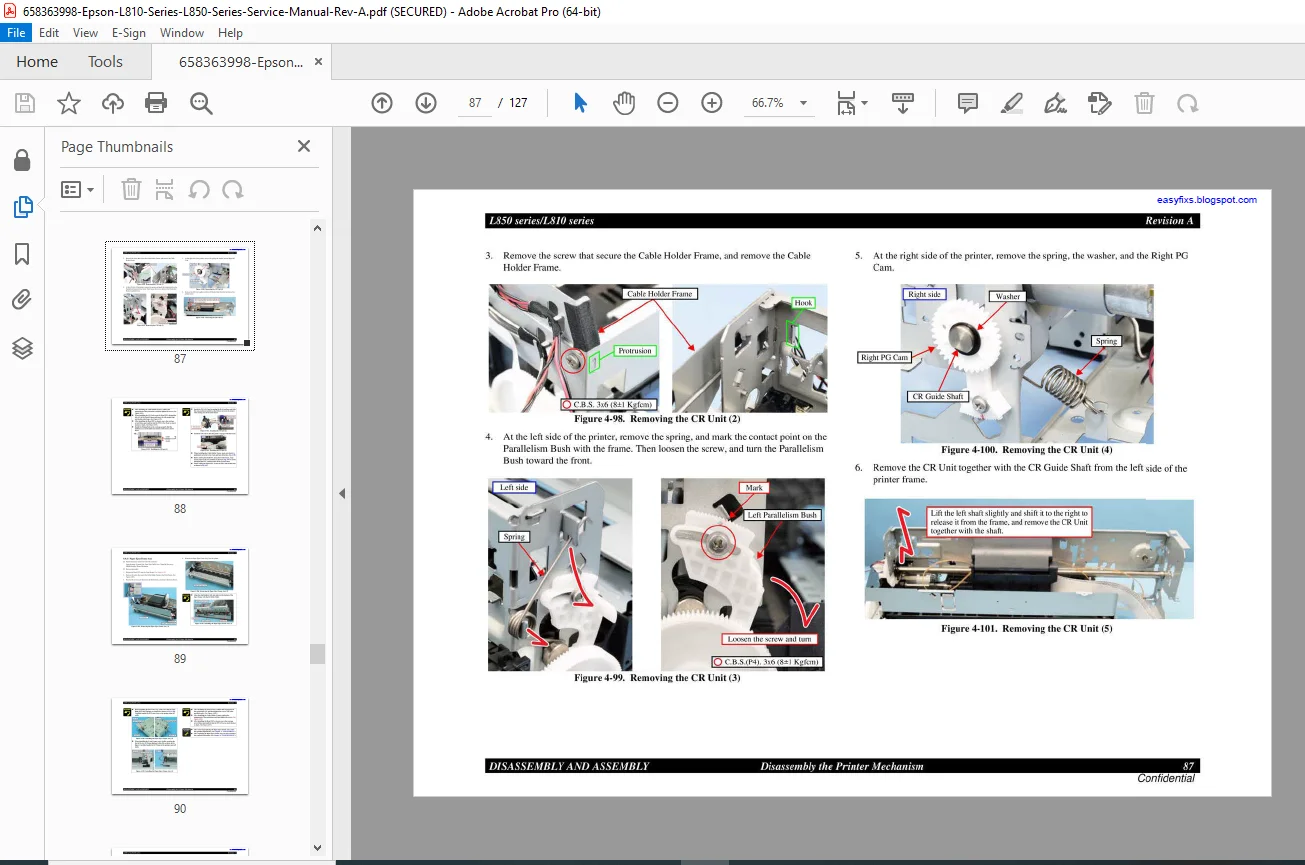
Full disassembly & reassembly (exterior, CISS/ink system, printer mechanism)
Required calibrations after part replacement (panel, head, feed, scanner)
Preventive maintenance, cleaning, lubrication guidance
Exploded diagram & parts list for reference
📑 Complete Table of Contents
Chapter 1 — Product Description
1.1 Control Panel
1.1.1 Operation Buttons & LED
1.1.2 Buttons & LED Functions
Chapter 2 — Operating Principles
2.1 Overview
2.1.1 Printer Mechanism
2.1.2 Scanner Mechanism (L850)
2.2 Power-On Sequence
2.3 Printer Initialization
Chapter 3 — Troubleshooting
3.1 Overview
3.1.1 Specified Tools
3.1.2 Preliminary Checks
3.1.3 Procedure for Troubleshooting
3.2 Troubleshooting When There is Error Display
3.2.1 Error List
3.2.2 Warning List
3.2.3 Fatal Error
3.3 Troubleshooting When There is No Error Display
3.3.1 Troubleshooting for Printer
3.3.2 Power Supply Related Troubleshooting
3.3.3 Ink Supply Related Troubleshooting
3.3.4 I/F Related Troubleshooting
3.3.5 Troubleshooting for Scanner
Chapter 4 — Disassembly and Assembly
4.1 Overview
4.1.1 Precautions
4.1.2 Tools
4.1.3 Preparation before Disassembly
4.1.4 Making a Special Tool for CSIC Board
4.1.5 How to Unlock the Carriage
4.1.6 Checks & Precautions before Disassembling
4.1.7 Protection for Transportation
4.1.8 Packing Methods
4.1.9 Disassembly & Reassembly Procedure
4.2 Disassembly of Exterior Parts
4.2.1 Paper Support Assy
4.2.2 Stacker Cover
4.2.3 Document Cover / ASF Cover
4.2.4 Upper Housing / Scanner Cable Cover
4.2.5 Panel Unit
4.2.6 M/B Cover
4.2.7 EMI Frame / Waste Ink Tray Assy
4.2.8 Main Board Unit
4.2.9 Middle Housing
4.2.10 Power Supply Assy
4.3 Disassembly of CISS Section
4.3.1 Adapter Section
4.3.2 Ink Supply Tube Assy Section
4.3.3 Ink Supply Tank Tube Assy Section
4.3.4 Ink Supply Tank Assy Section
4.4 Disassembly of Printer Mechanism
4.4.1 Printhead
4.4.2 Linear Scale
4.4.3 Printer Mechanism
4.4.4 PF Encoder / PF Scale
4.4.5 PF Motor
4.4.6 Ink System Unit
4.4.7 ASF Unit
4.4.8 APG Unit
4.4.9 CR Motor
4.4.10 CR Unit
4.4.11 Paper Eject Frame Assy
4.4.12 Upper Paper Guides
4.4.13 Front Paper Guide Assy
4.4.14 Waste Ink Pads
Chapter 5 — Adjustment
5.1 Adjustment Items and Overview
5.1.1 Servicing Adjustment Item List
5.1.2 Required Adjustments
5.2 Adjustment by the Panel Unit Exchange
5.2.1 Touch Panel Calibration
5.2.2 Touch Panel Operation Check
5.3 Judging Print Samples using the Adjustment Program
5.3.1 Top Margin Adjustment
5.3.2 Head Angular Adjustment
5.3.3 Bi-D Adjustment
5.3.4 PW / First Dot Position Adjustment
5.3.5 PF Adjustment
5.4 PG Adjustment
5.5 BRS Adjustment / PFP Correction
5.5.1 Overview
5.5.2 Adjustment Procedure
5.6 Scanner Original Adjustment
Chapter 6 — Maintenance
6.1 Overview
6.1.1 Maintenance Error
6.1.2 Cleaning
6.1.3 Lubrication
Chapter 7 — Appendix
7.1 Exploded Diagram / Parts List
📌 File Details
| Item | Details |
|---|---|
| Manual Name | Epson L850 Series / L810 Series Service Manual |
| Models Covered | Epson L810 Series, Epson L850 Series |
| Year | 2014 (Revision A) |
| PDF Quality | Good, searchable/clear technical manual format |
| Pages | 127 pages |
Stop guessing and start fixing—this service manual gives you the exact teardown, fault isolation, and calibration steps to restore your Epson L810/L850 fast. Instant PDF download so you can diagnose and repair immediately.