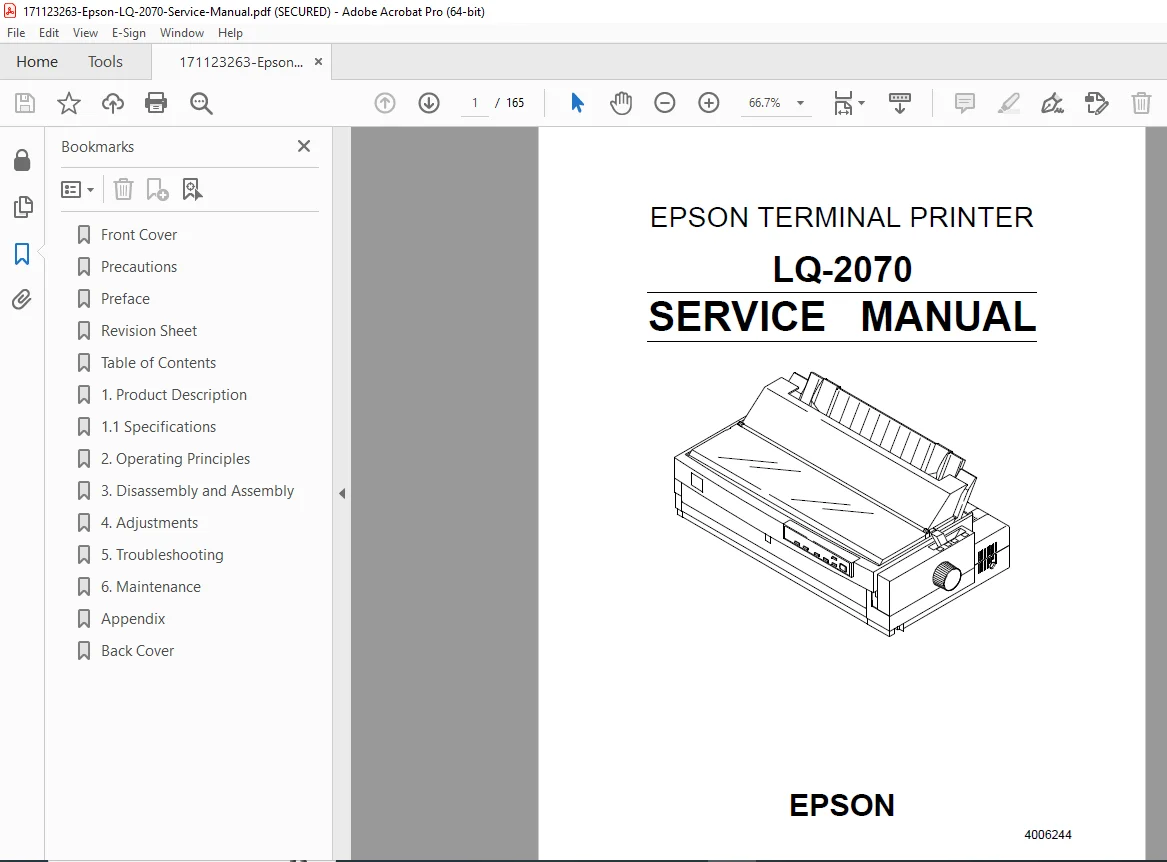
Epson LQ-2070 Dot Matrix Printer Service Manual Repair Guide PDF
Original price was: $65.00.$15.95Current price is: $15.95.
Official Epson factory service manual for LQ-2070 24-pin serial impact dot-matrix printer designed for VAR market applications. Complete technical documentation covering 300 cps high-speed printing system with comprehensive repair procedures, circuit diagrams, and maintenance protocols. Includes detailed disassembly/assembly instructions, adjustment procedures, troubleshooting guides, and exploded parts diagrams. Essential manual for technicians servicing this professional-grade dot-matrix printer with multi-paper path capabilities and optional feeders.
Description
Epson LQ-2070 Dot Matrix Printer Service Manual Repair Guide PDF DOWNLOAD
DESCRIPTION
This official Epson LQ-2070 service manual provides comprehensive technical documentation for professional repair and maintenance of the LQ-2070 24-pin serial impact dot-matrix printer. Published by SEIKO EPSON CORPORATION, this factory-authorized manual is the definitive resource for certified technicians and electronics repair specialists working with this VAR (Value Added Reseller) market printer.
Printer Overview & Key Features
The Epson LQ-2070 is a high-performance 24-pin serial impact dot-matrix printer designed for demanding commercial and industrial printing applications. This printer combines speed, versatility, and reliability for multi-part forms, continuous paper, and various media types.
Core Specifications:
- Printing Technology: 24-pin impact dot-matrix
- Print Speed: 300 cps (high-speed draft), 275 cps (draft), 92 cps (NLQ at 10 cpi)
- Print Quality: LQ (Letter Quality) and Draft modes
- Color: Black monochrome printing
- Fonts: 9 LQ bitmap typefaces, 1 draft bitmap, 4 scalable typefaces, 8 barcode fonts
Advanced Paper Handling:
- Feeding Methods: Friction feed, push tractor feed, push/pull tractor feed, pull tractor feed
- Paper Paths: Front, rear, and bottom feed options
- Media Types: Single sheets, continuous paper, multipart forms, envelopes, card stock, labels, roll paper
- Optional Feeders: Front push tractor, rear push tractor, CSF bin 1/bin 2, pull tractor, roll paper holder
Complete Service Manual Contents
CHAPTER 1: GENERAL DESCRIPTION & SPECIFICATIONS
Comprehensive product overview including:
- Features & Capabilities
- Detailed printer specifications and features
- VAR market applications and use cases
- Performance characteristics
- Accessories & Consumables
- Items included with printer
- Ribbon specifications and part numbers
- Optional units and add-ons
- Cut sheet feeder specifications
- Hardware Specifications
- Printing method: 24-pin impact dot-matrix system
- Printing specifications: Speed, resolution, character sets
- Paper handling: Multiple feed paths and paper types
- Paper specifications: Cut sheets, continuous paper, envelopes, card stock, labels, roll paper with printable areas
- Ribbon specifications: Type, capacity, replacement intervals
- Electrical specifications: Power requirements, voltage ratings
- Environmental conditions: Operating temperature, humidity ranges
- Reliability specifications: MTBF, duty cycles
- Safety approvals: International certifications
- CE marking compliance
- Physical dimensions: Weight, size specifications
- Firmware Specifications
- Control codes and command sets
- Interface specifications (parallel forward/reverse channels)
- Interface selection protocols
- Data time-out prevention
- Paper handling firmware operations
- Paper width sensor operation
- Operating Instructions
- Control panel operation: Button functions and LED indicators
- Status codes: LED and beeper signal meanings
- Micro adjustment function: Fine-tuning print parameters
- Tear-off function: Precise paper positioning
- Self-test function: Built-in diagnostic printing
- Hexadecimal dump function: Raw data analysis
- Default setting function: Factory reset procedures
- EEPROM clear function: Memory reset protocols
- Bidirectional adjustment: Print alignment optimization
- Quiet mode function: Noise reduction operation
- Initialization Procedures
- Software initialization protocols
- Operation initialization sequences
- Power-on initialization routines
- Main Components Identification
- C186 MAIN Board Assembly specifications
- C166 PSB/PSE Board Assembly details
- C165 PNL Board Assembly features
- Printer mechanism components
- Housing assembly structure
CHAPTER 2: OPERATION PRINCIPLES
In-depth theory of printer operation covering:
- Mechanical system operations
- Electrical circuit theory
- Print head operation principles
- Paper feed mechanisms
- Motor control systems
- Sensor functions and signal processing
- Data flow and processing logic
- Timing and synchronization
CHAPTER 3: DISASSEMBLY AND ASSEMBLY
Step-by-step procedures for complete printer servicing:
- General Precautions
- ESD protection requirements
- Safe disassembly practices
- Component handling guidelines
- Recommended lubricants and adhesives
- Detailed Disassembly Instructions
- Housing removal procedures
- Cover assemblies (front, rear, top, side)
- Print head carriage removal
- Paper feed mechanism disassembly
- Tractor unit removal
- Control panel removal
- Main PCB extraction
- Power supply board removal
- Motor assemblies
- Sensor components
- Cable routing and connector locations
- Component Reassembly
- Proper assembly sequence
- Torque specifications
- Cable reconnection diagrams
- Alignment verification
- Post-assembly testing requirements
CHAPTER 4: ADJUSTMENTS
Comprehensive adjustment procedures including:
- Platen Gap Adjustment
- Gap measurement procedures
- Adjustment specifications
- Verification methods
- Bidirectional Print Alignment
- Alignment test patterns
- Adjustment procedures
- Fine-tuning protocols
- Paper Width Sensor (PWS) Adjustment
- Sensor positioning
- Calibration procedures
- TPE level reset procedures
- Print Head Gap Adjustment
- Gap setting for various paper types
- Thickness lever positions
- Verification procedures
- Tractor Positioning
- Front tractor adjustment
- Rear tractor alignment
- Pull tractor setup
- Sensor Calibrations
- Paper-out sensor adjustment
- Paper width sensor calibration
- Home position sensor setup
- Firmware Adjustments
- Parameter settings
- EEPROM programming
- Default value restoration
CHAPTER 5: TROUBLESHOOTING
Epson-approved diagnostic techniques:
- Systematic Troubleshooting Approach
- Problem identification methodology
- Diagnostic flowcharts
- Quick reference troubleshooting tables
- Common Problem Categories
- Print Quality Issues: Faint printing, uneven density, missing dots, blurred output
- Paper Feed Problems: Jamming, skewing, multiple feeds, no paper advance
- Mechanical Failures: Carriage jams, motor failures, gear problems
- Electrical Issues: Power failures, interface problems, sensor malfunctions
- Control Panel Problems: LED errors, button failures, beeper issues
- Error Code Interpretation
- LED flash patterns
- Beeper sound patterns
- Status code meanings
- Recovery procedures
- Component Testing
- Print head resistance testing
- Motor functionality tests
- Sensor operation verification
- Power supply voltage checks
- Interface signal testing
- Diagnostic Tools & Techniques
- Self-test analysis
- Hexadecimal dump interpretation
- Oscilloscope measurements
- Multimeter testing procedures
CHAPTER 6: MAINTENANCE
Preventive maintenance techniques:
- Routine Maintenance Schedule
- Daily maintenance tasks
- Weekly inspection procedures
- Monthly service requirements
- Annual overhaul guidelines
- Cleaning Procedures
- Print head cleaning methods
- Paper path cleaning
- Platen roller maintenance
- Housing and exterior cleaning
- Sensor cleaning protocols
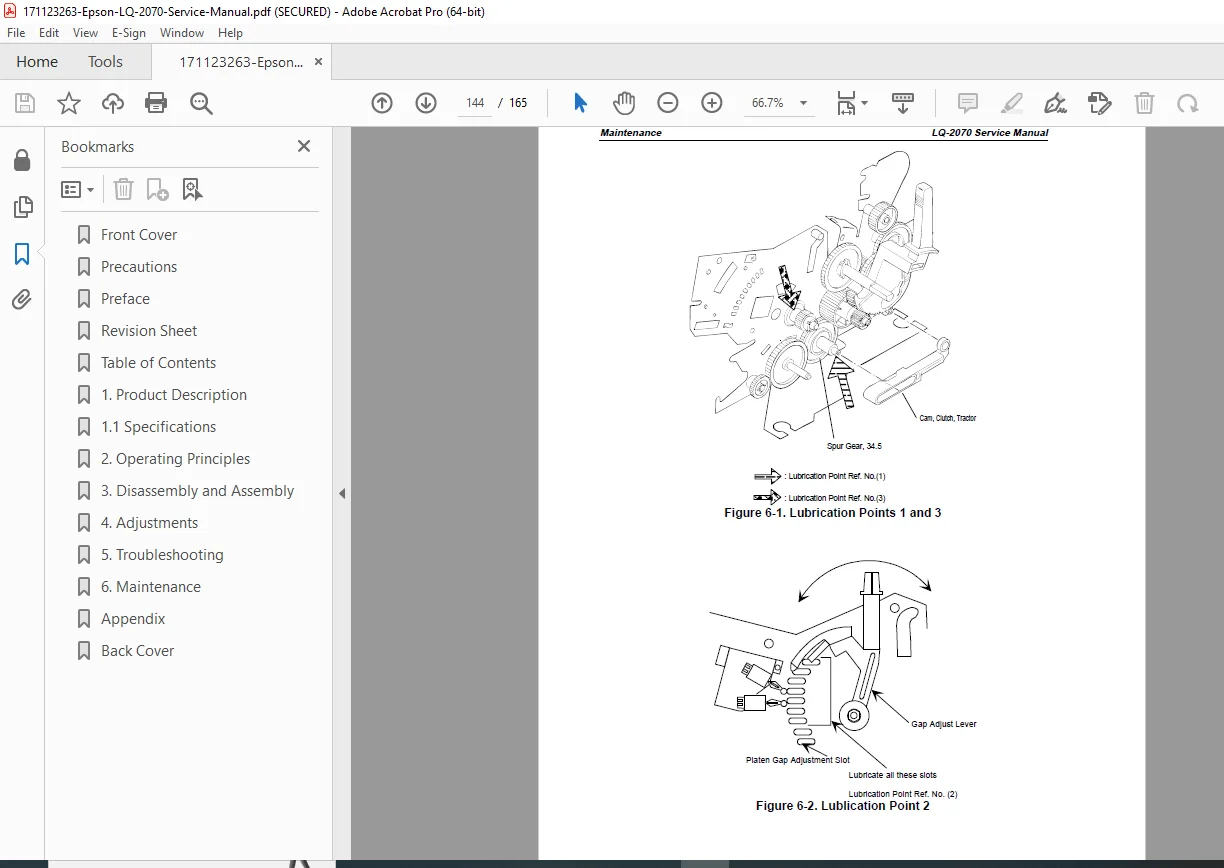
- Lubrication
- Recommended lubricants
- Lubrication points
- Application frequency
- Quantity specifications
- Component Replacement Guidelines
- Ribbon cartridge replacement
- Print head replacement criteria
- Roller replacement intervals
- Belt and gear inspection
- Performance Optimization
- Print quality enhancement
- Speed optimization
- Noise reduction techniques
APPENDIX
Additional technical reference materials:
- Spare parts list with part numbers
- Component specifications
- Technical diagrams and illustrations
- Pin configuration charts
- Data transmission timing diagrams
- Printable area specifications for all media types
- Interface connector pinouts
- Electrical ratings and tolerances
Detailed Technical Information
Pin Configuration & Interfaces:
- Complete parallel interface specifications (forward and reverse channels)
- Connector pinout diagrams
- Data transmission timing charts
- Signal level specifications
- Handshaking protocols
Paper Specifications Covered:
- Cut sheets: Single and multipart forms with thickness specifications
- Envelopes: Size ranges and weight specifications
- Card stock: Thickness and rigidity specifications
- Continuous paper: Single and multipart with perforation requirements
- Labels: Size specifications and backing requirements
- Roll paper: Width and diameter specifications
Printable Area Documentation:
- Margin specifications for all paper types
- Maximum printable zones
- Form length parameters
- Top/bottom margin settings
Safety & Precautionary Information
This manual emphasizes safety throughout with clearly marked sections:
DANGER Warnings:
- Power disconnection requirements
- High-voltage component precautions
- Personal injury prevention
WARNING Notices:
- Authorized technician requirements
- Voltage verification procedures
- ESD protection mandates
- Component replacement guidelines
Who Should Use This Manual?
- Epson certified repair technicians
- Electronics service specialists
- VAR support personnel
- Corporate IT maintenance staff
- Printer service centers
- Technical support engineers
- Qualified maintenance personnel
Manual Quality & Features
✓ Official Epson factory documentation
✓ Published by SEIKO EPSON CORPORATION
✓ Professional technical illustrations
✓ Detailed exploded view diagrams
✓ Complete circuit schematics
✓ Step-by-step procedures
✓ Troubleshooting flowcharts
✓ Parts identification with numbers
✓ Safety guidelines integrated throughout
✓ Comprehensive reference appendix
This service manual provides technicians with complete access to Epson’s factory-level technical knowledge for the LQ-2070 dot-matrix printer, ensuring proper diagnosis, repair, and maintenance to manufacturer specifications.
FILE DETAILS
Manual Name: Epson LQ-2070 Service Manual
Model Covered: LQ-2070 (24-pin Dot Matrix Printer)
Year: 1996 (Revision A issued April 8, 1996)
Manual Quality: Good – Scanned original with clear text and diagrams
Number of Pages: 165 pages
File Format: PDF
File Size: 3.4 MB
Language: English
Publisher: SEIKO EPSON CORPORATION, Nagano, Japan
Copyright: 1995 by SEIKO EPSON CORPORATION
Document Code: 4006244