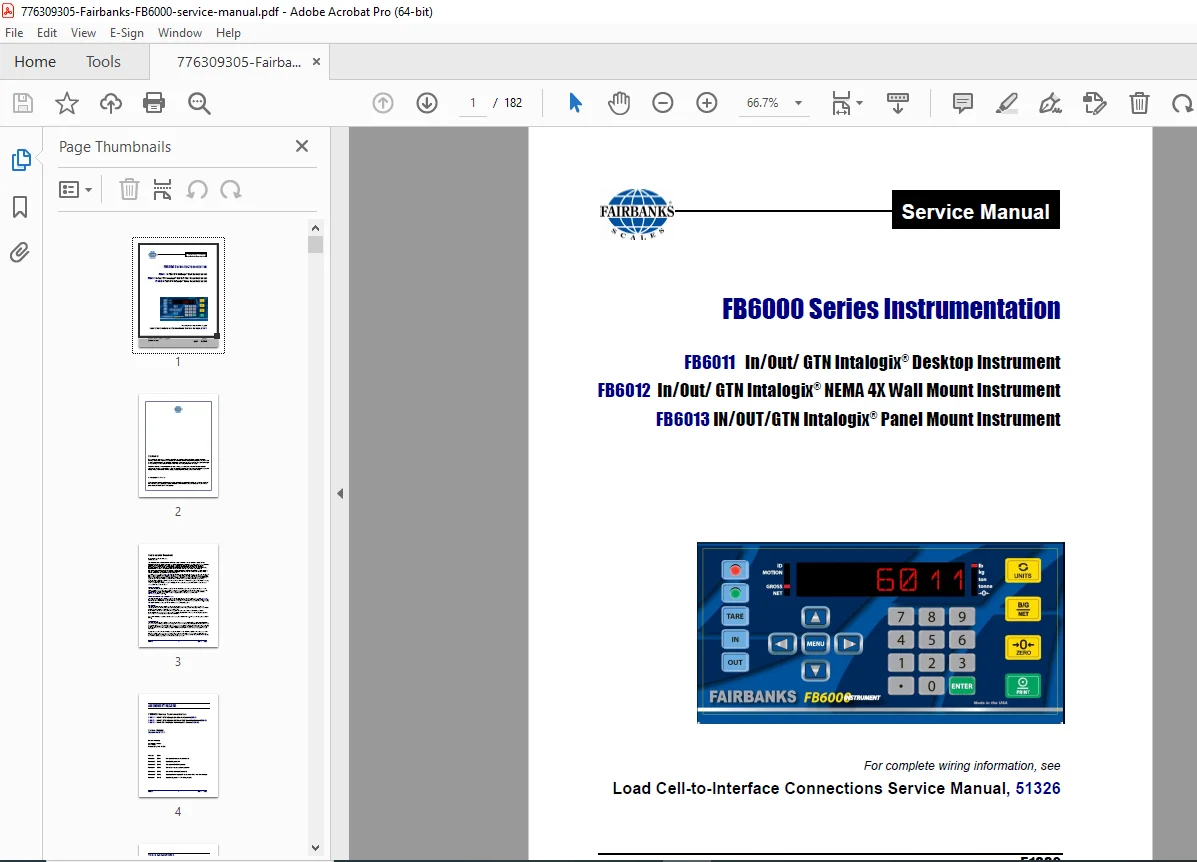
Fairbanks FB6000 Series Scale Instrumentation Service Manual – PDF
Original price was: $95.00.$19.95Current price is: $19.95.
Complete factory service manual for Fairbanks FB6000 series industrial scale instrumentation covering FB6011 desktop, FB6012 NEMA 4X wall mount, and FB6013 panel mount Intalogix instruments. Comprehensive technical documentation includes component diagrams, wiring schematics, programming procedures, web interface configuration, expansion modules, troubleshooting guides, and complete parts lists. Essential professional reference for technicians servicing industrial weighing systems and scale indicators.
Description
Fairbanks FB6000 Series Scale Instrumentation Service Manual FB6011 FB6012 PDF DOWNLOAD
DESCRIPTION
This is the complete official Fairbanks FB6000 Series Instrumentation Service Manual (Document 51332, Revision 7, January 2016) for Intalogix industrial weighing instruments. This comprehensive factory service manual provides professional-grade installation, programming, troubleshooting, and repair information for authorized service technicians working with Fairbanks industrial scale systems.
Models Covered by This Service Manual
Fairbanks FB6000 Series Intalogix® Instruments:
- FB6011 – IN/OUT/GTN Intalogix® Desktop Instrument (Part #32811)
- FB6012 – IN/OUT/GTN Intalogix® NEMA 4X Wall Mount Instrument (Part #32812)
- FB6013 – IN/OUT/GTN Intalogix® Panel Mount Instrument (Part #32813)
Product Type:
- Industrial weighing instrumentation
- Scale indicators with Intalogix technology
- Multi-scale capable instruments
- Network-enabled weighing systems
Related Documentation: For complete wiring information, see Load Cell-to-Interface Connections Service Manual, Document 51326
Complete Manual Contents (182 Pages)
This Fairbanks FB6000 service manual PDF is organized into comprehensive sections with detailed technical information:
LEGAL AND COPYRIGHT INFORMATION
Disclaimer:
- Complete and accurate information provided
- Product warranty notice included
- Right to make changes without notice reserved
- No liability for damage arising from use
Copyright Notice:
- © Copyright 2014-2016 Fairbanks Scales, Inc.
- All rights reserved
- Proprietary information protected
- No reproduction without written permission
Public License Statement:
Open Source Software Components:
- OpenSSL Project software included
- Apache License compliance
- Zlib license applications
- LibPNG license applications
- MIT license applications
GNU Public License:
- Source code available upon request
- Compliance with GPL disclosure requirements
- Contact Fairbanks Scales for source code
- $15 processing fee may apply
Other Licenses Included:
- GNU Lesser General Public License (LGPL)
- BSD License
- Artistic License
- License text links provided
AMENDMENT RECORD
Document Information:
- Document Number: 51332
- Manufactured by: Fairbanks Scales, 821 Locust, Kansas City, MO 64106
Revision History:
- Created: 06/2014 – Initial release
- Revision 1: 06/2014 – New product documentation
- Revision 2: 02/2015 – Updated Appendix III
- Revision 3: 04/2015 – Added part #34327 to parts list
- Revision 4: 06/2015 – Added new memory card to parts list
- Revision 5: 07/2015 – Added Web Interface (Section 5)
- Revision 6: 09/2015 – Updated Power Supply JP1 Jumpers
- Revision 7: 01/2016 – Updated Appendix 1: data string outputs (current)
SECTION 1: GENERAL INFORMATION
1.1 Instrument Description
Standard Features:
- Intalogix technology integration
- Network connectivity (Ethernet)
- USB connectivity (3 ports)
- RS232 serial communications (3 COM ports)
- SD card data logging
- Remote display capability
- Programmable operation modes
- Web-based interface
- Security levels with password protection
Accessories:
- Expansion modules (relay card, 4-20mA card)
- Remote displays
- Network cables
- Programming cables
- Mounting hardware
1.2 FB6011/12/13 Instrument Components
Main Components List:
- Front Panel Assembly (31672)
- LED Display Assembly (31693C)
- Keypad interface
- USB cable to base board (Terminal J14)
- Power to keypad
- Power Supply PCB Assembly (32388)
- JP1 jumpers (single/dual PPS configuration)
- Power cable outlet
- LED indicators
- Voltage configuration switches
- Expansion Module Sockets (2 positions)
- Relay Card (30919)
- 4-20mA Card (30920)
- USB to RS-232 conversion
- Three independent RS-232 ports
- Intalogix® Base Board PCB Assembly (33143)
- Main instrument controller
- Graphical interface controller
- Weighing application processor
- Single Board Computer (SBC)
- Expansion module communication routing
- USB communications to expansion modules
- Scale Interface Card (SIC) PCB Assembly (30002)
- Fairbanks Intalogix technology interface
- Connects to J6 on Base Board
- One card per scale configuration
- Load cell signal conditioning
Connection Points:
- Power Cable Outlet
- Load Cell Cable Gland
- RJ45 Network Cable Port (Ethernet)
- Three (3) USB Jacks
- RS232 Port (Console) – External programming and configuration
- Three (3) RS232 9-pin Serial I/O COM Ports
Internal Connectors:
- J3: SD Card Socket (data logging)
- J4: Remote Display Connection (20mA)
- J6: SIC Card Sockets (2 positions)
- J8: Expansion Module Sockets (2 positions)
- J13: Internal Port
- J14: Front Keypad & Display USB Port
- J17: Remote Switch wiring
- TB1: SSC connections
Jumpers and Switches:
- JP1 (Base Board): Calibration (NJ Jumper)
- JP1 (Power Supply): Single/Dual PPS Settings configuration
- JP2: Console Communications
- SW2: Configuration Switch
1.3 Technical Specifications
Display:
- LED display technology
- High-visibility digits
- Multi-line capability
- Status indicators
Power Requirements:
- Single or dual power supply configuration
- Jumper-selectable voltage
- LED power indicators
- Protection circuitry
Communication Interfaces:
- Ethernet network (RJ45)
- USB 2.0 (3 ports)
- RS232 serial (3 COM ports + 1 console port)
- 20mA current loop (remote display)
Environmental:
- NEMA 4X rating (FB6012 wall mount version)
- Desktop enclosure (FB6011)
- Panel mount capability (FB6013)
- Industrial temperature range
Weighing Performance:
- Intalogix technology
- Multi-scale capability (via SIC cards)
- Load cell compatibility
- Precision A/D conversion
- Digital filtering
1.4 Users’ Responsibility
Service technician responsibilities and safety requirements
SECTION 2: PRE-INSTALLATION
2.1 Introduction
- System overview
- Pre-installation planning
- Site requirements
2.2 General Service Policy
- Authorized service requirements
- Warranty considerations
- Service procedures compliance
2.3 Pre-Installation Guidelines
- Environmental considerations
- Power requirements verification
- Network infrastructure planning
- Mounting location selection
- Cable routing planning
SECTION 3: STANDARD INSTALLATION
3.1 Overview of Installation Steps Complete installation sequence overview
3.2 Power Supply Wiring, Switches and Jumpers
3.2.1 Power Supply JP1 Jumpers:
- Single PPS configuration
- Dual PPS configuration
- Jumper placement diagrams
- Voltage selection settings
3.2.2 Power Supply LEDs:
- Power indicator functions
- Status LED meanings
- Fault indication
- Normal operation indicators
3.3 Base Board PCB Wiring, Switches & Jumpers
3.3.1 Base Board JP2 Jumpers:
- Console communication settings
- Configuration options
- Jumper position diagrams
3.3.2 Remote Switch Wiring:
- Connection to J17 terminal
- Switch type compatibility
- Wiring diagrams
- Function assignments
3.3.3 Remote Display 20mA Wiring (J4):
- Current loop connections
- Display compatibility
- Wire specifications
- Distance limitations
3.3.4 SIC Connections:
- Scale Interface Card installation
- J6 socket connection
- Load cell wiring
- Signal routing
- Calibration considerations
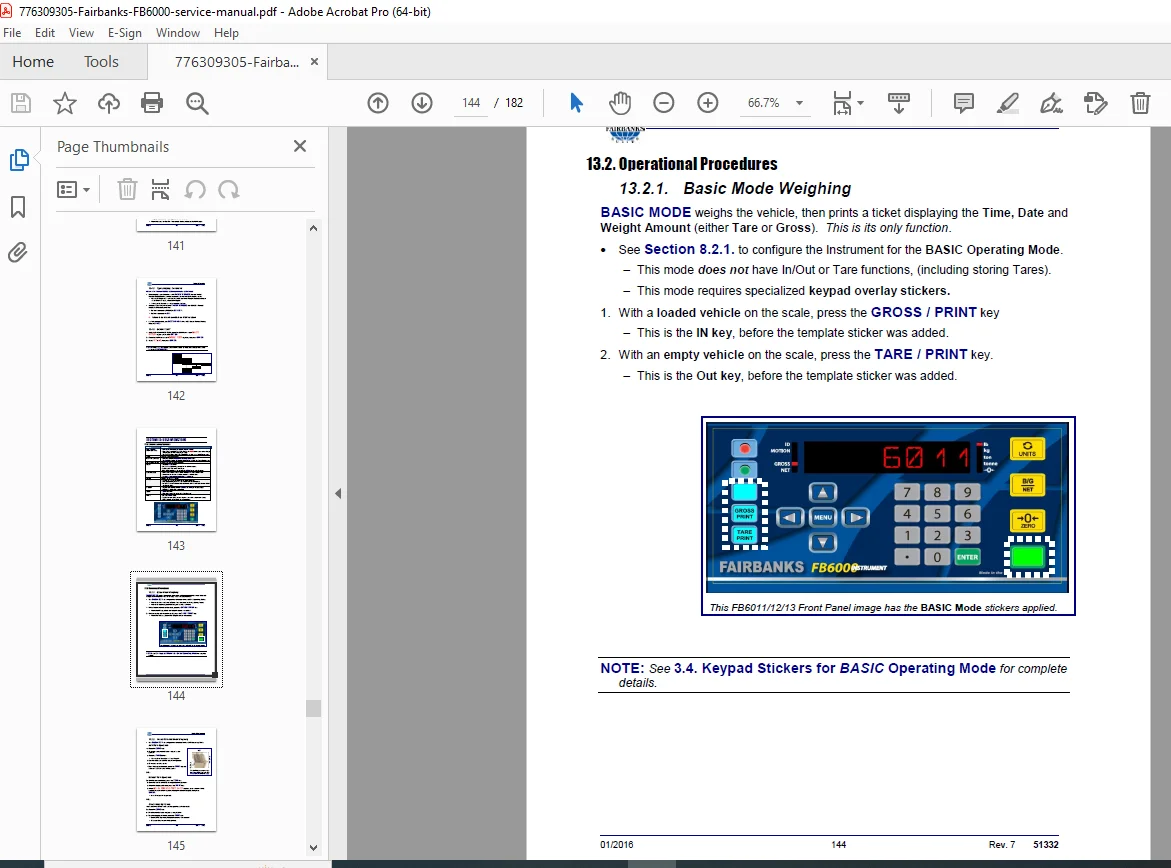
3.4 Keypad Stickers for BASIC Operating Mode
- Mode identification
- Function key labels
- Operational stickers
SECTION 4: SECURITY
4.1 Levels of Security
Multi-Level Access Control:
- Operator level (basic functions)
- Supervisor level (advanced features)
- Service level (calibration, configuration)
- Administrator level (full access)
Security Features:
- Password protection
- Function lockout
- Audit trail logging
- Configuration protection
4.2 Factory Default Service Password
- Default password information
- Password reset procedures
- Security bypass (when authorized)
4.3 Different Programming Options
- Direct keypad programming
- Console port programming
- Web interface programming
- Remote configuration capabilities
SECTION 5: WEB INTERFACE
5.1 How to Connect Remotely to the FB60XX Series
Connection Procedures:
- Network configuration requirements
- IP address assignment
- Port configuration
- Firewall considerations
5.1.1 To Obtain the Current IP Address:
- Display menu navigation
- Network status viewing
- IP address retrieval methods
5.2 Logging In to the Web Interface
- Web browser requirements
- Login screen
- Username and password entry
- Security certificate handling
- Session management
5.3 Navigating the Web Interface
5.3.1 Audit Trail:
- Event logging
- User activity tracking
- Configuration change history
- Calibration event recording
- Report generation
- Data export options
5.3.2 Operator Menu:
- Weight display
- Tare functions
- Print commands
- Basic operations
- User-level settings
5.3.3 Configuration Menu:
- Scale parameters
- Units selection
- Decimal point position
- Zero tracking
- Motion detection
- Filter settings
- Display options
- Print formatting
5.3.4 Service Menu:
- Calibration procedures
- Span adjustment
- Zero calibration
- Linearity correction
- Diagnostics
- System information
- Test modes
5.3.5 Expansion Cards:
- Relay card configuration
- 4-20mA card setup
- Output assignments
- Setpoint programming
- Analog scaling
5.3.6 Power Supply:
- Voltage monitoring
- Current consumption
- Power status
- Supply diagnostics
SECTION 6: STANDARD PROGRAMMING
6.1 Programming the Instrument
Programming Methods:
- Front panel keypad programming
- Console port programming via RS232
- Web interface programming
- Configuration upload/download
- Parameter backup and restore
Programming Categories:
- Scale setup parameters
- Communication settings
- Security configuration
- Display options
- Print formats
- Relay outputs
- Analog outputs
- Data logging
- Network settings
Calibration Programming:
- Zero calibration procedures
- Span calibration procedures
- Linearity calibration
- Test weight requirements
- Calibration verification
Advanced Programming:
- Multi-scale configuration
- Custom applications
- Data string formatting
- Protocol selection
- Baud rate settings
ADDITIONAL SECTIONS (Inferred from Table of Contents)
Section 7: Troubleshooting
- Symptom-based diagnostics
- Error code interpretation
- Component-level troubleshooting
- Communication problems
- Display issues
- Power supply problems
- Load cell diagnostics
- Network connectivity
Section 8: Maintenance
- Preventive maintenance schedules
- Cleaning procedures
- Inspection points
- Component replacement
- Calibration verification intervals
Section 9: Parts Lists
- Complete component listings
- Part numbers for all assemblies
- PCB assembly part numbers
- Cable assemblies
- Connectors
- Hardware
- Replacement displays
- Power supplies
- SIC cards
- Expansion modules
Section 10: Schematics and Diagrams
- Power supply schematics
- Base board schematics
- SIC card schematics
- Expansion module schematics
- Wiring diagrams
- Connection diagrams
- Block diagrams
Appendices:
- Appendix I: Data string output formats (updated Rev. 7)
- Appendix II: Communication protocols
- Appendix III: Technical specifications (updated Rev. 2)
- Appendix IV: Regulatory compliance
- Appendix V: Glossary of terms
Key Features and Technologies
Intalogix® Technology:
- Fairbanks proprietary weighing technology
- Advanced load cell interfacing
- Digital signal processing
- Enhanced accuracy and stability
- Multi-scale capability
Network Capabilities:
- Ethernet connectivity
- Web-based configuration
- Remote monitoring
- Data export
- Centralized management
Expansion Capabilities:
- Modular design
- Relay output card (30919)
- 4-20mA analog output card (30920)
- Two expansion slots
- USB to RS-232 conversion
Data Logging:
- SD card storage
- Transaction recording
- Audit trail
- Compliance documentation
- Export capabilities
Professional Service Features
Factory Documentation:
- Published by Fairbanks Scales, Inc.
- Kansas City, MO manufacturing facility
- Current through Revision 7 (January 2016)
- Amendment record tracking
- Continuous updates and improvements
Comprehensive Coverage:
- Complete installation procedures
- Detailed component descriptions
- Programming instructions
- Web interface documentation
- Troubleshooting guides
- Parts identification
Visual Aids:
- Component photographs
- PCB assembly diagrams
- Connection diagrams
- Wiring schematics
- Jumper configuration illustrations
- Front panel layouts
Who Should Use This Manual?
This industrial scale instrumentation manual is essential for:
- Authorized Fairbanks Scales service technicians
- Industrial scale installation technicians
- Certified weighing system professionals
- Plant maintenance engineers
- Process control technicians
- Quality control personnel
- Weights and measures inspectors
- Technical training institutions
Required Knowledge:
- Industrial weighing systems understanding
- Electronics and instrumentation basics
- Load cell technology
- Network configuration
- RS232 serial communications
- Industrial protocols
- Calibration procedures
- Metrological requirements
Important Service Notes
Critical Equipment: Fairbanks FB6000 instruments are precision measurement devices requiring:
- Proper calibration procedures
- Authorized service personnel
- Genuine Fairbanks replacement parts
- Compliance with weights and measures regulations
- Documented calibration records
Security and Compliance:
- Multiple security levels protect configuration
- Audit trail maintains compliance records
- Password protection prevents unauthorized changes
- Legal metrology requirements
- Trade-approved applications
Network Security:
- Web interface password protection
- Secure configuration access
- Audit trail logging
- Access control management
Related Documentation: This manual should be used in conjunction with:
- Load Cell-to-Interface Connections Service Manual (Document 51326)
- Intalogix technology documentation
- Application-specific guides
FILE DETAILS
| Attribute | Details |
|---|---|
| Manual Name | FB6000 Series Instrumentation Service Manual |
| Document Number | 51332 |
| Models Covered | FB6011 (Desktop), FB6012 (NEMA 4X Wall Mount), FB6013 (Panel Mount) |
| Product Type | Industrial Weighing Instrumentation |
| Technology | Intalogix® Scale Interface |
| Connectivity | Ethernet, USB, RS232, 20mA Current Loop |
| Manual Type | Factory Service & Installation Manual |
| Revision | Revision 7 |
| Revision Date | January 2016 |
| File Format | PDF (Letter size pages) |
| File Size | ~11.2 MB |
| Total Pages | 182 pages |
| PDF Quality | Tagged PDF with searchable text |
| Language | English |
| Publisher | Fairbanks Scales, Inc. |
| Location | Kansas City, Missouri |
| Copyright | © 2014-2016 Fairbanks Scales, Inc. |