GE Centricity CA1000 V2.0 Service Manual PDF DOWNLOAD
Original price was: $95.00.$29.95Current price is: $29.95.
Official GE Centricity CA1000 V2.0 service manual PDF for cardiology workstations, covering security, installation steering, software configuration, procedures, functional checks, troubleshooting, and maintenance. Includes Centricity CA1000 DICOM connectivity setup, CA1000 software patch installation, Centricity Cardiology backup and restore guide, CA1000 troubleshooting logs, and remote connectivity tools. 279 pages with prerequisites, flowcharts, and safety notes for technicians.
Description
GE Centricity CA1000 V2.0 Service Manual PDF DOWNLOAD
Description
This official GE Centricity Cardiology CA1000 V2.0 service manual PDF (DOC0241472 Revision 17, 30 NOV 2023) from GE HealthCare is a vital resource for technicians servicing Centricity CA1000 cardiology workstations. It offers detailed guidance on system overview, safety, security best practices, installation flows, software configurations like Centricity CA1000 DICOM connectivity setup and CA1000 software patch installation, recovery procedures including Centricity Cardiology backup and restore guide, functional verification, CA1000 troubleshooting logs for application versions and errors, and suggested maintenance such as monitor calibration and disk defragmentation. Emphasizing compliance with documentation conventions and revision history, it supports tasks with prerequisites, material lists, and step-by-step instructions, ensuring reliable operation in networked environments with tools like UltraVNC for remote access.
The manual is organized into sections with coded procedures (CNF for configuration, SW for software, VF for verification, TR for troubleshooting, MNT for maintenance):
- Table of Contents (Neatly categorized with page numbers):
| Section/Code | Title/Subsections | Page |
|---|---|---|
| – | About this manual (Related documentation, About Centricity Cardiology CA1000, Contacting Customer Care, Documentation conventions, Safety, Revision history) | 7 |
| Section 1 | Security (General Guidance, Security Best Practices, Recommended Exclusions, TCP port usage overview) | 20 |
| Section 2 | Installation steering guide (Steering flow charts: Flow chart 1 – installing workstation hardware, Flow chart 2 – installing workstation software, Flow chart 3 – backing up and restoring the workstation) | 24 |
| Section 3 | Software configuration | 29 |
| CNF 001 | Starting up the workstation (Prerequisites, System startup) | 31 |
| CNF 002 | Configuring the system to work over a network (Prerequisites) | 33 |
| CNF 007 | Internationalizing the workstation (Prerequisites, Configuring the system to display foreign languages, Applying language settings to all users) | 34 |
| CNF 008 | Installing patches (Material required, Prerequisites, Installing patches, Remotely installing patches) | 38 |
| CNF 009 | Installing & configuring Single media archive (SMA) (Abbreviations, Material required, Prerequisites, Inserting ‘Archive’ column in worklist desktop, Setting up CD/DVD device, Setting up MOD device: Confirming presence, Formatting MOD disk, Configure SMA for MOD, Testing SMA functionality, Restoring AIT database) | 40 |
| CNF 010 | Installing & configuring frame grabbers (Installing Foresight static frame-capture software, Installing and configuring streaming video capture system) | 76 |
| CNF 012 | DICOM connectivity (EA + IV) (Prerequisites, Creating and configuring worklist views: Study/Patient list, DICOM Worklist, Internal Worklist) | 78 |
| CNF 013 | Configuring the workstation to work with DMS (Material required, Prerequisites, Installing Centricity DMS Client, Enabling DMS-CA1000 Integration, Configure CA1000 to run as administrator (Optional), Testing integration) | 83 |
| CNF 014 | Configuring the workstation to work with Centricity Cardiology Workflow (CCW) (Prerequisites, Configuring CCW-CA1000 integration, Changing CA1000 skin) | 92 |
| CNF 018 | Remote connectivity & service tools (Required material, Prerequisites, Uninstalling InSite 2.0 service agent, Manually installing UltraVNC server, Installing UltraVNC viewer on field service laptop, Installing RealVNC server on Centricity workstation with multi-monitor, Uninstalling VNC Server program, Verifying operation, Setting VNC server properties, Notes on VNC Security, Known VNC issue, Troubleshooting) | 101 |
| CNF 021 | Configuring auto log-off (Introduction, Prerequisites, Enabling Windows lock screensaver for Windows 10/11, Enabling Windows log-off screensaver for Windows 10/11) | 117 |
| CNF 029 | Post-installation of the workstation (Configuring auto-routing for PACS connectivity, Configuring to display PACS reports, Setting up multi-monitoring: Prerequisites, Configuring multimonitor setup, Changing high resolution font size: Prerequisites, Changing display font size, Adding domain user to RW_USER group) | 137 |
| CNF 033 | Configuring a connection with ECG Muse Web and IHE ECG Web server (Connecting to ECG Muse Web or IHE ECG Web server) | 159 |
| CNF 035 | Configuring ECG curve display (Defining display of ECG curve data) | 161 |
| CNF 037 | Configuring time synchronization (Background, Prerequisites, Configuring time source, Verifying time source functions properly, Additional notes) | 163 |
| CNF 040 | Enabling stress echo module (Displaying stress echo module) | 167 |
| SW 006 | Configuring support for Breast Tomosynthesis studies (Introduction, Prerequisites, Configuring Service.xml file, Perform restarts, Test configurations) | 169 |
| Section 4 | Software procedures | 173 |
| SW 001 | Saving user and system settings (Material required, Saving user profiles and backing up system settings, Creating and saving user profiles, Backing up system settings, Saving database content) | 174 |
| SW 002 | Recovery DVD procedures (Prerequisites, Creating recovery media using Windows 10/11) | 181 |
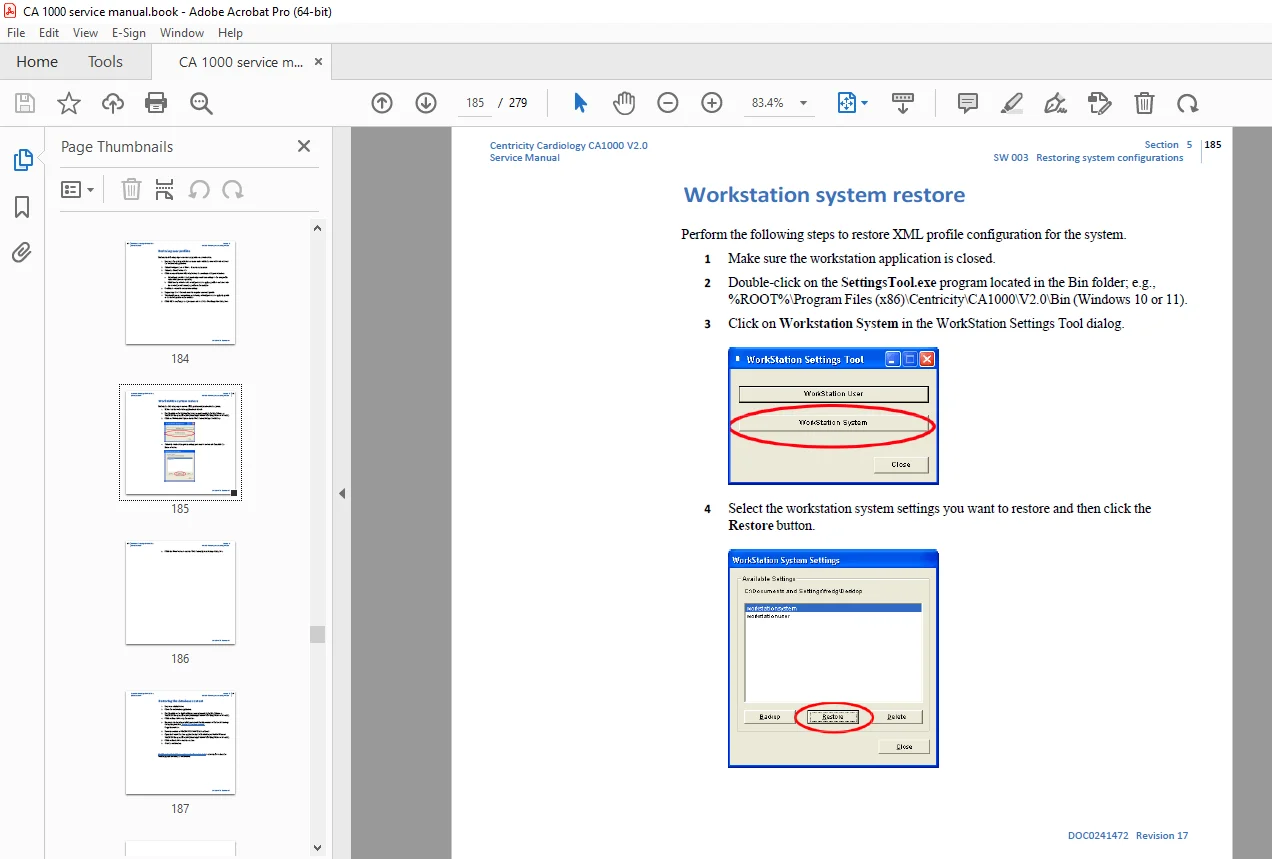
| SW 003 | Restoring system configurations (Material required, Restoring user profiles, Workstation system restore, Restoring database content) | 183 |
| SW 004 | Uninstalling the application software (Prerequisites, Uninstalling CA1000) | 188 |
| SW 005 | Reconfiguring a newly installed hard drive (Prerequisites, Reconfiguring hard drive) | 190 |
| SW 006 | Configuring auto-deletion (Introduction, Disk-space deletion, Age-deletion, Configuring maintenance) | 198 |
| SW 007 | Configuring CardioTree (Adjusting font properties, PDF Printer driver, Changing Default Vessel Templates, CardioTree registry entries, Compatibility with previous versions) | 206 |
| Section 5 | Functional check (Introduction, Prerequisites, Procedures for finalizing setup and performing functional checks, Logging on, Verifying network connection, Setting correct system time, Changing administrator’s password, Starting application, Creating worklists, Creating remote views, Setting up destinations and routing rules, Adding DICOM printer, Checking system and user settings backup, Configuring audit logging) | 220 |
| VF 002 | Customer turnover (Prerequisites, Turning system over to customer) | 228 |
| Section 6 | Troubleshooting | 230 |
| TR 003 | Displaying application logs and software version (Displaying workstation application logs, Changing logging level, Displaying application version: Version information in versions.txt file) | 232 |
| TR 004 | Setting up the boot order (Setting boot order on workstation) | 236 |
| TR 006 | Reverting to a system restore point (Prerequisites, Restoring to previous state) | 238 |
| TR 008 | Configuring the workstation to work with PACS (Introduction, Configuring Workstation-PACS connection, Adding workstation to appropriate PACS, Testing Workstation-PACS connection) | 242 |
| TR 011 | Configuring RAID 0 (Troubleshooting general connectivity) | 249 |
| TR 013 | Restoring the system (Performing full restore on crashed system) | 251 |
| TR 015 | Configuring (added) codecs (Introduction, Prerequisites, Activating codecs within workstation application) | 252 |
| TR 017 | Licensing sites with no Internet connection (Procedure for licensing sites with no Internet connection) | 256 |
| Section 7 | Suggested maintenance | 260 |
| MNT 002 | Calibrating NEC & GE cardiology monitors (NEC monitor calibration, GE Cardiology calibrations) | 261 |
| MNT 004 | Defragmenting the hard disk (Defragmenting hard disk (Windows 10/11)) | 262 |
| – | Media replacements | 266 |
| – | GEHC Personnel – Generating licenses for seated and floating configurations | 269 |
| – | Licensing a license server (Preparing client licenses for use with license server) | 271 |
| – | CA1000 license components | 277 |
| – | GE HealthCare | 279 |
The manual focuses on practical, coded procedures for setup, integration with systems like DMS, CCW, PACS, and tools for remote service, ensuring secure and efficient cardiology data management. Always verify with actual workstation for specifications.
File Details
- Manual Name: Centricity™ Cardiology CA1000 V2.0 Service Manual
- Models Covered: CA1000 V2.0
- Year: 2023
- Manual PDF Quality: High quality with clear text, flowcharts, illustrations, and diagrams
- No. of Pages: 279