GE Vivid T9 T8 Service Manual PDF DOWNLOAD
Original price was: $120.00.$30.95Current price is: $30.95.
Download the official GE Vivid T9 service manual PDF (Rev. 2, 2024) for Vivid T9 and T8 ultrasound systems with v208 software. This GE Vivid T8 ultrasound repair guide includes setup, diagnostics, replacement procedures, and safety checks for maintenance. Ideal as a Vivid T9 maintenance manual or GE ultrasound basic service manual, with 449 pages of diagrams, troubleshooting, and renewal parts lists. Instant access for your Vivid T8 service manual download needs.
Description
GE Vivid T9 T8 Service Manual PDF DOWNLOAD
Description
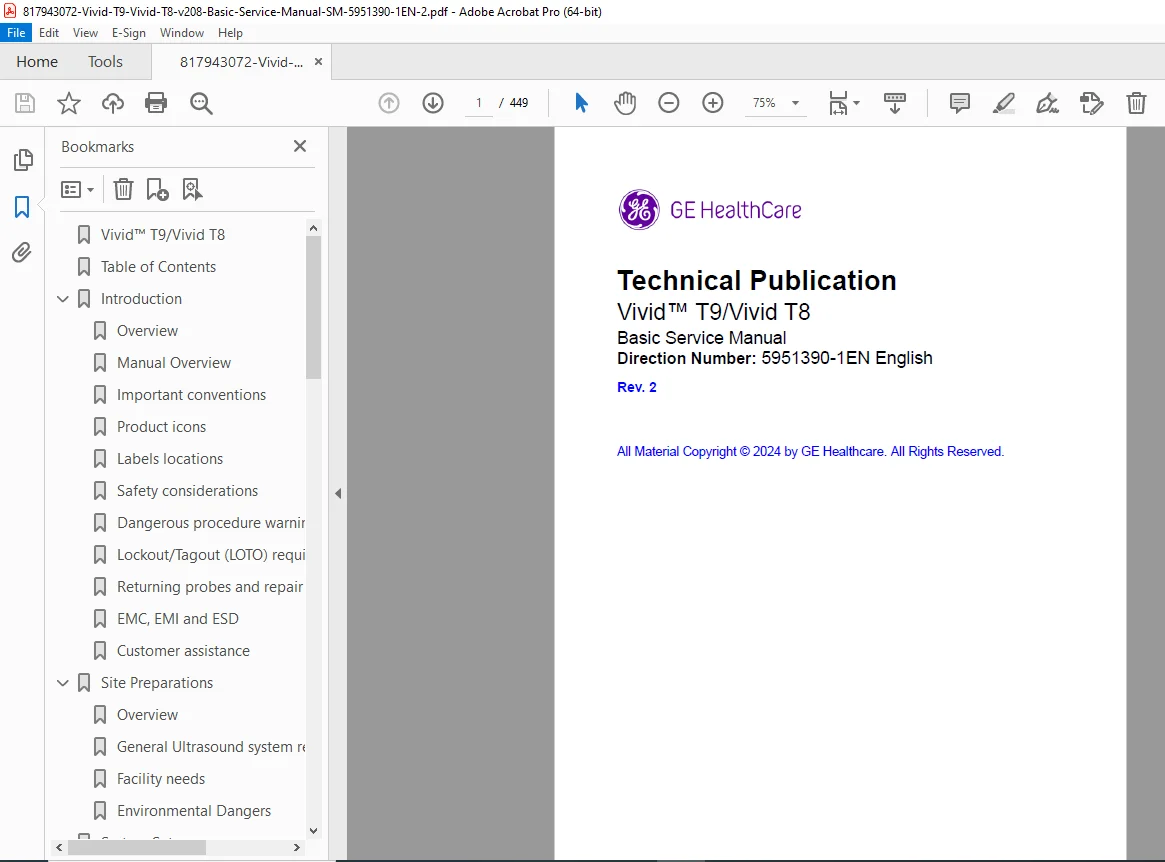
This digital GE Vivid T9 service manual PDF (Direction Number: 5951390-1EN Rev. 2) is an essential guide for technicians servicing GE Healthcare ultrasound systems. Covering all variants of Vivid T9 and T8 models with 208.x.x software, it provides detailed instructions on site preparation, system setup, functional checks, adjustments, diagnostics, and parts replacement. Whether you’re using it as a GE Vivid T8 ultrasound repair guide for troubleshooting or a Vivid T9 maintenance manual for periodic care, this document includes safety considerations, EMC guidelines, and renewal parts to ensure compliance and optimal performance.
File Details:
- Manual Name: Vivid™ T9/Vivid T8 Basic Service Manual (Direction Number: 5951390-1EN Rev. 2)
- Models Covered: Vivid T9 (including Premium and Vet variants), Vivid T8 (including Champion and Vet variants) with Smart Standby and Flex Arm options
- Year: 2024 (Initial Release March 2024, Rev. 2 September 2024)
- Manual PDF Quality: High-resolution scanned with clear text, diagrams, and tables
- No. of Pages: 449
The manual emphasizes safety, with warnings for electrical, mechanical, and human risks, and requires qualified personnel for service. It includes updates in Rev. 2 such as removal of Tricefy and refreshed renewal parts lists.
Extracted Revision History Table:
| REV | DATE (YYYY/MM/DD) | REASON FOR CHANGE |
|---|---|---|
| Rev. 1 | 2024-03-18 | Initial Release |
| Rev. 2 | 2024-09-23 | 1. Remove Tricefy 2. Update renewal parts Lists |
Extracted and Categorized Table of Contents:
The TOC is structured for quick reference in this GE ultrasound basic service manual or Vivid T8 service manual download, covering installation to maintenance:
- Front Matter:
- Translation policy
- Damage in transportation
- Certified electrical contractor statement – For USA Only
- Omission and errors
- Service Safety Considerations
- Legal notes
- Trademarks
- Copyrights
- Chapter 1: Introduction
- Overview (Contents in this chapter)
- Manual Overview (Contents in this manual, Typical users)
- Vivid T9/Vivid T8 models covered by this manual
- Important conventions (Conventions used in book, Icons)
- Product icons
- Labels locations
- Safety considerations (Human Safety, Mechanical safety, Electrical safety)
- Dangerous procedure warnings
- Lockout/Tagout (LOTO) requirements
- Returning probes and repair parts
- EMC, EMI and ESD (What is EMC?, CE Compliance, Electrostatic discharge prevention)
- Customer assistance (Contact information, Phone numbers, System manufacturer, Authorized Representative)
- Chapter 2: Site Preparations
- Overview (Contents in this chapter)
- General Ultrasound system requirements (Environmental requirements, Electrical requirements, EMI limitations, Probes environmental requirements, Time and manpower requirements)
- Facility needs (Purchaser responsibilities, Required facility needs, Desirable features, Minimal/Recommended/Suggested floor plan suggestions, Networking setup requirements)
- Environmental Dangers (Patient Vicinity UL60601-1, Patient Environment IEC60601-1 and ANSI AAMI ES60601-1)
- Chapter 3: System Setup
- Overview (Contents in this chapter)
- Setup reminders (Average setup time, Setup warnings)
- Receiving and unpacking the equipment (Purpose, Warnings, Tilt indicator, Receiving/Unpacking/Packing the Vivid T9/Vivid T8, Packing materials – recycling information)
- Preparing for setup (Verify customer order, Physical inspection, EMI protection)
- Completing the setup (Purpose, System specifications, Electrical specifications, Connections on the I/O Rear Panel, Connecting probes, Powering the system)
- System Configuration (Purpose, Vivid T9/Vivid T8 configuration)
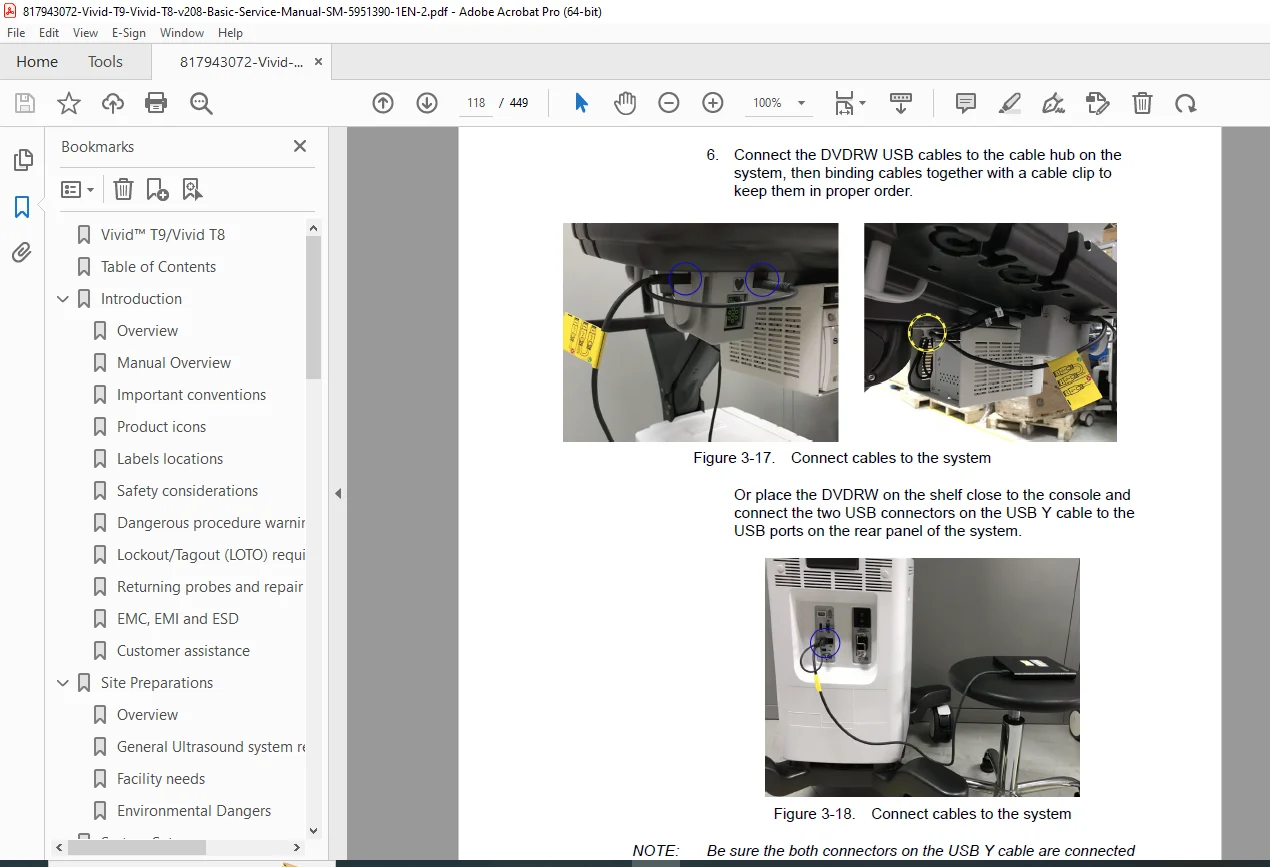
- Peripherals Installation (Overview, Furnished materials, Installation Instructions)
- Connectivity overview (Physical connection)
- v208 Connectivity Setup (Introduction, Network Screen, Certificate, Network Proxy Settings, Imaging Insights, Data Streaming, Network Configuration, DICOM, Dataflow, Transfer Media, Buttons, Tools, Default remote path setting, Disk Management, Printer setup, Others)
- Disk Management Setup (Introduction, Select Destination Device, Using Removable Media, Set Remote Path, Set up on the Remote Share, Configure Remote Path User)
- Options Setup (Software Option Installation Procedure)
- Paperwork after setup (Contents, User’s Manual(s), Product Locator Installation Card)
- Chapter 4: General Procedures and Functional Checks
- Overview (Purpose, Contents, Special Equipment required)
- General procedures (Overview, Power ON/Boot Up, Power off, LCD Monitor position adjustment, Logging on, Removable media, Archiving and loading presets, Data Management, Deleting patient information, Backup, Restore factory defaults, Installation and Setup Procedure for Peripherals, Purpose of the operator manual(s), Cleaning the Trackball)
- Functional checks (Overview, Preparation, Basic Controls, Performance Tests, 2D Mode Checks, Image Quality Check preset, M Mode Checks, Color Mode Checks, Color 2D, Color M-Mode, PW/CW Doppler Mode Checks, Tissue Velocity Imaging Checks, Basic Measurements, Probe/Connectors Check, ECG Check, Cineloop Check, Back End Processor checks, Operator Panel Test, Peripheral checks, Turn OFF Power, Mechanical Functions Checks)
- Power supply test & adjustments (Power Supply Test Procedure, Power Supply Adjustment)
- Application Turnover Check List (Software Configuration Checks)
- Site Log
- Chapter 5: Service Adjustments
- Overview (Contents)
- LCD Monitor adjustments (Purpose, Monitor Adjustments)
- Control Panel adjustments (Purpose, Monitor Adjustments)
- Chapter 6: Diagnostics/Troubleshooting
- Overview (Contents)
- Service Safety Considerations
- Gathering Trouble Data (Overview, Collect Vital System Information, Collect a Trouble Image with Logs)
- Change BIOS Password (Change BIOS password)
- Screen Capture (Capturing a screen with P2 Key)
- System Warning/Error and Logs (System voltage failure, Hardware configuration error, System error, Temperature exceeds threshold)
- Service Desktop (Purpose, Disruptive mode, Color statuses, Licenses, Home)
- Asset Performance Management (APM) (Overview)
- Common Diagnostics (Remote Access)
- Probe Check (Introduction, Supported probes, Probe Test Activation)
- Troubleshooting (Console Troubleshooting Trees)
- Chapter 7: Replacement Procedures
- Overview (Contents)
- Warnings and important information (Warnings, Returning/shipping probes and repair parts)
- Disassembly/Re-assembly (Warning and Caution, Tools needed, Overview of Vivid T9/Vivid T8, Internal Battery, Cleaning the Trackball, Cleaning the Air Filter, Battery Bracket)
- Loading the software from USB Flash Drive (UFD) (Purpose, Customer provided prerequisite, Overview, Data Backup and restore, Data Management – moving all images, Recording important settings, Loading System and Application Software, Loading Application Software Only)
- eDelivery – Software update
- Chapter 8: Renewal Parts
- Overview (Contents)
- List of Abbreviations
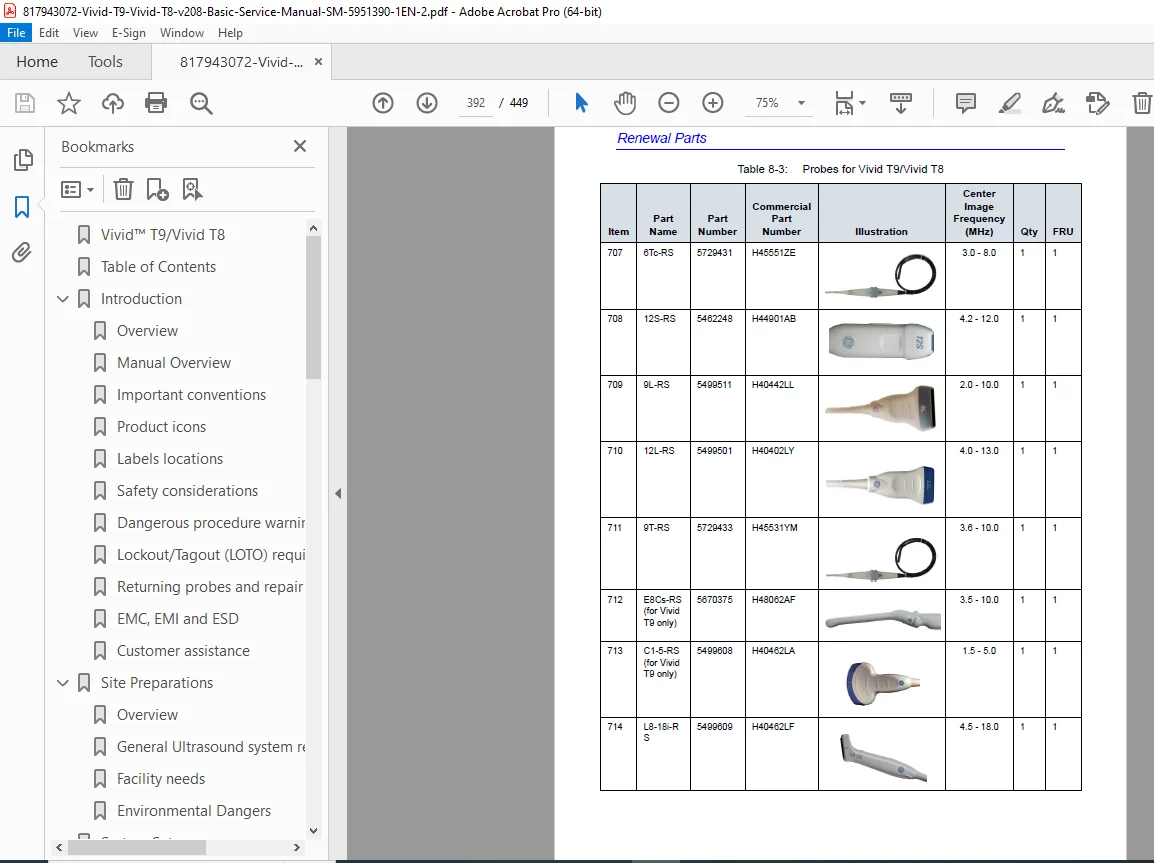
- Renewal Parts Lists (AC Power Cord, Probe, ECG Cables, Peripheral, Manuals, CRU List)
- Chapter 9: Care and Maintenance
- Overview (Contents)
- Warnings
- Why do maintenance (Periodic maintenance inspections, Keeping records, Quality assurance)
- Maintenance task schedule (How often should tasks be performed?)
- Tools required (Standard GE tool kit, GE-2 tool kit, Special tools/supplies/equipment)
- System maintenance (Preliminary checks, Functional checks, Physical inspection, Cleaning the unit, Prevention of static electricity interference, Optional Diagnostic Checks, Probe maintenance, Battery Replacement and Disposition)
- Electrical safety tests (Safety test overview, Leakage current limits, Outlet test – wiring arrangement, Grounding continuity, Chassis leakage current test, Probe leakage current test)
- When there’s too much leakage current (AC/DC Fails, Chassis Fails, Probe Fails, Peripheral Fails, Still Fails, New Unit, ECG Fails)
- Inspection Paperwork (Ultrasound Inspection Forms, Electrical Safety Tests Log)
- Index
(Note: No explicit Chapter 10 in TOC; content focuses on core service topics with an index for navigation.)
This Vivid T9 T8 troubleshooting guide supports safe, efficient servicing with OEM diagrams and procedures.
Download this comprehensive GE Vivid T9 service manual PDF instantly for expert guidance on ultrasound maintenance and repairs—ensure peak performance and compliance today!