Haulotte Forklift OPTIMUM 8 – OPTIMUM 1931 E Operator’s manual
$24.95
Haulotte Forklift OPTIMUM 8 – OPTIMUM 1931 E Operator’s manual – PDF DOWNLOAD
Description
Haulotte Forklift OPTIMUM 8 – OPTIMUM 1931 E Operator’s manual – PDF DOWNLOAD
FILE DETAILS:
Haulotte Forklift OPTIMUM 8 – OPTIMUM 1931 E Operator’s manual – PDF DOWNLOAD
Language : English
Pages :120
Downloadable : Yes
File Type : PDF
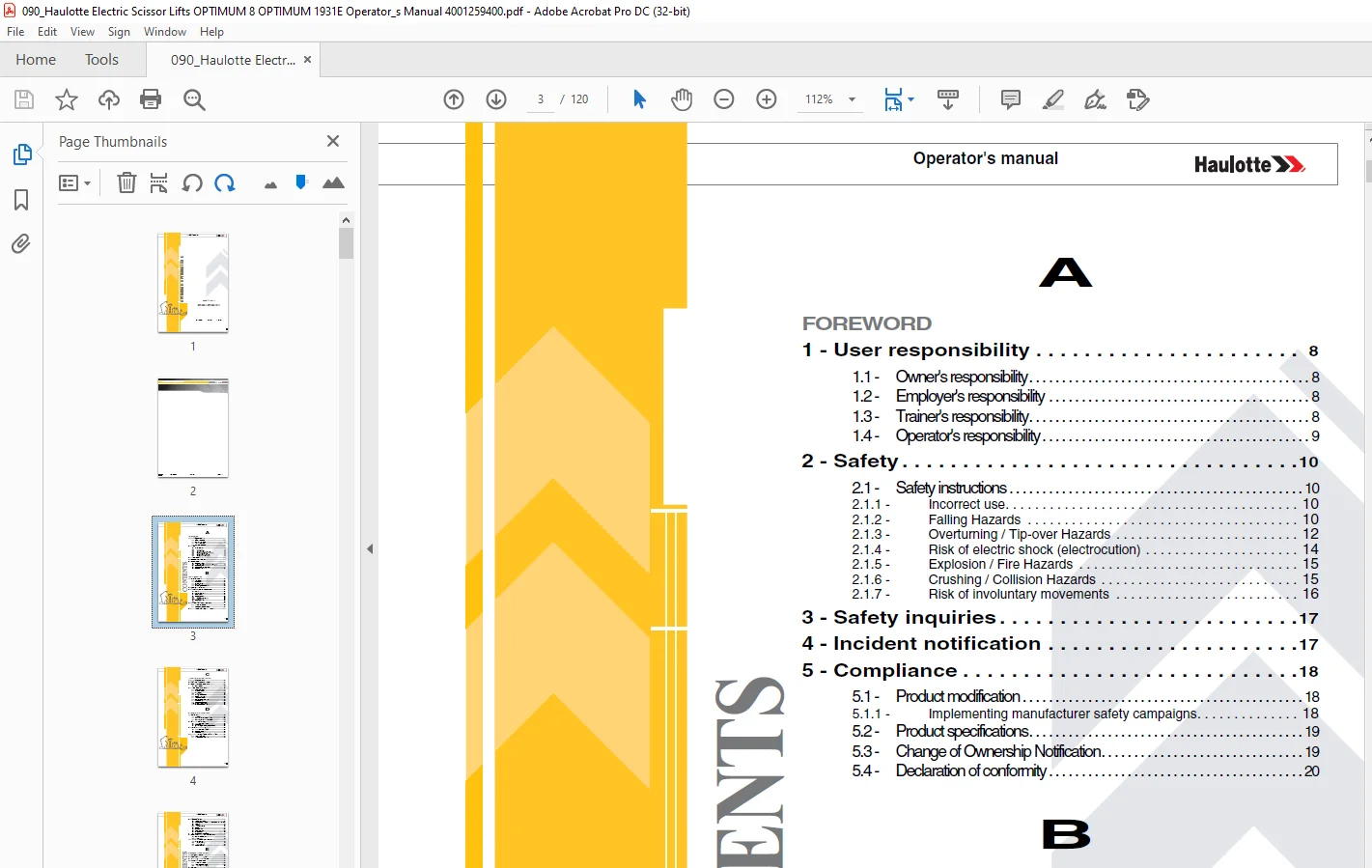
TABLE OF CONTENTS:
Haulotte Forklift OPTIMUM 8 – OPTIMUM 1931 E Operator’s manual – PDF DOWNLOAD
Operator’s manual 1
OPTIMUM 8 – OPTIMUM 1931 E 1
Foreword 3
1 – User responsibility 8 3
11 – Owner’s responsibility 8 3
12 – Employer’s responsibility 8 3
13 – Trainer’s responsibility 8 3
14 – Operator’s responsibility 9 3
2 – Safety 10 3
21 – Safety instructions 10 3
211 – Incorrect use 10 3
212 – Falling Hazards 10 3
213 – Overturning / Tip-over Hazards 12 3
214 – Risk of electric shock (electrocution) 14 3
215 – Explosion / Fire Hazards 15 3
216 – Crushing / Collision Hazards 15 3
217 – Risk of involuntary movements 16 3
3 – Safety inquiries 17 3
4 – Incident notification 17 3
5 – Compliance 18 3
51 – Product modification 18 3
511 – Implementing manufacturer safety campaigns 18 3
52 – Product specifications 19 3
53 – Change of Ownership Notification 19 3
54 – Declaration of conformity 20 3
B 3
Familiarization 3
1 – General safety 23 3
11 – Intended use 23 3
12 – Decal content 24 3
13 – Symbols and colors 26 3
14 – Level of severity 26 3
15 – Symbols legend and definitions 27 3
2 – Models description 28 3
3 – Primary machine components 30 3
31 – Layout 30 3
32 – Maintenance support 32 3
33 – Extension deck 33 3
34 – Ground control box 34 3
341 – Layout 34 3
342 – HAULOTTE Activ’Screen 35 3
3421 – LCD screen 36 3
35 – Platform control box 40 3
351 – Layout 40 3
4 – Performance Specifications 42 3
41 – Technical characteristics 42 3
42 – Working area / Range of motion 43 3
5 – Decals and markings locations 44 3
C 4
Pre-operation inspection 4
1 – Recommendations 53 4
2 – Working area assessment 53 4
3 – Inspection and Functional test 54 4
31 – Daily inspection 54 4
4 – Safety functional checks 57 4
41 – E-Stop button check 57 4
42 – Activation of controls 57 4
43 – Fault detector 58 4
431 – Buzzers test 58 4
44 – Overload sensing system 58 4
45 – Slope warning device 59 4
46 – Travel speed limitation 59 4
47 – Electronic variable speed drive 59 4
48 – Machine braking 59 4
49 – Wheel motor brake release 60 4
410 – Pothole protection system 60 4
411 – Anti-crush system when lowering 60 4
D 4
Operation instructions 4
1 – Operation 61 4
11 – Introduction 61 4
12 – Operation from the ground control box 62 4
13 – Operation from the platform control box 63 4
2 – Ground control box 64 4
21 – To start and stop the machine 64 4
22 – Movement control 64 4
23 – Additional controls from the ground control box 65 4
3 – Platform control box 66 4
31 – To start and stop the machine 66 4
32 – Drive and steer control 67 4
33 – Movement control 68 4
4 – Rescue and emergency procedures 69 4
41 – In case of power loss 69 4
42 – To rescue operator in platform 69 4
5 – Transportation 70 5
51 – Transport configuration 70 5
52 – Machine stowage for transport – OPTIMUM 8 – OPTIMUM 1931E 70 5
53 – Unloading 71 5
54 – Towing 71 5
541 – Free wheel mode 72 5
55 – Storage 73 5
56 – Loading by ramp 74 5
57 – Unloading by ramp 74 5
58 – Lifting operation 75 5
59 – Loading and unloading with forklift 77 5
6 – Cold Weather Recommendations 78 5
61 – Environmental conditions 78 5
611 – Hydraulic oil 78 5
7 – Battery care and maintenance 79 5
71 – Battery recharge 79 5
711 – On-board charger 79 5
712 – Battery charging 81 5
72 – Optimise battery life 83 5
E 5
General Specifications 5
1 – Machine dimensions 86 5
2 – Major component masses 88 5
3 – Acoustics and vibrations 88 5
4 – Wheel/Tire assembly 89 5
41 – Technical specifications 89 5
42 – Inspection and maintenance 89 5
421 – Procedure of replacement 90 5
5 – Options 93 5
51 – Pipe holder option 93 5
511 – Description 93 5
512 – Characteristics 93 5
513 – Safety precautions 93 5
514 – Pre-operation inspection 94 5
515 – Operation 94 5
516 – Disassembly – Assembly 95 5
517 – Specific decals 96 5
52 – Folding guardrails 97 5
521 – Description 97 5
522 – Safety precautions 97 5
523 – Fold down operation 98 5
524 – Specific decals 101 5
525 – Raising guardrails to working position 101 5
53 – Panel carrier 102 5
531 – Description 102 5
532 – Characteristics 102 5
533 – Safety precautions 102 5
534 – Pre-operation inspection 103 5
535 – Operation 103 5
536 – Disassembly – Assembly 104 5
537 – Specific decals 107 5
54 – Swing gate 108 5
541 – Description 108 5
542 – Characteristics 108 5
543 – Safety precautions 108 5
544 – Pre-operation instructions 108 5
F 6
Maintenance 6
1 – General 109 6
2 – Maintenance Schedule 110 6
3 – Inspection program 111 6
31 – General program 111 6
32 – Daily inspection 111 6
33 – Periodic inspection 112 6
34 – Reinforced inspection 112 6
35 – Major inspection 112 6
4 – Repairs and adjustments 113 6
G 6
Other information 6
1 – Conditions of warranty 115 6
2 – Subsidiary contact information 115 6
21 – California warning 116 6
H 6
Intervention register 6
1 – Intervention register 119 6
Foreword 7
You have just purchased a HAULOTTE® product and we would like to thank you for your business 7
The aerial work platform is a device for lifting people designed and manufactured with the intent to enable users to access overhead elevated temporary workplaces with the necessary tools and equipment All other uses or alterations/ modifications to 7
This manual shall be considered a permanent component of the machine and shall be kept with the aerial work platform in the designated Manual Holder, at all times 7
Safe operation of this product can only be assured if you follow the operating instructions contained in this manual To ensure the safe and appropriate use of this equipment, only trained personnel are authorised to use and carry out maintenance on 7
We would particularly like to draw your attention to 2 essential points : 7
• Comply with safety instructions 7
• use this equipment within the performance limits specified by this user manual 7
With regard to the designation of our equipment, we stress that this is purely for commercial purposes and not to be confused with the technical specifications Only the specifications in this manual should be used to study the suitability of the equ 7
This operator’s manual is specific to the HAULOTTE® products listed on the cover page of this manual 7
The user manual does not replace the necessary training that is required for all of this machine’s operators HAULOTTE® has compiled this manual to assist in safe and efficient operation of the products covered in the manual 7
The manual must be available to all operators and must be kept in a legible condition Additional copies can be ordered from HAULOTTE Services® 7
Stay Safe and keep working with HAULOTTE® ! 7
For online reference and to download the manuals for your machines HAULOTTE®, go to : 7
https://wwwe-technical-informationcom 7
or, scan the QR Code below : 7
1 – User responsibility 8
11 – Owner’s responsibility 8
The owner (or hirer) has the obligation to : 8
All malfunctions and problems identified during the inspection shall be corrected before the aerial work platform is returned to service 8
12 – Employer’s responsibility 8
The employer (or plant superintendent) is required : 8
• Under the influence of drugs, alcohol, etc 8
• Subject to fits, convulsions, dizziness, etc 8
13 – Trainer’s responsibility 8
14 – Operator’s responsibility 9
The operator has the obligation to : 9
Operators must ensure that the inspections have been carried out by the owner and that they can use the machine for the purpose intended by the manufacturer 9
The operator has the obligation to stop using the machine in the event of malfunction or safety problems on the machine or in the work area and report the problem immediately to his/her supervisor 9
2 – Safety 10
21 – Safety instructions 10
211 – Incorrect use 10
212 – Falling Hazards 10
Before commencing operation : 10
To enter or exit from the platform : 11
When in the platform : 11
213 – Overturning / Tip-over Hazards 12
Before positioning and operating the machine : 12
WIND: the aerial work platform can be used up to the maximum wind speed indicated in the specifications in this manual To identify the local wind speed, use the Beaufort scale below, a wind gauge or an anemometer 13
Beaufort scale 13
214 – Risk of electric shock (electrocution) 14
The machine is not electrically insulated and does not provide protection from contact or proximity to electrically charged conductors 14
Always position all parts of the aerial work platform, the occupants, accessories and tools at a reasonable distance from power lines to ensure that no part of the work platform accidentally comes into contact with a power line 14
Apply local regulations pertaining to safety distances If this is not possible, follow the distances in the table below at a minimum : 14
Minimum safe approach distances 14
215 – Explosion / Fire Hazards 15
Always wear protective clothing and eye wear when working with batteries and power sources/systems 15
216 – Crushing / Collision Hazards 15
When in the platform : 15
• Check the driving direction with the help of the red or white arrows on the chassis and the platform control box 16
• Also note that when changing the driving direction (Forward <> Reverse) the joysticks or switches must return to the neutral position before reversing the drive direction and for movement to occur 16
• The occupants of the aerial work platform must wear personal protection equipment and comply with local regulations in force 16
• Operators must comply with the safety standards of the job site and the employer, as well as the applicable state regulations relating to the use of personal protective equipment 16
• All personal fall protection equipment (PFPE) must comply with current regulations, must be inspected and used in accordance with the manufacturer’s instructions 16
217 – Risk of involuntary movements 16
Never use a damaged or malfunctioning machine 16
Always respect the following rules : 16
3 – Safety inquiries 17
Inquiries relating to design criteria/specifications of a product, standards compliance, or overall machine safety should be sent to the HAULOTTE® PRODUCT SAFETY department 17
Each inquiry or request should include all relevant information; including contact name, telephone number, mailing address, email address, plus the machine model and serial number 17
The HAULOTTE® Product Safety department will evaluate each request/inquiry and will provide a written response 17
4 – Incident notification 17
Notify HAULOTTE® immediately when a HAULOTTE® product has been involved in an incident/ accident leading to personal injury or death, or when there is a major property damage 17
Connect to our website : wwwhaulottecom 17
5 – Compliance 18
51 – Product modification 18
It is strictly forbidden to modify a HAULOTTE® product Any modification may violate Haulotte design parameters, local regulations and industry standards 18
Any requests for modification must be formulated in writing (form) and be approved by the manufacturer 18
Do not hesitate to contact HAULOTTE Services®, should you have any questions relating to the issued bulletin(s) or with questions on the policy itself 18
511 – Implementing manufacturer safety campaigns 18
It is essential to implement the safety campaigns issued by the manufacturer All of these campaigns are accessible on our website 18
Connect to our website : wwwhaulottecom 18
52 – Product specifications 19
HAULOTTE® cannot be held liable for any changes to the technical characteristics/ specifications contained in this manual HAULOTTE® has a continuous improvement policy in place for its product range Given this policy, the Company reserves the rig 19
53 – Change of Ownership Notification 19
It is important and necessary to keep HAULOTTE Services® updated with current ownership of the machine This way, HAULOTTE® will be able to provide the necessary support for the product If you have sold or transferred this machine(s); it is your 19
Connect to our website : wwwhaulottecom 19
54 – Declaration of conformity 20
Declaration of conformity – Electric platforms 20
Declaration of conformity – Electric platforms 21
Familiarization 23
1 – General safety 23
11 – Intended use 23
Do not operate the product in the following situations : 23
• Check the allowable wind speed specified in the performace specifications tabulation 23
• Consult the Beaufort scale 23
12 – Decal content 24
The purpose of the labels on the machine is to alert the user to the conditions of use and risks related to aerial work platforms 24
Decals provide the following information : 24
Familiarize yourself with the decals and the hazard severity levels 24
The labels must be kept in good condition, otherwise they must be replaced 24
Familiarize yourself with the decals and their respective color codes 24
Additional decals can be ordered from HAULOTTE Services® 24
CE, UKCA, AS and EAC standards – Label warning risk 24
CE, UKCA, AS and EAC standards – Label informing about an important function of the machine 25
ANSI and CSA standards 25
13 – Symbols and colors 26
Symbols and colors are used to alert the operator of safety precautions and/or to highlight important safety information 26
The following safety symbols are used throughout this manual to indicate specific hazards and the hazard severity level when operating or maintaining the Aerial Work Platform 26
14 – Level of severity 26
15 – Symbols legend and definitions 27
Symbols are used throughout this manual to depict hazards, avoidance measures and indicate when information is required 27
Refer to the following table to familiarize yourself with these symbols 27
2 – Models description 28
Legend 28
3 – Primary machine components 30
31 – Layout 30
OPTIMUM 8 – OPTIMUM 1931 E 30
Universal plug 31
32 – Maintenance support 32
The maintenance stand must be in place before any maintenance operation is begun 32
Placing the machine in maintenance configuration : 32
Putting in use position : 32
33 – Extension deck 33
Ensure that gate or sliding bar is in it’s proper closed position 33
Perform the extending and retracting operations of the extension deck on flat, horizontal ground 33
To extend the extension deck : 33
To retract the extension deck : 33
34 – Ground control box 34
341 – Layout 34
General view 34
Controls and indicators 34
342 – HAULOTTE Activ’Screen 35
Upon starting and during operation of the machine, the LCD screen “Activ’Screen” located on the ground control box displays in real time the machine operating status 35
HAULOTTE Activ’Screen 35
Controls and indicators 35
At startup : 36
At startup with the ground or platform controls selected; system initiates a self check : 36
Alarm status : 38
Alarm status displayed as applicable – samples shown below 38
Tilt : 38
Overload : 38
Low battery : 38
Recharge the batteries : 39
Present fault : 39
35 – Platform control box 40
351 – Layout 40
General view 40
Controls and indicators 41
4 – Performance Specifications 42
41 – Technical characteristics 42
Use the table to select the right Haulotte machine for the job 42
CE, UKCA, AS, EAC, CSA and ANSI A9220 standards 42
42 – Working area / Range of motion 43
OPTIMUM 8 – OPTIMUM 1931 E 43
5 – Decals and markings locations 44
CE, UKCA, AS and EAC standards – 4000390350P – OPTIMUM 8 44
CE, UKCA, AS and EAC standards 47
ANSI and CSA standards – 4000427210P – OPTIMUM 1931 E 48
ANSI and CSA standards 51
Pre-operation inspection 53
1 – Recommendations 53
The owner, the site manager, the supervisor and the operator are all responsible to ensure the machine is fit for the work it is to perform; ie that the machine is suitable to carry out the work in complete safety and in compliance with this Operat 53
Before using the machine, read the previous chapters in this manual Ensure that you have understood the following points : 53
• Safety precautions 53
• Operator’s responsibilities 53
• Conditions and the operating principles of the machine 53
2 – Working area assessment 53
Before any operation : 53
• Carry out a thorough inspection of the site to identify any potential risks within the work zone 53
• Take the necessary precautions to avoid collisions with other machinery within the work zone 53
Ensure that : 53
• The weather conditions (wind, rain, etc) allowing the machine to be used 53
• The ground withstands the weight of the machine and has not been affected by the poor weather conditions 53
• Check that the authorisations to work with the machine on the site in question have been obtained (g chemical product factories) 53
• Define a rescue plan for all the risks, including the risk of falls and crushing 53
3 – Inspection and Functional test 54
31 – Daily inspection 54
Each day before the beginning of a new work session and with each change of operator, the machine must be subjected to a visual inspection and a complete functional test 54
In case of loose fasteners, refer to torque table value in maintenance book 54
In case of leaks, replace the damaged part before use 54
In case of structural part deformation (cracks, broken weld, paint chips) replace the part before use 54
Sample of broken welds 54
We recommend these forms to be completed daily and stored to assist with your maintenance schedule 54
Each action is depicted in the daily inspection sheet using the following symbols 54
Use the detailed program below 54
OPTIMUM 8 – OPTIMUM 1931 E 55
OPTIMUM 8 – OPTIMUM 1931 E 56
4 – Safety functional checks 57
To protect the user and the machine, safety systems prevent the movement of the machine beyond its operating limits These safety systems when activated immobilize the machine and prevent further movement 57
The operator must be familiar with this technology and understand that is not a malfunction but an indication that the machine has reached an operation limit 57
Aerial Work platforms are equipped with two control boxes which allow operators to safely use the machine An auxiliary device (T-handle) is available on the chassis to assist with the emergency lowering of the machine Each control box is equipped w 57
The following checks describe the operation of the machine and the specific controls required 57
The speed selector buttons at the ground control box and the platform control box act as the enable switch 57
For the location and description of these controls : refer to section B 32 and D 2 – Ground control box and B 33 and D 3 – Platform control box 57
41 – E-Stop button check 57
Ground control box E-stop button 57
Platform control box E-stop button 57
42 – Activation of controls 57
The enable foot pedal (enable switch) must be activated to allow any movement 57
The “Enable Switch” system depends on the machine configuration and will consist of one of the following : 57
43 – Fault detector 58
The machine is equipped with an on-board fault detection system, which indicates the type of fault to the operator 58
The fault is identified by a default code 58
The default code is displayed at the ground control box 58
According to the type of fault, the machine MAY switch into DOWNGRADEMODE mode and certain movements are prevented to maintain Operator’s safety 58
Do not use the machine until the fault has been corrected 58
431 – Buzzers test 58
From the ground control box 58
44 – Overload sensing system 58
If the load on platform exceeds the maximum allowed load, no movement is possible 58
At ground and platform control boxes a buzzer sounds and an indicator light warns the operator 58
To return the machine to normal operation remove weight from the platform until the load is below the maximum allowed load 58
45 – Slope warning device 59
From each control box, a buzzer alerts the operator that the machine is not folded/stowed and is positioned on a slope exceeding the slope allowed 59
When machine is on a slope greater than the rated slope, with extending structure out of the stowed position : 59
The lowering speeds are reduced 59
In this case, fully lower the platform and reposition the machine on level ground before raising the platform again 59
To check the tilt sensor at ground level, perform the following steps : 59
Daily check 59
46 – Travel speed limitation 59
Drive speed is proportional to control until the maximum speed is reached (machine in fully stowed position) 59
The only speed allowed when not in stowed position is microspeed (This speed is a default speed programed into the machine) 59
47 – Electronic variable speed drive 59
The machines are equipped with 2 electronic variable speed regulators configured for each function and manages the required power needed for each motor 59
48 – Machine braking 59
When electric power is cut off, the machine stops automatically 59
Performance levels may be reduced in the following situations : 59
Check that the brakes are applied automatically when the Drive joystick is released to the neutral position 59
49 – Wheel motor brake release 60
Each time a drive command is activated, electric power releases the brakes 60
410 – Pothole protection system 60
The machine is equipped with a pothole mechanism under the chassis that is deployed automatically when the platform is out of the stowed position 60
Check the system for damage and ensure that it deploys when the platform is raised 60
411 – Anti-crush system when lowering 60
A device alerts people on the ground of a risk of crushing : 60
This device automatically operates between the transport height position limit and the lower position (Refer to Driving speed) 60
All versions, lowering control from the platform and ground control boxes : 60
Standard CE, lowering movement from platform control box : 60
Operation instructions 61
1 – Operation 61
11 – Introduction 61
Only trained and authorized personnel shall be permitted to operate this aerial work platform 61
Prior to operation : 61
12 – Operation from the ground control box 62
• The emergency stop on the ground control box is not pushed in 62
• The machine is switched on 62
• Ground control box is selected 62
• Beacon light (if fitted) 62
A buzzer beeps in the following conditions : 62
13 – Operation from the platform control box 63
• The E-stop buttons on both ground and platform control boxes are not pressed in 63
• Machine switched on at ground control box 63
• Platform control box selected from ground control box 63
A buzzer beeps in the following conditions : 63
• When the machine is switched on 63
2 – Ground control box 64
21 – To start and stop the machine 64
To shut-down the machine from the ground control box : 64
22 – Movement control 64
Ground box controls (emergency station) 64
Pull T-handle for emergency lowering 65
23 – Additional controls from the ground control box 65
For the machines equipped with beacon light : 65
3 – Platform control box 66
31 – To start and stop the machine 66
To start the machine : 66
At the ground control box : 66
At the platform control box : 66
To stop the machine : 66
32 – Drive and steer control 67
To control the direction and drive : 67
33 – Movement control 68
To operate raising/lowering function, move 2 position selector switch ( 112 ) to the left Activate raising/lowering selector ( 110 ) Simultaneously operate joystick ( 108 ) with joystick trigger (Enable switch ( 123 )) pressed in and maintained 68
4 – Rescue and emergency procedures 69
41 – In case of power loss 69
In case of loss of the main power source, lower the basket (or platform) using the T-handle on the chassis 69
In an emergency, if the operator has to exit the platform while it is elevated, the transfer of the operator must respect the following recommendations : 69
42 – To rescue operator in platform 69
In a situation where an operator located in the platform needs to be rescued (for example in case of illness, injury or trapped against a structure making the control box inaccessible), the rescue personel at ground level needs to obtain rapid and di 69
HAULOTTE® has implemented a control system for safely lowering the operator to the ground in the event of an emergency to enable him to receive the neccessary treatment 69
1 Turn the key of the control box activation switch ( 92 ) to the right to energize the ground control box The platform box controls are de-energized 69
2 Lower the platform from the ground control box 69
3 Lower the platform using the platform raising/lowering selector ( 1 ) while simultaneously pressing and maintaining the Enable Switch ( 9 ) 69
4 Release it to halt lowering 69
If a safety systems do not allow normal movement from the ground control box, lower the basket (or platform) using the T-handle on the chassis 69
5 – Transportation 70
51 – Transport configuration 70
To climb the slope, move progressively the drive joystick ( 108 ) 70
If the slope is too steep, use a winch in addition to traction 70
Do not place yourself below or too close to the machine during loading 70
The machine must be completely in the stowed configuration : 70
52 – Machine stowage for transport – OPTIMUM 8 – OPTIMUM 1931E 70
53 – Unloading 71
Before unloading, check that the machine is in good condition 71
To reinstate the system, lift the platform a few centimetres (inches) from the ground control box 71
54 – Towing 71
To tow a broken-down machine, release brake (Refer to Section D 541 – Brake release) 71
Perform this operation on flat ground with wheels chocked 71
In the towing configuration, the machine braking system is inactive Use a drawbar to avoid any risk of accident : 71
541 – Free wheel mode 72
To tow a broken-down machine, release brake 72
If the machine is towed, the brakes on the drive wheels can be released using the switch located in the motor pump unit compartment 72
To release the machine’s brakes, the following conditions must be met : 72
Push the brake release button for at least 3 s An audible signal (beep) sounds 72
Releasing the button disengages the brakes 72
The brake release procedure stops automatically if the brake release button is pushed again, any actions are taken at the control boxes, the machine is turned off, or the control box in use is changed 72
55 – Storage 73
Do not store or immobilise the machine when it is unfolded 73
Ensure all access panels, doors and side compartment covers are shut and secured 73
Turn the energizing key selector switch ( 92 ) at the ground control box to the “center” position to shut OFF the power 73
Remove the energizing key to prevent unauthorized operation of the machine 73
56 – Loading by ramp 74
57 – Unloading by ramp 74
1 Remove the tie downs 74
2 Start the machine 74
3 The ramp is in good condition and of sufficient capacity The lifting equipment ie slings, shackles, hooks, lifting beam etc are in good condition and of sufficient capacity 74
58 – Lifting operation 75
During loading / unloading operation, if it becomes necessary to lift the machine using an overhead crane, it is important to respect the following : 75
Procedure for the use of slings 76
59 – Loading and unloading with forklift 77
Unloading 77
6 – Cold Weather Recommendations 78
In extreme cold conditions, machines should be equipped with optional cold start kits 78
61 – Environmental conditions 78
611 – Hydraulic oil 78
External environmental conditions can reduce performance of the machine if the hydraulic oil temperature does not reach its optimum range 78
It is recommended to use the hydraulic oil according to weather condition Refer to the table below 78
7 – Battery care and maintenance 79
71 – Battery recharge 79
711 – On-board charger 79
The on-board charger is used to charge the batteries The charger’s power is 1000W and the maximum intensity is 105A for 220V – 240V and 110V networks Battery charging starts as soon as it is connected via the mains supply 79
Locations 80
712 – Battery charging 81
Duration of charge cycle : 81
The charge cycle stops automatically when charging is complete 81
72 – Optimise battery life 83
To optimize battery performance and life-time, you are advised to follow the recommendations below : 83
General Specifications 85
1 – Machine dimensions 86
Stowed / Transport position : Configuration that takes the minimum floor space necessary for storage and / or delivery of the machine – Access position 86
CE, UKCA, AS and EAC standards 87
ANSI and CSA standards 87
2 – Major component masses 88
3 – Acoustics and vibrations 88
The acoustics and vibrations specifications are based upon the following conditions : 88
• The airborne noise emissions at workstation are determined per European Directive 2006/42/CE 88
• The guaranteed sound power level LWA (displayed on the product) is determined per European Directive 2000/14/CE 88
• The vibrations transmitted by the machinery to the hand/arm system and to the whole body are determined per European Directive 2006/42/CE 88
4 – Wheel/Tire assembly 89
41 – Technical specifications 89
42 – Inspection and maintenance 89
Replace the wheels and the tires if any of the following conditions exist : 89
421 – Procedure of replacement 90
Reassembly of the wheel 91
1 Check that the shaft key is well positioned in the motor shaft 92
2 Mount the wheel on the motor shaft 92
3 Install the washer first then the nut 92
4 Tighten the wheel nut to the recommended torque : 250 Nm (184 ftlbs) 92
5 Add tightening until a groove of the nut is in coincidence with one hole of the shaft of the motoreducer 92
6 Insert the pin (2352101250) into its seating 92
7 Bend over the cotter pin legs to secure the nut 92
5 – Options 93
51 – Pipe holder option 93
511 – Description 93
This attachment is an assembly designed to transport pipes and tubes The assembly comprises of 2 cradles securely attached to the platform The tube should be placed in the cradles and securely fixed to them with a strap 93
512 – Characteristics 93
513 – Safety precautions 93
514 – Pre-operation inspection 94
515 – Operation 94
Strapping example(s) 94
516 – Disassembly – Assembly 95
OPTIMUM 8 / 1931E 95
517 – Specific decals 96
Location of the decals 96
OPTIMUM 8 / 1931E 96
52 – Folding guardrails 97
521 – Description 97
Folding guardrails system is designed to allow guardrails to be lowered to reduce the overall height of the machine 97
This system facilitates moving the machine through low height doorways/passages 97
522 – Safety precautions 97
523 – Fold down operation 98
Remove platform control box from its designated position and place it on platform floor 98
Remove the 2 pins ( G2 ) from the platform front guardrails 99
Tip element ( 2 ) inwards onto the platform floor 99
Remove pin ( G3 ) from the right hand extension guardrail 99
Lift the guardrail and slowly tip it inwards until it contacts element ( 3 ) 99
Remove pin ( G4 ) from the left hand extension guardrail 99
Lift the guardrail and slowly tip it inwards until it contacts element ( 4 ) 99
Remove the 2 pins ( G5 )100
Lift and tip inwards and down until it contacts the element ( 6 )100
Remove the pin ( G6 )100
Lift and tip left hand main railing inwards until it contacts the element ( 3 )100
Do not release the element ( 5 )100
Remove the pin ( G7 )100
Lift and tip right hand main railing inwards until it contacts the element ( 6 )100
524 – Specific decals101
525 – Raising guardrails to working position101
To raise the folded guardrails to the vertical working position :101
53 – Panel carrier102
531 – Description102
This attachment is an assembly designed to transport panels The assembly comprises of a tray that extends along the length of the floor The panel(s) should be placed in the tray and secured to the guard rail with a strap (not supplied)102
532 – Characteristics102
533 – Safety precautions102
534 – Pre-operation inspection103
535 – Operation103
Strapping example(s)103
536 – Disassembly – Assembly104
OPTIMUM 8 – OPTIMUM 1931E104
1 Position the sheet metal support ( 2 ) against the sheet metal support ( 1 ) Tighten the screws ( 4 ) and the nuts ( 5 ) to the recommended torque106
2 Place the protection pads ( 7 ), the rivets ( 6 ) and the stops ( 3 )106
3 After checking that the decal is on the cradle, position the sheet metal support ( 1 ) on the outside of the guardrail on the side of the control box106
4 Tighten the screw ( 4 ) and the nut ( 5 ) to the recommended torque Tighten the screws ( 8 ) to the recommended torque106
5 Position the bumpers ( 9 ) and fasten with clamps ( 10 )106
537 – Specific decals107
Location of the decals107
OPTIMUM 8 – OPTIMUM 1931E107
54 – Swing gate108
541 – Description108
“SWING GATE” consists of a laterally mounted pivoting ½ gate with closing latch, which enables a better access to platform Spring loaded hinges and a latching mechanism allows the gate to swing inwards only108
Swing gate108
542 – Characteristics108
Width of the gate : 600 mm / 24 in108
543 – Safety precautions108
544 – Pre-operation instructions108
Maintenance109
1 – General109
As an owner and/or operator of Haulotte equipment, your Safety is of utmost importance to HAULOTTE® , which is why HAULOTTE® places such a high priority on product safety109
INSPECTIONS are not only required by HAULOTTE®, but may also be required by industry standards and/or local regulations109
To ensure your equipment continues to achieve the level of performance set in the factory, it is important to maintain it regularly We remind you that it is strictly forbidden to make any modifications Regular and timely inspections will reduce equ109
Overview :109
• Walk-around inspections take only a few minutes at the beginning and end of each shift – one of the best ways to prevent mechanical problems and safety hazards109
What to Do :109
• Use your senses: sight, smell, hearing and touch109
Frequency :109
• Check your machine periodically during your entire workday109
• Make sure to do your inspection the same way every time109
• Complete one of these inspections at the start and end of each shift109
It is the owner’s responsibility to ensure the required maintenance as recommended by Haulotte is completed prior to the operation of the machine109
If regular maintenance is not carried out, this may :109
• Void the warranty109
• Cause machine malfunction109
• Reduce machine reliability and shorten its service life109
• Jeopardize operator safety109
HAULOTTE Services® technicians are specially trained to carry out extensive repairs, interventions or adjustments on the safety systems or elements of HAULOTTE® machines They carry genuine HAULOTTE spare parts and tools as required, and also provi109
The inspection and maintenance table, identifies the role and the responsibilities of each party in periodical machine maintenance Section C 3 – Inspection and Functional test109
2 – Maintenance Schedule110
This section provides the necessary information needed to place the machine in safe operation In accordance with the regulations that are currently applicable, this machine is deisgned to have a 10 year life span in normal usage conditions The life110
Severity of operating conditions may require a reduction in time between maintenance periods Machines that have been out of service or have not been in use for more than 3 months must undergo a periodic inspection before the machine is put back into110
Maintenance must be carried out by a competent company or person familiar with mechanical procedures110
Maintenance operations performed must be recorded in a register / log book of the machine110
3 – Inspection program111
31 – General program111
The machine must be inspected on a regular basis at intervals of no less than once 1 per year The purpose of the inspection is to detect any defect which could lead to an accident during routine use of the machine Local standards and regulations ma111
HAULOTTE® requires Reinforced and Major Inspections to be carried out on the product to extend its service life111
Inspections must be carried out by a competent company or person111
The inspection results must be recorded in the safety register or machine log book controlled and overseen by the company manager This register or machine log book and the list of competent repair persons must be made available to the government wor111
32 – Daily inspection111
The Daily inspection includes a visual inspection, operational checks and testing of the safety systems This must be conducted by the operator before using the machine111
This inspection is the responsibility of the user Refer to Section C 31 – Daily inspection111
33 – Periodic inspection112
The Periodic inspection is a thorough evaluation of the operation and safety features of the machine112
It must be conducted before the sale / resale of the machine and/or at least once every year112
Local regulations may have specific requirements on frequency, and content of inspections112
The severity of operating conditions may require frequent inspections112
This inspection is the responsibility of the owner, and inspections must be carried out by a competent company or person112
This inspection is in addition to the daily inspection112
This inspection should also be conducted after :112
34 – Reinforced inspection112
The Reinforced inspection is a thorough evaluation of the machine’s structural components, to ensure proper functionality of the machine112
This evaluation must occur at a frequency of 5000 hours or every 5 years112
This inspection is the responsibility of the owner, and it must be conducted by a HAULOTTE Services® technician or by a competent company or person112
This inspection includes :112
35 – Major inspection112
The Major inspection is a thorough evaluation of the machine’s integrity and proper functioning; after a normal service life of 10 years112
This evaluation must take place after 10 years of operation and then repeated every 5 years thereafter112
The severity of operating conditions may require frequent inspections112
This inspection is the responsibility of the owner, and it must be conducted by a HAULOTTE Services® technician or by a competent company or person112
This inspection includes :112
4 – Repairs and adjustments113
Extensive repairs, interventions or adjustments on the safety systems or components must be performed by a HAULOTTE Services® technician Use original spare parts and components only113
HAULOTTE Services® will not take responsibility for any outcomes resulting from inferior services or repairs performed by other unauthorised personnel113
HAULOTTE® reminds that NO modifications SHALL be carried out without the written permission of HAULOTTE®113
Any unauthorised repairs/modifications will void HAULOTTE® warranty113
To check for safety campaigns, consult our website : wwwhaulottecom113
Other information115
1 – Conditions of warranty115
Our warranty conditions and extension contracts are now available on the websites of our sales network : wwwhaulottecom115
2 – Subsidiary contact information115
21 – California warning116
For the US destined machines (ANSI and CSA standards)116
For electric (battery operated) machines117
Intervention register119
1 – Intervention register119
The intervention register keeps a record of maintenance and repair work carried out inside or outside the maintenance programme119
For online reference and to download the manuals for your machines HAULOTTE®, go to : 1
https://wwwe-technical-informationcom 1
or, scan the QR Code below : 1
IMAGES PREVIEW OF THE MANUAL:
S.M 07/24