Huawei HG8010/HG8240B/HG8245T/HG8247T GPON Service Manual PDF
Original price was: $95.00.$18.95Current price is: $18.95.
Official Huawei service manual for EchoLife HG8010, HG8240B, HG8245T, and HG8247T GPON optical network terminals. This comprehensive 429-page technical guide covers installation, configuration, maintenance, and troubleshooting for fiber-to-the-home (FTTH) deployments. Includes detailed setup procedures via NMS, OLT CLI, web interface, and U2560 platform. Complete with network diagrams, VoIP configuration, Wi-Fi setup, and extensive troubleshooting flowcharts. Essential for telecom technicians and ISP engineers.
Description
Huawei HG8010/HG8240B/HG8245T/HG8247T GPON Service Manual Complete Guide PDF DOWNLOAD
DESCRIPTION
Professional Service Documentation for Huawei GPON Optical Network Terminals
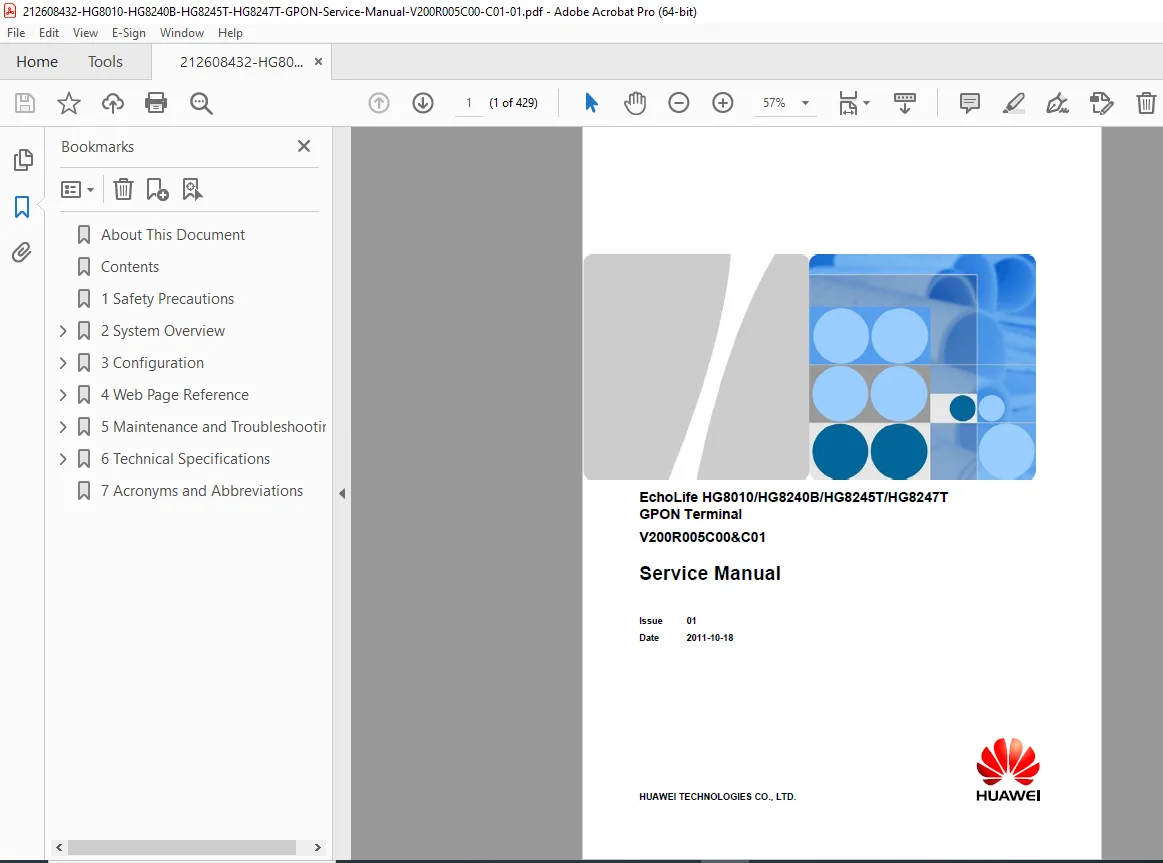
This is the official Huawei Technologies service manual for the EchoLife HG8010, HG8240B, HG8245T, and HG8247T GPON (Gigabit Passive Optical Network) terminals, Version V200R005C00 & C01. These indoor optical network terminals (ONTs) are designed for fiber-to-the-home (FTTH) deployments serving residential users and small office/home office (SOHO) environments. This comprehensive technical manual is your complete resource for installing, configuring, maintaining, and troubleshooting these sophisticated fiber optic network devices.
📋 FILE DETAILS
- Manual Title: EchoLife HG8010/HG8240B/HG8245T/HG8247T GPON Terminal Service Manual
- Models Covered: HG8010, HG8240B, HG8245T, HG8247T
- Version: V200R005C00 & C01
- Issue Date: October 18, 2011 (Issue 01)
- Publisher: Huawei Technologies Co., Ltd.
- Manual Format: PDF (searchable, optimized)
- Page Count: 429 pages
- File Size: ~7 MB
- PDF Quality: Excellent – official manufacturer documentation with clear diagrams and screenshots
📖 COMPREHENSIVE MANUAL CONTENTS
1. SAFETY PRECAUTIONS (Section 1)
- Basic Safety Requirements
- Device storage, transportation, and operational safety
- Installation compliance guidelines
- Structural and security design protocols
- Environment Requirements
- Proper ventilation and temperature guidelines
- Heat dissipation space requirements (minimum 10 cm clearance)
- Protection from moisture, heat sources, and electromagnetic interference
- Instructions for Use
- Power supply voltage requirements
- Cable handling and connection procedures
- Optical port safety warnings (laser hazard protection)
- Emergency shutdown procedures
- Cleaning and Environmental Protection
- Proper cleaning methods for optical equipment
- Battery and device recycling procedures
2. SYSTEM OVERVIEW (Section 2)
- 2.1 Product Introduction
- Detailed Appearance Diagrams for all four models
- Complete physical specifications and design features
- Wall-mounting and desktop deployment options
- 2.1.2 Port Descriptions
- HG8010 Ports:
- OPTICAL port (SC/APC connector)
- Auto-sensing 10/100/1000M Base-T Ethernet LAN ports (RJ-45)
- Power port and RESET button functions
- HG8240B Ports:
- OPTICAL port (SC/APC connector)
- LAN1-LAN4 Gigabit Ethernet ports
- TEL1-TEL2 VoIP telephone ports (RJ-11)
- ON/OFF power button
- HG8245T and HG8247T Ports:
- Complete port layouts including USB ports
- Wi-Fi antenna configurations
- WPS (Wi-Fi Protected Setup) button functionality
- HG8010 Ports:
- 2.1.3 LED Indicators
- Power LED status meanings
- PON (Passive Optical Network) LED indicators
- LAN port activity LEDs
- WLAN LED indicators
- VoIP telephone port LEDs
- USB LED status indicators
- 2.2 Typical Network Applications
- FTTH network topology diagrams
- Triple-play service scenarios (Data + Voice + Video)
- Residential gateway configurations
- SOHO deployment examples
3. CONFIGURATION (Section 3) – 250+ Pages
This extensive section provides four different configuration methods with complete step-by-step procedures:
- 3.1 Before Your Start
- Pre-configuration requirements and planning
- 3.2 Configuring Services Using the NMS (Network Management System)
- Data Plan and Service Architecture
- GPON FTTH Layer 2 Internet Access Service
- VLAN configuration
- Bridge mode setup
- QoS (Quality of Service) parameters
- GPON FTTH Layer 3 Internet Access Service
- Router mode configuration
- PPPoE dialup setup
- DHCP server configuration
- NAT (Network Address Translation) settings
- GPON FTTH Voice Service (H.248 Protocol)
- POTS port configuration
- SoftSwitch integration
- Voice codec settings
- Dial plan configuration
- GPON FTTH Voice Service (SIP Protocol)
- SIP server registration
- Proxy server settings
- Authentication parameters
- VoIP user account management
- GPON FTTH Layer 2 Multicast Service
- IGMP snooping configuration
- Multicast VLAN registration
- IPTV service setup
- GPON FTTH Layer 3 Bridge Multicast Service
- Layer 3 multicast routing
- Bridge mode IPTV configuration
- 3.3 Configuration Using OLT Commands (Command Line Interface)
- Complete CLI command reference for all services
- Layer 2 and Layer 3 Internet Access via OLT CLI
- VoIP Service configuration (both H.248 and SIP protocols)
- Multicast Service CLI procedures
- 3.4 Configuration on the Web Page
- Preparation and Access
- Local login procedures (default IP: 192.168.100.1)
- Initial password and security setup
- Internet Access Service web configuration
- SIP-based Voice Service web setup
- H.248-based Voice Service web configuration
- Wi-Fi Access Service complete setup guide
- SSID configuration
- Security protocols (WEP, WPA, WPA2)
- Channel selection and optimization
- WPS (Wi-Fi Protected Setup) configuration
- Preparation and Access
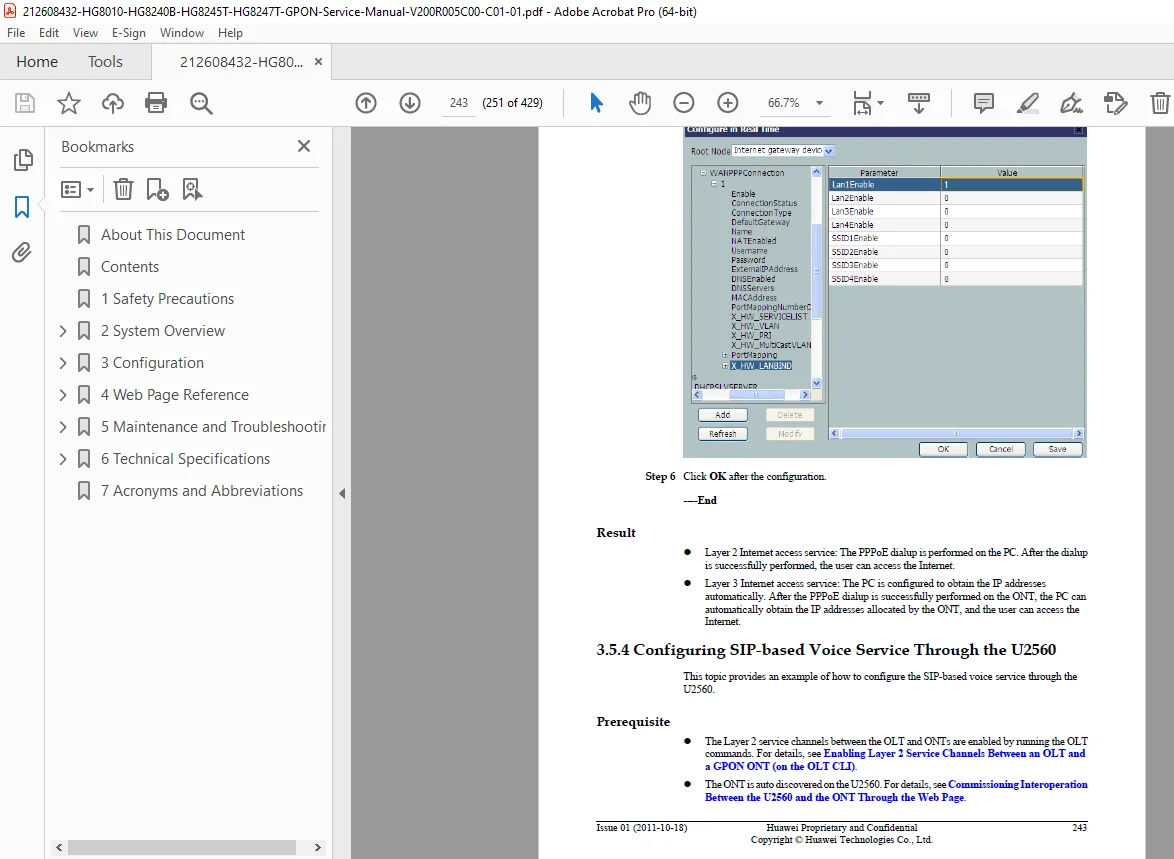
- 3.5 Configuring Services Using U2560 (TR-069 Platform)
- U2560 platform overview
- Remote provisioning procedures
- Auto-configuration server (ACS) integration
- All service types via TR-069 protocol
- 3.6 XML Configuration File Operations
- Backup and restore procedures
- Batch configuration deployment
- XML file structure and editing
- Configuration migration between devices
4. WEB PAGE REFERENCE (Section 4) – Complete GUI Documentation
Comprehensive reference for the web management interface with detailed explanations of every menu and parameter:
- 4.1 Status Monitoring
- WAN information display
- VoIP status and statistics
- Wi-Fi connection information
- Ethernet port statistics
- DHCP server lease table
- Optical port power levels (Rx/Tx)
- Battery status (if equipped)
- Device information and firmware version
- 4.2 WAN Configuration
- Connection type selection (PPPoE, DHCP, Static IP, Bridge)
- VLAN tagging
- MTU settings
- Service binding
- 4.3 LAN Configuration
- LAN port work mode settings
- LAN host IP configuration
- DHCP server parameters
- IP address pool management
- Static DHCP reservations
- 4.4 WLAN (Wireless LAN) Configuration
- Basic wireless settings
- Security configuration (encryption types)
- MAC address filtering
- Advanced wireless parameters
- Multi-SSID support
- 4.5 Security Features
- IP Filter Configuration (firewall rules)
- MAC Filter Configuration
- URL Filter Configuration (parental controls)
- DoS Protection Configuration
- ONT Access Control
- 4.6 Routing Configuration
- Default route settings
- Static route table
- Policy-based routing
- 4.7 Forward Rules
- DMZ Configuration
- Port Mapping (Virtual Server)
- Port Triggering
- 4.8 Network Applications
- USB File Sharing configuration
- ALG (Application Layer Gateway) settings
- UPnP (Universal Plug and Play)
- ARP (Address Resolution Protocol) management
- Portal Configuration for captive portal
- DDNS (Dynamic DNS) setup
- IGMP (Internet Group Management Protocol)
- QoS Configuration (traffic prioritization)
- Terminal Limit Configuration
- 4.9 Voice Configuration
- VoIP interface configuration (FXS ports)
- VoIP user account management
- Dial plan and digit map
- Codec preferences
- Supplementary services
- 4.10 System Tools
- Device reboot
- Configuration file backup/restore
- USB backup and restore
- Firmware upgrade procedures
- Factory default restoration
- Ping diagnostic test
- System log viewing
- ONT authentication
- Time and NTP settings
- TR-069 client configuration
- Advanced power management
- Password modification
5. MAINTENANCE AND TROUBLESHOOTING (Section 5) – 100+ Pages
Extensive troubleshooting section with systematic diagnostic procedures:
- 5.1 Frequently Used Troubleshooting Methods
- Diagnostic methodology
- Common problem patterns
- 5.2 General Troubleshooting Flowchart
- Step-by-step diagnostic decision trees
- Systematic fault isolation procedures
- 5.3 Tools Used for Troubleshooting
- Digital Multimeter usage for power measurements
- Optical Power Meter procedures
- Measuring optical Rx power
- Measuring optical Tx power
- Acceptable power level ranges
- 5.4 Remote Maintenance via Web Page
- Remote login procedures
- Web-based diagnostics
- 5.5 Maintenance and Troubleshooting on NMS
- PPPoE Dialup Emulation testing
- POTS Port Physical State queries
- VoIP User Status monitoring
- VoIP Statistics analysis and deletion
- Caller/Callee Emulation Tests
- Automatic Emulation Testing
- Local and Remote Loopback on POTS ports
- VoIP Loop-Line Tests
- 5.6 Maintenance on OLT CLI
- Ethernet port performance statistics
- Command-line diagnostic tools
- 5.7 Troubleshooting FTTH GPON Service
- ONU Abnormal State Analysis (comprehensive)
- FTTH Service Troubleshooting (OLT + HG Series ONT)
- Complete fault isolation procedures
- 5.8 Troubleshooting Cases – Real-World Scenarios
- Failure to Go Online – detailed diagnostics
- ONU Profile Mismatch resolution
- Failure to Auto-Discover ONU – causes and solutions
- ONU Frequently Goes Online/Offline – systematic diagnosis
- Other ONU Faults – miscellaneous issues
6. TECHNICAL SPECIFICATIONS (Section 6)
- 6.1 Physical Specifications
- Dimensions and weight for all models
- Operating temperature range
- Storage temperature range
- Humidity specifications
- Power consumption ratings
- 6.2 Protocols and Standards
- ITU-T G.984.x GPON standards
- IEEE 802.3 Ethernet standards
- IEEE 802.11 Wi-Fi standards
- VoIP protocols (SIP, H.248)
- TR-069 (CWMP) standard
- OMCI (ONT Management and Control Interface)
7. ACRONYMS AND ABBREVIATIONS (Section 7)
- Complete glossary of technical terms
- Industry-standard acronym definitions
🔧 PERFECT FOR:
✅ Telecom Service Technicians – Install and maintain fiber optic networks ✅ ISP Technical Support Teams – Troubleshoot subscriber equipment ✅ Network Engineers – Design and deploy FTTH solutions ✅ System Integrators – Configure triple-play services ✅ Technical Training Programs – Comprehensive GPON training resource ✅ Field Service Engineers – On-site troubleshooting reference ✅ NOC (Network Operations Center) Staff – Remote diagnostics and configuration
💡 KEY FEATURES OF THIS MANUAL:
- Multiple Configuration Platforms: NMS, OLT CLI, Web GUI, U2560 (TR-069)
- Triple-Play Services: Complete data, voice, and video service configuration
- VoIP Protocols: Both H.248 (MGCP) and SIP protocol support documented
- Wi-Fi Configuration: Detailed wireless setup for HG8245T and HG8247T models
- Optical Diagnostics: Rx/Tx power measurement procedures
- Real-World Troubleshooting: Actual case studies with solutions
- Complete Web GUI Reference: Every menu item and parameter explained
- Safety Protocols: Laser safety and electrical safety guidelines
- Network Topologies: Multiple deployment scenarios illustrated
🎯 TECHNICAL CAPABILITIES COVERED:
- GPON Technology: 1.244 Gbps upstream / 2.488 Gbps downstream
- Ethernet Ports: Auto-sensing 10/100/1000 Mbps capabilities
- VoIP Services: FXS port configuration for traditional telephone service
- Wi-Fi Standards: 802.11b/g/n wireless networking (HG8245T/HG8247T)
- VLAN Support: Layer 2 and Layer 3 VLAN configuration
- QoS Features: Traffic prioritization for voice and video
- Security Features: Firewall, NAT, DMZ, port forwarding
- Management Protocols: OMCI, TR-069, SNMP, web-based management
📡 SERVICE CONFIGURATIONS INCLUDED:
- Internet Access Services:
- PPPoE dialup for DSL-style authentication
- DHCP client mode
- Static IP configuration
- Bridge mode (transparent bridging)
- Router mode with NAT
- VoIP Services:
- SoftSwitch integration (H.248/MGCP protocol)
- SIP proxy server registration
- Direct SIP peering
- Dial plan configuration
- Codec negotiation (G.711, G.729, G.723)
- IPTV/Multicast Services:
- IGMP snooping and proxy
- Multicast VLAN registration
- Layer 2 and Layer 3 multicast
- Set-top box integration
⚡ INSTANT DOWNLOAD – Begin deploying and maintaining Huawei GPON optical network terminals immediately! This official service manual provides complete technical documentation for successful fiber-to-the-home network installations, reducing service calls, minimizing downtime, and ensuring optimal performance of your critical broadband infrastructure.
Justification:
- 429 pages of official OEM documentation
- Covers 4 different terminal models (HG8010, HG8240B, HG8245T, HG8247T)
- Mission-critical telecom equipment (fiber optic networks)
- Multiple configuration platforms documented (4 different methods)
- Extensive troubleshooting section (100+ pages)
- Complete web GUI reference
- Professional-grade technical content for ISP/telecom industry
- Saves significant time and costs in field deployments
- Similar Huawei technical manuals sell for $40-$80
- Essential for FTTH network deployments
This service manual is an invaluable resource for anyone deploying, configuring, or maintaining Huawei GPON optical network terminals in fiber-to-the-home networks. Download now and have expert-level technical documentation at your fingertips!