IGT AXXIS 23 Ascent Slot Machine Service Manual PDF
Original price was: $95.00.$18.95Current price is: $18.95.
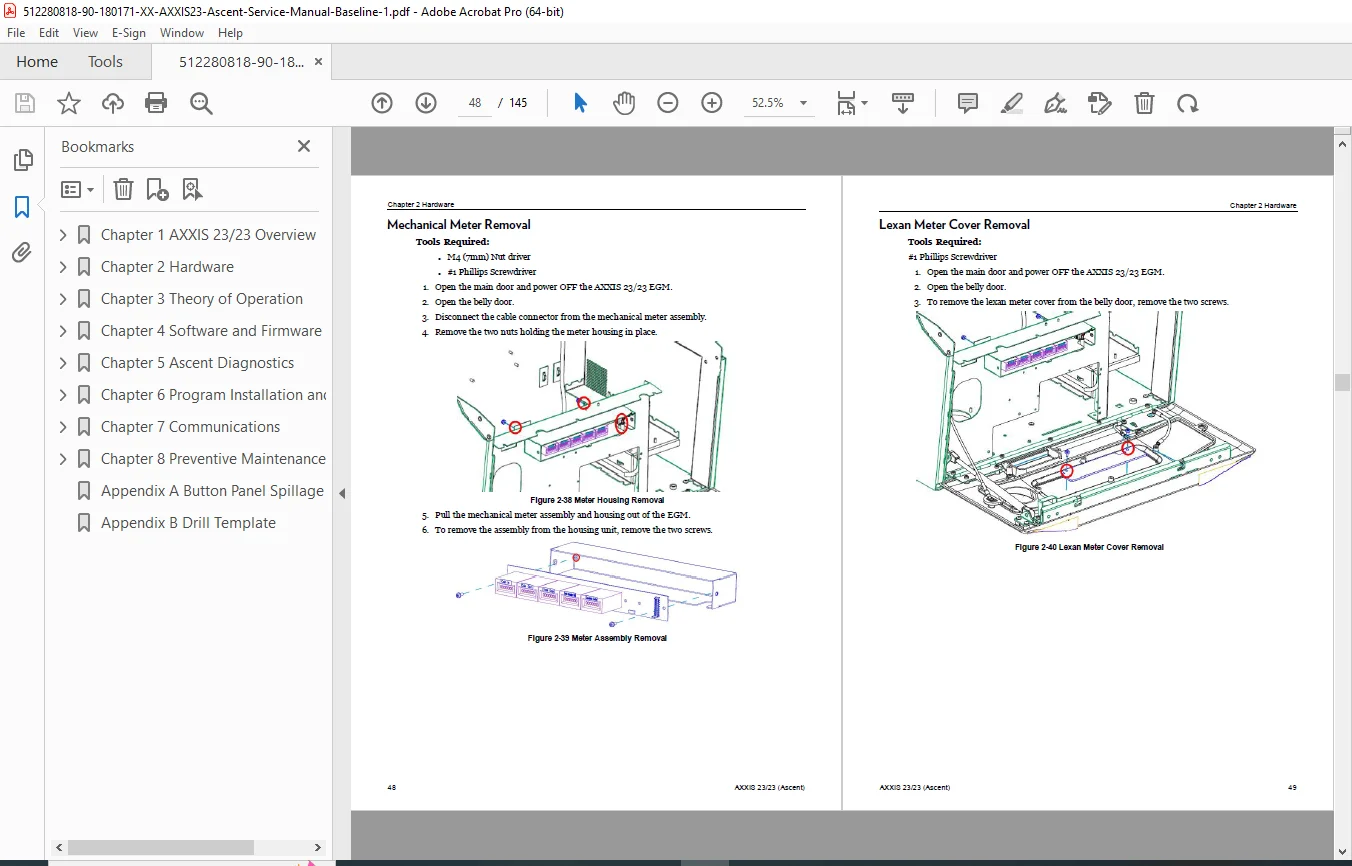
Complete IGT service manual for AXXIS 23/23 (Ascent) electronic gaming machine. Comprehensive technical documentation covering cabinet components, LCD displays, touchscreen calibration, brain box (AVP 4.0), power systems, bill validators, printers, audio systems, button deck, and peripheral devices. Features detailed removal procedures, connector diagrams, troubleshooting guides, installation guidelines, door access procedures, and complete specifications. Essential reference for gaming technicians servicing casino slot machines.
Description
IGT AXXIS 23 Ascent Slot Machine Service Manual Casino Gaming EGM Repair PDF DOWNLOAD
DESCRIPTION
IGT AXXIS 23/23 (Ascent) Official Service Manual
This comprehensive factory service manual provides complete technical documentation for the IGT AXXIS 23/23 (Ascent) Electronic Gaming Machine (EGM) – Model Number 96499817. Essential reference for certified gaming technicians, casino maintenance personnel, and authorized service facilities maintaining this professional slot machine cabinet.
📋 FILE DETAILS
| Specification | Details |
|---|---|
| Manual Name | AXXIS 23/23 (Ascent) Service Manual |
| Document Number | 90-180171-05 |
| Equipment Model | AXXIS 23/23 (Ascent) |
| Model Number | 96499817 |
| Release Date | March 2018 |
| Pages | 145 pages |
| PDF Quality | Professional technical documentation with diagrams |
| File Size | 7.5 MB |
| Manufacturer | International Game Technology PLC (IGT) |
| Location | Providence, Rhode Island, USA |
🎰 IGT AXXIS 23/23 CABINET OVERVIEW
Electronic Gaming Machine (EGM) Features:
- Cabinet Type: AXXIS 23/23 slot machine platform
- Dual LCD Configuration: Main display and top box display
- Touchscreen Technology: Interactive player interface
- AVP 4.0 Brain Box: Advanced gaming processor
- Bill Acceptor: Cash handling system
- Ticket Printer: TITO (Ticket In, Ticket Out) capability
- Audio System: Integrated speakers and amplifier
- Button Deck: Player control interface
- LED Lighting: Service and attract lighting
- Door Security: Multiple monitored access points
- Ergonomic Design: Lower player panel with gaming chair compatibility
📖 COMPREHENSIVE SERVICE MANUAL CONTENTS
CHAPTER 1: AXXIS 23/23 OVERVIEW
Cabinet Description:
- Complete AXXIS 23/23 cabinet overview
- Model identification and specifications
- Technical aspects and major components
- System architecture
Environmental Specifications:
- Operating temperature range
- Humidity requirements
- Altitude specifications
- Environmental tolerance
Electrical Specifications:
- Power requirements
- Voltage ratings
- Current draw
- Circuit protection
- Grounding requirements
Weight & Dimensions:
- Overall cabinet dimensions
- Shipping weight
- Installed weight
- Clearance requirements
- Floor loading specifications
External Component Overview:
- Cabinet Front:
- Main LCD display (23″)
- Touchscreen interface
- Button deck layout
- Bill acceptor location
- Ticket printer output
- Audio speaker placement
- Top Box:
- Top LCD display (23″)
- Marquee area
- Top box lighting
- Attract features
- Cabinet Sides:
- Service access panels
- Ventilation ports
- Decorative elements
- Cabinet Rear:
- Power connections
- Communication ports
- Service connectors
Basic Operational Instructions and Features:
Door Access Procedures:
Opening the Main Door:
- Key location and type
- Lock mechanism
- Door swing clearance
- Internal access overview
Opening the Belly Door:
- Lower compartment access
- Bill stacker access
- Cash box location
Opening the Top Box Door:
- Upper cabinet access
- Top display servicing
- Lighting maintenance
Opening Bill Stacker Door:
- Cash collection access
- Bill acceptor servicing
- Security features
Opening the Base Door:
- Lower component access
- Power supply location
- Cooling system access
Opening the Brain Box Door / Accessing Secure USB Port:
- Computer system access
- Secure connection points
- Service port location
- Security protocols
Service Lighting:
- Service light activation
- Illumination locations
- Maintenance mode lighting
Door Monitoring:
- Door switch locations
- Security monitoring system
- Alarm conditions
- Status indicators
Internal Component Overview:
- Component layout diagram
- Major subsystem locations
- Cable routing overview
- Access panel identification
Installation Guidelines:
- Site preparation
- Positioning requirements
- Leveling procedures
- Connection protocols
- Safety considerations
Powering ON:
- Power-up sequence
- Initialization process
- POST (Power-On Self Test)
- Boot verification
Ascent Menu Access:
- Service menu navigation
- Configuration access
- Diagnostic mode entry
- Administrative functions
CHAPTER 2: HARDWARE
LCD DISPLAYS (Main and Top Box)
Main LCD Display:
- Screen Size: 23-inch
- Resolution specifications
- Touchscreen technology
- Display interface
Main LCD Connectors and Components:
- Power connector identification
- Video signal connections (LVDS/DisplayPort)
- Touchscreen USB connection
- Cable routing and strain relief
- Connector pinouts
Main LCD On-Screen Display (OSD):
- Menu access procedures
- Brightness adjustment
- Contrast settings
- Color calibration
- Input source selection
- Factory reset options
Main LCD Touchscreen Calibration:
- Calibration access procedure
- Touch point calibration sequence
- Accuracy verification
- Re-calibration when needed
- Touchscreen testing
Main LCD Removal:
- Prerequisites and precautions
- Mounting hardware identification
- Cable disconnection sequence
- Protective handling
- Extraction procedure
- Replacement installation
Top LCD Display:
- Screen Size: 23-inch
- Display configuration
- Non-touch display
- Video connection
Top LCD Connectors and Components:
- Power connections
- Video signal interface
- Mounting bracket
- Cable management
Top LCD On-Screen Display (OSD):
- OSD access and navigation
- Display settings
- Input configuration
- Picture adjustments
Top Box LCD Removal:
- Top box door access
- Mounting system
- Cable routing through cabinet
- Removal procedure
- Installation steps
AC BOX (Power Distribution)
AC Box Overview:
- Power distribution unit
- Circuit protection
- Main power switching
- Voltage regulation
AC Box Connectors:
- AC input connection
- Power output circuits
- Ground connections
- Circuit breaker locations
- Fuse specifications
AC Box Removal:
- Power disconnection procedures
- Mounting hardware
- Safety precautions
- Cable management
- Replacement procedure
POWER SUPPLY
Power Supply Unit (PSU):
- ATX-style power supply
- Wattage rating
- Voltage outputs (+12V, +5V, +3.3V)
- Cooling fan
- Modular cables
Power Supply Removal:
- Prerequisites
- Cable disconnection
- Mounting screw locations
- Extraction procedure
- Replacement installation
- Cable reconnection
BRAIN BOX (AVP 4.0)
AVP 4.0 Gaming Computer:
- Processor specifications
- Memory configuration
- Storage (HDD/SSD)
- Operating system
- Gaming software platform
Brain Box External Connectors:
- Video Outputs:
- Main display connection
- Top display connection
- Video interface types
- USB Ports:
- Secure USB port
- Peripheral connections
- Service ports
- Audio Connections:
- Speaker outputs
- Audio amplifier interface
- Communication Ports:
- Ethernet connection
- Serial ports
- SAS (Slot Accounting System) interface
- Printer connection
- Power Connections:
- ATX power connector
- Auxiliary power
Brain Box Internal Components:
- Motherboard specifications
- Processor and heatsink
- Memory modules (RAM)
- Storage drives
- Network card
- Video card (if discrete)
- Internal power supply
- Cooling fans
- Expansion cards
AVP 4.0 ATX Power Supply:
- Internal PSU specifications
- Power ratings
- Connector types
- Replacement procedure
Brain Box Removal:
- Prerequisites
- Cable disconnection checklist
- Mounting hardware removal
- Extraction from cabinet
- Replacement installation
- Cable reconnection verification
CABINET CONTROLLER BOARD
Controller Board Functions:
- Button deck interface
- Door switch monitoring
- LED control
- I/O management
- Status indicators
Controller Board Connections:
- Button deck harness
- Door switch inputs
- LED outputs
- Power connections
- Communication interface to brain box
Controller Board Removal:
- Location identification
- Connector disconnection
- Mounting removal
- Replacement procedure
BILL VALIDATOR (Bill Acceptor)
Bill Validator Overview:
- Cash acceptance device
- Multi-denomination capability
- Counterfeit detection
- Stacker interface
Bill Validator Connections:
- Power connections
- Communication interface (Serial/USB)
- Stacker cable
- Status indicators
Bill Validator Configuration:
- Denomination setup
- Security level adjustment
- Communication protocol
- Firmware updates
Bill Validator Removal:
- Access procedures
- Mounting hardware
- Cable disconnection
- Extraction from cabinet
- Installation procedure
Bill Stacker:
- Cash storage unit
- Capacity specifications
- Removal procedure
- Cash box access
TICKET PRINTER
Printer Overview:
- TITO ticket printing
- Thermal printer technology
- Paper roll specifications
- Ticket format
Printer Connections:
- Power connection
- Communication interface
- Paper sensor
- Status indicators
Printer Configuration:
- Ticket template
- Printer settings
- Paper loading
- Test print procedure
Printer Removal:
- Access from belly door
- Mounting system
- Cable disconnection
- Paper path clearance
- Replacement installation
Printer Maintenance:
- Print head cleaning
- Paper roll replacement
- Paper path inspection
- Troubleshooting procedures
AUDIO SYSTEM
Speaker System:
- Speaker locations
- Wattage ratings
- Impedance specifications
- Mounting hardware
Audio Amplifier:
- Amplifier location
- Input connections
- Output channels
- Volume control
Audio Connections:
- Brain box audio output
- Amplifier input
- Speaker wiring
- Ground connections
Audio System Removal:
- Speaker removal procedures
- Amplifier removal
- Cable routing
- Replacement installation
BUTTON DECK
Button Deck Overview:
- Player control interface
- Button layout
- Illuminated buttons
- Button types (momentary, maintained)
Button Deck Connections:
- Harness to cabinet controller
- Power for illumination
- Signal wiring
- Connector types
Button Deck Configuration:
- Button mapping
- Illumination control
- Testing procedures
Button Deck Removal:
- Mounting hardware
- Cable disconnection
- Protective handling
- Installation procedure
PERIPHERAL DEVICES
Card Reader (if equipped):
- Player tracking system
- Card reader technology
- Mounting location
- Connection interface
USB Peripherals:
- Connection points
- Supported devices
- Configuration
Network Connections:
- Ethernet interface
- Casino management system link
- Protocol configuration
CHAPTER 3: TROUBLESHOOTING
Systematic Diagnostics:
- Symptom identification
- Component isolation
- Testing procedures
- Error code interpretation
Common Issues:
Display Problems:
- No display / blank screen
- Touchscreen not responding
- Display artifacts
- Incorrect colors
- Backlight failure
Power Issues:
- Cabinet won’t power on
- Intermittent power
- Circuit breaker tripping
- Power supply failure
Bill Validator Issues:
- Not accepting bills
- Bill jams
- Stacker errors
- Communication failures
Printer Problems:
- No ticket output
- Paper jams
- Print quality issues
- Communication errors
Audio Issues:
- No sound output
- Distorted audio
- Volume control problems
- Speaker failures
Button Deck Problems:
- Unresponsive buttons
- Stuck buttons
- Illumination failures
- False triggers
Communication Errors:
- No network connectivity
- SAS communication failure
- Peripheral device errors
Software/Boot Issues:
- Boot failure
- Operating system errors
- Game software problems
- Configuration errors
CHAPTER 4: CONFIGURATION AND SETUP
Initial Configuration:
- System initialization
- Network setup
- Denomination configuration
- Game parameter settings
Calibration Procedures:
- Touchscreen calibration
- Audio level adjustment
- Display settings
- Bill validator calibration
Security Settings:
- Access control
- Door monitoring setup
- Secure USB configuration
- Administrative passwords
CHAPTER 5: PREVENTIVE MAINTENANCE
Scheduled Maintenance:
- Cleaning procedures
- Filter replacement
- Fan inspection
- Connector verification
Component Inspection:
- Door switch testing
- Button functionality
- Display condition
- Cable integrity
Cleaning Guidelines:
- Display cleaning
- Cabinet exterior
- Internal dust removal
- Bill path cleaning
- Printer maintenance
🔧 TECHNICAL SPECIFICATIONS
Cabinet Dimensions:
- Height, width, depth
- Top box dimensions
- Clearance requirements
- Shipping dimensions
Power Requirements:
- Voltage: 120V AC (typical)
- Frequency: 60 Hz
- Current draw
- Power consumption
Environmental:
- Operating temperature: 10°C to 40°C
- Storage temperature
- Humidity range
- Altitude rating
Communication:
- SAS protocol support
- Ethernet 10/100/1000
- USB 2.0/3.0
- Serial ports
💡 IGT AXXIS PLATFORM FEATURES
Gaming Technology:
- Modern slot machine platform
- Dual 23″ LCD displays
- Touchscreen player interface
- Advanced graphics capability
- Multi-game support
- Progressive jackpot capability
TITO System:
- Ticket In, Ticket Out
- Cashless gaming option
- Bill validator integration
- Thermal ticket printer
Player Tracking:
- Card reader support
- Player rewards integration
- Casino management system interface
👥 ESSENTIAL FOR GAMING TECHNICIANS
This manual is critical for:
- Gaming Technicians maintaining casino floor equipment
- Slot Machine Repair Specialists servicing IGT platforms
- Casino Maintenance Personnel managing gaming operations
- Technical Support Staff troubleshooting EGM issues
- Authorized Service Centers performing warranty repairs
- Gaming Regulatory Inspectors understanding equipment
- Training Programs teaching slot machine technology
🏢 CASINO APPLICATIONS
Gaming Environments:
- Land-based casinos
- Tribal gaming facilities
- Racetracks with casino gaming
- Cruise ship casinos
- Gaming lounges
- Resort casinos
⚙️ SERVICE REQUIREMENTS
Technician Qualifications:
- Gaming license/certification required
- Electronics troubleshooting skills
- Computer hardware knowledge
- Understanding of gaming regulations
- Safety training
Required Tools:
- Standard electronics tools
- Multimeter
- Computer diagnostic equipment
- Touchscreen calibration tools
- Key access to cabinet
🛠️ SERVICEABILITY FEATURES
Modular Design:
- Component-level replacement
- Quick-disconnect connectors
- Clear access panels
- Logical component layout
Diagnostic Support:
- Built-in diagnostics
- Error reporting
- Status indicators
- Test modes
📐 REGULATORY COMPLIANCE
Gaming Standards:
- GLI (Gaming Laboratories International) certified
- Jurisdictional approval requirements
- Security standards compliance
- Fair gaming requirements
Safety Standards:
- UL/ETL listed components
- Electrical safety compliance
- Grounding requirements
⚠️ IMPORTANT NOTICES
Service Restrictions:
- For use by qualified personnel only
- Gaming license may be required
- Jurisdictional regulations apply
- Security protocols must be followed
- Software features vary by jurisdiction
Warranty Information:
- Warranty terms per purchase contract
- Authorized service requirements
- Parts and labor coverage
- Technical support access
📞 TECHNICAL SUPPORT
IGT Support:
- Phone: 1-866-777-8448
- Corporate: 1-401-392-1000
- 10 Memorial Boulevard, Providence, RI 02903
🎰 IGT QUALITY
Industry Leadership:
- IGT: Global gaming technology leader
- Proven reliability
- Extensive service network
- Comprehensive documentation
- Regulatory expertise
- Innovation in gaming
⚡ INSTANT DOWNLOAD – SERVICE IGT SLOT MACHINES PROFESSIONALLY! This comprehensive 145-page IGT factory service manual provides complete technical documentation for the AXXIS 23/23 (Ascent) electronic gaming machine. From component replacement to advanced troubleshooting, every procedure is documented with detailed instructions and diagrams. Download immediately and gain expert-level knowledge for IGT AXXIS slot machine service and maintenance