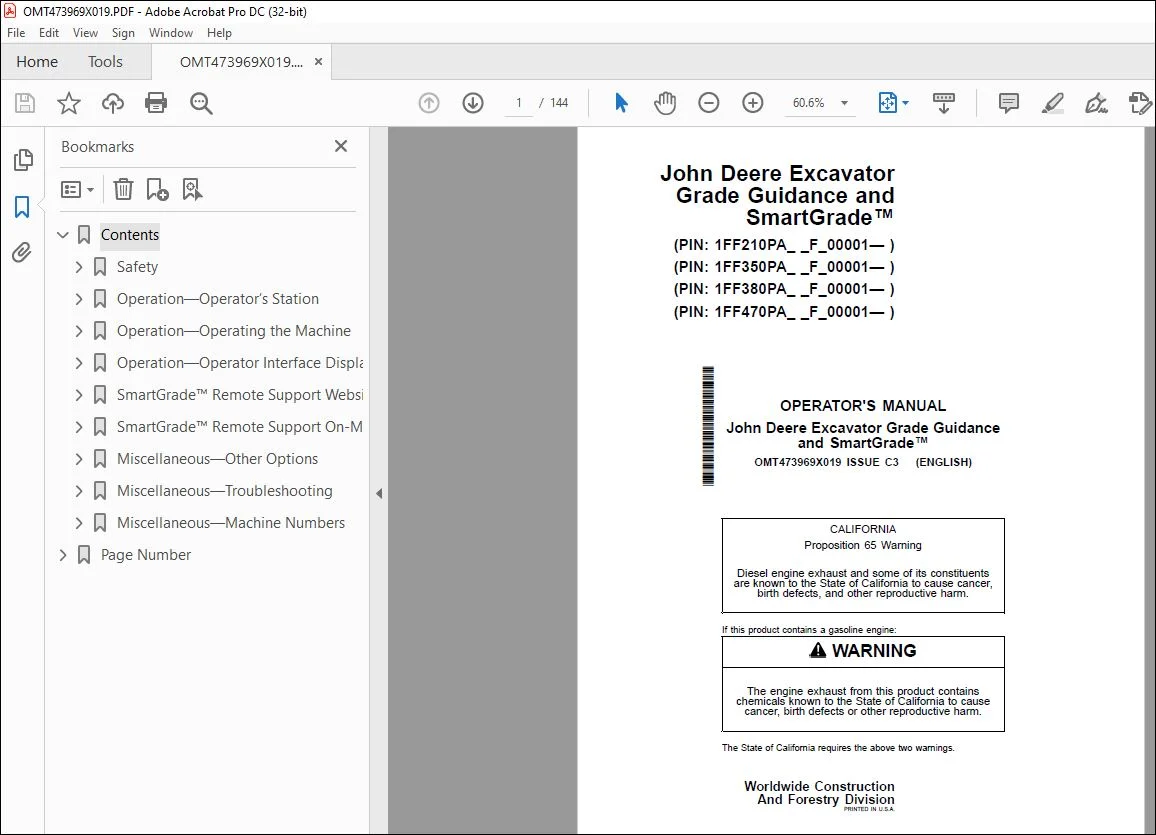
John Deere Grade Guidance & SmartGrade System Operator Manual PDF
$28.95
John Deere Excavator Grade Guidance & SmartGrade Operator’s Manual OMT473969X019 – PDF DOWNLOAD
Description
John Deere Excavator Grade Guidance & SmartGrade Operator’s Manual OMT473969X019 – PDF DOWNLOAD
Part Number (P/N): OMT473969X019_43
Language: English
Division: Construction
Product Lines: Excavators
Publication Type: Operator’s Manuals
Associated Models: 210 P, 350 P, 380 P, 470 P
Serial Numbers (Serial):
- 1FF210PA_ _F_00001—
- 1FF350PA_ _F_00001—
- 1FF380PA_ _F_00001—
- 1FF470PA_ _F_00001
TABLE OF CONTENTS:
John Deere Excavator Grade Guidance & SmartGrade Operator’s Manual OMT473969X019 – PDF DOWNLOAD
Contents 7
Safety 9
Recognize Safety Information 9
Follow Safety Instructions 9
Operate Only If Qualified 9
Wear Protective Equipment 10
Avoid Unauthorized Machine Modifications 10
Prevent Fires, Clean Debris From Machine 11
Decommissioning — Proper Recycling and Disposal of Fluids and Components 12
Notes About Making Settings 12
Avoid Work Site Hazards 13
Positional Awareness While Operating 13
Do Not Look Directly at a Laser 14
Disassembly and Assembly 14
Securing the Monitor 14
Operation—Operator’s Station 15
Display Unit Functions 15
Pilot Control Levers 16
Remove and Install Global Navigation Satellite System (GNSS) Receivers—If Equipped 17
Operation—Operating the Machine 19
Before Starting Work 19
Inspect Machine Daily Before Starting 19
Check Instruments Before Starting 20
Parking the Machine 21
Do Not Use High Impact Hydraulic Attachments 21
Operation—Operator Interface Display 22
Display Unit Start-Up 22
Main Display and Functions 23
Keyboard Functions 26
Changing Language 26
Changing Screen Brightness 27
Data Menu 28
Data Menu—Projects 29
Data Menu—Control—3D Control Mode Only 30
Data Menu—Layers—3D Control Mode Only 32
Data Menu—Points—3D Control Mode Only 34
Surface File Types 35
Surface Files—Display, Edit, and Delete 36
Create Flat or Sloped Surface Files—3D Control Mode Only 38
Create Crown Road Surface Files—3D Control Mode Only 42
Create Triangulated Surfaces From Topo Survey File—3D Control Mode Only 44
Raise or Lower Existing Surface—3D Control Mode Only 45
Subgrade Existing Alignment—3D Control Mode Only 46
Create 2D Slope Surface Files—2D Control Mode Only 47
Data Menu—Active 51
Data Menu—Import/Export 51
Control Menu 52
Control Menu—Machine Setup 53
Control Menu—Elevation Reference 60
Control Menu—Steer Indication—3D Control Mode Only 61
Control Menu—Virtual Warnings—Auto Control Only 62
Control Menu—Automatics—Auto Control Only 66
Control Menu—Attachment 67
Control Menu—Attachment Hitch Length Setting 71
Control Menu—2D Options—2D Control Mode Only 71
Control Menu—3D/2D Mode 71
Control Menu—Auto Control/Guidance Only 71
Control Menu—Restart Connection 72
Tools Menu 72
Tools Menu—Configure Radios—GNSS Antenna Only 73
Tools Menu—Position Check—3D Control Mode Only 75
Tools Menu—Navigate—3D Control Mode Only 76
Tools Menu—Topo Survey—3D Control Mode Only 77
Tools Menu—Creating 2D Slopes—2D Control Mode Only 79
Tools Menu—Supervisor Mode 82
View Menu 83
View Menu—Layout 84
View Menu—Display Options 85
Working Surface Display Options 86
Alignment Display Options—3D Control Mode Only 87
Point Display Options—3D Control Mode Only 88
Light Bar Display Options 88
Enable/Disable Shortcut Icons 89
Background Color Display 90
Display Units Options 90
Indicator Display Options 91
View Menu—About 91
SmartGrade™ Remote Support Website 92
At a Glance (Support Desk) 92
Accessing the Remote Support Website 92
Managing Remote Support Account Access 92
Viewing, Filtering, and Sorting Paired Client Devices 93
Finding the Remote Support Desk Number 96
Configuring the Remote Support Desk 97
Managing Pairings 100
Providing Support 101
Remote View 102
Remote Control 103
Remote File Management 104
Remote MC-X Configuration 108
Responding to Support Requests 109
Providing Unsolicited Support 111
SmartGrade™ Remote Support On-Machine Client 112
At a Glance (Client Device) 112
Opening Client Device Menu 112
Pairing To A Support Desk 112
Editing Pairing Tags 114
Reviewing and Modifying Support Desk Pairing 115
Request Support 116
Specifying Optional Dates and Times to Receive Support 117
Closing Support Requests 118
Viewing and Terminating Active Support Sessions 119
Unpairing From a Support Desk 120
Usage of Remote Support 121
Basic Remote Support Troubleshooting 121
Miscellaneous—Other Options 122
Isolating a Surface 122
GNSS Information—GNSS Antenna Only 122
Add/Edit/Delete Attachment 123
Elevation Control 127
Slope Control 129
Add and Edit Radio Channels—GNSS Antenna Only 130
Miscellaneous—Troubleshooting 131
RTK Communication Problems 131
Display Problems 132
Miscellaneous—Machine Numbers 134
Record Display Unit Serial Number 134
Record MC-X1 Controller Serial Number 134
Record Function A Controller Serial Number 134
Record Function B Controller Serial Number 135
Record Radio Receiver Serial Number 135
Record Body Sensor Serial Number 136
Record Boom Sensor Serial Number 136
Record Arm Sensor Serial Number 137
Record Bucket Sensor Serial Number 137
Record Laser Catcher Serial Number—If Equipped 137
Record Global Navigation Satellite System (GNSS) Receiver Serial Numbers—If Equipped 138
Keep Proof of Ownership 138
Page Number 7
Section 1-1 9
Section 2-1 15
Section 2-2 19
Section 2-3 22
Section 2-4 92
Section 2-5 112
Section 4-1 122
Section 4-2 131
Section 4-3 134
S.V 04/24