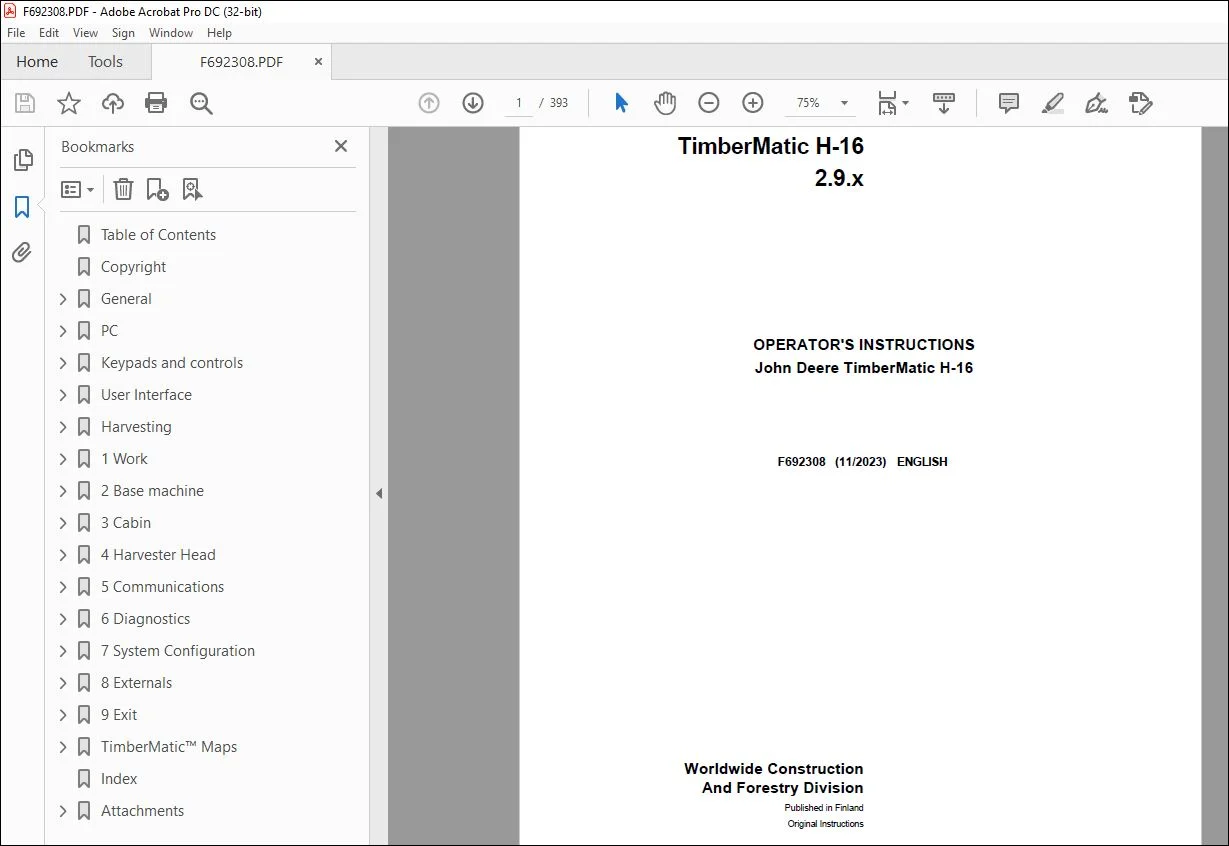
John Deere TimberMatic H-16 2.9.x Operator Manual F692308 PDF
$28.95
John Deere TimberMatic H-16 2.9.x Operator Manual F692308 – PDF DOWNLOAD
Description
John Deere TimberMatic H-16 2.9.x Operator Manual F692308 – PDF DOWNLOAD
- P/N: F692308_14
- Language: English
- Division: Forestry
- Product Lines: Measuring And Control Systems
- Publication Type: Operator’s Manuals
- Associated Models: 1270G 6W, 1270G 8W, 1470G, 1070G, 1170G, TIMBERMATIC H-09
- Series: G SERIES
TABLE OF CONTENTS:
John Deere TimberMatic H-16 2.9.x Operator Manual F692308 – PDF DOWNLOADTable of Contents 2
Copyright 11
General 12
Introduction 12
Processing of personal data 12
How to read TimberMatic™ manuals 13
Abbreviations 13
TimberMatic™ control system 14
MECA controller design 15
G-series harvester CAN architecture (M50) 16
G-series harvester CAN architecture 17
PC 19
Hardware 19
HPC21 (High spec) 20
XL4 PC (High Spec) 21
Installation dependency 21
Touch screen 22
PC start-up and shutting down 22
User Interface initialization 23
Data management 23
Keypads and controls 25
Left keypad in harvester 25
Right keypad in harvester 25
Extra keypad 26
Boom controls 26
Harvester IBC boom controls 27
Harvester button configurations 27
User Interface 28
Modes 28
Work mode 28
Work mode display: Management section 29
Shortcut navigation 29
Instant e-mail 30
File handling 30
File – save – summary 32
Reporting 32
Site information menu 33
Assortments overview 34
Production overview 34
Production details 35
Operator information menu 36
Operator selection and shift change 37
Remote Display Access (RDA) 38
Quick adjustments 39
Immobilizer 40
Work mode display: Bucking information section 41
Quick adjustments 43
Inclination display 44
Data transmission to calliper 44
Work mode display: Base machine section 45
Harvesting functions in work mode 48
Setting mode 52
Functions in setting mode 53
Tool tips 54
Harvesting 55
Harvester head functions 55
Processing 55
Processing the stem 55
Processing example 56
Sequence Control 57
Principles of stem measurement 58
Problems with measurement 59
Top break or dropped stem 59
Bucking control 59
Manual bucking 59
Feed control 60
Auto mode 1 60
Auto mode 2 61
Auto mode 3 61
Saw control 62
Measurement monitoring 63
Operations affecting measurement accuracy 63
Using calliper for calibration 64
1 Work 69
1 1 Felling site 69
1 1 1 Sites 69
Add new site 70
1 Adding a new site 70
APT file validation 71
2 Edit site information 71
3 Add blocks 72
4 Add parcels 72
5 Select assortments 73
5-1 Select assortment source 73
5-2 Add assortments 74
6 Edit assortments 74
7 Activate site 75
Adding new site (OAI+AP1) 75
End site 76
Archive 76
1 1 2 Blocks and parcels 77
Add blocks 77
Add parcels 78
1 1 B 1 General 78
1 1 B 2 Site archive 79
Site archive settings 79
1 1 B 3 Contractor 80
1 1 B 5 Automatic saving 80
Use automatic saving 81
Copy saved files 81
TimberOffice 5 setup 82
Custom file saving 82
1 1 C 1 Automatic saving recovery 83
1 1 C 2 GPS status 83
1 2 Bucking instructions 83
1 2 1 Tree species 84
1 UserID (Code) 85
2 Product groups 85
3 Stem types 86
4 Settings group 86
5 Quality names 87
6 Breast height diameters 87
7 Bark parameters 88
8 Sound knot bucking 88
9 Diameter section 89
10 Coefficients, volume type m³fest 89
Update tree species – flexible bucking 90
1 2 2 Assortments 90
Info / UserID (code) 91
Price type 92
Qualities 94
Color Marking 94
Minimum top diameter 95
Cutting window 95
Length classes 96
Length classes 96
Diameter classes 97
Diameter classes 97
Price matrix 98
Price matrix 98
Distribution matrix 100
Distribution matrix 100
Limitation matrix 101
Limitation matrix 101
Pole matrix 102
Pole matrix 102
Version / Identity 103
Destination 103
Product group 104
Stem type 104
Bucking condition 105
Volume type 105
Diameter measurement 106
Free cut 106
Top log free bucking 107
Select assortments source 107
Add assortments 108
Update assortments – flexible bucking 108
1 2 3 Quality buttons 109
Pre-programming 110
1 2 4 Length buttons 111
1 2 5 Common 113
1 2 6 Stem codes 114
1 2 B 1 Tree species buttons 114
1 2 B 2 Assortment library 115
Assortment library settings 115
Assortment modification settings 116
1 2 B 3 Settings 116
Customize views 117
Forced cut code 117
1 2 B 4 Recent production 118
1 3 Work statistic 118
1 3 1 Shift change 119
1 3 2 Registrations 120
Document stop reason wizard 121
Repair 121
Disturbance 122
Maintenance 122
Trailer transport 123
1 3 3 Repairs 123
1 3 4 Maintenances 124
1 3 B 1 Settings 124
Division of working hours 126
1 3 B 2 Periodic service 127
2 Base machine 128
2 1 Carrier 128
2 1 1 Driving 128
2 1 2 Engine 130
2 1 B 1 Driving 131
2 1 B 2 Drive adjustment 132
2 1 B 3 Trip meter 133
2 1 B 4 Drive valve 133
2 1 B 5 Towing 134
2 1 B 6 Charge Pressure Valve (CPV) 134
2 1 C 1 Driving 135
2 1 C 2 Cooling fan 136
2 1 C 3 Aftertreatment system 137
2 1 C 4 SCR system 137
ECU I/O monitoring 138
2 2 Boom 138
2 2 1 Speeds 139
2 2 B 1 Currents 139
2 2 B 2 Ramps 140
2 2 B 3 Progressions 141
2 2 B 4 Damping 141
2 2 B 5 Calibration 142
2 2 B 6 SBC 143
2 2 C 1 Movements 143
2 4 Configuration 143
2 4 1 Machine profile 144
Creating or editing machine profiles 144
2 4 2 Activate functions 145
Activate functions 145
Alternative joystick patterns 146
2 4 3 Processing Power Control (PPC) 146
2 4 B 1 Function overrides 147
Sensors’ / functions’ disabling effects 148
Function overrides at startup 149
2 4 B 2 Fuel sensor 149
2 4 B 3 Fluid quality 150
2 4 C 1 Statistics 150
2 5 IBC 151
2 5 1 Speeds 151
2 5 2 Trajectories 152
2 5 3 Hill mode 153
2 5 4 Extension rate 153
2 5 B 1 Currents 154
2 5 B 2 Motion smoothness 158
2 5 B 3 Progressions 159
2 5 B 4 Damping 160
3 Cabin 161
3 1 Movements 161
3 1 1 Automatic 161
3 1 2 Manual 162
3 1 B 1 Currents 163
3 1 B 2 Rotation 165
3 1 B 3 Levelling 166
3 1 B 4 VSS 167
3 1 C 1 Movements 168
3 2 Control devices 169
3 2 1 Joysticks 169
3 2 2 Levers 170
3 2 3 Drive pedal 171
3 2 C 1 Keypads 171
3 3 Conditions 171
3 3 1 Lights 172
3 3 2 Lights energy saving 172
3 3 3 Wipers 173
4 Harvester Head 174
4 1 Feeding 174
4 1 1 Personal 174
Branch rammer 176
4 1 2 Feed control 176
4 1 3 DK Pressure 178
4 1 4 FR pressure 180
4 1 5 Special logs 181
4 1 6 Auto bend passing 181
4 1 B 1 Tilt control 183
4 1 B 2 DK pulses 183
4 1 B 3 FR pulses 184
4 1 B 4 Multi speed 185
4 1 B 5 Butterfly knives 185
4 1 B 6 Euca processing 186
4 1 B 7 Stem top handling 187
4 1 B 8 Find end 187
4 1 B 9 Feeding assistant 188
4 1 C 1 Proportional valve test 188
Proportional valve test 189
4 1 C 2 Manual pressure test 189
4 1 C 3 Sequence pressure test 190
4 1 C 4 IHC force sensor test 190
4 2 Sawing 190
4 2 1 Personal 191
4 2 2 Automatic cuts 192
4 2 3 Saw calibration 193
4 2 4 Saw control 194
4 2 5 Color marking 195
4 2 6 Stump treatment 197
4 2 7 Top saw control 198
4 2 8 Sequence control 199
4 2 B 1 Over cut 199
4 2 B 2 Tilt control 200
4 2 B 3 Boom drop 200
4 2 B 4 Saw chain lubrication 201
4 2 B 5 Holding pressure 202
4 2 B 6 Sawing assistant 202
4 2 C 1 Saw sensor test 203
4 2 C 2 Top saw sensor test 204
4 2 C 3 FlashCut 204
4 2 C 4 Sawing times 205
4 2 C 5 Saw motor test 205
4 2 C 6 Saw bar test 206
4 3 Open and close 206
4 3 1 Personal 206
4 3 2 Release stem 207
4 3 3 Grab stem 207
4 3 4 Multi tree handling 208
Multi Tree Handling Processing and registration 209
4 3 5 Rotator 210
4 3 B 1 Pressure 210
4 3 B 2 Rotator 211
4 3 C 1 Rotator sensor 211
4 4 Calibration 211
4 4 1 Personal 212
4 4 2 Measurements 213
Callipers – data transfer and stem profile 214
John Deere Scaler 216
Writing values manually 216
4 4 3 History 218
4 4 4 Random sampling 218
4 4 B 1 Random sampling 219
4 4 B 2 Calliper transfer 220
4 4 B 3 Diameter base curve 221
Create new curve 222
Edit base curve 223
4 4 B 4 Butt log 223
4 4 C 1 Automatic diameter sensor test 224
4 4 C 2 Manual diameter sensor test 225
4 5 Configuration 225
4 5 1 Personal 225
4 5 2 Harvester head type 226
Harvester head selection 1/9 Wizard 227
Harvester head selection 2/9 Wizard 227
Harvester head selection 3/9 Wizard 228
Harvester head selection 4/9 Wizard 229
Harvester head selection 5/9 Wizard 229
Harvester head selection 6/9 Wizard 230
Harvester head selection 7/9 Wizard 230
Harvester head selection 8/9 Wizard 231
Harvester head selection 9/9 Wizard 231
4 5 3 Work pump 232
Pressure level settings 232
4 5 C 1 Automatic work pressure proportional valve test 233
Work pressure proportional valve test with TimberMatic sensors 233
Work pressure proportional valve test with external sensors 234
4 5 C 2 Manual work pressure proportional valve test 234
4 5 C 3 Work pump displacement 235
4 5 C 4 Hose flushing 235
5 Communications 236
5 1 E-mail 236
5 1 1 Inbox 236
5 1 2 Outbox 237
5 1 3 Sent items 237
Creating new message 238
Address book 239
Add 239
5 1 B 1 Account 240
5 1 B 2 Security 241
5 1 B 3 Connections 241
5 1 B 4 Automatic sending 242
5 2 Notebook 242
5 2 1 Message 242
5 3 Wireless Data Transfer (WDT) 243
5 3 1 Configuration 243
6 Diagnostics 244
6 1 Logs 244
6 1 1 Alarms 244
6 1 2 Events 245
6 1 3 Alarm search 245
6 2 Controllers 246
6 2 1 Data log 246
Configure data log 247
6 2 2 Diagnostics file 247
Diagnostics file saving 248
6 2 3 CAN logs and debugs 248
6 2 C 1 Engineering sensors 249
I/O window 249
6 2 C 2 MTG status 250
Call-up functions 250
6 3 Automation system 251
6 3 1 System architecture view 251
6 3 C 1 Controller status view 252
6 3 C 2 IBC sensors 252
IBC sensor diagnostics test 253
7 System Configuration 257
7 1 Operator information 257
7 1 1 Operator information 257
Add / Edit operator 258
Compare operator settings 259
7 1 B 1 Service login 259
7 1 B 2 Available menus 260
7 2 Software 261
7 2 1 Versions (software) 261
Software update 262
Licensing 262
7 2 2 Backup 263
7 2 3 Language 264
7 2 4 ECU software 264
ECU remote programming 265
7 2 B 1 Parameters 269
Parameter comparison tool 269
7 2 B 2 PC Parameters 270
7 2 B 3 StanForD 270
7 3 Customization 271
7 3 1 Work mode 272
7 3 2 Warning limits 273
7 3 3 Sounds 274
7 3 4 Camera 274
7 3 5 TimberNavi 275
7 3 6 Units 276
7 3 7 Measurement display 276
7 3 8 TimberMatic™ Maps 277
8 Externals 278
8 Externals 278
9 Exit 279
9 Exit 279
TimberMatic™ Maps 280
How to get started 280
Terms and abbreviations 280
System integration with TimberMatic™ 282
Main display 283
System menu 284
Sites 284
Site management 285
Creating and editing sites 286
Site statistics 287
Site actions 288
Map management 288
Map layers 289
Settings 290
General 290
Machine pairing 291
Production 291
Map items 293
Miscellaneous 294
System info 294
Help and support materials 295
Site management 295
Landing areas 296
Storing history 297
Truck loading 298
Production summary 298
Site functions 299
Show feature 300
Selected feature 301
Load feature 302
Alarms and notifications 303
Map tools 303
Viewing 304
Layers 304
PoI / AoI / LoI 305
Measuring 306
Log moving tool 306
Site planning tool 307
Workplace information 308
Messaging and file management 308
Index 310
Attachments 314
a02326_Arm_Silikonilayout 315
TimberMatic_Quick_Reference_Guide_Harvester_EN 317
SCALER_IV_HW_EN 324
SCALER_IV_SW_EN 339
SCALER_III_OI_EN 358
Scaler_III_SW_OI_V1_1_EN 375
S.V 04/24