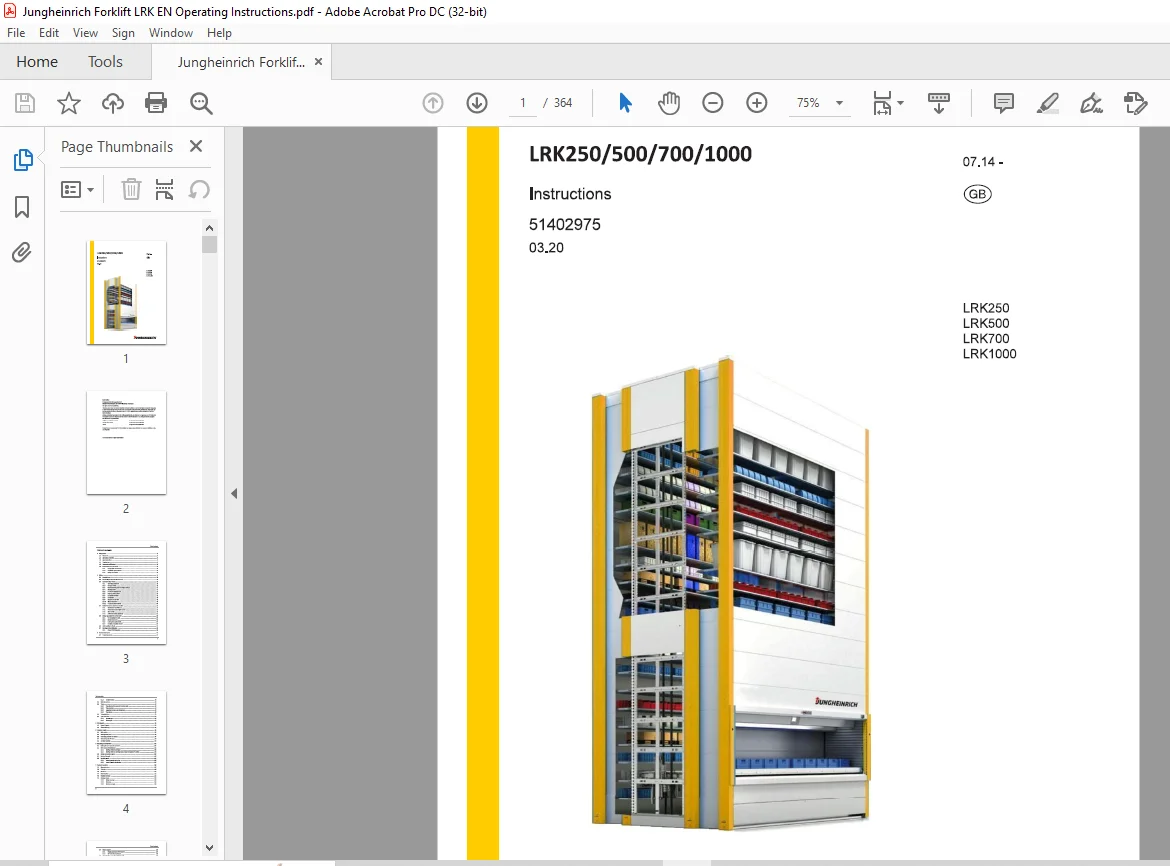
Jungheinrich Forklift LRK 250 500 700 1000 instructions Manual 51402975 – PDF DOWNLOAD
$31.95
Jungheinrich Forklift LRK 250 500 700 1000 instructions Manual 51402975 – PDF DOWNLOAD
LRK250
LRK500
LRK700
LRK1000
Description
Jungheinrich Forklift LRK 250 500 700 1000 instructions Manual 51402975 – PDF DOWNLOAD
FILE DETAILS:
Jungheinrich Forklift LRK 250 500 700 1000 instructions Manual 51402975 – PDF DOWNLOAD
Language : English
Pages : 364
Downloadable : Yes
File Type : PDF
DESCRIPTION:
Jungheinrich Forklift LRK 250 500 700 1000 instructions Manual 51402975 – PDF DOWNLOAD
LRK250
LRK500
LRK700
LRK1000
1 Introduction
1.1 Foreword
- This product is an automated storage and retrieval system that offers tailor-made solutions for the various storage and commissioning options.
- A highly diverse range of materials and parts are required in all areas of industry, commerce and service provision. Cost-effective and proper storage and retrieval are decisive factors that contribute to the achievement of the economic targets of a company.
- This product is a precision-engineered unit equipped with a modern electronic control system. The unit was designed and tested to ensure an appropriate level of safety for the operators and the surrounding area.]
1.2 Limitation of liability
- This document has been compiled with the utmost care and checked for compliance with the machine described. Compliance with the document is a prerequisite for the safe operation and realization of the specified performance and characteristics of the machine.
- The liability of Jungheinrich Aktiengesellschaft for personal injury, damage to property and financial losses as well as for defects in the machine caused by disregarding the information in this document is excluded. For your own safety, only use original spare parts and original accessories.
- The liability of Jungheinrich Aktiengesellschaft for damages of any kind that may arise from the use of other machines is excluded. Jungheinrich Aktiengesellschaft reserves the right to make changes to the form, equipment and technology of the machine as well as changes to the contents of the document as the machine evolves.
1.3 User instructions
- This document helps to familiarise you with the unit, and to learn about its intended use and application scenarios. Read this document carefully before using the unit for the first time and keep it in a safe place for future use. Ensure this document is available to all affected personnel (for commissioning, operation, maintenance and disposal) during the unit’s entire useful life.
- Safety instructions and danger notices will help you to operate the unit safely and properly. Please also observe the specifications and instructions in the accompanying papers that are enclosed with the unit. You will find additional information and notices here, especially for special units.
IMAGES PREVIEW OF THE MANUAL:
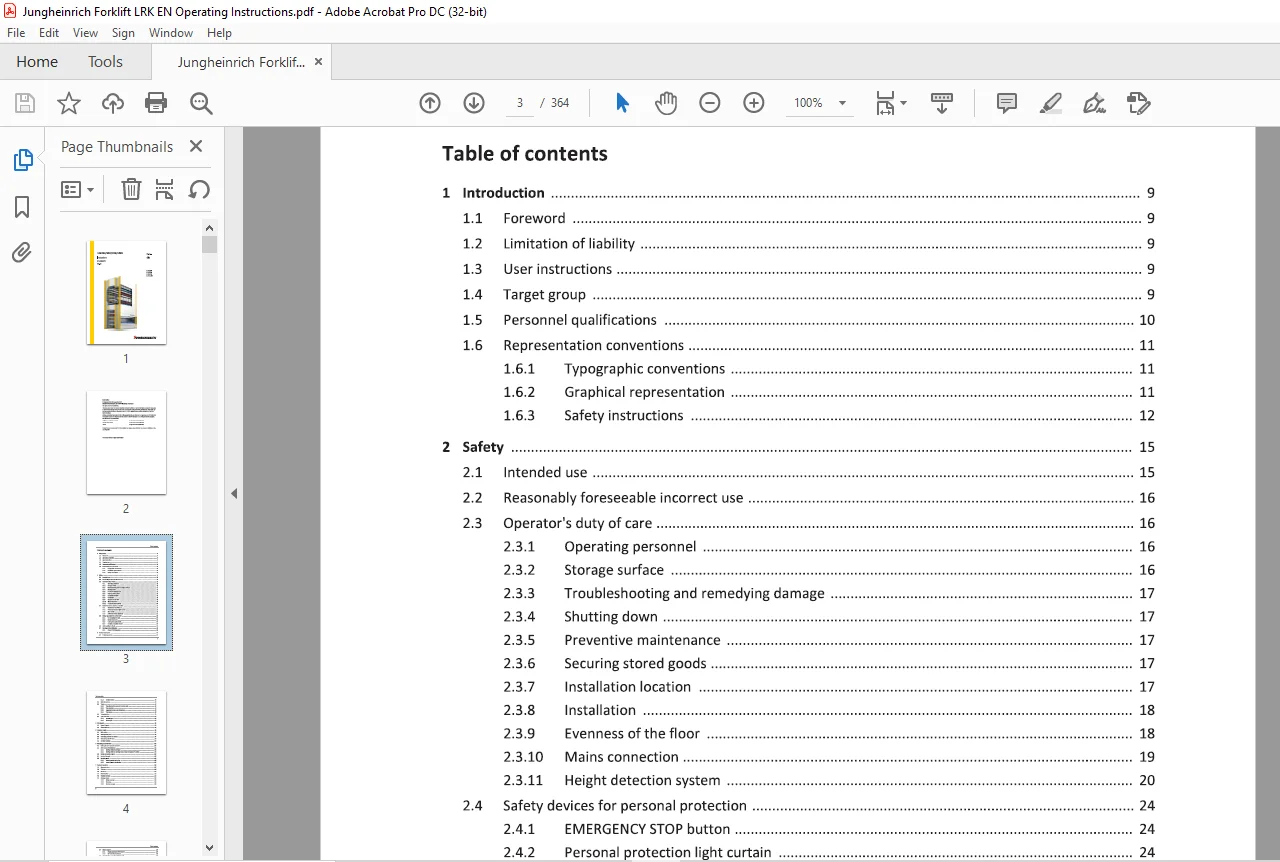
TABLE OF CONTENTS:
Jungheinrich Forklift LRK 250 500 700 1000 instructions Manual 51402975 – PDF DOWNLOAD
1 Introduction 9
1 1 Foreword 9
1 2 Limitation of liability 9
1 3 User instructions 9
1 4 Target group 9
1 5 Personnel qualifications 10
1 6 Representation conventions 11
1 6 1 Typographic conventions 11
1 6 2 Graphical representation 11
1 6 3 Safety instructions 12
2 Safety 15
2 1 Intended use 15
2 2 Reasonably foreseeable incorrect use 16
2 3 Operator’s duty of care 16
2 3 1 Operating personnel 16
2 3 2 Storage surface 16
2 3 3 Troubleshooting and remedying damage 17
2 3 4 Shutting down 17
2 3 5 Preventive maintenance 17
2 3 6 Securing stored goods 17
2 3 7 Installation location 17
2 3 8 Installation 18
2 3 9 Evenness of the floor 18
2 3 10 Mains connection 19
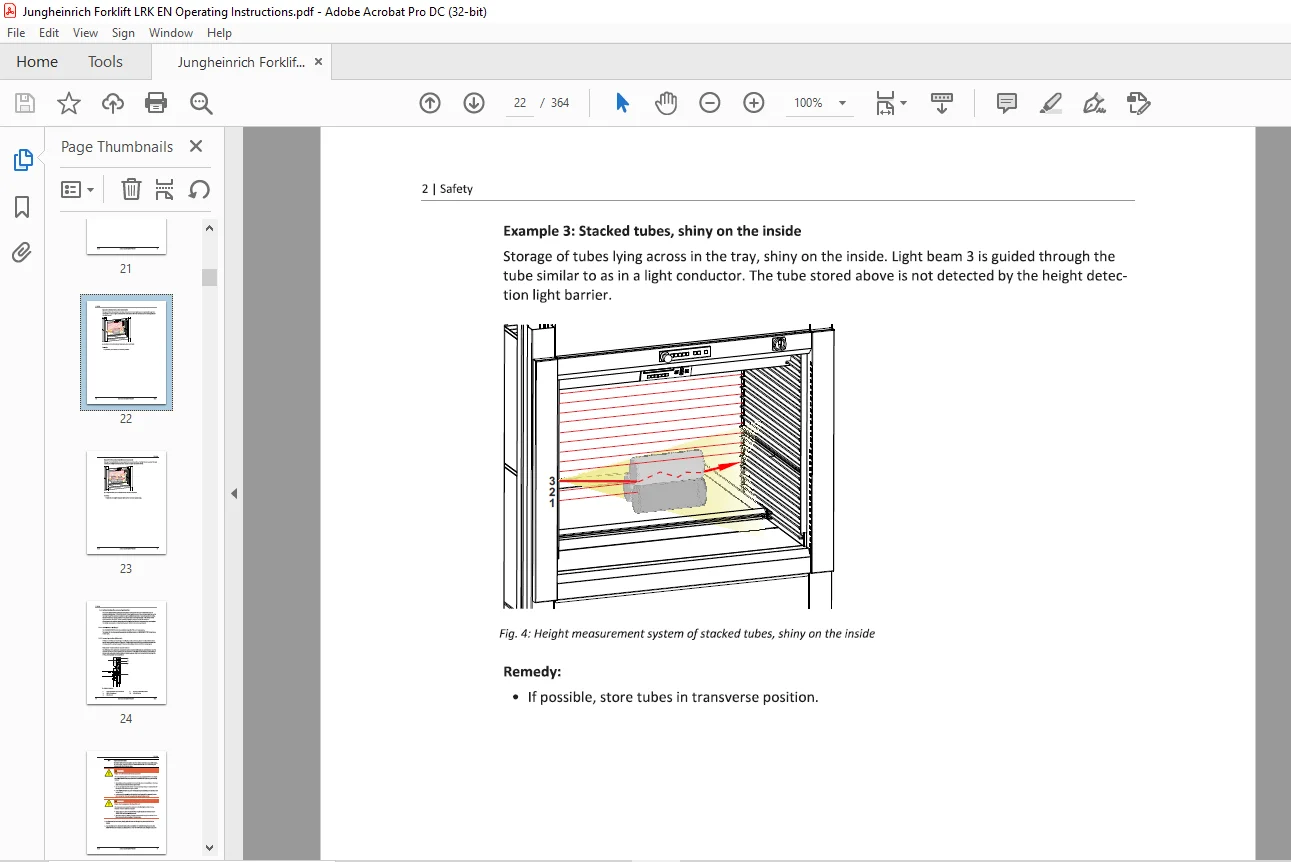
2 3 11 Height detection system 20
2 4 Safety devices for personal protection 24
2 4 1 EMERGENCY STOP button 24
2 4 2 Personal protection light curtain 24
2 4 3 Main switch 26
2 4 4 Additional safety equipment 27
2 5 Safety regulations for service work 28
2 5 1 De-energising the unit 30
2 5 2 Safety equipment 31
2 5 3 Locking the toothed belt 32
2 5 4 Climbing protection system 34
2 6 Units installed as block 35
2 7 Markings and certifications 35
2 7 1 CE and TOV GS symbols 35
3 Product description 37
3 1 Product overview 37
3 1 1 Cont rol drawer 38
3 2 Unit dimensions 39
3 3 Trays 43
3 3 1 Tray drawing for trays with number code 43
3 3 2 Tray overview 44
3 3 3 Important notes on handling trays 45
3 3 4 Tray types 51
3 4 Technical data 75
3 5 Type plate data 85
3 5 1 System type 86
3 5 2 Drive Type 87
4 Unit layout 89
4 1 Layout diagram 89
4 2 Floor anchoring 92
5 Operator panels 95
5 1 Main switch 95
5 2 OP0 operator panel 96
5 3 Operating panel OP JH-Control 97
5 4 Operator panel OPTouch 99
5 5 OPAlpha (option) 100
6 Switching on/off the unit 101
6 1 Setting the unit ready for operation 102
6 2 Start menu after switch-on 103
6 2 1 Starting without user login 103
6 2 2 Starting with the user login menu (user management option) 104
6 3 Safety device interruption 105
6 4 Faults of the unit 105
6 5 Stand-by mode 106
6 5 1 Stand-by mode activation 106
6 5 2 stand-by mode deactivation 107
7 Basics of operation 109
7 1 Menu structure 109
7 2 Title bar 110
7 3 Status bar 111
7 4 User interface 112
7 5 Function buttons 114
7 6 Message types 115
7 6 1 Status message 115
7 6 2 Warning 115
7 6 3 System message 116
7 7 Display keypad 117
7 7 1 Display keyboard OPJH-Control 117
7 7 2 OPTouch display keypad 119
7 8 User interface navigation OPJH-Control 120
7 9 OPTouch user interface navigation 122
8 Operation 123
8 1 Menu structure 123
8 2 Main menu 124
8 3 Pen & Paper 124
8 3 1 Filter (Pen & Paper) 127
8 3 2 Pen & Paper – Insert 128
8 3 3 Pen & Paper – Edit 130
8 3 4 Pen & Paper – Service 133
8 3 5 Providing the tray (Pen & Paper) 134
8 3 6 Return tray (Pen & Paper) 134
8 4 Automatic mode (host communication) 135
8 5 Semi-automatic mode 138
8 5 1 Providing/returning tray (semi-automatic mode) 141
8 5 2 Edit tray (Semi-automatic mode) 147
8 5 3 Delete tray (Semi-automatic mode) 156
8 5 4 Unlock tray (Semi-automatic mode) 157
8 5 5 Tray transfer (Semi-automatic mode) 158
8 5 6 Control measurement of tray load (semi-automatic mode) 161
8 5 7 Storage compression (Semi-automatic mode) 162
8 5 8 List mode (Semi-automatic mode) 164
8 6 Service 175
8 7 Administration 175
8 8 Information 176
8 8 1 Language selection (information) 177
8 8 2 Machine (information) 179
8 8 3 Config OP (Information) 189
8 9 Interface to fire alarm system (safety function) 192
8 9 1 Safety (fire alarm system) 192
8 9 2 Sequence diagramme (fire alarm system) 194
8 9 3 Technical data (fire alarm system) 195
9 Options 197
9 1 Position indicator LED 198
9 1 1 Identifying material with the LED position indicator 199
9 2 Position indicator Vario 200
9 2 1 Technical data (position display of vario) 202
9 3 Position indicator Matrix 203
9 4 Light pointer with LED/laser spot 205
9 5 Confirmation bar 207
9 5 1 Clearing material with the confirmation bar 207
9 6 Additional interfaces and sockets 208
9 7 Tray locking mechanism 212
9 7 1 Activating/deactivating (pneumatic tray locking) 214
9 7 2 Operation (pneumatic tray locking) 214
9 8 Illumination 215
9 8 1 Activate/deactive illumination 218
9 9 Computer connection lamp (yellow) 220
9 10 RFID reader 221
9 11 Emergency operation system 223
9 11 1 Bypassing of the personal safety light curtain 224
9 11 2 Bypassing the height detection system (MLG) 225
9 12 Unit software 226
9 13 Peripherals 226
9 14 Additional software 226
9 15 Controller option packages 228
9 16 Height detection system for dual tray and multilevel 229
9 17 User management 230
9 17 1 User rights/profiles 231
9 17 2 Activating user management 231
9 17 3 User login 232
9 17 4 Edit user 234
9 17 5 Edit user group 241
9 17 6 Controlling access via chip card reader-for OPTouch only (optional) 244
9 18 Ergonomic storage/retrieval 246
9 18 1 Activate/deactivate ergonomic putaway/retrieval 246
9 18 2 Providing a tray in the access opening (ergonomic storage/retrieval) 247
9 19 Multilevel 249
9 19 1 Activating/deactivating multilevel 250
9 19 2 Providing one or more trays in the access opening (multilevel) 251
9 19 3 Returning trays to storage (multilevel) 252
9 20 Weight management 255
9 20 1 Activating/deactivating weight management 256
9 21 Dual tray 258
9 21 1 Activating/deactivating multi-tray presentation 259
9 22 Vertical photo cell shaft monitoring 260
9 22 1 Activating/deactivating vertical photo cells shaft monitoring 261
9 23 Hardware Handshake Module 262
9 23 1 Activating/deactivating hardware handshake modules 262
9 24 Additional alphanumeric display 264
9 24 1 Activating/deactivating the additional alphanumeric display 265
9 25 Mounting shelf for keyboard 266
9 26 Additional access openings 268
9 27 Roller tracks 269
9 28 Transport cart 271
9 28 1 Providing a tray on the transport cart 274
9 28 2 Returning a tray to storage from the transport cart 275
9 29 Manual hinged tray extraction 277
9 29 1 Activating/deactivating (manual hinged tray extraction) 282
9 30 Tray extraction for fork lift handling 284
9 30 1 Activating/deactivating tray extraction for fork lift handling 289
9 30 2 Providing the tray on the tray extraction for fork lift handling 290
9 30 3 Returning a tray to storage from the tray extraction for fork lift handling 291
9 31 Tray stop rear 293
9 32 Automatic/semi-automatic full tray pull-out 294
9 32 1 Safety devices for personal protection 299
9 32 2 Safety devices for property protection 301
9 32 3 Activating/deactivating full tray extraction 302
9 32 4 Storing a tray with the full tray extraction (initial storage) 302
9 32 5 Retrieving a tray and providing it on the full tray extraction manually 303
9 32 6 Providing a tray on the full tray extraction 304
9 32 7 Returning a tray to storage from the full tray extraction 306
9 33 Lifting device (Crane Handling) 308
9 33 1 Lifting storage goods from the tray with the electrical lifting unit 312
9 33 2 Shutting down the electrical lifting unit after completing work 313
9 34 High performance bearing 314
9 35 Reflective light scanners for tray detection 315
9 36 Magnesite protective plate set 316
9 37 Panels with window (Makrolon) 317
9 37 1 Service panels and inspection panels with viewing windows 317
9 37 2 Mounting panels and inspection panels with viewing windows 318
9 37 3 Lift door with viewing window 319
9 38 Raised load 320
9 39 Unit support 321
9 40 Unit with no operating panel 324
9 41 Service panel entry front/rear side 325
9 42 4-pin switch-off 327
9 43 Perforated roof panel with thermal foil 328
9 44 ESD version 329
10 Messages 331
10 1 Status messages 331
10 2 System messages 334
11 Maintenance 343
11 1 Service and maintenance intervals 343
11 2 Maintenance and check list 344
11 2 1 Visual and functional inspections of mechanical components 344
11 2 2 Visual inspection of the electrical system 345
11 2 3 Functional check/measurement electrical system 346
11 3 Mechanical checks 346
11 4 Electrical checks 347
11 5 Checking the personal safety light curtain 347
11 6 Check of the protective conductor, fault loop impedance and insulation resistance 349
11 7 Replacing the filter mat of the fan 350
11 8 Lubrication: 350
11 9 Motor 350
11 10 Checking warning and information signs 351
11 11 Cleaning 351
11 12 Technical support 351
12 EC Declaration of Conformity 353
13 Disassembly and disposal 355
Need help? Contact: [email protected]
PLEASE NOTE:
- This is the SAME MANUAL used by the dealerships to diagnose your vehicle
- No waiting for couriers / posts as this is a PDF manual and you can download it within 2 minutes time once you make the payment.
- Your payment is all safe and the delivery of the manual is INSTANT – You will be taken to the DOWNLOAD PAGE.
- So have no hesitations whatsoever and write to us about any queries you may have : heydownloadss @gmail.com
S.M