Konica Minolta 7145/7222/7228/7235 Service Manual PDF
Original price was: $95.00.$18.95Current price is: $18.95.
Download the official Konica 7145 service manual PDF for models 7145/7222/7228/7235. This Konica Minolta 7222 repair guide includes detailed Konica 7228 troubleshooting manual, 7235 maintenance instructions, and copier service handbook with disassembly, adjustments, diagrams, and safety guidelines for professional repairs.
Description
Konica Minolta 7145/7222/7228/7235 Service Manual PDF DOWNLOAD
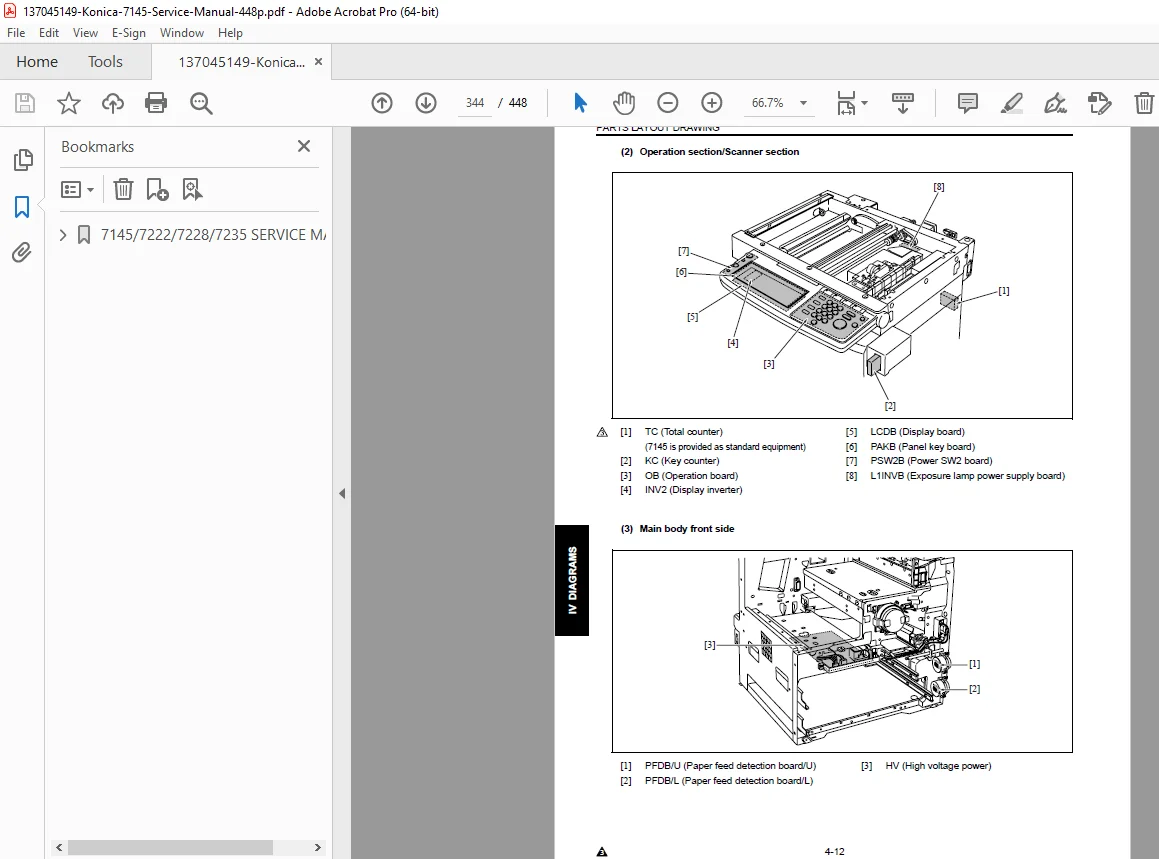
Description: This essential Konica Minolta 7145 service manual PDF download provides comprehensive guidance for servicing Konica models 7145, 7222, 7228, and 7235. Published in April 2004 by Konica Minolta Business Solutions U.S.A., Inc., it includes safety warnings, system outlines, unit explanations, disassembly and assembly procedures, adjustments, and troubleshooting, with emphasis on using authorized parts to maintain performance and safety. Detailed diagrams and drive system layouts support technicians in handling modifications, maintenance, and repairs effectively.
The manual highlights prohibited actions to prevent hazards and ensures compliance with safety circuits and warnings.
File Details:
- Manual Name: Konica Minolta 7145/7222/7228/7235 Service Manual
- Models Covered: 7145, 7222, 7228, 7235
- Year: 2004
- Manual PDF Quality: High-quality scanned document with clear text, illustrations, and diagrams
- No. of Pages: 448
Table of Contents: The manual is structured into major sections for easy navigation. Here’s the complete table of contents extracted and categorized:
- Safety and Important Warning Items
- Safety and Important Warning Items (S-1)
- Important Notice (S-1)
- Description Items for Danger, Warning and Caution (S-1)
- Safety Warnings (S-2)
- Safety Information (S-10)
- Important Information (S-10)
- Safety Circuits (S-11)
- Indication of Warning on the Machine (S-13)
- List of Major Differences and Options
- List of major differences between the 7145, 7235, 7228 and 7222 (1)
- List of options corresponding to the 7145/7235/7228/7222 (3)
- I Outline
- Outline of System (1-1)
- Product Specifications (1-3)
- Type (1-3)
- Functions (1-3)
- Copy paper (1-5)
- Machine data (1-5)
- Maintenance (1-5)
- Consumables (1-5)
- Operating environment (1-6)
- Center Cross Section (1-7)
- Drive System Diagram (1-8)
- Drum drive (1-8)
- Cleaning/Developer agitation drive (1-8)
- Fixing/Paper exit section/IT-101/RU-101 drive (1-9)
- Developing drive (1-9)
- Paper feed drive (1-10)
- ADU drive (1-13)
- Scanner drive (1-14)
- Toner supply drive (1-15)
- II Unit Explanation
- Scanner Section (2-1)
- Composition (2-1)
- Operation (2-2)
- Write Unit (2-9)
- Composition (2-9)
- Operation (2-10)
- Drum Unit (2-11)
- Composition (2-11)
- Operation (2-13)
- Developing Unit (2-15)
- Composition (2-15)
- Operation (2-16)
- Toner Supply/Cleaning/Recycle Unit (2-17)
- Composition (2-17)
- Operation (2-18)
- Paper Feed Unit (2-20)
- Composition (2-20)
- Operation (2-21)
- Fixing Unit (2-24)
- Composition (2-24)
- Operation (2-26)
- ADU/Paper Exit Section (2-27)
- Composition (2-27)
- Operation (2-29)
- Interface Section (2-35)
- Composition (2-35)
- Network Section (2-36)
- Composition (2-36)
- Other Controls (2-37)
- Parts energized when the main power switch is off (2-37)
- Components operated when the power switch is on (2-38)
- Fan control (2-40)
- Operation unit control (2-42)
- Counter control (2-43)
- Scanner Section (2-1)
- III Disassembly/Assembly
- External Section (3-1)
- Replacing the ozone filter (3-1)
- Replacing the filter cover assembly and suction filter/A (3-2)
- Drive Section (3-3)
- Removing and reinstalling the motor units (main, fixing, feed, developing) (3-3)
- Replacing the registration clutch (3-5)
- Replacing the loop clutch (3-6)
- Removing the ribbon cable (3-7)
- Reinstalling the ribbon cable (3-8)
- Scanner Section (3-9)
- Screws that must not be removed (3-9)
- Adjusting the angle of the operation unit (3-10)
- Removing the operating unit (3-11)
- Removing the platen glass/slit glass (3-14)
- Removing and reinstalling the CCD unit (3-17)
- Replacing the exposure lamp (3-18)
- Removing and reinstalling the exposure unit (3-19)
- Removing the optics wire (3-20)
- Installing the optics wire (3-21)
- Write Unit (3-23)
- Removing and reinstalling the write unit (3-23)
- Drum Unit (3-27)
- Removing and reinstalling the drum unit (3-27)
- Removing and reinstalling the charging corona unit (3-28)
- Removing and reinstalling the charge control plate (3-28)
- Replacing the charging wire (3-29)
- Removing and reinstalling the drum (3-29)
- Removing and reinstalling the separation claw (3-33)
- Removing and reinstalling the transfer and separation corona unit (3-34)
- Replacing the transfer and separation wires (3-34)
- Developing Unit (3-36)
- Screws that must not be removed (3-36)
- Removing and reinstalling the developing unit (3-36)
- Replacing the developer (3-37)
- Toner Supply/Cleaning/Recycle Unit (3-39)
- Removing and reinstalling the toner bottle (3-39)
- Removing and reinstalling the toner supply unit (3-39)
- Removing and reinstalling the cleaning blade (3-40)
- Paper Feed Unit (3-42)
- Replacing the paper feed roller and the feed roller (by-pass) (3-42)
- Replacing the double feed prevention roller (3-44)
- Replacing the paper feed rubber and the feed rubber (tray 1) (3-45)
- Replacing the double feed prevention rubber (tray 1) (3-47)
- Replacing the paper feed rubber and the feed rubber (tray 2) (3-48)
- Replacing the double feed prevention rubber (tray 2) (3-50)
- Cleaning the paper dust removing brush (3-51)
- Fixing Unit (3-52)
- Removing and reinstalling the fixing unit (3-52)
- Replacing the fixing heater lamps/1, /2 (3-53)
- Removing and reinstalling the fixing claw (3-55)
- Replacing the fixing web (3-56)
- Removing and reinstalling the fixing heat roller, fixing pressure roller, heat insulating sleeve/A, /B, fixing idling gear/B, fixing bearing/U, /L, fixing heater lamp/1, /2 (3-59)
- Removing and reinstalling the fixing temperature sensors (3-64)
- Removing and reinstalling the Fuse mounting plate assembly (3-66)
- External Section (3-1)
No separate index is present in the extracted pages, but the detailed TOC serves as a comprehensive guide.
This Konica 7228 troubleshooting manual is invaluable for diagnosing and repairing issues, making it a must-have Konica 7235 maintenance instructions resource.
Empower your repairs with this detailed copier service handbook—download instantly for immediate access to professional diagnostics and get your Konica machines running smoothly today!