Lenovo ThinkPad T61 / T61p Service & Hardware Maintenance Manual PDF
Original price was: $95.00.$12.95Current price is: $12.95.
Get the official Lenovo ThinkPad T61 service manual (covers 15.4″ widescreen T61 & T61p models). This high-quality, searchable PDF guide provides step-by-step instructions for hardware maintenance, parts replacement, and troubleshooting. Perfect for IT professionals and DIYers needing a reliable ThinkPad T61p repair guide. Instant download available!
Description
Lenovo ThinkPad T61 / T61p Service & Hardware Maintenance Manual PDF DOWNLOAD
Description:
Keep your Lenovo laptop operating at its absolute best with the official Lenovo ThinkPad T61 service manual. This comprehensive factory-issued document is the ultimate resource for IT professionals, repair technicians, and tech-savvy owners looking for a complete ThinkPad T61p repair guide.
This highly detailed ThinkPad hardware maintenance PDF provides everything from basic safety inspections to complete disassembly and part replacement instructions. Whether you are upgrading the system memory, isolating a boot error code, replacing a cracked LCD panel, or navigating the PC-Doctor diagnostics guide, this manual takes the guesswork out of the repair process.
Manual Highlights & Table of Contents
This manual is meticulously organized to ensure you can locate critical repair and diagnostic information instantly:
Safety & General Information
Electrical safety and safety inspection guide.
Handling devices sensitive to electrostatic discharge (ESD) and grounding requirements.
Laser compliance statements.
Important Service Information
Strategy for replacing FRUs (Field Replaceable Units).
Strategy for replacing a hard disk drive and system board.
Using error messages for rapid fault isolation.
General Checkout & Troubleshooting
Power system checkout (testing the AC adapter, operational charging, and battery pack).
Using the built-in PC-Doctor diagnostics guide (for DOS, Windows, and Rescue/Recovery).
Passwords (removing power-on and hard-disk passwords).
Power management (screen blank, standby, and hibernation modes).
Symptom-to-FRU Index
Comprehensive list of numeric error codes (e.g., 0175, 0190, 2010) and their solutions.
Resolving beep symptoms and no-beep symptoms.
ThinkPad T61 troubleshooting for LCD-related symptoms (e.g., blank screen, dead pixels) and intermittent problems.
Specifications & Configuration
Detailed hardware specs (Processors, Memory, Graphic chips, Displays).
Status indicator meanings and Fn key combinations.
Removing and Replacing a FRU (Assembly/Disassembly)
Complete step-by-step part removal:
Battery pack, Ultrabay Slim device, Hard disk drive (HDD) / Solid state drive (SSD).
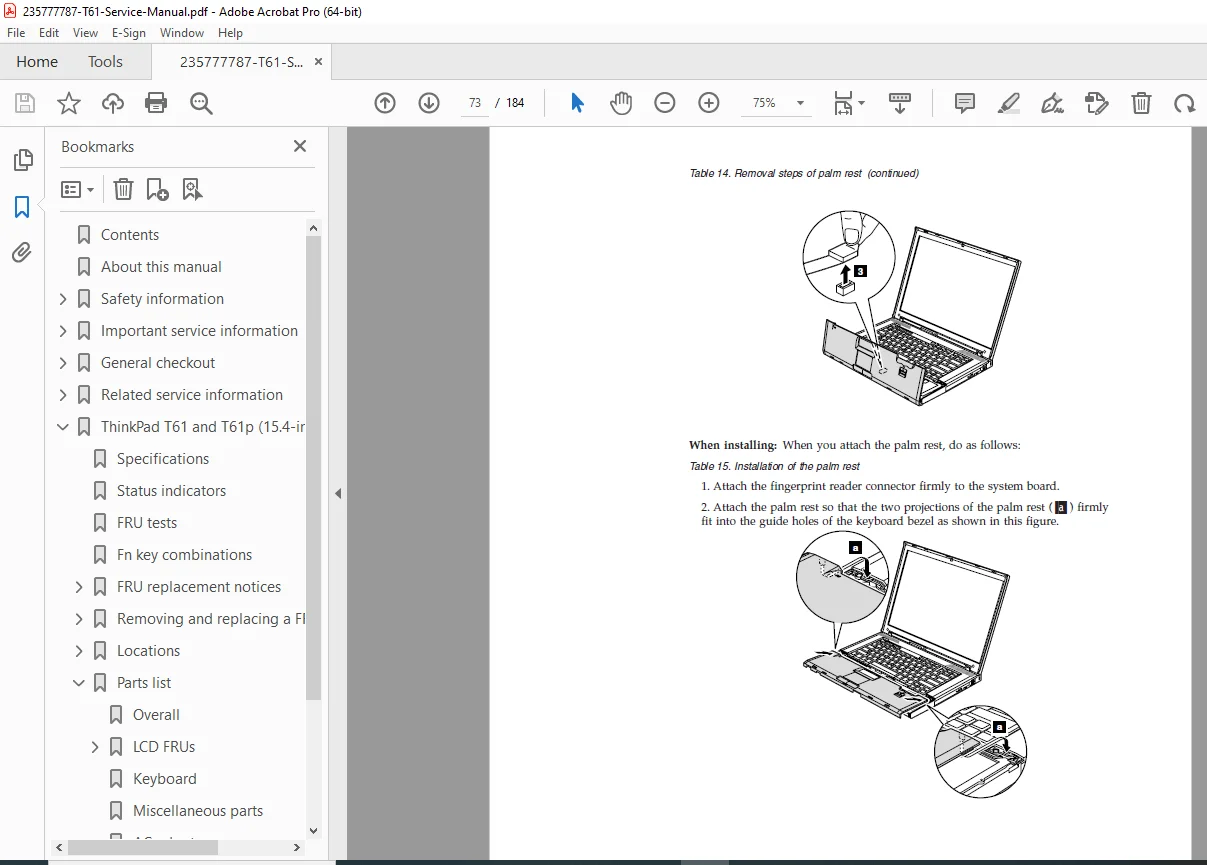
Palm rest (with or without fingerprint reader), DIMM, Keyboard.
PCI Express Mini Cards (Wireless LAN, WAN, USB adapter), Modem daughter card.
Advanced replacements: CPU, Fan assembly, Speaker assembly, Inverter card, and full LCD assembly.
Parts List & Locations
Detailed part numbers (FRU) for every system component.
Front, rear, and bottom view diagrams for easy part identification.
Quick Reference Error Code Table
File Details:
Manual Name: ThinkPad T61 and T61p (15.4-inch widescreen) Hardware Maintenance Manual
Models Covered: MT 6463, 6464, 6465, 6466, 6467, 6468, 6471, 6457, 6458, 6459, 6460, 6461, 6462, and 6470.
Year: 2011 (Fifth Edition)
Manual PDF Quality: High Quality, Crisp Searchable PDF
Number of Pages: 176 Pages
Bring your ThinkPad back to peak performance! Don’t let a hardware failure slow you down or cost you expensive repair center fees. Purchase and download this official manual instantly to access professional-grade repair strategies and fix your laptop today!