Liebherr Crane LTM 1750-9.1 LICCON 2 Operating Instruction Diagnostics Manual 99904-05-02 – PDF DOWNLOAD
$28.95
Liebherr Crane LTM 1750-9.1 LICCON 2 Operating Instruction Diagnostics Manual 99904-05-02 – PDF DOWNLOAD
Description
Liebherr Crane LTM 1750-9.1 LICCON 2 Operating Instruction Diagnostics Manual 99904-05-02 – PDF DOWNLOAD
FILE DETAILS:
Liebherr Crane LTM 1750-9.1 LICCON 2 Operating Instruction Diagnostics Manual 99904-05-02 – PDF DOWNLOAD
Language : English
Pages : 126
Downloadable : Yes
File Type : PDF
IMAGES PREVIEW OF THE MANUAL:
DESCRIPTION:
Liebherr Crane LTM 1750-9.1 LICCON 2 Operating Instruction Diagnostics Manual 99904-05-02 – PDF DOWNLOAD
Foreword:
General:
This crane was built according to the state of technology and recognized safety technical regulations.
Despite that, dangers to body and life for the user and / or third persons or damage to the crane and /
or other material assets can occur.
This crane may only be used:
– in impeccable technical condition.
– for destined use.
– by trained personnel, which acts in a safety and danger conscious way.
– when no safety relevant problems are present.
– when no modifications were made on the crane.
Any problems, which could affect safety must be fixed immediately.
Modifications on the crane may only be made with written approval by Liebherr-Werk Ehingen GmbH.
Non-destined use:
Non -destined use is:
– Working outside the permissible set up configurations according to the load chart.
Working outside the permissible boom radii and slewing ranges according to the load chart.
Selecting load charts, which do not correspond to the actual set up configuration.
Selection of a set up configuration via code or via manual entry, which does not correspond to the
actual set up configuration.
Working with bypassed / deactivated safety devices, for example bypassed load moment limitation
or with bypassed hoist limit switch.
Increasing the radius of the lifted load after a LMB shut off, for example by diagonally pulling the
load.
– Using the support pressure display as a safety function against tipping over.
– Use of equipment parts which are not approved for the crane.
– Using the crane at sports and recreational events, especially for “Bungee” jumps and / or “Dinner
in the sky”.
– Driving on a public road in non-permissible driving condition (axle load, dimension).
– Driving with the equipment in place in a non-permissible driving condition.
– Pushing, pulling or lifting loads with the leveling regulation, the sliding beams or the support
cylinders.
– Pushing, pulling or lifting loads by actuating the slewing gear, the luffing gear or the telescoping
gear.
– Ripping stuck objects loose with the crane.
– Utilizing the crane for a longer period of time for material handling tasks.
– Releasing the crane suddenly (grapple or dumping operation).
– Utilizing the crane when the weight of the load, which is suspended on the crane is changed, for
example by filling a container suspended on the load hook, except:
• The load moment limiter was checked before for function with a known load.
• The crane cab is occupied.
• The crane is operational.
• The container size is selected in such a way that an overload of the crane with full load is
eliminated within the valid used load chart.
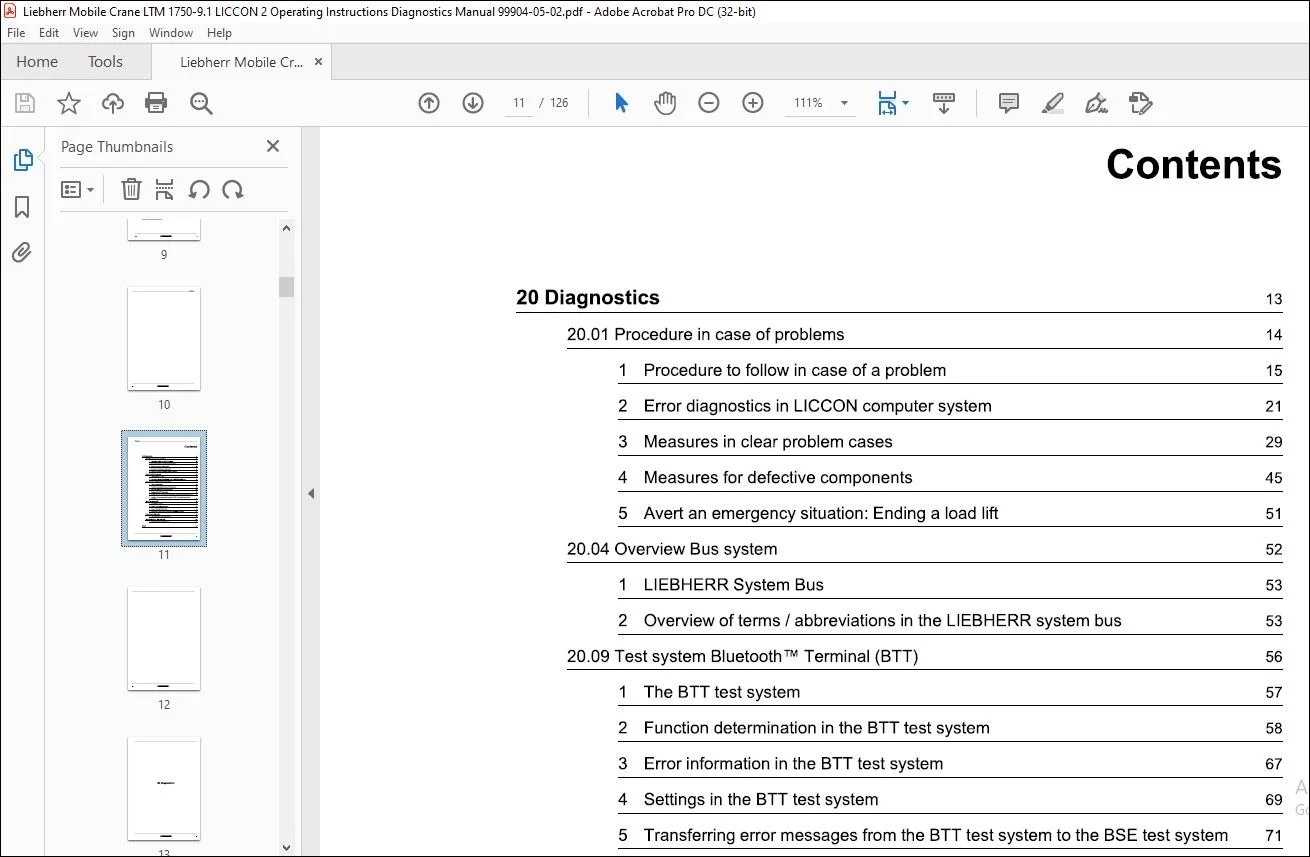
TABLE OF CONTENTS:
Liebherr Crane LTM 1750-9.1 LICCON 2 Operating Instruction Diagnostics Manual 99904-05-02 – PDF DOWNLOAD
2
20 Diagnostics 13
A
Activating the remote diagnostics 117
Alarm function on LICCON monitor 43
Areas of the BSE test system 87
Avert an emergency situation: Ending a load lift 51
C
Calling up error messages 25
Carrying out a remote diagnostics 118
Carrying out the diagnostics for the disk brake
pads 122
Causes and responsibility for problems 19
Changing the language in the BTT test system 69
Changing the language settings in the BSE test
system 83
Changing the time of day/ time zone/ date in the
BTT t 69
Component/ component group no longer reacts 44
D
Decoding of LICCON-Error-Code (LEC) 58, 103
Design of LWE remote diagnostics device 115
Determining errors in the BSE test system 107
Diagnostics – disk brake pads: Comparison measurement
of 122
Diagnostics- disk brake pads 120
Diagnostics – disk brake pads: Sequence for
measurement 122
Display area of BSE Test system 89
Dysfunction of monitoring function 29
E
Empty BSE error stack 113
Engine does not start 31
Ending work with the BSE test system 113
Error diagnostics in LICCON computer system 21
Error diagnostics without the help of Liebherr
Service 26
Error diagnostics with the help of Liebherr
Service 26
Error information in the BSE test system 105
Error information in the BTT test system 67
Error messages in the LICCON computer
system 22
Error message due to UEA-Module 39
Error processing in the BSE test system 109
Error processing in the BTT error stack 63
F
Functionality of the BSE error stack 101
Functionality of the BTT error stack 59
Function determination in the BTT test system 58
Function key line of the BSE test system 91
Function keys in the BTT test system 57
Fuse defective: Replace 47
H
Header in the BSE test system 87
Hydraulic, electric or engine failed 44
Index 125
L
LIEBHERR System Bus 53
Limit switch defective: Replace 48
M
Measures for defective components 45
Measures in clear problem cases 29
Module defective: Replace 47
0
Overload protection failed 48
Overview Bus system 52
Overview of displays and component groups for
error diag 17
Overview of terms/ abbreviations in the LIEBHERR
system bus 53
p
Preparing for the diagnostics for the disk brake
pads 121
Problem on Bluetooth TM Terminal (BTT) 75
Problem on Bluetooth TM Terminal 35
Problem on LICCON monitor/ TE display 36
Problem on mechanics / components of the
crane 44
Problem on pipes / hoses 45
Problem on the radio remote control (BTT-E) 79
Problems on the operating elements of the BTT and
radio remote control (BTT-E) 75
Problem during telescoping 43
Procedure in case of error messages in the BSE
test system 101
Procedure in case of error messages in the BTT
error sta 61
Procedure in case of problems 14
Procedure to follow in case of a problem 15
Q
Question marks visible on the LICCON monitor
( crane geom 41
R
Recognizing errors via remote diagnostics 118
Remote diagnostics 114
IIEBHEIIII 125
s
Sensor defective: Replace 47
Service levels in the BSE test system 85
Settings in the BSE test system 81
Settings in the BTT test system 69
Starting the BSE Test system 81
Starting the BTT test system 57
Test system BSE 80
The BSE test system 81
The BTT test system 57
The diagnostics – disk brake pads 121
Index
The LWE remote diagnostics device 115
Transferring error messages: Crane with automatically
ac 71
Status display Remote diagnostics module 117
Transferring error messages: Crane without automatically
73
T
Temporary errors during system start 29
Test system Bluetooth™ Terminal (BTT) 56
126
Transferring error messages from the BTT test
system to the BSE test system 71
Need help? Contact: [email protected]
S.V