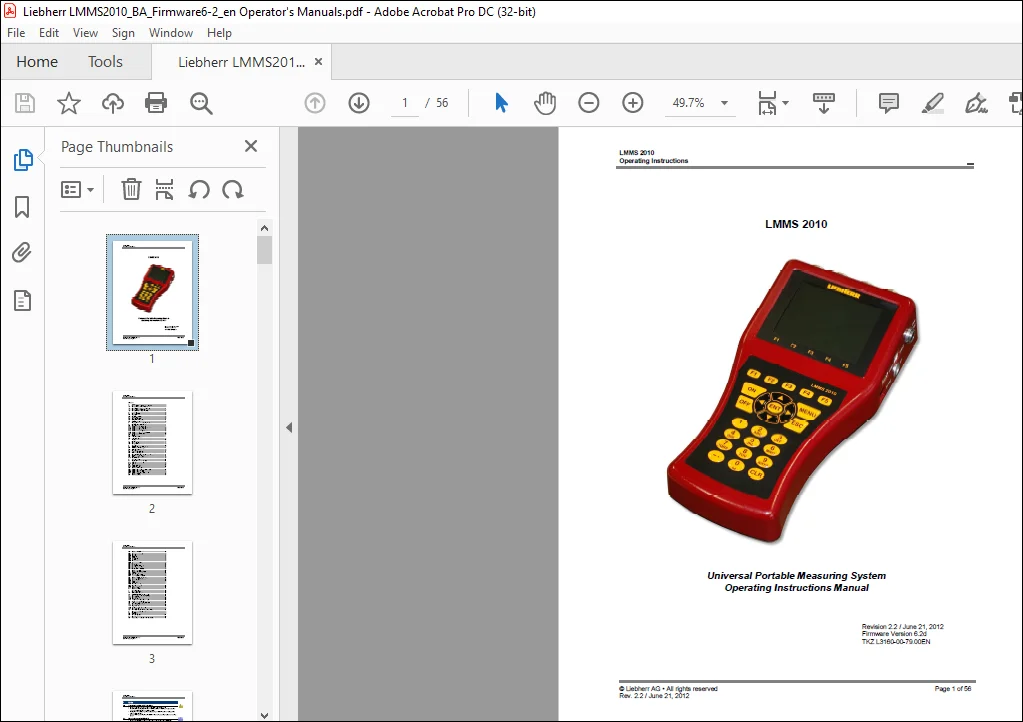
Liebherr LMMS 2010 Operating Instructions Manual – PDF DOWNLOAD
$16.95
Liebherr LMMS 2010 Operating Instructions Manual – PDF DOWNLOAD
Description
Liebherr LMMS 2010 Operating Instructions Manual – PDF DOWNLOAD
FILE DETAILS:
Liebherr LMMS 2010 Operating Instructions Manual – PDF DOWNLOAD
Language : English
Pages : 56
Downloadable : Yes
File Type : PDF
TABLE OF CONTENTS:
Liebherr LMMS 2010 Operating Instructions Manual – PDF DOWNLOAD
Contents
1 Safety 4
1 1 General Safety Advice and Warning Hints 4
1 2 Hints for the use of the LMMS 2010 4
1 3 Hints for the use of sensors and cables 4
1 4 Hints for the use of batteries 4
1 5 Hints for the connection of printers 4
2 Introduction 5
2 1 Range of validity 5
2 2 Copyright 5
2 3 Limitation of liability 5
2 4 Use as agreed 6
2 5 Warranty regulations 6
2 6 Obligations to the customer 6
2 7 Authorized staff 6
3 Description of the measuring instrument 7
3 1 Qualities of the LMMS 2010 7
3 2 Connectors 7
3 2 1 Characteristics of highspeed analog inputs 7
3 2 2 Characteristics of analog inputs 8
3 2 3 Characteristics of frequency inputs 8
3 2 4 Characteristics of digital trigger input 9
3 2 5 Characteristics digital signal output 9
3 2 6 Characteristics combi-jack CAN / RS 232 9
3 2 7 Characteristics USB interfaces 10
3 3 Display 10
3 4 Keyboard 11
3 5 Evaluation software 11
3 6 Technical data 12
4 Startup 12
4 1 Check delivery 12
4 2 Range of delivery 12
4 3 Charge batteries 13
5 Operation 13
5 1 Switch the instrument On and Off 14
5 2 Select operation language 14
5 3 Set date and time 15
5 4 Connect sensors 15
5 5 Enter sensor parameters 15
5 6 Collect measuring data 17
5 7 Connect PC and transfer measurement data 18
5 8 Delete measurement data 18
5 9 Print measurement data 19
5 10 Reset instrument 19
6 Operation software 20
6 1 Display of the measured values 20
6 1 1 Measured values with MinMax 20
6 1 2 Measured values with their units 20
6 2 Menu 20
6 2 1 Available submenus 20
6 2 2 Available functions 21
6 3 Submenu “Channels” 21
6 3 1 Configure measuring channels (Ch1 Ch 8) 21
6 3 2 Configure trigger input (Ch9) 22
6 3 3 Configure trigger output (Ch10) 23
6 3 4 Configure special channels (Ch11 24) 23
6 4 Submenu “Display” 25
6 5 Submenu „Memory“ 26
6 6 Submenu “Device” 28
6 6 1 Select operation language 28
6 6 2 Enter date 28
6 6 3 Enter time 29
6 6 4 ISDS configuration 29
6 6 5 CAN configuration 29
6 6 6 Set hardware filter 29
6 6 7 Set software filter 30
6 6 8 Enter company 30
6 6 9 Select printer and format 30
6 6 10 Select keyboard 31
6 6 11 Set service function 31
6 6 12 Set RS232 interface speed 31
6 6 13 Set Ethernet functionality 31
6 6 14 Setup menu 32
6 6 15 Display software information 33
6 7 Submenu „Projects“ 33
6 8 Submenu “Special Applications” 34
6 8 1 HYDROrun 34
6 8 2 CANopen device 36
6 8 3 Patrick the Particle Counter 36
6 8 4 Load valve HySense® QL 326 38
6 9 Submenu “Show” (function bar) 39
6 9 1 Select series of measurements 39
6 9 2 Select output format 40
6 9 3 Select channels 40
6 9 4 Define scaling 41
6 9 5 Define size 41
6 9 6 Presentation type table 41
6 9 7 Presentation type graph 42
6 9 8 Show menu setup 43
6 10 Submenu “Delete” 43
6 11 Submenu „UStick“ 44
7 Special functions 45
7 1 Linearisation table 45
7 2 Define CAN channel 45
7 3 Graphic presentation in display menu 47
7 4 Coupling of several measuring instruments 47
7 4 1 Electrical connection 47
7 4 2 Program instruments 49
7 4 3 Start recording 49
7 4 4 Transfer and evaluate measured values 49
7 5 How to use the USB stick 49
7 6 Firmware update using the USB Stick 50
7 7 Connect MultiXtend A and T 51
7 7 1 Activate CAN bus 51
7 7 2 Program CAN channels 51
7 7 3 Activate MultiXtend power supply 52
7 7 4 Start the MultiXtend 53
7 8 Connection of external measuring devices 53
8 Cleaning and maintenance 54
8 1 Cleaning 54
8 2 Maintenance 54
8 3 SD card replacement 54
8 4 Repair 56
8 5 Manufacturer and Customer Service Address 56
IMAGES PREVIEW OF THE MANUAL:
PLEASE NOTE:
- This is the same manual used by the dealers to diagnose and troubleshoot your vehicle
- You will be directed to the download page as soon as the purchase is completed. The whole payment and downloading process will take anywhere between 2-5 minutes
- Need any other service / repair / parts manual, please feel free to contact [email protected] . We still have 50,000 manuals unlisted
s.m