Linkbelt 210X4 2DMG (MACHINE GUIDANCE) 2DMC (MACHINE CONTROL) Hydraulic Excavator Operator’s Manual 210X4-2DMGMC-LXG-01 – PDF DOWNLOAD
Original price was: $75.95.$26.95Current price is: $26.95.
Linkbelt 210X4 2DMG (MACHINE GUIDANCE) 2DMC (MACHINE CONTROL) Hydraulic Excavator Operator’s Manual 210X4-2DMGMC-LXG-01 – PDF DOWNLOAD
Description
Linkbelt 210X4 2DMG (MACHINE GUIDANCE) 2DMC (MACHINE CONTROL) Hydraulic Excavator Operator’s Manual 210X4-2DMGMC-LXG-01 – PDF DOWNLOAD
FILE DETAILS:
Linkbelt 210X4 2DMG (MACHINE GUIDANCE) 2DMC (MACHINE CONTROL) Hydraulic Excavator Operator’s Manual 210X4-2DMGMC-LXG-01 – PDF DOWNLOAD
Language : English
Pages : 178
Downloadable : Yes
File Type : PDF
Size: 81.9 MB
IMAGES PREVIEW OF THE MANUAL:
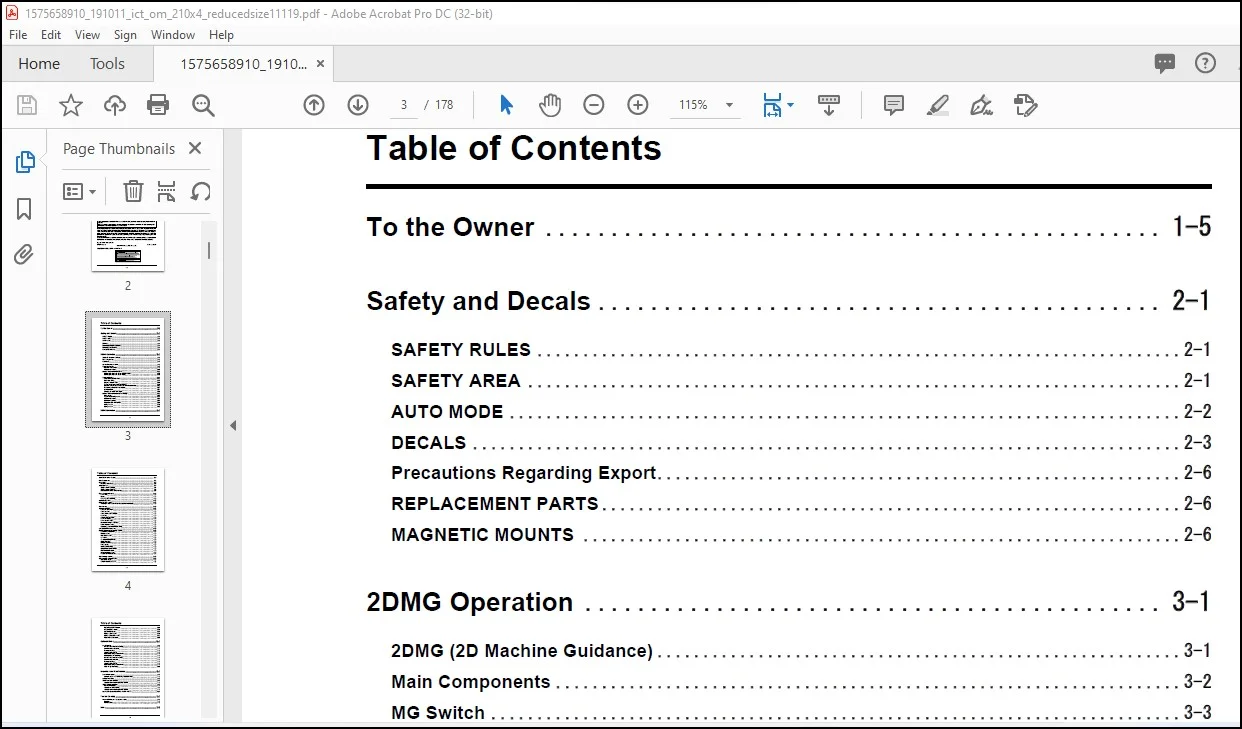
TABLE OF CONTENTS:
Linkbelt 210X4 2DMG (MACHINE GUIDANCE) 2DMC (MACHINE CONTROL) Hydraulic Excavator Operator’s Manual 210X4-2DMGMC-LXG-01 – PDF DOWNLOAD
To the Owner 1-5
Safety and Decals 2-1
SAFETY RULES 2-1
SAFETY AREA 2-1
AUTO MODE 2-2
DECALS 2-3
Precautions Regarding Export 2-6
REPLACEMENT PARTS 2-6
MAGNETIC MOUNTS 2-6
2DMG Operation 3-1
2DMG (2D Machine Guidance) 3-1
Main Components 3-2
MG Switch 3-3
Screen Transition Outline 3-4
Operation Screens 3-5
Guidance mode screen 3-5
Measure mode screen 3-10
Machine Guidance Menu Screen 3-12
Machine guidance menu screen operation method 3-13
Machine guidance menu screen display 3-14
Operation Method 3-16
Switch to the guidance mode 3-16
Benchmark setting 3-17
Using the Measure mode 3-18
Target surface setting (depth or gradient) 3-19
Guidance using the values measured in the Measure mode 3-22
Transferring a benchmark (touch point) 3-25
Bucket selection 3-29
Changing the bucket teeth length 3-30
Machine Guidance Menu Screen Settings 3-32
Home screen 3-32
Target surface setting screen 3-34
Measure mode screen 3-35
Bucket setting screen 3-37
Height and depth alarm screen 3-38
Setting 1 screen 3-41
Setting 2 screen 3-42
2DMC Operation 4-1
Table of Contents
1-2
2DMC (2D Machine Control) 4-1
Main Components 4-2
MC Switch 4-3
MC switch adjustment 4-4
2DMC Monitor 4-6
2DMC monitor adjustment 4-7
2DMC monitor power OFF 4-8
Basic operations of the 2DMC monitor 4-9
How to Start Earthworks 4-11
How to start 4-12
Logout 4-13
Changing touch sensitivity 4-14
Operation Screens 4-16
DASHBOARD Screen 4-17
Transiting to Work screen (When the project is not selected) 4-18
Work Screen 4-20
Operating Method 4-25
Setting the benchmark 4-25
Setting gradient 4-26
Setting offset (depth or height) 4-27
Auto mode 4-28
Activating the auto mode 4-30
Auto mode display 4-31
How to use auto mode 4-32
For efficient driving in auto mode 4-35
Bucket angle auto mode 4-36
Transferring a benchmark (touch point) 4-38
SYSTEM SETTINGS Screen 4-43
Details About System Settings Screen 4-45
SYSTEM STATUS screen 4-45
LAYOUT screen 4-47
LIGHTBARS screen 4-49
Text Ribbon 4-53
Text ribbon display item list 4-54
Dark Background 4-56
OVERLAYS screen 4-57
UNITS screen 4-58
INCREMENTS screen 4-59
GRADE TOLERANCE screen 4-60
FILE TRANSFER screen 4-61
Language settings screen 4-63
SOUND SETTINGS screen 4-64
Work Settings Screen 4-65
Work Settings Screen Details 4-66
JOB SETUP screen 4-66
TARGET MAINFALL screen 4-67
ELEVATION OFFSET screen 4-80
ATTACHMENTS screen 4-84
AUTO MODE screen 4-87
TOUCH POINT screen 4-91
BENCH ELEVATION screen 4-92
MEASURE MODE screen 4-94
Optional Items 5-1
Laser Catcher 5-1
How to use Laser catcher (2DMG) 5-1
Overview of Laser Catcher 5-1
Pre-usage Settings 5-2
Laser reception method 5-2
Automatically Using the Benchmark 5-3
Manually Using the Benchmark 5-4
How to use Laser catcher (2DMC) 5-6
Overview of laser catcher 5-6
Pre-usage Settings 5-7
Laser reception method 5-8
Automatically Using the Benchmark 5-8
About the light bar display 5-10
Inspection and Maintenance 6-1
General Information 6-1
General cautions when performing inspection/service 6-1
Startup Inspection 6-2
2DMG Startup Inspection 6-3
Inspection of the machine guidance function 6-3
2DMC Startup Inspection 6-5
MC switch inspection 6-5
Inspection of 2DMC monitor 6-6
Inspection of the machine guidance function 6-7
Notes on Replacement of Parts and Breakdown 6-10
Troubleshooting 7-1
Cause of Failure, and Countermeasures 7-1
Operation 7-1
Monitor display 7-1
Index 7-3
DESCRIPTION:
Linkbelt 210X4 2DMG (MACHINE GUIDANCE) 2DMC (MACHINE CONTROL) Hydraulic Excavator Operator’s Manual 210X4-2DMGMC-LXG-01 – PDF DOWNLOAD
Safety and Decals:
AUTO MODE :
Contact us: [email protected]
https://vimeo.com/770158796
PLEASE NOTE:
- This is the same manual used by the dealers to diagnose and troubleshoot your vehicle
- You will be directed to the download page as soon as the purchase is completed. The whole payment and downloading process will take anywhere between 2-5 minutes
- Need any other service / repair / parts manual, please feel free to contact [email protected] . We still have 50,000 manuals unlisted
S.V