Medison SonoAce 8000 SE Service Manual PDF (SA8000SE Repair/Diag)
Original price was: $60.00.$26.95Current price is: $26.95.
Keep your Medison SonoAce 8000 SE ultrasound running right? This is the official Field Service Manual (FSM) PDF download – the real technician’s guide. Forget the operator manual, this covers deep diagnostics, SA8000SE ultrasound troubleshooting guide steps, system setup, maintenance, and parts replacement. Essential for service engineers needing the full Medison SA8000SE maintenance procedures and repair info.
Description
Medison SonoAce 8000 SE Service Manual – PDF DOWNLOAD (SA8000SE Repair/Diag)
IMAGES:
Description:
Look, if you’re servicing a Medison SonoAce 8000 SE (SA8000SE), you need the factory-level documentation, not just the user guide. This is the Official Medison SonoAce 8000 SE Field Service Manual (FSM) – the complete technical PDF used by trained service personnel for installation, maintenance, and advanced repair.
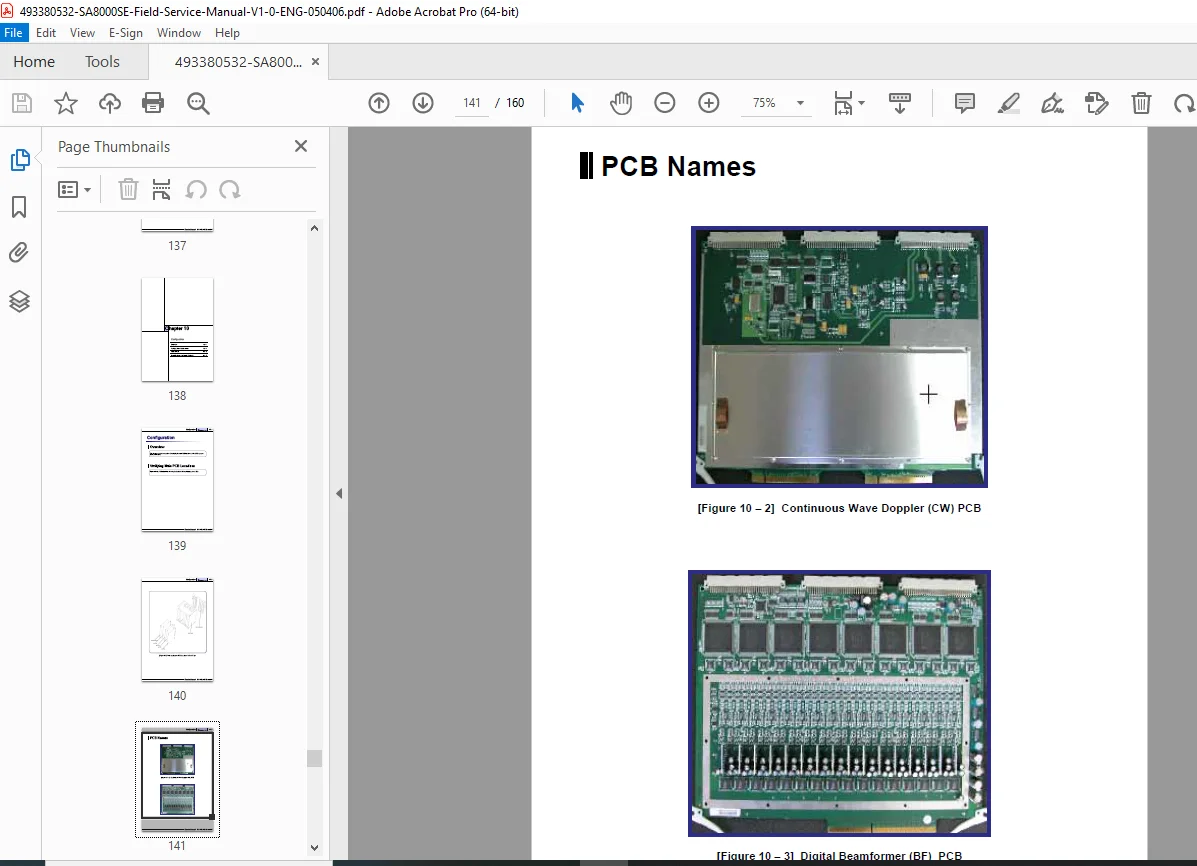
This manual is your essential toolkit for keeping the SA8000SE operational. It covers system installation, detailed block diagrams, software setup, and critically, the full diagnostic and troubleshooting procedures using the SA8000SE diagnostic mode instructions. Need to replace a board or troubleshoot image quality issues? The step-by-step guidance for disassembly, parts replacement, adjustments, and preventative maintenance is all here. It includes safety precautions, system architecture, and details on managing presets and software. This is the definitive Medison SA8000SE parts replacement guide and service resource.
🔧 What’s Inside This Manual
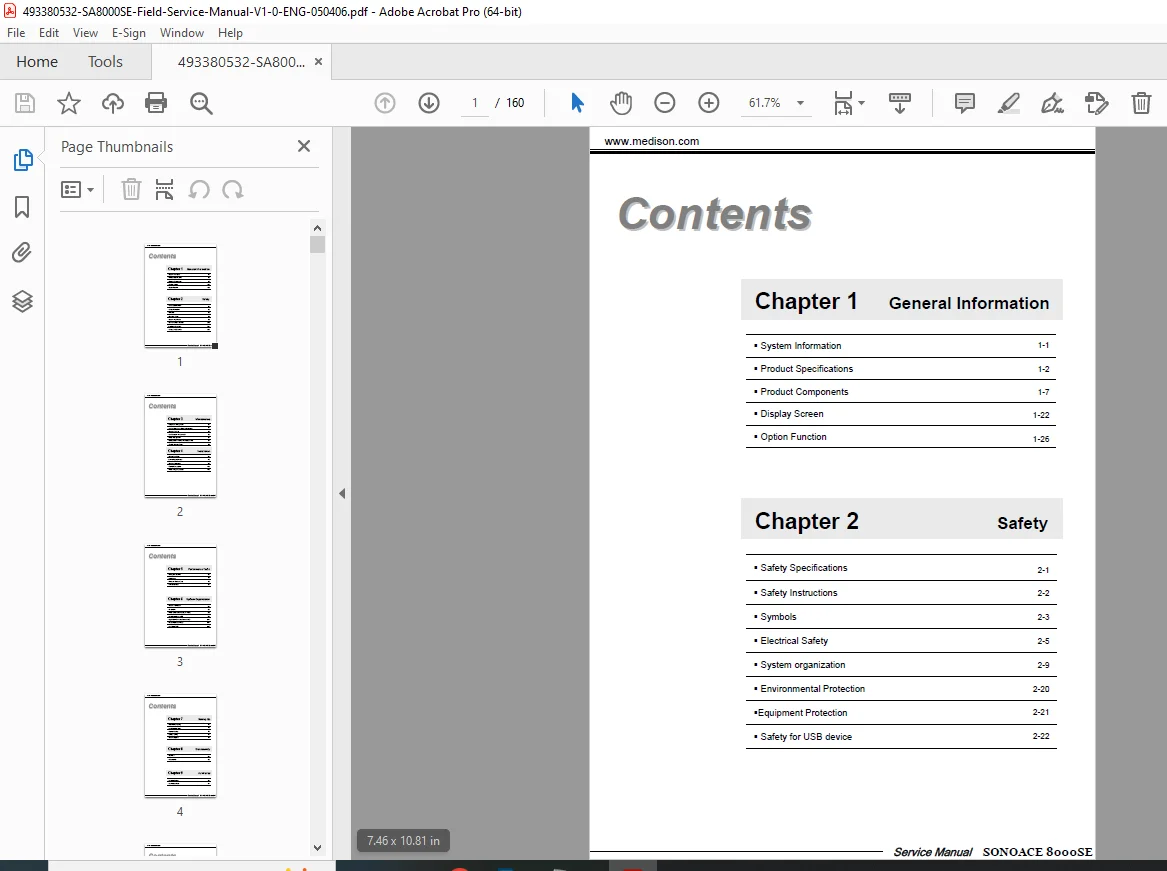
Here’s the complete Table of Contents extracted directly for your reference:
Chapter 1: Introduction
- 1.1 Overview
- 1.2 Warning & Caution
- 1.3 Symbol Description
- 1.4 Product Specifications
- 1.5 Product Constitution (System Components)
- 1.6 System Block Diagram
- 1.7 System Architecture
Chapter 2: Installation
- 2.1 Overview
- 2.2 Unpacking
- 2.3 Transportation & Installation Site Requirements
- 2.4 Assembling the System
- 2.5 Connecting Cables
- 2.6 Connecting Peripherals (Printers, VCR, Foot Switch)
- 2.7 Power ON/OFF Procedures
- 2.8 Booting Sequence Check
- 2.9 Safety Check (Electrical Safety, Mechanical Safety)
Chapter 3: Software Installation
- 3.1 Overview
- 3.2 Service Software Installation
- 3.3 Option Key Installation
- 3.4 DICOM Setting
- 3.5 Peripheral Setting (Printer, VCR)
- 3.6 Preset Management (Backup, Restore)
Chapter 4: Diagnostics
- 4.1 Overview
- 4.2 Entering Diagnostic Mode
- 4.3 Diagnostic Mode Structure & Functions
- System Information
- Keyboard Test
- Monitor Test
- HDD Test
- Peripheral Test (Printer, VCR, Foot Switch)
- Audio Test
- Probe Test
- Beamformer Test
- CW Test
- Voltage Test
- Service Functions (Format HDD, SW Install, Option Key, Log Management)
Chapter 5: Troubleshooting
- 5.1 Overview
- 5.2 Checking Power Supply Status (LEDs)
- 5.3 Booting Failure Troubleshooting
- 5.4 Image Failure Troubleshooting (Noise, Artifacts, No Image, etc.)
- 5.5 Peripheral Device Failure Troubleshooting
- 5.6 Error Code List & Solutions
Chapter 6: Disassembly & Replacement
- 6.1 Overview & Precautions
- 6.2 Disassembling Exterior Covers
- 6.3 Replacing the Monitor
- 6.4 Replacing the Control Panel Assembly
- 6.5 Replacing the Main Power Supply (SMPS)
- 6.6 Replacing the Back-end Board Assembly (PSA, BE Control, BE Tx/Rx)
- 6.7 Replacing the Front-end Board Assembly (FE Main, FE IO, FE Power, CW Module)
- 6.8 Replacing the PC Module (Motherboard, HDD, CD-ROM, FDD)
- 6.9 Replacing Wheels/Casters
- 6.10 Replacing Other Parts (Speakers, Fans, etc.)
Chapter 7: Maintenance
- 7.1 Overview
- 7.2 Regular Inspection Schedule
- 7.3 Cleaning Procedures (Filters, Exterior, Monitor, Probes)
- 7.4 System Check Procedures (Functional Checks)
Appendix A: Cable Connection Diagram
File Details
- Manual Name: Medison SonoAce 8000 SE Field Service Manual
- Models Covered: SA8000SE (SonoAce 8000 SE)
- Publication: Version 1.0 / May 4, 2006
- PDF Quality: Good quality digital PDF, searchable, printable, includes bookmarks. Text and diagrams are clear.
- Pages: 160