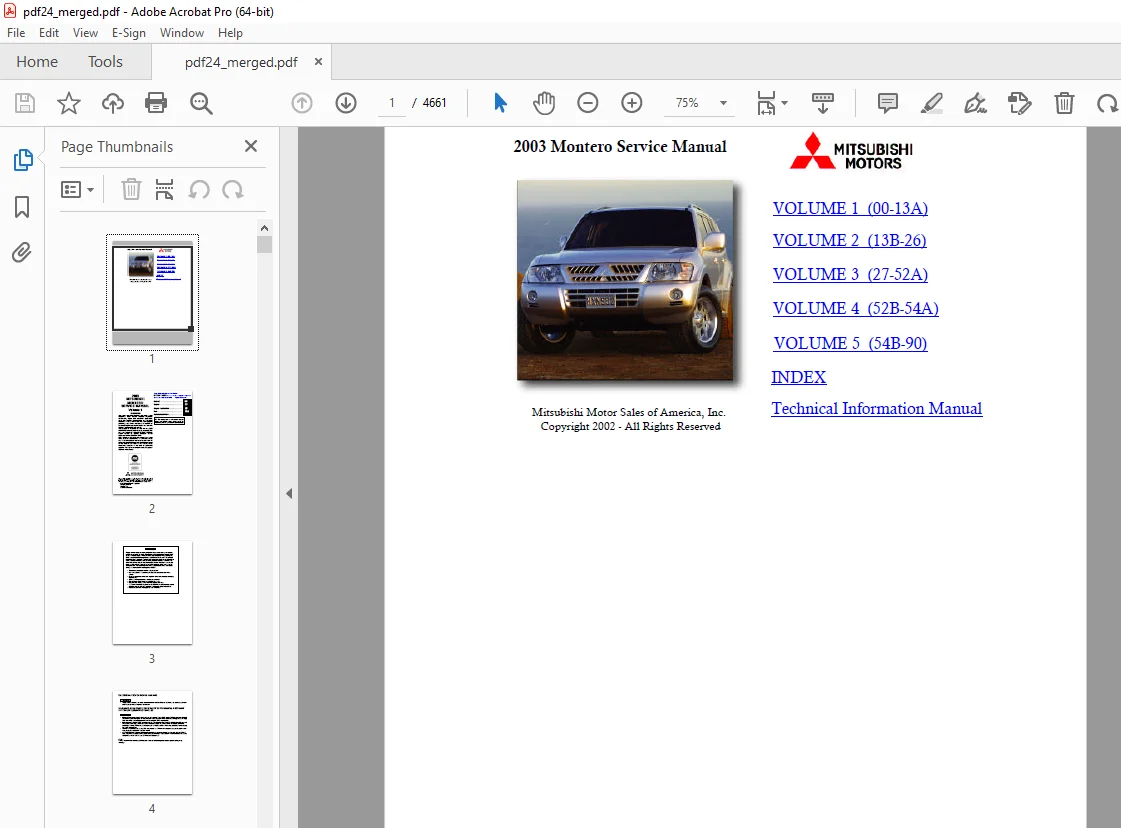
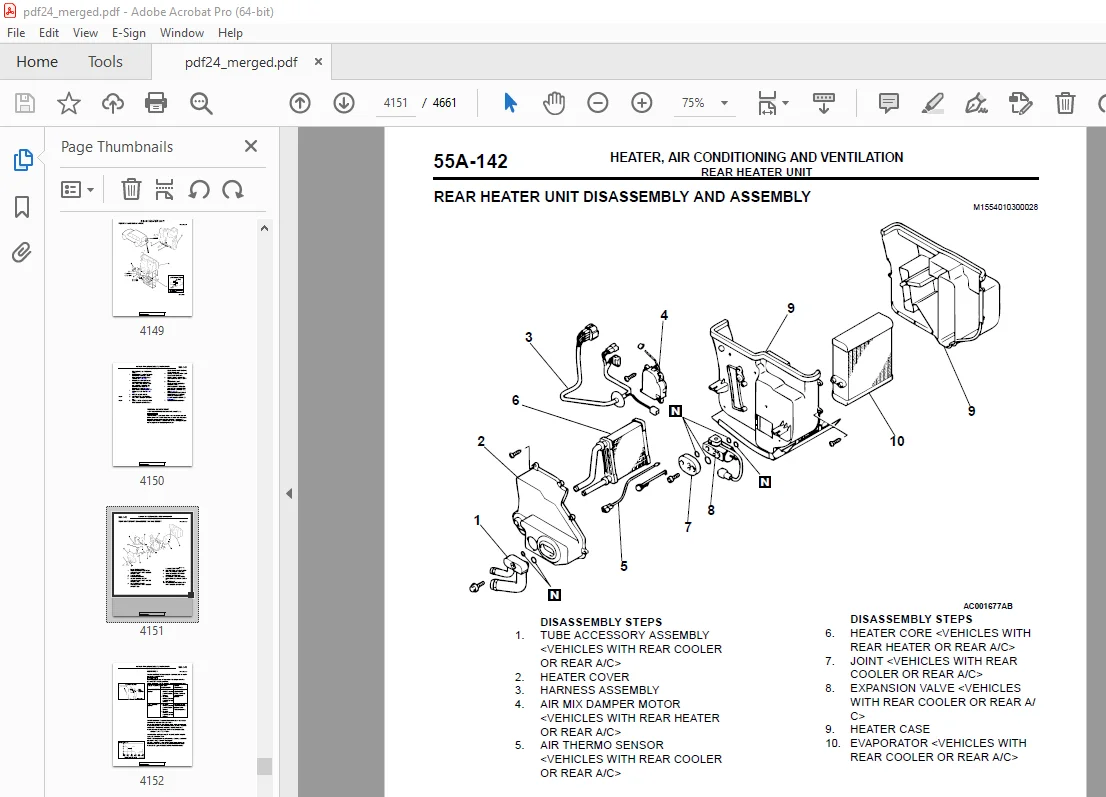
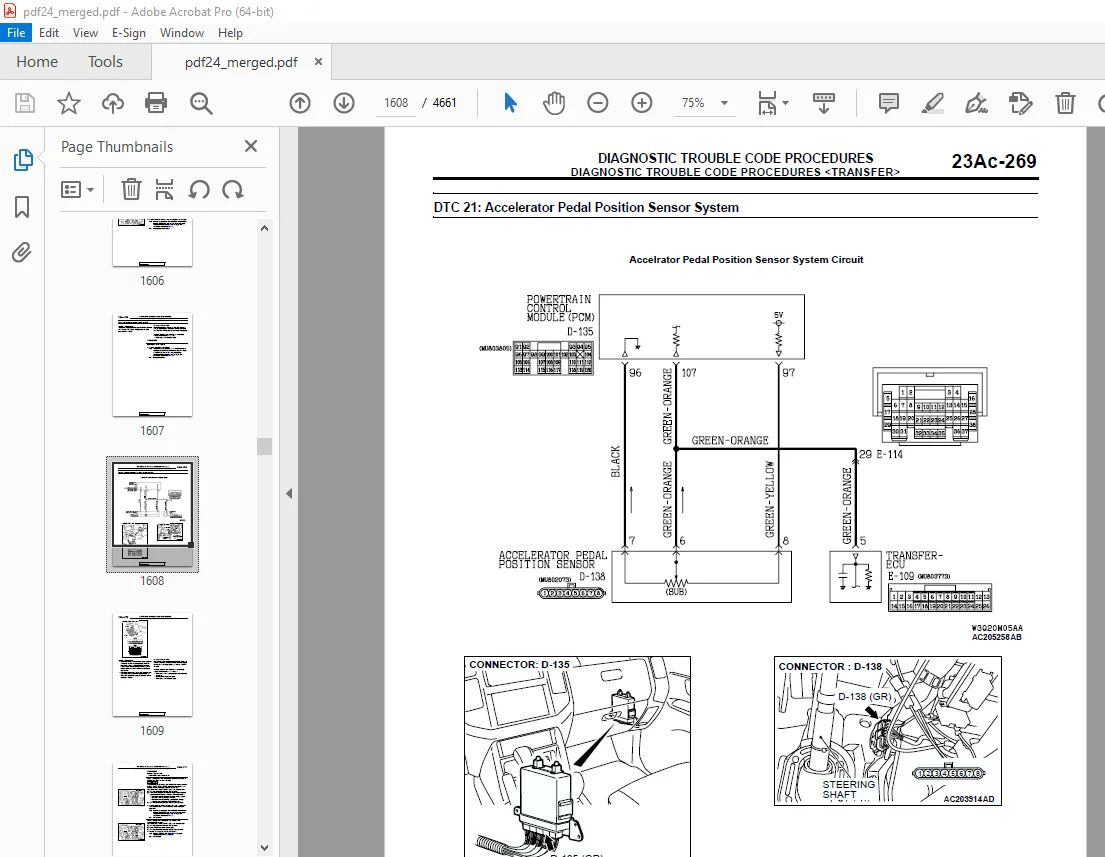
Mitsubishi 2003 Montero Service Manual (Vol 1 – Vol 5) – PDF DOWNLOAD
$39.95
Mitsubishi 2003 Montero Service Manual (Vol 1 – Vol 5) – PDF DOWNLOAD
Description
Mitsubishi 2003 Montero Service Manual (Vol 1 – Vol 5) – PDF DOWNLOAD
FILE DETAILS:
Mitsubishi 2003 Montero Service Manual (Vol 1 – Vol 5) – PDF DOWNLOAD
Language : English
Pages : 4661
Downloadable : Yes
File Type : PDF
IMAGES PREVIEW OF THE MANUAL:
TABLE OF CONTENTS:
Mitsubishi 2003 Montero Service Manual (Vol 1 – Vol 5) – PDF DOWNLOAD
GENERAL 4384
GENERAL <BODY AND CHASSIS> 4384
HOW TO USE THIS MANUAL 2404
MAINTENANCE, REPAIR AND SERVICING EXPLANATIONS 2419
ON-VEHICLE SERVICE 1322
SERVICE PROCEDURES 10
DEFINITION OF TERMS 2083
LIMIT 2250
REFERENCE VALUE 1000
DANGER, WARNING, AND CAUTION 2404
TIGHTENING TORQUE INDICATION 2295
SPECIAL TOOL NOTE 4385
MODEL INDICATIONS 4351
TROUBLESHOOTING GUIDELINES 13
VERIFY THE COMPLAINT 2092
DETERMINE POSSIBLE CAUSES 1080
FIND THE PROBLEM 2768
REPAIR THE PROBLEM 4328
VERIFY THE REPAIR 4390
HOW TO USE TROUBLESHOOTING/INSPECTION SERVICE POINTS 2916
TROUBLESHOOTING CONTENTS 4329
2 SYSTEM OPERATION AND SYMPTOM VERIFICATION TESTS 1231
3 DIAGNOSTIC FUNCTION 3969
4 DIAGNOSTIC TROUBLE CODE CHART 2250
5 SYMPTOM CHART 1231
6 DIAGNOSTIC TROUBLE CODE PROCEDURES 4262
7 SYMPTOM PROCEDURES 2291
8 SERVICE DATA REFERENCE TABLE 14
9 CHECK AT ECU TERMINALS 3969
Terminal Voltage Checks 2522
Terminal Resistance and Continuity Checks 14
10 INSPECTION PROCEDURES USING AN OSCILLOSCOPE 14
HOW TO USE THE INSPECTION PROCEDURES 2297
HARNESS INSPECTION 1867
MEASURES TO TAKE AFTER REPLACING THE ECU 1794
CONNECTOR MEASUREMENT SERVICE POINTS 4353
IF INSPECTING WITH THE CONNECTOR CONNECTED (WITH CIRCUIT IN A CONDITION OF CONTINUITY) 4262
IF INSPECTING WITH THE CONNECTOR DISCONNECTED 17
CONNECTOR INSPECTION SERVICE POINTS 226
CONNECTOR PIN INSPECTION 19
CONNECTOR ENGAGEMENT INSPECTION 20
HOW TO COPE WITH INTERMITTENT MALFUNCTIONS 4374
TO COPE WITH INTERMITTENT MALFUNCTION; 20
SIMULATION TESTS 21
INSPECTION SERVICE POINTS FOR A BLOWN FUSE 3364
VEHICLE IDENTIFICATION 3869
VEHICLE IDENTIFICATION 1802
VEHICLE IDENTIFICATION NUMBER LOCATION 3183
VEHICLE IDENTIFICATION CODE CHART PLATE 4374
VEHICLE IDENTIFICATION NUMBER LIST 4375
<VEHICLES FOR CANADA> 3969
VEHICLE INFORMATION CODE PLATE 1105
CHASSIS NUMBER 4357
CHASSIS NUMBER CODE CHART 0
VEHICLE SAFETY CERTIFICATION LABEL 4375
ENGINE MODEL STAMPING 2811
THEFT PROTECTION 296
PRECAUTIONS BEFORE SERVICE 1806
SUPPLEMENTAL RESTRAINT SYSTEM (SRS) 4135
SERVICING ELECTRICAL SYSTEM 1951
VEHICLE WASHING 4186
APPLYING ANTI-CORROSION AGENT OR OTHER UNDERCOAT AGENTS 2653
SCAN TOOL (MUT-II) 3886
TREATMENT BEFORE/AFTER DRIVING THROUGH WATER 3346
INSPECTION AND SERVICE BEFORE DRIVING THROUGH WATER 30
INSPECTION AND SERVICE AFTER DRIVING THROUGH WATER 31
TOWING AND HOISTING 4187
WRECKER TOWING RECOMMENDATION 1879
REAR TOWING PICKUP 32
TOWING WHEN KEYS ARE NOT AVAILABLE 32
HOISTING 1109
FLOOR JACK 33
POST TYPE 375
GENERAL DATA AND SPECIFICATIONS 1110
TIGHTENING TORQUE 36
LUBRICATION AND MAINTENANCE 37
MAINTENANCE SCHEDULES 3899
SEVERE SERVICE 4450
ENGINE OIL 2922
LUBRICANTS AND GREASES 37
FUEL USAGE STATEMENT 4368
GASOLINES CONTAINING ALCOHOL 2986
GASOLINES CONTAINING METHY TERTIARY BUTYL ETHER (MTBE) 4111
MATERIALS ADDED TO FUEL 217
RECOMMENDED LUBRICANTS AND LUBRICANT CAPACITIES TABLE 2135
LUBRICANT SELECTION 39
Oil Viscosity 2004
FRONT AXLE/REAR AXLE 1794
SELECTION OF COOLANT 220
SCHEDULED MAINTENANCE TABLE 3415
SCHEDULED MAINTENANCE SERVICE FOR EMISSION CONTROL AND PROPER VEHICLE PERFORMANCE 1334
SCHEDULED MAINTENANCE UNDER SEVERE USAGE CONDITIONS 3124
MAINTENANCE SERVICE 3931
1 FUEL SYSTEM (TANK, PIPE LINE AND CONNECTIONS, AND FUEL TANK FILLER TUBE CAP) (Check for leaks) 2065
2 FUEL HOSES (CHECK CONDITION) 44
3 AIR CLEANER ELEMENT (Replace) 2950
4 EVAPORATIVE EMISSION SYSTEM (CHECK FOR LEAKS AND CLOGGING) – EXCEPT EVAPORATIVE EMISSION CANISTER 1764
5 SPARK PLUGS (Replace) 1212
6 IGNITION CABLES (Replace) 1988
7 TIMING BELT (REPLACE) 1843
8 DRIVE BELT (FOR GENERATOR AND WATER PUMP, POWER STEERING PUMP) (CHECK CONDITION) 3136
Generator, Water Pump, Power Steering Pump Drive Belt Tension Check and Adjustment 1523
Check of auto-tensioner 46
9 ENGINE OIL (CHANGE) 1314
10 ENGINE OIL FILTER (REPLACE) 1990
ENGINE OIL FILTER SELECTION 1770
11 AUTOMATIC TRANSMISSION FLUID (CHECK FLUID LEVEL) 2956
12 AUTOMATIC TRANSMISSION FLUID (CHANGE) 4241
13 TRANSFER OIL (CHECK OIL LEVEL) 50
Transfer Oil Check 4136
TRANSFER OIL CHANGE 51
14 ENGINE COOLANT (CHANGE) 1275
Changing Coolant 1992
15 DISC BRAKE PADS (INSPECT FOR WEAR) 3142
16 BRAKE HOSES (CHECK FOR DETERIORATION OR LEAKS) 2690
17 BALL JOINT AND STEERING LINKAGE SEALS (INSPECT FOR GREASE LEAKS AND DAMAGE) 2070
18 DRIVE SHAFT BOOTS (INSPECT FOR GREASE LEAKS AND DAMAGE) 2223
19 FRONT AXLE AND REAR AXLE (CONVENTIONAL DIFFERENTIAL) (INSPECT OIL LEVEL) 2377
20 PROPELLER SHAFT JOINTS (LUBRICATE WITH GREASE) 3947
21 EXHAUST SYSTEM (CONNECTION PORTION OF MUFFLER, PIPINGS AND CONVERTER HEAT SHIELDS) (CHECK AND 3947
22 SRS MAINTENANCE (SRS COMPONENT CHECK-DAMAGE, FUNCTION, CONNECTION TO WIRING HARNESS, ETC ) 55
SRS Warning Light Check 2494
SRS Component Visual Check 56
Front Impact Sensors 2225
Side Impact Sensors 2380
SRS Air Bag Control Unit (SRS-ECU) 4246
Air Bag Module, Steering Wheel and Clock Spring 4088
Front Seatback Assembly with Side-airbag Module 4089
Seat belt with pre-tensioner 4248
23 TIRES (ROTATE) 61
MAIN SEALANT AND ADHESIVE TABLE 4090
GENERAL <ELECTRICAL> 4384
HARNESS CONNECTOR INSPECTION 4190
CONNECTOR CONTINUITY AND VOLTAGE TEST 2882
IMPROPER TERMINAL ENGAGEMENT CHECK 4374
CONNECTOR TERMINAL ENGAGEMENT AND DISENGAGEMENT 2642
COMPUTER CONNECTOR 3347
ROUND WATERPROOF CONNECTOR 4362
RECTANGULAR WATERPROOF CONNECTOR 2655
INJECTOR CONNECTOR 3889
HOW TO DIAGNOSE 3337
INSPECTION 3864
INSPECTION INSTRUMENTS 4327
CHECKING SWITCHES 4329
CHECKING RELAYS 2806
CHECKING FUSES 1954
CAUTIONS IN EVENT OF BLOWN FUSE 2646
CABLE AND WIRE CHECK 3342
BATTERY HANDLING 4331
GENERAL ELECTRICAL SYSTEM CHECK 4392
STEP 1 Remove the blown fuse and connect the test light across the fuse terminals (Circuit switc 3364
STEP 2 Turn the switch ON and disconnect the illumination light connector 4331
ENGINE 4384
ENGINE MECHANICAL 4384
GENERAL DESCRIPTION 83
DIAGNOSIS 2114
SPECIAL TOOLS 3363
ON VEHICLE SERVICE 3082
DRIVE BELT TENSION CHECK 1802
AUTO-TENSIONER CHECK 4354
IGNITION TIMING CHECK 4392
CURB IDLE SPEED CHECK 4375
IDLE MIXTURE CHECK 2810
COMPRESSION PRESSURE CHECK 4357
MANIFOLD VACUUM CHECK 2038
LASH ADJUSTER CHECK 2651
Bleeding lash adjuster system 1277
ENGINE ASSEMBLY 4403
REMOVAL SERVICE POINTS 1964
<<B>> ENGINE ASSEMBLY REMOVAL 3452
INSTALLATION SERVICE POINT 4406
CAMSHAFT AND VALVE STEM SEAL 0
REMOVAL SERVICE POINTS 4365
<<B>> ROCKER ARM AND SHAFT ASSEMBLY REMOVAL 97
<<C>> VALVE SPRING RETAINER LOCKS REMOVAL 4088
INSTALLATION SERVICE POINTS 2660
>>B<< VALVE SPRINGS INSTALLATION 99
>>C<< VALVE SPRING RETAINER LOCKS INSTALLATION 2382
>>D<< CAMSHAFT POSITION SENSOR SUPPORT INSTALLATION 1318
>>E<< ROCKER ARM AND SHAFT ASSEMBLY INSTALLATION 3144
>>F<< CAMSHAFT SPROCKET INSTALLATION 1318
CAMSHAFT OIL SEAL 2049
REMOVAL SERVICE POINTS 2921
<<B>> CAMSHAFT OIL SEAL REMOVAL 989
INSTALLATION SERVICE POINTS 1816
>>B<< CAMSHAFT SPROCKET INSTALLATION 1993
OIL PAN AND OIL SCREEN 2884
REMOVAL SERVICE POINT 105
INSTALLATION SERVICE POINTS 2324
INSPECTION 4475
CRANKSHAFT OIL SEAL 4029
INSTALLATION SERVICE POINT 4030
>>B<< CRANKSHAFT SPACER / CRANKSHAFT SENSING BLADE / CRANKSHAFT SPROCKET INSTALLATION 1993
REMOVAL SERVICE POINT 108
INSTALLATION SERVICE POINTS 2670
>>B<< DRIVE PLATE BOLT INSTALLATION 2382
CYLINDER HEAD GASKET 2929
REMOVAL SERVICE POINT 2797
INSTALLATION SERVICE POINTS 1822
>>B<< CYLINDER HEAD ASSEMBLY INSTALLATION 3144
>>C<< O-RING INSTALLATION 4088
>>D<< GASKET/WATER PASSAGE ASSEMBLY INSTALLATION 1277
TIMING BELT 2828
REMOVAL SERVICE POINTS 2673
<<B>> POWER STEERING OIL PUMP ASSEMBLY / A/C COMPRESSOR ASSEMBLY REMOVAL 3452
<<C>> CRANKSHAFT PULLEY REMOVAL 116
<<D>> TIMING BELT REMOVAL 2228
INSTALLATION SERVICE POINTS 2898
>>B<< AUTO-TENSIONER INSTALLATION 119
>>C<< CRANKSHAFT PULLEY INSTALLATION 120
>>D<< ACCESSORY MOUNT ASSEMBLY INSTALLATION 989
>>E<< DRIVE BELT AUTO TENSIONER INSTALLATION 120
INSPECTION 2798
AUTO-TENSIONER 2404
SPECIFICATIONS 3130
ENGINE OVERHAUL 2696
SPECIAL TOOLS 125
GENERATOR AND DRIVE BELT 4329
REMOVAL SERVICE POINT 3363
INSTALLATION SERVICE POINT 2807
INTAKE MANIFOLD PLENUM AND THROTTLE BODY ASSEMBLY 3364
INSTALLATION SERVICE POINT 4176
IGNITION SYSTEM 2097
REMOVAL SERVICE POINT 2120
INSTALLATION SERVICE POINT 4403
>>B<< CAMSHAFT POSITION SENSOR SUPPORT INSTALLATION 132
TIMING BELT 4375
REMOVAL SERVICE POINTS 1806
<<B>> CAMSHAFT SPROCKET BOLT REMOVAL 2263
INSTALLATION SERVICE POINTS 2652
>>B<< CRANKSHAFT SENSING BLADE/CRANKSHAFT SPACER/CRANKSHAFT SPROCKET INSTALLATION 402
>>C<< AUTO-TENSIONER INSTALLATION 135
>>D<< TIMING BELT INSTALLATION 135
INSPECTION 3378
TIMING BELT 138
TENSIONER PULLEY AND IDLER PULLEY 403
AUTO-TENSIONER 3507
INTAKE MANIFOLD AND FUEL PARTS 2780
INSTALLATION SERVICE POINTS 3388
>>B<< INJECTOR INSTALLATION 142
>>C<< FUEL PRESSURE REGULATOR INSTALLATION 4002
>>D<< O-RING AND WATER PIPE INSTALLATION 4294
>>E<< THERMOSTAT INSTALLATION 143
>>F<< SEALANT APPLICATION TO ENGINE COOLANT TEMPERATURE SENSOR 143
>>G<< SEALANT APPLICATION TO ENGINE COOLANT TEMPERATURE GAUGE UNIT 403
EXHAUST MANIFOLD 4366
ROCKER ARMS AND CAMSHAFT 3394
REMOVAL SERVICE POINT 2823
INSTALLATION SERVICE POINTS 146
>>B<< LASH ADJUSTER INSTALLATION 147
>>C<< CAMSHAFT OIL SEAL INSTALLATION 4002
INSPECTION 2884
ROCKER ARM SHAFT 1030
ROCKER ARM 3014
CAMSHAFT 4132
LASH ADJUSTERS 148
CYLINDER HEAD AND VALVES 1975
REMOVAL SERVICE POINTS 2797
<<B>> RETAINER LOCK REMOVAL 2662
INSTALLATION SERVICE POINTS 2931
>>B<< VALVE SPRING INSTALLATION 2417
>>C<< RETAINER LOCK INSTALLATION 3508
>>D<< CYLINDER HEAD BOLT INSTALLATION 4002
INSPECTION 4219
CYLINDER HEAD 1878
VALVE 1514
VALVE SPRINGS 155
VALVE GUIDES 155
VALVE SEAT 156
VALVE SEAT RECONDITIONING PROCEDURE 3175
VALVE SEAT REPLACEMENT PROCEDURE 156
VALVE GUIDE REPLACEMENT PROCEDURE 2263
OIL PAN AND OIL PUMP 2026
REMOVAL SERVICE POINTS 2353
<<B>> OUTER ROTOR/INNER ROTOR REMOVAL 4294
INSTALLATION SERVICE POINTS 4057
>>B<< CRANKSHAFT OIL SEAL INSTALLATION 4132
>>C<<OIL PAN INSTALLATION 3175
>>D<< DRAIN PLUG GASKET INSTALLATION 4002
>>E<< OIL FILTER INSTALLATION 1030
>>F<< SEALANT APPLICATION TO ENGINE OIL PRESSURE GAUGE UNIT 161
INSPECTION 1837
OIL PUMP 4132
OIL COOLER BYPASS VALVE 2417
PISTON AND CONNECTING ROD 4065
REMOVAL SERVICE POINTS 4069
<<B>> PISTON PIN REMOVAL 1878
INSTALLATION SERVICE POINTS 981
>>B<<OIL RING INSTALLATION 4294
>>C<< PISTON RING NO 2/PISTON RING NO 1 INSTALLATION 166
>>D<< CONNECTING ROD BEARING INSTALLATION 4133
>>E<< PISTON AND CONNECTING ROD INSTALLATION 4294
>>F<< CONNECTING ROD CAP INSTALLATION 2263
>>G<< CONNECTING ROD CAP NUT INSTALLATION 1332
INSPECTION 169
PISTON 3508
PISTON PIN 1878
PISTON RING 2417
CRANKSHAFT PIN OIL CLEARANCE <PLASTIC GAUGING MATERIAL METHOD> 170
CRANKSHAFT AND CYLINDER BLOCK 3442
INSTALLATION SERVICE POINTS 1782
>>B<< CRANKSHAFT BEARING INSTALLATION 172
>>C<< CRANKSHAFT THRUST BEARING INSTALLATION 1878
>>D<< BEARING CAP/BEARING BOLT INSTALLATION 1332
>>E<< CRANKSHAFT REAR OIL SEAL INSTALLATION 3508
>>F<< OIL SEAL CASE INSTALLATION 2263
INSPECTION 4251
CRANKSHAFT JOURNAL OIL CLEARANCE <PLASTIC GAUGING MATERIAL METHOD> 2014
CRANKSHAFT REAR OIL SEAL 1878
CYLINDER BLOCK 4294
BORING CYLINDER 4133
BRACKET 4099
SPECIFICATIONS 178
ENGINE LUBRICATION 4384
GENERAL DESCRIPTION 4189
Recommended Precautions 2126
Other precautions: 4362
ON-VEHICLE SERVICE 2140
ENGINE OIL CHECK 185
ENGINE OIL REPLACEMENT 4385
ENGINE OIL FILTER REPLACEMENT 2915
OIL PRESSURE CHECK 4352
ENGINE OIL COOLER 4374
SPECIFICATIONS 2806
ENGINE OIL 2042
FUEL 4384
MULTIPORT FUEL INJECTION (MFI) 4384
GENERAL DESCRIPTION 4223
FUEL INJECTION CONTROL 3355
THROTTLE VALVE OPENING CONTROL 193
IDLE AIR CONTROL 3355
IGNITION TIMING CONTROL 193
DIAGNOSTIC TEST MODE 4223
OTHER CONTROL FUNCTIONS 193
SPECIAL TOOLS 4351
ON-VEHICLE SERVICE 1716
THROTTLE BODY CLEANING 202
ACCELERATOR PEDAL POSITION SENSOR ADJUSTMENT 4375
FUEL PRESSURE TEST 4355
FUEL PUMP CONNECTOR DISCONNECTION (HOW TO REDUCE PRESSURIZED FUEL LINES) 1959
FUEL PUMP OPERATION CHECK 4403
MULTIPORT FUEL INJECTION (MFI) RELAY, THROTTLE ACTUATOR CONTROL MOTOR RELAY AND FUEL PUMP RELAY C 3369
INTAKE AIR TEMPERATURE SENSOR CHECK 3370
ENGINE COOLANT TEMPERATURE SENSOR CHECK 3375
THROTTLE POSITION SENSOR CHECK 1371
ACCELERATOR PEDAL POSITION SENSOR CHECK 1109
ACCELERATOR PEDAL POSITION SWITCH CHECK 4189
HEATED OXYGEN SENSOR CHECK 210
<Left bank heated oxygen sensor (front)> 2894
<Right bank heated oxygen sensor (front)> 4558
<Left bank heated oxygen sensor (rear)> 3424
<Right bank heated oxygen sensor (rear)> 2937
INJECTOR CHECK 2130
Measurement of Resistance between Terminals 3928
THROTTLE ACTUATOR CONTROL MOTOR CHECK 215
<Operation Inspection> 4223
<Checking the Terminal Resistance> 2060
EVAPORATIVE EMISSION PURGE SOLENOID CHECK 2662
EGR VALVE CHECK 2786
INTAKE MANIFOLD TUNING SOLENOID CHECK 3897
INJECTOR 1969
REMOVAL SERVICE POINT 4369
INSTALLATION SERVICE POINT 4205
THROTTLE BODY ASSEMBLY 2666
INSTALLATION SERVICE POINT 3906
SPECIFICATIONS 2053
MULTIPORT FUEL INJECTION (MFI) DIAGNOSIS 4384
TROUBLESHOOTING STRATEGY 223
TROUBLE CODE DIAGNOSIS 223
MALFUNCTION INDICATOR LAMP (SERVICE ENGINE SOON OR CHECK ENGINE LAMP) 592
HOW TO READ AND ERASE DIAGNOSTIC TROUBLE CODE 4354
PROVISIONAL DTCs [MUT-II OBD-II Test Mode – Results (Mode 5)] 3084
DIAGNOSTIC BY DIAGNOSTIC TEST MODE II (INCREASED SENSITIVITY) 2639
INSPECTION USING SCAN TOOL MB991502, DATA LIST AND ACTUATOR TESTING 2871
PROCEDURE 1 234
PROCEDURE 2 3708
PROCEDURE 3 4656
PROCEDURE 4 237
PROCEDURE 5 3708
PROCEDURE 6 238
READINESS TEST STATUS 241
OVERVIEW 241
FAIL-SAFE FUNCTION REFERENCE TABLE 1969
DIAGNOSTIC TROUBLE CODE CHART 1972
SYMPTOM CHART 2940
PROBLEM SYMPTOMS TABLE (FOR YOUR INFORMATION) 248
DATA LIST REFERENCE TABLE 250
ACTUATOR TEST REFERENCE TABLE 263
CHECK AT THE POWERTRAIN CONTROL MODULE (PCM) 264
INSPECTION PROCEDURE USING AN OSCILLOSCOPE 271
VOLUME AIRFLOW SENSOR 271
Measurement Method 4656
Alternate method (Test harness not available) 3708
Examples of Abnormal Wave Patterns 272
CAMSHAFT POSITION SENSOR AND CRANKSHAFT POSITION SENSOR 273
Measurement Method 273
Alternate method (Test harness not available) 273
Examples of Abnormal Wave Patterns 274
INJECTOR 3582
Measurement Method 275
Alternate method (Test harness not available) 275
EGR VALVE (STEPPER MOTOR) 3586
Measurement Method 277
Alternate method (Test harness not available) 277
Examples of Abnormal Wave Patterns 4656
IGNITION COIL AND IGNITION POWER TRANSISTOR 278
Measurement Method 278
Alternate method (Test harness not available) 278
Examples of Abnormal Wave Patterns 280
DIAGNOSTIC TROUBLE CODE PROCEDURES 4384
CIRCUIT OPERATION 284
TECHNICAL DESCRIPTION 284
DTC SET CONDITIONS 284
TROUBLESHOOTING HINTS (The most likely causes for this code to be set are:) 284
DIAGNOSIS 1799
STEP 1 Using scan tool MB991502, check data list item 12: Volume Airflow Sensor 4391
STEP 2 Measure the reset signal voltage at volume airflow sensor connector B-48 by backprobing 4392
STEP 3 Check connector B-48 at volume airflow sensor and connector D-133 at PCM for damage 3342
STEP 4 Check for short circuit to ground between volume airflow sensor connector B-48 (terminal 3364
STEP 5 Measure the reset signal voltage at volume airflow sensor connector B-48 by backprobing 3082
STEP 6 Check connector B-48 at volume airflow sensor and connector D-133 at PCM for damage 1237
STEP 7 Check for open circuit and harness damage between volume airflow sensor connector B-48 (t 2117
STEP 8 Replace the volume airflow sensor 4392
STEP 9 Test the OBD-II drive cycle 4392
CIRCUIT OPERATION 291
TECHNICAL DESCRIPTION 291
DTC SET CONDITIONS 291
TROUBLESHOOTING HINTS (The most likely causes for this code to be set are:) 291
DIAGNOSIS 2637
STEP 1 Using scan tool MB991502, check data list item 12: Volume Airflow Sensor 2810
STEP 2 Measure the power supply voltage at volume airflow sensor connector B-48 by backprobing 3085
STEP 3 Measure the power supply voltage at volume airflow sensor harness side connector B-48 3085
STEP 4 Check connector B-48 at the volume airflow sensor for damage 2810
STEP 5 Check connector B-48 at volume airflow sensor for damage 2774
STEP 6 Measure the sensor supply voltage at volume airflow sensor harness side connector B-48 4357
STEP 7 Check connector D-134 at PCM for damage 4340
STEP 8 Check for short circuit to ground between volume airflow sensor connector B-48 (terminal 1238
STEP 9 Check the continuity at volume airflow sensor harness side connector B-48 4181
STEP 10 Check connector D-134 at PCM for damage 2918
STEP 11 Check for open circuit and harness damage between volume airflow sensor connector B-48 ( 3345
STEP 12 Check connector D-134 at PCM for damage 4403
STEP 13 Test the OBD-II drive cycle 2918
CIRCUIT OPERATION 299
TECHNICAL DESCRIPTION 299
DTC SET CONDITIONS 299
TROUBLESHOOTING HINTS (The most likely causes for this code to be set are:) 299
DIAGNOSIS 3087
STEP 1 Using scan tool MB991502, read the diagnostic trouble code (DTC) 1242
STEP 2 Check connector B-48 at the barometric pressure sensor for damage 4360
STEP 3 Check the continuity at barometric pressure sensor harness side connector B-48 4360
STEP 4 Check connector D-134 at PCM for damage 1072
STEP 5 Check for open circuit and harness damage between barometric pressure sensor connector B- 2123
STEP 6 Check connector D-134 at PCM for damage 4404
STEP 7 Check for open circuit and harness damage between barometric pressure sensor connector B- 1962
STEP 8 Replace the barometric pressure sensor 2124
STEP 9 Test the OBD-II drive cycle 3346
CIRCUIT OPERATION 303
TECHNICAL DESCRIPTION 304
DTC SET CONDITIONS 304
TROUBLESHOOTING HINTS (The most likely causes for this code to be set are:) 304
DIAGNOSIS 2919
STEP 1 Using scan tool MB991502, check data list item 25: Barometric Pressure Sensor 2042
STEP 2 Measure the sensor output voltage at barometric pressure sensor connector B-48 by backpro 4406
STEP 3 Measure the sensor output voltage at PCM connector D-135 by backprobing 2304
STEP 4 Check connector B-48 (terminal No 2) at the barometric pressure sensor and connector D-1 1179
STEP 5 Using scan tool MB991502, check data list item 25: Barometric Pressure Sensor 4406
STEP 6 Check connector B-48 at the barometric pressure sensor and connector D-135 at PCM for dam 3893
STEP 7 Measure the sensor supply voltage at barometric pressure sensor connector B-48 by backpro 3348
STEP 8 Measure the sensor supply voltage at PCM connector D-135 by backprobing 1966
STEP 9 Check connector B-48 at the barometric pressure sensor and connector D-135 at PCM for dam 1730
STEP 10 Check connector B-48 at the barometric pressure sensor and connector D-135 at PCM for da 311
STEP 11 Check for short circuit to ground between barometric pressure sensor connector B-48 (ter 2817
STEP 12 Measure the ground voltage at barometric pressure sensor connector B-48 by backprobing 1294
STEP 13 Check connector B-48 at the barometric pressure sensor and connector D-134 at PCM for da 4198
STEP 14 Check for harness damage between barometric pressure sensor connector B-48 (terminal No 2883
STEP 15 Check connector B-48 at barometric pressure sensor for damage 1969
STEP 16 Check connector D-135 at PCM for damage 315
STEP 17 Check for short circuit to ground and harness damage between barometric pressure sensor 1815
STEP 18 Test the OBD-II drive cycle 2786
CIRCUIT OPERATION 317
TECHNICAL DESCRIPTION 317
DTC SET CONDITIONS 317
TROUBLESHOOTING HINTS (The most likely causes for this code to be set are:) 317
DIAGNOSIS 318
STEP 1 Using scan tool MB991502, check data list item 25: Barometric Pressure Sensor 4200
STEP 2 Measure the sensor output voltage at barometric pressure sensor connector B-48 by backpro 964
STEP 3 Check connector B-48 at the barometric pressure sensor and connector D-135 at PCM for dam 4028
STEP 4 Using scan tool MB991502, check data list item 25: Barometric Pressure Sensor 4028
STEP 5 Measure the sensor supply voltage at barometric pressure sensor connector B-48 by backpro 321
STEP 6 Check connector D-135 at PCM for damage 2324
STEP 7 Measure the ground voltage at barometric pressure sensor connector B-48 by backprobing 4469
STEP 8 Check connector B-48 at the barometric pressure sensor and connector D-134 at PCM for dam 2926
STEP 9 Check for open circuit between barometric pressure sensor connector B-48 (terminal No 5) 1195
STEP 10 Check connector B-48 at barometric pressure sensor for damage 2792
STEP 11 Check connector D-134 and D-135 at PCM for damage 2172
STEP 12 Test the OBD-II drive cycle 3107
CIRCUIT OPERATION 325
TECHNICAL DESCRIPTION 326
DTC SET CONDITIONS 326
TROUBLESHOOTING HINTS (The most likely causes for this code to be set are:) 326
DIAGNOSIS 2927
STEP 1 Using scan tool MB991502, check data list item 13: Intake Air Temperature Sensor 4370
STEP 2 Check the intake air temperature sensor 1740
STEP 3 Check connector B-48 at the intake air temperature sensor for damage 1977
STEP 4 Check the continuity at intake air temperature sensor harness side connector B-48 2930
STEP 5 Check connector D-134 at PCM for damage 2796
STEP 6 Check for open circuit and harness damage between intake air temperature sensor connector 2672
STEP 7 Check connector D-134 at PCM for damage 4217
STEP 8 Check for open circuit and harness damage between intake air temperature sensor connector 2931
STEP 9 Test the OBD-II drive cycle 4041
CIRCUIT OPERATION 331
TECHNICAL DESCRIPTION 332
DTC SET CONDITIONS 332
TROUBLESHOOTING HINTS (The most likely causes for this code to be set are:) 332
DIAGNOSIS 332
STEP 1 Using scan tool MB991502, check data list item 13: Intake Air Temperature Sensor 2797
STEP 2 Check connector B-48 at the intake air temperature sensor for damage 3916
STEP 3 Check the intake air temperature sensor 2935
STEP 4 Check for short circuit to ground between intake air temperature sensor connector B-48 (t 3419
STEP 5 Check connector D-135 at PCM for damage 1980
STEP 6 Test the OBD-II drive cycle 2894
CIRCUIT OPERATION 335
TECHNICAL DESCRIPTION 336
DTC SET CONDITIONS 336
TROUBLESHOOTING HINTS (The most likely causes for this code to be set are:) 336
DIAGNOSIS 2828
STEP 1 Using scan tool MB991502, check data list item 13: Intake Air Temperature Sensor 2026
STEP 2 Check connector B-48 at the intake air temperature sensor for damage 336
STEP 3 Check the intake air temperature sensor 2060
STEP 4 Check the sensor supply voltage at intake air temperature sensor harness side connector B 3921
STEP 5 Check the sensor supply voltage at PCM connector D-135 by backprobing 2940
STEP 6 Check connector D-135 at PCM for damage 1207
STEP 7 Check connector D-135 at PCM for damage 2675
STEP 8 Check the continuity at intake air temperature sensor harness side connector B-48 3427
STEP 9 Check connector D-134 at PCM for damage 2353
STEP 10 Check for open circuit between intake air temperature sensor connector B-48 (terminal No 2801
STEP 11 Test the OBD-II drive cycle 341
CIRCUIT OPERATION 342
TECHNICAL DESCRIPTION 342
DTC SET CONDITIONS 342
TROUBLESHOOTING HINTS (The most likely causes for this code to be set are:) 342
DIAGNOSIS 1986
STEP 1 Using scan tool MB991502, check data list item 21: Engine Coolant Temperature Sensor 3125
STEP 2 Check the sensor output voltage at engine coolant temperature sensor connector B-37 by ba 4064
STEP 3 Check connector B-37 at the engine coolant temperature sensor for damage 4230
STEP 4 Using scan tool MB991502, check data list item 21: Engine Coolant Temperature Sensor 3430
STEP 5 Check connector B-37 at engine coolant temperature sensor for damage 1837
STEP 6 Measure the sensor supply voltage at engine coolant temperature sensor harness side conne 4231
STEP 7 Check connector D-135 at PCM for damage 346
STEP 8 Check the continuity at engine coolant temperature sensor harness side connector B-37 4639
STEP 9 Check connector D-135 at PCM for damage 4233
STEP 10 Check for harness damage between engine coolant temperature sensor connector B-37 (termi 348
STEP 11 Check the engine coolant temperature sensor 1988
STEP 12 Check connector D-135 at PCM for damage 3937
STEP 13 Check for harness damage between engine coolant temperature sensor connector B-37 (termi 350
STEP 14 Test the OBD-II drive cycle 4076
CIRCUIT OPERATION 351
TECHNICAL DESCRIPTION 352
DTC SET CONDITIONS 352
TROUBLESHOOTING HINTS (The most likely causes for this code to be set are:) 352
DIAGNOSIS 1315
STEP 1 Using scan tool MB991502, check data list item 21: Engine Coolant Temperature Sensor 1991
STEP 2 Check connector B-37 at the engine coolant temperature sensor for damage 1445
STEP 3 Check for short circuit to ground between engine coolant temperature sensor connector B-3 2370
STEP 4 Check connector D-135 at PCM for damage 0
STEP 5 Check the engine coolant temperature sensor 3437
STEP 6 Test the OBD-II drive cycle 3441
CIRCUIT OPERATION 355
TECHNICAL DESCRIPTION 356
DTC SET CONDITIONS 356
TROUBLESHOOTING HINTS (The most likely causes for this code to be set are: ) 356
DIAGNOSIS 356
STEP 1 Using scan tool MB991502, check data list item 21: Engine Coolant Temperature Sensor 4244
STEP 2 Check connector B-37 at the engine coolant temperature sensor for damage 4085
STEP 3 Measure the sensor supply voltage at engine coolant temperature sensor harness side conne 2224
STEP 4 Measure the sensor supply voltage at PCM connector D-135 by backprobing 357
STEP 5 Check connector D-135 at PCM for damage 358
STEP 6 Check connector D-135 at PCM for damage 1853
STEP 7 Check the continuity at engine coolant temperature sensor harness side connector B-37 2693
STEP 8 Check connector D-135 at PCM for damage 359
STEP 9 Check for open circuit between engine coolant sensor connector B-37 (terminal No 2) and 4089
STEP 10 Check the engine coolant temperature sensor 361
STEP 11 Test the OBD-II drive cycle 361
CIRCUIT OPERATION 362
TECHNICAL DESCRIPTION 362
DTC SET CONDITIONS 363
TROUBLESHOOTING HINTS (The most likely causes for this code to be set are:) 363
DIAGNOSIS 2501
STEP 1 Using scan tool MB991502, check data list item 79: Throttle Position Sensor (main) 2970
STEP 2 Check connector B-05 at throttle position sensor for damage 1279
STEP 3 Measure the sensor supply voltage at throttle position sensor harness side connector B-05 4251
STEP 4 Check connector D-135 at PCM for damage 2237
STEP 5 Check for open circuit and short circuit to ground between throttle position sensor conne 2392
STEP 6 Using scan tool MB991502, check data list item 79: Throttle Position Sensor (main) 2974
STEP 7 Check the throttle position sensor 1320
STEP 8 Check connector D-135 at PCM for damage 367
STEP 9 Check for harness damage between throttle position sensor connector B-05 (terminal No 2) 367
STEP 10 Check for open circuit, short circuit to ground and harness damage between throttle posi 1280
STEP 11 Using scan tool MB991502, check data list item 79: Throttle Position Sensor (main) 2396
STEP 12 Using scan tool MB991502, read the diagnostic trouble code (DTC) 2694
CIRCUIT OPERATION 370
TECHNICAL DESCRIPTION 370
DTC SET CONDITIONS 371
TROUBLESHOOTING HINTS (The most likely causes for this code to be set are:) 371
DIAGNOSIS 371
STEP 1 Using scan tool MB991502, check data list item 79: Throttle Position Sensor (main) 2980
STEP 2 Check connector B-05 at throttle position sensor for damage 2401
STEP 3 Check the continuity at throttle position sensor harness side connector B-05 372
STEP 4 Check connector D-135 at PCM for damage 2003
STEP 5 Check for open circuit and harness damage between throttle position sensor connector B-05 998
STEP 6 Using scan tool MB991502, check data list item 79: Throttle Position Sensor (main) 4108
STEP 7 Check the throttle position sensor 3154
STEP 8 Using scan tool MB991502, check data list item 79: Throttle Position Sensor (main) 4262
STEP 9 Using scan tool MB991502, read the diagnostic trouble code (DTC) 2404
CIRCUIT OPERATION 376
TECHNICAL DESCRIPTION 377
DTC SET CONDITIONS 377
TROUBLESHOOTING HINTS (The most likely causes for this code to be set are: ) 377
DIAGNOSIS 377
STEP 1 Using scan tool MB991502, check data list item 21: Engine Coolant Temperature Sensor 4116
STEP 2 Measure the sensor output voltage at engine coolant temperature sensor connector B-37 by 4267
STEP 3 Check connector B-37 at the engine coolant temperature sensor for damage 2991
STEP 4 Using scan tool MB991502, check data list item 21: Engine Coolant Temperature Sensor 4269
STEP 5 Check connector B-37 at engine coolant temperature sensor for damage 3976
STEP 6 Measure the sensor supply voltage at engine coolant temperature sensor harness side conne 1008
STEP 7 Check connector D-135 at PCM for damage 1008
STEP 8 Check the continuity at engine coolant temperature sensor harness side connector B-37 3978
STEP 9 Check connector D-135 at PCM for damage 2408
STEP 10 Check for harness damage between engine coolant temperature sensor connector B-37 (termi 2996
STEP 11 Check the engine coolant temperature sensor 4124
STEP 12 Check connector D-135 at PCM for damage 2998
STEP 13 Check for harness damage between engine coolant temperature sensor connector B-37 (termi 3159
STEP 14 Test the OBD-II drive cycle 1873
TECHNICAL DESCRIPTION 385
DTC SET CONDITIONS 385
TROUBLESHOOTING HINTS 385
DIAGNOSIS 385
STEP 1 Check the cooling system 385
CIRCUIT OPERATION 387
TECHNICAL DESCRIPTION 387
DTC SET CONDITIONS 387
TROUBLESHOOTING HINTS (The most likely causes for this code to be set are: ) 387
DIAGNOSIS 1500
STEP 1 Using scan tool MB991502, check data list item 39: Heated Oxygen Sensor Bank 1, Sensor 1 4283
STEP 2 Measure the sensor output voltage at right bank heated oxygen sensor (front) connector B- 4128
STEP 3 Measure the sensor output voltage at PCM connector D-135 by backprobing 2412
STEP 4 Check harness connector B-07 at right bank heated oxygen sensor (front) and harness conne 391
STEP 5 Using scan tool MB991502, check data list item 39: Right Bank Heated Oxygen Sensor Bank 1 1504
STEP 6 Check harness connector B-07 at right bank heated oxygen sensor (front) and harness conne 393
STEP 7 Check harness connector B-07 at right bank heated oxygen sensor (front) for damage 2013
STEP 8 Check the continuity at right bank heated oxygen sensor (front) harness side connector B-07 2013
STEP 9 Check harness connector D-135 at PCM for damage 395
STEP 10 Check for open circuit and harness damage between right bank heated oxygen sensor (front 3170
STEP 11 Check harness connector D-135 at PCM for damage 4289
STEP 12 Check for harness damage between right bank heated oxygen sensor (front) connector B-07 3010
STEP 13 Check for short circuit to ground and harness damage between right bank heated oxygen se 399
STEP 14 Check the right bank heated oxygen sensor (front) 3994
STEP 15 Test the OBD-II drive cycle 4292
CIRCUIT OPERATION 402
TECHNICAL DESCRIPTION 402
DTC SET CONDITIONS 402
TROUBLESHOOTING HINTS (The most likely causes for this code to be set are:) 402
DIAGNOSIS 403
STEP 1 Using scan tool MB991502, check data list item 39: Heated Oxygen Sensor Bank 1, Sensor 1 403
STEP 2 Check the right bank heated oxygen sensor (front) 3176
STEP 3 Check connector B-07 at right bank heated oxygen sensor (front) and connector D-135 at PC 4296
STEP 4 Check for short circuit to ground between right bank heated oxygen sensor (front) connect 4296
STEP 5 Perform the OBD-II drive cycle 406
CIRCUIT OPERATION 408
TECHNICAL DESCRIPTION 408
DTC SET CONDITIONS 408
TROUBLESHOOTING HINTS (The most likely causes for this code to be set are: ) 408
DIAGNOSIS 4006
STEP 1 Check connector B-07 at right bank heated oxygen sensor (front) and connector D-135 at PC 1260
STEP 2 Check for short circuit to power supply between right bank heated oxygen sensor (front) c 1521
STEP 3 Perform the OBD-II drive cycle 410
CIRCUIT OPERATION 412
TECHNICAL DESCRIPTION 412
DTC SET CONDITIONS 412
TROUBLESHOOTING HINTS (The most likely causes for this code to be set are: ) 412
DIAGNOSIS 413
STEP 1 Using scan tool MB991502, check data list item 39: Heated Oxygen Sensor Bank 1, Sensor 1 2269
STEP 2 Test the OBD-II drive cycle 3187
Heated Oxygen Sensor Circuit No Activity Detected (bank 1, sensor 1) Circuit 414
CIRCUIT OPERATION 414
TECHNICAL DESCRIPTION 414
DTC SET CONDITIONS 414
TROUBLESHOOTING HINTS (The most likely causes for this code to be set are: ) 414
DIAGNOSIS 415
STEP 1 Using scan tool MB991502, check data list item 69: Heated Oxygen Sensor Bank 1, Sensor 2 3188
STEP 2 Check the exhaust leaks 3028
STEP 3 Check the intake system vacuum leak 3518
STEP 4 Check connector B-07 at the right bank heated oxygen sensor (front) for damage 416
STEP 5 Check the right bank heated oxygen sensor (front) 417
STEP 6 Check connector B-44 at injector intermediate connector for damage 2580
STEP 7 Measure the right bank injector resistance at intermediate connector B-44 2302
STEP 8 Check connector B-01, B-02, B-03 at right bank injector for damage 418
STEP 9 Check the right bank injector 419
STEP 10 Check connector D-132, D-135 at PCM for damage 419
STEP 11 Check for harness damage between right bank heated oxygen sensor (front) connector B-07 420
STEP 12 Check for harness damage between right bank injector connector and PCM connector 3519
STEP 13 Check the fuel pressure 421
STEP 14 Test the OBD-II drive cycle 1337
CIRCUIT OPERATION 423
DTC SET CONDITIONS 423
TROUBLESHOOTING HINTS (The most likely causes for this code to be set are: ) 423
DIAGNOSIS 1887
STEP 1 Check harness connector B-07 at the right bank heated oxygen sensor (front) for damage 2276
STEP 2 Check the right bank heated oxygen sensor (front) 425
STEP 3 Measure the power supply voltage at right bank heated oxygen sensor (front) harness side 426
STEP 4 Check harness connector B-22X at the MFI relay for damage 426
STEP 5 Measure the power supply voltage at PCM connector D-132 by backprobing 427
STEP 6 Check harness connector D-132 at PCM for damage 427
STEP 7 Check for open circuit or short circuit to ground between right bank heated oxygen sensor 3040
STEP 8 Check harness connector D-132 at PCM for damage 429
STEP 9 Check for harness damage between MFI relay connector B-22X (terminal No 1) and right ban 3195
STEP 10 Check for harness damage between right bank heated oxygen sensor (front) connector B-07 431
STEP 11 Check the trouble symptoms 431
STEP 12 Test the OBD-II drive cycle 4303
CIRCUIT OPERATION 433
TECHNICAL DESCRIPTION 433
DTC SET CONDITIONS 433
TROUBLESHOOTING HINTS (The most likely causes for this code to be set are: ) 434
DIAGNOSIS 3045
STEP 1 Using scan tool MB991502, check data list item 69: Heated Oxygen Sensor Bank 1, Sensor 2 3045
STEP 2 Measure the sensor output voltage at right bank heated oxygen sensor (rear) connector C-1 435
STEP 3 Measure the sensor output voltage at PCM connector D-135 by backprobing 436
STEP 4 Check harness connector C-14 at right bank heated oxygen sensor (rear) and harness connec 4148
STEP 5 Using scan tool MB991502, check data list item 69: Heated Oxygen Sensor Bank 1, Sensor 2 438
STEP 6 Check harness connector C-14 at right bank heated oxygen sensor (rear) and harness connec 4305
STEP 7 Check harness connector C-14 at right bank heated oxygen sensor (rear) for damage 2284
STEP 8 Check the continuity at right bank heated oxygen sensor (rear) harness side connector C-14 3198
STEP 9 Check harness connector D-135 at PCM for damage 1303
STEP 10 Check for open circuit and harness damage between right bank heated oxygen sensor (rear) 3543
STEP 11 Check harness connector D-135 at PCM for damage 2285
STEP 12 Check for harness damage between right bank heated oxygen sensor (rear) connector C-14 ( 2285
STEP 13 Check for short circuit to ground and harness damage between right bank heated oxygen se 1564
STEP 14 Check the right bank heated oxygen sensor (rear) 1564
STEP 15 Test the OBD-II drive cycle 4307
CIRCUIT OPERATION 448
TECHNICAL DESCRIPTION 448
DTC SET CONDITIONS 448
TROUBLESHOOTING HINTS (The most likely causes for this code to be set are: ) 449
DIAGNOSIS 1304
STEP 1 Using scan tool MB991502, check data list item 69: Heated Oxygen Sensor Bank 1, Sensor 2 4152
STEP 2 Check the right bank heated oxygen sensor (rear) 3057
STEP 3 Check connector C-14 at right bank heated oxygen sensor (rear) and connector D-135 at PCM 1568
STEP 4 Check for short circuit to ground between right bank heated oxygen sensor (rear) connecto 3550
STEP 5 Test the OBD-II drive cycle 452
CIRCUIT OPERATION 454
TECHNICAL DESCRIPTION 454
DTC SET CONDITIONS 454
TROUBLESHOOTING HINTS (The most likely causes for this code to be set are: ) 454
DIAGNOSIS 3557
STEP 1 Check connector C-14 at right bank heated oxygen sensor (rear) and connector D-135 at PCM 4155
STEP 2 Check for short circuit to power supply between right bank heated oxygen sensor (rear) co 456
STEP 3 Perform the OBD-II drive cycle 3558
CIRCUIT OPERATION 458
TECHNICAL DESCRIPTION 458
DTC SET CONDITIONS 458
TROUBLESHOOTING HINTS (The most likely causes for this code to be set are: ) 459
DIAGNOSIS 3562
STEP 1 Using scan tool MB991502, check data list item 69: Heated Oxygen Sensor Bank 1, Sensor 2 459
STEP 2 Test the OBD-II drive cycle 459
CIRCUIT OPERATION 461
BACKGROUND 461
DTC SET CONDITIONS 461
TROUBLESHOOTING HINTS (The most likely causes for this code to be set are: ) 461
DIAGNOSIS 4315
STEP 1 Check harness connector C-14 at the right bank heated oxygen sensor (rear) for damage 462
STEP 2 Check the right bank heated oxygen sensor (rear) 1578
STEP 3 Measure the power supply voltage at right bank heated oxygen sensor (rear) harness side c 1578
STEP 4 Check harness connector B-22X at the MFI relay for damage 4317
STEP 5 Measure the power supply voltage at PCM connector D-132 by backprobing 465
STEP 6 Check harness connector D-132 at PCM for damage 1581
STEP 7 Check for open circuit or short circuit to ground between right bank heated oxygen sensor 4319
STEP 8 Check harness connector D-132 at PCM for damage 3570
STEP 9 Check for harness damage between MFI relay connector B-22X (terminal No 1) and right ban 4320
STEP 10 Check for harness damage between right bank heated oxygen sensor (rear) connector C-14 ( 469
STEP 11 Check the trouble symptoms 3229
STEP 12 Test the OBD-II drive cycle 470
CIRCUIT OPERATION 471
TECHNICAL DESCRIPTION 471
DTC SET CONDITIONS 471
TROUBLESHOOTING HINTS (The most likely causes for this code to be set are: ) 472
DIAGNOSIS 472
STEP 1 Using scan tool MB991502, check data list item 11: Heated Oxygen Sensor Bank 2, Sensor 1 4321
STEP 2 Measure the sensor output voltage at left bank heated oxygen sensor (front) connector B-2 3575
STEP 3 Measure the sensor output voltage at PCM connector D-135 by backprobing 1904
STEP 4 Check harness connector B-26 at left bank heated oxygen sensor (front) and harness connec 475
STEP 5 Using scan tool MB991502, check data list item 11: Heated Oxygen Sensor Bank 2, Sensor 1 476
STEP 6 Check harness connector B-26 at left bank heated oxygen sensor (front) and harness connec 1308
STEP 7 Check harness connector B-26 at left bank heated oxygen sensor (front) for damage 1308
STEP 8 Check the continuity at left bank heated oxygen sensor (front) harness side connector B-26 1907
STEP 9 Check harness connector D-135 at PCM for damage 1596
STEP 10 Check for open circuit and harness damage between left bank heated oxygen sensor (front) 480
STEP 11 Check harness connector D-135 at PCM for damage 3238
STEP 12 Check for harness damage between left bank heated oxygen sensor (front) connector B-26 ( 482
STEP 13 Check for short circuit to ground and harness damage between left bank heated oxygen sen 483
STEP 14 Check the left bank heated oxygen sensor (front) 484
STEP 15 Test the OBD-II drive cycle 484
CIRCUIT OPERATION 486
TECHNICAL DESCRIPTION 486
DTC SET CONDITIONS 486
TROUBLESHOOTING HINTS (The most likely causes for this code to be set are: ) 486
DIAGNOSIS 4166
STEP 1 Using scan tool MB991502, check data list item 11: Heated Oxygen Sensor Bank 2, Sensor 1 487
STEP 2 Check the left bank heated oxygen sensor (front) 3586
STEP 3 Check connector B-26 at left bank heated oxygen sensor (front) and connector D-135 at PCM 1912
STEP 4 Check for short circuit to ground between left bank heated oxygen sensor (front) connecto 1609
STEP 5 Perform the OBD-II drive cycle 1609
CIRCUIT OPERATION 492
TECHNICAL DESCRIPTION 492
DTC SET CONDITIONS 492
TROUBLESHOOTING HINTS (The most likely causes for this code to be set are: ) 492
DIAGNOSIS 493
STEP 1 Check connector B-26 at left bank heated oxygen sensor (front) and connector D-135 at PCM 3588
STEP 2 Check for short circuit to power supply between left bank heated oxygen sensor (front) co 2749
STEP 3 Perform the OBD-II drive cycle 3589
CIRCUIT OPERATION 496
TECHNICAL DESCRIPTION 496
DTC SET CONDITIONS 496
TROUBLESHOOTING HINTS (The most likely causes for this code to be set are: ) 496
DIAGNOSIS 497
STEP 1 Using scan tool MB991502, check data list item 11: Heated Oxygen Sensor Bank 2, Sensor 1 3248
STEP 2 Test the OBD-II drive cycle 497
Heated Oxygen Sensor Circuit No Activity Detected (bank 2, sensor 1) Circuit 498
CIRCUIT OPERATION 498
TECHNICAL DESCRIPTION 498
DTC SET CONDITIONS 498
TROUBLESHOOTING HINTS (The most likely causes for this code to be set are: ) 498
DIAGNOSIS 499
STEP 1 Using scan tool MB991502, check data list item 59: Heated Oxygen Sensor Bank 2, Sensor 2 1311
STEP 2 Check the exhaust leaks 499
STEP 3 Check the intake system vacuum leak 1916
STEP 4 Check connector B-26 at the left bank heated oxygen sensor (front) for damage 1916
STEP 5 Check the left bank heated oxygen sensor (front) 4014
STEP 6 Check connector B-44 at injector intermediate connector for damage 3596
STEP 7 Check the left bank injector resistance at intermediate connector B-44 502
STEP 8 Check connector B-33, B-35, B-11 at left bank injector for damage 502
STEP 9 Check the left bank injector 503
STEP 10 Check connector D-132, D-135 at PCM for damage 503
STEP 11 Check for harness damage between left bank heated oxygen sensor (front) connector B-26 ( 3253
STEP 12 Check for harness damage between left bank injector connector and PCM connector 505
STEP 13 Check the fuel pressure 1920
STEP 14 Test the OBD-II drive cycle 1920
CIRCUIT OPERATION 507
TECHNICAL DESCRIPTION 507
DTC SET CONDITIONS 507
TROUBLESHOOTING HINTS (The most likely causes for this code to be set are: ) 507
DIAGNOSIS 508
STEP 1 Check harness connector B-26 at the left bank heated oxygen sensor (front) for damage 508
STEP 2 Check the left bank heated oxygen sensor (front) 1627
STEP 3 Measure the power supply voltage at left bank heated oxygen sensor (front) harness side c 510
STEP 4 Check harness connector B-22X at the MFI relay for damage 3605
STEP 5 Meaure the power supply voltage at PCM connector D-132 by backprobing 3605
STEP 6 Check harness connector D-132 at PCM for damage 3605
STEP 7 Check for open circuit or short circuit to ground between left bank heated oxygen sensor 1923
STEP 8 Check harness connector D-132 at PCM for damage 3606
STEP 9 Check for harness damage between MFI relay connector B-22X (terminal No 1) and left bank 514
STEP 10 Check for harness damage between left bank heated oxygen sensor (front) connector B-26 ( 515
STEP 11 Check the trouble symptoms 3919
STEP 12 Test the OBD-II drive cycle 3258
CIRCUIT OPERATION 517
TECHNICAL DESCRIPTION 517
DTC SET CONDITIONS 517
TROUBLESHOOTING HINTS (The most likely causes for this code to be set are: ) 518
DIAGNOSIS 518
STEP 1 Using scan tool MB991502, check data list item 59: Left Bank Heated Oxygen Sensor Bank 2, 3613
STEP 2 Measure the sensor output voltage at left bank heated oxygen sensor (rear) connector C-15 519
STEP 3 Measure the sensor output voltage at PCM connector D-135 by backprobing 520
STEP 4 Check harness connector C-15 at left bank heated oxygen sensor (rear) and harness connect 3261
STEP 5 Using scan tool MB991502, check data list item 59: Heated Oxygen Sensor Bank 2, Sensor 2 522
STEP 6 Check harness connector C-15 at left bank heated oxygen sensor (rear) and harness connect 523
STEP 7 Check harness connector C-15 at left bank heated oxygen sensor (rear) for damage 524
STEP 8 Check the continuity at left bank heated oxygen sensor (rear) harness side connector C-15 1639
STEP 9 Check harness connector D-135 at PCM for damage 525
STEP 10 Check for open circuit and harness damage between left bank heated oxygen sensor (rear) 526
STEP 11 Check harness connector D-135 at PCM for damage 527
STEP 12 Check for harness damage between left bank heated oxygen sensor (rear) connector C-15 (t 528
STEP 13 Check for short circuit to ground and harness damage between left bank heated oxygen sen 529
STEP 14 Check the left bank heated oxygen sensor (rear) 530
STEP 15 Test the OBD-II drive cycle 3263
CIRCUIT OPERATION 532
TECHNICAL DESCRIPTION 532
DTC SET CONDITIONS 532
TROUBLESHOOTING HINTS (The most likely causes for this code to be set are: ) 533
DIAGNOSIS 3264
STEP 1 Using scan tool MB991502, check data list item 59: Heated Oxygen Sensor Bank 2, Sensor 2 3624
STEP 2 Check the left bank heated oxygen sensor (rear) 1930
STEP 3 Check connector C-15 at left bank heated oxygen sensor (rear) and connector D-135 at PCM 1648
STEP 4 Check for short circuit to ground between left bank heated oxygen sensor (rear) connector 1930
STEP 5 Test the OBD-II drive cycle 536
CIRCUIT OPERATION 538
TECHNICAL DESCRIPTION 538
DTC SET CONDITIONS 538
TROUBLESHOOTING HINTS (The most likely causes for this code to be set are: ) 538
DIAGNOSIS 539
STEP 1 Check connector C-15 at left bank heated oxygen sensor (rear) and connector D-135 at PCM 539
STEP 2 Check for short circuit to power supply between left bank heated oxygen sensor (rear) con 540
STEP 3 Perform the OBD-II drive cycle 540
CIRCUIT OPERATION 542
TECHNICAL DESCRIPTION 542
DTC SET CONDITIONS 542
TROUBLESHOOTING HINTS (The most likely causes for this code to be set are: ) 543
DIAGNOSIS 1932
STEP 1 Using scan tool MB991502, check data list item 59: Heated Oxygen Sensor Bank 2, Sensor 2 543
STEP 2 Test the OBD-II drive cycle 543
CIRCUIT OPERATION 545
BACKGROUND 545
DTC SET CONDITIONS 545
TROUBLESHOOTING HINTS (The most likely causes for this code to be set are: ) 545
DIAGNOSIS 3269
STEP 1 Check harness connector C-15 at the left bank heated oxygen sensor (rear) for damage 546
STEP 2 Check the left bank heated oxygen sensor (rear) 547
STEP 3 Measure the power supply voltage at left bank heated oxygen sensor (rear) harness side co 1932
STEP 4 Check harness connector B-22X at the MFI relay for damage 548
STEP 5 Measure the power supply voltage at PCM connector D-132 by backprobing 3640
STEP 6 Check harness connector D-132 at PCM for damage 549
STEP 7 Check for open circuit or short circuit to ground between left bank heated oxygen sensor 550
STEP 8 Check harness connector D-132 at PCM for damage 551
STEP 9 Check for harness damage between MFI relay connector B-22X (terminal No 1) and left bank 4652
STEP 10 Check for harness damage between left bank heated oxygen sensor (rear) connector C-15 (t 553
STEP 11 Check the trouble symptoms 553
STEP 12 Test the OBD-II drive cycle 3643
TECHNICAL DESCRIPTION 554
DTC SET CONDITIONS 554
DIAGNOSIS 1673
STEP 1 Check the exhaust leaks 555
STEP 2 Check the intake system vacuum leak 555
STEP 3 Using scan tool MB991502, check data list item 12: Volume Airflow Sensor 556
STEP 4 Using scan tool MB991502, check data list item 13: Intake Air Temperature Sensor 1677
STEP 5 Using scan tool MB991502, check data list item 21: Engine Coolant Temperature Sensor 557
STEP 6 Using scan tool MB991502, check data list item 25: Barometric Pressure Sensor 557
STEP 7 Check harness connector B-44 at injector intermediate connector for damage 557
STEP 8 Check the right bank injector resistance at intermediate connector B-44 1680
STEP 9 Check harness connector B-01, B-02, B-03 at right bank injector for damage 558
STEP 10 Check the right bank injector 559
STEP 11 Check harness connector D-132 at PCM for damage 559
STEP 12 Check for harness damage between right bank injector connector and PCM connector 560
STEP 13 Check the fuel pressure 560
STEP 14 Check for entry of foreign matter (water, kerosene, etc ) into fuel 560
STEP 15 Replace the right bank injector 561
STEP 16 Test the OBD-II drive cycle 561
TECHNICAL DESCRIPTION 561
DTC SET CONDITIONS 561
DIAGNOSIS 3659
STEP 1 Using scan tool MB991502, check data list item 12: Volume Airflow Sensor 3294
STEP 2 Using scan tool MB991502, check data list item 13: Intake Air Temperature Sensor 1689
STEP 3 Using scan tool MB991502, check data list item 21: Engine Coolant Temperature Sensor 563
STEP 4 Using scan tool MB991502, check data list item 25: Barometric Pressure Sensor 563
STEP 5 Check harness connector B-44 at injector intermediate connector for damage 563
STEP 6 Check the right bank injector resistance at intermediate connector B-44 564
STEP 7 Check the right bank injector 564
STEP 8 Check the fuel pressure 565
STEP 9 Replace the right bank injector 3302
STEP 10 Test the OBD-II drive cycle 565
TECHNICAL DESCRIPTION 565
DTC SET CONDITIONS 565
DIAGNOSIS 1814
STEP 1 Check the exhaust leaks 1856
STEP 2 Check the intake system vacuum leak 1895
STEP 3 Using scan tool MB991502, check data list item 12: Volume Airflow Sensor 1917
STEP 4 Using scan tool MB991502, check data list item 13: Intake Air Temperature Sensor 567
STEP 5 Using scan tool MB991502, check data list item 21: Engine Coolant Temperature Sensor 3309
STEP 6 Using scan tool MB991502, check data list item 25: Barometric Pressure Sensor 568
STEP 7 Check harness connector B-44 at injector intermediate connector for damage 568
STEP 8 Check the left bank injector resistance at intermediate connector B-44 4654
STEP 9 Check harness connector B-33, B-35, B-11 at left bank injector for damage 569
STEP 10 Check the left bank injector 570
STEP 11 Check harness connector D-132 at PCM for damage 4654
STEP 12 Check for harness damage between left bank injector connector and PCM connector 571
STEP 13 Check the fuel pressure 571
STEP 14 Check for entry of foreign matter (water, kerosene, etc ) into fuel 571
STEP 15 Replace the left bank injector 572
STEP 16 Test the OBD-II drive cycle 572
TECHNICAL DESCRIPTION 572
DTC SET CONDITIONS 572
DIAGNOSIS 573
STEP 1 Using scan tool MB991502, check data list item 12: Volume Airflow Sensor 1706
STEP 2 Using scan tool MB991502, check data list item 13: Intake Air Temperature Sensor 573
STEP 3 Using scan tool MB991502, check data list item 21: Engine Coolant Temperature Sensor 1708
STEP 4 Using scan tool MB991502, check data list item 25: Barometric Pressure Sensor 574
STEP 5 Check harness connector B-44 at injector intermediate connector for damage 1710
STEP 6 Check the left bank injector resistance at intermediate connector B-44 3315
STEP 7 Check the left bank injector 3684
STEP 8 Check the fuel pressure 576
STEP 9 Replace the left bank injector 576
STEP 10 Test the OBD-II drive cycle 576
CIRCUIT OPERATION 578
TECHNICAL DESCRIPTION 578
DTC SET CONDITIONS 578
TROUBLESHOOTING HINTS (The most likely causes for this code to be set are: ) 579
DIAGNOSIS 4655
STEP 1 Using scan tool MB991502, check data list item 4A: Fuel Tank Temperature Sensor 579
STEP 2 Check connector G-03 at the fuel tank temperature sensor for damage 579
STEP 3 Check the fuel tank temperature sensor 3692
STEP 4 Check the continuity at fuel tank temperature sensor harness side connector G-03 580
STEP 5 Measure the sensor supply voltage at fuel tank temperature sensor harness side connector 581
STEP 6 Measure the sensor supply voltage at PCM connector D-134 by backprobing 582
STEP 7 Check connector D-134 at PCM for damage 4655
STEP 8 Check connector D-134 at PCM for damage 583
STEP 9 Check for short circuit to ground between fuel level sensor connector G-03 (terminal No 583
STEP 10 Check connector D-134 at PCM for damage 584
STEP 11 Check for harness damage between fuel tank temperature sensor connector G-03 (terminal N 584
STEP 12 Test the OBD-II drive cycle 585
CIRCUIT OPERATION 587
TECHNICAL DESCRIPTION 587
DTC SET CONDITIONS 587
TROUBLESHOOTING HINTS (The most likely causes for this code to be set are: ) 587
DIAGNOSIS 588
STEP 1 Using scan tool MB991502, check data list item 4A: Fuel Tank Temperature Sensor 3702
STEP 2 Check the fuel tank temperature sensor 3703
STEP 3 Check connector G-03 at the fuel tank temperature sensor and connector D-134 at PCM for d 589
STEP 4 Check for short circuit to ground between fuel tank temperature sensor connector G-03 and 590
STEP 5 Test the OBD-II drive cycle 590
CIRCUIT OPERATION 592
TECHNICAL DESCRIPTION 592
DTC SET CONDITIONS 592
TROUBLESHOOTING HINTS (The most likely causes for this code to be set are: ) 592
DIAGNOSIS 593
STEP 1 Using scan tool MB991502, check data list item 4A: Fuel Tank Temperature Sensor 593
STEP 2 Check connector G-03 at the fuel tank temperature sensor for damage 593
STEP 3 Check the fuel tank temperature sensor 594
STEP 4 Check the sensor supply voltage at fuel tank temperature sensor harness side connector G-03 594
STEP 5 Check the sensor supply voltage at PCM connector D-134 by backprobing 595
STEP 6 Check connector D-134 at PCM for damage 595
STEP 7 Check connector D-134 at PCM for damage 596
STEP 8 Check the continuity at fuel tank temperature sensor harness side connector G-03 596
STEP 9 Check connector D-134 at PCM for damage 597
STEP 10 Check for open circuit and harness damage between fuel tank temperature sensor connector 3715
STEP 11 Test the OBD-II drive cycle 598
CIRCUIT OPERATION 600
TECHNICAL DESCRIPTION 600
DTC SET CONDITIONS 600
TROUBLESHOOTING HINTS (The most likely causes for this code to be set are: ) 600
DIAGNOSIS 601
STEP 1 Using scan tool MB991502, check actuator test item 01, 02, 03, 04, 05, 06: Injectors 3109
STEP 2 Check harness connector B-44 at injector intermediate connector for damage 601
STEP 3 Check the injector resistance at injector intermediate connector B-44 602
STEP 4 Check the injector connector for damage 602
STEP 5 Check for open circuit and harness damage between injector intermediate connector and inj 4657
STEP 6 Measure the power supply voltage at injector intermediate connector B-44 604
STEP 7 Check harness connector B-22X at MFI relay for damage 604
STEP 8 Check harness connector D-132 at PCM for damage 605
STEP 9 Check for open circuit and short circuit to ground and harness damage between injector in 605
STEP 10 Using the oscilloscope, check the injector 606
STEP 11 Check the injector connector for damage 3726
STEP 12 Check for short circuit to ground between injector intermediate connector and injector c 608
STEP 13 Check the injector connector for damage 609
STEP 14 Check for harness damage between MFI relay connector B-22X (terminal No 1) and injector 3729
STEP 15 Check for harness damage between injector intermediate connector and injector connector 610
STEP 16 Replace the injector 610
STEP 17 Test the OBD-II drive cycle 610
CIRCUIT OPERATION 611
TECHNICAL DESCRIPTION 612
DTC SET CONDITIONS 612
TROUBLESHOOTING HINTS (The most likely causes for this code to be set are:) 612
DIAGNOSIS 612
STEP 1 Using scan tool MB991502, check data list item 14: Throttle Position Sensor (sub) 612
STEP 2 Check connector B-05 at throttle position sensor for damage 612
STEP 3 Measure the sensor supply voltage at throttle position sensor harness side connector B-05 613
STEP 4 Check connector D-135 at PCM for damage 613
STEP 5 Check for open circuit and short circuit to ground between throttle position sensor conne 614
STEP 6 Using scan tool MB991502, check data list item 14: Throttle Position Sensor (sub) 615
STEP 7 Check the throttle position sensor 615
STEP 8 Check connector D-135 at PCM for damage 616
STEP 9 Check for harness damage between throttle position sensor connector B-05 (terminal No 2) 616
STEP 10 Check for open circuit, short circuit to ground and harness damage between throttle posi 617
STEP 11 Using scan tool MB991502, check data list item 14: Throttle Position Sensor (sub) 618
STEP 12 Using scan tool MB991502, read the diagnostic trouble code (DTC) 618
CIRCUIT OPERATION 619
TECHNICAL DESCRIPTION 620
DTC SET CONDITIONS 620
TROUBLESHOOTING HINTS (The most likely causes for this code to be set are:) 620
DIAGNOSIS 620
STEP 1 Using scan tool MB991502, check data list item 14: Throttle Position Sensor (sub) 620
STEP 2 Check connector B-05 at throttle position sensor for damage 620
STEP 3 Check the continuity at throttle position sensor harness side connector B-05 621
STEP 4 Check connector D-135 at PCM for damage 621
STEP 5 Check for open circuit and harness damage between throttle position sensor connector B-05 622
STEP 6 Using scan tool MB991502, check data list item 14: Throttle Position Sensor (sub) 623
STEP 7 Check the throttle position sensor 623
STEP 8 Using scan tool MB991502, check data list item 14: Throttle Position Sensor (sub) 624
STEP 9 Using scan tool MB991502, read the diagnostic trouble code (DTC) 624
TECHNICAL DESCRIPTION 625
DTC SET CONDITIONS 625
TROUBLESHOOTING HINTS (The most likely causes for this code to be set are: ) 625
DIAGNOSIS 626
STEP 1 Using scan tool MB991502, check data list item 22: Crankshaft Position Sensor 626
STEP 2 Using scan tool MB991502, check data list item 81 <bank 1> and 83 <bank2>: Long-Term Fuel 626
STEP 3 Using scan tool MB991502, check data list item 82 <bank 1> and 84 <bank2>: Short-Term Fue 3755
STEP 4 Check the ignition coil spark 627
STEP 5 Check the spark plugs 627
STEP 6 Check the spark plug cable 628
STEP 7 Check the injector 3758
STEP 8 Check harness connector B-01, B-33, B-02, B-35, B-03, B-11 at injector for damage 628
STEP 9 Check harness connector D-132 at PCM for damage 629
STEP 10 Check for harness damage between injector connector and PCM connector 629
STEP 11 Check the following items 630
STEP 12 Replace the injector 3760
STEP 13 Test the OBD-II drive cycle 630
TECHNICAL DESCRIPTION 630
DTC SET CONDITIONS 630
TROUBLESHOOTING HINTS (The most likely causes for this code to be set are: ) 631
DIAGNOSIS 631
STEP 1 Check the spark plugs 3763
STEP 2 Check the spark plug cable 631
STEP 3 Check the injector 632
STEP 4 Check harness connector B-01, B-33, B-02, B-35, B-03, B-11 at injector for damage 3764
STEP 5 Check harness connector D-132 at PCM for damage 3765
STEP 6 Check for harness damage between injector connector and PCM connector 633
STEP 7 Check the compression 633
STEP 8 Replace the injector 634
STEP 9 Test the OBD-II drive cycle 634
CIRCUIT OPERATION 636
TECHNICAL DESCRIPTION 636
DTC SET CONDITIONS 636
TROUBLESHOOTING HINTS (The most likely causes for this code to be set are: ) 636
DIAGNOSIS 637
STEP 1 Check harness connector B-09 at the knock sensor for damage 4660
STEP 2 Check the continuity at knock sensor harness side connector B-09 638
STEP 3 Check harness connector D-134 at PCM for damage 638
STEP 4 Check for open circuit, short circuit to ground and harness damage between knock sensor c 639
STEP 5 Check the knock sensor 640
STEP 6 Using scan tool MB991502, read the diagnostic trouble code (DTC) 640
CIRCUIT OPERATION 642
TECHNICAL DESCRIPTION 642
DTC SET CONDITIONS 642
TROUBLESHOOTING HINTS (The most likely causes for this code to be set are: ) 642
DIAGNOSIS 643
STEP 1 Using scan tool MB991502, check data list item 22: Crankshaft Position Sensor 643
STEP 2 Using the oscilloscope, check the crankshaft position sensor 644
STEP 3 Check connector B-36 at the crankshaft position sensor for damage 645
STEP 4 Using scan tool MB991502, check data list item 22: Crankshaft Position Sensor 645
STEP 5 Check connector B-36 at the crankshaft position sensor for damage 646
STEP 6 Measure the sensor supply voltage at crankshaft position sensor harness side connector B-36 647
STEP 7 Measure the sensor supply voltage at PCM connector D-134 by backprobing 648
STEP 8 Check connector D-134 at PCM for damage 648
STEP 9 Check connector D-134 at PCM for damage 4660
STEP 10 Check for short circuit to ground between crankshaft position sensor connector B-36 (ter 650
STEP 11 Measure the power supply voltage at crankshaft position sensor harness side connector B-36 651
STEP 12 Check connector B-22X at MFI relay for damage 651
STEP 13 Check for continuity at crankshaft position sensor harness side connector B-36 652
STEP 14 Check connector D-134 at PCM for damage 652
STEP 15 Check for open circuit and harness damage between crankshaft position sensor connector B 653
STEP 16 Check connector B-22X at the MFI relay for damage 654
STEP 17 Check connector D-134 at PCM for damage 654
STEP 18 Check for harness damage between MFI relay connector B-22X (terminal No 1) and cranksha 655
STEP 19 Check for harness damage between crankshaft position sensor connector B-36 (terminal No 656
STEP 20 Check the crankshaft sensing blade 656
STEP 21 Perform the OBD-II drive cycle 657
CIRCUIT OPERATION 659
TECHNICAL DESCRIPTION 659
DTC SET CONDITIONS 659
TROUBLESHOOTING HINTS (The most likely causes for this code to be set are: ) 659
DIAGNOSIS 660
STEP 1 Using the oscilloscope, check the camshaft position sensor 3792
STEP 2 Check connector B-10 at camshaft position sensor for damage 660
STEP 3 Check the trouble symptoms 661
STEP 4 Check connector B-10 at camshaft position sensor for damage 661
STEP 5 Measure the sensor supply voltage at camshaft position sensor connector B-10 661
STEP 6 Measure the sensor supply voltage at PCM connector D-134 by backprobing 662
STEP 7 Check connector D-134 at PCM for damage 662
STEP 8 Check connector D-134 at PCM for damage 663
STEP 9 Check for short circuit to ground between camshaft position sensor connector B-10 (termin 663
STEP 10 Measure the power supply voltage at camshaft position sensor connector B-10 664
STEP 11 Check connector B-22X at MFI relay for damage 664
STEP 12 Check the continuity at camshaft position sensor connector B-10 665
STEP 13 Check connectorD-134 at PCM for damage 665
STEP 14 Check for open circuit and harness damage between camshaft position sensor connector B-1 666
STEP 15 Check connector B-22X at the MFI relay for damage 666
STEP 16 Check connector D-134 at PCM for damage 667
STEP 17 Check for harness damage between MFI relay connector B-22X (terminal No 1) and camshaft 667
STEP 18 Check for harness damage between camshaft position sensor connector B-10 (terminal No 2 668
STEP 19 Check the camshaft position sensing cylinder 668
STEP 20 Test the OBD-II drive cycle 668
TECHNICAL DESCRIPTION 669
DTC SET CONDITIONS 669
TROUBLESHOOTING HINTS (The most likely causes for this code to be set are: ) 669
DIAGNOSIS 669
STEP 1 Check the EGR system 669
STEP 2 Using scan tool MB991502, check data list item 95: Manifold Differential Pressure Sensor 670
STEP 3 Test the OBD-II drive cycle 670
CIRCUIT OPERATION 672
TECHNICAL DESCRIPTION 672
DTC SET CONDITIONS 672
TROUBLESHOOTING HINTS (The most likely causes for this code to be set are: ) 672
DIAGNOSIS 673
STEP 1 Check connector B-56 at EGR valve for damage 673
STEP 2 Measure the EGR valve motor coil resistance 673
STEP 3 Measure the power supply voltage at EGR valve motor harness side connector B-56 674
STEP 4 Check connector B-22X at MFI relay for damage 674
STEP 5 Measure the power supply voltage at PCM connector D-132 by backprobing 674
STEP 6 Check connector D-132 at PCM for damage 675
STEP 7 Check for open circuit and short circuit to ground between EGR valve connector B-56 and P 675
STEP 8 Check connector D-132 at PCM for damage 676
STEP 9 Check the EGR valve operation using special tool MB991658 677
STEP 10 Check for harness damage between MFI relay connector B-22X (terminal No 1) and EGR valv 678
STEP 11 Check for harness damage between EGR valve connector B-56 and PCM connector D-132 679
STEP 12 Test the OBD-II drive cycle 679
TECHNICAL DESCRIPTION 679
DTC SET CONDITIONS 679
TROUBLESHOOTING HINTS (The most likely causes for this code to be set are: ) 680
DIAGNOSIS 680
STEP 1 Check the exhaust leaks 680
STEP 2 Using scan tool MB991502, check data list item 69: Heated Oxygen Sensor Bank 1, Sensor 2 680
STEP 3 Using scan tool MB991502, check data list item 39: Heated Oxygen Sensor Bank 1, Sensor 2 681
STEP 4 Using scan tool MB991502, check data list item 39: Heated Oxygen Sensor Bank 1, Sensor 1 681
STEP 5 Test the OBD-II drive cycle 681
STEP 6 Test the OBD-II drive cycle 682
STEP 7 Test the OBD-II drive cycle 682
TECHNICAL DESCRIPTION 682
DTC SET CONDITIONS 682
TROUBLESHOOTING HINTS (The most likely causes for this code to be set are: ) 682
DIAGNOSIS 682
STEP 1 Check the exhaust leaks 683
STEP 2 Using scan tool MB991502, check data list item 59: Heated Oxygen Sensor Bank 2, Sensor 2 683
STEP 3 Using scan tool MB991502, check data list item 11: Heated Oxygen Sensor Bank 2, Sensor 1 683
STEP 4 Using scan tool MB991502, check data list item 11: Heated Oxygen Sensor Bank 2, Sensor 1 684
STEP 5 Test the OBD-II drive cycle 684
STEP 6 Test the OBD-II drive cycle 684
STEP 7 Test the OBD-II drive cycle 684
TECHNICAL DESCRIPTION 685
DTC SET CONDITIONS 685
TROUBLESHOOTING HINTS (The most likely causes for this code to be set are:) 685
DIAGNOSIS 685
STEP 1 Using scan tool MB991502, read the diagnostic trouble code (DTC) 685
STEP 2 Using scan tool MB991502, check data list item 73: Fuel Tank Differential Pressure Sensor 686
STEP 3 Using scan tool MB991502, check actuator test item 08: Evaporative Emission Purge Solenoid 686
STEP 4 Using scan tool MB991502, check actuator test item 29: Evaporative Emission Ventilation S 686
STEP 5 Perform the OBD-II drive cycle 687
TECHNICAL DESCRIPTION 688
DTC SET CONDITIONS 688
DTC SET CONDITIONS 688
TROUBLESHOOTING HINTS (The most likely causes for this code to be set are:) 689
OVERVIEW OF TROUBLESHOOTING 689
DIAGNOSIS 690
STEP 1 Using scan tool MB991502, check evaporative emission system monitor test 690
STEP 2 Check for leaks in the evaporative emission purge solenoid 691
STEP 3 Check for leaks in the evaporative emission system hose A and hose B 691
STEP 4 Check the evaporative emission ventilation solenoid using scan tool MB991502 (Actuator te 3833
STEP 5 Check for leaks in the evaporative emission system hose S 692
STEP 6 Check for leaks in the evaporative emission system hose E 693
STEP 7 Pressure test the evaporative emission system lines between hose F and R 693
STEP 8 Check for leaks in the evaporator line hose F 3837
STEP 9 Check for leaks in the evaporative emission system hoses G through N 694
STEP 10 Check the check valve A 695
STEP 11 Check the check valve B 695
STEP 12 Check for cracks in the fuel tank filler tube assembly 696
STEP 13 Check for leaks in the evaporative emission system hoses O through R 696
STEP 14 Check for leaks in the fuel tank 696
STEP 15 Check for leaks in evaporative emission system hose C and hose D 697
STEP 16 Check for leaks in the evaporative emission canister 698
STEP 17 Using scan tool MB991502, check evaporative emission system monitor test 699
STEP 18 Perform the OBD-II drive cycle 699
CIRCUIT OPERATION 701
TECHNICAL DESCRIPTION 701
DTC SET CONDITIONS 701
TROUBLESHOOTING HINTS (The most likely causes for this code to be set are: ) 701
DIAGNOSIS 702
STEP 1 Using scan tool MB991502, check actuator test item 08: Evaporative Emission Purge Solenoid 702
STEP 2 Check harness connector B-06 at the evaporative emission purge solenoid for damage 702
STEP 3 Check the evaporative emission purge solenoid 703
STEP 4 Measure the power supply voltage at evaporative emission purge solenoid harness side conn 703
STEP 5 Check harness connector B-22X at MFI relay for damage 704
STEP 6 Measure the power supply voltage at PCM connector D-132 by backprobing 704
STEP 7 Check harness connector D-132 at PCM for damage 705
STEP 8 Check for open circuit and short circuit to ground between evaporative emission purge sol 705
STEP 9 Check harness connector D-132 at PCM for damage 706
STEP 10 Check for harness damage between MFI relay connector B-22X (terminal No 1) and evaporat 706
STEP 11 Check for harness damage between evaporative emission purge solenoid connector B-06 (ter 707
STEP 12 Test the OBD-II drive cycle 707
CIRCUIT OPERATION 709
TECHNICAL DESCRIPTION 709
DTC SET CONDITIONS 710
TROUBLESHOOTING HINTS (The most likely causes for this code to be set are: ) 710
DIAGNOSIS 710
STEP 1 Using scan tool MB991502, check actuator test item 29: Evaporative Emission Ventilation S 710
STEP 2 Check connector G-27 at the evaporative emission ventilation solenoid for damage 711
STEP 3 Check the evaporative emission ventilation solenoid 711
STEP 4 Measure the power supply voltage at evaporative emission ventilation solenoid harness sid 712
STEP 5 Check connector B-22X at MFI relay for damage 3855
STEP 6 Measure the power supply voltage at PCM connector D-132 by backprobing 713
STEP 7 Check connector D-132 at PCM for damage 713
STEP 8 Check for open circuit and short circuit to ground between evaporative emission ventilati 714
STEP 9 Check connector D-132 at PCM for damage 714
STEP 10 Check for harness damage between MFI relay connector B-22X (terminal No 1) and evaporat 715
STEP 11 Check for harness damage between evaporative emission ventilation solenoid connector G-2 3859
STEP 12 Test the OBD-II drive cycle 716
CIRCUIT OPERATION 719
TECHNICAL DESCRIPTION 719
DTC SET CONDITIONS 719
TROUBLESHOOTING HINTS (The most likely causes for this code to be set are:) 720
OVERVIEW OF TROUBLESHOOTING 720
DIAGNOSIS 721
STEP 1 Using scan tool MB991502, check data list item 73: Fuel Tank Differential Pressure Sensor 721
STEP 2 Measure the signal voltage at fuel tank differential pressure sensor connector G-05 722
STEP 3 Measure the 5-volt reference signal at fuel tank differential pressure sensor connector G 722
STEP 4 Measure the 5-volt reference signal at PCM connector D-135 by backprobing 723
STEP 5 Check PCM connector D-135 for loose, corroded or damaged terminals, or terminals pushed b 723
STEP 6 Check intermediate connectors D-112, E-111 and F-07, and fuel tank differential pressure 724
STEP 7 Check the harness wires between PCM connector D-135 terminal 97 and fuel tank differentia 725
STEP 8 Check PCM connector D-135, intermediate connectors D-112, E-113 and F-07, and fuel tank d 726
STEP 9 Check the harness wires between PCM connector D-135 terminal 96 and fuel tank differentia 728
STEP 10 Measure the signal voltage at PCM connector D- 134 by backprobing 729
STEP 11 Check PCM connector D-134 for loose, corroded or damaged terminals, or terminals pushed 729
STEP 12 Check intermediate connectors D-112, E-111 and F-07, and fuel tank differential pressure 730
STEP 13 Check the harness wires between PCM connector D-134 terminal 82 and fuel tank differenti 731
STEP 14 Using scan tool MB991502, check data list item 73: Fuel Tank Differential Pressure Sensor 732
STEP 15 Perform the OBD-II drive cycle 732
CIRCUIT OPERATION 735
TECHNICAL DESCRIPTION 735
DTC SET CONDITIONS 735
TROUBLESHOOTING HINTS (The most likely causes for this code to be set are:) 735
OVERVIEW OF TROUBLESHOOTING 736
DIAGNOSIS 736
STEP 1 Using scan tool MB991502, check data list item 73: Fuel Tank Differential Pressure Sensor 736
STEP 2 Measure the signal voltage at fuel tank differential pressure sensor connector G-05 737
STEP 3 Measure the 5-volt reference signal at fuel tank differential pressure sensor connector G 737
STEP 4 Measure the 5-volt reference signal at PCM connector D-135 by backprobing 738
STEP 5 Check PCM connector D-135 for loose, corroded or damaged terminals, or terminals pushed b 738
STEP 6 Check intermediate connectors D-112, E-111 and F-07, and fuel tank differential pressure 739
STEP 7 Check the harness wires between PCM connector D-135 terminal 97 and fuel tank differentia 740
STEP 8 Check PCM connector D-135, intermediate connectors D-112, E-113 and F-07, and fuel tank d 741
STEP 9 Check the harness wires between PCM connector D-135 terminal 96 and fuel tank differentia 743
STEP 10 Measure the signal voltage at PCM connector D- 134 by backprobing 744
STEP 11 Check PCM connector D-134 for loose, corroded or damaged terminals, or terminals pushed 744
STEP 12 Check intermediate connectors D-112, E-111 and F-07, and fuel tank differential pressure 745
STEP 13 Check the harness wires between PCM connector D-134 terminal 82 and fuel tank differenti 746
STEP 14 Using scan tool MB991502, check data list item 73: Fuel Tank Differential Pressure Sensor 747
STEP 15 Perform the OBD-II drive cycle 1667
CIRCUIT OPERATION 750
TECHNICAL DESCRIPTION 750
DTC SET CONDITIONS 750
TROUBLESHOOTING HINTS (The most likely causes for this code to be set are:) 750
OVERVIEW OF TROUBLESHOOTING 751
DIAGNOSIS 751
STEP 1 Using scan tool MB991502, check data list item 73: Fuel Tank Differential Pressure Sensor 751
STEP 2 Measure the signal voltage at fuel tank differential pressure sensor connector G-05 752
STEP 3 Measure the 5-volt reference signal at fuel tank differential pressure sensor connector G 752
STEP 4 Measure the 5-volt reference signal at PCM connector D-135 by backprobing 753
STEP 5 Check PCM connector D-135 for loose, corroded or damaged terminals, or terminals pushed b 753
STEP 6 Check intermediate connectors D-112, E-111 and F-07, and fuel tank differential pressure 754
STEP 7 Check the harness wires between PCM connector D-135 terminal 97 and fuel tank differentia 755
STEP 8 Check PCM connector D-135, intermediate connectors D-112, E-113 and F-07, and fuel tank d 756
STEP 9 Check the harness wires between PCM connector D-135 terminal 96 and fuel tank differentia 758
STEP 10 Measure the signal voltage at PCM connector D- 134 by backprobing 759
STEP 11 Check PCM connector D-134 for loose, corroded or damaged terminals, or terminals pushed 759
STEP 12 Check intermediate connectors D-112, E-111 and F-07, and fuel tank differential pressure 760
STEP 13 Check the harness wires between PCM connector D-134 terminal 82 and fuel tank differenti 761
STEP 14 Using scan tool MB991502, check data list item 73: Fuel Tank Differential Pressure Sensor 762
STEP 15 Perform the OBD-II drive cycle 762
TECHNICAL DESCRIPTION 764
DTC SET CONDITIONS 764
TROUBLESHOOTING HINTS (The most likely causes for this code to be set are:) 764
OVERVIEW OF TROUBLESHOOTING 764
DIAGNOSIS 765
STEP 1 Using scan tool MB991502, check evaporative emission system monitor test 765
STEP 2 Check for leaks in the evaporative emission purge solenoid 766
STEP 3 Check for leaks and clogging in the evaporative emission system hoses A and hose B 767
STEP 4 Check the evaporative emission ventilation solenoid using scan tool MB991502 (Actuator t 767
STEP 5 Check for leaks and clogging in the evaporative emission system hose S 768
STEP 6 Check for leaks and clogging in evaporative emission system hose E 768
STEP 7 Pressure test the evaporative emission system lines between hose F and R 769
STEP 8 Check for leaks in the evaporator line hose F 769
STEP 9 Check for leaks in the evaporative emission system hoses G through N 770
STEP 10 Check the check valve A 770
STEP 11 Check the check valve B 771
STEP 12 Check for cracks in the fuel tank filler tube assembly 771
STEP 13 Check for leaks in the evaporative emission system hoses O through R 772
STEP 14 Check for leaks in the fuel tank 772
STEP 15 Check for leaks in the evaporative emission system hose C and hose D 773
STEP 16 Check for leaks in the evaporative emission canister 774
STEP 17 Pressure test for clogging in evaporative emission system lines between hose F and R 774
STEP 18 Check for clogging in the evaporator line hose F 775
STEP 19 Check for clogging in the evaporative emission system hoses G through N 775
STEP 20 Check the check valve A 776
STEP 21 Check the check valve B 776
STEP 22 Check for clogging in the evaporative emission system hoses O through R 777
STEP 23 Check for clogging in the evaporative emission system hose C and hose D 777
STEP 24 Check for clogging in the evaporative emission canister 778
STEP 25 Using scan tool MB991502, check evaporative emission system monitor test 779
STEP 26 Perform the OBD-II drive cycle 779
TECHNICAL DESCRIPTION 781
DTC SET CONDITIONS 781
TROUBLESHOOTING HINTS (The most likely causes for this code to be set are:) 781
OVERVIEW OF TROUBLESHOOTING 781
DIAGNOSIS 782
STEP 1 Using scan tool MB991502, check evaporative emission system monitor test 782
STEP 2 Check for leaks in the evaporative emission purge solenoid 783
STEP 3 Check for leaks in the evaporative emission system hose A and hose B 783
STEP 4 Check the evaporative emission ventilation solenoid using scan tool MB991502 (Actuator te 784
STEP 5 Check for leaks in the evaporative emission system hose S 784
STEP 6 Check for leaks in the evaporative emission system hose E 785
STEP 7 Pressure test the evaporative emission system lines between hose F and R 785
STEP 8 Check for leaks in the evaporator line hose F 786
STEP 9 Check for leaks in the evaporative emission system hoses G through N 786
STEP 10 Check the check valve A 787
STEP 11 Check the check valve B 787
STEP 12 Check for cracks in the fuel tank filler tube assembly 788
STEP 13 Check for leaks in the evaporative emission system hoses O through R 788
STEP 14 Check for leaks in the fuel tank 788
STEP 15 Check for leaks in the evaporative emission system hose C and hose D 789
STEP 16 Check for leaks in the evaporative emission canister 790
STEP 17 Using scan tool MB991502, check evaporative emission system monitor test 791
STEP 18 Perform the OBD-II drive cycle 791
CIRCUIT OPERATION 793
TECHNICAL DESCRIPTION 793
DTC SET CONDITIONS 793
TROUBLESHOOTING HINTS (The most likely causes for this code to be set are: ) 793
DIAGNOSIS 794
STEP 1 Using scan tool MB991502, check data list item 4B: Fuel Level Sensor 794
STEP 2 Check connector G-03 at the fuel level sensor for damage 794
STEP 3 Check the continuity at fuel level sensor harness side connector G-03 795
STEP 4 Measure the sensor supply voltage at fuel level sensor harness side connector G-03 795
STEP 5 Measure the sensor supply voltage at PCM connector D-134 by backprobing 796
STEP 6 Check connector D-134 at PCM for damage 796
STEP 7 Check connector D-134 at PCM for damage 797
STEP 8 Check for short circuit to ground between fuel level sensor connector G-03 (terminal No 797
STEP 9 Check the fuel level sensor 797
STEP 10 Check connector D-134 at PCM for damage 798
STEP 11 Check for harness damage between fuel level sensor connector G-03 (terminal No 1) and P 798
STEP 12 Test the OBD-II drive cycle 799
TECHNICAL DESCRIPTION 799
DTC SET CONDITIONS 799
DIAGNOSIS 799
STEP 1 Using scan tool MB991502, read the immobilizer diagnostic trouble code (DTC) 799
CIRCUIT OPERATION 800
TECHNICAL DESCRIPTION 800
DTC SET CONDITIONS 800
TROUBLESHOOTING HINTS (The most likely causes for this code to be set are: ) 801
DIAGNOSIS 801
STEP 1 Using scan tool MB991502, check data list item 27: Power Steering Pressure Switch 801
STEP 2 Measure the power supply voltage at power steering pressure switch connector B-29 by back 802
STEP 3 Check harness connector B-29 at power steering pressure switch for damage 802
STEP 4 Using scan tool MB991502, check data list item 27: Power Steering Pressure Switch 803
STEP 5 Check harness connector B-29 at power steering pressure switch for damage 803
STEP 6 Measure the power supply voltage at power steering pressure switch harness side connector 804
STEP 7 Measure the power supply voltage at PCM connector D-133 by backprobing 804
STEP 8 Check harness connector D-133 at PCM for damage 805
STEP 9 Check harness connector D-133 at PCM for damage 805
STEP 10 Check for short circuit to ground between power steering pressure switch connector B-29 806
STEP 11 Replace the power steering pressure switch 806
STEP 12 Check harness connector D-133 at PCM for damage 807
STEP 13 Check for harness damage between power steering pressure switch connector B-29 (terminal 807
STEP 14 Using scan tool MB991502, check data list item 27: Power Steering Pressure Switch 808
CIRCUIT OPERATION 809
TECHNICAL DESCRIPTION 809
DTC SET CONDITIONS 809
TROUBLESHOOTING HINTS (The most likely causes for this code to be set are: ) 809
DIAGNOSIS 810
STEP 1 Using scan tool MB991502, check data list item 27: Power Steering Pressure Switch 810
STEP 2 Check the power steering fluid level 810
STEP 3 Check the power steering pressure switch 810
STEP 4 Check the oil pump pressure 810
STEP 5 Check connector B-29 at the power steering pressure switch and connector D-133 at PCM for 811
STEP 6 Check for harness damage between power steering pressure switch connector B-29 (terminal 812
STEP 7 Using scan tool MB991502, check data list item 27: Power Steering Pressure Switch 812
TECHNICAL DESCRIPTION 813
DTC SET CONDITIONS 813
TROUBLESHOOTING HINTS (The most likely causes for this code to be set are:) 813
DIAGNOSIS 4178
STEP 1 Using scan tool MB991502, read the diagnostic trouble code (DTC) 813
Throttle Actuator Control Motor Circuit Range/ Performance Problem Circuit 813
CIRCUIT OPERATION 813
TECHNICAL DESCRIPTION 813
DTC SET CONDITIONS 813
TROUBLESHOOTING HINTS (The most likely causes for this code to be set are:) 814
DIAGNOSIS 814
STEP 1 Using scan tool MB991502, check data list item 9A: Throttle Position Sensor (main) Mid Op 814
STEP 2 Check the throttle actuator control motor 814
STEP 3 Check connector B-05 at throttle actuator control motor for damage 815
STEP 4 Check connector D-136 at PCM for damage 815
STEP 5 Check for harness damage between throttle actuator control motor connector B-05 (terminal 816
STEP 6 Check for harness damage between throttle actuator control motor connector B-05 (terminal 817
STEP 7 Using scan tool MB991502, read the diagnostic trouble code (DTC) 817
STEP 8 Using scan tool MB991502, read the diagnostic trouble code (DTC) 818
TECHNICAL DESCRIPTION 818
DTC SET CONDITIONS 818
TROUBLESHOOTING HINTS (The most likely causes for this code to be set are:) 818
DIAGNOSIS 818
STEP 1 Using scan tool MB991502, read the diagnostic trouble code (DTC) 818
CIRCUIT OPERATION 820
TECHNICAL DESCRIPTION 820
DTC SET CONDITIONS 820
TROUBLESHOOTING HINTS (The most likely causes for this code to be set are:) 820
DIAGNOSIS 821
STEP 1 Check connector B-23X at throttle actuator control motor relay for damage 821
STEP 2 Check the throttle actuator control motor relay 822
STEP 3 Measure the power supply voltage at throttle actuator control motor relay harness side co 823
STEP 4 Measure the power supply voltage at throttle actuator control motor relay harness side co 823
STEP 5 Check connector B-22X at MFI relay for damage 824
STEP 6 Measure the power supply voltage at PCM harness side connector D-132 824
STEP 7 Measure the power supply voltage at PCM harness side connector D-136 825
STEP 8 Check for open circuit and short circuit to ground between throttle actuator control moto 826
STEP 9 Check for harness damage between MFI relay connector B-22X (terminal No 1) and throttle 827
STEP 10 Check connector D-132 and D-136 at PCM for damage 827
STEP 11 Check for harness damage between fusible link (5) and throttle actuator control motor re 828
STEP 12 Check for harness damage between throttle actuator control motor relay connector B-23X ( 828
STEP 13 Using scan tool MB991502, read the diagnostic trouble code (DTC) 829
STEP 14 Using scan tool MB991502, read the diagnostic trouble code (DTC) 829
CIRCUIT OPERATION 831
TECHNICAL DESCRIPTION 831
DTC SET CONDITIONS 831
TROUBLESHOOTING HINTS (The most likely causes for this code to be set are: ) 831
DIAGNOSIS 832
STEP 1 Using scan tool MB991502, check actuator test item 11: Variable Induction control Solenoid 832
STEP 2 Check connector B-04 at the intake manifold tuning solenoid for damage 832
STEP 3 Check the intake manifold tuning solenoid 833
STEP 4 Measure the power supply voltage at intake manifold tuning solenoid harness side connecto 833
STEP 5 Check connector B-22X at MFI relay for damage 834
STEP 6 Measure the power supply voltage at PCM connector D-132 by backprobing 834
STEP 7 Check connector D-132 at PCM for damage 835
STEP 8 Check for open circuit and short circuit to ground between intake manifold tuning solenoi 835
STEP 9 Check connector D-132 at PCM for damage 836
STEP 10 Check for harness damage between MFI relay connector B-22X (terminal No 1) and intake m 836
STEP 11 Check for harness damage between intake manifold tuning solenoid connector B-04 (termina 4016
STEP 12 Using scan tool MB991502, check actuator test item 11: Variable Induction control Solenoid 837
CIRCUIT OPERATION 838
TECHNICAL DESCRIPTION 839
DTC SET CONDITIONS 839
TROUBLESHOOTING HINTS (The most likely causes for this code to be set are: ) 839
DIAGNOSIS 840
STEP 1 Using scan tool MB991502, check data list item 95: Manifold Differential Pressure Sensor 840
STEP 2 Check harness connector B-28 at manifold differential pressure sensor for damage 840
STEP 3 Measure the sensor supply voltage at manifold differential pressure sensor harness side c 841
STEP 4 Check harness connector D-135 at PCM for damage 841
STEP 5 Check for open circuit and short circuit to ground between manifold differential pressure 842
STEP 6 Check the continuity at manifold differential pressure sensor harness side connector B-28 843
STEP 7 Check harness connector D-135 at PCM for damage 843
STEP 8 Check for open circuit and harness damage between manifold differential pressure sensor c 844
STEP 9 Check harness connector D-135 at PCM for damage 844
STEP 10 Check for harness damage between manifold differential pressure sensor connector B-28 (t 845
STEP 11 Check for open circuit and short circuit to ground and harness damage between manifold d 846
STEP 12 Test the OBD-II drive cycle 846
TECHNICAL DESCRIPTION 847
DTC SET CONDITIONS 847
TROUBLESHOOTING HINTS (The most likely causes for this code to be set are:) 847
DIAGNOSIS 847
STEP 1 Using scan tool MB991502, read the diagnostic trouble code (DTC) 847
TECHNICAL DESCRIPTION 848
DTC SET CONDITIONS 848
TROUBLESHOOTING HINTS (The most likely causes for this code to be set are: ) 849
DIAGNOSIS 849
STEP 1 Using scan tool MB991502, read the diagnostic trouble code (DTC) 849
STEP 2 Measure the backup power supply voltage at PCM connector D-133 by backprobing 849
STEP 3 Measure the backup power supply voltage at PCM harness side connector D-133 850
STEP 4 Check connector D-133 at PCM for damage 850
STEP 5 Check connector D-133 at PCM for damage 851
STEP 6 Using scan tool MB991502, read the diagnostic trouble code (DTC) 851
CIRCUIT OPERATION 853
TECHNICAL DESCRIPTION 853
DTC SET CONDITIONS 853
TROUBLESHOOTING HINTS (The most likely causes for this code to be set are:) 853
DIAGNOSIS 853
STEP 1 Check connector B-05 at throttle actuator control motor for damage 853
STEP 2 Check the throttle actuator control motor 854
STEP 3 Check connector D-136 at PCM for damage 854
STEP 4 Check the continuity at PCM harness side connector D-136 855
STEP 5 Check for open circuit and harness damage between throttle actuator control motor connect 856
STEP 6 Check for open circuit and harness damage between throttle actuator control motor connect 857
STEP 7 Using scan tool MB991502, read the diagnostic trouble code (DTC) 857
STEP 8 Using scan tool MB991502, read the diagnostic trouble code (DTC) 858
TECHNICAL DESCRIPTION 859
DTC SET CONDITIONS 859
TROUBLESHOOTING HINTS (The most likely causes for this code to be set are:) 859
DIAGNOSIS 859
STEP 1 Check connector B-05 at throttle actuator control motor for damage 859
STEP 2 Check the throttle actuator control motor 860
STEP 3 Check connector D-136 at PCM for damage 860
STEP 4 Check for short circuit to ground and harness damage between throttle actuator control mo 861
STEP 5 Check for short circuit to ground and harness damage between throttle actuator control mo 862
STEP 6 Using scan tool MB991502, read the diagnostic trouble code (DTC) 862
STEP 7 Using scan tool MB991502, read the diagnostic trouble code (DTC) 863
CIRCUIT OPERATION 864
TECHNICAL DESCRIPTION 864
DTC SET CONDITIONS 864
TROUBLESHOOTING HINTS (The most likely causes for this code to be set are:) 864
DIAGNOSIS 864
STEP 1 Check connector B-05 at throttle actuator control motor for damage 864
STEP 2 Check the throttle actuator control motor 865
STEP 3 Check connector D-136 at PCM for damage 865
STEP 4 Check for short circuit to ground between throttle actuator control motor connector B-05 866
STEP 5 Check for short circuit to ground between throttle actuator control motor connector B-05 867
STEP 6 Using scan tool MB991502, read the diagnostic trouble code (DTC) 867
STEP 7 Using scan tool MB991502, read the diagnostic trouble code (DTC) 868
CIRCUIT OPERATION 869
TECHNICAL DESCRIPTION 869
DTC SET CONDITIONS 869
TROUBLESHOOTING HINTS (The most likely causes for this code to be set are:) 869
DIAGNOSIS 869
STEP 1 Check connector B-05 at throttle actuator control motor for damage 869
STEP 2 Check the throttle actuator control motor 870
STEP 3 Check connector D-136 at PCM for damage 870
STEP 4 Check for short circuit to ground between throttle actuator control motor connector B-05 871
STEP 5 Check for short circuit to ground between throttle actuator control motor connector B-05 872
STEP 6 Using scan tool MB991502, read the diagnostic trouble code (DTC) 872
STEP 7 Using scan tool MB991502, read the diagnostic trouble code (DTC) 873
TECHNICAL DESCRIPTION 874
DTC SET CONDITIONS 874
TROUBLESHOOTING HINTS (The most likely causes for this code to be set are:) 874
DIAGNOSIS 874
STEP 1 Using scan tool MB991502, read the diagnostic trouble code (DTC) 874
Accelerator Pedal Position Sensor (main) Circuit Range/Performance Problem Circuit 875
CIRCUIT OPERATION 875
TECHNICAL DESCRIPTION 875
DTC SET CONDITIONS 875
TROUBLESHOOTING HINTS (The most likely causes for this code to be set are:) 875
DIAGNOSIS 875
STEP 1 Check connector D-138 at accelerator pedal position sensor and accelerator pedal position 875
STEP 2 Check the accelerator pedal position sensor 876
STEP 3 Check the continuity at accelerator pedal position sensor harness side connector D-138 877
STEP 4 Check connector D-135 at PCM for damage 877
STEP 5 Check for harness damage between accelerator pedal position sensor connector D-138 (termi 878
STEP 6 Using scan tool MB991502, read the diagnostic trouble code (DTC) 878
STEP 7 Check the accelerator pedal position switch 879
STEP 8 Check connector D-133 at PCM for damage 879
STEP 9 Check for short circuit to ground between accelerator pedal position switch connector D-1 880
STEP 10 Using scan tool MB991502, read the diagnostic trouble code (DTC) 880
STEP 11 Using scan tool MB991502, read the diagnostic trouble code (DTC) 881
CIRCUIT OPERATION 882
TECHNICAL DESCRIPTION 882
DTC SET CONDITIONS 882
TROUBLESHOOTING HINTS (The most likely causes for this code to be set are:) 882
DIAGNOSIS 882
STEP 1 Using scan tool MB991502, check data list item 78: Accelerator Pedal Position Sensor (main) 882
STEP 2 Check connector D-138 at accelerator pedal position sensor for damage 883
STEP 3 Check the accelerator pedal position sensor 883
STEP 4 Measure the sensor supply voltage at accelerator pedal position sensor harness side conne 884
STEP 5 Check connector D-135 at PCM for damage 884
STEP 6 Check for open circuit and short circuit to ground between accelerator pedal position sen 885
STEP 7 Using scan tool MB991502, check data list item 78: Accelerator Pedal Position Sensor (main) 885
STEP 8 Check connector D-135 at PCM for damage 886
STEP 9 Check for harness damage between accelerator pedal position sensor connector D-138 (termi 886
STEP 10 Check for harness damage between accelerator pedal position sensor connector D-138 (term 887
STEP 11 Using scan tool MB991502, check data list item 78: Accelerator Pedal Position Sensor (ma 887
STEP 12 Using scan tool MB991502, read the diagnostic trouble code (DTC) 4174
CIRCUIT OPERATION 889
TECHNICAL DESCRIPTION 889
DTC SET CONDITIONS 889
TROUBLESHOOTING HINTS (The most likely causes for this code to be set are:) 889
DIAGNOSIS 890
STEP 1 Using scan tool MB991502, check data list item 78: Accelerator Pedal Position Sensor (main) 890
STEP 2 Check connector D-138 at accelerator pedal position sensor for damage 890
STEP 3 Check the accelerator pedal position sensor 891
STEP 4 Check the continuity at accelerator pedal position sensor harness side connector D-138 892
STEP 5 Check connector D-135 at PCM for damage 892
STEP 6 Check for open circuit and harness damage between accelerator pedal position sensor conne 893
STEP 7 Using scan tool MB991502, check data list item 78: Accelerator Pedal Position Sensor (main) 893
STEP 8 Using scan tool MB991502, read the diagnostic trouble code (DTC) 894
Accelerator Pedal Position Sensor (Sub) Circuit Range/Performance Problem Circuit 894
CIRCUIT OPERATION 894
TECHNICAL DESCRIPTION 894
DTC SET CONDITIONS 894
TROUBLESHOOTING HINTS (The most likely causes for this code to be set are:) 894
DIAGNOSIS 895
STEP 1 Check connector D-138 at accelerator pedal position sensor and accelerator pedal position 895
STEP 2 Check the accelerator pedal position sensor 895
STEP 3 Check the continuity at accelerator pedal position sensor harness side connector D-138 896
STEP 4 Check connector D-135 at PCM for damage 896
STEP 5 Check for harness damage between accelerator pedal position sensor connector D-138 (termi 897
STEP 6 Using scan tool MB991502, read the diagnostic trouble code (DTC) 897
STEP 7 Check the accelerator pedal position switch 898
STEP 8 Check connector D-133 at PCM for damage 898
STEP 9 Check for short circuit to ground between accelerator pedal position switch connector D-1 899
STEP 10 Using scan tool MB991502, read the diagnostic trouble code (DTC) 899
STEP 11 Using scan tool MB991502, read the diagnostic trouble code (DTC) 900
CIRCUIT OPERATION 901
TECHNICAL DESCRIPTION 901
DTC SET CONDITIONS 901
TROUBLESHOOTING HINTS (The most likely causes for this code to be set are:) 901
DIAGNOSIS 902
STEP 1 Using scan tool MB991502, check data list item 77: Accelerator Pedal Position Sensor (sub) 902
STEP 2 Check connector D-138 at accelerator pedal position sensor for damage 902
STEP 3 Check the accelerator pedal position sensor 903
STEP 4 Measure the sensor supply voltage at accelerator pedal position sensor harness side conne 904
STEP 5 Check connector D-135 at PCM for damage 904
STEP 6 Check for open circuit and short circuit to ground between accelerator pedal position sen 905
STEP 7 Using scan tool MB991502, check data list item 77: Accelerator Pedal Position Sensor (sub) 905
STEP 8 Check connector D-135 at PCM for damage 906
STEP 9 Check for harness damage between accelerator pedal position sensor connector D-138 (termi 906
STEP 10 Check for harness damage between accelerator pedal position sensor connector D-138 (term 907
STEP 11 Using scan tool MB991502, check data list item 77: Accelerator Pedal Position Sensor (sub) 907
STEP 12 Using scan tool MB991502, read the diagnostic trouble code (DTC) 908
CIRCUIT OPERATION 909
TECHNICAL DESCRIPTION 910
DTC SET CONDITIONS 910
TROUBLESHOOTING HINTS (The most likely causes for this code to be set are:) 910
DIAGNOSIS 911
STEP 1 Using scan tool MB991502, check data list item 77: Accelerator Pedal Position Sensor (sub) 911
STEP 2 Check connector D-138 at accelerator pedal position sensor for damage 911
STEP 3 Check the accelerator pedal position sensor 912
STEP 4 Check the continuity at accelerator pedal position sensor harness side connector D-138 913
STEP 5 Check connector D-135 at PCM for damage 913
STEP 6 Check for open circuit and harness damage between accelerator pedal position sensor conne 914
STEP 7 Using scan tool MB991502, check data list item 77: Accelerator Pedal Position Sensor (sub) 914
STEP 8 Using scan tool MB991502, read the diagnostic trouble code (DTC) 915
Throttle Position Sensor (Main and Sub) Range/ Performance Problem Circuit 915
CIRCUIT OPERATION 915
TECHNICAL DESCRIPTION 915
DTC SET CONDITIONS 915
TROUBLESHOOTING HINTS (The most likely causes for this code to be set are:) 915
DIAGNOSIS 916
STEP 1 Check connector B-05 at throttle position sensor for damage 916
STEP 2 Check the throttle position sensor 916
STEP 3 Check connector D-135 at PCM for damage 917
STEP 4 Check for short circuit to ground between throttle position sensor connector B-05 (termin 917
STEP 5 Check for short circuit to ground between throttle position sensor connector B-05 (termin 918
STEP 6 Using scan tool MB991502, read the diagnostic trouble code (DTC) 918
STEP 7 Using scan tool MB991502, read the diagnostic trouble code (DTC) 919
Accelerator Pedal Position Sensor (Main and Sub) Range/Performance Problem Circuit 919
CIRCUIT OPERATION 919
TECHNICAL DESCRIPTION 919
DTC SET CONDITIONS 919
TROUBLESHOOTING HINTS (The most likely causes for this code to be set are:) 919
DIAGNOSIS 920
STEP 1 Check connector D-138 at accelerator pedal position sensor for damage 920
STEP 2 Check the accelerator pedal position sensor 920
STEP 3 Check the continuity at accelerator pedal position sensor harness side connector D-138 921
STEP 4 Check connector D-135 at PCM for damage 921
STEP 5 Check for harness damage between accelerator pedal position sensor connector D-138 (termi 922
STEP 6 Using scan tool MB991502, read the diagnostic trouble code (DTC) 922
STEP 7 Check the continuity at accelerator pedal position sensor harness side connector D-138 923
STEP 8 Check connector D-135 at PCM for damage 923
STEP 9 Check for harness damage between accelerator pedal position sensor connector D-138 (termi 924
STEP 10 Using scan tool MB991502, read the diagnostic trouble code (DTC) 924
STEP 11 Check connector D-135 at PCM for damage 925
STEP 12 Check for harness damage between accelerator pedal position sensor connector D-138 (term 925
STEP 13 Check for harness damage between accelerator pedal position sensor connector D-138 (term 926
STEP 14 Check for harness damage between accelerator pedal position sensor connector D-138 (term 927
STEP 15 Check for harness damage between accelerator pedal position sensor connector D-138 (term 928
STEP 16 Using scan tool MB991502, read the diagnostic trouble code (DTC) 928
STEP 17 Using scan tool MB991502, read the diagnostic trouble code (DTC) 929
SYMPTOM PROCEDURES 4384
CIRCUIT OPERATION 932
COMMENT 3625
TROUBLESHOOTING HINTS (The most likely causes for this case: ) 3264
DIAGNOSIS 4351
STEP 1 Measure the power supply voltage at data link connector D-118 2114
STEP 2 Check the continuity at data link connector D-118 2632
CIRCUIT OPERATION 935
COMMENT 1930
TROUBLESHOOTING HINTS (The most likely causes for this case: ) 3264
DIAGNOSIS 2645
STEP 1 Check harness connector D-134 at PCM for damage 4011
STEP 2 Check for open circuit, short circuit to ground and harness damage between data link conn 2856
CIRCUIT OPERATION 1930
COMMENT 3264
TROUBLESHOOTING HINTS (The most likely causes for this case: ) 939
DIAGNOSIS 4013
STEP 1 Using scan tool MB991502, check data list item 16: Power Supply Voltage 3342
STEP 2 Check the burned-out bulb 2861
STEP 3 Check harness connector D-03, D-04 at the combination meter for damage 1800
STEP 4 Measure the power supply voltage at combination meter harness side connector D-03 4374
STEP 5 Check harness connector D-132 at the PCM for damage 2771
STEP 6 Measure the power supply voltage at PCM connector D-132 2917
CIRCUIT OPERATION 944
COMMENT 3264
TROUBLESHOOTING HINTS (The most likely causes for this case: ) 945
DIAGNOSIS 4392
STEP 1 Using scan tool MB991502, read the diagnostic trouble code (DTC) 2147
STEP 2 Check the continuity at combination meter harness side connector D-04 4334
Cranks, Won’t Start Circuit 947
CIRCUIT OPERATION 947
COMMENT 3264
TROUBLESHOOTING HINTS (The most likely causes for this case: ) 947
DIAGNOSIS 4355
STEP 1 Check the battery positive voltage 4176
STEP 2 Check the timing belt for breaks 2870
STEP 3 Using scan tool MB991502, read the diagnostic trouble code (DTC) 4355
STEP 4 Using scan tool MB991502, check data list 4338
STEP 5 Using scan tool MB991502, check actuator test 3085
STEP 6 Check the ignition system 3344
STEP 7 Check the ignition timing 4357
STEP 8 Check the left bank injector 3877
STEP 9 Check the right bank injector resistance at injector intermediate connector B-44 4358
STEP 10 Check the right bank injector 4358
STEP 11 Check harness connector B-01 or B-02 or B-03 at right bank injector for damage 2121
STEP 12 Check harness connector B-44 at injector intermediate connector for damage 4403
STEP 13 Check harness connector B-11, B-33, B-35 at left bank injector for damage 2811
STEP 14 Check harness connector D-132 at PCM for damage 3087
STEP 15 Check for harness damage between injector connector and PCM connector 4404
COMMENT 952
TROUBLESHOOTING HINTS (The most likely causes for this case: ) 3264
DIAGNOSIS 3886
STEP 1 Measure the battery positive voltage 2779
STEP 2 Using scan tool MB991502, read the diagnostic trouble code (DTC) 3377
STEP 3 Using scan tool MB991502, check actuator test 2041
STEP 4 Using scan tool MB991502, check data list 4188
STEP 5 Inspection of throttle body (throttle valve area) for dirtiness 2104
STEP 6 Check the ignition timing 4361
STEP 7 Check the left bank injector 954
STEP 8 Check the right bank injector resistance at injector intermediate connector B-44 2302
STEP 9 Check the right bank injector 2154
STEP 10 Check harness connector B-01 or B-02 or B-03 at right bank injector for damage 4406
STEP 11 Check harness connector B-44 at injector intermediate connector for damage 4191
STEP 12 Check harness connector B-11, B-33, B-35 at left bank injector for damage 4406
STEP 13 Check harness connector D-132 at PCM for damage 3383
STEP 14 Check for harness damage between injector connector and PCM connector 3096
COMMENT 3625
TROUBLESHOOTING HINTS (The most likely causes for this case: ) 959
DIAGNOSIS 2045
STEP 1 Check the battery positive voltage 1813
STEP 2 Using scan tool MB991502, read the diagnostic trouble code (DTC) 4407
STEP 3 Using scan tool MB991502, check actuator test 3388
STEP 4 Using scan tool MB991502, check data list 1186
STEP 5 Inspection of throttle body (throttle valve area) for dirtiness 4365
STEP 6 Check the ignition timing 2130
STEP 7 Check the left bank injector 1097
STEP 8 Check the right bank injector resistance at injector intermediate connector B-44 1097
STEP 9 Check the right bank injector 2819
STEP 10 Check harness connector B-01 or B-02 or B-03 at right bank injector for damage 962
STEP 11 Check harness connector B-44 at the injector intermediate connector for damage 2165
STEP 12 Check harness connector B-11, B-33, B-35 at the left bank injector for damage 3898
STEP 13 Check the harness connector D-132 at the PCM for damage 2921
STEP 14 Check for harness damage between injector connector and PCM connector 3395
COMMENT 3264
TROUBLESHOOTING HINTS (The most likely causes for this case: ) 964
DIAGNOSIS 1295
STEP 1 Check if the battery terminal is disconnected 4203
STEP 2 Using scan tool MB991502, read the diagnostic trouble code (DTC) 2923
STEP 3 Check the engine idling state 2665
STEP 4 Check the following items 2135
STEP 5 Using scan tool MB991502, check actuator test items 01, 02, 03, 04, 05, 06: Injector 1818
STEP 6 Using scan tool MB991502, check data list 3105
STEP 7 Using scan tool MB991502, check actuator test 966
STEP 8 Check the fuel pressure 4370
STEP 9 Check the ignition timing 967
COMMENT 968
TROUBLESHOOTING HINTS (The most likely causes for this case: ) 3264
DIAGNOSIS 968
STEP 1 Using scan tool MB991502, read the diagnostic trouble code (DTC) 3909
STEP 2 Using scan tool MB991502, check data list 1819
STEP 3 Using scan tool MB991502, check actuator test 969
COMMENT 3625
TROUBLESHOOTING HINTS (The most likely causes for this case: ) 969
DIAGNOSIS 2929
STEP 1 Using scan tool MB991502, read the diagnostic trouble code (DTC) 969
STEP 2 Using scan tool MB991502, check data list 3352
COMMENT 970
TROUBLESHOOTING HINTS (The most likely causes for this case: ) 3264
DIAGNOSIS 2179
STEP 1 Check if the battery terminal is disconnected 2825
STEP 2 Using scan tool MB991502, read the diagnostic trouble code (DTC) 2825
STEP 3 Checking by operating the accelerator pedal 971
STEP 4 Check the engine idling 971
STEP 5 Using scan tool MB991502, check actuator test items 01, 02, 03, 04, 05, 06: Injector 1822
STEP 6 Using scan tool MB991502, check data list 4219
STEP 7 Check the fuel pressure 4537
STEP 8 Check the ignition timing 4220
COMMENT 1647
TROUBLESHOOTING HINTS (The most likely causes for this case: ) 972
DIAGNOSIS 3917
STEP 1 Check if the battery terminal is disconnected 973
STEP 2 Using scan tool MB991502, read the diagnostic trouble code (DTC) 973
STEP 3 Using scan tool MB991502, check actuator test items 01, 02, 03, 04, 05, 06: Injector 3330
STEP 4 Checking by operating the accelerator pedal 3919
STEP 5 Engine stall reproduction test 3919
STEP 6 Using scan tool MB991502, check data list 2724
STEP 7 Using scan tool MB991502, check data list 1827
STEP 8 Check the fuel pressure 975
STEP 9 Check the ignition timing 3922
COMMENT 3264
TROUBLESHOOTING HINTS (The most likely causes for this case: ) 976
DIAGNOSIS 1302
STEP 1 Using scan tool MB991502, read the diagnostic trouble code (DTC) 2800
STEP 2 Using scan tool MB991502, check actuator test 1426
COMMENT 977
TROUBLESHOOTING HINTS (The most likely causes for this case: ) 3264
DIAGNOSIS 2801
STEP 1 Check if the battery terminal is disconnected 977
STEP 2 Using scan tool MB991502, read the diagnostic trouble code (DTC) 1266
STEP 3 Using scan tool MB991502, check data list 4060
STEP 4 Inspection of throttle body (throttle valve area) for dirtiness 4228
COMMENT 978
TROUBLESHOOTING HINTS (The most likely causes for this case: ) 978
DIAGNOSIS 4229
STEP 1 Using scan tool MB991502, read the diagnostic trouble code (DTC) 2356
STEP 2 Using scan tool MB991502, check actuator test items 01, 02, 03, 04, 05, 06: Injector 4065
STEP 3 Check the ignition timing 2356
STEP 4 Using scan tool MB991502, check data list and actuator test 2356
STEP 5 Using scan tool MB991502, check data list 2835
STEP 6 Check the fuel pressure 2835
STEP 7 Check the fuel pressure 3432
COMMENT 3264
TROUBLESHOOTING HINTS (The most likely causes for this case: ) 981
DIAGNOSIS 3432
STEP 1 Using scan tool MB991502, read the diagnostic trouble code (DTC) 3134
COMMENT 1930
TROUBLESHOOTING HINTS (The most likely causes for this case: ) 982
DIAGNOSIS 982
STEP 1 Using scan tool MB991502, read the diagnostic trouble code (DTC) 4236
COMMENT 983
TROUBLESHOOTING HINTS (The most likely causes for this case: ) 1930
DIAGNOSIS 1989
STEP 1 Using scan tool MB991502, read the diagnostic trouble code (DTC) 983
STEP 2 Using scan tool MB991502, check actuator test items 01, 02, 03, 04, 05, 06: Injector 3435
STEP 3 Check the ignition timing 3435
STEP 4 Using scan tool MB991502, check data list 4239
STEP 5 Using scan tool MB991502, check data list 2687
STEP 6 Check the fuel pressure 985
STEP 7 Check the fuel pressure 4083
COMMENT 3625
TROUBLESHOOTING HINTS (The most likely causes for this case: ) 986
DIAGNOSIS 2959
STEP 1 Using scan tool MB991502, read the diagnostic trouble code (DTC) 2688
STEP 2 Using scan tool MB991502, check actuator test items 01, 02, 03, 04, 05, 06: Injector 986
STEP 3 Check the ignition timing 986
STEP 4 Using scan tool MB991502, check data list and actuator test 4243
STEP 5 Using scan tool MB991502, check data list 987
STEP 6 Check the fuel pressure 2690
STEP 7 Check the fuel pressure 1780
COMMENT 989
TROUBLESHOOTING HINTS (The most likely causes for this case: ) 989
DIAGNOSIS 3448
STEP 1 Using the scan tool MB991502, read the diagnostic trouble code (DTC) 1454
STEP 2 Check the ignition timing 4088
COMMENT 990
TROUBLESHOOTING HINTS (The most likely causes for this case: ) 990
DIAGNOSIS 1994
COMMENT 1647
TROUBLESHOOTING HINTS (The most likely causes for this case: ) 990
DIAGNOSIS 4248
STEP 1 Using scan tool MB991502, read the diagnostic trouble code (DTC) 1319
STEP 2 Check the ignition timing 990
STEP 3 Using scan tool MB991502, check data list 2693
STEP 4 Using scan tool MB991502, check data list 2386
STEP 5 Check the fuel pressure 991
STEP 6 Check the following items 2388
COMMENT 992
TROUBLESHOOTING HINTS (The most likely causes for this case: ) 992
DIAGNOSIS 992
STEP 1 Check the exhaust gas with the engine at normal operating temperature 992
STEP 2 Check the following items 4096
STEP 3 Check the driveability 1464
STEP 4 Using scan tool MB991502, read the diagnostic trouble code (DTC) 993
STEP 5 Check the ignition timing 4251
STEP 6 Using scan tool MB991502, check data list 4251
STEP 7 Using scan tool MB991502, check data list item 39: Heated oxygen sensor bank 1, sensor 1 3463
STEP 8 Using scan tool MB991502, check data list item 11: Heated oxygen sensor bank 2, sensor 1 995
STEP 9 Using scan tool MB991502, check data list item 39: Heated oxygen sensor bank 1, sensor 1 4101
STEP 10 Check the EGR system 3149
STEP 11 Using scan tool MB991502, check data list item 69: Heated oxygen sensor bank 1, sensor 2 996
STEP 12 Using scan tool MB991502, check data list item 11: Heated oxygen sensor bank 2, sensor 1 996
STEP 13 Check the EGR system 996
STEP 14 Using scan tool MB991502, check data list item 59: Heated oxygen sensor bank 2, sensor 2 1229
STEP 15 Check the fuel pressure 997
STEP 16 Check the following items 997
COMMENT 998
TROUBLESHOOTING HINTS (The most likely causes for this case: ) 998
DIAGNOSIS 1322
STEP 1 Using scan tool MB991502, read the diagnostic trouble code (DTC) 1322
COMMENT 3625
TROUBLESHOOTING HINTS (The most likely causes for this case: ) 998
DIAGNOSIS 998
STEP 1 Check the evaporative emission purge solenoid 998
STEP 2 Check the evaporative emission ventilation solenoid 2403
CIRCUIT OPERATION 1000
TROUBLESHOOTING HINTS (The most likely causes for this code to be set are: ) 1000
DIAGNOSIS 1000
STEP 1 Check harness connector D-134 at PCM for damage 3969
STEP 2 Measure the output voltage at PCM harness side connector D-134 1001
CIRCUIT OPERATION 1648
TROUBLESHOOTING HINTS (The most likely causes for this code to be set are: ) 1002
DIAGNOSIS 1003
STEP 1 Check harness connector D-132 at PCM for damage 1003
STEP 2 Measure the output voltage at PCM harness side connector D-132 1483
CIRCUIT OPERATION 1006
TROUBLESHOOTING HINTS (The most likely causes for this code to be set are: ) 1006
DIAGNOSIS 1006
STEP 1 Check harness connector B-22X at MFI relay for damage 1006
STEP 2 Check the MFI relay 4119
STEP 3 Measure the power supply voltage at MFI relay harness side connector B-22X 1008
STEP 4 Check harness connector D-133 at PCM for damage 2994
STEP 5 Measure the ignition switch-IG signal voltage at PCM harness side connector D-133 3978
STEP 6 Measure the backup power supply voltage at PCM harness side connector D-133 1010
STEP 7 Check the continuity at PCM harness side connector D-133 3491
STEP 8 Measure the power supply voltage at PCM harness side connector D-133 2255
STEP 9 Measure the power supply voltage at PCM harness side connector D-133 2409
CIRCUIT OPERATION 1016
TROUBLESHOOTING HINTS (The most likely causes for this code to be set are: ) 1016
DIAGNOSIS 4126
STEP 1 Using scan tool MB991502, check actuator test item 07: Fuel Pump 3160
STEP 2 Check connector B-19X at fuel pump relay 1 and connector B-24X at fuel pump relay 2 for d 2540
STEP 3 Check the fuel pump relay 1 and 2 2257
STEP 4 Measure the power supply voltage at fuel pump relay 1 harness side connector B-19X 1018
STEP 5 Measure the power supply voltage at fuel pump relay 2 harness side connector B-24X 1019
STEP 6 Check for continuity at fuel pump relay 2 harness side connector B-24X 3165
STEP 7 Measure the power supply voltage at fuel pump relay 1 harness side connector B-19X 1020
STEP 8 Check for open circuit and short circuit to ground and harness damage between fuel pump r 1020
STEP 9 Check connector G-04 at fuel pump for damage 1020
STEP 10 Check the fuel pump operation 3990
STEP 11 Check for continuity at fuel pump harness side connector G-04 1504
STEP 12 Check for open circuit and short circuit to ground and harness damage between fuel pump 1022
STEP 13 Check connector D-132 at PCM for damage 2259
STEP 14 Measure the power supply voltage at PCM connector D-132 1507
COMMENT 1025
TROUBLESHOOTING HINTS (The most likely caused for this code to be set are: ) 1025
DIAGNOSIS 1026
STEP 1 Check connector C-04 at transmission range switch for damage 3010
STEP 2 Check the transmission range switch 1026
STEP 3 Measure the power supply voltage at transmission range switch connector C-04 1511
STEP 4 Check connector D-133 at PCM for damage 1027
STEP 5 Check for open circuit and short circuit to ground and harness damage between transmissio 1027
CIRCUIT OPERATION 1648
TROUBLESHOOTING HINTS (The most likely causes for this case: ) 1030
DIAGNOSIS 3175
STEP 1 Check the ignition coil 2263
STEP 2 Check harness connectors B-31, B-32, B-34 at ignition coil for damage 1030
STEP 3 Measure the power supply voltage at ignition coil connectors B-31, B-32, B-34 2417
STEP 4 Check the circuit at ignition coil harness side connectors B-31, B-32, B-34 4002
STEP 5 Check connector D-133 at PCM for damage 3177
STEP 6 Check for open circuit and short circuit to ground between ignition coil connector and PC 1032
STEP 7 Check for harness damage between ignition coil connector and PCM connector 1033
STEP 8 Check for continuity at ignition coil harness side connectors B-31, B-32, B-34 4296
STEP 9 Check connector B-25X at engine speed detection and connector D-134 at PCM for damage 4135
STEP 10 Check for open circuit and short circuit to ground and harness damage between engine spe 4007
COMMENT 1036
TROUBLESHOOTING HINTS (The most likely causes for this case: ) 1036
DIAGNOSIS 1037
STEP 1 Check harness connector D-132, D-134 at PCM for damage 1037
STEP 2 Check the circuit at PCM connector D-132 3185
STEP 3 Check the circuit at PCM connector D-134 1038
CIRCUIT OPERATION 1039
COMMENT 1040
TROUBLESHOOTING HINTS (The most likely causes for this code to be set are: ) 1040
DIAGNOSIS 4298
STEP 1 Check connector D-138 at accelerator pedal position switch for damage 2270
STEP 2 Check the accelerator pedal position switch 3514
STEP 3 Measure the switch supply voltage at accelerator pedal position switch connector D-138 2271
STEP 4 Check connector D-133 at PCM for damage 1041
STEP 5 Check for open circuit and short circuit to ground between accelerator pedal position swi 1042
STEP 6 Check the continuity at accelerator pedal position switch harness side connector D-138 4138
STEP 7 Check connector D-135 at PCM for damage 1043
STEP 8 Check for open circuit and harness damage between accelerator pedal position switch conne 4138
STEP 9 Check connector D-133, D-135 at PCM for damage 1044
STEP 10 Check for harness damage between accelerator pedal position switch connector D-138 (term 4299
FUEL SUPPLY 4384
GENERAL DESCRIPTION 2129
FUEL SUPPLY DIAGNOSIS 1061
SYMPTOM PROCEDURES 3864
TROUBLESHOOTING HINTS (The most likely causes for this case:) 1814
DIAGNOSIS 2805
STEP 1 Using scan tool MB991502, read the diagnostic trouble code (DTC) 4325
STEP 2 Check the fuel pressure 4169
STEP 3 Check for bending, twisting or clogging of the fuel pipe or hose 2034
STEP 4 Check the fuel pump module operation 4353
STEP 5 Check the inside of the fuel tank for contamination and rust 2094
STEP 6 Check symptoms 3364
SPECIAL TOOLS 1237
ON-VEHICLE SERVICE 2773
FUEL LEVEL SENSOR CHECK 2299
FUEL LEVEL SENSOR REPLACEMENT 4174
FUEL PUMP OPERATION CHECK 1068
FUEL PUMP MODULE REPLACEMENT 2773
FUEL TANK DIFFERENTIAL PRESSURE SENSOR CHECK 1290
LEVELING VALVE CHECK 4355
FUEL TANK 3085
REMOVAL SERVICE POINTS 4360
<<B>> DISCONNECTION OF FUEL TANK BREATHER HOSE/DISCONNECTION OF FUEL TANK HARNESS CONNECTOR 2313
INSTALLATION SERVICE POINT 1174
INSPECTION 1073
FUEL SHUT-OFF VALVE CHECK 2664
FUEL TANK ROLLOVER VALVE ASSEMBLY CHECK 2654
ASSEMBLY SERVICE POINT 2154
SPECIFICATIONS 3093
ENGINE COOLING 4384
GENERAL DESCRIPTION 2135
SPECIAL TOOL 3863
ENGINE COOLING DIAGNOSIS 1099
SYMPTOM PROCEDURES 4169
DIAGNOSIS 1080
STEP 1 Check for coolant leaks 2916
STEP 2 Retest the system 3864
DIAGNOSIS 3338
STEP 1 Remove the radiator cap and check for coolant contamination 3338
STEP 2 Check the radiator cap valve opening pressure 2768
STEP 3 Check thermostat operation 3339
STEP 4 Check the drive belt for slippage or damage 3339
STEP 5 Retest the system 1162
ON-VEHICLE SERVICE 2145
ENGINE COOLANT LEAK CHECK 3082
RADIATOR CAP PRESSURE CHECK 2861
ENGINE COOLANT REPLACEMENT 1082
Changing Coolant 4370
ENGINE COOLANT CONCENTRATION TEST 4374
DRIVE BELT TENSION CHECK AND ADJUSTMENT 1349
RADIATOR 4173
REMOVAL SERVICE POINTS 1357
<<B>> A/T OIL COOLER HOSE REMOVAL 2923
<<C>> RADIATOR UPPER HOSE/RADIATOR LOWER HOSE DISCONNECTION 2322
INSTALLATION SERVICE POINTS 1086
>>B<< RADIATOR SHROUD UPPER COVER/RADIATOR SHROUD LOWER COVER INSTALLATION 3350
COOLING FAN 4355
REMOVAL SERVICE POINT 2639
INSTALLATION SERVICE POINTS 4180
>>B<< RADIATOR SHROUD UPPER COVER INSTALLATION 2322
INSPECTION 2871
Cooling Fan Check 1089
Fan Clutch Check 3350
THERMOSTAT 1722
REMOVAL SERVICE POINT 3369
INSTALLATION SERVICE POINT 3880
>>B<< RADIATOR LOWER HOSE CONNECTION 3350
INSPECTION 1724
Thermostat Check 1091
WATER PUMP 1961
REMOVAL SERVICE POINT 3346
INSTALLATION SERVICE POINTS 3346
>>B<< RADIATOR UPPER HOSE CONNECTION 1094
WATER HOSE AND WATER PIPE 4405
REMOVAL SERVICE POINT 4406
INSTALLATION SERVICE POINTS 2156
>>B<< WATER HOSE CONNECTION 4369
>>C<<O-RING INSTALLATION 4028
>>D<< RADIATOR UPPER HOSE CONNECTION 4369
INSPECTION 3096
Water Pipe and Hose Check 4204
SPECIFICATIONS 4193
INTAKE AND EXHAUST 4384
GENERAL DESCRIPTION 1099
INTAKE AND EXHAUST DIAGNOSIS 2642
SYMPTOM PROCEDURES 3336
DIAGNOSIS 4169
STEP 1 Start the engine Have an assistant stay 4351
STEP 2 Check the gasket for cracks, damage 2915
STEP 3 Check for loosening in each coupling section 1099
DIAGNOSIS 2805
STEP 1 Start the engine Have an assistant stay in the drivers seat Raise the vehicle on a hois 4011
STEP 2 Check for missing parts in the muffler Tap the muffler lightly to check for loose baffle 4011
STEP 3 Check the hanger for cracks 4352
STEP 4 Check for interference of the pipes and muffler with the body 4374
STEP 5 Check the heat protectors 2632
STEP 6 Check the pipes, catalytic converters and muffler for damage 2632
SPECIAL TOOL 1100
ON-VEHICLE SERVICE 4171
INTAKE MANIFOLD TUNING SYSTEM CHECK 4353
INTAKE MANIFOLD TUNING SOLENOID CHECK 2770
VACUUM TANK CHECK 2807
AIR CLEANER 3364
INTAKE MANIFOLD 4354
REMOVAL SERVICE POINT 4379
INSTALLATION SERVICE POINTS 2039
>>B<< INTAKE MANIFOLD INSTALLATION 4478
>>C<< O-RING/FUEL PRESSURE REGULATOR/FUEL HIGH-PRESSURE HOSE INSTALLATION 2926
>>D<< INTAKE MANIFOLD PLENUM GASKET INSTALLATION 3403
INSPECTION 1292
Intake Manifold Check 2325
EXHAUST MANIFOLD 2813
INSPECTION 3091
Exhaust Manifold Check 2053
EXHAUST PIPE AND MAIN MUFFLER 1727
REMOVAL SERVICE POINT 2108
INSTALLATION SERVICE POINT 4407
SPECIFICATIONS 2308
ENGINE ELECTRICAL 2696
CHARGING SYSTEM 2690
CHARGING SYSTEM DIAGNOSIS 2083
TROUBLESHOOTING HINTS 1116
TROUBLESHOOTING GUIDE 2632
STEP 1 1236
STEP 2 4169
STEP 3 1116
STEP 4 4390
STEP 5 2092
STEP 6 4170
STEP 7 3339
STEP 8 4329
STEP 9 2115
STEP 10 1117
ON-VEHICLE SERVICE 3342
WAVE PATTERN CHECK USING A OSCILLOSCOPE 4357
MEASUREMENT METHOD 4084
STANDARD WAVEFORM 4243
ABNORMAL WAVEFORMS EXAMPLES 1123
GENERATOR ASSEMBLY 2100
DISASSEMBLY SERVICE POINTS 3088
<<B>> GENERATOR PULLEY REMOVAL 1127
<<C>> STATOR REMOVAL 3142
ASSEMBLY SERVICE POINTS 1128
>>B<< ROTOR ASSEMBLY INSTALLATION 2070
INSPECTION 4360
ROTOR CHECK 3944
STATOR CHECK 1129
RECTIFIER CHECK 3142
BRUSH CHECK 1130
STARTING SYSTEM 2042
OPERATION 4406
STARTING SYSTEM DIAGNOSIS 4189
TROUBLESHOOTING HINTS 2694
TROUBLESHOOTING GUIDE 3889
STEP 1 3347
STEP 2 3092
STEP 3 3347
STEP 4 4406
STEP 5 2656
STARTER MOTOR ASSEMBLY 4362
INSPECTION 1812
PINION GAP ADJUSTMENT 2375
MAGNETIC SWITCH PULL-IN TEST 2070
MAGNETIC SWITCH HOLD-IN TEST 4243
FREE RUNNING TEST 1135
MAGNETIC SWITCH RETURN TEST 2070
DISASSEMBLY SERVICE POINTS 2819
<<B>> SNAP RING AND STOP RING REMOVAL 2961
STARTER MOTOR PART CLEANING 2049
ASSEMBLY SERVICE POINT 1815
INSPECTION 4437
COMMUTATOR CHECK 1138
BRUSH CHECK 2375
OVERRUNNING CLUTCH CHECK 4084
FRONT AND REAR BRACKET BUSHING CHECK 1139
ARMATURE CHECK 4084
IGNITION SYSTEM 1140
ON-VEHICLE SERVICE 3102
SPARK PLUG CABLE TEST 2884
SPARK PLUG TEST 2823
IGNITION COIL CHECK 4205
SECONDARY COIL RESISTANCE CHECK 2070
PRIMARY COIL AND IGNITION POWER TRANSISTOR CONTINUITY CHECK 4084
SPARK PLUG CABLE RESISTANCE CHECK 4369
SPARK PLUG CHECK AND CLEANING 3105
CAMSHAFT POSITION SENSOR AND CRANKSHAFT POSITION SENSOR CHECK 4208
IGNITION SECONDARY VOLTAGE WAVE PATTERN CHECK USING A OSCILLOSCOPE 2823
MEASUREMENT METHOD 4243
STANDARD WAVEPATTERN 1144
WAVEFORM OBSERVATION POINTS 1145
ABNORMAL WAVEFORMS EXAMPLES 2375
IGNITION PRIMARY VOLTAGE WAVE PATTERN CHECK USING A OSCILLOSCOPE 1263
MEASUREMENT METHOD 1147
STANDARD WAVE PATTERN 2961
WAVEFORM OBSERVATION POINTS 1150
ABNORMAL WAVEFORMS EXAMPLES 2070
IGNITION COIL 3925
CAMSHAFT POSITION SENSOR 2061
CRANKSHAFT POSITION SENSOR 3359
KNOCK SENSOR 4610
REMOVAL SERVICE POINT 1156
INSTALLATION SERVICE POINT 4065
SPECIFICATIONS 4230
ENGINE AND EMISSION CONTROL 4384
ENGINE CONTROL 3977
ENGINE CONTROL SYSTEM DIAGNOSIS 2078
SYMPTOM PROCEDURES 2093
DIAGNOSIS 4353
STEP 1 Check the accelerator pedal arm return spring 2806
STEP 2 Clean the throttle body (Refer to GROUP 13A, On- vehicle Service – Throttle Body Cleanin 2146
STEP 3 Using scan tool MB991502, read the diagnostic trouble code 4014
STEP 4 Retest the system 4331
DIAGNOSIS 2917
STEP 1 Check the accelerator pedal 4331
STEP 2 Clean the throttle body (Refer to GROUP 13A, On- vehicle Service – Throttle Body Cleanin 2807
STEP 3 Using scan tool MB991502, read the diagnostic trouble code 2147
STEP 4 Retest the system 4173
ON-VEHICLE SERVICE 4374
ACCELERATOR PEDAL POSITION SENSOR ADJUSTMENT 4333
ACCELERATOR PEDAL POSITION SENSOR CHECK 4333
ACCELERATOR PEDAL POSITION SWITCH CHECK 1164
ACCELERATOR CABLE AND PEDAL 2636
INSTALLATION SERVICE POINT 1165
AUTO-CRUISE CONTROL 1166
AUTO-CRUISE CONTROL SYSTEM DIAGNOSIS 4339
Auto-cruise control system diagnostic trouble codes 3367
AUTO-CRUISE CONTROL SYSTEM DIAGNOSTIC TROUBLE CODE DIAGNOSIS 1168
Retrieving Auto-cruise Control System Diagnostic Trouble Codes 4317
Using a Auto-cruise Control Indicator Light 1168
Erasing Diagnostic Trouble Codes 2652
Using scan tool MB991502 1169
Without using scan tool MB991502 1170
INSPECTION USING SCAN TOOL MB991502, DATA LIST 3345
DIAGNOSTIC TROUBLE CODE PROCEDURES 4404
CIRCUIT OPERATION 1172
DTC SET CONDITIONS 4270
TROUBLESHOOTING HINTS (The most likely causes for this case:) 2253
DIAGNOSIS 1173
STEP 1 Using scan tool MB991502, check data list item 02: Set Switch, item 03: Resume Switch 3346
STEP 2 Check auto-cruise control switch connector D-227 for looser, corroded or damaged terminal 4360
STEP 3 Check the auto-cruise control switch 2427
STEP 4 Measure the auto-cruise control switch power supply voltage at connector D-227 by backpro 4406
STEP 5 Using scan tool MB991502, check data list item 02: Set Switch, item 03: Resume Switch 2154
STEP 6 Check auto-cruise control switch connector D- 227, intermediate connector D-230, clock sp 2126
STEP 7 Check the clock spring 1177
STEP 8 Check the harness for damage between auto- cruise control switch connector D-227 terminal 4362
STEP 9 Check the resistance of the ground circuit at auto- cruise control switch connector D-227 2126
STEP 10 Check auto-cruise control switch connector D- 227, intermediate connector D-230, clock s 3383
STEP 11 Check the harness for damage between auto- cruise control switch connector D-227 termina 1379
DTC SET CONDITIONS 1182
TROUBLESHOOTING HINTS (The most likely causes for this code to be set are:) 4121
DIAGNOSIS 1182
CIRCUIT OPERATION 4270
DTC SET CONDITIONS 2009
TROUBLESHOOTING HINTS (The most likely causes for this case:) 2994
DIAGNOSIS 1185
STEP 1 Check the brake pedal height 4364
STEP 2 Using scan tool MB991502, read the diagnostic trouble code 2882
STEP 3 Using scan tool MB991502, check data list item 06: Stoplight Switch 3388
STEP 4 Check stoplight switch connector D-123 for looser, corroded or damaged terminals, or term 3896
STEP 5 Measure the stoplight switch power supply voltage at connector D-123 by backprobing 4366
STEP 6 Check stoplight switch connector D-123, intermediate connector D-125, intermediate connec 2315
STEP 7 Check the harness for an open circuit or damage between stoplight switch connector D-123 4430
STEP 8 Check the resistance of the ground circuit at stoplight switch connector D-123 2883
STEP 9 Check the harness for an open circuit or damage between stoplight switch connector D-123 2164
STEP 10 Check the stoplight switch 3897
STEP 11 Using scan tool MB991502, check data list item 06: Stoplight Switch 1193
DTC SET CONDITIONS 2009
TROUBLESHOOTING HINTS (The most likely causes for this code to be set are:) 1871
DIAGNOSIS 4368
STEP 1 Using scan tool MB991502, read the diagnostic trouble code 2110
STEP 2 Using scan tool MB991502, read the diagnostic trouble code 3899
SYMPTOM PROCEDURES 4205
COMMENT 1195
TROUBLESHOOTING HINTS (The most likely causes for this case:) 1195
DIAGNOSIS 4369
COMMENT 1195
TROUBLESHOOTING HINTS (The most likely causes for this case:) 3977
DIAGNOSIS 1974
COMMENT 1195
TROUBLESHOOTING HINTS (The most likely causes for this case:) 1195
DIAGNOSIS 1974
COMMENT 2994
TROUBLESHOOTING HINTS (The most likely causes for this case:) 1196
DIAGNOSIS 3907
STEP 1 Using scan tool MB991502, read the diagnostic trouble code 1196
STEP 2 Using scan tool MB991502, check data list item 04: Cancel Switch, item 07: Transmission R 4370
COMMENT 4271
TROUBLESHOOTING HINTS (The most likely causes for this case:) 1197
DIAGNOSIS 1197
CIRCUIT OPERATION 3489
COMMENT 3157
TROUBLESHOOTING HINTS 1199
DIAGNOSIS 1200
STEP 1 Check the auto-cruise control indicator bulb 4501
STEP 2 Measure the power supply voltage at combination meter connector D-03 2056
STEP 3 Check combination meter connector D-03 and junction block connector D-210 for looser, cor 2889
STEP 4 Check the harness for open circuit or short circuit to ground between combination meter c 2795
STEP 5 Measure the power supply voltage at PCM connector D-132 1821
STEP 6 Check PCM connector D-132, intermediate connector E-110 and combination meter connector D 4518
STEP 7 Check the harness for open circuit or short circuit to ground between PCM connector D-132 2796
STEP 8 Check the combination meter 4040
ON-VEHICLE SERVICE 1209
AUTO-CRUISE CONTROL SWITCH CHECK 3129
AUTO-CRUISE CONTROL MAIN SWITCH CHECK 1209
AUTO-CRUISE CONTROL SETTING 2948
SPEED-INCREASE SETTING 4230
SPEED-REDUCTION SETTING 4066
RETURN TO THE SET SPEED BEFORE CANCELLATION AND AUTO-CRUISE CONTROL CANCELLATION 3431
AUTO-CRUISE CONTROL SYSTEM COMPONENT CHECK 1211
STOPLIGHT SWITCH 1211
TRANSMISSION RANGE SWITCH (“N” POSITIN) 3932
THROTTLE POSITION SENSOR 3933
ACCELERATOR PEDAL POSITION SENSOR 3133
AUTO-CRUISE CONTROL SWITCH CHECK 1212
VEHICLE SPEED SENSOR CHECK 3433
AUTO-CRUISE CONTROL 3935
EMISSION CONTROL 3140
VACUUM HOSES 4242
VACUUM HOSE INSTALLATION 4084
VACUUM HOSE CHECK 1217
POSITIVE CRANKCASE VENTILATION SYSTEM 2489
CRANKCASE VENTILATION SYSTEM CHECK 3943
POSITIVE CRANKCASE VENTILATION (PCV) VALVE CHECK 2491
EVAPORATIVE EMISSION CONTROL SYSTEM 1218
EVAPORATIVE EMISSION PURGE SOLENOID CHECK 3443
VOLUME AIRFLOW SENSOR CHECK 1221
BAROMETRIC PRESSURE SENSOR CHECK 1221
ENGINE COOLANT TEMPERATURE SENSOR CHECK 1222
INTAKE AIR TEMPERATURE SENSOR CHECK 3448
FUEL TANK DIFFERENTIAL PRESSURE SENSOR CHECK 1222
EVAPORATIVE EMISSION VENTILATION SOLENOID CHECK 1222
EXHAUST GAS RECIRCULATION (EGR) SYSTEM 4088
OPERATION 1455
EGR VALVE (STEPPER MOTOR) CHECK 4088
Checking the Operation Sound 3489
Checking the Coil Resistance 1224
<Operation Check> 1224
EGR VALVE (STEPPER MOTOR) CLEANING 1224
VOLUME AIRFLOW SENSOR CHECK 2231
ENGINE COOLANT TEMPERATURE SENSOR CHECK 1319
CRANKSHAFT POSITION SENSOR CHECK 1225
EVAPORATIVE EMISSION CANISTER AND FUEL TANK PRESSURE RELIEF VALVE 4249
INSTALLATION SERVICE POINT 3958
INSPECTION 3467
EVAPORATIVE EMISSION VENTILATION SOLENOID CHECK 1588
CATALYTIC CONVERTER 3470
REMOVAL SERVICE POINT 2403
INSTALLATION SERVICE POINT 3966
SPECIFICATIONS 1231
AUTOMATIC TRANSMISSION 4384
AUTOMATIC TRANSMISSION 4384
GENERAL DESCRIPTION 3972
ELECTRONICALLY-CONTROLLED SYSTEM 4403
FEATURES 2006
SHIFT PATTERN CONTROL 3345
SPECIAL TOOLS 3373
ON-VEHICLE SERVICE 2104
ESSENTIAL SERVICE 2431
TRANSMISSION FLUID CHECK 4406
TRANSMISSION FLUID REPLACEMENT 3384
FLUSHING COOLERS AND TUBES 4410
OIL COOLER FLOW CHECK 4365
ACCELERATOR PEDAL POSITION SENSOR ADJUSTMENT 2130
TRANSMISSION RANGE SWITCH CONTINUITY CHECK 4198
TRANSMISSION RANGE SWITCH AND CONTROL CABLE ADJUSTMENT 1815
2WD/4WD DETECTION SWITCH CHECK 2920
4H DETECTION SWITCH CHECK 3897
CENTER DIFFERENTIAL LOCK DETECTION SWITCH CHECK 1254
2WD DETECTION SWITCH CHECK 1816
4LLc DETECTION SWITCH CHECK 1255
TRANSFER OIL CHECK 4369
TRANSFER OIL REPLACEMENT 2923
SELECTOR LEVER OPERATION CHECK 2324
TRANSFER SHIFT LEVER OPERATION CHECK 4369
KEY INTERLOCK AND SHIFT LOCK MECHANISM CHECK 4028
TRANSMISSION CONTROL CABLE ADJUSTMENT 2793
TRANSFER-ECU CHECK 1259
POSITION INDICATOR LIGHT CHECK 2055
AUTOMATIC TRANSMISSION CONTROL COMPONENT CHECK 4371
CRANKSHAFT POSITION SENSOR CHECK 4371
ACCELERATOR PEDAL POSITION SENSOR CHECK 4504
TRANSMISSION FLUID TEMPERATURE SENSOR CHECK 3911
TRANSMISSION RANGE SWITCH CHECK 2825
STOPLIGHT SWITCH CHECK 4039
VEHICLE SPEED SENSOR CHECK 2891
DUAL PRESSURE SWITCH CHECK 2722
A/T CONTROL RELAY CHECK 2797
SOLENOID VALVE CHECK 1261
TRANSMISSION CONTROL 2828
REMOVAL SERVICE POINT 1302
INSTALLATION SERVICE POINTS 1981
>>B<< TRANSMISSION CONTROL CABLE ASSEMBLY INSTALLATION 2989
>>C<< SHIFT LOCK CABLE UNIT INSTALLATION 1265
INSPECTION 4225
REMOVAL SERVICE POINT 3358
INSPECTION 2901
A/T KEY INTERLOCK AND SHIFT LOCK MECHANISMS 3429
REMOVAL SERVICE POINT 1269
INSTALLATION SERVICE POINT 1269
TRANSMISSION AND TRANSFER ASSEMBLY 2357
REMOVAL SERVICE POINTS 4074
<<B>> TRANSMISSION WIRING HARNESS CONNECTOR DISCONNECTION 2989
INSTALLATION SERVICE POINT 2687
OIL PAN 1273
REMOVAL SERVICE POINT 2958
INSTALLATION SERVICE POINT 2219
TRANSMISSION FLUID COOLER, HOSE, PIPE 1992
INSTALLATION SERVICE POINTS 1276
>>B<< TRANSMISSION FLUID COOLER TUBE ASSEMBLY/ TRANSMISSION FLUID COOLER TUBE BRACKET/ GASKET/EYE 2405
POWERTRAIN CONTROL MODULE (PCM) 2964
TRANSFER-ECU 1278
SPECIFICATIONS 1279
AUTOMATIC TRANSMISSION DIAGNOSIS 4384
AUTOMATIC TRANSMISSION DIAGNOSIS 3196
A/T DIAGNOSITC TROUBLE CODE DIAGNOSIS 2083
CHECK “N” RANGE LIGHT 1284
ON-BOARD DIAGNOSTICS 4326
HOW TO READ AND ERASE DIAGNOSTIC TROUBLE CODES 4327
INSPECTION USING SCAN TOOL MB991502, ROAD TEST AND DATA LIST 2806
TORQUE CONVERTER STALL TEST 2921
TORQUE CONVERTER STALL TEST JUDGMENT RESULTS 2135
HYDRAULIC PRESSURE TESTS 2051
LINE PRESSURE ADJUSTMENT 3427
TRANSFER DIAGNOSIS <ACTIVE TRAC 4WD II> 1324
TRANSFER DIAGNOSTIC TROUBLE CODE DIAGNOSIS 2408
CHECK CENTER DIFFERENTIAL LOCK INDICATOR LIGHT 1324
ON-BOARD DIAGNOSTICS 1324
HOW TO READ AND ERASE DIAGNOSTIC TROUBLE CODES 1325
<When using the differential lock indicator light> 1325
INSPECTION USING SCAN TOOL MB991502, DATA LIST 1326
TRANSFER-ECU TERMINAL VOLTAGE REFERENCE CHART FOR 1334
DIAGNOSTIC TROUBLE CODE PROCEDURES 4384
DIAGNOSTIC TROUBLE CODE PROCEDURES <AUTOMATIC TRANSMISSION> 1341
CIRCUIT OPERATION 1342
DTC SET CONDITIONS 1342
TROUBLESHOOTING HINTS (The most likely causes for this code to be set are:) 1342
DIAGNOSIS 1342
STEP 1 Using scan tool MB991502, check data list item 15: Transmission Fluid Temperature Sensor 4351
STEP 2 Measure the sensor output voltage at the A/T control solenoid valve assembly connector C- 2632
STEP 3 Measure the ground voltage at the A/T control solenoid valve assembly connector C-03 by b 4390
STEP 4 Check the sensor output voltage at A/T control solenoid valve assembly connector C-03 1345
STEP 5 Check the transmission fluid temperature sensor at A/T control solenoid valve assembly co 3340
STEP 6 Using scan tool MB991502, check data list item 15: Transmission Fluid Temperature Sensor 3363
STEP 7 Check A/T control solenoid valve assembly connector C-03 for loose, corroded or damaged t 2806
STEP 8 Measure the resistance of the ground circuit at A/T control solenoid valve assembly conne 2146
STEP 9 Measure the sensor output voltage at PCM connector D-135 by backprobing 3082
STEP 10 Check A/T control solenoid valve assembly connector C-03, PCM connector D-135 and interm 2147
STEP 11 Check the harness for short circuit to ground between A/T control solenoid valve connect 4392
STEP 12 Check A/T control solenoid valve assembly connector C-03, PCM connector D-135 and interm 2868
STEP 13 Check the harness for open circuit between A/T control solenoid valve connector C-03 ter 4392
STEP 14 Measure the ground voltage at PCM connector D- 135 by backprobing 2089
STEP 15 Check A/T control solenoid valve assembly connector C-03, PCM connector D-135 and interm 4375
STEP 16 Check the harness for open circuit or damage between A/T control solenoid valve connecto 2637
STEP 17 Check PCM connector D-135 for loose, corroded or damaged terminals, or terminals pushed 3084
Transmission Fluid Temperature Sensor System Circuit 1357
CIRCUIT OPERATION 1357
DTC SET CONDITIONS 1357
TROUBLESHOOTING HINTS (The most likely causes for this code to be set are:) 1357
DIAGNOSIS 1358
STEP 1 Using scan tool MB991502, check data list item 15: Transmission Fluid Temperature Sensor 4355
STEP 2 Measure the sensor output voltage at the A/T control solenoid valve assembly connector C- 4338
STEP 3 Check A/T control solenoid valve assembly connector C-03 for loose, corroded or damaged t 2810
STEP 4 Check the sensor output voltage at A/T control solenoid valve assembly connector C-03 4357
STEP 5 Check the transmission fluid temperature sensor at A/T control solenoid valve assembly co 4357
STEP 6 Using scan tool MB991502, check data list item 15: Transmission Fluid Temperature Sensor 4182
STEP 7 Measure the sensor output voltage at PCM connector D-135 by backprobing 4403
STEP 8 Check PCM connector D-135 and intermediate connector E-114 for loose, corroded or damaged 2811
STEP 9 Check the harness for a short circuit to ground between A/T control solenoid valve connec 1365
CIRCUIT OPERATION 1367
DTC SET CONDITIONS 1367
TROUBLESHOOTING HINTS (The most likely causes for this code to be set are:) 1367
DIAGNOSIS 2122
STEP 1 Using scan tool MB991502, check data list item 21: Crankshaft Position Sensor 2653
STEP 2 Using the oscilloscope, check the waveform at crankshaft position sensor connector B-36 3886
STEP 3 Check crankshaft position sensor connector B-36 and PCM connector D-134 for loose, corrod 2780
STEP 4 Using scan tool MB991502, check data list item 21: Crankshaft Position Sensor 1371
STEP 5 Check crankshaft position sensor connector B-36 for loose, corroded or damaged terminals, 3379
STEP 6 Measure the sensor output voltage at crankshaft position sensor connector B-36 3346
STEP 7 Measure the sensor output voltage at PCM connector D-134 by backprobing 2154
STEP 8 Check PCM connector D-134 for loose, corroded or damaged terminals, or terminals pushed b 2877
STEP 9 Check the harness for open circuit between crankshaft position sensor connector B-36 term 2815
STEP 10 Check PCM connector D-134 for loose, corroded or damaged terminals, or terminals pushed 2878
STEP 11 Check harness for a short circuit to ground between crankshaft position sensor connector 1728
STEP 12 Measure the power supply voltage at crankshaft position sensor connector B-36 3347
STEP 13 Check MFI relay connector B-22X for loose, corroded or damaged terminals, or terminals p 2816
STEP 14 Check the harness for open circuit or short circuit to ground between MFI relay connecto 1728
STEP 15 Measure the resistance of the ground circuit at crankshaft position sensor connector B-36 4363
STEP 16 Check PCM connector D-134 for loose, corroded or damaged terminals, or terminals pushed 2817
STEP 17 Check the harness for open circuit or damage between crankshaft position sensor connecto 2128
STEP 18 Check MFI relay connector B-22X and PCM connector D-134 for loose, corroded or damaged t 1382
STEP 19 Check harness for damage between crankshaft position sensor connector B-36 terminal 2 an 1813
STEP 20 Check harness for damage between MFI relay connector B-22X terminal 1 and crankshaft pos 2817
STEP 21 Check harness for damage between crankshaft position sensor connector B-36 terminal 1 an 1385
STEP 22 Check the crankshaft sensing blade 2109
CIRCUIT OPERATION 1388
DTC SET CONDITIONS 1388
TROUBLESHOOTING HINTS (The most likely causes for this code to be set are:) 1388
DIAGNOSIS 3390
STEP 1 Using scan tool MB991502, check data list item 22: Input Shaft Speed Sensor 3390
STEP 2 Measure the power supply voltage at input shaft speed sensor connector C-16 3391
STEP 3 Check joint connector D-01, junction block connector D-212 and intermediate connector E-1 2883
STEP 4 Check the harness for open circuit or short circuit to ground between input shaft speed s 4367
STEP 5 Measure the PCM to speed sensor output voltage at the input shaft speed sensor connector 3897
STEP 6 Measure the PCM output voltage to the speed sensor at the PCM connector D-134 by backprob 3350
STEP 7 Check input shaft speed sensor connector C-16, PCM connector D-134 and intermediate conne 1393
STEP 8 Check the harness for open circuit or damage between input shaft speed sensor connector C 4201
STEP 9 Check input shaft speed sensor connector C-16, PCM connector D-134 and intermediate conne 2789
STEP 10 Check the harness for short circuit to ground between input shaft speed sensor connector 4368
STEP 11 Measure the ground circuit for resistance at the input shaft speed sensor connector C-16 3102
STEP 12 Measure the resistance at PCM connector D-134 by backprobing 2884
STEP 13 Check input shaft speed sensor connector C-16, PCM connector D-134 and intermediate conn 2823
STEP 14 Check the harness for open circuit or damage between input shaft speed sensor harness si 1400
STEP 15 Check PCM connector D-134 for loose, corroded or damaged terminals, or terminals pushed 3904
STEP 16 Using an oscilloscope, check the input shaft speed sensor waveform at PCM connector D-13 4028
STEP 17 Replace the input shaft speed sensor 4029
STEP 18 Replace the reverse clutch retainer 1403
STEP 19 Using scan tool MB991502, check data list item 22: Input Shaft Speed Sensor 2792
CIRCUIT OPERATION 1406
DTC SET CONDITIONS 1406
TROUBLESHOOTING HINTS (The most likely causes for this code to be set:) 1406
DIAGNOSIS 1739
STEP 1 Using scan tool MB991502, check data list item 23: Output Shaft Speed Sensor 3352
STEP 2 Measure the power supply voltage at output shaft speed sensor connector C-02 2669
STEP 3 Check joint connector D-01, junction block connector D-212 and intermediate connector E-1 2330
STEP 4 Check the harness for open circuit or short circuit to ground between output shaft speed 3333
STEP 5 Measure the PCM to speed sensor output voltage at the output shaft speed sensor connector 3412
STEP 6 Measure the PCM output voltage to the speed sensor at the PCM connector D-134 by backprob 1410
STEP 7 Check output shaft speed sensor connector C-02, PCM connector D-134 and intermediate conn 1411
STEP 8 Check the harness for open circuit or damage between output shaft speed sensor connector 1412
STEP 9 Check output shaft speed sensor connector C-02, PCM connector D-134 and intermediate conn 3914
STEP 10 Check the harness for short circuit to ground between output shaft speed sensor connecto 4219
STEP 11 Measure the ground circuit for resistance at the output shaft speed sensor connector C-02 3915
STEP 12 Measure the resistance at PCM connector D-134 by backprobing 3330
STEP 13 Check output shaft speed sensor connector C- 02, PCM connector D-134 and intermediate co 1417
STEP 14 Check the harness for open circuit or damage between output shaft speed sensor harness s 1746
STEP 15 Check PCM connector D-134 for loose, corroded or damaged terminals, or terminals pushed 3113
STEP 16 Using an oscilloscope, check the output shaft speed sensor waveform at PCM connector D-1 4221
STEP 17 Replace the output shaft speed sensor 1421
STEP 18 Replace the direct planetary carrier 4345
STEP 19 Using scan tool MB991502, check data list item 23: Output Shaft Speed Sensor 2342
CIRCUIT OPERATION 1423
DTC SET CONDITIONS 1423
TROUBLESHOOTING HINTS (The most likely causes for this code to be set are:) 1424
DIAGNOSIS 2894
STEP 1 Check the brake pedal height 4225
STEP 2 Using scan tool MB991502, check data list item 26: Stoplight Switch 1424
STEP 3 Measure the stoplight switch power supply voltage at connector D-123 by backprobing 2350
STEP 4 Check stoplight switch connector D-123, intermediate connector D-28 and D-125 for loose, 3426
STEP 5 Check the harness for open circuit or short circuit to ground between stoplight switch co 1426
STEP 6 Measure the stoplight switch output voltage to the PCM at connector D-123 by backprobing 4054
STEP 7 Check the stoplight switch 2898
STEP 8 Measure the stoplight switch output voltage at PCM connector D-133 by backprobing 1427
STEP 9 Check joint connector D-29, D-116, intermediate connector D-125, E-111 and PCM connector 2198
STEP 10 Check the harness for open circuit or short circuit to ground between stoplight switch c 1430
STEP 11 Using scan tool MB991502, check data list item 26: Stoplight Switch 2900
CIRCUIT OPERATION 1434
DTC SET CONDITIONS 1434
TROUBLESHOOTING HINTS (The most likely causes for this code to be set are:) 1434
DIAGNOSIS 2903
STEP 1 Using scan tool MB991502, check data list item 61: Transmission Range Switch 1435
STEP 2 Check the transmission range switch 3130
STEP 3 Check transmission range switch connector C-04, joint connector D-01, junction block conn 4066
STEP 4 Check harness for open circuit or short circuit to ground between transmission range swit 1438
STEP 5 Using scan tool MB991502, check data list item 61: Transmission Range Switch 2950
STEP 6 Check the transmission range switch 2685
STEP 7 Check transmission range switch connector C-04 for loose, corroded or damaged terminals, 1439
STEP 8 Measure the transmission range switch output voltage at PCM connector D-134 by backprobing 2363
STEP 9 Check PCM connector D-134 and intermediate connector E-114 for loose, corroded or damaged 2478
STEP 10 Check harness for open circuit or short circuit to ground between transmission range swi 1844
STEP 11 Check combination meter connector D-32 and intermediate connector E-113 for loose, corro 3938
STEP 12 Check harness for short circuit to ground between combination meter connector D-32 termi 1443
STEP 13 Check PCM connector D-134 for loose, corroded or damaged terminals, or terminals pushed 1444
STEP 14 Check the transmission range switch 3938
STEP 15 Check transmission range switch connector C-04 the for loose, corroded or damaged termin 1445
STEP 16 Measure the transmission range switch output voltage at PCM connector D-134 by backprobing 3435
STEP 17 Check joint connector D-116, PCM connector D- 134 and intermediate connector E-114 for l 3436
STEP 18 Check harness for open circuit or short circuit to ground between transmission range swi 1447
STEP 19 Check joint connector D-29, combination meter connector D-32 and intermediate connector 1774
STEP 20 Check harness for short circuit to ground between combination meter connector D-32 termi 1449
STEP 21 Check the transmission range switch 1449
STEP 22 Check transmission range switch connector C-04 for loose, corroded or damaged terminals, 3944
STEP 23 Measure the transmission range switch output voltage at PCM connector D-134 by backprobing 3442
STEP 24 Check PCM connector D-134 and intermediate connector E-114 for loose, corroded or damage 1451
STEP 25 Check harness for open circuit or short circuit to ground between transmission range swi 1452
STEP 26 Check combination meter connector D-32 and intermediate connector E-113 for loose, corro 2962
STEP 27 Check harness for short circuit to ground between combination meter connector D-32 termi 3142
STEP 28 Check the transmission range switch 3446
STEP 29 Check transmission range switch connector C-04 for loose, corroded or damaged terminals, 2380
STEP 30 Measure the transmission range switch output voltage at PCM connector D-134 by backprobing 4246
STEP 31 Check PCM connector D-134 and intermediate connector E-114 for loose, corroded or damage 1456
STEP 32 Check harness for open circuit or short circuit to ground between transmission range swi 4247
STEP 33 Check combination meter connector D-32, intermediate connector E-113, E-114 and shift sw 1458
STEP 34 Check harness for short circuit to ground between transmission range switch connector C- 1459
STEP 35 Check the harness for short circuit to ground between combination meter connector D-32 t 2966
STEP 36 Check PCM connector D-134, intermediate connector E-114 and shift switch assembly connec 1460
STEP 37 Check the harness for short circuit to ground between PCM connector D-134 terminal 85 an 1461
Transmission Range Switch System Circuit 1462
CIRCUIT OPERATION 1462
DTC SET CONDITIONS 1462
TROUBLESHOOTING HINTS (The most likely causes for this code to be set are:) 1462
DIAGNOSIS 2693
STEP 1 Check the transmission range switch 1462
STEP 2 Check transmission range switch connector C-04 for loose, corroded or damaged terminals, 1462
STEP 3 Check PCM connector D-134 for loose, corroded or damaged terminals, or terminals pushed b 1463
STEP 4 Measure the switch output voltage at PCM connector D-134 by backprobing (“P” position) 1464
STEP 5 Check intermediate connector E-114 for loose, corroded or damaged terminals, or terminals 2237
STEP 6 Check harness for open circuit or short circuit to ground between transmission range swit 1999
STEP 7 Check combination meter connector D-32 and intermediate connector E-113 for loose, corrod 3958
STEP 8 Check harness for damage or short circuit to ground between combination meter connector D 1466
STEP 9 Measure the switch output voltage at PCM connector D-134 by backprobing (“R” position) 1467
STEP 10 Check joint connector D-116 and intermediate connector E-114 for loose, corroded or dama 4099
STEP 11 Check harness for open circuit or short circuit to ground between transmission range swi 1468
STEP 12 Check joint connector D-29, combination meter connector D-32 and intermediate connector 2396
STEP 13 Check harness for damage or short circuit to ground between combination meter connector 1470
STEP 14 Measure the switch output voltage at PCM connector D-134 by backprobing (“N” position) 1863
STEP 15 Check intermediate connector E-114 for loose, corroded or damaged terminals, or terminal 2694
STEP 16 Check harness for open circuit or short circuit to ground between transmission range swi 4257
STEP 17 Check combination meter connector D-32 and intermediate connector E-113 for loose, corro 1472
STEP 18 Check harness for damage or short circuit to ground between combination meter connector 1792
STEP 19 Measure the switch output voltage at PCM connector D-134 by backprobing (“D” position) 1473
STEP 20 Check intermediate connector E-114 for loose, corroded or damaged terminals, or terminal 1473
STEP 21 Check harness for open circuit or short circuit to ground between transmission range swi 1474
STEP 22 Check combination meter connector D-32, intermediate connector E-113, E-114 and shift sw 2249
STEP 23 Check the harness for damage between transmission range switch connector C-04 terminal 3 1476
STEP 24 Check the harness for damage between PCM connector D-134 terminal 85 and shift switch as 1477
STEP 25 Using scan tool MB991502, check data list item 61: Transmission Range Switch 1478
CIRCUIT OPERATION 1480
DTC SET CONDITIONS 1480
TROUBLESHOOTING HINTS (The most likely causes for this code to be set are:) 1480
DIAGNOSIS 1481
STEP 1 Check the speedometer 1481
STEP 2 Using scan tool MB991502, check data list item 29: Vehicle Speed Sensor 3479
STEP 3 Using an oscilloscope, check the vehicle speed sensor waveform at PCM connector D-134 by 2676
STEP 4 Check joint connector D-116, PCM connector D- 134 and intermediate connector E-111 for lo 1483
STEP 5 Check the harness for open circuit or short circuit to ground between combination meter c 1484
STEP 6 Check PCM connector D-134 for loose, corroded or damaged terminals, or terminals pushed b 1485
STEP 7 Using scan tool MB991502, check data list item 29: Vehicle Speed Sensor 2743
CIRCUIT OPERATION 1487
DTC SET CONDITIONS 1488
TROUBLESHOOTING HINTS (The most likely causes for this code to be set are:) 1488
DIAGNOSIS 2744
STEP 1 Using scan tool MB991502, check actuator test item 01: Low-Reverse Solenoid Valve 2406
STEP 2 Using scan tool MB991502, read the A/T diagnostic trouble code 1488
STEP 3 Using scan tool MB991502, read the A/T diagnostic trouble code 3978
STEP 4 Measure the low-reverse solenoid valve resistance at A/T control solenoid valve assembly 1489
STEP 5 Measure the solenoid valve resistance at the low- reverse solenoid valve connector C-03-6 1490
STEP 6 Check A/T control solenoid valve assembly connector C-03, PCM connector D-136 and interme 1491
STEP 7 Check the harness for an open or short circuit to ground between A/T control solenoid val 3491
STEP 8 Measure the supply voltage at A/T control solenoid valve assembly connector C-03 by backp 4275
STEP 9 Check A/T control solenoid valve assembly connector C-03, A/T control relay connector D-1 1494
STEP 10 Check the harness for an open circuit or short circuit to ground between A/T control sol 1495
STEP 11 Check A/T control solenoid valve assembly connector C-03, PCM connector D-136 and interm 1496
STEP 12 Check the harness for an open or short circuit to ground between A/T control solenoid va 3983
STEP 13 Check the harness for an open or short circuit to ground between A/T control solenoid va 1498
Solenoid Valve System Circuit 1499
CIRCUIT OPERATION 1499
DTC SET CONDITIONS 1499
TROUBLESHOOTING HINTS (The most likely causes for this code to be set are:) 1499
DIAGNOSIS 1499
STEP 1 Using scan tool MB991502, check actuator test item 02: Underdrive Solenoid Valve 1499
STEP 2 Using scan tool MB991502, read the A/T diagnostic trouble code 1875
STEP 3 Using scan tool MB991502, read the A/T diagnostic trouble code 4127
STEP 4 Measure the underdrive solenoid valve resistance at A/T control solenoid valve assembly c 1500
STEP 5 Measure the solenoid valve resistance at the underdrive solenoid valve connector C-03-2 i 1501
STEP 6 Check A/T control solenoid valve assembly connector C-03, PCM connector D-136 and interme 1502
STEP 7 Check the harness for an open or short circuit to ground between A/T control solenoid val 2412
STEP 8 Measure the supply voltage at A/T control solenoid valve assembly connector C-03 by backp 1504
STEP 9 Check A/T control solenoid valve assembly connector C-03, A/T control relay connector D-1 1505
STEP 10 Check the harness for an open circuit or short circuit to ground between A/T control sol 3500
STEP 11 Check A/T control solenoid valve assembly connector C-03, PCM connector D-136 and interm 1507
STEP 12 Check the harness for an open or short circuit to ground between A/T control solenoid va 1508
STEP 13 Check the harness for an open or short circuit to ground between A/T control solenoid va 1509
Solenoid Valve System Circuit 1510
CIRCUIT OPERATION 1510
DTC SET CONDITIONS 1510
TROUBLESHOOTING HINTS (The most likely causes for this code to be set are:) 1510
DIAGNOSIS 1510
STEP 1 Using scan tool MB991502, check actuator test item 03: Second Solenoid Valve 4130
STEP 2 Using scan tool MB991502, read the A/T diagnostic trouble code 1511
STEP 3 Using scan tool MB991502, read the A/T diagnostic trouble code 4291
STEP 4 Measure the second solenoid valve resistance at A/T control solenoid valve assembly conne 1511
STEP 5 Measure the solenoid valve resistance at the second solenoid valve connector C-03-3 insid 4000
STEP 6 Check A/T control solenoid valve assembly connector C-03, PCM connector D-136 and interme 2014
STEP 7 Check the harness for an open or short circuit to ground between A/T control solenoid val 2417
STEP 8 Measure the supply voltage at A/T control solenoid valve assembly connector C-03 by backp 1878
STEP 9 Check A/T control solenoid valve assembly connector C-03, A/T control relay connector D-1 1516
STEP 10 Check the harness for an open circuit or short circuit to ground between A/T control sol 3509
STEP 11 Check A/T control solenoid valve assembly connector C-03, PCM connector D-136 and interm 3510
STEP 12 Check the harness for an open or short circuit to ground between A/T control solenoid va 2265
STEP 13 Check the harness for an open or short circuit to ground between A/T control solenoid va 3017
Solenoid Valve System Circuit 1520
CIRCUIT OPERATION 1520
DTC SET CONDITIONS 1520
TROUBLESHOOTING HINTS (The most likely causes for this code to be set are:) 1520
DIAGNOSIS 1521
STEP 1 Using scan tool MB991502, check actuator test item 04: Overdrive Solenoid Valve 1879
STEP 2 Using scan tool MB991502, read the A/T diagnostic trouble code 4007
STEP 3 Using scan tool MB991502, read the A/T diagnostic trouble code 1522
STEP 4 Measure the overdrive solenoid valve resistance at A/T control solenoid valve assembly co 3513
STEP 5 Measure the solenoid valve resistance at the overdrive solenoid valve connector C-03-1 in 1523
STEP 6 Check A/T control solenoid valve assembly connector C-03, PCM connector D-136 and interme 1524
STEP 7 Check the harness for an open or short circuit to ground between A/T control solenoid val 1525
STEP 8 Measure the supply voltage at A/T control solenoid valve assembly connector C-03 by backp 3513
STEP 9 Check A/T control solenoid valve assembly connector C-03, A/T control relay connector D-1 4298
STEP 10 Check the harness for an open circuit or short circuit to ground between A/T control sol 1528
STEP 11 Check A/T control solenoid valve assembly connector C-03, PCM connector D-136 and interm 1880
STEP 12 Check the harness for an open or short circuit to ground between A/T control solenoid va 1530
STEP 13 Check the harness for an open or short circuit to ground between A/T control solenoid va 1531
Solenoid Valve System Circuit 1532
CIRCUIT OPERATION 1532
DTC SET CONDITIONS 1532
TROUBLESHOOTING HINTS (The most likely causes for this code to be set are:) 1532
DIAGNOSIS 3518
STEP 1 Using scan tool MB991502, check actuator test item 05: Reduction Solenoid Valve 1532
STEP 2 Using scan tool MB991502, read the A/T diagnostic trouble code 1533
STEP 3 Using scan tool MB991502, read the A/T diagnostic trouble code 3029
STEP 4 Measure the reduction solenoid valve resistance at A/T control solenoid valve assembly co 1533
STEP 5 Measure the solenoid valve resistance at the reduction solenoid valve connector C-03-5 in 2352
STEP 6 Check A/T control solenoid valve assembly connector C-03, PCM connector D-136 and interme 1535
STEP 7 Check the harness for an open or short circuit to ground between A/T control solenoid val 1536
STEP 8 Measure the supply voltage at A/T control solenoid valve assembly connector C-03 by backp 1537
STEP 9 Check A/T control solenoid valve assembly connector C-03, A/T control relay connector D-1 1538
STEP 10 Check the harness for an open circuit or short circuit to ground between A/T control sol 1539
STEP 11 Check A/T control solenoid valve assembly connector C-03, PCM connector D-136 and interm 3033
STEP 12 Check the harness for an open or short circuit to ground between A/T control solenoid va 1541
STEP 13 Check the harness for an open or short circuit to ground between A/T control solenoid va 1542
Solenoid Valve System Circuit 1543
CIRCUIT OPERATION 1543
DTC SET CONDITIONS 1543
TROUBLESHOOTING HINTS (The most likely causes for this code to be set are:) 1543
DIAGNOSIS 1543
STEP 1 Using scan tool MB991502, check actuator test item 06: Torque Converter Clutch Solenoid V 1543
STEP 2 Using scan tool MB991502, read the A/T diagnostic trouble code 1544
STEP 3 Using scan tool MB991502, read the A/T diagnostic trouble code 4302
STEP 4 Measure the torque converter clutch solenoid valve resistance at A/T control solenoid val 4302
STEP 5 Measure the solenoid valve resistance at the torque converter clutch solenoid valve conne 1545
STEP 6 Check A/T control solenoid valve assembly connector C-03, PCM connector D-136 and interme 1889
STEP 7 Check the harness for an open or short circuit to ground between A/T control solenoid val 1547
STEP 8 Measure the supply voltage at A/T control solenoid valve assembly connector C-03 by backp 1548
STEP 9 Check A/T control solenoid valve assembly connector C-03, A/T control relay connector D-1 1549
STEP 10 Check the harness for an open circuit or short circuit to ground between A/T control sol 1550
STEP 11 Check A/T control solenoid valve assembly connector C-03, PCM connector D-136 and interm 1551
STEP 12 Check the harness for an open or short circuit to ground between A/T control solenoid va 1552
STEP 13 Check the harness for an open or short circuit to ground between A/T control solenoid va 1890
CIRCUIT OPERATION 1556
DTC SET CONDITIONS 1556
TROUBLESHOOTING HINTS (The most likely causes for this code to be set are:) 1556
DIAGNOSIS 3046
STEP 1 Using scan tool MB991502, read the A/T diagnostic trouble code 1557
STEP 2 Using scan tool MB991502, check actuator test 1557
STEP 3 Using an oscilloscope, check the input shaft speed sensor waveform at PCM connector D-134 1891
STEP 4 Check input shaft speed sensor connector C-16, PCM connector D-134 and intermediate conne 4149
STEP 5 Check harness for damage between input shaft speed sensor connector C-16 terminal 2 and P 1560
STEP 6 Replace the input shaft speed sensor 1560
STEP 7 Replace the reverse clutch retainer 1561
STEP 8 Using an oscilloscope, check the output shaft speed sensor waveform at PCM connector D-13 1562
STEP 9 Check output shaft speed sensor connector C-02, PCM connector D-134 and intermediate conn 1563
STEP 10 Check harness for damage between output shaft speed sensor connector C-02 terminal 2 and 3545
STEP 11 Replace the output shaft speed sensor 1564
STEP 12 Replace the direct planetary carrier 2287
STEP 13 Replace the PCM 2287
STEP 14 Replace the valve body 1565
STEP 15 Overhaul the A/T 1566
DTC SET CONDITIONS 1567
TROUBLESHOOTING HINTS (The most likely causes for this code to be set are:) 1567
DIAGNOSIS 4152
STEP 1 Using scan tool MB991502, read the A/T diagnostic trouble code 1567
STEP 2 Using scan tool MB991502, check actuator test item 06: Torque Converter Clutch Solenoid V 1567
STEP 3 Using an oscilloscope, check the input shaft speed sensor waveform at PCM connector D-134 1568
STEP 4 Check input shaft speed sensor connector C-16, PCM connector D-134 and intermediate conne 1569
STEP 5 Check harness for damage between input shaft speed sensor connector C-16 terminal 2 and P 3553
STEP 6 Replace the input shaft speed sensor 4155
STEP 7 Replace the reverse clutch retainer 1571
STEP 8 Replace the PCM 1571
STEP 9 Replace the valve body 1571
DTC SET CONDITIONS 1571
TROUBLESHOOTING HINTS (The most likely causes for this code to be set are:) 1571
DIAGNOSIS 1898
STEP 1 Using scan tool MB991502, check data list item 52: Amount of Torque Converter Clutch Slip 4156
STEP 2 Using scan tool MB991502, check actuator test item 06: Torque Converter Clutch Solenoid V 1572
STEP 3 Check the harness for a short circuit to ground between A/T control solenoid valve assemb 1573
STEP 4 Check A/T control solenoid valve assembly connector C-03 and PCM connector D-136 for loos 1574
STEP 5 Using scan tool MB991502, check data list item 52: Amount of Torque Converter Clutch Slip 3065
STEP 6 Replace the PCM 1575
STEP 7 Replace the valve body 4314
CIRCUIT OPERATION 1577
DTC SET CONDITIONS 1577
TROUBLESHOOTING HINTS (The most likely causes for this code to be set are:) 1577
DIAGNOSIS 1578
STEP 1 Using scan tool MB991502, check data list item 54: A/T Control Relay Output Voltage 0
STEP 2 Check the A/T control relay 1578
STEP 3 Check A/T control relay connector D-13 for loose, corroded or damaged terminals, or termi 1579
STEP 4 Measure the supply voltage at A/T control relay connector D-13 1579
STEP 5 Check intermediate connector A-03 for loose, corroded or damaged terminals, or terminals 1580
STEP 6 Check the harness for open circuit or short circuit to ground between A/T control relay c 1580
STEP 7 Measure the resistance at A/T control relay connector D-13 3569
STEP 8 Check ground joint connector D-14 for loose, corroded or damaged terminals, or terminals 1581
STEP 9 Check the harness for open circuit or damage between A/T control relay connector D-13 ter 1900
STEP 10 Measure the control voltage to A/T control relay connector D-13 by backprobing 1582
STEP 11 Measure the supply voltage at PCM connector D- 136 by backprobing 4161
STEP 12 Check PCM connector D-136 for loose, corroded or damaged terminals, or terminals pushed 1584
STEP 13 Check the harness for open circuit or damage between A/T control relay connector D-13 te 1585
STEP 14 Check PCM connector D-136 for loose, corroded or damaged terminals, or terminals pushed 1586
STEP 15 Check for a short circuit to ground between A/T control relay connector D-13 terminal 4 4162
STEP 16 Measure the A/T control relay output voltage at PCM connector D-136 by backprobing 1588
STEP 17 Check PCM connector D-136 for loose, corroded or damaged terminals, or terminals pushed 1589
STEP 18 Check harness for open circuit or short circuit to ground between A/T control relay conn 1590
STEP 19 Using scan tool MB991502, check data list item 54: A/T control relay output Voltage 1591
CIRCUIT OPERATION 1594
DTC SET CONDITIONS 1594
TROUBLESHOOTING HINTS (The most likely causes for this code to be set are:) 1594
DIAGNOSIS 1595
STEP 1 Check the “N” range light bulb 4164
STEP 2 Check the “N” range light bulb 1595
STEP 3 Check combination meter connectors D-03 and D- 32 for loose, corroded or damaged terminal 4164
STEP 4 Measure the resistance at combination meter connector D-03 1907
STEP 5 Check combination meter connector D-03 and joint connector D-30 for loose, corroded or da 1596
STEP 6 Check the harness for open circuit or damage between combination meter connector D-03 ter 1597
STEP 7 Check combination meter connector D-32, PCM connector D-134 and intermediate connectors E 1598
STEP 8 Check the harness for open circuit, short circuit to ground and damage between combinatio 2221
STEP 9 Using scan tool MB991502, read the A/T diagnostic trouble code 1909
DIAGNOSTIC TROUBLE CODE PROCEDURES <TRANSFER> 1601
CIRCUIT OPERATION 1602
DTC SET CONDITIONS 1602
TROUBLESHOOTING HINTS (The most likely causes for this code to be set are:) 1603
DIAGNOSIS 1603
STEP 1 Using scan tool MB991502, check data list item 09: Ignition switch power supply 1603
STEP 2 Measure the power supply voltage at transfer-ECU connector E-109 by backprobing 1603
STEP 3 Check joint connector D-01, junction block connector D-208, D-210, intermediate connector 1604
STEP 4 Check the harness for open circuit or short circuit to ground between junction block conn 1605
STEP 5 Check transfer-ECU connector E-109 for loose, corroded or damaged terminals, or terminals 1606
STEP 6 Using scan tool MB991502, check data list item 09: Ignition switch power supply 1606
CIRCUIT OPERATION 1607
DTC SET CONDITIONS 1607
TROUBLESHOOTING HINTS (The most likely causes for this code to be set:) 1607
DIAGNOSIS 1607
Replace the transfer-ECU 1607
CIRCUIT OPERATION 1609
DTC SET CONDITIONS 1609
TROUBLESHOOTING HINTS (The most likely causes for this code to be set are:) 1609
DIAGNOSIS 1610
STEP 1 Using scan tool MB991502, check data list item 01: Accelerator Pedal Position Sensor 1610
STEP 2 Using scan tool MB991502, read the MFI diagnostic trouble code 1610
STEP 3 Measure the accelerator pedal position sensor output voltage at transfer-ECU connector E- 1611
STEP 4 Check transfer-ECU connector E-109 and intermediate connector E-114 for loose, corroded o 1612
STEP 5 Check harness for open circuit or damage between accelerator pedal position sensor connec 1612
STEP 6 Check transfer-ECU connector E-109 for loose, corroded or damaged terminals, or terminals 1613
STEP 7 Using scan tool MB991502, check data list item 01: Accelerator Pedal Position Sensor 1613
CIRCUIT OPERATION 1615
DTC SET CONDITIONS 1615
TROUBLESHOOTING HINTS (The most likely causes for this code to be set are:) 1615
DIAGNOSIS 1615
STEP 1 Using scan tool MB991502, check data list item 02: Front Propeller Shaft Speed Sensor 1916
STEP 2 Measure the power supply voltage at front propeller shaft speed sensor connector C-13 3249
STEP 3 Check joint connector D-01, junction block connector D-212 and intermediate connector E-1 1617
STEP 4 Check the harness for open circuit or short circuit to ground between front propeller sha 1618
STEP 5 Measure the sensor output voltage at front propeller shaft speed sensor connector C-13 1618
STEP 6 Measure the sensor output voltage at transfer- ECU connector E-109 by backprobing 1916
STEP 7 Check front propeller shaft speed sensor connector C-13 and transfer-ECU connector E-109 1619
STEP 8 Check harness for open circuit or damage between front propeller shaft speed sensor conne 4137
STEP 9 Check front propeller shaft speed sensor connector C-13 and transfer-ECU connector E-109 3595
STEP 10 Check harness for short circuit to ground between front propeller shaft speed sensor con 1917
STEP 11 Measure the ground circuit for resistance at the front propeller shaft speed sensor conn 3596
STEP 12 Measure the resistance at the transfer-ECU connector E-109 by backprobing 1622
STEP 13 Check front propeller shaft speed sensor connector C-13 and transfer-ECU connector E-109 1622
STEP 14 Check harness for open circuit or damage between front propeller shaft speed sensor harn 1623
STEP 15 Check transfer-ECU connector E-109 for loose, corroded or damaged terminals, or terminal 1623
STEP 16 Using an oscilloscope, check the front propeller shaft speed sensor waveform at transfer 1624
STEP 17 Replace the front propeller shaft speed sensor 1624
STEP 18 Replace the sensor rotor 1625
STEP 19 Using scan tool MB991502, check data list item 02: Front Propeller Shaft Speed Sensor 1625
CIRCUIT OPERATION 1627
DTC SET CONDITIONS 1627
TROUBLESHOOTING HINTS (The most likely causes for this code to be set are:) 1627
DIAGNOSIS 1628
STEP 1 Using scan tool MB991502, check data list item 03: Rear Propeller Shaft Speed Sensor 1628
STEP 2 Measure the power supply voltage at rear propeller shaft speed sensor connector C-07 1628
STEP 3 Check joint connector D-01, junction block connector D-212 and intermediate connector E-1 1629
STEP 4 Check the harness for open circuit or short circuit to ground between rear propeller shaf 1630
STEP 5 Measure the sensor output voltage at rear propeller shaft speed sensor connector C-07 1630
STEP 6 Measure the sensor output voltage at transfer- ECU connector E-109 by backprobing 1631
STEP 7 Check rear propeller shaft speed sensor connector C-07 and transfer-ECU connector E-109 f 1631
STEP 8 Check harness for open circuit or damage between rear propeller shaft speed sensor connec 3931
STEP 9 Check rear propeller shaft speed sensor connector C-07 and transfer-ECU connector E-109 f 1632
STEP 10 Check harness for short circuit to ground between rear propeller shaft speed sensor conn 1633
STEP 11 Measure the ground circuit for resistance at the rear propeller shaft speed sensor conne 1633
STEP 12 Measure the resistance at the transfer-ECU connector E-109 by backprobing 1925
STEP 13 Check rear propeller shaft speed sensor connector C-07 and transfer-ECU connector E-109 1634
STEP 14 Check harness for open circuit or damage between rear propeller shaft speed sensor harne 1635
STEP 15 Check transfer-ECU connector E-109 for loose, corroded or damaged terminals, or terminal 1635
STEP 16 Using an oscilloscope, check the rear propeller shaft speed sensor waveform at transfer- 1636
STEP 17 Replace the rear propeller shaft speed sensor 1636
STEP 18 Replace the sensor rotor 1637
STEP 19 Using scan tool MB991502, check data list item 03: Rear Propeller Shaft Speed Sensor 3618
CIRCUIT OPERATION 1639
DTC SET CONDITIONS 1639
TROUBLESHOOTING HINTS (The most likely causes for this code to be set are:) 1639
DIAGNOSIS 1639
STEP 1 Check the brake pedal height 1639
STEP 2 Using scan tool MB991502, check data list item 23: Stoplight Switch 1640
STEP 3 Measure the stoplight switch power supply voltage at connector D-123 by backprobing 1640
STEP 4 Check stoplight switch connector D-123, intermediate connector D-28 and D-125 for loose, 1641
STEP 5 Check the harness for open circuit or short circuit to ground between stoplight switch co 3621
STEP 6 Measure the stoplight switch output voltage to the PCM at connector D-123 by backprobing 1642
STEP 7 Check the stoplight switch 1642
STEP 8 Measure the stoplight switch output voltage at transfer-ECU connector E-104 by backprobing 1643
STEP 9 Check joint connector D-29, intermediate connector D-125, E-11 and transfer-ECU connector 1644
STEP 10 Check the harness for open circuit or short circuit to ground between stoplight switch c 3623
STEP 11 Using scan tool MB991502, check data list item 23: Stoplight Switch 1645
CIRCUIT OPERATION 1647
DTC SET CONDITIONS 1647
TROUBLESHOOTING HINTS (The most likely causes for this code to be set are:) 1647
DIAGNOSIS 1648
STEP 1 Using scan tool MB991502, check data list item 06: Transfer Shift Lever Position 1648
STEP 2 Check the transfer shift lever switch 3626
STEP 3 Measure the power supply voltage at transfer shift lever switch connector E-116 1649
STEP 4 Check joint connector D-01, junction block connector D-208, D-212, intermediate connector 1650
STEP 5 Check harness for open circuit or short circuit to ground between junction block connecto 1931
STEP 6 Measure the switch output voltage at transfer-ECU connector E-109 by backprobing 1652
STEP 7 Check transfer-ECU connector E-109 and transfer shift lever switch connector E-116 for lo 3631
STEP 8 Check harness for open circuit or short circuit to ground between transfer-ECU connector 1653
STEP 9 Check transfer-ECU connector E-109 for loose, corroded or damaged terminals, or terminals 1653
STEP 10 Using scan tool MB991502, check data list item 06: Transfer Shift Lever Position 1654
CIRCUIT OPERATION 1655
DTC SET CONDITIONS 1655
TROUBLESHOOTING HINTS (The most likely causes for this code to be set are:) 1655
DIAGNOSIS 3268
STEP 1 Using scan tool MB991502, check actuator test item 02 or 03: Shift Actuator <Only when DT 1656
STEP 2 Using scan tool MB991502, check data list item 07: Transfer Mode Detected 1656
STEP 3 Check the transfer shift lever switch 1657
STEP 4 Measure the switch output voltage at each detection switch connectors C-05, C-06, C-10, C 1657
STEP 5 Measure the switch output voltage at transfer-ECU connector E-104 by backprobing 1658
STEP 6 Check each detection switch connectors C-05, C- 06, C-10, C-11, C-12 and transfer-ECU con 3270
STEP 7 Check harnesses for short circuit to ground between each detection switch connectors C-05 1660
STEP 8 Check each detection switch connectors C-05, C- 06, C-10, C-11, C-12 and transfer-ECU con 3271
STEP 9 Check harnesses for open circuit between each detection switch connectors C-05, C-06, C-1 1662
STEP 10 Measure the resistance at each detection switch connectors C-05, C-06, C-10, C-11, C-12 1663
STEP 11 Using scan tool MB991502, check data list item 07: Transfer Mode Detected 1664
CIRCUIT OPERATION 1667
DTC SET CONDITIONS 1667
TROUBLESHOOTING HINTS (The most likely causes for this code to be set are:) 1667
DIAGNOSIS 1668
STEP 1 Using scan tool MB991502, check data list item 30: Free-wheel Engage Solenoid Valve 1668
STEP 2 Check the free-wheel engage solenoid valve 1668
STEP 3 Measure the power supply voltage at free-wheel engage solenoid valve connectors A-38 and 1669
STEP 4 Check joint connector A-15, free-wheel engage solenoid valve connectors A-38, A-39, inter 1670
STEP 5 Check harness for open circuit or short circuit to ground between free-wheel engage solen 1672
STEP 6 Measure the solenoid valve output voltage at the transfer-ECU connector E-104 by backprob 1673
STEP 7 Check joint connector A-17, free-wheel engage solenoid valve connectors A-38, A-39, inter 1674
STEP 8 Check harness for damage between free-wheel engage solenoid valve connectors A-38, A-39 t 1676
STEP 9 Check transfer-ECU connector E-104 for loose, corroded or damaged terminals, or terminals 3279
STEP 10 Using scan tool MB991502, check data list item 30: Free-wheel Engage Solenoid Valve 1935
CIRCUIT OPERATION 1678
DTC SET CONDITIONS 1678
TROUBLESHOOTING HINTS (The most likely causes for this code to be set are:) 1678
DIAGNOSIS 1679
STEP 1 Using scan tool MB991502, read the transfer diagnostic trouble code 1679
STEP 2 Using scan tool MB991502, check data list item 38: Free-wheel Engage Switch 1679
STEP 3 Using scan tool MB991502, check the free-wheel engage switch circuit 1680
STEP 4 Check the free-wheel engage solenoid valve 1680
STEP 5 Check the free-wheel engage switch 1681
STEP 6 Measure the power supply voltage at freewheel engage switch B-39 1681
STEP 7 Measure the switch output voltage at transfer-ECU connector E-104 by backprobing 1682
STEP 8 Check intermediate connectors B-27, E-114, free- wheel engage switch connector B-39 and t 1683
STEP 9 Check harness for short circuit to ground between transfer-ECU connector E-104 terminal 5 1684
STEP 10 Check intermediate connectors B-27, E-114, free- wheel engage switch connector B-39 and 3288
STEP 11 Check harness for open circuit between transfer- ECU connector E-104 terminal 50 and fre 4653
STEP 12 Measure the resistance at free-wheel engage switch 1686
STEP 13 Check intermediate connector B-27 and free- wheel engage switch connector B-39 for loose 1687
STEP 14 Check harness for open circuit between free- wheel engage switch connector B-39 terminal 1936
STEP 15 Using scan tool MB991502, check data list item 38: Free-wheel Engage Switch 1688
CIRCUIT OPERATION 1689
DTC SET CONDITIONS 1689
TROUBLESHOOTING HINTS (The most likely causes for this code to be set are:) 1689
DIAGNOSIS 1689
STEP 1 Using scan tool MB991502, check data list item 12: Shift Actuator Voltage 1689
STEP 2 Measure the power supply voltage at shift actuator connector C-09 1690
STEP 3 Measure the actuator output voltage at transfer- ECU connector E-109 by backprobing 1691
STEP 4 Check shift actuator connector C-09 and transfer- ECU connector E-109 for loose, corroded 1692
STEP 5 Check harnesses for short circuit to ground between shift actuator connector C-09 termina 1692
STEP 6 Check shift actuator connector C-09 and transfer- ECU connector E-109 for loose, corroded 4653
STEP 7 Check harnesses for open circuit between shift actuator connector C-09 terminals 2, 1 and 1693
STEP 8 Using scan tool MB991502, check data list item 12: Shift Actuator Voltage 1694
Shift Actuator System Circuit 1694
CIRCUIT OPERATION 1694
DTC SET CONDITIONS 1694
TROUBLESHOOTING HINTS (The most likely causes for this code to be set are:) 1694
DIAGNOSIS 1695
STEP 1 Using scan tool MB991502, check data list item 10: Shift Actuator Amperage 1695
STEP 2 Measure the power supply voltage at shift actuator connector C-09 1696
STEP 3 Measure the actuator output voltage at transfer- ECU connector E-109 by backprobing 3307
STEP 4 Check shift actuator connector C-09 and transfer- ECU connector E-109 for loose, corroded 3673
STEP 5 Check harnesses for short circuit to ground between shift actuator connector C-09 termina 1698
STEP 6 Check shift actuator connector C-09 and transfer- ECU connector E-109 for loose, corroded 1699
STEP 7 Check harnesses for open circuit between shift actuator connector C-09 terminals 2, 1 and 1699
STEP 8 Using scan tool MB991502, check data list item 10: Shift Actuator Amperage 3309
Shift Actuator System Circuit 1700
CIRCUIT OPERATION 1700
DTC SET CONDITIONS 1700
TROUBLESHOOTING HINTS (The most likely causes for this code to be set are:) 1700
DIAGNOSIS 1701
STEP 1 Using scan tool MB991502, check actuator test item 02 or 03: Shift Actuator 1701
STEP 2 Using scan tool MB991502, check data list item 12: Shift Actuator Voltage 1701
STEP 3 Measure the power supply voltage at shift actuator connector C-09 1702
STEP 4 Measure the actuator output voltage at transfer- ECU connector E-109 by backprobing 1703
STEP 5 Check shift actuator connector C-09 and transfer- ECU connector E-109 for loose, corroded 1704
STEP 6 Check harnesses for short circuit to ground between shift actuator connector C-09 termina 1704
STEP 7 Check shift actuator connector C-09 and transfer- ECU connector E-109 for loose, corroded 1705
STEP 8 Check harnesses for open circuit between shift actuator connector C-09 terminals 2, 1 and 1705
STEP 9 Using scan tool MB991502, check data list item 12: Shift Actuator Voltage 1706
CIRCUIT OPERATION 1706
DTC SET CONDITIONS 1706
TROUBLESHOOTING HINTS (The most likely causes for this code to be set are:) 1706
DIAGNOSIS 1707
STEP 1 Tire pressure check 1707
STEP 2 Check for transfer diagnostic trouble code 3312
CIRCUIT OPERATION 1708
DTC SET CONDITIONS 1708
TROUBLESHOOTING HINTS (The most likely causes for this code to be set are:) 1708
DIAGNOSIS 1708
STEP 1 Check the Mitsubishi active skid and traction control system 1708
STEP 2 Measure the voltage at transfer-ECU connector E- 109 by backprobing 1709
STEP 3 Check M-ASTC-ECU connector E-121 and intermediate connector E-123 for loose, corroded or 1709
STEP 4 Check the harness for open circuit or damage between transfer-ECU connector E-109 (termin 1710
STEP 5 Check transfer-ECU connector E-109 for loose, corroded or damaged terminals, or terminals 1710
STEP 6 Replace the transfer-ECU 3683
SYMPTOM PROCEDURES 4384
SYMPTOM PROCEDURES <AUTOMATIC TRANSMISSION> 3576
COMMENT 4321
TROUBLESHOOTING HINTS (The most likely causes for this case:) 1713
DIAGNOSIS 1952
STEP 1 Using scan tool MB991502, read the A/T diagnostic trouble code 4374
STEP 2 Check the transmission control cable assembly 2114
STEP 3 Check the engine 4011
STEP 4 Check the torque converter 1714
STEP 5 Repair or replace the starter 4352
STEP 6 Replace the oil pump 2645
STEP 7 Replace the PCM 2916
COMMENT 4321
TROUBLESHOOTING HINTS (The most likely causes for this case:) 1715
DIAGNOSIS 2645
STEP 1 Using scan tool MB991502, check actuator test item 02: Underdrive Solenoid Valve 2645
STEP 2 Check the hydraulic pressure 2085
STEP 3 Check the underdrive clutch system 2770
STEP 4 Disassemble and clean the valve body 3866
STEP 5 Check the underdrive clutch 2297
STEP 6 Replace the PCM 4331
COMMENT 1717
TROUBLESHOOTING HINTS (The most likely causes for this case:) 4321
DIAGNOSIS 2116
STEP 1 Using scan tool MB991502, check actuator test item 01: Low-Reverse Solenoid Valve 2647
STEP 2 Check the hydraulic pressure (for reverse clutch) 3082
STEP 3 Check the hydraulic pressure (for low-reverse brake) 2094
STEP 4 Check the reverse clutch system and low-reverse brake system 1718
STEP 5 Disassemble and clean the valve body 4392
STEP 6 Check the reverse clutch, low-reverse brake or both Remove the Transmission 1718
STEP 7 Replace the PCM 2648
COMMENT 1719
TROUBLESHOOTING HINTS (The most likely causes for this case:) 1719
DIAGNOSIS 4375
STEP 1 Check the hydraulic pressure 4375
STEP 2 Disassemble and clean the valve body 3365
STEP 3 Check the transmission power train components 4375
STEP 4 Replace the oil pump 2637
STEP 5 Replace the PCM 4355
COMMENT 3576
TROUBLESHOOTING HINTS (The most likely causes for this case:) 1720
DIAGNOSIS 3343
STEP 1 Check the engine system 2097
STEP 2 Replace the torque converter clutch solenoid valve 2037
STEP 3 Disassemble and clean the valve body 4357
STEP 4 Replace the torque converter assembly 2638
STEP 5 Replace the PCM 4357
COMMENT 1722
TROUBLESHOOTING HINTS (The most likely causes for this case:) 1722
DIAGNOSIS 4403
STEP 1 Using scan tool MB991502, check actuator test item 02: Underdrive Solenoid Valve 4375
STEP 2 Check when shift shock occurs 1722
STEP 3 Check the hydraulic pressure (for underdrive clutch) 1959
STEP 4 Check the underdrive clutch system 1950
STEP 5 Check the underdrive clutch 4403
STEP 6 Check shift shock 2872
STEP 7 Using scan tool MB991502, check data list item 11: TP Sensor 2150
STEP 8 Using scan tool MB991502, read the MFI diagnostic trouble code 4403
STEP 9 Disassemble and clean the valve body 3345
STEP 10 Replace the PCM 4404
COMMENT 1725
TROUBLESHOOTING HINTS (The most likely causes for this case:) 1725
DIAGNOSIS 3886
STEP 1 Using scan tool MB991502, check actuator test item 01: Low-Reverse Solenoid Valve 1725
STEP 2 Check when shift shock occurs 4404
STEP 3 Check the hydraulic pressure (for reverse clutch) 3346
STEP 4 Check the hydraulic pressure (for low-reverse brake) 1726
STEP 5 Check the reverse clutch system and low-reverse brake system 4360
STEP 6 Check the reverse clutch and low-reverse brake 3379
STEP 7 Check shift shock 2104
STEP 8 Using scan tool MB991502, check data list item 11: APP sensor 3379
STEP 9 Using scan tool MB991502, read the MFI diagnostic trouble code 4361
STEP 10 Disassemble and clean the valve body 4189
STEP 11 Replace the PCM 4362
COMMENT 3576
TROUBLESHOOTING HINTS (The most likely causes for this case:) 1904
DIAGNOSIS 2043
STEP 1 Check the hydraulic pressure 1728
STEP 2 Adjust line pressure 4362
STEP 3 Check when shift shock occurs 2656
STEP 4 Replace the oil pump 3348
STEP 5 Disassemble and clean the valve body 2816
STEP 6 Replace the PCM 1812
COMMENT 1729
TROUBLESHOOTING HINTS (The most likely causes for this case:) 1729
DIAGNOSIS 4193
STEP 1 Using scan tool MB991502, check actuator test 3384
STEP 2 Check the hydraulic pressure 1813
STEP 3 Adjust the line pressure 3098
STEP 4 Replace the oil pump 3895
STEP 5 Disassemble and clean the valve body 1731
STEP 6 Check each brake and clutch 4415
STEP 7 Replace the PCM 3896
COMMENT 1732
TROUBLESHOOTING HINTS (The most likely causes for this case:) 1732
DIAGNOSIS 2314
STEP 1 Using scan tool MB991502, check data list item 23: Output Shaft Speed Sensor 4425
STEP 2 Using scan tool MB991502, check data list item 11: TP Sensor 4366
STEP 3 Using scan tool MB991502, read the MFI diagnostic trouble code 3897
STEP 4 Using scan tool MB991502, check data list 1815
STEP 5 Adjust the line pressure 3101
STEP 6 Disassemble and clean the valve body 1734
STEP 7 Replace each solenoid valve 3900
STEP 8 Replace the PCM 4462
COMMENT 3233
TROUBLESHOOTING HINTS (The most likely causes for this case:) 1734
DIAGNOSIS 3903
STEP 1 Using scan tool MB991502, check actuator test item 14: INVECS-II Cancel Command 2791
STEP 2 Check the shift points 2052
STEP 3 Disassemble and clean the valve body 4028
STEP 4 Replace the PCM 2823
CIRCUIT OPERATION 1736
COMMENT 1737
TROUBLESHOOTING HINTS (The most likely causes for this case:) 3577
DIAGNOSIS 2053
STEP 1 Check the vehicle acceleration 1737
STEP 2 Measure the backup power supply voltage at PCM connector D-133 by backprobing 4483
STEP 3 Check intermediate connector A-03 and PCM connector D-133 for loose, corroded or damaged 4370
STEP 4 Check the harness for open circuit between PCM connector D-133 terminal 58 and fusible link 3405
STEP 5 Using scan tool MB991502, check data list item 61: Transmission Range Switch 4210
COMMENT 1740
TROUBLESHOOTING HINTS (The most likely causes for this case:) 3233
DIAGNOSIS 4498
STEP 1 Check the engine system 4370
STEP 2 Check each brake and clutch 3408
STEP 3 Perform the hydraulic pressure test 1740
STEP 4 Check each brake system and clutch system 4214
STEP 5 Check each brake system and clutch system 1741
STEP 6 Replace the PCM 1741
COMMENT 1741
TROUBLESHOOTING HINTS (The most likely causes for this case:) 1904
DIAGNOSIS 3352
STEP 1 Using scan tool MB991502, check actuator test item 06: Torque Converter Clutch Solenoid V 2056
STEP 2 Check the vibration 1742
STEP 3 Check the torque converter hydraulic pressure 1822
STEP 4 Replace the torque converter assembly 1743
STEP 5 Disassemble and clean the valve body 3353
STEP 6 Replace the PCM 3915
CIRCUIT OPERATION 1745
COMMENT 1745
TROUBLESHOOTING HINTS (The most likely causes for this case:) 1746
DIAGNOSIS 2933
STEP 1 Using scan tool MB991502, check data list item 65: Dual Pressure Switch 2828
STEP 2 Check dual pressure switch connector A-22 for loose, corroded or damaged terminals, or te 1979
STEP 3 Measure the power supply voltage at dual pressure switch connector A-22 3917
STEP 4 Measure the power supply voltage at A/C-ECU connector D-23 <Vehicles with full automatic 2828
STEP 5 Check intermediate connector D-28, A/C-ECU connector D-23 <Vehicles with full automatic A 3919
STEP 6 Check harness for short circuit to ground between dual pressure switch connector A-22 ter 2799
STEP 7 Using scan tool MB991502, check data list item 65: Dual Pressure Switch 3355
STEP 8 Check intermediate connector D-28, A/C-ECU connector D-23 <Vehicles with full automatic A 4050
STEP 9 Check the harness for open circuit between dual pressure switch connector A-22 terminal 2 3355
STEP 10 Measure the switch output voltage at PCM connector D-134 by backprobing 3355
STEP 11 Check intermediate connector A-03 and PCM connector D-134 for loose, corroded or damaged 2194
STEP 12 Check harness for open circuit or short circuit to ground between dual pressure switch c 3426
STEP 13 Check the dual pressure switch 3356
STEP 14 Using scan tool MB991502, check data list item 65: Dual Pressure Switch 4584
STEP 15 Check PCM connector D-134 for loose, corroded or damaged terminals, or terminals pushed 2832
CIRCUIT OPERATION 1757
COMMENT 1904
TROUBLESHOOTING HINTS (The most likely causes for this case:) 1757
DIAGNOSIS 2198
STEP 1 Using scan tool MB991502, check data list item 66: Overdrive Off Signal 2943
STEP 2 Check the auto-cruise system 4058
STEP 3 Using scan tool MB991502, check data list item 66: Overdrive Off Signal 2833
CIRCUIT OPERATION 3577
COMMENT 3234
TROUBLESHOOTING HINTS (The most likely causes for this case:) 1761
DIAGNOSIS 4613
STEP 1 Using scan tool MB991502, check data list item 67: Select Switch, item 68: Shift Switch ( 1762
STEP 2 Check the shift switch assembly 1762
STEP 3 Check shift switch assembly connector E-115 for loose, corroded or damaged terminals, or 1763
STEP 4 Check harness for open circuit between intermediate connector E-11 terminal 14 and shift 4231
STEP 5 Using scan tool MB991502, check data list item 61: Transmission Range Switch 1764
STEP 6 Check the shift switch assembly 1764
STEP 7 Check shift switch assembly connector E-115 for loose, corroded or damaged terminals, or 1764
STEP 8 Measure the power supply voltage at shift switch assembly connector E-115 2066
STEP 9 Check transmission range switch connector C-04 for loose, corroded or damaged terminals, 3350
STEP 10 Check harness for open circuit between transmission range switch connector C-04 terminal 3135
STEP 11 Measure the switch output voltage at PCM connector D-134 by backprobing 4073
STEP 12 Check PCM connector D-134 and intermediate connector E-114 for loose, corroded or damage 1845
STEP 13 Check harness for open circuit or short circuit to ground between PCM connector D-134 te 1769
STEP 14 Check PCM connector D-134 for loose, corroded or damaged terminals, or terminals pushed 4238
STEP 15 Check the shift switch assembly 1770
STEP 16 Check shift switch assembly connector E-115 for loose, corroded or damaged terminals, or 3335
STEP 17 Measure the switch output voltage at PCM connector D-134 3139
STEP 18 Check PCM connector D-134 and intermediate connector E-114 for loose, corroded or damage 1772
STEP 19 Check harness for open circuit or short circuit to ground between PCM connector D-134 te 2370
STEP 20 Check the shift switch assembly 2371
STEP 21 Check shift switch assembly connector E-115 for loose, corroded or damaged terminals, or 3140
STEP 22 Measure the switch output voltage at PCM connector D-134 1774
STEP 23 Check PCM connector D-134 and intermediate connector E-114 for loose, corroded or damage 1992
STEP 24 Check harness for open circuit or short circuit to ground between PCM connector D-134 te 4084
STEP 25 Using scan tool MB991502, check data list item 67: Select Switch, item 68: Shift Switch 4242
CIRCUIT OPERATION 1779
COMMENT 1779
TROUBLESHOOTING HINTS (The most likely causes for this case:) 1779
DIAGNOSIS 1779
STEP 1 Using scan tool MB991502, check data list item 75: 4LLc Detection Switch 1780
STEP 2 Check 4LLc detection switch connector C-05 for loose, corroded or damaged terminals, or t 0
STEP 3 Measure the switch output voltage at 4LLc detection switch connector C-05 4246
STEP 4 Measure the switch output voltage at PCM connector D-133 by backprobing 1782
STEP 5 Check PCM connector D-133 and intermediate connector E-114 for loose, corroded or damaged 1783
STEP 6 Check harness for open circuit between 4LLc detection switch connector C-05 terminal 1 an 3452
STEP 7 Check PCM connector D-133 and intermediate connector E-114 for loose, corroded or damaged 1785
STEP 8 Check harness for short circuit to ground between 4LLc detection switch connector C-05 te 1995
STEP 9 Using scan tool MB991502, check data list item 75: 4LLc Detection Switch 3952
STEP 10 Measure the resistance at 4LLc detection switch connector C-05 1856
STEP 11 Check PCM connector D-133 for loose, corroded or damaged terminals, or terminals pushed 2386
SYMPTOM PROCEDURES <KEY INTERLOCK AND SHIFT LOCK MECHANISMS> 1789
TECHNICAL DESCRIPTION (COMMENT) 1789
TROUBLESHOOTING HINTS 1789
DIAGNOSIS 1858
STEP 1 Check the fit of the lock cam 4250
STEP 2 Check the lock cam 1789
STEP 3 Check the fit of the shift lock cable 1789
STEP 4 Check the shift lock cable 1789
TECHNICAL DESCRIPTION (COMMENT) 1789
TROUBLESHOOTING HINTS 1789
DIAGNOSIS 3459
STEP 1 Check the connection of lock cam and key interlock cable 3146
STEP 2 Check the connection of selector lever assembly and shift transmission control cable 2972
STEP 3 Check the fit of the shift lock cable 1790
STEP 4 Check the shift lock cable 2694
STEP 5 Check the fit of the key interlock cable 1790
STEP 6 Check the key interlock cable 2974
STEP 7 Check the fit of the transmission control cable 1790
STEP 8 Check the transmission control cable 1999
TECHNICAL DESCRIPTION (COMMENT) 1791
TROUBLESHOOTING HINTS 3234
DIAGNOSIS 4253
STEP 1 Check the connection of lock cam and key interlock cable 3147
STEP 2 Check the fit of the lock cam 4254
STEP 3 Check the lock cam 4099
STEP 4 Check the fit of the key interlock cable 2694
STEP 5 Check the key interlock cable 3149
TECHNICAL DESCRIPTION (COMMENT) 1791
TROUBLESHOOTING HINTS 1791
DIAGNOSIS 3466
STEP 1 Check the connection of lock cam and key interlock cable 1791
STEP 2 Check the connection of selector lever assembly and transmission control cable 2694
STEP 3 Check the fit of the lock cam 1792
STEP 4 Check the lock cam 1792
STEP 5 Check the fit of the shift lock cable 1792
STEP 6 Check the shift lock cable 1792
STEP 7 Check the fit of the key interlock cable 1792
STEP 8 Check the key interlock cable 1792
STEP 9 Check the fit of the transmission control cable 2001
STEP 10 Check the transmission control cable 2002
TECHNICAL DESCRIPTION (COMMENT) 1905
TROUBLESHOOTING HINTS 1792
DIAGNOSIS 3151
STEP 1 Check the connection of selector lever assembly and transmission control cable 1793
STEP 2 Check the fit of the lock cam 2518
STEP 3 Check the lock cam 3965
STEP 4 Check the fit of the transmission control cable 2403
STEP 5 Check the transmission control cable 1793
TECHNICAL DESCRIPTION (COMMENT) 1793
TROUBLESHOOTING HINTS 3234
DIAGNOSIS 3152
STEP 1 Check the connection of lock cam and key interlock cable 1793
STEP 2 Check the fit of the lock cam 2403
STEP 3 Check the lock cam 1794
STEP 4 Check the fit of the key interlock cable 3478
STEP 5 Check the key interlock cable 4262
STEP 6 Check the fit of the transmission control cable 2404
TECHNICAL DESCRIPTION (COMMENT) 1794
TROUBLESHOOTING HINTS 1794
DIAGNOSIS 3479
STEP 1 Check the connection of lock cam and key interlock cable 3970
STEP 2 Check the fit of the lock cam 2404
STEP 3 Check the lock cam 2665
STEP 4 Check the fit of the key interlock cable 1795
STEP 5 Check the key interlock cable 1795
STEP 6 Check the fit of the transmission control cable 3483
AUTOMATIC TRANSMISSION OVERHAUL 4384
GENERAL INFORMATION 1798
SPECIAL TOOLS 2037
TRANSMISSION AND TRANSFER 2302
ASSEMBLY SERVICE POINT 3093
TRANSFER CASE ADAPTER 3347
ASSEMBLY SERVICE POINTS 4363
>>B<< SEALING CAP INSTALLATION 3672
>>C<< PARKING SPRAG SPRING INSTALLATION 1812
TRANSMISSION 1813
DISASSEMBLY 2187
ASSEMBLY 1834
REVERSE AND OVERDRIVE CLUTCHES 1862
DISASSEMBLY SERVICE POINT 2980
ASSEMBLY SERVICE POINTS 1863
>>B<< REVERSE CLUTCH PISTON INSTALLATION 1863
>>C<< RETURN SPRING INSTALLATION 1864
>>D<< SNAP RING INSTALLATION 1864
>>E<< CLUTCH PLATE/CLUTCH DISC/REACTION PLATE INSTALLATION 1864
>>F<< SNAP RING INSTALLATION 1864
>>G<< CLUTCH PLATE/CLUTCH DISC/REACTION PLATE INSTALLATION 1865
>>H<< SNAP RING INSTALLATION 4654
SECOND BRAKE 2983
ASSEMBLY SERVICE POINT 2404
LOW REVERSE ANNULUS GEAR 4262
ASSEMBLY SERVICE POINTS 1867
>>B<< STOPPER PLATE INSTALLATION 3308
>>C<< THRUST BEARING NUMBER 6 INSTALLATION 1868
>>D<< THRUST BEARING NUMBER 5 INSTALLATION 1868
CENTER SUPPORT 1869
DISASSEMBLY SERVICE POINT 2528
ASSEMBLY SERVICE POINTS 4119
>>B<< O-RING INSTALLATION 1870
>>C<< SNAP RING INSTALLATION 1870
UNDERDRIVE CLUTCH 1871
DISASSEMBLY SERVICE POINT 1872
ASSEMBLY SERVICE POINTS 2070
>>B<< RETURN SPRING INSTALLATION 1872
>>C<< SNAP RING INSTALLATION 3308
>>D<< CLUTCH PLATE/CLUTCH DISC/REACTION PLATE INSTALLATION 1873
>>E<< SNAP RING INSTALLATION 1873
VALVE BODY 3983
DISASSEMBLY SERVICE POINT 1881
ASSEMBLY SERVICE POINTS 4139
>>B<< DOWEL PIN INSTALLATION 1881
>>C<< KNOCK BUSHING INSTALLATION 4654
>>D<< KNOCK BUSHING INSTALLATION 1882
>>E<< SPRING/STEEL BALL (LINE RELIEF) INSTALLATION 1883
>>F<< SPRING/STEEL BALL (ORIFICE CHECK BALL)/ BALL (ORIFICE CHECK BALL)/DAMPING VALVE SPRING/ SEA 1883
>>G<< MANUAL VALVE INSTALLATION 1883
DIRECT ANNURAS GEAR 1884
ASSEMBLY SERVICE POINTS 1884
>>B<< THRUST BEARING NUMBER 10 INSTALLATION 1885
DIRECT CLUTCH 1886
DISASSEMBLY SERVICE POINT 1887
ASSEMBLY SERVICE POINTS 1887
>>B<< SNAP RING INSTALLATION 1887
>>C<< CLUTCH PLATE/CLUTCH DISC/REACTION PLATE INSTALLATION 1888
>>D<< SNAP RING INSTALLATION 3308
OUTPUTSHAFT SUPPORT 3039
ASSEMBLY SERVICE POINT 2278
TRANSFER 1890
DISASSEMBLY SERVICE POINT 1893
<<B>> REAR OUTPUT SHAFT/CHAIN/FRONT OUTPUT SHAFT REMOVAL 3308
ADJUSTMENT BEFORE ASSEMBLY 3546
ASSEMBLY SERVICE POINTS 1894
>>B<< FRONT OUTPUT SHAFT/CHAIN/REAR OUTPUT SHAFT INSTALLATION 3672
>>C<< SPRING PIN INSTALLATION 1894
>>D<< INTERLOCK PLUNGER/CHAIN COVER INSTALLATION 1894
>>E<< H-L SHIFT RAIL/SPRING PIN INSTALLATION 1895
>>F<< OIL SEAL INSTALLATION 1895
>>G<< SPACER INSTALLATION 1895
>>H<< REAR COVER INSTALLATION 4654
>>I<< CONTROL HOUSING INSTALLATION 1896
>>J<< H-L SHIFT RAIL PLUG INSTALLATION 1896
>>K<< PLUG INSTALLATION 1896
>>L<< SPACER INSTALLATION 1897
>>M<< TRANSFER CASE PLATE INSTALLATION 1897
>>N<< SPRING INSTALLATION 1897
DISASSEMBLY SERVICE POINTS 1901
<<B>> OIL GUIDE REMOVAL 1901
ASSEMBLY SERVICE POINTS 1901
>>B<< OIL SEAL INSTALLATION 1902
>>C<< REAR BEARING RETAINER INSTALLATION 1902
>>D<< SNAP RING INSTALLATION 3308
>>E<< H-L SHIFT FORK/H-L CLUTCH SLEEVE INSTALLATION 3672
>>F<< SPACER INSTALLATION 1903
>>G<< TRANSFER CASE PLATE INSTALLATION 1903
>>H<< SNAP RING INSTALLATION 1904
>>I<< STEEL BALL/SPACER INSTALLATION 4463
>>J<< 2-4WD SHIFT FORK/2-4WD CLUTCH SLEEVE INSTALLATION 3672
>>K<< SNAP RING INSTALLATION 1905
>>L<< SYNCHRONIZER OUTER RING/SYNCHRONIZER CONE/SYNCHRONIZER INNER RING INSTALLATION 1905
>>M<< DRIVE SPROCKET/FRONT OUTPUT SHAFT/CHAIN INSTALLATION 1905
>>N<< REAR OUTPUT SHAFT INSTALLATION 1906
>>O<< CHAIN COVER INSTALLATION 1906
>>P<< SNAP RING INSTALLATION 1907
>>Q<< SPACER INSTALLATION 1907
>>R<< OIL SEAL INSTALLATION 1908
>>S<< REAR COVER INSTALLATION 1908
>>T<< MAIN SHIFT RAIL/SHIFT ACTUATOR INSTALLATION 1908
>>U<< SHIFT RAIL DRIVE GEAR INSTALLATION 1909
>>V<< TRANSFER CASE COVER INSTALLATION 1909
>>W<< 2-4WD DETECTION SWITCH/4H DETECTION SWITCH/CENTER DIFFERENTIAL LOCK DETECTION SWITCH/2WD DE 4654
INSPECTION 1910
2-4WD, H-L, 4LLC, 2WD, CENTER DIFFERENTIAL LOCK, 4H DETECTION SWITCH 3308
LOW RANGE OPERATION DETECTION SWITCH 1910
TRANSFER CASE PLATE 1910
ASSEMBLY SERVICE POINTS 1911
>>B<< BOLT INSTALLATION 1911
INPUT GEAR 3245
DISASSEMBLY SERVICE POINT 1912
ASSEMBLY SERVICE POINTS 1913
>>B<< SNAP RING INSTALLATION 4654
COUNTERSHAFT GEAR 3246
DISASSEMBLY SERVICE POINT 1914
<<B>> SPACER/ROLLER BEARING/INNER RACE REMOVAL 1914
ASSEMBLY SERVICE POINTS 3590
>>B<< SNAP RING INSTALLATION 1915
>>C<< BALL BEARING INSTALLATION 1915
REAR OUTPUT SHAFT 1916
DISASSEMBLY SERVICE POINTS 1917
<<B>> JAM NUT REMOVAL 1917
<<C>> RADIAL BALL BEARING REMOVAL 1917
<<D>> CLUTCH HUB REMOVAL 1918
ASSEMBLY SERVICE POINTS 1918
>>B<< CLUTCH HUB INSTALLATION 1918
>>C<< BALL BEARING INSTALLATION 1918
>>D<< JAM NUT INSTALLATION 1919
>>E<< CLUTCH HUB INSTALLATION 1919
>>F<< SNAP RING INSTALLATION 1919
DISASSEMBLY SERVICE POINT 1920
ASSEMBLY SERVICE POINTS 1921
>>B<< SNAP RING INSTALLATION 1921
>>C<< SNAP RING INSTALLATION 1921
FRONT OUTPUT SHAFT 1922
DISASSEMBLY SERVICE POINT 1922
ASSEMBLY SERVICE POINTS 3605
>>B<< BALL BEARING INSTALLATION 4654
DISASSEMBLY SERVICE POINT 1924
<<B>> BALL BEARING REMOVAL 1924
ASSEMBLY SERVICE POINTS 3925
>>B<< BALL BEARING INSTALLATION 3672
TRANSFER DRIVE SHAFT 1925
DISASSEMBLY SERVICE POINT 3259
ASSEMBLY SERVICE POINTS 1926
SHIFTRAIL DRIVE GEAR 1927
ASSEMBLY SERVICE POINT 3615
2-4 SHIFT RAIL/H-L SHIFT RAIL 1928
ASSEMBLY SERVICE POINTS 1928
>>B<< 2-4WD SHIFT RAIL INSTALLATION 1929
SPECIFICATIONS 1929
PROPELLER SHAFT 4384
GENERAL DESCRIPTION 4361
PROPELLER SHAFT DIAGNOSIS 2073
SYMPTOM PROCEDURES 4168
STEP 1 Check if the propeller shaft mounting bolts and nuts are loose (Refer to P 25-5 ) 4351
STEP 2 Check the universal joint’s journal bearing of front propeller shaft for wear or damage 4351
STEP 3 Check the BJ assembly’s spline of front propeller shaft for wear 4325
STEP 4 Check the flange sleeve spline of rear propeller shaft for wear 4169
STEP 5 Retest the system 2916
STEP 1 Check the front propeller shaft run-out 2092
STEP 2 Check the front propeller shaft snap rings thickness (Refer to P 25-10 ) 4327
STEP 3 Check the front propeller shaft journal bearings for wear or damage (Refer to P 25-10 ) 4352
STEP 4 Check the rear propeller shaft for wear or damage (Refer to P 25-9 ) 2645
STEP 5 Measure the clearance between the tube and the shaft at the end portion of the rear prope 3865
STEP 6 Retest the system 3339
SPECIAL TOOL 1941
PROPELLER SHAFT 1942
REMOVAL AND INSTALLATION 4330
REMOVAL SERVICE POINTS 1955
<<B>> REAR PROPELLER SHAFT ASSEMBLY REMOVAL 4406
INSTALLATION SERVICE POINTS 2117
>>B<< FRONT PROPELLER SHAFT ASSEMBLY INSTALLATION 1946
INSPECTION 2773
FRONT PROPELLER SHAFT RUNOUT 2046
REAR PROPELLER SHAFT 2089
DISASSEMBLY SERVICE POINTS 1948
<<B>> JOURNAL BEARING REMOVAL 1948
ASSEMBLY SERVICE POINTS 4338
>>B<< SNAP RING INSTALLATION 4406
SPECIFICATIONS 3877
FRONT AXLE 4384
GENERAL DESCRIPTION 1953
FRONT AXLE DIAGNOSIS 2805
SYMPTOM PROCEDURES 4374
DIAGNOSIS 4353
STEP 1 Check for looseness in the actuator assembly installation bolt 4353
STEP 2 Check the vacuum tank for damage 1954
STEP 3 Check the check valve for damage 4353
STEP 4 Check the actuator assembly for damage 2033
STEP 5 Check the solenoid valve operation Refer to P 26-16 4374
STEP 6 Check the shift fork, mainshaft and clutch gear for damage 2806
STEP 7 Retest the system 4331
DIAGNOSIS 2806
STEP 1 Check whether foreign material has entered the mainshaft and clutch gear or clutch sleeve 2146
STEP 2 Retest the system 4331
DIAGNOSIS 4392
STEP 1 Check the housing tube and inner shaft for bending 4353
STEP 2 Check the inner shaft bearing for wear 2807
STEP 3 Check the driveshaft assembly for wear, damage or bending 3868
STEP 4 Retest the system 4374
DIAGNOSIS 2647
STEP 1 Check for play in the inner shaft and side gear serration, the driveshaft and side gear, 2087
STEP 2 Retest the system 4374
DIAGNOSIS 4354
STEP 1 Check the oil level 1955
STEP 2 Check the tooth contact (engagement) of the drive gear and drive pinion Refer to P 26-41 2117
STEP 3 Check the side bearing for looseness, wear or damage 4333
STEP 4 Check the drive pinion bearing for wear or damage 4174
STEP 5 Check the drive gear and drive pinion for wear 1956
STEP 6 Check the side gear thrust washer or pinion shaft for wear 3872
STEP 7 Check the drive gear and differential case for strain, and the gear for damage 2809
STEP 8 Check for the engagement of foreign material 2095
STEP 9 Retest the system 2637
DIAGNOSIS 4392
STEP 1 Check the oil level 2637
STEP 2 Check the gear engagement 2148
STEP 3 Check the drive pinion turning torque Refer to P 26-47 4338
STEP 4 Check the gear for damage 1957
STEP 5 Check for the engagement of foreign material 4355
STEP 6 Retest the system 1957
STEP 7 Retest the system 2774
DIAGNOSIS 4375
STEP 1 Check the drive pinion turning torque Refer to P 26-47 3344
STEP 2 Check the gear for damage 1958
STEP 3 Retest the system 4375
DIAGNOSIS 2037
STEP 1 Check the drive pinion rear bearing for cracks or damage 1958
STEP 2 Retest the system 4403
DIAGNOSIS 4180
STEP 1 Check the side bearing for wear or damage 2120
STEP 2 Check the side gear, pinion gear or pinion shaft for damage 2149
STEP 3 Retest the system 1958
DIAGNOSIS 3344
STEP 1 Check the oil level 1959
STEP 2 Check the gear backlash (excessive) Refer to P 26-47 3344
STEP 3 Retest the system 4358
DIAGNOSIS 1959
STEP 1 Check the vent plug for clogging 2652
STEP 2 Check the cover installation 3879
STEP 3 Check the oil seal for wear or damaged 3369
STEP 4 Check the oil level 4403
STEP 5 Retest the system 2811
SPECIAL TOOLS 4403
ON-VEHICLE SERVICE 4407
WHEEL BEARING PLAY CHECK 3385
FRONT AXLE TOTAL BACKLASH CHECK 2108
FRONT AXLE GEAR OIL LEVEL CHECK 3387
DIFFERENTIAL CARRIER OIL SEAL REPLACEMENT 1966
SOLENOID VALVE OPERATION CHECK 4415
HUB AND KNUCKLE ASSEMBLY 3390
REMOVAL SERVICE POINTS 2921
<<B>> TIE ROD END DISCONNECTION 2269
INSTALLATION SERVICE POINT 4201
INSPECTION 1971
INSPECTION OF HUB ROTATION STARTING TORQUE 1971
WHEEL BEARING BACKLASH CHECK 4137
INSPECTION OF HUB ROTATION STARTING TORQUE 1972
WHEEL BEARING PLAY CHECK 2717
DRIVE SHAFT ASSEMBLY 2823
REMOVAL SERVICE POINTS 2886
<<B>> DRIVE SHAFT REMOVAL 4137
INSTALLATION SERVICE POINTS 2793
>>B<< WASHER/CASTLE NUT INSTALLATION 1975
DISASSEMBLY SERVICE POINT 3110
ASSEMBLY SERVICE POINTS 4041
>>B<< DOJ BOOT BAND INSTALLATION 4298
INSPECTION 1977
UJ BOOT (RESIN BOOT) REPLACEMENT 2932
INNER SHAFT ASSEMBLY 3330
REMOVAL SERVICE POINTS 1982
<<B>> LOOSENING DIFFERENTIAL MOUNTING INSULATOR BOLT 1982
INSTALLATION SERVICE POINTS 2114
>>B<< INNER SHAFT INSTALLATION 1982
DISASSEMBLY SERVICE POINT 1983
ASSEMBLY SERVICE POINTS 1984
>>B<< DUST COVER INSTALLATION 1984
>>C<< BEARING INSTALLATION 1985
DIFFERENTIAL CARRIER AND FREE WHEELING CLUTCH 1986
REMOVAL SERVICE POINTS 4230
<<B>> PIN REMOVAL 3187
INSTALLATION SERVICE POINTS 2064
>>B<< FRONT PROPELLER SHAFT INSTALLATION 4137
INSPECTION 3431
FREEWHEEL ENGAGE SWITCH CHECK 1988
DISASSEMBLY SERVICE POINTS 3137
<<B>> CLUTCH GEAR/BEARING REMOVAL 4298
ASSEMBLY SERVICE POINTS 1990
>>B<< BEARING/CLUTCH GEAR INSTALLATION 1990
>>C<< OIL SEAL INSTALLATION 4298
>>D<< SPRING PIN INSTALLATION 4137
>>E<< SPACER INSTALLATION 3187
>>F<< BEARING INSTALLATION 3513
DISASSEMBLY SERVICE POINTS 4087
DRIVE GEAR BACKLASH 1993
DRIVE GEAR RUNOUT 4137
DIFFERENTIAL GEAR BACKLASH 1993
DRIVE GEAR TOOTH CONTACT 1994
<<B>> DIFFERENTIAL CASE ASSEMBLY REMOVAL 4137
<<C>> SIDE BEARING INNER RACE REMOVAL 2269
<<D>> DRIVE GEAR REMOVAL 3514
<<E>> SELF-LOCKING NUT REMOVAL 2571
<<F>> DRIVE PINION ASSEMBLY REMOVAL 4137
<<G>> DRIVE PINION FRONT BEARING INNER RACE REMOVAL 1997
<<H>> OIL SEAL/DRIVE PINION REAR BEARING INNER RACE/DRIVE PINION REAR OUTER RACE REMOVAL 1997
<<I>> DRIVE PINION FRONT BEARING OUTER RACE REMOVAL 1997
<<J>> LOCK PIN REMOVAL 1998
ASSEMBLY SERVICE POINTS 2695
>>B<< DRIVE PINION FRONT BEARING OUTER RACE INSTALLATION 2001
>>C<< DRIVE PINION REAR BEARING OUTER RACE INSTALLATION 2001
>>D<< PINION HEIGHT ADJUSTMENT 2001
>>E<< DRIVE PINION TURNING TORQUE ADJUSTMENT 2003
>>F<< DIFFERENTIAL GEAR BACKLASH ADJUSTMENT 2269
>>G<< LOCK PIN INSTALLATION 4298
>>H<< DRIVE GEAR INSTALLATION 2005
>>I<< SIDE BEARING INNER RACE INSTALLATION 2006
>>J<< DRIVE GEAR BACKLASH ADJUSTMENT 4298
SOLENOID VALVE AND VACUUM HOSE 2991
REMOVAL SERVICE POINT 2009
INSTALLATION SERVICE POINTS 4274
>>B<< CHECK VALVE INSTALLATION 3187
FRONT DIFFERENTIAL MOUNT 2010
INSTALLATION SERVICE POINT 3160
DIFFERENTIAL MOUNTING INSULATOR REPLACEMENT 4279
DIFFERENTIAL MOUNTING BRACKET <LH, RH-FRONT, REAR> 2011
DIFFERENTIAL MOUNTING BRACKET <RH-REAR> 2012
SPECIFICATIONS 4280
REAR AXLE 4384
GENERAL DESCRIPTION 3460
SPECIAL TOOLS 4351
REAR AXLE DIAGNOSIS 2647
SYMPTOM PROCEDURES 2299
STEP 1 Check whether the drive shaft is bent 2299
STEP 2 Check the wheel bearing of rear hub assembly for wear or damage 2035
STEP 3 Retest the system 4375
STEP 1 Check the DOJ boot and the BJ boot for wear or damage 2036
STEP 2 Retest the system 3872
STEP 1 Check the oil level 2036
STEP 2 Check the tooth contact (engagement) of the drive gear and drive pinion Refer to GROUP 2 3366
STEP 3 Check the side bearing for looseness, wear or damage 2918
STEP 4 Check the drive pinion bearing for wear or damage 2870
STEP 5 Check the drive gear and drive pinion for wear 2037
STEP 6 Check the side gear thrust washer or pinion shaft for wear 3085
STEP 7 Check the drive gear and differential case for wear or damage 2299
STEP 8 Check for foreign material 2037
STEP 9 Retest the system 4375
STEP 1 Check the oil level 4375
STEP 2 Check the gear engagement 4357
STEP 3 Check the drive pinion turning torque 4403
STEP 4 Check the gear for damage 4375
STEP 5 Check for foreign material 3877
STEP 6 Retest the system 2872
STEP 1 Check the drive pinion turning torque 2640
STEP 2 Check the gear for damage 2038
STEP 3 Retest the system 2652
STEP 1 Check the drive pinion rear bearing for cracks or damage 2872
STEP 2 Retest the system 2150
STEP 1 Check the side bearing for wear or damage 3345
STEP 2 Check the side gear, pinion gear or pinion shaft for damage 4184
STEP 3 Retest the system 2705
STEP 1 Check the oil level 2039
STEP 2 Check for excessive gear backlash Refer to GROUP 26, Differential Carrier – Inspection b 2150
STEP 3 Retest the system 2777
STEP 1 Check the breather hose for clogging 4359
STEP 2 Check the cover installation 2040
STEP 3 Check the oil seal for wear or damage 2040
STEP 4 Check the oil level 2040
STEP 5 Retest the system 3346
ON-VEHICLE SERVICE 2041
REAR AXLE TOTAL BACKLASH CHECK 3376
GEAR OIL LEVEL CHECK 2041
WHEEL BEARING AXIAL PLAY CHECK 4360
REAR AXLE HUB ASSEMBLY 2427
REMOVAL SERVICE POINTS 2878
<<B>> REAR BRAKE CALIPER REMOVAL 2043
<<C>> LOWER ARM AND KNUCKLE DISCONNECTION 4251
INSTALLATION SERVICE POINTS 4406
>>B<< DRIVE SHAFT NUT INSTALLATION 2694
INSPECTION 2044
WHEEL BEARING ROTATION STARTING TORQUE CHECK 2044
WHEEL BEARING AXIAL PLAY CHECK 2657
KNUCKLE 4363
REMOVAL SERVICE POINT 2046
DRIVE SHAFT ASSEMBLY 4408
REMOVAL SERVICE POINTS 4365
<<B>> KNUCKLE AND LOWER ARM DISCONNECTION 3957
INSTALLATION SERVICE POINTS 2048
>>B<< DRIVE SHAFT NUT INSTALLATION 2694
DISASSEMBLY SERVICE POINTS 2665
<<B>> DOJ CAGE REMOVAL 2051
<<C>> DOJ BOOT/BJ BOOT REMOVAL 2694
ASSEMBLY SERVICE POINTS 3350
>>B<< DOJ CAGE/DOJ INNER RACE INSTALLATION 2694
>>C<< DOJ OUTER RACE INSTALLATION 2237
>>D<< DOJ BOOT/DOJ BOOT BAND INSTALLATION 2052
DIFFERENTIAL CARRIER ASSEMBLY 2053
REMOVAL SERVICE POINTS 4370
<<B>> DIFFERENTIAL CARRIER ASSEMBLY REMOVAL 3146
INSTALLATION SERVICE POINT 2668
REAR SUSPENSION CROSSMEMBER BUSHING (FOR REAR DIFFERENTIAL MOUNT) REPLACEMENT 2794
DISASSEMBLY SERVICE POINTS 3916
<<B>> DIFFERENTIAL CASE ASSEMBLY/DIFFERENTIAL SIDE SHIM/SIDE BEARING OUTER RACE REMOVAL 2057
<<C>> SIDE BEARING INNER RACE REMOVAL 2057
<<D>> DRIVE GEAR REMOVAL 4098
<<E>> LOCK PIN REMOVAL 2058
<<F>> SELF-LOCKING NUT REMOVAL 2058
<<G>> DRIVE PINION ASSEMBLY/COMPANION FLANGE REMOVAL 2058
<<H>> DRIVE PINION REAR BEARING INNER RACE REMOVAL 2059
<<I>> OIL SEAL/DRIVE PINION FRONT BEARING INNER RACE/DRIVE PINION FRONT BEARING OUTER RACE REMOVAL 2059
<<J>> DRIVE PINION REAR BEARING OUTER RACE REMOVAL 2059
ASSEMBLY SERVICE POINTS 3927
>>B<< DRIVE PINION REAR BEARING OUTER RACE PRESS-FITTING 2237
>>C<< DRIVE PINION FRONT BEARING OUTER RACE PRESS-FITTING 2392
>>D<< DRIVE PINION HEIGHT ADJUSTMENT 2063
>>E<< DRIVE PINION TURNING TORQUE ADJUSTMENT/ OIL SEAL INSTALLATION 2064
>>F<< DIFFERENTIAL GEAR BACKLASH ADJUSTMENT 2066
>>G<< LOCK PIN INSTALLATION 4098
>>H<< DRIVE GEAR INSTALLATION 3957
>>I<< SIDE BEARING INNER RACE INSTALLATION 2067
>>J<< BEARING CAP INSTALLATION/FINAL DRIVE GEAR BACKLASH ADJUSTMENT 2392
SPECIFICATIONS 2956
WHEEL AND TIRE 4384
WHEEL AND TIRE DIAGNOSIS 2868
WHEEL BALANCE ACCURACY 2649
PROCEDURE <Balancing Tips> 4375
<Confirming Proper Balance> 2868
<Wheel Balancer Calibration Checks> 2075
TIRE RADIAL-FORCE VARIATION CHECK 2645
ON-VEHICLE SERVICE 4329
TIRE INFLATION PRESSURE CHECK 2917
TIRE WEAR CHECK 3363
WHEEL RUNOUT CHECK 2078
WHEEL AND TIRE 2078
INSTALLATION SERVICE POINT 4329
Ground Wheel and Tire 3343
Spare Wheel and Tire 2078
SPECIFICATIONS 3082
POWER PLANT MOUNT 4384
GENERAL DESCRIPTION 2120
CONSTRUCTION DIAGRAM 3886
SPECIAL TOOL 4010
ENGINE MOUNTING 4374
REMOVAL SERVICE POINTS 2142
<<B>> ENGINE MOUNT REMOVAL 2085
TRANSMISSION MOUNTING 4390
No 1 CROSSMEMBER 2646
REMOVAL SERVICE POINT 2088
<<B>>No 1 CROSSMEMBER ASSEMBLY REMOVAL 4403
SPECIFICATIONS 3871
FRONT SUSPENSION 4384
GENERAL DESCRIPTION 2668
FRONT SUSPENSION DIAGNOSIS 3336
SYMPTOM PROCEDURES 4011
STEP 1 Check the tires 4326
STEP 2 Check the wheel alignment 4326
STEP 3 Check the ball joint 4169
STEP 4 Check the coil spring 2916
STEP 5 Retest the system 2092
STEP 1 Check for broken or deteriorated stabilizer bar 4352
STEP 2 Check for shock absorber damage 4374
STEP 3 Retest the system 2092
STEP 1 Check for improper tire inflation pressure 4171
STEP 2 Check for broken or deteriorated coil spring(s) 3363
STEP 3 Check for shock absorber damage 4012
STEP 4 Retest the system 3363
STEP 1 Check for broken or deteriorated coil spring(s) 2093
STEP 2 Retest the system 3363
STEP 1 Check for lack of lubrication 2093
STEP 2 Check the tightened parts for looseness as well as the bushings for wear 3342
STEP 3 Check for broken coil spring 3363
STEP 4 Check for shock absorber damage 2635
STEP 5 Retest the system 2093
SPECIAL TOOLS 2094
ON-VEHICLE SERVICE 3082
FRONT WHEEL ALIGNMENT CHECK AND ADJUSTMENT 4354
TOE-IN 3907
STEERING ANGLE 2926
CAMBER AND CASTER 3106
Camber and caster reference table 2095
UPPER ARM BALL JOINT END PLAY CHECK 3084
BALL JOINT DUST COVER CHECK 2649
UPPER ARM ASSEMBLY 4336
REMOVAL SERVICE POINT 4357
INSPECTION 4339
UPPER ARM BALL JOINT TURNING TORQUE CHECK 2792
UPPER ARM BALL JOINT DUST COVER CHECK 2326
BALL JOINT DUST COVER REPLACEMENT 2774
SHOCK ABSORBER ASSEMBLY 2640
DISASSEMBLY SERVICE POINT 2102
ASSEMBLY SERVICE POINTS 3345
>>B<< SPRING BRACKET ASSEMBLY INSTALLATION 2103
>>C<< SELF-LOCKING NUT INSTALLATION 2172
LOWER ARM 2104
REMOVAL SERVICE POINTS 3093
<<B>> LOWER ARM MOUNTING BOLT REMOVAL 3106
INSPECTION 2105
LOWER ARM BALL JOINT TURNING TORQUE CHECK 2106
LOWER ARM BALL JOINT DUST COVER CHECK 2668
BALL JOINT DUST COVER REPLACEMENT 2106
STABILIZER BAR 2919
INSTALLATION SERVICE POINTS 2108
>>B<< STABILIZER CLAMP INSTALLATION 3907
INSPECTION 2108
STABILIZER LINK BALL JOINT TURNING TORQUE CHECK 2108
STABILIZER LINK BALL JOINT DUST COVER CHECK 2109
STABILIZER LINK BALL JOINT DUST COVER REPLACEMENT 4195
SPECIFICATIONS 2109
REAR SUSPENSION 4384
GENERAL DESCRIPTION 4351
REAR SUSPENSION DIAGNOSIS 2113
SYMPTOM PROCEDURES 4326
STEP 1 Check for loose rear suspension installation bolts and nuts 2114
STEP 2 Check for malfunction of shock absorber (worn bushings) 4352
STEP 3 Check the upper arms and/or toe control arms for deformity or damage 2114
STEP 4 Check the trailing arms for deformity or damage 2916
STEP 5 Check the rear frame for deformations or damage 4352
STEP 6 Retest the system 2917
STEP 1 Check for excessive tire inflation pressure 4329
STEP 2 Check for malfunction of shock absorber (weak or broken springs) 4352
STEP 3 Check the stabilizer bar and/or stabilizer link for deformity or damage 4012
STEP 4 Retest the system 4329
STEP 1 Check for weak or deteriorated bushings 2145
STEP 2 Check for weak or broken springs 2115
STEP 3 Check the upper arms and/or lower arms and/or toe control arms for deformity or damage 4353
STEP 4 Check the trailing arms for deformity or damage 2806
STEP 5 Check the rear frame for deformity or damage 4374
STEP 6 Retest the system 2861
SPECIAL TOOLS 2116
ON-VEHICLE SERVICE 2648
REAR WHEEL ALIGNMENT CHECK AND ADJUSTMENT 3364
Toe-in 2117
Camber 2117
UPPER ARM BALL JOINT END PLAY CHECK 2636
TOE CONTROL ARM BALL JOINT END PLAY CHECK 4392
BALL JOINT DUST COVER CHECK 2147
REAR SUSPENSION ASSEMBLY 3871
REMOVAL SERVICE POINTS 2120
<<B>> LOWER ARM MOUNTING BOLT REMOVAL 4363
<<C>> BOLT ASSEMBLY (CAMBER ADJUSTING BOLT) REMOVAL 4367
<<D>> CROSSMEMBER MOUNTING NUT REMOVAL 3416
INSTALLATION SERVICE POINT 2811
INSPECTION 4359
UPPER ARM ASSEMBLY 3881
REMOVAL SERVICE POINTS 3886
<<B>> UPPER ARM ASSEMBLY AND REAR FRAME DISCONNECTION 2826
INSTALLATION SERVICE POINT 3886
INSPECTION 3377
UPPER ARM BALL JOINT TURNING TORQUE CHECK 4360
UPPER ARM BALL JOINT DUST COVER CHECK 2124
BALL JOINT DUST COVER REPLACEMENT 4188
SHOCK ABSORBER, COIL SPRING AND LOWER ARM ASSEMBLY 3091
REMOVAL SERVICE POINTS 3348
<<B>> BOLT ASSEMBLY (CAMBER ADJUSTING BOLT) REMOVAL 2127
INSTALLATION SERVICE POINT 2127
LOWER ARM BUSHING REPLACEMENT 4193
STABILIZER BAR 3893
INSTALLATION SERVICE POINT 2129
INSPECTION 4197
STABILIZER LINK BALL JOINT TURNING TORQUE CHECK 2129
STABILIZER LINK BALL JOINT DUST COVER CHECK 4365
STABILIZER LINK BALL JOINT DUST COVER REPLACEMENT 2883
TOE CONTROL ARM ASSEMBLY AND TOE CONTROL TOWER BAR 4198
REMOVAL SERVICE POINTS 3392
<<B>> BOLT ASSEMBLY (TOE ADJUSTING BOLT) REMOVAL 2132
INSPECTION 2883
TOE CONTROL ARM BALL JOINT TURNING TORQUE CHECK 2133
TOE CONTROL ARM BALL JOINT DUST COVER CHECK 4041
TOE CONTROL ARM BALL JOINT DUST COVER REPLACEMENT 2133
TRAILING ARM ASSEMBLY 4201
TRAILING ARM BUSHING REPLACEMENT 3102
SPECIFICATIONS 2135
SERVICE BRAKES 4384
BASIC BRAKE SYSTEM 4384
GENERAL DESCRIPTION 2142
FEATURES 2142
HYDRAULIC BRAKE BOOSTER (HBB) 4170
HYDRAULIC BRAKE BOOSTER (HBB) OPERATION 4329
BASIC BRAKE SYSTEM DIAGNOSIS 2145
SYMPTOM PROCEDURES 4331
STEP 1 Check for oil, water, etc , on the pad contact surface of all brakes 2146
STEP 2 Check disc brake pistons for smooth operation 2146
STEP 3 Check brake disc(s) for run-out 3082
STEP 4 Check brake discs for correct thickness 3364
STEP 5 Retest the system 2146
STEP 1 Check whether the brake fluid is low, is the correct fluid (transmission fluid, engine oi 2147
STEP 2 Check for spongy (not firm brakes) 4374
STEP 3 Check the HBB function 3869
STEP 4 Check for pinched or restricted brake tube or hose 2147
STEP 5 Check for oil, water, etc , on the pad contact surfaces of all brakes 2147
STEP 6 Retest the system 3343
STEP 1 Check for spongy (not firm brakes) 2773
STEP 2 Check the pad for wear 4375
STEP 3 Check for brake fluid leaks 4375
STEP 4 Check the HBB’s master cylinder pistons 2148
STEP 5 Retest the system 3085
STEP 1 Check the parking brake lever return 3366
STEP 2 Check the parking brake pull amount 3343
STEP 3 Inspect the brake pedal return spring for deterioration 4338
STEP 4 Inspect the brake shoe springs for breakage 3873
STEP 5 Check the amount of grease at each sliding section 2810
STEP 6 Check disc brake pistons for sticking 3344
STEP 7 Inspect the HBB’s master cylinder pistons 4179
STEP 8 Retest the system 3367
STEP 1 Check the front brakes, then rear brakes, for metal-to-metal condition 2149
STEP 2 Check for interference between the caliper and wheel 2149
STEP 3 Check for interference between the dust cover and brake disc 4403
STEP 4 Check the brake discs for cracks 3367
STEP 5 Check for bent backing plate(s) 4181
STEP 6 Retest the system 4375
STEP 1 Check the brake disc and pads for wear or cutting 3877
STEP 2 Check the calipers for rust 2150
STEP 3 Check the brake pedal 4182
STEP 4 Retest the system 2150
STEP 1 Check the brake discs for rust 4183
STEP 2 Check the brake pads for correct installation 2150
STEP 3 Check the calipers for correct installation 4184
STEP 4 Check the wheel bearings for deterioration or damage Also check the grease quality and q 3370
STEP 5 Check the brake pedal 3371
STEP 6 Retest the system 3087
STEP 1 Check for looseness of the wheel nuts 4404
STEP 2 Check for looseness of the caliper installation bolt 2151
STEP 3 Check the wheel bearings for wear, damage or dryness 3886
STEP 4 Retest the system 3346
HYDRAULIC BRAKE BOOSTER (HBB) DIAGNOSIS 3089
HBB Diagnostic Trouble Code Detection Conditions 2152
BRAKE WARNING LIGHT CHECK 2876
TROUBLE CODE DIAGNOSIS 4405
Retrieving HBB Diagnostic Trouble Codes 2153
Erasing HBB Diagnostic Trouble Codes 2153
HBB DIAGNOSTIC TROUBLE CODE PROCEDURES 3890
CIRCUIT OPERATION 3238
HBB DTC SET CONDITIONS 2156
TROUBLESHOOTING HINTS 2156
DIAGNOSIS 2156
STEP 1 Check the battery 4192
STEP 2 Check the charging system 3348
STEP 3 Recheck for diagnostic trouble code 2156
STEP 4 Recheck for diagnostic trouble code 4407
CIRCUIT OPERATION 2157
HBB DTC SET CONDITIONS 2157
TROUBLESHOOTING HINTS 3238
DIAGNOSIS 2158
STEP 1 Check the following connector 4364
STEP 2 Check the power supply circuit at M-ASTC-ECU harness connector E-119 2159
STEP 3 Check the following harness wire 4196
STEP 4 Recheck for diagnostic trouble code 4365
STEP 5 Recheck for diagnostic trouble code 3896
CIRCUIT OPERATION 2163
HBB DTC SET CONDITIONS 4165
TROUBLESHOOTING HINTS 2163
DIAGNOSIS 2163
STEP 1 Check the sound of the HBB buzzer 2163
STEP 2 Check the following connectors 3392
STEP 3 Check the HBB ground circuit at HBB harness connector B-17 3897
STEP 4 Check the HBB ground circuit at HBB harness connector B-18 2165
STEP 5 Check the HBB (continuity and resistance test of the pump motor) 2664
STEP 6 Check the pump motor and lead wire 4454
STEP 7 Check the following connector 2322
STEP 8 Check the following harness wires 4369
STEP 9 Recheck for diagnostic trouble code 3398
STEP 10 Recheck for diagnostic trouble code 2169
CIRCUIT OPERATION 4165
HBB DTC SET CONDITION 2171
TROUBLESHOOTING HINTS 2171
DIAGNOSIS 4165
STEP 1 Check for any diagnostic trouble code 4478
STEP 2 Check the pump motor operation 4370
STEP 3 Check the motor relay A 2172
STEP 4 Check the motor relay B 2825
STEP 5 Check the following connectors 3910
STEP 6 Check the power supply circuit at motor relay A harness connector B-53X 4371
STEP 7 Check the ignition switch (IG2) circuit at motor relay A harness connector B-53X 3333
STEP 8 Check the power supply circuit at motor relay B harness connector B-54X 2890
STEP 9 Check the ignition switch (IG2) circuit at motor relay B harness connector B-54X 2671
STEP 10 Check the following harness wire 2179
STEP 11 Check the following harness wire 2180
STEP 12 Check the following harness wire 3353
STEP 13 Check the following harness wire 2183
STEP 14 Check the following harness wires 3417
STEP 15 Check the following connectors 2186
STEP 16 Check the ignition switch (IG2) circuit at M- ASTC-ECU harness connector E-120 2187
STEP 17 Check the ignition switch (IG2) circuit at M- ASTC-ECU harness connector E-119 3916
STEP 18 Check the following harness wire 4547
STEP 19 Check the following harness wire 2190
STEP 20 Check the HBB (continuity and resistance test of the pump motor) 3918
STEP 21 Check the pump motor and lead wire 3424
STEP 22 Check the following connectors 3355
STEP 23 Check the following harness wire 3119
STEP 24 Recheck for diagnostic trouble code 2193
STEP 25 Recheck for diagnostic trouble code 2194
CIRCUIT OPERATION 4165
HBB DTC SET CONDITIONS 2196
TROUBLESHOOTING HINTS 2196
DIAGNOSIS 2197
STEP 1 Check the pump motor operation 2197
STEP 2 Check the pump motor operation 2353
STEP 3 Check the power supply circuit at HBB harness connector B-18 2943
STEP 4 Check the following harness wire 4225
STEP 5 Check the power supply circuit at HBB harness connector B-17 2200
STEP 6 Check the following harness wire 2201
STEP 7 Check the following harness wires 2202
STEP 8 Check the pressure switch (for pump motor control) circuit at M-ASTC-ECU harness connecto 2355
STEP 9 Check the following harness wire 3928
STEP 10 Check the pressure switch (for pump motor control) 2834
STEP 11 Check the pump motor operation 4620
STEP 12 Recheck for diagnostic trouble code 4065
STEP 13 Check the following harness wire 2207
STEP 14 Recheck for diagnostic trouble code 2906
STEP 15 Recheck for diagnostic trouble code 2208
CIRCUIT OPERATION 2208
HBB DTC SET CONDITIONS 2209
TROUBLESHOOTING HINTS 2209
DIAGNOSIS 2209
STEP 1 Check the following connectors 4232
STEP 2 Check the pressure switch (for pump motor control) circuit inside the HBB 2210
STEP 3 Check the pressure switch (for low-pressure warning) circuit inside the HBB 2211
STEP 4 Check the following harness wires 2212
STEP 5 Check the following connectors 2213
STEP 6 Check the following harness wires 2214
STEP 7 Recheck for diagnostic trouble code 2954
STEP 8 Recheck for diagnostic trouble code 3138
CIRCUIT OPERATION 2216
HBB DTC SET CONDITIONS 2216
TROUBLESHOOTING HINTS 2217
DIAGNOSIS 2217
STEP 1 Check the pressure switch (for low-pressure warning) circuit inside the HBB 2217
STEP 2 Check the leakage of brake fluid from the HBB visually 2957
STEP 3 Disassemble and check the HBB 2218
STEP 4 Recheck for diagnostic trouble code 4081
STEP 5 Recheck for diagnostic trouble code 2218
HBB SYMPTOM PROCEDURES 2220
CIRCUIT OPERATION 2221
TECHNICAL DESCRIPTION (COMMENT) 2221
TROUBLESHOOTING HINTS 2221
DIAGNOSIS 2221
STEP 1 Check whether the brake warning light illuminates 2221
STEP 2 Check the brake warning light circuit at M-ASTC- ECU connector E-121 2222
STEP 3 Check the following connectors 4244
STEP 4 Check the following harness wire 2224
STEP 5 Check the combination meter power supply circuit at combination meter harness connector D 4246
STEP 6 Check the following connector 2225
STEP 7 Check the following harness wire 2226
STEP 8 Check the following harness wire 2382
STEP 9 Retest the system 4089
CIRCUIT OPERATION 2230
TECHNICAL DESCRIPTION (COMMENT) 2230
TROUBLESHOOTING HINTS 2230
DIAGNOSIS 4165
STEP 1 Check the following connectors 2231
STEP 2 Check the brake warning light drive circuit at M- ASTC-ECU harness connector E-121 2386
STEP 3 Check the following harness wire 2233
STEP 4 Retest the system 2969
CIRCUIT OPERATION 4165
TECHNICAL DESCRIPTION (COMMENT) 2235
TROUBLESHOOTING HINTS 4165
DIAGNOSIS 2236
STEP 1 Check the following connectors 2236
STEP 2 Check the buzzer circuit at M-ASTC-ECU harness connector E-120 2391
STEP 3 Check the buzzer 2694
STEP 4 Check the buzzer power supply circuit at buzzer harness connector E-107 4099
STEP 5 Check the following harness wire 4253
STEP 6 Check the following harness wire 3148
STEP 7 Retest the system 2242
CIRCUIT OPERATION 2242
TECHNICAL DESCRIPTION (COMMENT) 2243
TROUBLESHOOTING HINTS 2243
DIAGNOSIS 2243
STEP 1 Check the buzzer circuit at M-ASTC-ECU connector E-120 2243
STEP 2 Check the buzzer circuit at transfer-ECU connector E-104 2244
STEP 3 Check the following connectors 2980
STEP 4 Check the following harness wires 4106
STEP 5 Retest the system 3151
CHECK AT M-ASTC-ECU 2250
Terminal Voltage Check Chart 3837
Resistance and Continuity between Harness Connector Terminals 2251
SPECIAL TOOLS 2253
ON-VEHICLE SERVICE 3157
BRAKE PEDAL CHECK AND ADJUSTMENT 2254
Brake Pedal Height 2254
Brake Pedal Free Play 2254
Clearance between Brake Pedal and Floorboard 2255
STOPLIGHT SWITCH CHECK 3492
HBB OPERATING CHECK 2256
Function and Operation Check of Power Supply System 2999
HBB Simple Check 2256
Check Using Simple Tester 3493
Brake Warning Light and Buzzer Operation Check 2257
HBB CHECK 3003
Continuity and Resistance Test of Pump Motor 2258
Pressure Switch (for Pump Control) Check 2259
Pressure Switch (for Low-Pressure Warning) Check 3991
HBB MOTOR RELAY CHECK 3170
Motor Relay A, B 2260
HBB System Bleeding 3995
Normal Brake System Air Bleeding 2265
BRAKE FLUID LEVEL SWITCH CHECK 2266
DISC BRAKE PAD CHECK AND REPLACEMENT 4297
BRAKE DISC THICKNESS CHECK 2269
BRAKE DISC RUN-OUT CHECK AND CORRECTION 3514
BRAKE PEDAL 4298
INSTALLATION SERVICE POINT 2271
HYDRAULIC BRAKE BOOSTER (HBB) 2272
REMOVAL SEVICE POINT 3518
INSTALLATION SEVICE POINT 3519
ACCUMULATOR REPLACEMENT 2273
ACCUMULATOR DISPOSAL 2274
DISASSEMBLY SERVICE POINTS 2276
<<B>> SECURING THE HBB 3580
<<C>> SNAP RING/POWER PISTON ASSEMBLY/MASTER CYLINDER PISTON ASSEMBLY REMOVAL 2277
BUZZER 2278
BUZZER CHECK 2278
FRONT DISC BRAKE ASSEMBLY 2279
INSTALLATION SERVICE POINT 3196
INSPECTION 2280
DISASSEMBLY SERVICE POINTS 2282
<<A>> PISTON BOOT/PISTON REMOVAL 2283
<<B>> PISTON SEAL REMOVAL 3580
INSPECTION 3198
Pad Wear Check 2284
REAR DISC BRAKE ASSEMBLY 2285
INSTALLATION SERVICE POINT 2285
INSPECTION 2286
DISASSEMBLY SERVICE POINTS 2288
<<A>> PISTON BOOT/PISTON REMOVAL 2289
<<B>> PISTON SEAL REMOVAL 2289
ASSEMBLY SERVICE POINT 2289
INSPECTION 2290
Pad Wear Check 2290
SPECIFICATIONS 2291
ANTI-LOCK BRAKING SYSTEM (ABS) 4384
GENERAL DESCRIPTION 2295
System Check Sound 2856
ABS Operation Sounds and Sensations 4329
Long Stopping Distances on Loose Road Surfaces 2633
Shock at starting check 2917
ANTI-LOCK BRAKING SYSTEM (ABS) DIAGNOSIS 2857
ABS Diagnostic Trouble Code Detection Conditions 3363
TROUBLE CODE DIAGNOSIS 4172
Retrieving ABS Diagnostic Trouble Codes 2297
Erasing ABS Diagnostic Trouble Codes 4013
DIAGNOSTIC TROUBLE CODE PROCEDURES 4405
CIRCUIT OPERATION 3030
ABS DTC SET CONDITIONS 2302
TROUBLESHOOTING HINTS 2302
DIAGNOSIS 2302
STEP 1 Using scan tool MB991502, check data list item 11, 12, 13, 14: ABS sensor 3889
STEP 2 Check the ABS sensor installation 4362
STEP 3 Inspect the ABS sensor or ABS rotor 2304
STEP 4 Check ABS sensor circuit at the M-ASTC-ECU connectors E-119 and E-120 2304
STEP 5 Check the harness wires between M-ASTC-ECU connector E-119 terminal 30 and ABS sensor <fr 2305
STEP 6 Check the harness wires between M-ASTC-ECU connector E-119 terminal 27 and ABS sensor <fr 4192
STEP 7 Check the harness wires between M-ASTC-ECU connector E-120 terminal 46 and ABS sensor <re 4364
STEP 8 Check the harness wires between M-ASTC-ECU connector E-120 terminal 60 and ABS sensor <re 3098
STEP 9 Recheck for diagnostic trouble code 3348
CIRCUIT OPERATION 2314
ABS DTC SET CONDITIONS 2314
TROUBLESHOOTING HINTS 3030
DIAGNOSIS 2315
STEP 1 Using scan tool MB991502, check data list item 11, 12, 13, 14: ABS sensor 2661
STEP 2 Check the ABS sensor installation 2315
STEP 3 Inspect the ABS sensor or ABS rotor 3100
STEP 4 Check ABS sensor circuit at the M-ASTC-ECU connectors E-119 and E-120 2786
STEP 5 Check the harness wires between M-ASTC-ECU connector E-119 terminal 30 and ABS sensor <fr 4368
STEP 6 Check the harness wires between M-ASTC-ECU connector E-119 terminal 27 and ABS sensor <fr 2319
STEP 7 Check the harness wires between M-ASTC-ECU connector E-120 terminal 46 and ABS sensor <re 4202
STEP 8 Check the harness wires between M-ASTC-ECU connector E-120 terminal 60 and ABS sensor <re 3350
STEP 9 Check the ABS sensor output voltage 2884
STEP 10 Check the wheel bearing 3351
STEP 11 Recheck for diagnostic trouble code 2324
ABS DTC SET CONDITIONS 2325
TROUBLESHOOTING HINTS 3518
DIAGNOSIS 4299
STEP 1 Check the tires 2325
STEP 2 Recheck for diagnostic trouble code 3402
CIRCUIT OPERATION 2327
ABS DTC SET CONDITIONS 2327
TROUBLESHOOTING HINTS 4299
DIAGNOSIS 2328
STEP 1 Using scan tool MB991502, check the ABS DTC 2328
STEP 2 Using scan tool MB991502, check the HBB DTC 3406
STEP 3 Check the battery 3406
STEP 4 Check the charging system 2328
STEP 5 Recheck for diagnostic trouble code 3911
CIRCUIT OPERATION 2330
ABS DTC SET CONDITION 2330
TROUBLESHOOTING HINTS 2330
DIAGNOSIS 2330
STEP 1 Check the stoplight operation 3352
STEP 2 Check the stoplight switch installation condition 3911
STEP 3 Check the stoplight switch continuity 4037
STEP 4 Check the harness wire between dedicated fuse number 16 and stoplight switch connector D- 2796
STEP 5 Using scan tool MB991502, check data list item 33: Stoplight switch 2931
STEP 6 Check the stoplight switch circuit at M-ASTC-ECU connector E-119 2672
STEP 7 Check the harness wire between M-ASTC-ECU connector E-119 terminal 19 and stoplight conne 2828
STEP 8 Recheck for diagnostic trouble code 2933
CIRCUIT OPERATION 3518
ABS DTC SET CONDITIONS 2338
TROUBLESHOOTING HINTS 2338
DIAGNOSIS 2339
STEP 1 Check the solenoid valve circuit at M-ASTC-ECU connector E-119 and E-120 by backprobing 2339
STEP 2 Check the M-ASTC-ECU connectors E-119 and E- 120 2936
STEP 3 Check the harness wires between HBB connector B-14 and M-ASTC-ECU connector E-119, and HB 2937
STEP 4 Check the solenoid valve 2350
STEP 5 Recheck for diagnostic trouble code 2831
CIRCUIT OPERATION 2352
ABS DTC SET CONDITIONS 2352
TROUBLESHOOTING HINTS 2352
DIAGNOSIS 2353
STEP 1 Check the valve relay 2353
STEP 2 Check the valve relay circuit at M-ASTC-ECU connector E-119 2944
STEP 3 Check the harness wire between the valve relay connector B-21X terminal 2 and M-ASTC-ECU 2945
STEP 4 Check the harness wire between the valve relay connector B-21X terminal 4 and ground 2355
STEP 5 Recheck for diagnostic trouble code 3429
VALVE RELAY CIRCUIT 2355
CIRCUIT OPERATION 2355
ABS DTC SET CONDITIONS 2355
TROUBLESHOOTING HINTS 3030
DIAGNOSIS 2356
STEP 1 Check the valve relay 4229
STEP 2 Check the valve relay circuit at M-ASTC-ECU connector E-119 by backprobing 4229
STEP 3 Check the valve relay monitor circuit at M-ASTC- ECU connector E-120 by backprobing 4066
STEP 4 Check the M-ASTC-ECU connector E-120 2949
STEP 5 Check the harness wire between ignition switch (IG2) connector D-208 terminal 4 and M-AST 2684
STEP 6 Check the harness wire between HBB connector B-17 terminal 3 and M-ASTC-ECU connector E-1 2360
STEP 7 Check the harness wire between fusible link number 31 and valve relay connector B-21X ter 3133
STEP 8 Check the harness wire between valve relay connector B-21X terminal 2 and HBB connector B 2951
STEP 9 Check the HBB 3432
STEP 10 Recheck for diagnostic trouble code 2953
CIRCUIT OPERATION 2364
ABS DTC SET CONDITIONS 2364
TROUBLESHOOTING HINTS 2364
DIAGNOSIS 4300
STEP 1 Check the power supply circuit at pressure sensor connector B-55 2912
STEP 2 Check the M-ASTC-ECU connectors E-120 2365
STEP 3 Check the harness wires between M-ASTC-ECU connector E-120 terminal 50 and pressure senso 2366
STEP 4 Check the ground circuit at pressure sensor connector B-55 4076
STEP 5 Check the ground circuit at M-ASTC-ECU connector E-120 4077
STEP 6 Check the harness wire between the M-ASTC-ECU connector E-120 terminal 58 and pressure se 2956
STEP 7 Check the pressure sensor connector B-55 3939
STEP 8 Check the M-ASTC-ECU connector E-120 2371
STEP 9 Check the harness wire between the M-ASTC-ECU connector E-120 terminal 59 and pressure se 2372
STEP 10 Recheck for diagnostic trouble code 4242
SYMPTOM PROCEDURES 2374
CIRCUIT OPERATION 2375
TECHNICAL DESCRIPTION (COMMENT) 2375
TROUBLESHOOTING HINTS 2375
DIAGNOSIS 2376
STEP 1 Check the harness wires between M-ASTC-ECU connector E-119 terminal 21 and data link conn 2376
STEP 2 Check the power supply circuit at M-ASTC-ECU connectors E-119 and E-120 2962
STEP 3 Check the harness wire between ignition switch (IG2) connector D-204 terminal 4 and M-AST 2690
STEP 4 Check the wiring harnesses between M-ASTC-ECU connectors E-119 terminals 4, 22 and ground 2380
STEP 5 Retest the system 2380
CIRCUIT OPERATION 4300
TECHNICAL DESCRIPTION (COMMENT) 2382
TROUBLESHOOTING HINTS 2382
DIAGNOSIS 4300
STEP 1 Check the illumination of brake warning light 2383
STEP 2 Check the ABS warning light bulb 4089
STEP 3 Check the ABS warning light circuit at M-ASTC- ECU connector E-120 2383
STEP 4 Check the harness wires between combination meter connector D-03 terminal 56 and M-ASTC-E 4249
STEP 5 Check the harness wire between combination meter connector D-03 terminal 56 and valve rel 3953
STEP 6 Check the harness wires between valve relay connector B-21X terminal 4 and ground 2387
STEP 7 Check the combination meter power supply circuit at combination meter connector D-03 2388
STEP 8 Check the combination meter connector D-03 2388
STEP 9 Check the harness wires between ignition switch (IG1) connector D-204 terminal 2 and comb 4095
STEP 10 Retest the system 2971
CIRCUIT OPERATION 2391
TECHNICAL DESCRIPTION (COMMENT) 3518
TROUBLESHOOTING HINTS 2391
DIAGNOSIS 2392
STEP 1 Check the ABS warning light circuit at M-ASTC- ECU connector E-120 2392
STEP2 Check the harness wire between combination meter connector D-03 terminal 56 and M-ASTC-ECU 2393
STEP 3 Check the harness wires between combination meter connector D-03 terminal 56 and valve re 2694
STEP 4 Retest the system 2394
CIRCUIT OPERATION 3518
TECHNICAL DESCRIPTION (COMMENT) 2396
TROUBLESHOOTING HINTS (The most likely causes for this condition:) 2396
DIAGNOSIS 3518
STEP 1 Check the valve relay 3149
STEP 2 Check the harness wire between combination meter connector D-03 terminal 56 and valve rel 2397
STEP 3 Check the harness wire between valve relay connector B-21X terminal 4 and ground 2398
STEP 4 Retest the system 2398
CIRCUIT OPERATION 3518
TECHNICAL DESCRIPTION (COMMENT) 2400
TROUBLESHOOTING HINTS 2400
DIAGNOSIS 2401
STEP 1 Check the ABS warning light circuit at M-ASTC- ECU connector E-120 2401
STEP 2 Check the harness wires between combination meter connector D-03 terminal 56 and M-ASTC-E 2402
STEP 3 Retest the system 2983
TECHNICAL DESCRIPTION (COMMENT) 3189
TROUBLESHOOTING HINTS 2403
DIAGNOSIS 2403
STEP 1 Check the HBB hydraulic unit 2893
STEP 2 Retest the system 2403
CHECK AT M-ASTC-ECU 3977
TERMINAL VOLTAGE CHECK CHART 2408
RESISTANCE AND CONTINUITY BETWEEN HARNESS-SIDE CONNECTOR TERMINALS 3001
SPECIAL TOOLS 2411
ON-VEHICLE SERVICE 2412
ABS SENSOR OUTPUT VOLTAGE CHECK 2412
ABS VALVE RELAY CHECK 4288
HYDRAULIC BRAKE BOOSTER (HBB) HYDRAULIC UNIT CHECK 2414
SOLENOID VALVE CHECK 4292
ABS CONTROL UNIT 2417
WHEEL SPEED SENSOR 2417
REMOVAL SERVICE POINTS 2418
<<B>> REAR ABS SENSOR REMOVAL 2418
INSPECTION 2418
ABS SENSOR CHECK 3190
TOOTHED ABS ROTOR CHECK 3518
G-SENSOR 2419
SPECIFICATIONS 4006
MITSUBISHI ACTIVE SKID AND TRACTION CONTROL SYSTEM 2696
GENERAL DESCRIPTION 3584
CONSTRUCTION DIAGRAM 2421
System Check Sound 3363
Active Skid Control System Operation Sounds and Sensations 4391
M-ASTC DIAGNOSIS 2917
TROUBLE CODE DIAGNOSIS 2646
Retrieving M-ASTC Diagnostic Trouble Codes 2423
Erasing M-ASTC Diagnostic Trouble Codes 3867
DIAGNOSTIC TROUBLE CODE PROCEDURES 2426
CIRCUIT OPERATION 2427
M-ASTC DTC SET CONDITION 2427
TROUBLESHOOTING HINTS 2427
DIAGNOSIS 2427
STEP 1 Check active skid control switch connector E-125 2427
STEP 2 Check the active skid control switch continuity 4188
STEP 3 Check the ground to the active skid control switch Measure the resistance at active skid 2655
STEP 4 Check the wiring harness between active skid control switch connector E-125 terminal 3 an 4190
STEP 5 Check the wiring harness between M-ASTC-ECU connector E-121 terminal 78 and the body ground 2879
STEP 6 Check the wiring harness between active skid control switch connector E-125 terminal 6 an 3890
STEP 7 Check the wiring harness between M-ASTC-ECU connector E-121 terminal 85 and the body ground 2431
STEP 8 Check the wiring harness between active skid control switch connector E-125 terminal 2 an 2431
STEP 9 Check the diagnostic trouble code 2432
CIRCUIT OPERATION 2433
M-ASTC DTC SET CONDITION 3584
TROUBLESHOOTING HINTS 2433
DIAGNOSIS 2782
Diagnose CAN main bus line 2433
CIRCUIT OPERATION 2434
M-ASTC DTC SET CONDITION 2434
TROUBLESHOOTING HINTS 2434
DIAGNOSIS 2881
STEP 1 Check that the power control module sets a DTC 4407
STEP 2 Check by the substitution of a known good M- ASTC-ECU 2435
STEP 3 Recheck for diagnostic trouble code 3388
CIRCUIT OPERATION 2436
M-ASTC DTC SET CONDITION 2436
TROUBLESHOOTING HINTS 2436
DIAGNOSIS 2437
STEP 1 CAN main bus line diagnostics 3896
STEP 2 Check for engine and automatic transmission DTCs 2437
STEP 3 Recheck for diagnostic trouble code 2883
CIRCUIT OPERATION 2438
M-ASTC DTC SET CONDITIONS 2438
TROUBLESHOOTING HINTS (The most likely causes for these DTCs to set are:) 3584
DIAGNOSIS 2786
STEP 1 Check for M-ASTC DTC 4367
STEP 2 Check the solenoid valve drive circuit Measure at M-ASTC-ECU connector E-119 by backprob 3392
STEP 3 Check M-ASTC-ECU connector E-119 4367
STEP 4 Check the wiring harness between HBB connector B-14 terminal 6 or 5 and M-ASTC-ECU connec 2883
STEP 5 Check the solenoid valve for continuity Measure at HBB connectors B-14 and B-18 4368
STEP 6 Recheck for diagnostic trouble codes 4202
CIRCUIT OPERATION 2444
M-ASTC DTC SET CONDITION 2444
TROUBLESHOOTING HINTS 2444
DIAGNOSIS 2884
STEP 1 Using scan tool MB991502, check data list items 27, 28 and 29 2444
STEP 2 Check the power supply system from the ignition switch (IG1) to the G and yaw rate sensor 2445
STEP 3 Check G and yaw rate sensor connector E-126 2445
STEP 4 Check the wiring harness between G and yaw rate sensor connector E-126 terminal 1 and the 2823
STEP 5 Check G and yaw rate sensor for ground circuit Measure at G and yaw rate sensor connecto 4028
STEP 6 Check G and yaw rate sensor connector E-126 4478
STEP 7 Check the wiring harness between G and yaw rate sensor connector E-126 terminal 4 and bod 2448
STEP 8 Replace the G and yaw rate sensor 2448
STEP 9 Recheck for diagnostic trouble code 2823
CIRCUIT OPERATION 2450
M-ASTC DTC SET CONDITION 2450
TROUBLESHOOTING HINTS 2450
DIAGNOSIS 2825
STEP 1 Using scan tool MB991502, check data list item 25 2450
STEP 2 Check the battery power supply to the steering wheel sensor Measure at steering wheel se 4211
STEP 3 Check steering wheel sensor connector D-225 4212
STEP 4 Check the wiring harness between steering wheel sensor connector D-225 terminal 1 and fus 3408
STEP 5 Check the battery power supply to the steering wheel sensor Measure at steering wheel se 2453
STEP 6 Check steering wheel sensor connector D-225 2453
STEP 7 Check the wiring harness between steering wheel sensor connector D-225 terminal 2 and ign 3333
STEP 8 Check the steering wheel sensor for ground circuit Measure at steering wheel sensor conn 3352
STEP 9 Check steering wheel sensor connector D-225 3353
STEP 10 Check the wiring harness between steering wheel sensor connector D-225 terminal 5 and th 2455
STEP 11 Replace the steering wheel sensor 2825
STEP 12 Recheck for diagnostic trouble code 4041
CIRCUIT OPERATION 3584
M-ASTC DTC SET CONDITION 2458
TROUBLESHOOTING HINTS 2458
DIAGNOSIS 2458
STEP 1 Diagnose CAN main bus line 3417
STEP 2 Using scan tool MB991502, check data list item 25 2459
STEP 3 Check steering wheel sensor connector D-225 3418
STEP 4 Check the battery power supply to the steering wheel sensor Measure at steering wheel se 3419
STEP 5 Check the wiring harness between steering wheel sensor connector D-225 terminal 1 and fus 2461
STEP 6 Check the battery power supply to the steering wheel sensor Measure at steering wheel se 2894
STEP 7 Check the wiring harness between steering wheel sensor connector D-225 terminal 2 and ign 3354
STEP 8 Check the steering wheel sensor for ground circuit Measure at steering wheel sensor conn 2799
STEP 9 Check the wiring harness between steering wheel sensor connector D-225 terminal 5 and the 3117
STEP 10 Replace the steering wheel sensor 2464
STEP 11 Recheck for diagnostic trouble code 4050
CIRCUIT OPERATION 2466
M-ASTC DTC SET CONDITION 2466
TROUBLESHOOTING HINTS 2466
DIAGNOSIS 4052
STEP 1 CAN main bus line diagnostics 2466
STEP 2 Using scan tool MB991502, check data list items 27, 28 and 29 2467
STEP 3 Check G and yaw rate sensor connector E-126 2467
STEP 4 Check the power supply system from the ignition switch (IG1) to the G and yaw rate sensor 3924
STEP 5 Check the wiring harness between G and yaw rate sensor connector E-126 terminal 1 and the 3356
STEP 6 Check G and yaw rate sensor for ground circuit Measure at G and yaw rate sensor connecto 3123
STEP 7 Check the wiring harness between G and yaw rate sensor connector E-126 terminal 4 and bod 4058
STEP 8 Replace the G and yaw rate sensor 4226
STEP 9 Recheck for diagnostic trouble code 2471
CIRCUIT OPERATION 2472
M-ASTC DTC SET CONDITION 2472
TROUBLESHOOTING HINTS 3584
DIAGNOSIS 2472
STEP 1 Using scan tool MB991502, check the transfer diagnostic trouble code (DTC) 2472
STEP 2 Check M-ASTC-ECU connector E-121 3359
STEP 3 Check the wiring harness from the M-ASTC-ECU connector E-121 (terminals 75, 80, 86, 76 an 2903
STEP 4 Check the diagnostic trouble code 4065
M-ASTC DTC SET CONDITION 2475
TROUBLESHOOTING HINTS 2475
DIAGNOSIS 4065
STEP 1 Execute the Actuator test 4230
STEP 2 Check the diagnostic trouble code 2835
M-ASTC DTC SET CONDITION 4166
TROUBLESHOOTING HINTS 2476
DIAGNOSIS 2683
STEP 1 Make the system learn the neutral point of the steering wheel sensor 3431
STEP 2 Check the diagnostic trouble code 4232
CIRCUIT OPERATION 2477
M-ASTC DTC SET CONDITION 2477
TROUBLESHOOTING HINTS 2477
DIAGNOSIS 2477
Initialize the M-ASTC-ECU 3432
CIRCUIT OPERATION 2477
M-ASTC DTC SET CONDITION 2477
TROUBLESHOOTING HINTS 2477
DIAGNOSIS 4650
Initialize the M-ASTC-ECU 2477
CAN BUS LINE DIAGNOSTICS 2478
Precautions on how to repair the CAN bus lines 2478
Precautions on how to repair the terminator resistor 2478
CIRCUIT OPERATION 2481
TECHNICAL DESCRIPTION (COMMENT) 2481
TROUBLESHOOTING HINTS 3584
DIAGNOSIS 3137
STEP 1 Measure the voltage in the CAN_L line Measure at data link connector D-117 2912
STEP 2 Measure the voltage in the CAN_H line Measure at DTC connector D-117 2482
STEP 3 Check the terminator resistor 2483
STEP 4 Check for M-ASTC DTC 2483
DIAGNOSIS 4242
STEP 1 Check joint connector (9) D-131 3141
STEP 2 Check the joint connector 2489
STEP 3 Check intermediate connector E-122 2960
STEP 4 Measure the voltage in the CAN_L line Check at intermediate connector E-122 2491
STEP 5 Measure the voltage in the CAN_L line Check at intermediate connector E-122 2492
STEP 6 Measure the voltage in the CAN_L line Measure the voltage at joint connector (9) D-131 2493
STEP 7 Measure the voltage in the CAN_L line Measure the voltage at joint connector (9) D-131 2494
STEP 8 Measure the voltage in the CAN_L line Measure the voltage at joint connector (9) D-131 2495
STEP 9 Measure the voltage in the CAN_L line Measure the voltage at joint connector (9) D-131 2496
STEP 10 Check the resistance in the CAN_L line Check at intermediate connector E-122 2497
STEP 11 Check the resistance in the CAN_L line Measure at joint connector (9) D-131 2498
STEP 12 Check the resistance in the CAN_L line Measure at joint connector (9) D-131 2499
STEP 13 Check the resistance in the CAN_L line Measure at joint connector (9) D-131 4250
STEP 14 Check the resistance in the CAN_L line Measure at joint connector (9) D-131 2969
STEP 15 Measure the voltage in the CAN_L line Check at intermediate connector E-122 4251
STEP 16 Check the resistance in the CAN_L line Check at intermediate connector E-122 2504
STEP 17 Measure the voltage in the CAN_L line Check at intermediate connector E-122 2506
STEP 18 Measure the voltage in the CAN_L line Check at intermediate connector E-122 2507
STEP 19 Measure the voltage in the CAN_L line Check at intermediate connector E-122 2508
STEP 20 Measure the voltage in the CAN_L line Check at intermediate connector E-122 2976
STEP 21 Check intermediate connector E-123 4101
DIAGNOSIS 2515
STEP 1 Check joint connector (9) D-131 2515
STEP 2 Check the joint connector 2516
STEP 3 Check intermediate connector E-122 3472
STEP 4 Measure the voltage in the CAN_H line Check at intermediate connector E-122 2518
STEP 5 Measure the voltage in the CAN_H line Check at intermediate connector E-122 3151
STEP 6 Measure the voltage in the CAN_H line Measure the voltage at joint connector (9) D-131 3475
STEP 7 Measure the voltage in the CAN_H line Measure the voltage at joint connector (9) D-131 3968
STEP 8 Measure the voltage in the CAN_H line Measure the voltage at joint connector (9) D-131 3154
STEP 9 Measure the voltage in the CAN_H line Measure the voltage at joint connector (9) D-131 3154
STEP 10 Check the resistance in the CAN_H line Check at intermediate connector E-122 2524
STEP 11 Check the resistance in the CAN_H line Measure at joint connector (9) D-131 2525
STEP 12 Check the resistance in the CAN_H line Measure at joint connector (9) D-131 2990
STEP 13 Check the resistance in the CAN_H line Measure at joint connector (9) D-131 4118
STEP 14 Check the resistance in the CAN_H line Measure at joint connector (9) D-131 2528
STEP 15 Measure the voltage in the CAN_H line Check at intermediate connector E-122 2529
STEP 16 Check the resistance in the CAN_H line Check at intermediate connector E-122 2531
STEP 17 Measure the voltage in the CAN_H line Check at intermediate connector E-122 2533
STEP 18 Measure the voltage in the CAN_H line Check at intermediate connector E-122 4124
STEP 19 Measure the voltage in the CAN_H line Check at intermediate connector E-122 2535
STEP 20 Measure the voltage in the CAN_H line Check at intermediate connector E-122 4125
STEP 21 Check intermediate connector E-123 4125
DIAGNOSIS 4126
STEP 1 Check the terminator resistor 2541
STEP 2 Check joint connector (9) D-131 2542
STEP 3 Check the joint connector 4127
STEP 4 Check resistor connector D-130 3495
STEP 5 Check the terminator resistor Measure at resistor connector D-130 3987
STEP 6 Check M-ASTC-ECU connector E-121 3005
STEP 7 Check the terminator resistor inside the M-ASTC- ECU Measure at M-ASTC-ECU connector E-121 3005
STEP 8 Check intermediate connector E-122 2547
STEP 9 Check the terminator resistor inside the M-ASTC- ECU Check at intermediate connector E-122 2548
STEP 10 Check the CAN bus line for open circuit Measure at joint connector (9) D-131 and data l 2549
STEP 11 Check the CAN bus line for open circuit Measure at joint connector (9) D-131 and resist 2551
STEP 12 Check the CAN bus line for open circuit Measure at joint connector (9) D-131 and interm 2553
STEP 13 Check joint connector (9) D-131 4291
STEP 14 Check the joint connector 3997
STEP 15 Check resistor connector D-130 3504
STEP 16 Check the terminator resistor Measure at resistor connector D-130 3013
STEP 17 Check M-ASTC-ECU connector E-121 2558
STEP 18 Check the terminator resistor inside the M-ASTC- ECU Measure at M-ASTC-ECU connector E- 2559
STEP 19 Check intermediate connector E-122 3176
STEP 20 Check the terminator resistor at the resistor side Check at intermediate connector E-122 2561
STEP 21 Check the CAN bus line for open circuit Measure at joint connector (9) D-131 and data l 2562
STEP 22 Check the CAN bus line for open circuit Measure at joint connector (9) D-131 and resist 4296
STEP 23 Check the CAN bus line for open circuit Measure at joint connector (9) D-131 and interm 2566
STEP 24 Check for short circuit at the resistor Check at intermediate connector E-122 4007
STEP 25 Check the CAN bus line for short circuit Measure at joint connector (9) D-131 2569
STEP 26 Check the CAN bus line for short circuit Measure at joint connector (9) D-131 4297
STEP 27 Check the CAN bus line for short circuit Measure at joint connector (9) D-131 2571
STEP 28 Check the CAN bus line for short circuit Measure at joint connector (9) D-131 2572
STEP 29 Check steering wheel sensor connector D-225 2573
STEP 30 Check the terminator resistor inside the M-ASTC- ECU Check at intermediate connector E- 2574
STEP 31 Check for short circuit at the M-ASTC-ECU Check at intermediate connector E-122 2575
STEP 32 Check power control module connector D-134, G and yaw rate sensor connector E-126 and in 2577
STEP 33 Check the CAN bus line for short circuit Check at intermediate connector E-123 2579
STEP 34 Replace the G and yaw rate sensor 2580
STEP 35 Check intermediate connectors E-122, E-123, joint connector (9) D-131, data link connect 2581
CIRCUIT OPERATION 2584
TECHNICAL DESCRIPTION (COMMENT) 2584
TROUBLESHOOTING HINTS 3242
DIAGNOSIS 3519
STEP 1 Check for engine and automatic transmission DTCs 2585
STEP 2 Check power control module connector D-134 3191
STEP 3 Check the wiring harness between power control module connector D-134 and the CAN main bu 2586
STEP 4 Replace the M-ASTC-ECU 2586
CIRCUIT OPERATION 2589
TECHNICAL DESCRIPTION (COMMENT) 3584
TROUBLESHOOTING HINTS 2589
DIAGNOSIS 2590
STEP 1 Check steering wheel sensor connector D-225 and joint connector (9) D-131 0
STEP 2 Check the CAN bus line for open circuit Measure at joint connector (9) D-131 and steerin 2591
CIRCUIT OPERATION 2595
TECHNICAL DESCRIPTION (COMMENT) 2595
TROUBLESHOOTING HINTS 2595
DIAGNOSIS 2595
STEP 1 Check G and yaw rate sensor connector E-126 and intermediate connector E-123 2596
STEP 2 Check the CAN bus line for open circuit Measure at intermediate connector E-123 and G an 3528
STEP 3 Check the wiring harness between intermediate connector E-123 and the CAN main bus line 2599
SYMPTOM PROCEDURES 2600
CIRCUIT OPERATION 2601
TECHNICAL DESCRIPTION (COMMENT) 2601
TROUBLESHOOTING HINTS (The most likely causes for this condition:) 2601
DIAGNOSIS 2602
STEP 1 Check the Active skid control system operation indicator light/Active traction control sy 2602
STEP2 Check combination meter connector D-03 2603
STEP 3 Check the harness wires between combination meter connector D-03 terminal 53 and terminal 2603
STEP 4 Check the harness wires between ignition switch (IG1) connector D-204 terminal 2 and comb 2604
STEP 5 Check the harness wires between combination meter connector D-03 terminal 62 and M-ASTC-E 3198
STEP 6 Retest the system 3536
CIRCUIT OPERATION 2607
TECHNICAL DESCRIPTION (COMMENT) 2607
TROUBLESHOOTING HINTS (The most likely causes for this condition:) 4166
DIAGNOSIS 2608
STEP 1 Check the Active skid control system OFF indicator light circuit at M-ASTC-ECU connector 4305
STEP2 Check combination meter connector D-03 2609
STEP 3 Check the harness wires between combination meter connector D-03 terminal 51 and terminal 2609
STEP 4 Check the harness wires between ignition switch (IG1) connector D-204 terminal 2 and comb 2610
STEP 5 Check the harness wires between combination meter connector D-03 terminal 51 and M-ASTC-E 2611
STEP 6 Retest the system 3545
CIRCUIT OPERATION 2613
TECHNICAL DESCRIPTION (COMMENT) 2613
TROUBLESHOOTING HINTS (The most likely causes for this condition:) 2613
DIAGNOSIS 2614
STEP 1 Check the harness wires between combination meter connector D-03 terminal 51 and M-ASTC-E 3053
STEP 2 Retest the system 2615
CIRCUIT OPERATION 2616
TECHNICAL DESCRIPTION (COMMENT) 2616
TROUBLESHOOTING HINTS (The most likely causes for this condition:) 2616
DIAGNOSIS 2617
STEP 1 Check the harness wires between combination meter connector D-03 terminal 51 and M-ASTC-E 2617
STEP 2 Retest the system 3547
SPECIAL TOOLS 2621
ON-VEHICLE SERVICE 2622
SOLENOID VALVE CHECK 2622
IN THE EVENT OF A DISCHARGED BATTERY 2622
Initializing the M-ASTC-ECU (Action to be taken w 2623
M-ASTC CONTROL UNIT(M-ASTC-ECU) 3215
INSTALLATION SERVICE POINTS 3067
>>B<< CANCELLING THE HBB BUZZER OPERATION CHECK MODE (WHEN REPLACING THE ASTC-ECU) 2625
ABS SENSOR 2625
G AND YAW RATE SENSOR 2626
INSTALLATION SERVICE POINT 3070
STEERING WHEEL SENSOR 2627
INSTALLATION SERVICE POINT 2627
SPECIFICATIONS 4320
PARKING BRAKES 4384
GENERAL DESCRIPTION 3089
PARKING BRAKE DIAGNOSIS 4374
SYMPTOM PROCEDURES 2632
STEP 1 Check that the parking brake can be released correctly 2632
STEP 2 Check that the parking brake is adjusted correctly (Refer to P 36-4) 4351
STEP 3 Check the parking brake cable routing 3337
STEP 4 Check the rear brake’s shoes and linings (Refer to P 36-10) 2644
STEP 5 Retest the system 4388
STEP 1 Check the parking brake lever for excessive stroke 2632
STEP 2 Check for a sticking parking brake cable 2632
STEP 3 Check lining surface for grease or oil contamination 4170
STEP 4 Check the rear brake’s shoe and lining 2806
STEP 5 Retest the system 2633
ON-VEHICLE SERVICE 2633
PARKING BRAKE LEVER STROKE CHECK AND ADJUSTMENT 4012
PARKING BRAKE SWITCH CHECK 3866
PARKING BRAKE LINING SEATING PROCEDURE 2770
PARKING BRAKE LEVER 2635
PARKING BRAKE CABLE 2807
PARKING BRAKE LINING AND DRUM 4375
REMOVAL SERVICE POINT 2918
INSTALLATION SERVICE POINTS 3874
>>B<< SHOE-TO-ANCHOR SPRING INSTALLATION 2780
INSPECTION 2650
PARKING BRAKE LINING AND BRAKE DRUM CHECK 2639
SPECIFICATIONS 4403
POWER STEERING 4384
GENERAL DESCRIPTION 3970
POWER STEERING DIAGNOSIS 2805
SYMPTOM PROCEDURES 2645
DIAGNOSIS 2645
STEP 1 Check for looseness at the steering shaft coupling section and at the steering wheel link 2645
STEP 2 Check the steering wheel free play 3363
STEP 3 Check steering wheel play 4013
DIAGNOSIS 2646
STEP 1 Check the power steering belt tension 3363
STEP 2 Check the belt for damage 4331
STEP 3 Check the fluid level 3363
STEP 4 Check for entry of air 3082
STEP 5 Check each hose for crushing or twisting 3342
STEP 6 Check for oil leaks 3364
STEP 7 Check the wheel alignment (camber and caster) 4331
STEP 8 Check for excessive tie rod end ball joint breakaway torque 2807
STEP 9 Check the gear box rack piston seal for damage 4331
STEP 10 Check steering wheel operation 3343
DIAGNOSIS 2648
STEP 1 Check for proper oil pump and gear box installation 2648
STEP 2 Check for interference of other parts with the steering column and power steering hoses 2648
STEP 3 Check for noise from inside the oil pump or gear box 4174
STEP 4 Check for rattling noise 2809
DIAGNOSIS 4112
STEP 1 Check for entry of air 4375
STEP 2 Check for seizure in the oil pump 4354
STEP 3 Retest the system 3084
DIAGNOSIS 2649
STEP 1 Check the power steering belt tension 2649
STEP 2 Check for seizure in the oil pump 3085
STEP 3 Retest the system 4355
DIAGNOSIS 3154
STEP 1 Check for entry of air 3343
STEP 2 Check each hose for crushing or twisting 2870
STEP 3 Check the steering box for damage 2701
STEP 4 Retest the system 4397
DIAGNOSIS 2987
STEP 1 Check the oil pump or oil pump bracket installation 3874
STEP 2 Check the oil pump for damage 2650
STEP 3 Retest the system 2774
DIAGNOSIS 2651
STEP 1 Check for interference of the wheel and vehicle body 2651
STEP 2 Check the steering gear box for damage 4375
STEP 3 Retest the system 2872
DIAGNOSIS 2652
STEP 1 Check for entry of air 2652
STEP 2 Check the steering gear box for damage 2652
STEP 3 Retest the system 2652
DIAGNOSIS 2652
STEP 1 Check for loosening of the flare nut 4183
STEP 2 Check the hose connection and clamp installation 3881
STEP 3 Retest the system 4359
DIAGNOSIS 2652
STEP 1 Check the hose for damage or clogging 2811
STEP 2 Retest the system 2652
DIAGNOSIS 2653
STEP 1 Check the oil reservoir for damage 2653
STEP 2 Check for overflowing 4359
STEP 3 Retest the system 4359
DIAGNOSIS 4264
STEP 1 Check the oil pump body for damage 2875
STEP 2 Check the O-ring or oil seal for damage 2653
STEP 3 Retest the system 2653
DIAGNOSIS 2653
STEP 1 Check the gear box housing for damage 3089
STEP 2 Check the oil-ring or oil seal for damage 2653
STEP 3 Retest the system 4404
SPECIAL TOOLS 3886
ON-VEHICLE SERVICE 2656
STEERING WHEEL FREE PLAY CHECK 2880
STEERING ANGLE CHECK 2657
TIE ROD END BALL JOINT BREAKAWAY TORQUE CHECK 2657
STATIONARY STEERING EFFORT CHECK 2658
STEERING WHEEL RETURN TO CENTER CHECK 2658
DRIVE BELT TENSION CHECK 3387
FLUID LEVEL CHECK 2817
POWER STEERING FLUID REPLACEMENT 2817
POWER STEERING SYSTEM AIR BLEEDING 2660
OIL PUMP PRESSURE TEST 3099
POWER STEERING PRESSURE SWITCH CHECK 4367
BALL JOINT DUST COVER INSPECTION 2663
STEERING WHEEL AND SHAFT ASSEMBLY 3349
REMOVAL SERVICE POINTS 3397
<<B>> STEERING WHEEL AND AIR BAG MODULE ASSEMBLY REMOVAL 4112
DISASSEMBLY SERVICE POINT 3906
ASSEMBLY SERVICE POINT 2667
POWER STEERING GEAR BOX ASSEMBLY 2668
REMOVAL SERVICE POINTS 2669
<<B>>REMOVAL OF DIFFERENTIAL MOUNT BRACKET ASSEMBLY (LH) 2669
<<C>> GEAR BOX ASSEMBLY REMOVAL 2670
INSTALLATION SERVICE POINTS 4035
>>B<< RETURN TUBE/PRESSURE HOSE ASSEMBLY INSTALLATION 3970
INSPECTION 2889
GEAR BOX TOTAL PINION TORQUE CHECK 2670
TIE ROD SWING RESISTANCE CHECK 2671
TIE ROD END BALL JOINT DUST COVER CHECK 3352
DISASSEMBLY SERVICE POINTS 4225
<<B>> LOWER OIL SEAL/PINION AND VALVE ASSEMBLY REMOVAL 2675
<<C>> SEAL RING REMOVAL 4264
<<D>> UPPER BEARING/UPPER OIL SEAL REMOVAL 2676
<<E>> CIRCLIP REMOVAL 2676
<<F>> RACK STOPPER/RACK BUSHING/OIL SEAL/O- RING/RACK ASSEMBLY REMOVAL 2676
<<G>> LOWER BEARING REMOVAL 4112
<<H>> NEEDLE BEARING REMOVAL 2677
<<I>> OIL SEAL REMOVAL 4264
ASSEMBLY SERVICE POINTS 4362
>>B<< NEEDLE BEARING/LOWER BEARING INSTALLATION 2678
>>C<< RACK ASSEMBLY INSTALLATION 2679
>>D<< OIL SEAL/RACK BUSHING INSTALLATION 4112
>>E<< CIRCLIP INSTALLATION 2680
>>F<< UPPER OIL SEAL/UPPER BALL BEARING INSTALLATION 2680
>>G<< SEAL RING INSTALLATION 3154
>>H<< LOWER OIL SEAL INSTALLATION 3970
>>I<< END PLUG INSTALLATION 2681
>>J<< RACK SUPPORT COVER/LOCK NUT INSTALLATION 2681
>>K<< TOTAL PINION TORQUE ADJUSTMENT 2682
>>L<< TAB WASHER/TIE ROD INSTALLATION 2682
>>M<< BELLOWS BAND INSTALLATION 4113
>>N<< TIE ROD END/TIE ROD END JUM NUT INSTALLATION 2684
>>O<< GEAR MOUNT RUBBER INSTALLATION 2684
TIE ROD END BALL JOINT DUST COVER REPLACEMENT 2684
POWER STEERING OIL PUMP ASSEMBLY 2685
ASSEMBLY SERVICE POINTS 2687
>>B<< OIL SEAL INSTALLATION 2688
>>C<< ROTOR INSTALLATION 3154
>>D<< CAM RING INSTALLATION 2988
>>E<< VANE INSTALLATION 3970
INSPECTION 3441
POWER STEERING HOSES 2771
INSTALLATION SERVICE POINTS 2963
>>B<< RETURN HOSE A / COOLER TUBE INSTALLATION 3154
>>C<< RETURN HOSE B INSTALLATION 3481
>>D<< SUCTION HOSE INSTALLATION 3154
SPECIFICATIONS 2693
BODY 2696
HOOD 2698
HOOD DIAGNOSIS 2770
SYMPTOM PROCEDURES 3867
STEP 1 Check the release cable routing condition 4331
STEP 2 Check the engagement of the hood latch and hood striker 3342
STEP 3 Check for proper lubrication of release cable 2698
STEP 4 Retest the system 2771
STEP 1 Check the hood installation condition 4173
STEP 2 Retest the system 2866
STEP 1 Check the hood bumper height 2699
STEP 2 Retest the system 2699
HOOD 2700
INSPECTION 4357
HOOD SWITCH CONTINUITY CHECK <VEHICLES WITH THEFT-ALARM SYSTEM> 2702
FENDER 2702
FUEL FILLER LID 3367
REMOVAL SERVICE POINT 2704
INSTALLATION SERVICE POINT 4359
>>A<< RIVET INSTALLATION 2704
WINDOW GLASS 2705
WINDOW GLASS DIAGNOSIS 2706
SYMPTOM PROCEDURES 2876
STEP 1 Check if the seal is faulty 4404
STEP 2 Check if the body flange is deformed 2707
STEP 3 Retest the system 2707
WINDSHIELD 4188
REMOVAL SERVICE POINT 2708
INSTALLATION SERVICE POINT 2709
QUARTER WINDOW GLASS 2816
REMOVAL SERVICE POINT 3894
INSTALLATION SERVICE POINT 3348
BACK DOOR WINDOW GLASS 3895
REMOVAL SERVICE POINT 2713
INSTALLATION SERVICE POINT 4198
DOOR 2819
OPERATION 4165
Power windows 2715
DOOR DIAGNOSIS 2883
SYMPTOM PROCEDURES 2716
STEP 1 Check the door window glass installation 2821
STEP 2 Check the clearance at the top of the door window glass 3101
STEP 3 Retest the system 2716
STEP 1 Check the door window installation condition 4368
STEP 2 Check the door sash 2823
STEP 3 Inspect the window regulator assembly 2716
STEP 4 Retest the system 2884
STEP 1 Check the weatherstrip 3350
STEP 2 Check door fit (alignment) 2717
STEP 3 Retest the system 2717
STEP 1 Check the drain hole 2884
STEP 2 Check the waterproof film 3398
STEP 3 Retest the system 2717
STEP 1 Adjust the latch and striker engagement 4028
STEP 2 Check for possible lock rod damage 2717
STEP 3 Check the door handle flexibility (amount of movement of handle required to open door) 2718
STEP 4 Retest the system 4207
STEP 1 Check the door hinge position 4029
STEP 2 Check the door 4029
STEP 3 Check the grease 4370
STEP 4 Retest the system 2823
DIAGNOSIS 4150
STEP 1 Check the weatherstrip for holding condition 2718
STEP 2 Check the weatherstrip for installation condition 2718
STEP 3 Check the clearance 4490
STEP 4 Check the door 2719
STEP 5 Retest the system 2719
HOW TO LOCATE WIND NOISES 2825
ON-VEHICLE SERVICE 2929
DOOR FIT ADJUSTMENT 2795
DOOR WINDOW GLASS ADJUSTMENT 2721
DOOR INSIDE HANDLE PLAY CHECK AND ADJUSTMENT 4217
DOOR OUTSIDE HANDLE PLAY CHECK 2722
CIRCUIT BREAKER (INCORPORATED IN THE POWER WINDOW MOTOR) INSPECTION 2825
DOOR ASSEMBLY 2797
INSPECTION 2828
DOOR SWITCH CONTINUITY CHECK 3584
DOOR TRIM AND WATERPROOF FILM 2725
REMOVAL SERVICE POINT 2729
<<B>> DOOR INSIDE HANDLE COVER REMOVAL 2729
INSTALLATION SERVICE POINT 2730
INSPECTION 2731
POWER WINDOW SWITCH CONTINUITY CHECK 2731
DOOR GLASS AND REGULATOR 3334
REMOVAL SERVICE POINT 2733
<<A>> DOOR CENTER SASH REMOVAL (REAR DOOR) 2733
INSPECTION 3140
POWER WINDOW RELAY CONTINUITY CHECK 2734
POWER WINDOW MOTOR CHECK 2734
DOOR HANDLE AND LATCH 4242
INSTALLATION SERVICE POINT 2735
>>A<< DOOR CHECK INSTALLATION 2735
>>B<< REAR LOWER SASH INSTALLATION 2736
>>C<< DOOR INSIDE HANDLE INSTALLATION 2736
INSPECTION 2736
FRONT DOOR LOCK ACTUATOR CHECK 2736
REAR DOOR LOCK ACTUATOR CHECK 4090
DOOR LOCK KEY CYLINDER SWITCH CHECK 2738
CENTER DOOR LOCK SWITCH CONTINUITY CHECK 4098
WINDOW GLASS RUNCHANNEL AND DOOR OPENING WEATHERSTRIP 2739
REMOVAL SERVICE POINT 2741
<<A>> DOOR OUTER OPENING WEATHERSTRIP REMOVAL 2741
INSTALLATION SERVICE POINT 3969
>>B<< MOUNTING OF DOOR INNER OPENING WEATHER STRIP 2741
<FRONT DOOR> 2741
<REAR DOOR> 2742
BACK DOOR ASSEMBLY 2742
BACK DOOR DIAGNOSIS 3478
SYMPTOM PROCEDURES 2743
STEP 1 Adjust the latch and striker engagement 4113
STEP 2 Check for possible lock rod damage 2743
STEP 3 Check door handle flexibility (amount of movement of handle required to open door) 3484
STEP 4 Retest the system 2989
STEP 1 Check the door hinge position 4117
STEP 2 Check the door 2743
STEP 3 Check the grease 2743
STEP 4 Retest the system 4118
DIAGNOSIS 3049
ON-VEHICLE SERVICE 2744
BACK DOOR FIT ADJUSTMENT 2744
BACK DOOR HANDLE PLAY CHECK 2744
BACK DOOR ASSEMBLY 3977
INSTALLATION SERVICE POINTS 3158
>>B<< STRIKER INSTALLATION 2746
INSPECTION 4125
BACK DOOR SWITCH CHECK 3246
BACK DOOR TRIM AND WATERPROOF FILM 2747
INSTALLATION SERVICE POINT 3001
BACK DOOR HANDLE AND LATCH 2748
INSPECTION 3004
BACK DOOR LOCK ACTUATOR CHECK 2749
BACK DOOR LOCK KEY CYLINDER SWITCH CHECK 2749
KEYLESS ENTRY SYSTEM 2749
ON-VEHICLE SERVICE 3009
HOW TO REPLACE THE TRANSMITTER BATTERY 3009
ENABLING/DISABLING THE ANSWERBACK FUNCTION 2750
ENABLING/DISABLING THE HAZARD ANSWERBACK FUNCTION 2750
<When the transmitter is used after connecting scan tool MB991502 to the data link connector or g 2751
<When only the transmitter is used> 2751
ENABLING/DISABLING THE HORN ANSWERBACK FUNCTION 2751
SECRET CODE REGISTRATION METHOD 2751
KEYLESS ENTRY SYSTEM REMOVAL AND INSTALLATION 2753
SUNROOF ASSEMBLY 4130
ON-VEHICLE SERVICE 2753
WATER TEST 2753
SUNROOF FIT ADJUSTMENT 2754
Sunroof timer mechanism 2755
SUNROOF ASSEMBLY 2756
REMOVAL SERVICE POINTS 2757
<<B>> SUNROOF MOTOR REMOVAL 2757
INSTALLATION SERVICE POINTS 2757
>>B<< SUNROOF MOTOR ASSEMBLY INSTALLATION 2758
INSPECTION 2759
ROOF LID GLASS CIRCUIT CHECK 3247
SUNROOF SWITCH CONTINUITY CHECK 4139
REMOVAL SERVICE POINT 2761
<<B>> ROOF WINDOW DEFLECTOR PANEL ASSEMBLY REMOVAL 3049
<<C>> REMOVAL OF DEFLECTOR/DEFLECTOR LINK 2762
INSTALLATION SERVICE POINT 3035
SPECIFICATIONS 2763
EXTERIOR 4384
FRONT BUMPER ASSEMBLY 2767
FRONT BUMPER ASSEMBLY 3081
REMOVAL SERVICE POINT 4170
DISASSEMBLY SERVICE POINT 2770
REAR BUMPER ASSEMBLY 4374
DISASSEMBLY SERVICE POINT 2772
ASSEMBLY SERVICE POINT 3870
ROOF RAIL 4174
MOLDINGS 2773
MOLDINGS 4338
ADHESIVE TAPE POSITION 3360
REMOVAL SERVICE POINTS 4184
<<B>> RIVET A AND RIVET B REMOVAL 2776
<<C>> ROOF DRIP MOLDING REMOVAL 2777
INSTALLATION SERVICE POINTS 2777
>>B<< RIVET A INSTALLATION 4621
>>C<< RIVET B INSTALLATION 2904
GARNISHES 2779
REMOVAL SERVICE POINT 2780
INSTALLATION SERVICE POINT 4361
MUD GUARD 2877
REAR DEFLECTOR 2880
REAR DEFLECTOR 4406
REMOVAL SERVICE POINT 2782
SIDE STEP 4194
WINDSHIELD WIPER AND WASHER 2785
WINDSHIELD WIPER AND WASHER 3099
REMOVAL SERVICE POINT 2787
<<A>> WIPER MOTOR ASSEMBLY REMOVAL 2787
INSTALLATION SERVICE POINT 2821
>>A<< WIPER ARM AND BLADE ASSEMBLY INSTALLATION 4065
INSPECTION 2787
WINDSHIELD WIPER MOTOR CHECK 2787
Wiper Motor at Low-Speed and High-Speed Operation 3130
Wiper Motor at Stop Position Operation 2788
WINDSHIELD WASHER MOTOR CHECK 2789
WINDSHIELD WASHER FLUID LEVEL SWITCH CHECK 2789
WINDSHIELD WASHER NOZZLE SPRAY POSITION CHECK 2790
WINDSHIELD WIPER AND WINDSHIELD WASHER SWITCH CHECK 2790
REAR WIPER AND WASHER 2884
REAR WIPER AND WASHER 2792
INSTALLATION SERVICE POINTS 2793
>>B<< REAR WIPER ARM AND BLADE ASSEMBLY INSTALLATION 2793
INSPECTION 2887
REAR WIPER MOTOR CHECK 4245
Wiper Motor Operation 4621
Wiper Motor at Stop Position Operation 2793
REAR WASHER MOTOR CHECK 2794
REAR WASHER NOZZLE SPRAY DIRECTION CHECK 2794
REAR WIPER AND WASHER SWITCH CHECK 3408
MARK 3109
INSTALLATION SERVICE POINT 2795
DOOR MIRROR 2797
DOOR MIRROR 4041
REMOVAL SERVICE POINT 2798
<<A>> MIRROR REMOVAL 2798
INSTALLATION SERVICE POINT 3419
>>A<< MIRROR INSTALLATION 2798
INSPECTION 3113
REMOTE CONTROLLED MIRROR ASSEMBLY CHECK 2799
REMOTE CONTROLLED MIRROR SWITCH CONTINUITY CHECK 2799
HEATING ELEMENT FUNCTION CHECK 2828
SPECIFICATIONS 2894
INTERIOR AND SUPPLEMENTAL RESTRAINT SYSTEM (SRS) 4384
INTERIOR 4384
SEAT BELT DIAGNOSIS 3938
SPECIAL TOOLS 4374
INSTRUMENT PANEL ASSEMBLY 3336
FLOOR CONSOLE ASSEMBLY 2810
TRIMS 2811
HEADLINING 4404
REMOVAL SERVICE POINTS 3377
FRONT SEAT ASSEMBLY 3090
INSTALLATION SERVICE POINTS 2815
INSPECTION 2815
CONTINUITY TEST OF HEATED SEAT SWITCH 2912
SEAT CUSHION HEATER CHECK 3435
SEATBACK HEATER CHECK 4239
REMOVAL SERVICE POINT 4418
INSPECTION 2819
Power seat manual switch continuity check 2819
Operation check of power seat motor 3100
REAR SEAT ASSEMBLY 3897
REMOVAL SERVICE POINTS 2826
THIRD SEAT ASSEMBLY 3915
CLAW POSITIONS 2829
REMOVAL SERVICE POINTS 2830
FRONT SEAT BELT 2894
INSPECTION 3122
OUTER SEAT BELT CHECK 2831
SEAT BELT BUCKLE SWITCH CONTINUITY CHECK 2832
REAR SEAT BELT 4225
SPECIFICATIONS 3928
SUPPLEMENTAL RESTRAINT SYSTEM (SRS) 4384
GENERAL DESCRIPTION 4242
ONBOARD DIAGNOSTIC/SRS WARNING LIGHT FUNCTION 2851
SRS air bag special connector 2858
WARNING LIGHT CIRCUIT CONNECTOR LOCK SWITCH 4118
SERVICE PRECAUTIONS 4173
SPECIAL TOOLS 4355
TEST EQUIPMENT 2871
SRS MAINTENANCE 2871
POST-COLLISION DIAGNOSIS 3877
SRS-ECU MEMORY CHECK 4341
REPAIR PROCEDURE 4375
WHEN SIDE AIR BAGS DEPLOY IN A COLLISION 2960
WHEN AIR BAGS DO NOT DEPLOY IN LOW-SPEED COLLISION 3441
Front impact sensors 2873
SRS-ECU 2873
Air bag modules 2874
Front seatback assembly (Side-airbag module) 2874
Clock spring 2874
Side impact sensor 3141
Steering wheel, steering column and shaft assembly 4084
Seat belt with pre-tensioner 3141
Harness connector (Front wiring harness, instrument panel wiring harness and floor wiring harness) 4084
INDIVIDUAL COMPONENT SERVICE 4186
FRONT IMPACT SENSORS 3886
REMOVAL SERVICE POINT 4406
INSTALLATION SERVICE POINTS 4361
>>B<< FRONT IMPACT SENSOR INSTALLATION 2877
>>C<< POST-INSTALLATION INSPECTION 2877
INSPECTION 2878
SRS CONTROL UNIT (SRS-ECU) 2880
REMOVAL SERVICE POINT 3387
INSTALLATION SERVICE POINTS 3894
>>B<< Attachment of bracket mounting bolt (Grounding bolt) 2881
>>C<< POST-INSTALLATION INSPECTION 2961
INSPECTION 2882
AIR BAG MODULE(S) AND CLOCK SPRING 2882
REMOVAL SERVICE POINTS 2885
<<B>> COVER REMOVAL 2885
<<C>> STEERING WHEEL AIR BAG MODULE ASSEMBLY REMOVAL 2885
<<D>> AIR BAG MODULE (DRIVER’S SIDE) REMOVAL 2886
<<E>> CLOCK SPRING REMOVAL 2886
<<F>> AIR BAG SIDE PLATE REMOVAL 2886
<<G>> AIR BAG MODULE (FRONT PASSENGER’S SIDE) REM 2887
INSTALLATION SERVICE POINTS 2887
>>B<< CLOCK SPRING INSTALLATION 3944
>>C<< STEERING WHEEL AND AIR BAG MODULE INSTALLATION 3442
>>D<< POST-INSTALLATION INSPECTION 4084
INSPECTION 3352
AIR BAG MODULE CHECK 2889
FRONT SEATBACK ASSEMBLY WITH SIDE-AIRBAG MODULE CHECK 2890
CLOCK SPRING CHECK 4084
SIDE IMPACT SENSOR 4038
REMOVAL SERVICE POINT 2892
INSTALLATION SERVICE POINTS 2892
>>B<< SIDE IMPACT SENSOR INSTALLATION 2961
>>C<< POST-INSTALLATION INSPECTION 2893
INSPECTION 3916
SEAT BELTS WITH PRE-TENSIONER 2893
REMOVAL SERVICE POINT 3118
INSTALLATION SERVICE POINTS 2939
>>B<< POST-INSTALLATION INSPECTION 2896
INSPECTION 3922
SEAT BELT WITH PRE-TENSIONER CHECK 2896
AIR BAG MODULE AND SEAT BELT PRE-TENSIONER DISPOSAL PROCEDURES 3121
UNDEPLOYED AIR BAG MODULE DISPOSAL 2897
DEPLOYMENT INSIDE THE VEHICLE (when disposing of a vehicle) <Air bag module (driver’s side)> 3944
DEPLOYMENT INSIDE THE VEHICLE (when disposing of a vehicle) <Air bag module (front passenger’s si 2899
DEPLOYMENT INSIDE THE VEHICLE (when disposing of a vehicle) <Side-airbag module> 3944
DEPLOYMENT INSIDE THE VEHICLE (when disposing of a vehicle) <Seat belt pre-tensioner> 4242
DEPLOYMENT OUTSIDE THE VEHICLE <Air bag module (driver’s side)> 2904
DEPLOYMENT OUTSIDE THE VEHICLE <Air bag module (front passenger’s side)> 2906
DEPLOYMENT OUTSIDE VEHICLE <Side-airbag module> 2908
DEPLOYMENT OUTSIDE THE VEHICLE <Seat belt pre- tensioner> 2910
DEPLOYED AIR BAG MODULE AND OPERATED SEAT BELT PRE-TENSIONER DISPOSAL 2911
SPECIFICATIONS 2912
SUPPLEMENTAL RESTRAINT SYSTEM (SRS) DIAGNOSIS 4384
SRS AIR BAG DIAGNOSIS 3317
SRS DIAGNOSTIC TROUBLE CODE DIAGNOSIS 3337
Retrieving SRS Diagnostic Trouble Codes 2915
Erasing SRS Diagnostic Trouble Codes 4011
SRS WARNING LIGHT CHECK 2916
DIAGNOSTIC TROUBLE CODE PROCEDURES 2920
CIRCUIT OPERATION 2921
DTC SET CONDITIONS 2921
TROUBLESHOOTING HINTS 2921
DIAGNOSIS 2922
STEP 1 Check the front impact sensor 4202
STEP 2 Check the front impact sensor (LH) circuit at SRS- ECU connector E-08 4368
STEP 3 Check the harness wires between SRS-ECU connector E-08 (terminal No 3 and 4) and front im 3901
STEP 4 Check the front impact sensor (RH) circuit at SRS- ECU connector E-08 3103
STEP 5 Check the harness wires between SRS-ECU connector E-08 (terminal No 1 and 2) and front im 3903
STEP 6 Recheck the diagnostic trouble code 2926
DTC SET CONDITIONS 2926
TROUBLESHOOTING HINTS 2927
DIAGNOSIS 2927
CIRCUIT OPERATION 2929
DTC SET CONDITIONS 2929
TROUBLESHOOTING HINTS 3690
DIAGNOSIS 2929
STEP 1 Check the diagnostic trouble code 3352
STEP 2 Check SRS-ECU connector E-08 3911
STEP 3 Check SRS-ECU connector E-08, clock sprin 3912
STEP 4 Check the driver’s air bag module 3110
STEP 5 Check the clock spring 2931
STEP 6 Check harness between the SRS-ECU and the clock spring for short circuit 2932
STEP 7 Check the harness for short circuit between SRS- ECU connector E-08 (terminal No 11 and 1 3353
STEP 8 Recheck for diagnostic trouble code 3111
CIRCUIT OPERATION 2935
DTC SET CONDITIONS 2935
TROUBLESHOOTING HINTS 4655
DIAGNOSIS 2935
STEP 1 Check the driver’s air bag module 2935
STEP 2 Check the clock spring 2936
STEP 3 Check the harness between the SRS-ECU connector E-08 (terminal No 11 and 12) and the cloc 2937
STEP 4 Recheck for diagnostic trouble code 2937
CIRCUIT OPERATION 2938
DTC SET CONDITIONS 2938
TROUBLESHOOTING HINTS 2938
DIAGNOSIS 2939
STEP 1 Check the diagnostic trouble code 2939
STEP 2 Check SRS-ECU connector E-08 2939
STEP 3 Check SRS-ECU connector C-12 and passenge 2940
STEP 4 Check the passenger’s air bag module 2941
STEP 5 Check the harness for short circuit between SRS- ECU and the passenger’s air bag module 2942
STEP 6 Check the harness for short circuit between SRS- ECU connector E-08 (terminal No 9 and 10 2943
STEP 7 Recheck for diagnostic trouble code 2943
CIRCUIT OPERATION 2944
DTC SET CONDITIONS 2944
TROUBLESHOOTING HINTS 2944
DIAGNOSIS 2945
STEP 1 Check the passenger’s air bag module 2945
STEP 2 Check the harness for open circuit between SRS- ECU connector E-08 (terminal No 9 and 10) 4228
STEP 3 Recheck for diagnostic trouble code 2946
CIRCUIT OPERATION 2948
DTC SET CONDITIONS 2948
TROUBLESHOOTING HITS 3317
DIAGNOSIS 2948
STEP 1 Check the diagnostic trouble code 2948
STEP 2 Check the SRS-ECU connector E-07 2948
STEP 3 Check SRS-ECU connector E-07 and driver’s 3130
STEP 4 Check the driver’s seat belt pre-tensioner 2949
STEP 5 Check the driver’s side seat belt pretensioner circuit at the SRS-ECU connector E-07 2950
STEP 6 Check the harness for short circuit between SRS- ECU connector E-07 (terminal No 29 and 3 2950
STEP 7 Recheck for diagnostic trouble code 2951
CIRCUIT OPERATION 3317
DTC SET CONDITIONS 3690
TROUBLESHOOTING HITS 2953
DIAGNOSIS 2953
STEP 1 Check the driver’s seat belt pre-tensioner 2953
STEP 2 Check the harness for open circuit between SRS- ECU connector E-07 (terminal No 29 and 30 3434
STEP 3 Recheck for diagnostic trouble code 2954
CIRCUIT OPERATION 2956
DTC SET CONDITIONS 2956
TROUBLESHOOTING HITS 2956
DIAGNOSIS 3690
STEP 1 Check the diagnostic trouble code 2956
STEP 2 Check the SRS-ECU connector E-07 2956
STEP 3 Check SRS-ECU connector E-07 and passenge 2957
STEP 4 Check the passenger’s seat belt pre-tensioner 4241
STEP 5 Check the passenger’s seat belt pretensioner circuit at the SRS-ECU connector E-07 2958
STEP 6 Check the harness for short circuit between SRS- ECU connector E-07 (terminal No 27 and 2 4084
STEP 7 Recheck for diagnostic trouble code 3943
CIRCUIT OPERATION 2961
DTC SET CONDITIONS 4655
TROUBLESHOOTING HITS 2961
DIAGNOSIS 2961
STEP 1 Check the passenger’s seat belt pre-tensioner 3141
STEP 2 Check the harness for open circuit between SRS- ECU connector E-07 (terminal No 27 and 28 2962
STEP 3 Recheck for diagnostic trouble code 2962
DTC SET CONDITIONS 2963
TROUBLESHOOTING HINTS 4473
DIAGNOSIS 2963
STEP 1 Check the SRS-ECU connector E-07, E-08 3947
STEP 2 Check SRS-ECU connector E-07, E-08 for damage 2963
STEP 3 Recheck for diagnostic trouble code 2964
DTC SET CONDITIONS 2964
TROUBLESHOOTING HINTS 2964
DIAGNOSIS 2964
CIRCUIT OPERATION 2965
DTC SET CONDITIONS 2966
TROUBLESHOOTING HINTS 2966
DIAGNOSIS 2966
STEP 1 Check junction block fuse number 6 3453
STEP 2 Check the circuit between the SRS-ECU and the ignition switch (IG1) 3453
STEP 3 Check the harness for open circuit between SRS- ECU connector E-08 (terminal No 16) and t 2967
STEP 4 Check a burned-out fuse 4091
STEP 5 Check the harness for short circuit to ground between the SRS-ECU and the junction block 2968
STEP 6 Check the fuse number 6-related circuit at junction block connector C-205 2969
STEP 7 Check the harness for short circuit to ground between junction block connector D-210 (ter 2970
STEP 8 Check the harness for short circuit to ground between the SRS-ECU and the junction block 2971
STEP 9 Check the harness for short circuit ground between SRS-ECU connector E-08 (terminal No 16 2972
STEP 10 Recheck for diagnostic trouble code 2972
CIRCUIT OPERATION 2973
DTC SET CONDITIONS 3690
TROUBLESHOOTING HINTS 2974
DIAGNOSIS 2974
STEP 1 Check junction block fuse number 8 2974
STEP 2 Check the harness for open circuit between the SRS-ECU and the ignition switch (IG1) 2974
STEP 3 Check the harness for open circuit between SRS- ECU connector E-08 (terminal No 13) and t 2975
STEP 4 Check a burned-out fuse 2976
STEP 5 Check the circuit between the SRS-ECU and the junction block connector D-209 3961
STEP 6 Check the power supply circuit for short circuit to ground at the SRS-ECU connector E-08 4255
STEP 7 Check the harness wires between SRS-ECU connector E-08 (terminal No 13) and junction bloc 2978
STEP 8 Recheck for diagnostic trouble code 3962
CIRCUIT OPERATION 2980
DTC SET CONDITIONS 2980
TROUBLESHOOTING HINTS 2980
DIAGNOSIS 3317
STEP 1 Check the SRS warning light 2980
STEP 2 Check the ground line at the SRS-ECU connector E-08 2981
STEP 3 Check the SRS warning light bulb 2981
STEP 4 Check the harness for open circuit between ignition switch connector D-204 (terminal No 2 2982
STEP 5 Check the harness for open circuit between SRS- ECU connector E-08 (terminal No 7) and gr 2983
STEP 6 Recheck for diagnostic trouble code 4261
CIRCUIT OPERATION 2985
DTC SET CONDITIONS 3317
TROUBLESHOOTING HINTS 3690
DIAGNOSIS 4655
STEP 1 Check the SRS-ECU connector E-08 4262
STEP 2 Check the SRS warning light 2986
STEP 3 Check the harness for short circuit to ground between SRS-ECU connector E-08 (terminal No 2987
STEP 4 Recheck for diagnostic trouble code 2987
CIRCUIT OPERATION 2988
DTC SET CONDITIONS 2989
TROUBLESHOOTING HINTS 2989
DIAGNOSIS 2989
STEP 1 Check the SRS warning light drive circuit system (Refer to P 52Bb-3 ) 2989
STEP 2 Recheck for diagnostic trouble code 2989
CIRCUIT OPERATION 2991
DTC SET CONDITIONS 2991
TROUBLESHOOTING HINTS 2991
DIAGNOSIS 2991
STEP 1 Check the driver’s air bag module (squib) 2991
STEP 2 Check the clock spring 3157
STEP 3 Check the harness for short circuit to power supply between the SRS-ECU and the clock spr 2993
STEP 4 Check the harness for short circuit to power supply between SRS-ECU connector E-08 (termi 2994
STEP 5 Recheck for diagnostic trouble code 2994
CIRCUIT OPERATION 2996
DTC SET CONDITIONS 2996
TROUBLESHOOTING HINTS 2996
DIAGNOSIS 2996
STEP 1 Check the driver’s air bag module 2996
STEP 2 Check the clock spring 2997
STEP 3 Check the harness for short circuit to ground between the SRS-ECU and the clock spring 2998
STEP 4 Check the harness for short circuit to ground between SRS-ECU connector E-08 (terminal No 2999
STEP 5 Recheck for diagnostic trouble code 2999
CIRCUIT OPERATION 3000
DTC SET CONDITIONS 3000
TROUBLESHOOTING HINTS 3000
DIAGNOSIS 3690
STEP1 Check the passenger’s air bag module (squib) 4126
STEP 2 Check the harness for short circuit to power supply between the SRS-ECU and the passenger 3002
STEP 3 Check the harness wires for short circuit to power supply between SRS-ECU connector E-08 3003
STEP 4 Recheck the diagnostic trouble code 3003
CIRCUIT OPERATION 3004
DTC SET CONDITIONS 3004
TROUBLESHOOTING HINTS 3004
DIAGNOSIS 3005
STEP1 Check the passenger’s air bag module 3987
STEP 2 Check the passenger’s air bag module circuit at the SRS-ECU connector E-08 4129
STEP 3 Check the harness wires for short circuit to ground between SRS-ECU connector E-08 (termi 4286
STEP 4 Recheck for diagnostic trouble code 3007
CIRCUIT OPERATION 3009
DTC SET CONDITIONS 3009
TROUBLESHOOTING HITS 3690
DIAGNOSIS 3009
STEP 1 Check the driver’s seat belt pre-tensioner 3993
STEP 2 Check the driver’s seat belt pretensioner circuit at the SRS-ECU connector E-07 3010
STEP 3 Check the harness wires for short circuit to power supply between SRS-ECU connector E-07 4290
STEP 4 Recheck for diagnostic trouble code 3011
CIRCUIT OPERATION 3013
DTC SET CONDITIONS 4655
TROUBLESHOOTING HITS 3013
DIAGNOSIS 3690
STEP 1 Check the driver’s seat belt pre-tensioner 3013
STEP 2 Check the driver’s seat belt pretensioner circuit at the SRS-ECU connector E-07 3014
STEP 3 Check harness wires for short circuit to ground between SRS-ECU connector E-07 (terminal 3014
STEP 4 Recheck for diagnostic trouble code 3015
CIRCUIT OPERATION 3017
DTC SET CONDITIONS 3017
TROUBLESHOOTING HITS 3317
DIAGNOSIS 3017
STEP 1 Check the passenger’s seat belt pre-tensioner 3017
STEP 2 Check the passenger’s seat belt pretensioner at the SRS-ECU connector E-07 3018
STEP 3 Check the harness wires for short circuit to power supply between SRS-ECU connector E-07 3018
STEP 4 Recheck the diagnostic trouble code 3019
CIRCUIT OPERATION 3021
DTC SET CONDITIONS 3021
TROUBLESHOOTING HITS 3021
DIAGNOSIS 3690
STEP 1 Check the passenger’s seat belt pre-tensioner 3513
STEP 2 Check the passenger’s seat belt pre-tensioner circuit at the SRS-ECU connector E-07 4297
STEP 3 Check harness wires for short circuit to ground between SRS-ECU connector E-07 (terminal 3022
STEP 4 Recheck for diagnostic trouble code 3023
CIRCUIT OPERATION 3024
DTC SET CONDITIONS 3024
TROUBLESHOOTING HINTS 3024
DIAGNOSIS 3025
STEP 1 Check the diagnostic trouble code 4298
STEP 2 Check SRS-ECU connector E-07 3025
STEP 3 Check SRS-ECU connector E-07 and side-airbag module (RH) connector F-21 3026
STEP 4 Check the side-airbag module (RH) 3517
STEP 5 Check the side-airbag module (RH) circuit at the SRS-ECU connector E-07 3028
STEP 6 Check the harness wires for short circuit between SRS-ECU connector E-07 (terminals No 23 3029
STEP 7 Recheck for diagnostic trouble code 3189
CIRCUIT OPERATION 3030
DTC SET CONDITIONS 3030
TROUBLESHOOTING HINTS 3030
DIAGNOSIS 3031
STEP 1 Check the side-airbag module (RH) 3031
STEP 2 Check the harness for open circuit between SRS- ECU connector E-08 (terminal No 23 and 24 3032
STEP 3 Recheck for diagnostic trouble code 4140
CIRCUIT OPERATION 3033
DTC SET CONDITIONS 3033
TROUBLESHOOTING HINTS 3033
DIAGNOSIS 4655
STEP 1 Check the side-airbag module (RH) 3034
STEP 2 Check the side-airbag module (RH) circuit at the SRS-ECU connector E-07 3192
STEP 3 Check the harness wires for short circuit to power supply between SRS-ECU connector E-07 3520
STEP 4 Recheck for diagnostic trouble code 3036
CIRCUIT OPERATION 3691
DTC SET CONDITIONS 3037
TROUBLESHOOTING HINTS 3037
DIAGNOSIS 3038
STEP 1 Check the side-airbag module (RH) 3038
STEP 2 Check the harness for short circuit to ground between SRS-ECU and the side-airbag module 4143
STEP 3 Check the harness wires for short circuit to ground between SRS-ECU connector E-07 (termi 3195
STEP 4 Recheck for diagnostic trouble code 3040
CIRCUIT OPERATION 3042
DTC SET CONDITIONS 3042
TROUBLESHOOTING HINTS 3042
DIAGNOSIS 3042
STEP 1 Check the side impact sensor (LH) 3042
STEP 2 Check the harness wires for open circuit or short circuit between SRS-ECU connector E-07 4303
STEP 3 Recheck for diagnostic trouble code 4146
CIRCUIT OPERATION 4655
DTC SET CONDITIONS 3691
TROUBLESHOOTING HINTS 3044
DIAGNOSIS 3045
STEP 1 Check the diagnostic trouble code 3045
STEP 2 Check SRS-ECU connector E-07 3045
STEP 3 Check SRS-ECU connector E-07 and side-airbag module (LH) connector F-15 3046
STEP 4 Check the side-airbag module (LH) 4147
STEP 5 Check the side-airbag module (LH) circuit at the SRS-ECU connector E-07 3198
STEP 6 Check the harness wires for short circuit between SRS-ECU connector E-07 (terminal No 21 3049
STEP 7 Recheck for diagnostic trouble code 3049
CIRCUIT OPERATION 3317
DTC SET CONDITIONS 3050
DIAGNOSIS 3051
STEP 1 Check the side-air bag module (LH) 3199
STEP 2 Check the harness for open circuit between the SRS-ECU connector E-07 (terminal No 21 and 3544
STEP 3 Recheck for diagnostic trouble code 4307
CIRCUIT OPERATION 3053
DTC SET CONDITIONS 3691
TROUBLESHOOTING HINTS 3053
DIAGNOSIS 3054
STEP1 Check the side-airbag module (LH) 3054
STEP 2 Check the side-airbag module (LH) circuit at the SRS-ECU connector E-07 3055
STEP 3 Check the harness wires for short circuit to power supply between SRS-ECU connector E-07 4308
STEP 4 Recheck for diagnostic trouble code 3547
CIRCUIT OPERATION 3057
DTC SET CONDITIONS 3057
TROUBLESHOOTING HINTS 3317
DIAGNOSIS 3058
STEP1 Check the side-airbag module (LH) 3058
STEP 2 Check the side-airbag module (LH) circuit at the SRS-ECU connector E-07 3059
STEP 3 Check the harness wires for short circuit to ground between SRS-ECU connector E-07 (termi 4310
STEP 4 Recheck for diagnostic trouble code 3060
CIRCUIT OPERATION 3062
DTC SET CONDITIONS 3062
TROUBLESHOOTING HINTS 3062
DIAGNOSIS 3691
STEP 1 Check the side impact sensor (RH) 3062
STEP 2 Check the harness wires for open circuit or short circuit between SRS-ECU connector E-07 4312
STEP 3 Recheck the diagnostic trouble code 3063
CIRCUIT OPERATION 3065
DTC SET CONDITIONS 3065
TROUBLESHOOTING HINTS 3065
DIAGNOSIS 3065
STEP 1 Check the side impact sensor (LH) power supply circuit at the side impact sensor (LH) con 4156
STEP 2 Check the harness wires for open circuit or short circuit between SRS-ECU connector E-07 4314
STEP 3 Recheck for diagnostic trouble code 3066
DTC SET CONDITIONS 3317
TROUBLESHOOTING HINTS 3067
DIAGNOSIS 3067
STEP 1 Recheck the diagnostic trouble code 3067
CIRCUIT OPERATION 3069
DTC SET CONDITIONS 3069
TROUBLESHOOTING HINTS 3691
DIAGNOSIS 3069
STEP 1 Check the side impact sensor (RH) power supply circuit at the SRS-ECU connector E-07 3069
STEP 2 Check the harness wires for open circuit or short circuit between SRS-ECU connector E-07 3221
STEP 3 Recheck for diagnostic trouble code 3070
SYMPTOM PROCEDURES 3071
CIRCUIT OPERATION 3072
TECHNICAL DESCRIPTION (COMMENT) 4655
TROUBLESHOOTING HINTS 3072
DIAGNOSIS 3072
STEP 1 Check that the scan tool can communicate with the other systems 3072
STEP 2 Check the communication line between the SRS- ECU and the scan tool 3225
STEP 3 Check the ground circuit to the SRS-ECU 3570
STEP 4 Check the power supply circuit to the SRS-ECU 3570
STEP 5 Check the harness wires between SRS-ECU connector E-08 (terminal No 20) and data link con 3075
STEP 6 Check the harness wire between SRS-ECU connector E-08 (terminal No 7) and ground 3076
STEP 7 Check the harness wires between SRS-ECU connector E-08 (terminal No 13 and 16) and igniti 3076
STEP 8 Retest the system 3077
CHASSIS ELECTRICAL 4384
CHASSIS ELECTRICAL 4384
BATTERY 4656
ON-VEHICLE SERVICE 4392
BATTERY CHECK 3083
BATTERY VISUAL INSPECTION (1) 4392
BATTERY VISUAL INSPECTION (2) 4375
CHARGE RATE 3084
Charge Rate Chart 3084
STEP 1 Check the battery cables 4392
STEP 2 Check the battery post 4176
STEP 3 Check the battery case and cover 4177
STEP 4 Check the open circuit voltage 4338
STEP 5 Charge battery 3085
STEP 6 Check the load test 3085
IGNITION SWITCH 4358
Ignition key reminder tone alarm 3086
Immobilizer system 3086
IMMOBILIZER SYSTEM DIAGNOSIS 3086
IMMOBILIZER SYSTEM TROUBLE CODE DIAGNOSIS 4359
Retrieving and Erasing Immobilizer System Diagnostic Trouble Codes 3087
DIAGNOSTIC TROUBLE CODE PROCEDURES 3088
CIRCUIT OPERATION 3088
DTC SET CONDITION 3719
TROUBLESHOOTING HINTS 3088
DIAGNOSIS 3089
STEP 1 Check for presence of other key near the key in the ignition 4404
STEP 2 Check that the engine start using the spare ignition key which encrypted code has been re 3089
STEP 3 Check that DTC is output, DTC 11 or 12? 3886
STEP 4 Check the ignition key ring antenna by backprobing 3089
STEP 5 Check immobilizer-ECU connector D-121 and ignition key ring antenna connector D-201 for l 3090
STEP 6 Check the harness wires between immobilizer- ECU connector D-121 and ignition key ring an 3090
DTC SET CONDITION 3091
TROUBLESHOOTING HINTS 3091
DIAGNOSIS 3091
SYMPTOM PROCEDURES 3347
CIRCUIT OPERATION 3093
TECHNICAL DESCRIPTION (COMMENT) 3093
TROUBLESHOOTING HINTS 3093
DIAGNOSIS 3093
STEP 1 Check if scan tool MB991502 can communicate with the MFI system and if an MFI system DTC 4362
STEP 2 Check the immobilizer-ECU power supply circuit by backprobing 3094
STEP 3 Check immobilizer-ECU connector D-121 and MFI relay connector B-22X for loose, corroded o 4191
STEP 4 Check the harness wires between immobilizer- ECU connector D-121 and MFI relay connector 4192
STEP 5 Check the immobilizer-ECU ground circuit by backprobing 3096
STEP 6 Check immobilizer-ECU connector D-121 for loose, corroded or damaged terminals, or termin 3096
STEP 7 Check the harness wire between immobilizer-ECU connector D-121 and ground 3097
STEP 8 Check the harness wires between immobilizer- ECU connector D-121 and PCM connector D-110 3348
STEP 9 Replace the immobilizer-ECU or PCM 3348
STEP 10 Recheck for malfunction 4364
TECHNICAL DESCRIPTION (COMMENT) 3098
TROUBLESHOOTING HINTS 3098
DIAGNOSIS 3098
STEP 1 Check the DTC 3098
STEP 2 Retest the system 3348
TECHNICAL DESCRIPTION 3099
TROUBLESHOOTING HINTS 3099
DIAGNOSIS 3099
STEP 1 Check the battery voltage 3099
STEP 2 Check for DTCs 3099
STEP 3 Check for immobilizer system DTCs 3099
STEP 4 Check for MFI system DTCs 4366
STEP 5 Attempt to start the engine 3099
ON-VEHICLE SERVICE 3101
ENCRYPTED CODE REGISTRATION METHOD 4368
POINTS TO NOTE DURING OPERATION 4028
KEY ID REGISTER 4459
Registration with the scan tool 3102
Registration of additional keys with the scan tool 3105
Registration of additional key(s) without using the scan tool 4656
IGNITION SWITCH 3109
REMOVAL SERVICE POINT 3912
INSPECTION 3110
IGNITION SWITCH LESS CONINUITY CHECK 3110
KEY REMINDER SWITCH CHECK 3110
IGNITION KEY RING ANTENNA CHECK 3110
COMBINATION METERS ASSEMBLY AND VEHICLE SPEED SENSOR 3111
COMBINATION METERS ASSEMBLY AND VEHICLE SPEED SENSOR DIAGNOSIS 4341
SYMPTOM PROCEDURES 3112
CIRCUIT OPERATION 3113
TECHNICAL DESCRIPTION (COMMENT) 3719
TROUBLESHOOTING HINTS 3113
DIAGNOSIS 3113
STEP 1 Check the speedometer by observing the other meters 3917
STEP 2 Using scan tool MB991502, check the MFI system diagnostic trouble code (DTC) 4222
STEP 3 Check combination meter connector D-03 and vehicle speed sensor connector C-08 for loose, 3114
STEP 4 Check the wiring harness between combination meter connector D-03 (terminal 65) and vehic 3115
STEP 5 Check the speedometer by operating the auto- cruise control system 4050
CIRCUIT OPERATION 3118
TECHNICAL DESCRIPTION (COMMENT) 3118
TROUBLESHOOTING HINTS 3118
DIAGNOSIS 3118
STEP 1 Check the tachometer by observing the other meters 3355
STEP 2 Using scan tool MB991502, check the MFI system diagnostic trouble code (DTC) 3119
STEP 3 Check combination meter connector D-03 and PCM connector D-134 for loose, corroded or dam 3119
STEP 4 Check the wiring harness between combination meter connector D-03 (terminal 66) and PCM c 4225
STEP 5 Replace and check the combination meter 3121
CIRCUIT OPERATION 3122
TECHNICAL DESCRIPTION (COMMENT) 3122
TROUBLESHOOTING HINTS 3122
DIAGNOSIS 3924
STEP 1 Check the fuel gauge by observing the other meters 3924
STEP 2 Check the fuel level sensor 3123
STEP 3 Measure at fuel level sensor connector G-03 in order to the ground circuit to the fuel le 4057
STEP 4 Check fuel level sensor connector G-03 for loose, corroded or damaged terminals, or termi 3428
STEP 5 Check the wiring harness between fuel level sensor connector G-03 (terminal 2) and ground 3925
STEP 6 Measure at combination meter connector D-32 in order to the ground circuit to the fuel le 3925
STEP 7 Check combination meter connector D-32 for loose, corroded or damaged terminals, or termi 3125
STEP 8 Check the wiring harness between combination meter connector D-32 (terminal 11) and ground 3125
STEP 9 Check fuel level sensor connector G-03 and combination meter connector D-03 for loose, co 3126
STEP 10 Check the wiring harness between fuel level sensor connector G-03 (terminal 1) and combi 3127
CIRCUIT OPERATION 3130
TECHNICAL DESCRIPTION (COMMENT) 3130
TROUBLESHOOTING HINTS 3130
DIAGNOSIS 3130
STEP 1 Check the engine coolant temperature gauge by observing the other meters 4623
STEP 2 Check the engine coolant temperature gauge unit 3430
STEP 3 Measure at combination meter connector D-32 in order to the ground circuit to the fuel le 3131
STEP 4 Check combination meter connector D-32 for loose, corroded or damaged terminals, or termi 4631
STEP 5 Check the wiring harness between combination meter connector D-32 (terminal 11) and ground 4231
STEP 6 Check engine coolant temperature gauge unit connector B-38 and combination meter connecto 3132
STEP 7 Check the wiring harness between engine coolant temperature gauge unit connector B-38 (te 3932
CIRCUIT OPERATION 3134
TECHNICAL DESCRIPTION (COMMENT) 3134
TROUBLESHOOTING HINTS 3719
DIAGNOSIS 3135
STEP 1 Measure at combination meter connector D-03 in order to check the battery circuit of powe 3135
STEP 2 Check combination meter connector D-03 for loose, corroded or damaged terminals, or termi 3135
STEP 3 Check the wiring harness between combination meter connector D-03 (terminal 67) and the b 3136
STEP 4 Measure at combination meter connector D-03 in order to check the ignition switch (IG1) c 4237
STEP 5 Check combination meter connector D-03 for loose, corroded or damaged terminals, or termi 3137
STEP 6 Check the wiring harness between combination meter connector D-03 (terminal 62) and ignit 3138
STEP 7 Measure at combination meter connector D-32 in order to check the ground circuit to the c 3139
STEP 8 Check combination meter connector D-32 for loose, corroded or damaged terminals, or termi 4077
STEP 9 Check the wiring harness between combination meter connector D-32 (terminal 25 and 11) an 3140
ON-VEHICLE SERVICE 3140
SPEEDOMETER CHECK 3140
TACHOMETER CHECK 3944
FUEL LEVEL SENSOR CHECK 3142
FUEL LEVEL SENSOR RESISTANCE 3947
FUEL LEVEL SENSOR FLOAT HEIGHT 3143
THERMISTOR 3143
ENGINE COOLANT TEMPERATURE GAUGE UNIT CHECK 3143
INSPECTION 3145
VEHICLES SPEED SENSOR CHECK 3145
COMBINATION METER INTERNAL RESISTANCE CHECK 3145
HEADLIGHT, FRONT SIDE MARKER LIGHT AND POSITION LIGHT ASSEMBLY 3147
ON-VEHICLE SERVICE 3147
HEADLIGHT AIMING 3147
PRE-AIMING INSTRUCTIONS 3147
HEADLIGHT ADJUSTMENT 4254
LUMINOUS INTENSITY MEASUREMENT 4100
BULB REPLACEMENT 3149
HEADLIGHT AND FRONT COMBINATION LIGHT 3150
REMOVAL SERVICE POINT 3151
FOG LIGHT 3151
ON-VEHICLE SERVICE 4261
FOG LIGHT AIMING 3152
PRE-AIMING INSTRUCTIONS 3152
FOG LIGHT ADJUSTMENT 3153
FOG LIGHT 3154
REMOVAL SERVICE POINT 4265
INSTALLATION SERVICE POINT 3155
INSPECTION 3155
FOG LIGHT SWITCH CONTINUITY CHECK 3155
FOG LIGHT RELAY CHECK 3156
REAR COMBINATION LIGHT 3156
DOME LIGHT 3158
HIGH-MOUNTED STOPLIGHT 3158
SIDE STEP LIGHT 3159
SIDE STEP LIGHT TIMER FUNCTION 3159
SIDE STEP LIGHT DIAGNOSIS 3159
SYMPTOM PROCEDURES 3161
TECHNICAL DESCRIPTION (COMMENT) 3162
TROUBLESHOOTING HINTS 3162
DIAGNOSIS 3162
STEP 1 Check the battery power supply circuit to the side step light-ECU Test at side step ligh 3985
STEP 2 Check side step light-ECU connector D-137 for loose, corroded or damaged terminals, or te 3163
STEP 3 Check the wiring harness between side step light- ECU connector D-137 (terminal 1) and th 3164
STEP 4 Check the ignition switch (IG1) circuit to the side step light-ECU Test at side step lig 3165
STEP 5 Check side step light-ECU connector D-137 for loose, corroded or damaged terminals, or te 3166
STEP 6 Check the wiring harness between side step light- ECU connector D-137 (terminal 2) and th 3987
STEP 7 Check the ground circuit to the side step light- ECU Test at side step light-ECU connect 3167
STEP 8 Check side step light-ECU connector D-137 for loose, corroded or damaged terminals, or te 3990
STEP 9 Check the wiring harness between side step light- ECU connector D-137 (terminal 7) and gr 3167
TECHNICAL DESCRIPTION (COMMENT) 3169
TROUBLESHOOTING HINTS 3169
DIAGNOSIS 3169
STEP 1 Check the side step light operation 3169
STEP 2 Check the side step light operation 3169
STEP 3 Check the ground circuit to the side step light assembly (LH) Test at side step light as 3170
STEP 4 Check side step light-ECU connector D-137 and side step light assembly (LH) connector F-3 3170
STEP 5 Check the wiring harness between side step light- ECU connector D-137 (terminal 4) and si 4290
STEP 6 Check side step light assembly (LH) connector F- 31 for loose, corroded or damaged termin 3171
STEP 7 Check the wiring harness between side step light assembly (LH) connector F-31 (terminal 1 3172
STEP 8 Check the side step light operation 3172
STEP 9 Check the ground circuit to the side step light assembly (RH) Test at side step light as 3172
STEP 10 Check side step light-ECU connector D-137 and side step light assembly (RH) connector F- 3173
STEP 11 Check the wiring harness between side step light-ECU connector D-137 (terminal 4) and si 3174
STEP 12 Check side step light assembly (RH) connector F-30 for loose, corroded or damaged termin 4001
STEP 13 Check the wiring harness between side step light assembly (RH) connector F-30 (terminal 3175
STEP 14 Check the side step light bulb (LH: FRONT) 3175
STEP 15 Check the side step light bulb (LH: REAR) 3175
STEP 16 Check the side step light bulb (RH: FRONT) 3176
STEP 17 Check the side step light bulb (RH: REAR) 3176
TECHNICAL DESCRIPTION (COMMENT) 3177
TROUBLESHOOTING HINTS 3177
DIAGNOSIS 4296
STEP 1 Check the central door lock system operation 4003
STEP 2 Check the side step light operation 3177
STEP 3 Check side step light-ECU connector D-137 and ETACS-ECU connector D-222 for loose, corrod 3178
STEP 4 Check the wiring harness between side step light- ECU connector D-137 (terminal 3) and ET 3179
STEP 5 Check side step light-ECU connector D-137 and ETACS-ECU connector D-222 for loose, corrod 3180
STEP 6 Check the wiring harness between side step light- ECU connector D-137 (terminal 8) and ET 3181
TECHNICAL DESCRIPTION (COMMENT) 3719
TROUBLESHOOTING HINTS 3183
DIAGNOSIS 3183
STEP 1 Verify the door switch 3183
STEP 2 Check side step light-ECU connector D-137 and rear door switch (RH) connector F-05 for lo 4297
STEP 3 Check the wiring harness between side step light- ECU connector D-137 (terminal 9) and re 3185
ON-VEHICLE SERVICE 3188
BULB REPLACEMENT 3188
<Side Step LIght Bulb> 3188
RHEOSTAT 3189
INSPECTION 3518
REOSTAT RESISTANCE CHECK 3190
HAZARD WARNING LIGHT SWITCH 3191
INSPECTION 3192
HAZARD WARNING LIGHT SWITCH CINTINUITY CHECK 3192
COLUMN SWITCH 3192
INSPECTION 3193
CLUMN SWITCH (SWITCH BODY) CHECK 3193
HORN 3194
INSPECTION 3195
HORN RELAY, THEFT-ALARM HORN RELAY CONTINUTY CHECK 3195
ACCESSORY SOCKET 3195
INSPECTION 3196
ACCESSORY SOCKET RELAY CONTINUITY CHECK 3196
CIGARETTE LIGHTER 3196
INSPECTION 3197
CIGARETTE LIGHTER CHECK 3197
RADIO WITH TAPE PLAYER AND CD PLAYER 3197
RADIO WITH TAPE PLAYER AND CD PLAYER, SPEAKER AND ANTENNA DIAGNOSIS 3197
SYMPTOM PROCEDURES 3199
CIRCUIT OPERATION 3719
TECHNICAL DESCRIPTION (COMMENT) 4656
TROUBLESHOOTING HINTS 3200
DIAGNOSIS 4306
STEP 1 Check to see that the radio and CD player is energized when the power switch is turned ON 3544
STEP 2 Check radio and CD player connector D-06 for loose, corroded or damaged terminals, or ter 4150
STEP 3 Check the wiring harness between radio and CD player connector D-06 (terminal 11) and the 3201
STEP 4 Check the installation condition of the radio and CD player 3201
STEP 5 Measure at radio and CD player connector D-06 in order to check the battery circuit of po 3202
STEP 6 Check radio and CD player connector D-06 for loose, corroded or damaged terminals, or ter 3202
STEP 7 Check the wiring harness between radio and CD player connector D-06 (terminal 10) and ign 3203
STEP 8 Check the installation condition of the radio and CD player 3204
CIRCUIT OPERATION 3205
TECHNICAL DESCRIPTION (COMMENT) 3205
TROUBLESHOOTING HINTS 3205
DIAGNOSIS 3546
STEP 1 Measure at amplifier connector G-19 in order to check the battery circuit of power supply 3205
STEP 2 Check amplifier connector G-19 for loose, corroded or damaged terminals, or terminals pus 4152
STEP 3 Check the wiring harness between amplifier connector G-19 (terminal 6 and 16) and the bat 3206
STEP 4 Measure at amplifier connector G-19 in order to check the ground circuit to the amplifier 4153
STEP 5 Check amplifier connector G-19 for loose, corroded or damaged terminals, or terminals pus 3207
STEP 6 Check the wiring harness between amplifier connector G-19 (terminal 7 and 17) and ground 3207
STEP 7 Check the DIN cable between amplifier and radio and CD player 4154
STEP 8 Replace the radio and CD player 3208
CIRCUIT OPERATION 4656
TECHNICAL DESCRIPTION (COMMENT) 3210
TROUBLESHOOTING HINTS 3210
DIAGNOSIS 3211
STEP 1 Check to see which speaker does not sound 3557
STEP 2 Check the tweeter (LH) 3211
STEP 3 Check tweeter (LH) connector H-06 and radio and CD player connector D-06 for loose, corro 3558
STEP 4 Check the wiring harness between tweeter (LH) connector H-06 (terminals 1 and 2) and radi 3213
STEP 5 Check the tweeter (RH) 3213
STEP 6 Check tweeter (RH) connector H-15 and radio and CD player connector D-06 for loose, corro 3214
STEP 7 Check the wiring harness between tweeter (RH) connector H-15 (terminals 1 and 2) and radi 3215
STEP 8 Check the front door speaker (LH) 3215
STEP 9 Check front door speaker (LH) connector H-08 and radio and CD player connector D-06 for l 3216
STEP 10 Check the wiring harness between front door speaker (LH) connector H-08 (terminals 1 and 4314
STEP 11 Check the front door speaker (RH) 3217
STEP 12 Check front door speaker (RH) connector H-26 and radio and CD player connector D-06 for 3218
STEP 13 Check the wiring harness between front door speaker (RH) connector H-26 (terminals 1 and 3219
STEP 14 Check the rear door speaker (LH) 3219
STEP 15 Check rear door speaker (LH) connector H-12 and radio and CD player connector D-06 for l 3220
STEP 16 Check the wiring harness between rear door speaker (LH) connector H-12 (terminals 1 and 3568
STEP 17 Check the rear door speaker (RH) 3222
STEP 18 Check rear door speaker (RH) connector H-22 and radio and CD player connector D-06 for l 3222
STEP 19 Check the wiring harness between rear door speaker (RH) connector H-22 (terminals 1 and 3223
STEP 20 Check front door speaker (LH) connector H-08 and radio and CD player connector D-06 for 3224
STEP 21 Check the wiring harness between front door speaker (LH) connector H-08 (terminals 1 and 3225
STEP 22 Check front door speaker (RH) connector H-26 and radio and CD player connector D-06 for 3226
STEP 23 Check the wiring harness between front door speaker (RH) connector H-26 (terminals 1 and 4320
CIRCUIT OPERATION 3229
TECHNICAL DESCRIPTION (COMMENT) 3229
TROUBLESHOOTING HINTS 3719
STEP 1 Check to see which speaker does not sound 3230
STEP 2 Check the front door speaker (LH) 3230
STEP 3 Check front door speaker (LH) connector H-08 and amplifier connector G-19 for loose, corr 3573
STEP 4 Check the wiring harness between front door speaker (LH) connector H-08 (terminals 1 and 3231
STEP 5 Replace the radio and CD player 3232
STEP 6 Check the front door speaker (RH) 3232
STEP 7 Check front door speaker (RH) connector H-26 and amplifier connector G-19 for loose, corr 3232
STEP 8 Check the wiring harness between front door speaker (RH) connector H-26 (terminals 1 and 3233
STEP 9 Replace the radio and CD player 3234
STEP 10 Check the rear speaker (LH) 3234
STEP 11 Check rear speaker (LH) connector H-12 and amplifier connector G-19 for loose, corroded 3234
STEP 12 Check the wiring harness between rear speaker (LH) connector H-12 (terminals 1 and 2) an 3235
STEP 13 Replace the radio and CD player 3235
STEP 14 Check the rear speaker (RH) 3236
STEP 15 Check rear speaker (RH) connector H-22 and amplifier connector G-19 for loose, corroded 3236
STEP 16 Check the wiring harness between rear speaker (RH) connector H-22 (terminal 1 and 2) and 4165
STEP 17 Replace the radio and CD player 3238
STEP 18 Check the tweeter (LH) 4165
STEP 19 Check tweeter (LH) connector H-06 and amplifier connector G-19 for loose, corroded or da 3239
STEP 20 Check the wiring harness between tweeter (LH) connector H-06 (terminal 1 and 2) and ampl 3240
STEP 21 Replace the radio and CD player 3241
STEP 22 Check the tweeter (RH) 3241
STEP 23 Check tweeter (RH) connector H-15 and amplifier connector G-19 for loose, corroded or da 3582
STEP 24 Check the wiring harness between tweeter (RH) connector H-15 (terminals 1 and 2) and amp 3242
STEP 25 Replace the radio and CD player 3243
STEP 26 Check the woofer 3584
STEP 27 Check woofer connector G-01 and amplifier connector G-19 for loose, corroded or damaged 3243
STEP 28 Check the wiring harness between woofer connector G-01 (terminals 1 and 2) and amplifier 3244
STEP 29 Replace the radio and CD player 4167
STEP 1 Ask the driver about the noise 3244
STEP 2 Ask the driver about the location where the noise occurs 3244
STEP 3 Check if the noise can be eliminated by adjusting the radio 3245
STEP 4 Check for the noise 3245
DIAGNOSIS 3245
DIAGNOSIS 3246
STEP 1 Check the vehicles lighting system 3246
STEP 2 Check that the following actions disappear the noise 3246
STEP 3 Check that the noise fades away when the vehicle harness is moved away from the radio (if 3587
STEP 1 Check the state of the antenna 3246
STEP 2 Verify that the noise occur when the engine is stopped or the engine is running 3246
STEP 3 Verify that the following actions disappear the noise 3247
STEP 4 Verify that the radio is correctly grounded 3247
STEP 5 Check the connection of the antenna plug and radio and CD player 3247
STEP 6 Verify that the noise is eliminated when the antenna plug is properly attached 3247
STEP 7 Verify that the antenna is in good condition and is it properly mounted 3247
DIAGNOSIS 3247
STEP 1 Check if the customer heard the noise under any of the following conditions 3247
STEP 2 Compare the customers radio to another identical model 3247
DIAGNOSIS 3248
DIAGNOSIS 3249
STEP 1 Check radio and CD player connector D-06 and amplifier connector G-19 <with amplifier> fo 3249
STEP 2 Check that noise appears when the radio switch is turned on while the vehicle is stopped 3250
STEP 3 Verify that the radio is correctly grounded 3250
STEP 4 Check by replacing radio and CD player 3250
DIAGNOSIS 3251
STEP 1 Check the state of the antenna 3251
STEP 2 Check the radio after adjusting it 3251
STEP 3 Check with several broadcasting stations 3251
STEP 4 Check that noise appears when the radio switch is turned on while the vehicle is stopped 3251
STEP 5 Verify that the radio is correctly grounded 3251
STEP 6 Check by replacing radio and CD player 3251
DIAGNOSIS 3251
DIAGNOSIS 4158
STEP 1 Check the state of the antenna 3252
STEP 2 Check to see if inspections are taking place is an area exposed to special electric fields 3252
STEP 3 Relocate and check the radio 3252
STEP 4 Tune the radio, and then check it 3252
STEP 5 Check the connection of the antenna plug and radio and CD player 3252
STEP 6 Check by replacing radio and CD player 3252
DIAGNOSIS 3252
STEP 1 Check the state of the antenna 3252
STEP 2 Check to see if inspections are taking place is an area exposed to special electric fields 3252
STEP 3 Relocate and check 3252
STEP 4 Tune the radio, and then check it 3252
STEP 5 Check with several broadcasting stations 3253
STEP 6 Check the connection of the antenna plug and radio and CD player 3598
STEP 7 Check by replacing radio and CD player 3253
DIAGNOSIS 3719
STEP 1 Check the level of distortion 3253
STEP 2 Check the location of the distortion 3253
STEP 3 Check the wires at each speaker 3253
STEP 4 Remove the speakers, and check the paper cone for foreign material or damage 3253
STEP 5 Check for distortion with the speaker installed 3253
DIAGNOSIS 3254
STEP 1 Check that the distortion is present when the radio is tuned to another station 3254
STEP 2 Relocate the reception area and check 3254
DIAGNOSIS 3602
STEP 1 Check the state of the antenna 3254
STEP 2 Check the number of radio stations 3603
STEP 3 Check the distance from the transmission antenna 3254
STEP 4 The check if there are not that many radio stations and when there is no transmission ant 3254
STEP 5 Check to see if inspections are taking place is an area exposed to special electric fields 3254
STEP 6 Relocate and check 3254
STEP 7 Check the connection of the antenna plug and radio and CD player 3255
CIRCUIT OPERATION 3255
TECHNICAL DESCRIPTION (COMMENT) 3255
TROUBLESHOOTING HINTS 3255
DIAGNOSIS 3256
STEP 1 Measure at radio and CD player connector D-06 in order to check the power supply circuit 3256
STEP 2 Check radio and CD player connector D-06 for loose, corroded or damaged terminals, or ter 3256
STEP 3 Check the wiring harness between radio and CD player connector D-06 (terminal 11) and the 3257
DIAGNOSIS 3257
STEP1 Check that a CD has been already loaded 3257
STEP 2 Check how a CD is inserted 3257
STEP 3 Check after the CD is loaded 3257
STEP 4 Check the CD 3257
STEP 5 Check again using a normal CD, which is not dirty or scratched 3258
DIAGNOSIS 3258
STEP 1 Check again using a normal CD, which is not dirty or scratched 3914
STEP 2 Check power supply to the CD player when the ignition switch is at “ACC” or “ACC” 4006
DIAGNOSIS 3258
STEP 1 Check the state in which the sound on the CD jumps 3258
STEP 2 Check the surface of the CD 3258
STEP 3 Check when replacing with a CD that can be played normally without any scratches or soiling 3258
STEP 4 Check by tapping the radio and CD player 3259
DIAGNOSIS 3259
Check to see that the CD can be played normally and that it is free of any scratches or soiling 3259
DIAGNOSIS 3259
Check the power of ignition switch “ACC” 3259
ON-VEHICLE SERVICE 3260
SPEAKER TEST 3260
RADIO WITH TAPE PLAYER AND CD PLAYER 3261
SPEAKER 3262
AMPLIFIER 3622
ANTENNA 3263
INSPECTION 3264
MTOTR ANTENNA CHECK 3264
MOTOR ANTENNA-ECU CHECK 3264
GLASS ANTENNA CHECK 3629
ANTENNA POLE REPLACEMENT 3629
REAR WINDOW DEFOGGER 3266
ON-VEHICLE SERVICE 3266
PRINTED-HEATER LINES CHECK 3266
REAR WINDOW DEFOGGER SWITCH 3267
<Vehicles with manual A/C> 3267
<Vehicles with auto A/C> 3267
INSPECTION 3267
REAR WINDOW DEFOGGER SWITCH CHECK 3267
REAR WINOW DEFOGGER RELAY CONTINUITY CHECK 3267
RV METER 3268
RV METER DIAGNOSIS 3268
FAILURE DIAGNOSIS SERVICE FUNCTION 3268
Start service function 3268
Automatic check mode 3269
Diagnosis mode 3271
History mode 3273
Monitor check mode 3719
Display check mode 3274
Geomagnetic sensor check mode 3276
Release of service mode 3277
BATTERY DISCONNECTION 3277
Checking connection of system 3277
SYMPTOM PROCEDURES 3279
CIRCUIT OPERATION 3280
TECHNICAL DESCRIPTION (COMMENT) 3719
TROUBLESHOOTING HINTS 3280
DIAGNOSIS 3280
STEP 1 Check the RV meter ground circuit at the RV meter connector D-07 by backprobing 3280
STEP 2 Check the RV meter connector D-07 for loose, corroded or damaged terminals, or terminals 3281
STEP 3 Check the harness wires between RV meter connector D-07 (terminal 28) and ground 3281
STEP 4 Check the RV meter power supply circuit (battery) at the RV meter connector D-07 by backp 3652
STEP 5 Check RV meter connector D-07 for loose, corroded or damaged terminals, or terminals push 3282
STEP 6 Check the harness wires between D-07 (terminal 26) and battery 3283
STEP 7 Check the RV meter power supply circuit [ignition switch (ACC)] at the RV meter connector 3283
STEP 8 Check RV meter connector D-07 for loose, corroded or damaged terminals, or terminals push 3284
STEP 9 Check the harness wires between D-07 (terminal 25) and ignition switch (ACC) 3654
STEP 10 Recheck for malfunction 3286
CIRCUIT OPERATION 3287
TECHNICAL DESCRIPTION (COMMENT) 3287
TROUBLESHOOTING HINTS 3287
DIAGNOSIS 3287
STEP 1 Check the RV meter power supply 3287
STEP 2 Check the RV meter battery power supply circuit by backprobing 3655
STEP 3 Check RV meter connector D-07 for loose, corroded or damaged terminals, or terminals pushe 3655
STEP 4 Check the harness wires between RV meter connector D-07 (terminal 26) and fusible link (1) 3288
STEP 5 Recheck for malfunction 3288
CIRCUIT OPERATION 3290
TECHNICAL DESCRIPTION (COMMENT) 3290
TROUBLESHOOTING HINTS 4656
DIAGNOSIS 3290
STEP 1 Check the powertrain control module 3290
STEP 2 Check the RV meter connector D-08 and powertrain control module connector D-134 for loose 3291
STEP 3 Check the harness wires between RV meter connector D-08 (terminal 15) and powertrain cont 3659
STEP 4 Check the RV meter connected D-07 and fuel level sensor connector G-03 for loose, corrode 3293
STEP 5 Check the harness wires between RV meter connected D-07 (terminal 33) and fuel level sens 3294
STEP 6 Recheck for malfunction 4653
CIRCUIT OPERATION 3297
TECHNICAL DESCRIPTION (COMMENT) 3719
TROUBLESHOOTING HINTS 3297
DIAGNOSIS 3297
STEP 1 Check the communication and connection (M- BUS) of the service function 3297
STEP 2 Check the communication and connection of the service function (SWS) 3297
STEP 3 Check the A/C-ECU 3298
STEP 4 Check the outside air temperature sensor 3298
STEP 5 Check outside air temperature sensor connector A-29 and RV meter connector D-08 <vehicles 3299
STEP 6 Check the RV meter and A/C-ECU <vehicles with automatic air conditioning system> circuit 3300
STEP 7 Check the harness wires between RV meter connector D-08 (terminal 9 and 10 and 19) and A/ 3301
STEP 8 Check the harness wires between RV meter connector D-07 (terminal 23 and 31) and outside 3302
STEP 9 Recheck for malfunction 3302
TECHNICAL DESCRIPTION (COMMENT) 3303
TROUBLESHOOTING HINTS 4656
DIAGNOSIS 3719
STEP 1 Check the geomagnetism sensor mode in service mode 3303
STEP 2 Check of own vehicle position 3303
STEP 3 Move the vehicle to the geomagnetically stable location to re-check the geomagnetism 3303
STEP 4 Check of RV meter for magnetization 3303
STEP 5 Recheck for malfunction 3304
CIRCUIT OPERATION 3305
TECHNICAL DESCRIPTION (COMMENT) 3305
TROUBLESHOOTING HINTS 3305
DIAGNOSIS 3305
STEP 1 Check the communication and connection of the service function (M-BUS) 3305
STEP 2 Check the RV meter and A/C-ECU circuit by backprobing 3306
STEP 3 Check the harness wires between RV meter connector D-08 (terminal 9 and 10 and 19) and A/ 3307
STEP 4 Check the A/C-ECU 3307
STEP 5 Check the A/C-ECU by backprobing 3308
STEP 6 Recheck for malfunction 3308
ON-VEHICLE SERVICE 3680
VEHICLE MAGNETIC COMPENSATION 3312
Confirmation of magnetization and demagnetization 3312
Demagnetization and correction method 3313
MULTI METER ASSEMBLY 3682
THEFT ALARM 3315
INSPECTION 3684
THEFT-ALARM HORN RELAY CONTINUITY CHECK 3316
HOOD SWITCH CONTINUITY CHECK 3316
SECURITY INDICATOR LIGHT CHECK 3316
SPECIFICATIONS 3317
SIMPLIFIED WIRING SYSTEM (SWS) 4384
GENERAL DESCRIPTION 3335
TONE ALARM FUNCTION 3335
Light reminder tone alarm function 3335
Seat belt tone alarm function 4649
RV meter tone alarm function 3335
CENTRAL DOOR LOCKING SYSTEM 4384
Forgotten key prevention function 3336
POWER WINDOW RELAY CONTROL 3336
Power window timer function 3336
KEYLESS ENTRY SYSTEM 3336
SUNROOF 4351
Sunroof timer function 4235
WINDSHIELD WIPERS AND WASHERS 3336
Windshield intermittent wiper operation 3337
Windshield mist wiper operation 3337
Windshield washer operation 3935
REAR WIPER AND WASHER 3337
Rear washer operation 3337
HEADLIGHT WASHER 4387
SEAT BELT WARNING LIGHT 3337
HEADLIGHT 3338
Headlight dimmer switch automatic resetting function 3338
FLASHER TIMER 3338
Hazard warning light 3338
FOG LIGHT 3338
DOME LIGHT 4374
THEFT-ALARM SYSTEM 3338
Panic Alarm Function 3338
CONFIGURATION FUNCTION 3338
SWS DIAGNOSIS 4374
GENERAL DESCRIPTION 3339
HOW TO CONNECT SWS MONITOR 3340
CHECK AT ECU TERMINAL 3352
5 RV METER 4057
SPECIAL TOOL 3357
ON-VEHICLE SERVICE 3359
ADJUSTMENT PROCEDURES OF SWS FUNCTION <Vehicles with keyless entry system> 3359
Entry conditions for adjustment mode 3359
Release condtions for the adjustment mode 3359
SWS SYMPTOM PROCEDURES 4384
SYMPTOM CHART 3363
SYMPTOM PROCEDURES 3368
TECHNICAL DESCRIPTION (COMMENT) 3369
TROUBLESHOOTING HINTS 3369
DIAGNOSIS 3369
STEP 1 Verify SWS monitor kit MB991862 for proper connection 4358
STEP 2 Verify the power supply circuit to the ETACS-ECU 3369
STEP 3 Check the ground circuit to the ETACS-ECU Test at ETACS-ECU connector D-222 and D-224 3370
STEP 4 Check ETACS-ECU connector D-222 and D-224 for loose, corroded or damaged terminals, or te 3371
STEP 5 Check the wiring harness between ETACS-ECU connector D-222 (terminal 20) or D-224 (termin 3372
STEP 6 Check ETACS-ECU connector D-224 and data link connector D-118 for loose, corroded or dama 3373
STEP 7 Check the wiring harness between ETACS-ECU connector D-224 (terminals 22 and 37) and data 3374
STEP 8 Check ETACS-ECU connector D-224 and data link connector D-117 for loose, corroded or dama 3375
STEP 9 Check the wiring harness between ETACS-ECU connector D-224 (terminal 21) and data link co 3376
CIRCUIT OPERATION 3378
TECHNICAL DESCRIPTION (COMMENT) 3378
TROUBLESHOOTING HINTS 3378
DIAGNOSIS 4360
STEP 1 Use scan tool MB991502 to select “ECU COMM CHK” on the SWS monitor display 3379
STEP 2 Check column switch connector D-203 for loose, corroded or damaged terminals, or terminal 3888
STEP 3 Check the battery power supply circuit to the column switch Test at column switch connec 3380
STEP 4 Check column switch connector D-203 for loose, corroded or damaged terminals, or terminal 4362
STEP 5 Check the wiring harness between column switch connector D-203 (terminal 1) and the battery 3381
STEP 6 Check the ground circuit to the column switch Test at column switch connector D-203 3382
STEP 7 Check column switch connector D-203 for loose, corroded or damaged terminals, or terminal 3382
STEP 8 Check the wiring harness between column switch connector D-203 (terminal 4) and the ground 3382
STEP 9 Check column switch connector D-203 and ETACS-ECU connector D-224 for loose, corroded or 3383
STEP 10 Check the wiring harness between column switch connector D-203 (terminal 3) and ETACS-EC 3383
STEP 11 Check column switch connector D-203 and ETACS-ECU connector D-224 for loose, corroded or 3384
STEP 12 Check the wiring harness between column switch connector D-203 (terminal 2) and ETACS-EC 3384
STEP 13 Replace the ECU 3385
CIRCUIT OPERATION 3387
TECHNICAL DESCRIPTION (COMMENT) 3387
TROUBLESHOOTING HINTS 3387
DIAGNOSIS 3388
STEP 1 Check the battery power supply circuit to the ETACS-ECU Test at ETACS-ECU connector D-222 3388
STEP 2 Check ETACS-ECU connector D-222 for loose, corroded or damaged terminals, or terminals pu 3388
STEP 3 Check the wiring harness between ETACS-ECU connector D-222 (terminal 6) and the battery 4415
STEP 4 Check the ground circuit to the ETACS-ECU Test at ETACS-ECU connector D-222 3896
STEP 5 Check ETACS-ECU connectors D-222 and D-224 for loose, corroded or damaged terminals, or t 3390
STEP 6 Check the wiring harness between ETACS-ECU connector D-222 (terminal 20) and C-224 (termi 4198
STEP 7 Check column switch connector D-203 and ETACS-ECU connector D-224 for loose, corroded or 3392
STEP 8 Check the wiring harness between column switch connector D-203 (terminals 2 and 3) and ET 3392
CIRCUIT OPERATION 3394
TECHNICAL DESCRIPTION (COMMENT) 3394
TROUBLESHOOTING HINTS 3394
DIAGNOSIS 4367
STEP 1 Use scan tool MB991502 to select “ECU COMM CHK” on the SWS monitor display 4442
STEP 2 Check the battery power supply circuit to the front-ECU Test at front-ECU connector A-07X 3396
STEP 3 Check the front-ECU connector A-07X for loose, corroded or damaged terminals, or terminal 3396
STEP 4 Check the wiring harness between front-ECU connector A-07X (terminal 7) and the battery 3396
STEP 5 Check the ground circuit to the front-ECU Test at front-ECU connector A-08X 3397
STEP 6 Check the front-ECU connector A-08X for loose, corroded or damaged terminals, or terminal 3397
STEP 7 Check the wiring harness between front-ECU connector A-08X (terminal 31) and the ground 3397
STEP 8 Check the front-ECU connector A-08X and ETACS- ECU connector D-224 for loose, corroded or 4205
STEP 9 Check the wiring harness between front-ECU connector A-08X (terminal 22) and ETACS-ECU co 3399
STEP 10 Replace the ECU 3400
CIRCUIT OPERATION 3402
TECHNICAL DESCRIPTION (COMMENT) 3402
TROUBLESHOOTING HINTS 3402
DIAGNOSIS 3403
STEP 1 Check the fusible link (1) line of power supply circuit to the sunroof motor assembly Te 4029
STEP 2 Check sunroof motor assembly connector F-02 for loose, corroded or damaged terminals, or 4370
STEP 3 Check the wiring harness between sunroof motor assembly connector F-02 (terminal 3) and f 3404
STEP 4 Check the fusible link (4) line of power supply circuit to the sunroof motor assembly Te 3406
STEP 5 Check sunroof motor assembly connector F-02 for loose, corroded or damaged terminals, or 3406
STEP 6 Check the wiring harness between sunroof motor assembly connector F-02 (terminal 1) and f 3407
STEP 7 Check the ignition switch (IG2) circuit to the sunroof motor assembly Test at sunroof mo 3408
STEP 8 Check sunroof motor assembly connector F-02 for loose, corroded or damaged terminals, or 4371
STEP 9 Check the wiring harness between sunroof motor assembly connector F-02 (terminal 2) and i 3410
STEP 10 Check the ground circuit to the sunroof motor assembly Test at sunroof motor assembly c 3412
STEP 11 Check sunroof motor assembly connector F-02 for loose, corroded or damaged terminals, or 3412
STEP 12 Check the wiring harness between sunroof motor assembly connector F-02 (terminal 5) and 3412
STEP 13 Check sunroof motor assembly connector F-02 and ETACS-ECU connector D-224 for loose, cor 3413
STEP 14 Check the wiring harness between sunroof motor assembly connector F-02 (terminal 10) and 3414
STEP 15 Replace the ECU 3415
TECHNICAL DESCRIPTION (COMMENT) 3416
TROUBLESHOOTING HINTS 3416
DIAGNOSIS 3417
STEP 1 Use scan tool MB991502 to select “ECU COMM CHK” on the SWS monitor display 3417
STEP 2 Check the RV meter 3417
STEP 3 Check RV meter connector D-08 and column switch connector D-203 for loose, corroded or da 4220
STEP 4 Check the wiring harness between RV meter connector D-08 (terminal 6) and column switch c 3419
TONE ALARM 3419
CIRCUIT OPERATION 3424
TECHNICAL DESCRIPTION (COMMENT) 3424
TROUBLESHOOTING HINTS 3424
DIAGNOSIS 3425
STEP 1 Use scan tool MB991502 to select “ECU COMM CHK” on the SWS monitor display 3425
STEP 2 Check the input signal by using “FUNCTION DIAG ” menu of the SWS monitor 3426
STEP 3 Check the input signal (by using the pulse check mode of the monitor ) 3427
CIRCUIT OPERATION 3427
TECHNICAL DESCRIPTION (COMMENT) 3428
TROUBLESHOOTING HINTS 3428
DIAGNOSIS 3428
STEP 1 Use scan tool MB991502 to select “ECU COMM CHK” on the SWS monitor display 3428
STEP 2 Check the input signal by using “FUNCTION DIAG ” menu of the SWS monitor 4061
CIRCUIT OPERATION 3430
TECHNICAL DESCRIPTION (COMMENT) 3430
TROUBLESHOOTING HINTS 3430
DIAGNOSIS 4066
STEP 1 Use scan tool MB991502 to select “ECU COMM CHK” on the SWS monitor display 4231
STEP 2 Check the input signal by using “DATA LIST” menu of the SWS monitor 3931
STEP 3 Check the input signal (by using the pulse check mode of the monitor ) 3432
CIRCUIT OPERATION 3433
TECHNICAL DESCRIPTION (COMMENT) 3433
TROUBLESHOOTING HINTS 3433
DIAGNOSIS 3433
STEP 1 Check the RV meter 4073
STEP 2 Use scan tool MB991502 to select “ECU COMM CHK” on the SWS monitor display 4237
STEP 3 Check the input signal by using “FUNCTION DIAG ” menu of the SWS monitor 3435
CENTRAL DOOR LOCKING SYSTEM 3435
Door lock function 4080
Operating the driver’s or front passenger’s door 3436
Operating the driver’s or front passenger’s door 3436
Operating the driver’s door inside lock knob 3436
Door unlock function 3437
Operating the driver’s door lock key cylinder 3437
Operating the front passenger’s door lock key cyl 3437
Operating the driver’s or front passenger’s door 3437
Forgotten Key Prevention Function 3438
CIRCUIT OPERATION 3441
TROUBLESHOOTING HINTS 3441
DIAGNOSIS 4084
STEP 1 Use scan tool MB991502 to select “ECU COMM CHK” on the SWS monitor display 3442
STEP 2 Check the battery power supply circuit to the ETACS-ECU Test at ETACS-ECU connector D-222 3443
STEP 3 Check the ETACS-ECU connector D-222 for loose, corroded or damaged terminals, or terminal 3443
STEP 4 Check the wiring harness between the ETACS- ECU connector D-222 (terminal 12) and fusible 3444
STEP 5 Check the ETACS-ECU connector D-222 and driver’s door lock actuator connector H-10 3446
STEP 6 Check the wiring harness from the ETACS-ECU connector D-222 (terminal 4) to driver’s door 3447
STEP 7 Check the wiring harness from the ETACS-ECU connector D-222 (terminal 19) to driver’s doo 3449
CIRCUIT OPERATION 3453
TECHNICAL DESCRIPTION (COMMENT) 3453
TROUBLESHOOTING HINTS 3453
DIAGNOSIS 3453
STEP 1 Check which door lock is defective 3453
STEP 2 Check the driver’s door lock actuator 3454
STEP 3 Check ETACS-ECU connector D-222 and driver’s door lock actuator connector H-10 for loose, 3455
STEP 4 Check the harness wiring from ETACS-ECU connector D-222 (terminal 19) to driver’s door lo 3456
STEP 5 Check the harness wiring from ETACS-ECU connector D-222 (terminal 4) to driver’s door loc 3458
STEP 6 Check the front passenger’s door lock actuator 3460
STEP 7 Check ETACS-ECU connector D-222 and front 4251
STEP 8 Check the harness wiring from ETACS-ECU connector D-222 (terminal 4) to front passenger’s 3462
STEP 9 Check the harness wiring from ETACS-ECU connector D-222 (terminal 17) to front passenger’ 3464
STEP 10 Check the rear passenger’s door lock actuator (LH) 3961
STEP 11 Check ETACS-ECU connector D-222 and rear passenger’s door lock actuator (LH) connector H 3467
STEP 12 Check the harness wiring from ETACS-ECU connector D-222 (terminal 4) to rear passenger’s 4256
STEP 13 Check the harness wiring from ETACS-ECU connector D-222 (terminal 17) to rear passenger’ 3470
STEP 14 Check the rear passenger’s door lock actuator (RH) 3472
STEP 15 Check ETACS-ECU connector D-222 and rear 3473
STEP 16 Check the harness wiring from ETACS-ECU connector D-222 (terminal 4) to rear passenger’s 3474
STEP 17 Check the harness wiring from ETACS-ECU connector D-222 (terminal 17) to rear passenger’ 3476
STEP 18 Check the back door lock actuator 4108
STEP 19 Check ETACS-ECU connector D-222 and back door lock actuator connector I-05 for loose, co 3479
STEP 20 Check the harness wiring from ETACS-ECU connector D-222 (terminal 17) to back door lock 3480
STEP 21 Check the harness wiring from ETACS-ECU connector D-222 (terminal 4) to back door lock a 3482
TECHNICAL DESCRIPTION (COMMENT) 3484
TROUBLESHOOTING HINTS 3484
DIAGNOSIS 3485
Check the input signal (by using the pulse check mode of the monitor ) 3485
TECHNICAL DESCRIPTION (COMMENT) 3486
TROUBLESHOOTING HINTS 3486
DIAGNOSIS 3487
Check the input signal (by using the pulse check mode of the monitor ) 3487
TECHNICAL DESCRIPTION 3488
TROUBLESHOOTING HINTS 3488
DIAGNOSIS 4270
Check the input signal (by using the pulse check mode of the monitor ) 3489
CIRCUIT OPERATION 3490
TECHNICAL DESCRIPTION (COMMENT) 3490
TROUBLESHOOTING HINTS 3490
DIAGNOSIS 3980
STEP 1 Use scan tool MB991502 to select “ECU COMM CHK” on the SWS monitor display 3491
STEP 2 Check the input signal by using “DATA LIST” menu of the SWS monitor 3492
STEP 3 Check the input signal (by using the pulse check mode of the monitor ) 4276
POWER WINDOWS 3493
Power window main switch function 3494
Power window sub switch function 4283
CIRCUIT OPERATION 3498
TROUBLESHOOTING HINTS 3498
DIAGNOSIS 3499
STEP 1 Use scan tool MB991502 to select “ECU COMM CHK” on the SWS monitor display 3499
STEP 2 Check the input signal by using “DATA LIST” menu of the SWS monitor 3500
STEP 3 Check the power window relay 3500
STEP 4 Measure at power window relay connector D-219 in order to check the fusible link (4) line 3993
STEP 5 Check power window relay connector D-219 for loose, corroded or damaged terminals, or ter 3501
STEP 6 Check the wiring harness between power window relay connector D-219 (terminal 5) and fusi 3502
STEP 7 Check the ground circuit to the power window main switch Test at power window main switc 3503
STEP 8 Check power window main switch connector H-05 for loose, corroded or damaged terminals, o 3503
STEP 9 Check the wiring harness between power window main switch connector H-05 (terminal 3) and 4131
STEP 10 Check the battery power supply circuit to the power window main switch Test at power wi 3505
STEP 11 Check power window main switch connector H- 05 and power window relay connector D-219 fo 3505
STEP 12 Check the wiring harness between power window relay connector D-219 (terminal 4) and pow 3506
STEP 13 Check power window relay connector D-219 and ETACS-ECU connector D-222 for damage 4002
STEP 14 Check the wiring harness between power window relay connector D-219 (terminal 1) and ETA 4295
CIRCUIT OPERATION 3509
TECHNICAL DESCRIPTION (COMMENT) 3509
TROUBLESHOOTING HINTS 3509
DIAGNOSIS 4002
STEP 1 Use scan tool MB991502 to select “ECU COMM CHK” on the SWS monitor display 3510
STEP 2 Check the input signal by using “DATA LIST” menu of the SWS monitor 3511
CIRCUIT OPERATION 3512
TECHNICAL DESCRIPTION (COMMENT) 3512
DIAGNOSIS 3513
STEP 1 Check the power window main switch 3513
STEP 2 Check the front power window motor (LH) 3513
STEP 3 Check power window main switch connector H-05 and front power window motor (LH) connector 3514
STEP 4 Check the wiring harness between power window main switch connector H-05 (terminal 7) and 3514
STEP 5 Check the wiring harness between power window main switch connector H-05 (terminal 8) and 3514
CIRCUIT OPERATION 3517
TECHNICAL DESCRIPTION (COMMENT) 3517
TROUBLESHOOTING HINTS 3517
DIAGNOSIS 3517
STEP 1 Check each switch on the power window main switch for continuity 3518
STEP 2 Check the power window lock switch 3519
STEP 3 Check which door window is not opened or closed 3519
STEP 4 Check the front power window sub-switch (RH) for continuity 4140
STEP 5 Check the front power window motor (RH) 3520
STEP 6 Check at front power window sub-switch connector H-16 in order to check the power window 3520
STEP 7 Check power window relay connector D-219 and front power window sub-switch connector H-16 3521
STEP 8 Check the harness wiring between power window relay connector D-219 (terminal 4) and fron 3522
STEP 9 Check at front power window sub-switch (RH) connector H-16 in order to check the ground c 3524
STEP 10 Check power window main switch connector H- 05 and front power window sub-switch (RH) co 3524
STEP 11 Check the harness wiring between power window main switch connector H-05 (terminal 14) a 3525
STEP 12 Check the harness wiring between power window main switch connector H-05 (terminal 1) an 3527
STEP 13 Check at front power window sub-switch (RH) connector H-16 in order to check the ground 3529
STEP 14 Check power window main switch connector H- 05 and front power window sub-switch (RH) co 3529
STEP 15 Check the harness wiring between power window main switch connector H-05 (terminal 14) a 3530
STEP 16 Check the harness wiring between power window main switch connector H-05 (terminal 1) an 3532
STEP 17 Check front power window sub-switch (RH) connector H-16 and front power window motor (RH 4303
STEP 18 Check the harness wiring between front power window sub-switch (RH) connector H-16 (term 3534
STEP 19 Check the harness wiring between front power window sub-switch (RH) connector H-16 (term 3534
STEP 20 Check the rear power window sub-switch (LH) for continuity 3535
STEP 21 Check the rear power window motor (LH) 3535
STEP 22 Check at rear power window sub-switch connector H-02 in order to check the power window 3536
STEP 23 Check power window relay connector D-219 and rear power window sub-switch (LH) connector 3536
STEP 24 Check the harness wiring between power window relay connector D-219 (terminal 4) and rea 4305
STEP 25 Check at rear power window sub-switch (LH) connector H-02 in order to check the ground c 3539
STEP 26 Check power window main switch connector H- 05 and rear power window sub-switch (LH) con 3539
STEP 27 Check the harness wiring between power window main switch connector H-05 (terminal 1) an 4150
STEP 28 Check the harness wiring between power window main switch connector H-05 (terminal 2) an 3542
STEP 29 Check at rear power window sub-switch (LH) connector H-02 in order to check the ground c 3544
STEP 30 Check power window main switch connector H- 05 and rear power window sub-switch (LH) con 3544
STEP 31 Check the harness wiring between rear power window sub-switch (LH) connector H-02 (termi 3545
STEP 32 Check the harness wiring between rear power window sub-switch (LH) connector H-02 (termi 3545
STEP 33 Check rear power window sub-switch (LH) connector H-02 and rear power window motor (LH) 3545
STEP 34 Check the rear power window sub-switch (RH) for continuity 3546
STEP 35 Check the rear power window motor (RH) 3546
STEP 36 Check at rear power window sub-switch (RH) connector H-19 in order to check the power wi 3547
STEP 37 Check power window relay connector D-219 and rear power window sub-switch (RH) connector 4152
STEP 38 Check the harness wiring between power window relay connector D-219 (terminal 4) and rea 3548
STEP 39 Check at rear power window sub-switch (RH) connector H-19 in order to check the ground c 4153
STEP 40 Check power window main switch connector H- 05 and rear power window sub-switch (RH) con 3550
STEP 41 Check the harness wiring between power window main switch connector H-05 (terminal 2) an 3551
STEP 42 Check the harness wiring between power window main switch connector H-05 (terminal 9) an 3554
STEP 43 Check at rear power window sub-switch (RH) connector H-19 in order to check the ground c 3556
STEP 44 Check power window main switch connector H- 05 and rear power window sub-switch (RH) con 3557
STEP 45 Check rear power window sub-switch (RH) connector H-19 and rear power window motor (RH) 3557
STEP 46 Check the harness wiring between rear power window sub-switch (RH) connector H-19 (termi 4312
STEP 47 Check the harness wiring between rear power window sub-switch (RH) connector H-19 (termi 3558
CIRCUIT OPERATION 3560
TECHNICAL DESCRIPTION (COMMENT) 3560
TROUBLESHOOTING HINTS 3560
DIAGNOSIS 3561
Check that power window sub-switches operate normally 3561
KEYLESS ENTRY SYSTEM 3561
All door lock function 3561
Operate the transmitter lock switch 3561
Driver’s door unlock function 3562
Press the transmitter unlock switch once 3562
All door unlock function 3562
Press the transmitter unlock switch twice 3562
Keyless entry hazard answerback and horn answerback function 3563
CIRCUIT OPERATION 3566
TROUBLESHOOTING HINTS 3566
DIAGNOSIS 3567
STEP 1 Use scan tool MB991502 to select “ECU COMM CHK” on the SWS monitor display 3567
STEP 2 Check the input signal (by using the pulse check mode of the monitor ) 3567
CIRCUIT OPERATION 3568
TECHNICAL DESCRIPTION (COMMENT) 3568
TROUBLESHOOTING HINTS 3568
DIAGNOSIS 3568
STEP 1 Verify the keyless entry system 3568
STEP 2 Verify the answerback adjustment function 3568
STEP 3 Verify the trouble symptom 3568
STEP 4 Verify the dome light 4317
STEP 5 Verify the hazard warning light 3569
CIRCUIT OPERATION 3569
TECHNICAL DESCRIPTION (COMMENT) 3569
TROUBLESHOOTING HINTS 3569
DIAGNOSIS 3570
STEP 1 Verify the trouble symptom 3570
STEP 2 Check the input signal (by using the pulse check mode of the monitor ) 3570
SUNROOF 3571
CIRCUIT OPERATION 3574
TROUBLESHOOTING HINTS 3574
DIAGNOSIS 3575
STEP 1 Check the fusible link (4) line of power supply circuit to the sunroof motor assembly Te 3575
STEP 2 Check the sunroof motor assembly connector F- 02 for loose, corroded or damaged terminals 3575
STEP 3 Check the harness wires between sunroof motor assembly connector F-02 (terminal 1) and fu 3576
STEP 4 Check the ignition switch (IG2) circuit to the sunroof motor assembly Test at sunroof mo 3577
STEP 5 Check sunroof motor assembly connector F-02 for loose, corroded or damaged terminals, or 3577
STEP 6 Check the harness wires between sunroof motor assembly connector F-02 (terminal 2) and ig 4164
STEP 7 Check the ground circuit to the sunroof motor assembly Test at sunroof motor assembly co 3579
STEP 8 Check sunroof motor assembly connector F-02 for loose, corroded or damaged terminals, or 3579
STEP 9 Check the harness wire between sunroof motor assembly connector F-02 (terminal 5) and gro 3579
STEP 10 Check the sunroof switch 3580
STEP 11 Check the ground circuit to the sunroof switch Test at sunroof switch connector F-01 4165
STEP 12 Check sunroof switch connector F-01 for loose, corroded or damaged terminals, or termina 3581
STEP 13 Check the harness wire between sunroof switch connector F-01 (terminal 4) and ground 3581
STEP 14 Check the sunroof switch connector F-01 and sunroof motor assembly connector F-02 for lo 3582
TECHNICAL DESCRIPTION (COMMENT) 3583
TROUBLESHOOTING HINTS 3583
DIAGNOSIS 3584
Check the input signal (by using the pulse check mode of the monitor ) 3584
CIRCUIT OPERATION 3585
TECHNICAL DESCRIPTION (COMMENT) 3585
TROUBLESHOOTING HINTS 3585
DIAGNOSIS 3586
STEP 1 Use scan tool MB991502 to select “ECU COMM CHK” on the SWS monitor display 3586
STEP 2 Check the input signal by using “FUNCTION DIAG ” menu of the SWS monitor 3587
TECHNICAL DESCRIPTION (COMMENT) 3587
TROUBLESHOOTING HINT 3587
DIAGNOSIS 3587
WINDSHIELD WIPER AND WASHER 3588
Intermittent control 3588
CIRCUIT OPERATION 3593
TECHNICAL DESCRIPTION (COMMENT) 3593
TROUBLESHOOTING HINTS 3593
DIAGNOSIS 3594
STEP 1 Use scan tool MB991502 to select “ECU COMM CHK” on the SWS monitor display 3594
STEP 2 Check the input signal by using “FUNCTION DIAG ” menu of the SWS monitor 3595
STEP 3 Check the windshield wiper motor 3596
STEP 4 Check the ground circuit to the windshield wiper motor Test at windshield wiper motor co 3596
STEP 5 Check windshield wiper motor connector B-12 for loose, corroded or damaged terminals, or 3597
STEP 6 Check the wiring harness between windshield wiper motor connector B-12 (terminal 5) and g 3597
STEP 7 Check the ignition switch (ACC) circuit to the front-ECU Test at front-ECU connector A-08X 3597
STEP 8 Check front-ECU connector A-08X for loose, corroded or damaged terminals, or terminals pu 3598
STEP 9 Check the wiring harness between front-ECU connector A-08X (terminal 24) and the ignition 3598
STEP 10 Check front-ECU connector A-08X for loose, corroded or damaged terminals, or terminals p 3599
STEP 11 Check the wiring harness between windshield wiper motor connector B-12 (terminal 1) and 3600
STEP 12 Check the wiring harness between windshield wiper motor connector B-12 (terminal 4) and 3601
TECHNICAL DESCRIPTION (COMMENT) 3602
TROUBLESHOOTING HINTS 3602
DIAGNOSIS 3603
Use scan tool MB991502 to select “ECU COMM CHK” on the SWS monitor display 3603
TECHNICAL DESCRIPTION (COMMENT) 3605
TROUBLESHOOTING HINTS 3605
DIAGNOSIS 3605
STEP 1 Check the input signal by using “DATA LIST” menu of the SWS monitor 3605
STEP 2 Check the windshield wiper motor 3606
STEP 3 Check windshield wiper motor connector B-12 and front-ECU connector A-08X for loose, corr 3607
STEP 4 Check the wiring harness between windshield wiper motor connector B-12 (terminal 1) and f 3608
STEP 5 Check the wiring harness between windshield wiper motor connector B-12 (terminal 4) and f 3981
TECHNICAL DESCRIPTION (COMMENT) 3611
TROUBLESHOOTING HINTS 3611
DIAGNOSIS 3612
STEP 1 Check the windshield wiper motor 3612
STEP 2 Check the battery power supply circuit to the windshield wiper motor Test at the windshi 3613
STEP 3 Check windshield wiper motor connector B-12 for loose, corroded or damaged terminals, or 3613
STEP 4 Check the wiring harness between windshield wiper motor connector B-12 and the ignition s 3614
STEP 5 Check windshield wiper motor connector B-12 and front-ECU connector A-08X for loose, corr 3615
STEP 6 Check the wiring harness between windshield wiper motor connector B-12 (terminal 3) and f 3616
TECHNICAL DESCRIPTION (COMMENT) 3617
TROUBLESHOOTING HINTS 3617
DIAGNOSIS 3618
STEP 1 Check the input signal by using “FUNCTION DIAG ” menu of the SWS monitor 3618
CIRCUIT OPERATION 3620
TECHNICAL DESCRIPTION (COMMENT) 3620
TROUBLESHOOTING HINTS 3620
DIAGNOSIS 3620
STEP 1 Verify the windshield wiper 3620
STEP 2 Use scan tool MB991502 to select “ECU COMM CHK” on the SWS monitor display 3621
STEP 3 Check the input signal by using “FUNCTION DIAG ” menu of the SWS monitor 3622
STEP 4 Check the windshield washer motor 3623
STEP 5 Check the ground circuit to the windshield washer motor Test at connector A-33 3623
STEP 6 Check windshield washer motor connector A-33 for loose, corroded or damaged terminals, or 3624
STEP 7 Check the wiring harness between windshield washer motor connector A-08X (terminal 1) and 3624
STEP 8 Check windshield washer motor connector A-33 and front-ECU connector A-08X for loose, cor 3625
STEP 9 Check the wiring harness between windshield washer motor connector A-33 (terminal 1) and 3625
REAR WIPER AND WASHER 3626
CIRCUIT OPERATION 3630
TECHNICAL DESCRIPTION (COMMENT) 3630
TROUBLESHOOTING HINTS 3630
DIAGNOSIS 3631
STEP 1 Use scan tool MB991502 to select “ECU COMM CHK” on the SWS monitor display 3631
STEP 2 Check the input signal by using “FUNCTION DIAG ” menu of the SWS monitor 3632
STEP 3 Check the battery power supply circuit to the rear wiper motor Test at rear wiper motor 3633
STEP 4 Check the rear wiper motor connector I-07 and ETACS-ECU connector D-222 for loose, corrod 3633
STEP 5 Check the harness wires between rear wiper motor connector I-07 (terminal 2) and ETACS-EC 3634
STEP 6 Check the rear wiper motor 3636
STEP 7 Check the ground circuit to the rear wiper motor Test at rear wiper motor connector I-07 3636
STEP 8 Check rear wiper motor connector I-07 for loose, corroded or damaged terminals, or termin 3637
STEP 9 Check the wiring harness between rear wiper motor connector I-07 (terminal 1) and ground 3637
TECHNICAL DESCRIPTION (COMMENT) 3638
TROUBLESHOOTING HINTS 3638
DIAGNOSIS 3639
Check the input signal (by using the pulse check mode of the monitor ) 3639
CIRCUIT OPERATION 3640
TECHNICAL DESCRIPTION (COMMENT) 3640
TROUBLESHOOTING HINTS 3640
DIAGNOSIS 3641
STEP 1 Verify the rear wiper operation 3641
STEP 2 Check the input signal by using “FUNCTION DIAG ” menu of the SWS monitor 3641
CIRCUIT OPERATION 3643
TECHNICAL DESCRIPTION (COMMENT) 3643
TROUBLESHOOTING HINTS 3643
DIAGNOSIS 3643
STEP 1 Verify the rear wiper operation 4652
STEP 2 Check the input signal by using “FUNCTION DIAG ” menu of the SWS monitor 3644
STEP 3 Check the rear washer motor 3645
STEP 4 Check the ground circuit to the rear washer motor Test at rear washer motor connector I-08 3645
STEP 5 Check rear washer motor connector I-08 for loose, corroded or damaged terminals, or termi 3646
STEP 6 Check the wiring harness between rear washer motor connector I-08 (terminal 1) and ground 3646
STEP 7 Check rear washer motor connector I-08 and ETACS-ECU connector D-222 for loose, corroded 3647
STEP 8 Check the wiring harness between rear washer motor connector I-08 (terminal 2) and ETACS- 3648
SEAT BELT WARNING LIGHT 3650
CIRCUIT OPERATION 3652
TECHNICAL DESCRIPTION (COMMENT) 3652
TROUBLESHOOTING HINTS 3652
DIAGNOSIS 3653
STEP 1 Use scan tool MB991502 to select “ECU COMM CHK” on the SWS monitor display 3653
STEP 2 Check the input signal by using “DATA LIST” menu of the SWS monitor 3654
STEP 3 Check the input signal (by using the pulse check mode of the monitor ) 3654
STEP 4 Check at ETACS-ECU connector D-224 in order to check the ground circuit to the seat belt 3655
STEP 5 Check the seat belt warning light bulb 3655
STEP 6 Check the combination meter (printed-circuit board) 3655
STEP 7 Measure at combination meter connector D-03 in order to check the ignition switch (IG1) l 3656
STEP 8 Check combination meter connector D-03 for loose, corroded or damaged terminals, or termi 3656
STEP 9 Check the wiring harness between combination meter connector D-03 (terminal 62) and the i 3657
STEP 10 Check combination meter connector D-04 and ETACS-ECU connector D-224 for loose, corroded 3658
STEP 11 Check the wiring harness between combination meter connector D-04 (terminal 32) and ETAC 3658
HEADLIGHT AND TAILLIGHT 4653
Taillight 3659
Headlights and high-beam indicator light 3659
CIRCUIT OPERATION 3665
TECHNICAL DESCRIPTION (COMMENT) 3665
TROUBLESHOOTING HINTS 3665
DIAGNOSIS 3666
STEP 1 Use scan tool MB991502 to select “ECU COMM CHK” on the SWS monitor display 3666
STEP 2 Check the input signal by using “FUNCTION DIAG ” menu of the SWS monitor 3666
STEP 3 Check the battery power supply circuit to the front-ECU Test at front-ECU connector A-07X 3668
STEP 4 Check the front-ECU connector A-07X for loose, corroded or damaged terminals, or terminal 3668
STEP 5 Check the wiring harness between front-ECU connector A-07X (terminal 5) and the battery 3669
CIRCUIT OPERATION 3670
TECHNICAL DESCRIPTION (COMMENT) 3670
TROUBLESHOOTING HINTS 3670
DIAGNOSIS 3671
STEP 1 Use scan tool MB991502 to select “ECU COMM CHK” on the SWS monitor display 3671
STEP 2 Check the input signal by using “FUNCTION DIAG ” menu of the SWS monitor 3672
STEP 3 Check the battery power supply circuit to the front-ECU Test at front-ECU connector A-07X 3673
STEP 4 Check the front-ECU connector A-07X for loose, corroded or damaged terminals, or terminal 3673
STEP 5 Check the wiring harness between front-ECU connector A-07X (terminal 4) and the battery 3674
CIRCUIT OPERATION 3674
TECHNICAL DESCRIPTION (COMMENT) 3674
TROUBLESHOOTING HINTS 3674
DIAGNOSIS 3675
STEP 1 Use scan tool MB991502 to select “ECU COMM CHK” on the SWS monitor display 3675
STEP 2 Check the input signal by using “FUNCTION DIAG ” menu of the SWS monitor 3676
STEP 3 Check the battery power supply circuit to the front-ECU Test at front-ECU connector A-07X 3677
STEP 4 Check the front-ECU connector A-07X for loose, corroded or damaged terminals, or terminal 3677
STEP 5 Check the wiring harness between front-ECU connector A-07X (terminal 3) and the battery 3678
TECHNICAL DESCRIPTION (COMMENT) 3678
TROUBLESHOOTING HINTS 3678
DIAGNOSIS 3678
STEP 1 Verify the headlight operation 3678
STEP 2 Check the input signal by using “DATA LIST” menu of the SWS monitor 3679
TECHNICAL DESCRIPTION (COMMENT) 3679
TROUBLESHOOTING HINTS 3679
DIAGNOSIS 3680
Use scan tool MB991502 to select “ECU COMM CHK” on the SWS monitor display 3680
TECHNICAL DESCRIPTION (COMMENT) 3682
TROUBLESHOOTING HINTS 3682
DIAGNOSIS 3683
STEP 1 Verify the operation of each light 3683
STEP 2 Check rear combination light (LH) connector G-02 and front-ECU connector A-07X for loose, 3683
STEP 3 Check the wiring harness between rear combination light (LH) connector G-02 (terminal 1) 3684
STEP 4 Check rear combination light (RH) connector G-09 and front-ECU connector A-07X for loose, 3685
STEP 5 Check the wiring harness between rear combination light (RH) connector G-09 (terminal 1) 3686
STEP 6 Check taillight (LH) connector G-16 and front-ECU connector A-07X for loose, corroded or 3687
STEP 7 Check the wiring harness between taillight (LH) connector G-16 (terminal 1) and front-ECU 3688
STEP 8 Check the ground circuit to the position light (LH) Test at position light (LH) connecto 3690
STEP 9 Check position light (LH) connector A-18 for loose, corroded or damaged terminals, or ter 3690
STEP 10 Check the wiring harness between position light (LH) connector A-18 (terminal 1) and gro 3690
STEP 11 Check the position light bulb (LH) 3691
STEP 12 Check the ground circuit to the position light (LH) Test at position light (LH) connect 3691
STEP 13 Check position light (LH) connector A-18 for loose, corroded or damaged terminals, or te 3691
STEP 14 Check the wiring harness between position light (LH) connector A-18 (terminal 1) and gro 3692
STEP 15 Check position light (LH) connector A-18 and front-ECU connector A-07X for loose, corrod 3692
STEP 16 Check the wiring harness between position light (LH) connector A-18 (terminal 2) and fro 3693
STEP 17 Check the position light bulb (RH) 3693
STEP 18 Check the ground circuit to the position light (RH) Test at position light (RH) connect 3694
STEP 19 Check position light (RH) connector A-36 for loose, corroded or damaged terminals, or te 3694
STEP 20 Check the wiring harness between position light (RH) connector A-36 (terminal 1) and gro 3694
STEP 21 Check position light (RH) connector A-36 and front-ECU connector A-07X for loose, corrod 3695
STEP 22 Check the wiring harness between position light (RH) connector A-36 (terminal 2) and fro 3695
STEP 23 Check the ground circuit to the taillight (LH) Test at rear light (LH) connector G-16 3696
STEP 24 Check rear light (LH) connector G-16 for loose, corroded or damaged terminals, or termin 3696
STEP 25 Check the wiring harness between rear light (LH) connector G-16 (terminal 3) and ground 3697
STEP 26 Check the taillight bulb (LH) 3697
STEP 27 Check the ground circuit to the taillight (LH) Test at rear light (LH) connector G-16 3698
STEP 28 Check rear light (LH) connector G-16 for loose, corroded or damaged terminals, or termin 3698
STEP 29 Check the wiring harness between rear light (LH) connector G-16 (terminal 3) and ground 3699
STEP 30 Check rear light (LH) connector G-16 and front- ECU connector A-07X for loose, corroded 3700
STEP 31 Check the wiring harness between rear light (LH) connector G-16 (terminal 1) and front-E 3701
STEP 32 Check the taillight bulb (RH) 3702
STEP 33 Check the ground circuit to the taillight (RH) Test at rear light (RH) connector G-12 3703
STEP 34 Check rear light (RH) connector G-12 for loose, corroded or damaged terminals, or termin 3703
STEP 35 Check the wiring harness between rear light (RH) connector G-12 (terminal 3) and ground 3704
STEP 36 Check rear light (RH) connector G-12 and front- ECU connector A-07X for loose, corroded 3705
STEP 37 Check the wiring harness between rear light (RH) connector G-12 (terminal 1) and front-E 4656
STEP 38 Check the license plate light bulb 3707
STEP 39 Check the ground circuit to the license plate light Test at license plate light assembl 3708
STEP 40 Check license plate light assembly connector I- 04 for loose, corroded or damaged termin 4656
STEP 41 Check the wiring harness between license plate light assembly connector I-04 (terminal 1 3708
STEP 42 Check license plate light assembly connector I- 04 and front-ECU connector A-07X for loo 3709
STEP 43 Check the wiring harness between license plate light assembly connector I-04 (terminal 2 3710
STEP 44 Check the side marker light bulb (LH) 3711
STEP 45 Check the ground circuit to the side marker light (LH) Test at side marker light (LH) c 3712
STEP 46 Check side marker light (LH) connector G-02 for loose, corroded or damaged terminals, or 3712
STEP 47 Check the wiring harness between side marker light (LH) connector G-02 (terminal 4) and 3712
STEP 48 Check side marker light (LH) connector G-02 and front-ECU connector A-07X for loose, cor 3713
STEP 49 Check the wiring harness between side marker light (LH) connector G-02 (terminal 1) and 3714
STEP 50 Check the side marker light bulb (RH) 3715
STEP 51 Check the ground circuit to the side marker light (RH) Test at side marker light (RH) c 3715
STEP 52 Check side marker light (RH) connector G-09 for loose, corroded or damaged terminals, or 3715
STEP 53 Check the wiring harness between side marker light (RH) connector G-09 (terminal 4) and 3716
STEP 54 Check side marker light (RH) connector G-09 and front-ECU connector A-07X for loose, cor 3716
STEP 55 Check the wiring harness between side marker light (RH) connector G-09 (terminal 1) and 3717
TECHNICAL DESCRIPTION (COMMENT) 3719
TROUBLESHOOTING HINTS 3719
DIAGNOSIS 3719
STEP1 Check the headlight operation 3719
STEP 2 Check headlight (LH) bulb 3719
STEP 3 Check headlight (LH) connector A-20 for loose, corroded or damaged terminals, or terminal 3720
STEP 4 Check the wiring harness between headlight (LH) connector A-20 (terminal 2) and ground 3720
STEP 5 Check headlight (RH) bulb 3720
STEP 6 Check headlight (RH) connector A-32 for loose, corroded or damaged terminals, or terminal 3720
STEP 7 Check the wiring harness between headlight (RH) connector A-32 (terminal 2) and ground 3721
STEP 8 Check headlight (LH) bulb 3721
STEP 9 Check headlight (LH) connector A-20 and front- ECU connector A-07X for loose, corroded or 3721
STEP 10 Check the wiring harness between headlight (LH) connector A-20 (terminal 1) and front-EC 3722
STEP 11 Check headlight (RH) bulb 3722
STEP 12 Check headlight (RH) connector A-32 and front- ECU connector A-07X for loose, corroded o 3723
STEP 13 Check the wiring harness between headlight (RH) connector A-32 (terminal 1) and front-EC 3723
STEP 14 Check headlight (LH) bulb 3724
STEP 15 Check headlight (LH) connector A-20 and front- ECU connector A-07X for loose, corroded o 3724
STEP 16 Check the wiring harness between headlight (LH) connector A-20 (terminal 3) and front-EC 3725
STEP 17 Check headlight (RH) bulb 3725
STEP 18 Check headlight (RH) connector A-32 and front- ECU connector A-07X for loose, corroded o 3726
STEP 19 Check the wiring harness between headlight (RH) connector A-32 (terminal 3) and front-EC 3726
TECHNICAL DESCRIPTION (COMMENT) 3728
TROUBLESHOOTING HINTS 3728
DIAGNOSIS 3728
STEP 1 Verify the headlight operation 3728
STEP 2 Check at ETACS-ECU connector D-224 in order to check the high-beam indicator light circuit 4657
STEP 3 Check high-beam indicator light bulb 3729
STEP 4 Check the combination meter (printed-circuit board) 3729
STEP 5 Check the fusible link (2) line of the power supply circuit to the combination meter Tes 3729
STEP 6 Check combination meter connector D-04 for loose, corroded or damaged terminals, or termi 3730
STEP 7 Check the wiring harness between combination meter connector D-04 (terminal 34) and the f 3731
STEP 8 Check combination meter connector D-04 and ETACS-ECU connector D-224 for loose, corroded 4657
STEP 9 Check the wiring harness between combination meter connector D-04 (terminal 35) and ETACS 3733
CIRCUIT OPERATION 3734
TECHNICAL DESCRIPTION (COMMENT) 3734
TROUBLESHOOTING HINTS 3734
DIAGNOSIS 3734
STEP 1 Verify the configuration function operation 3734
STEP 2 Check the input signal by using “FUNCTION DIAG ” menu of the SWS monitor 3735
CIRCUIT OPERATION 3736
TECHNICAL DESCRIPTION (COMMENT) 3736
TROUBLESHOOTING HINT 3736
DIAGNOSIS 3736
TECHNICAL DESCRIPTION (COMMENT) 3738
TROUBLESHOOTING HINTS 3738
DIAGNOSIS 3738
STEP 1 Verify the headlight (low-beam) operation 3738
STEP 2 Check the battery power supply circuit to the daytime running light-ECU Test at daytime 3739
STEP 3 Check daytime running light-ECU connector A-40 for loose, corroded or damaged terminals, 3739
STEP 4 Check the wiring harness between daytime running light-ECU connector A-40 (terminal 1) an 3740
STEP 5 Check the ground circuit to the daytime running light-ECU Test at daytime running light- 3740
STEP 6 Check daytime running light-ECU connector A-40 for loose, corroded or damaged terminals, 3741
STEP 7 Check the wiring harness between daytime running light-ECU connector A-40 (terminal 6) an 3741
STEP 8 Check the ignition switch (IG2) line of the power supply circuit to the daytime running l 3742
STEP 9 Check daytime running light-ECU connector A-40 for loose, corroded or damaged terminals, 3742
STEP 10 Check the wiring harness between daytime running light-ECU connector A-40 (terminal 2) a 3743
STEP 11 Check daytime running light-ECU connector A-40 and headlight (RH) connector A-32 for loo 3745
STEP 12 Check the wiring harness between daytime running light-ECU connector A-40 (terminal 3) a 3745
TECHNICAL DESCRIPTION (COMMENT) 3746
TROUBLESHOOTING HINT 3746
DIAGNOSIS 3746
STEP 1 Check the headlight operation 3746
STEP 2 Replace the front-ECU 3746
TECHNICAL DESCRIPTION (COMMENT) 3748
TROUBLESHOOTING HINTS 3748
DIAGNOSIS 3748
STEP 1 Check front-ECU connector A-07X and daytime running light-ECU connector A-40 for loose, c 3748
STEP 2 Check the wiring harness between front-ECU connector A-07X (terminal 2) and daytime runni 3749
FLASHER TIMER 3750
Turn signal light 3750
Hazard warning light 3750
CIRCUIT OPERATION 3754
TECHNICAL DESCRIPTION (COMMENT) 3754
TROUBLESHOOTING HINTS 3754
DIAGNOSIS 3754
STEP 1 Verify the hazard warning light operation 3754
STEP 2 Verify the turn-signal light operation 3754
STEP 3 Check ETACS-ECU connector D-222, junction block connectors D-210, D-212 and D-217 for loo 3755
STEP 4 Check the battery power supply circuit to the ETACS-ECU Test at ETACS-ECU connector D-222 3756
STEP 5 Check ETACS-ECU connector D-222 for loose, corroded or damaged terminals, or terminals pu 3756
STEP 6 Check the wiring harness between ETACS-ECU connector D-222 (terminal 11) and the battery 3757
STEP 7 Check the input signal by using “FUNCTION DIAG ” menu of the SWS monitor 3758
STEP 8 Check the input signal by using “FUNCTION DIAG ” menu of the SWS monitor 3759
CIRCUIT OPERATION 3760
TECHNICAL DESCRIPTION (COMMENT) 3760
TROUBLESHOOTING HINTS 3760
DIAGNOSIS 3761
STEP 1 Verify the turn-signal light operation 3761
STEP 2 Check the input signal (by using the pulse check mode of the monitor ) 3761
TECHNICAL DESCRIPTION (COMMENT) 3763
TROUBLESHOOTING HINTS 3763
DIAGNOSIS 3764
STEP 1 Verify the hazard warning light 3764
STEP 2 Check the front turn-signal light bulb (LH) 3764
STEP 3 Check the ground circuit to the front combination light (LH) Test at front combination l 3765
STEP 4 Check front turn-signal light (LH) connector A-19 for loose, corroded or damaged terminal 3765
STEP 5 Check the wiring harness between front turn- signal light (LH) connector A-19 (terminal 2 3766
STEP 6 Check front turn-signal light (LH) connector A-19 and ETACS-ECU connector D-222 for loose 3766
STEP 7 Check the wiring harness between front turn- signal light (LH) connector A-19 (terminal 1 3767
STEP 8 Check the front turn-signal light bulb (RH) 3768
STEP 9 Check the ground circuit to the front combination light (RH) Test at front combination l 3769
STEP 10 Check front turn-signal light (RH) connector A-35 for loose, corroded or damaged termina 3769
STEP 11 Check the wiring harness between front turn- signal light (RH) connector A-35 (terminal 3770
STEP 12 Check front turn-signal light (RH) connector A-35 and ETACS-ECU connector D-222 for loos 3770
STEP 13 Check the wiring harness between front turn- signal light (RH) connector A-35 (terminal 3771
STEP 14 Check the rear turn-signal light bulb (LH) 3772
STEP 15 Check the ground circuit to the rear combination light (LH) Test at rear combination li 3773
STEP 16 Check rear combination light (LH) connector G- 02 for loose, corroded or damaged termina 3773
STEP 17 Check the wiring harness between rear combination light (LH) connector G-02 (terminal 4) 3774
STEP 18 Check rear combination light (LH) connector G- 02 and ETACS-ECU connector D-222 for loos 3774
STEP 19 Check the wiring harness between rear combination light (LH) connector G-02 (terminal 5) 3775
STEP 20 Check the rear turn-signal light bulb (RH) 3776
STEP 21 Check the ground circuit to the rear combination light (RH) Test at rear combination li 3776
STEP 22 Check rear combination light (RH) connector G- 09 for loose, corroded or damaged termina 3776
STEP 23 Check the wiring harness between rear combination light (RH) connector G-09 (terminal 4) 3777
STEP 24 Check rear combination light (RH) connector G- 09 and ETACS-ECU connector D-222 for loos 3777
STEP 25 Check the wiring harness between rear combination light (RH) connector G-09 (terminal 5) 3778
STEP 26 Check combination meter connector D-03 and ETACS-ECU connector D-222 for loose, corroded 4660
STEP 27 Check the wiring harness between combination meter connector D-03 (terminal 60) and ETAC 3780
STEP 28 Check combination meter connector D-04 and ETACS-ECU connector D-222 for loose, corroded 3781
STEP 29 Check the wiring harness between combination meter connector D-04 (terminal 37) and ETAC 3782
STEP 30 Check combination meter connector D-03 for loose, corroded or damaged terminals, or term 3783
STEP 31 Check the wiring harness between combination meter connector D-03 (terminal 57) and ground 3783
STEP 32 Check front turn-signal light (LH) connector A-19 and ETACS-ECU connector D-222 for loos 3784
STEP 33 Check the wiring harness between front turn- signal light (LH) connector A-19 (terminal 3785
FOG LIGHT 3786
CIRCUIT OPERATION 3789
TECHNICAL DESCRIPTION (COMMENT) 3789
TROUBLESHOOTING HINTS 3789
DIAGNOSIS 3789
STEP 1 Verify the headlight operation 3789
STEP 2 Check the input signal by using “FUNCTION DIAG ” menu of the SWS monitor 3790
STEP 3 Check the fog light relay 4661
STEP 4 Check the battery power supply circuit to the fog light relay Test at fog light relay co 3791
STEP 5 Check fog light relay connector A-13X for loose, corroded or damaged terminals, or termin 3792
STEP 6 Check the wiring harness between fog light relay connector A-13X (terminals 3 and 4) and 3792
STEP 7 Check fog light relay connector A-13X and front- ECU connector A-07X for loose, corroded 3793
STEP 8 Check the wiring harness between fog light relay connector A-13X (terminal 1) and front-E 3793
STEP 9 Check fog light (LH) connector A-21 for loose, corroded or damaged terminals, or terminal 3794
STEP 10 Check the wiring harnesses among fog light relay connector A-13X (terminal 5) and fog li 3794
STEP 11 Replace the ECU 3795
TECHNICAL DESCRIPTION (COMMENT) 3795
TROUBLESHOOTING HINT 3795
DIAGNOSIS 3795
TECHNICAL DESCRIPTION (COMMENT) 3797
TROUBLESHOOTING HINTS 3797
DIAGNOSIS 3797
STEP 1 Verify that the fog lights and the fog light indicator light illuminate 3797
STEP 2 Check the fog light bulb (LH) 3798
STEP 3 Check the ground circuit to the fog light (LH) Test at fog light (LH) connector A-21 3798
STEP 4 Check fog light (LH) connector A-21 for loose, corroded or damaged terminals, or terminal 3798
STEP 5 Check the wiring harness between fog light (LH) connector A-21 (terminal 2) and ground 3799
STEP 6 Check joint connector (2) A-15 and fog light (LH) connector A-21 for loose, corroded or d 3799
STEP 7 Check the wiring harness between joint connector (2) A-15 (terminal 3) and fog light (LH) 3800
STEP 8 Check the fog light bulb (RH) 3800
STEP 9 Check the ground circuit to the fog light (RH) Test at fog light (RH) connector A-31 3801
STEP 10 Check fog light (RH) connector A-31 for loose, corroded or damaged terminals, or termina 3801
STEP 11 Check the wiring harness between fog light (RH) connector A-31 (terminal 2) and ground 3802
STEP 12 Check joint connector (2) A-15 and fog light (RH) connector A-31 for loose, corroded or 3802
STEP 13 Check the wiring harness between joint connector (2) A-15 (terminal 2) and fog light (RH 3803
STEP 14 Check the fog light indicator light bulb 3803
STEP 15 Check the ground circuit to the fog light indicator light Test at combination meter con 3804
STEP 16 Check combination meter connector D-03 for loose, corroded or damaged terminals, or term 3804
STEP 17 Check the wiring harness between combination meter connector D-03 (terminal 57) and ground 3805
STEP 18 Check combination meter connector D-04 for loose, corroded or damaged terminals, or term 3805
STEP 19 Check the wiring harness between relay box (fuse No 20) and combination meter connector 3806
STEP 20 Check the ground circuit to the fog light (LH) Test at fog light (LH) connector A-21 3806
STEP 21 Check the wiring harness between fog light (LH) connector A-21 (terminal 2) and ground 3807
STEP 22 Check joint connector (2) A-15 for loose, corroded or damaged terminals, or terminals pu 3807
STEP 23 Check the wiring harness between joint connector (2) A-15 (terminal 1) and relay box (fu 3807
INTERIOR LIGHT 3808
CIRCUIT OPERATION 3812
TECHNICAL DESCRIPTION (COMMENT) 3812
TROUBLESHOOTING HINTS 3812
DIAGNOSIS 3813
STEP 1 Verify the adjustment function 3813
STEP 2 Verify the power supply circuit to the dome light 3813
STEP 3 Use scan tool MB991502 to select “ECU COMM CHK” on the SWS monitor display 3813
STEP 4 Check the input signal by using “DATA LIST” menu of the SWS monitor 3814
STEP 5 Check the input signal (by using the pulse check mode of the monitor ) 3815
STEP 6 Check dome light connectors F-03 and ETACS- ECU connector D-222 for damage 3816
STEP 7 Check the wiring harness between dome light connector F-03 (terminal 2) and ETACS-ECU con 3817
STEP 8 Check the dome light bulb 3818
STEP 9 Check the fusible link (1) line of the power supply circuit to the dome light Test at do 3818
STEP 10 Check dome light connector F-03 for damage 3818
STEP 11 Check the wiring harness between dome light connector F-03 (terminal 1) and fusible link 3819
CIRCUIT OPERATION 3821
TECHNICAL DESCRIPTION (COMMENT) 3821
DIAGNOSIS 3821
STEP 1 Verify the dome light 3821
STEP 2 Use scan tool MB991502 to select “ECU COMM CHK” on the SWS monitor display 3822
STEP 3 Check the input signal by using “DATA LIST” menu of the SWS monitor 3823
STEP 4 Check the input signal (by using the pulse check mode of the monitor ) 3824
CIRCUIT OPERATION 3826
TECHNICAL DESCRIPTION (COMMENT) 3826
TROUBLESHOOTING HINTS 3826
DIAGNOSIS 3827
STEP 1 Use scan tool MB991502 to select “ECU COMM CHK” on the SWS monitor display 3827
STEP 2 Check the input signal by using “DATA LIST” menu of the SWS monitor 3828
STEP 3 Check the input signal (by using the pulse check mode of the monitor ) 3828
STEP 4 Check at ETACS-ECU connector D-224 in order to check the line from the ignition key hole 3829
STEP 5 Check the ignition key hole illumination light bulb 3829
STEP 6 Check the key reminder switch (ignition key hole illumination) 3829
STEP 7 Check the fusible link (1) line of the power supply circuit to the key reminder switch T 3830
STEP 8 Check key reminder switch connector D-202 for loose, corroded or damaged terminals, or te 3830
STEP 9 Check the wiring harness between key reminder switch connector D-202 (terminal 2) and fus 3831
STEP 10 Check key reminder switch connector D-202 and ETACS-ECU connector D-224 for loose, corro 3832
STEP 11 Check the wiring harness between key reminder switch connector D-202 (terminal 1) and ET 3832
THEFT-ALARM SYSTEM 3833
Theft-alarm system 3833
Disarming the system 3833
Activating the alarm 3833
Deactivating the alarm 3833
Checking the system operation 3833
CIRCUIT OPERATION 3837
TECHNICAL DESCRIPTION (COMMENT) 3837
TROUBLESHOOTING HINTS 3837
DIAGNOSIS 3838
STEP 1 Use scan tool MB991502 to select “ECU COMM CHK” on the SWS monitor display 3838
STEP 2 Check at ETACS-ECU connector D-224 in order to check the theft-alarm indicator light circ 3839
STEP 3 Check the theft-alarm indicator light 3839
STEP 4 Check the fusible link (1) line of power supply circuit to the theft-alarm indicator ligh 3840
STEP 5 Check theft-alarm indicator light connector D-105 for loose, corroded or damaged terminal 3840
STEP 6 Check the wiring harness between theft-alarm indicator light connector D-105 (terminal 1) 3841
STEP 7 Check theft-alarm indicator light connector D-105 and ETACS-ECU connector D-224 for loose 3842
STEP 8 Check the wiring harness between theft-alarm indicator light connector D-105 (terminal 1) 3842
STEP 9 Check the input signal by using “DATA LIST” menu of the SWS monitor 3843
STEP 10 Check the input signal (by using the pulse check mode of the monitor ) 3844
CIRCUIT OPERATION 3846
TECHNICAL DESCRIPTION (COMMENT) 3846
TROUBLESHOOTING HINTS 3846
DIAGNOSIS 3847
STEP 1 Check which horn is defective 3847
STEP 2 Check the theft-alarm horn 3847
STEP 3 Check the theft-alarm horn relay 3847
STEP 4 Check the fusible link (2) line of the power supply circuit to the theft-alarm horn relay 3848
STEP 5 Check theft-alarm horn relay connector A-11X for loose, corroded or damaged terminals, or 3848
STEP 6 Check the wiring harness between theft-alarm horn relay connector A-11X (terminals 3 and 3849
STEP 7 Check theft-alarm horn relay connector A-11X and theft-alarm horn connector A-04 for loos 3849
STEP 8 Check the wiring harness between theft-alarm horn relay connector A-11X (terminal 4) and 3850
STEP 9 Check theft-alarm horn relay connector A-11X and ETACS-ECU connector D-223 for loose, cor 3850
STEP 10 Check the wiring harness between theft-alarm horn relay connector A-11X (terminal 1) and 3851
STEP 11 Check the fit of the theft-alarm horn 3851
STEP 12 Check the horn relay 3852
STEP 13 Check the battery power supply circuit to the horn relay Test at horn relay connector A 3852
STEP 14 Check horn relay connector A-10X for loose, corroded or damaged terminals, or terminals 3853
STEP 15 Check the wiring harness between horn relay connector A-10X (terminals 3 and 5) and the 3853
STEP 16 Check horn relay connector A-10X and joint connector (3) A-17 for loose, corroded or dam 3854
STEP 17 Check the wiring harnesses among horn relay connector A-10X (terminal 4) and joint conne 3854
STEP 18 Check ETACS-ECU connector D-223 for loose, corroded or damaged terminals, or terminals p 3855
STEP 19 Check the wiring harness between horn relay connector A-10X (terminal 1) and ETACS-ECU c 3856
STEP 20 Check the horn 3857
STEP 21 Check which horn is defective 3857
STEP 22 Check joint connector (3) A-17 and horn (high) connector A-27 for loose, corroded or dam 3857
STEP 23 Check the wiring harness between joint connector (3) A-17 (terminal 2) and horn (high) c 3858
STEP 24 Check joint connector (3) A-17 and horn (low) connector A-28 for loose, corroded or dama 3858
STEP 25 Check the wiring harness between joint connector (3) A-17 (terminal 3) and horn (low) co 3859
STEP 26 Check the fit of the horn 3859
TECHNICAL DESCRIPTION (COMMENT) 3860
TROUBLESHOOTING HINTS 3860
DIAGNOSIS 3860
STEP 1 Check the headlight (high-beam) operation 3860
STEP 2 Replace the ECU 3860
TECHNICAL DESCRIPTION (COMMENT) 3860
TROUBLESHOOTING HINTS 3860
DIAGNOSIS 3861
STEP 1 Check the keyless entry system 3861
STEP 2 Check the input signal (by using the pulse check mode of the monitor ) 3861
SWS INPUT SIGNAL PROCEDURES 4384
INPUT SIGNAL CHART 3863
INPUT SIGNAL PROCEDURES 4374
CIRCUIT OPERATION 3866
TECHNICAL DESCRIPTION (COMMENT) 3866
TROUBLESHOOTING HINTS 3866
DIAGNOSIS 3866
STEP 1 Check the ignition switch (ACC) circuit to the ETACS-ECU Test at ETACS-ECU connector D-222 3866
STEP 2 Check ETACS-ECU connector D-222 for loose, corroded or damaged terminals, or terminals pu 4331
STEP 3 Check the wiring harness between ETACS-ECU connector D-222 (terminal 2) and the ignition 3867
TECHNICAL DESCRIPTION (COMMENT) 3868
TROUBLESHOOTING HINTS 3868
DIAGNOSIS 3869
STEP 1 Check the ignition switch (IG1) circuit to the ETACS-ECU Test at ETACS-ECU connector D-222 4331
STEP 2 Check ETACS-ECU connector D-222 for loose, corroded or damaged terminals, or terminals pu 4332
STEP 3 Check the wiring harness between ETACS-ECU connector D-222 (terminal 16) and the ignition 4374
CIRCUIT OPERATION 3872
TECHNICAL DESCRIPTION (COMMENT) 3872
TROUBLESHOOTING HINTS 3872
DIAGNOSIS 4334
STEP 1 Check the fog light switch 3872
STEP 2 Check the ground circuit to the fog light switch Test at fog light switch connector D-127 3872
STEP 3 Check fog light switch connector D-127 for loose, corroded or damaged terminals, or termi 3873
STEP 4 Check the wiring harness between fog light switch connector D-127 (terminal 2) and ground 3873
STEP 5 Check fog light switch connector D-127 and ETACS-ECU connector D-224 for loose, corroded 3874
STEP 6 Check the wiring harness between fog light switch connector D-127 (terminal 1) and ETACS- 3874
CIRCUIT OPERATION 3876
TECHNICAL DESCRIPTION (COMMENT) 3876
TROUBLESHOOTING HINTS 3876
DIAGNOSIS 4403
STEP 1 Check the transmission range switch 4403
STEP 2 Check the ignition switch (IG1) line of the power supply circuit to the transmission rang 3877
STEP 3 Check transmission range switch connector C-04 for loose, corroded or damaged terminals, 3878
STEP 4 Check the wiring harness between transmission range switch connector C-04 (terminal 7) an 3879
STEP 5 Check transmission range switch connector C-04 and ETACS-ECU connector D-224 for loose, c 3881
STEP 6 Check the wiring harness between transmission range switch connector C-04 (terminal 8) an 4359
CIRCUIT OPERATION 3885
TECHNICAL DESCRIPTION (COMMENT) 3885
TROUBLESHOOTING HINTS 3885
DIAGNOSIS 3886
STEP 1 Check the input signal by using the pulse check mode of the monitor 3886
STEP 2 Check the driver’s door switch 3886
STEP 3 Measure at the lower metal part of the driver’s door switch in order to check the ground 3887
STEP 4 Check driver’s door switch connector F-14 and ETACS-ECU connector D-222 for loose, corrod 3887
STEP 5 Check the wiring harness between driver’s door switch connector F-14 (terminal 1) and ETA 4361
STEP 6 Check the passenger’s door switch 3889
STEP 7 Measure at the lower metal part of the passenger’s door switch in order to check the grou 3889
STEP 8 Check passenger’s door switch connector F-22 and ETACS-ECU connector D-224 for loose, cor 4362
STEP 9 Check the wiring harness between passenger’s door switch connector F-22 (terminal 1) and 4406
CIRCUIT OPERATION 3892
TECHNICAL DESCRIPTION (COMMENT) 3892
TROUBLESHOOTING HINTS 3892
DIAGNOSIS 4192
STEP 1 Use scan tool MB991502 to select “ECU COMM CHK” on the SWS monitor display 4363
STEP 2 Replace the ECU 3893
CIRCUIT OPERATION 3894
TECHNICAL DESCRIPTION (COMMENT) 3894
TROUBLESHOOTING HINTS 3894
DIAGNOSIS 4364
STEP 1 Use scan tool MB991502 to select “ECU COMM CHK” on the SWS monitor display 3895
STEP 2 Check the windshield wiper and washer switch 3896
STEP 3 Check the column switch body 3897
STEP 4 Replace the ECU 3897
CIRCUIT OPERATION 3898
TECHNICAL DESCRIPTION (COMMENT) 3898
TROUBLESHOOTING HINTS 3898
DIAGNOSIS 3899
STEP 1 Check the windshield intermittent wiper interval adjusting knob 3899
STEP 2 Check the column switch body 3899
STEP 3 Check column switch connector D-203 and ETACS-ECU connector D-224 for loose, corroded or 3900
STEP 4 Check the wiring harness between column switch connector D-203 (terminal 6) and ETACS-ECU 4369
STEP 5 Replace the ECU 3901
CIRCUIT OPERATION 3903
TECHNICAL DESCRIPTION (COMMENT) 3903
TROUBLESHOOTING HINTS 3903
DIAGNOSIS 3903
STEP 1 Verify the sunroof operation 4205
STEP 2 Check sunroof motor assembly connector F-02 and ETACS-ECU connector D-224 for loose, corr 3904
STEP 3 Check the wiring harness between sunroof motor assembly connector F-02 (terminal 10) and 4369
STEP 4 Replace the ECU 3906
CIRCUIT OPERATION 3907
TECHNICAL DESCRIPTION (COMMENT) 3907
TROUBLESHOOTING HINTS 3907
DIAGNOSIS 3908
STEP 1 Check the RV meter 4029
STEP 2 Check RV meter connector D-08 and ETACS-ECU connector D-224 for loose, corroded or damage 3908
STEP 3 Check the wiring harness between RV meter connector D-08 (terminal 6) and ETACS-ECU conne 3909
STEP 4 Replace the ECU 3909
CIRCUIT OPERATION 3910
TECHNICAL DESCRIPTION (COMMENT) 3911
TROUBLESHOOTING HINTS 3911
DIAGNOSIS 4371
STEP 1 Check the key reminder switch 3911
STEP 2 Check the ground circuit to the key reminder switch Test at key reminder switch connecto 3911
STEP 3 Check key reminder switch connector D-202 for loose, corroded or damaged terminals, or te 4513
STEP 4 Check the wiring harness between key reminder switch connector D-202 (terminal 4) and gro 3912
STEP 5 Check key reminder switch connector D-202 and ETACS-ECU connector D-224 for loose, corrod 3913
STEP 6 Check the wiring harness between key reminder switch connector D-202 (terminal 6) and ETA 3913
CIRCUIT OPERATION 3914
TECHNICAL DESCRIPTION (COMMENT) 3914
TROUBLESHOOTING HINTS 3914
DIAGNOSIS 3915
STEP 1 Check the hazard warning light switch 3915
STEP 2 Check the ground circuit to the hazard warning light switch Test at hazard warning light 4350
STEP 3 Check hazard warning light switch connector D- 103 for loose, corroded or damaged termina 3916
STEP 4 Check the wiring harness between hazard warning light switch connector D-103 (terminal 2) 3916
STEP 5 Check hazard warning light switch connector D- 103 and ETACS-ECU connector D-224 for loos 3917
STEP 6 Check the wiring harness between hazard warning light switch connector D-103 (terminal 1) 4382
CIRCUIT OPERATION 3918
TECHNICAL DESCRIPTION (COMMENT) 3919
TROUBLESHOOTING HINTS 3919
DIAGNOSIS 3919
STEP 1 Check the driver’s seat belt switch 3919
STEP 2 Check the battery ground circuit to the driver’s seat belt switch Test at driver’s seat 3920
STEP 3 Check driver’s seat belt switch connector F-18 for loose, corroded or damaged terminals, 4225
STEP 4 Check the wiring harness between driver’s seat belt switch connector F-18 (terminal 1) an 3921
STEP 5 Check driver’s seat belt switch connector F-18 and ETACS-ECU connector D-224 for loose, c 3921
STEP 6 Check the wiring harness between driver’s seat belt switch connector F-18 (terminal 2) an 3922
CIRCUIT OPERATION 3924
TECHNICAL DESCRIPTION (COMMENT) 3924
TROUBLESHOOTING HINTS 3924
DIAGNOSIS 3924
STEP 1 Verify which door switch is defective 3924
STEP 2 Check the rear door switch (LH) 4225
STEP 3 Measure at the lower metal part of the rear door switch (LH) in order to check the ground 4226
STEP 4 Check rear door switch (LH) connector F-09 and ETACS-ECU connector D-222 for loose, corro 4060
STEP 5 Check the wiring harness between rear door switch (LH) connector F-09 (terminal 2) and ET 4228
STEP 6 Check the rear door switch (RH) 3928
STEP 7 Measure at the lower metal part of the rear door switch (RH) in order to check the ground 3928
STEP 8 Check rear door switch (RH) connector F-05 and ETACS-ECU connector D-222 for loose, corro 3929
STEP 9 Check the wiring harness between rear door switch (RH) connector F-05 (terminal 2) and ET 3930
STEP 10 Check the back door switch 3931
STEP 11 Measure at the lower metal part of the back door switch in order to check the ground cir 3931
STEP 12 Check back door switch connector G-15 and ETACS-ECU connector D-222 for loose, corroded 3932
STEP 13 Check the wiring harness between back door switch connector G-15 (terminal 2) and ETACS- 3933
STEP 14 Check rear door switch (LH) connector F-09 and ETACS-ECU connector D-222 for loose, corr 4234
STEP 15 Check the wiring harness between rear door switch (LH) connector F-09 (terminal 2) and E 3935
CIRCUIT OPERATION 3937
TECHNICAL DESCRIPTION (COMMENT) 3937
TROUBLESHOOTING HINTS 3937
DIAGNOSIS 3938
STEP 1 Check which door lock key cylinder switch is defective 3938
STEP 2 Check the driver’s door lock key cylinder switch 3938
STEP 3 Check the ground circuit to the driver’s door lock key cylinder switch Test at driver’s 3939
STEP 4 Check driver’s door lock key cylinder switch connector H-03 for loose, corroded or damage 3939
STEP 5 Check the wiring harness between driver’s door lock key cylinder switch connector H-03 (t 3940
STEP 6 Check driver’s door lock key cylinder switch connector H-03 and ETACS-ECU connector D-223 3941
STEP 7 Check the wiring harness between driver’s door lock key cylinder switch connector H-03 (t 4242
STEP 8 Check the front passenger’s door lock key cylinder switch 3943
STEP 9 Check the ground circuit to the front pas 3943
STEP 10 Check front passenger’s door lock key cylinder switch connector H-18 for loose, corroded 3944
STEP 11 Check the wiring harness between front passenger’s door lock key cylinder switch connect 3944
STEP 12 Check front passenger’s door lock key cylinder switch connector H-18 and ETACS-ECU conne 3945
STEP 13 Check the wiring harness between front passenger’s door lock key cylinder switch connect 3946
STEP 14 Check the back door lock key cylinder switch 3947
STEP 15 Check the ground circuit to the back door lock key cylinder switch Test at back door lo 3947
STEP 16 Check back door lock key cylinder switch connector I-06 for loose, corroded or damaged t 3948
STEP 17 Check the wiring harness between back door lock key cylinder switch connector I-06 (term 3948
STEP 18 Check back door lock key cylinder switch connector I-06, ETACS-ECU connectors D-223 and 3949
STEP 19 Check the wiring harness between back door lock key cylinder switch connector I-06 (term 3950
STEP 20 Check driver’s door lock key cylinder switch connector H-03 for loose, corroded or damag 4247
STEP 21 Check the wiring harness between driver’s door lock key cylinder switch connector H-03 ( 3951
STEP 22 Check driver’s door lock key cylinder switch connector H-03 and ETACS-ECU connector D-22 3952
STEP 23 Check the wiring harness between driver’s door lock key cylinder switch connector H-03 ( 3953
CIRCUIT OPERATION 3956
TECHNICAL DESCRIPTION (COMMENT) 3956
TROUBLESHOOTING HINTS 3956
DIAGNOSIS 4251
STEP 1 Verify which door lock actuator switch is defective 3956
STEP 2 Check the driver’s door lock actuator switch 3957
STEP 3 Check the ground circuit to the driver’s door lock actuator switch Test at driver’s door 3957
STEP 4 Check driver’s door lock actuator switch connector H-10 for loose, corroded or damaged te 3958
STEP 5 Check the wiring harness between driver’s door lock actuator switch connector H-10 (termi 3958
STEP 6 Check driver’s door lock actuator switch connector H-10 and ETACS-ECU connector D-223 for 3959
STEP 7 Check the wiring harness between driver’s door lock actuator switch connector H-10 (termi 3960
STEP 8 Check the front passenger’s door lock actuator switch 3961
STEP 9 Check the ground circuit to the front pas 4101
STEP 10 Check front passenger’s door lock actuator switch connector H-24 for loose, corroded or 4255
STEP 11 Check the wiring harness between front passenger’s door lock actuator switch connector H 3962
STEP 12 Check front passenger’s door lock actuator switch connector H-24 and ETACS-ECU connector 4257
STEP 13 Check the wiring harness between front passenger’s door lock actuator switch connector H 4104
STEP 14 Check the rear door lock actuator switch (LH) 4105
STEP 15 Check the ground circuit to the rear door lock actuator switch (LH) Test at rear door l 3965
STEP 16 Check rear door lock actuator switch (LH) connector H-13 for loose, corroded or damaged 4260
STEP 17 Check the wiring harness between rear door lock actuator switch (LH) connector H-13 (ter 3966
STEP 18 Check rear door lock actuator switch (LH) connector H-13 and ETACS-ECU connector D-223 f 3967
STEP 19 Check the wiring harness between rear door lock actuator switch (LH) connector H-13 (ter 3968
STEP 20 Check the rear door lock actuator switch (RH) 3969
STEP 21 Check the ground circuit to the rear door lock actuator switch (RH) Test at rear door l 3969
STEP 22 Check rear door lock actuator switch (RH) connector H-21 for loose, corroded or damaged 3970
STEP 23 Check the wiring harness between rear door lock actuator switch (RH) connector H-21 (ter 3970
STEP 24 Check rear door lock actuator switch (RH) connector H-21 and ETACS-ECU connector D-223 f 3971
STEP 25 Check the wiring harness between rear door lock actuator switch (RH) connector H-21 (ter 3972
STEP 26 Check the back door lock actuator switch 3973
STEP 27 Check the ground circuit to the back door lock actuator switch Test at back door lock a 3973
STEP 28 Check back door lock actuator switch connector I-05 for loose, corroded or damaged termi 3974
STEP 29 Check the wiring harness between back door lock actuator switch connector I-05 (terminal 3974
STEP 30 Check back door lock actuator switch connector I-05 and ETACS-ECU connector D-223 for lo 3975
STEP 31 Check the wiring harness between back door lock actuator switch connector I-05 (terminal 3976
STEP 32 Check the wiring harness between driver’s door lock actuator switch connector H-10 (term 3977
STEP 33 Check ETACS-ECU connector D-223 for loose, corroded or damaged terminals, or terminals p 4121
STEP 34 Check the wiring harness between rear door lock actuator switch (LH) connector H-13 (ter 3978
STEP 35 Check the wiring harness between rear door lock actuator switch (RH) connector H-21 (ter 3979
CIRCUIT OPERATION 3981
TECHNICAL DESCRIPTION (COMMENT) 3981
TROUBLESHOOTING HINTS 3981
DIAGNOSIS 3981
STEP 1 Verify which door switch is defective 4274
STEP 2 Check the door lock switch (power window main switch) 3982
STEP 3 Check the ground circuit to the power window main switch Test at power window main switc 3982
STEP 4 Check power window main switch connector H-05 for loose, corroded or damaged terminals, o 3983
STEP 5 Check the wiring harness between power window main switch H-05 (terminal 3) and ground 3983
STEP 6 Check power window main switch connector H-05 and ETACS-ECU connector D-223 for loose, co 3984
STEP 7 Check the wiring harness between power window main switch connector H-05 (terminals 10 an 3985
STEP 8 Check the door lock switch (power window sub switch) 3986
STEP 9 Check the ground circuit to the power window sub switch Test at power window sub switch 3986
STEP 10 Check power window sub switch connector H-16 for loose, corroded or damaged terminals, o 3987
STEP 11 Check the wiring harness between power window sub switch H-16 (terminal 2) and ground 4128
STEP 12 Check power window sub-switch connector H-16 and ETACS-ECU connector D-223 for loose, co 3988
STEP 13 Check the wiring harness between power window sub-switch connector H-16 (terminals 1 and 4284
STEP 14 Check ETACS-ECU connector D-223 for loose, corroded or damaged terminals, or terminals p 3990
STEP 15 Check the wiring harness between power window main switch H-05 (terminal 3) and ground 3990
STEP 16 Check ETACS-ECU connector D-223 for loose, corroded or damaged terminals, or terminals p 3990
STEP 17 Check the wiring harness between power window main switch connector H-05 (terminals 12) 3991
STEP 18 Check ETACS-ECU connector D-223 for loose, corroded or damaged terminals, or terminals p 3991
STEP 19 Check the wiring harness between power window main switch connector H-05 (terminals 10) 4130
CIRCUIT OPERATION 3993
TECHNICAL DESCRIPTION (COMMENT) 3993
TROUBLESHOOTING HINTS 3993
DIAGNOSIS 3993
STEP 1 Check the rear wiper 3993
STEP 2 Check the rear wiper motor 3994
STEP 3 Check the ignition switch (ACC) line of the power supply circuit to the rear wiper motor 3994
STEP 4 Check rear wiper motor connector I-07 for loose, corroded or damaged terminals, or termin 3995
STEP 5 Check the wiring harness between rear wiper motor connector I-07 (terminal 4) and the ign 3996
STEP 6 Check rear wiper motor connector I-07 and ETACS-ECU connector D-222 for loose, corroded o 3998
STEP 7 Check the wiring harness between rear wiper motor connector I-07 (terminal 3) and ETACS-E 3999
CIRCUIT OPERATION 4001
TECHNICAL DESCRIPTION (COMMENT) 4001
TROUBLESHOOTING HINTS 4002
DIAGNOSIS 4002
STEP 1 Check the hood switch 4002
STEP 2 Check the ground circuit to the hood switch Test at hood switch connector A-14 4002
STEP 3 Check hood switch connector A-14 for loose, corroded or damaged terminals, or terminals p 4003
STEP 4 Check the wiring harness between hood switch connector A-14 (terminal 2) and ground 4003
STEP 5 Check hood switch connector A-14 and ETACS- ECU connector D-223 for loose, corroded or da 4004
STEP 6 Check the wiring harness between hood switch connector A-14 (terminal 1) and ETACS-ECU co 4005
CIRCUIT OPERATION 4006
TECHNICAL DESCRIPTION (COMMENT) 4006
TROUBLESHOOTING HINTS 4006
DIAGNOSIS 4006
STEP 1 Register the transmitter 4006
STEP 2 Check the transmitter battery 4007
STEP 3 Check the transmitter 4007
HEATER, AIR CONDITIONING AND VENTILATION 4384
HEATER, AIR CONDITIONING AND VENTILATION 4384
GENERAL DESCRIPTION 4012
SAFETY PRECAUTIONS 4391
OPERATION 4374
Condenser fan control 4013
Compressor control 4013
MANUAL A/C DIAGNOSIS 4331
SYMPTOM PROCEDURES 4015
DIAGNOSIS 4015
STEP 1 Check for refrigerant leaks 4015
STEP 2 Check for excessive refrigerant 4015
STEP 3 Check the A/C compressor relay continuity 4016
STEP 4 Check the magnetic clutch operation 4016
STEP 5 Check the dual pressure switch operation 4017
STEP 6 Check the A/C switch continuity 4017
STEP 7 Check the blower switch continuity 4018
STEP 8 Measure the automatic compressor controller terminal voltage 4018
STEP 9 Measure the powertrain control module terminal voltage 4018
STEP 10 Retest the system 4018
STEP 1 Check the defroster switch continuity 4019
STEP 2 Check each A/C part 4019
DIAGNOSIS 4019
STEP 1 Check for refrigerant leaks 4019
STEP 2 Check the dual pressure switch operation 4020
STEP 3 Measure the automatic compressor controller terminal voltage 4020
STEP 4 Measure the powertrain control module terminal voltage 4020
STEP 5 Retest the system 4020
DIAGNOSIS 4021
STEP 1 Check the front blower relay continuity 4021
STEP 2 Check the blower motor operation 4021
STEP 3 Check the blower switch continuity 4022
STEP 4 Check the resistor resistance value 4022
STEP 5 Retest the system 4022
DIAGNOSIS 4023
STEP 1 Check the harness wires between the blower motor connector D-113, the resistor connector 4023
STEP 2 Check the front blower relay continuity 4024
STEP 3 Check the blower switch continuity 4024
STEP 4 Retest the system 4024
DIAGNOSIS 4025
STEP 1 Check the condenser fan relay continuity 4025
STEP 2 Check the condenser fan motor operation 4025
STEP 3 Measure the PCM terminal voltage 4025
STEP 4 Retest the system 4026
DIAGNOSIS 4026
STEP 1 Check the outside/inside air selection damper control motor operation 4026
STEP 2 Check the outside/inside air selection switch continuity 4027
STEP 3 Measure the automatic compressor controller terminal voltage 4027
STEP 4 Retest the system 4027
REAR AIR CONDITIONING DIAGNOSIS 4029
REAR AIR CONDITIONING SYSTEM 4029
SYMPTOM PROCEDURES 4030
DIAGNOSIS 4031
STEP 1 Check the front A/C operations 4031
STEP 2 Check the rear blower motor operations 4031
STEP 3 Measure the voltage at rear heater control unit connector E-01 <vehicles with rear heater 4370
STEP 4 Check rear heater control unit connector E-01 <vehicles with rear heater>, rear cooler co 4033
STEP 5 Check the wiring harness between rear heater control unit connector E-01 (terminal 5) <ve 4034
STEP 6 Measure the resistance at rear heater control unit connector E-01 <vehicles with rear hea 4036
STEP 7 Check rear heater control unit connector E-01 <vehicles with rear heater>, rear cooler co 4037
STEP 8 Check the wiring harness between rear heater control unit connector E-01 (terminal 2) <ve 4038
DIAGNOSIS 4040
STEP 1 Check the rear heater switch (temperature control switch) 4040
STEP 2 Measure the resistance at rear heater control unit connector E-01 4041
STEP 3 Check rear heater control unit connector E-01 and rear fan control switch connector E-12 4041
STEP 4 Check the wiring harness between rear heater control unit connector E-01 (terminal 13) an 4042
STEP 5 Check rear heater control unit connector E-01 and rear heater switch E-21 for damage 4042
STEP 6 Check the wiring harness between rear heater control unit connector E-01 (terminal 3, 4 a 4043
STEP 7 Check the air mixing damper control motor and potentiometer 4044
STEP 8 Check rear heater control unit connector E-01 and air mixing damper control motor and pot 4221
STEP 9 Check the wiring harness between rear heater control unit connector E-01 (terminal 14, 6, 4046
DIAGNOSIS 4050
STEP 1 Check the rear cooler switch (temperature switch) 4050
STEP 2 Measure the resistance at rear cooler control unit connector E-09 4224
STEP 3 Check rear cooler control unit connector E-09 and rear fan control switch connector E-12 4051
STEP 4 Check the wiring harness between rear cooler control unit connector E-09 (terminal 13) an 4051
STEP 5 Check rear cooler control unit connector E-09 and rear cooler switch E-17 for damage 4052
STEP 6 Check the wiring harness between rear cooler control unit connector E-09 (terminal 3, 4 a 4053
STEP 7 Measure the voltage at rear cooler unit connector G-13 4054
STEP 8 Check rear cooler unit connector G-13 for damage 4054
STEP 9 Check the wiring harness between rear cooler unit connector G-13 (terminal 2) and the ign 4055
STEP 10 Check the air thermo sensor 4057
STEP 11 Check the expansion valve (magnet valve) 4057
STEP 12 Check rear cooler unit connector G-13 and magnetic valve connector G-13-2 for damage 4057
STEP 13 Check the wiring harness between rear cooler unit connector G-13 (terminal 1 and 2) and 4058
STEP 14 Check rear cooler unit connector G-13 and air thermo sensor connector G-13-3 for damage 4599
STEP 15 Check the wiring harness between rear cooler unit connector G-13 (terminal 4 and 3) and 4060
STEP 16 Check rear cooler unit connector G-13 and rear cooler control unit connector E-09 for da 4228
STEP 17 Check the wiring harness between rear cooler unit connector G-13 (terminal 1, 4 and 3) a 4607
DIAGNOSIS 4617
STEP 1 Check the rear A/C switch (temperature control switch) 4229
STEP 2 Measure the resistance at rear A/C control unit connector E-20 4229
STEP 3 Check rear A/C control unit connector E-20 and rear fan control switch connector E-12 for 4066
STEP 4 Check the wiring harness between rear A/C control unit connector E-20 (terminal 13) and r 4066
STEP 5 Check rear A/C control unit connector E-20 and rear A/C switch E-22 for damage 4067
STEP 6 Check the wiring harness between rear A/C control unit connector E-20 (terminal 3, 4 and 4068
STEP 7 Check the air mixing damper control motor and potentiometer 4069
STEP 8 Check rear A/C control unit connector E-20 and air mixing damper control motor and potent 4234
STEP 9 Check the wiring harness between rear A/C control unit connector E-20 (terminal 14, 6, 4, 4071
STEP 10 Measure the voltage at rear A/C unit connector G- 24 4073
STEP 11 Check rear A/C unit connector G-24 for damage 4237
STEP 12 Check the wiring harness between rear A/C unit connector G-24 (terminal 2) and the ignit 4074
STEP 13 Check the air thermo sensor 4076
STEP 14 Check the expansion valve (magnet valve) 4076
STEP 15 Check rear A/C unit connector G-24 and magnetic valve connector G-26-4 for damage 4076
STEP 16 Check the wiring harness between rear A/C unit connector G-24 (terminal 1 and 2) and mag 4077
STEP 17 Check rear A/C unit connector G-24 and air thermo sensor connector G-26-3 for damage 4078
STEP 18 Check the wiring harness between rear A/C unit connector G-24 (terminal 4 and 8) and air 4079
STEP 19 Check rear A/C unit connector G-24 and rear A/C control unit connector E-20 for damage 4080
STEP 20 Check the wiring harness between rear A/C unit connector G-24 (terminal 1, 3 and 4) and 4081
DIAGNOSIS 4084
STEP 1 Check the rear blower relay continuity 4084
STEP 2 Check the rear fan switch 4084
STEP 3 Check the rear fan control switch 4084
STEP 4 Measure the voltage at rear blower unit connector G-06 <vehicles with rear heater or rear 4085
STEP 5 Measure the voltage at rear blower relay connector D-213 4086
STEP 6 Check rear blower relay connector D-213 for damage 4086
STEP 7 Check the wiring harness between rear blower relay connector D-213 (terminal 1) and the i 4087
STEP 8 Measure the voltage at rear blower relay connector D-213 4088
STEP 9 Check rear blower relay connector D-213 for damage 4088
STEP 10 Check the wiring harness between rear blower relay connector D-213 (terminal 5) and the 4089
STEP 11 Measure the resistance at rear blower relay connector D-213 4089
STEP 12 Measure the resistance at rear fan control switch connector E-12 4248
STEP 13 Check rear fan switch connector E-12 and rear blower relay connector D-213 for damage 4249
STEP 14 Check the wiring harness between rear blower relay connector D-213 (terminal 3) and rear 4091
STEP 15 Measure the resistance at rear heater switch connector E-21 <vehicles with rear heater>, 4249
STEP 16 Check rear fan control switch connector E-12 and rear heater switch connector E-21 <vehi 4250
STEP 17 Check the wiring harness between rear fan control switch connector E-12 (terminal 2) and 4251
STEP 18 Check rear heater switch connector E-21 <vehicles with rear heater>, rear cooler switch 4095
STEP 19 Check the wiring harness between rear heater switch connector E-21 (terminal 2) <vehicle 4096
STEP 20 Check rear blower relay connector D-213 and rear A/C unit connector G-06 <vehicles with 4097
STEP 21 Check the wiring harness between rear blower relay connector D-213 (terminal 4) and rear 4098
STEP 22 Check the rear blower motor 4098
STEP 23 Measure the resistance at rear blower motor connector G-06-1 <vehicles with rear heater 4099
STEP 24 Check the rear blower switch 4099
STEP 25 Measure the resistance at rear heater switch connector E-21 <vehicles with rear heater>, 4100
STEP 26 Check rear blower motor connector G-06-1 <vehicles with rear heater or rear cooler> or G 4101
STEP 27 Check the wiring harness between rear blower motor connector G-06-1 (terminal 1) <vehicl 4102
STEP 28 Check rear heater switch connector E-21 <vehicles with rear heater>, rear cooler switch 4103
STEP 29 Check the wiring harness between rear heater switch connector E-21 (terminal 1) <vehicle 4257
STEP 30 Check rear blower unit connector G-06 <vehicles with rear heater or rear cooler> or G-22 4105
STEP 31 Check the wiring harness between rear blower unit connector G-06 (terminal 7 and 8) <veh 4106
DIAGNOSIS 4108
STEP 1 Check the rear blower switch 4108
STEP 2 Check the resister 4108
STEP 3 Check rear blower motor connector G-06-1 <vehicles with rear heater or rear cooler> or G- 4261
STEP 4 Check the wiring harness between rear blower motor connector G-06-1 (terminal 1) <vehicle 4110
STEP 5 Check rear blower motor connector G-06-1 <vehicles with rear heater or rear cooler> or G- 4111
STEP 6 Check the wiring harness between rear blower motor connector G-06-1 (terminal 1) <vehicle 4112
STEP 7 Check blower resistor connector G-06-2 <vehicles with rear heater or rear cooler> or G-22 4113
STEP 8 Check the wiring harness between blower resistor connector G-06-2 (terminal 3 and 6) <veh 4265
DIAGNOSIS 4117
STEP 1 Check that the rear air conditioning temperature control functions normally 4117
STEP 2 Measure the resistance at rear A/C unit connector G-22 4118
STEP 3 Check rear A/C unit connector G-22 for damage 4118
STEP 4 Check the wiring harness between rear A/C unit connector G-22 (terminal 3) and ground 4118
STEP 5 Measure the voltage at rear A/C unit connector G- 22 4119
STEP 6 Check rear A/C unit connector G-22 for damage 4119
STEP 7 Check the wiring harness between rear A/C unit connector G-22 (terminal 4) and the igniti 4120
STEP 8 Check rear A/C unit connector G-22 and mode selection damper control motor connector G-22 4122
STEP 9 Check the wiring harness between rear A/C unit connector G-22 (terminal 3 and 4) and mode 4122
STEP 10 Check rear A/C control unit connector E-20 and mode selection damper control motor conne 4123
STEP 11 Check the wiring harness between rear A/C control unit connector E-20 (terminal 9, 10 an 4124
STEP 12 Replace the mode selection damper control motor connector 4125
SPECIAL TOOLS 4279
ON-VEHICLE SERVICE 4127
REFRIGERANT LEVEL TEST 4127
MAGNETIC CLUTCH TEST 4127
RECEIVER DRIER TEST 4127
DUAL PRESSURE SWITCH CHECK 4127
COMPRESSOR DRIVE BELT ADJUSTMENT 4128
CHARGING 4128
METHOD BY USING REFRIGERANT RECOVERY AND RECYCLING UNIT 4128
DISCHARGING SYSTEM 4128
REFILLING OF OIL IN THE A/C SYSTEM 4128
PERFORMANCE TEST 4129
LOST CHARGE 4130
LOW CHARGE 4292
HANDLING TUBING AND FITTINGS 4131
COMPRESSOR NOISE CHECK 4131
ADJUSTMENT 4131
POWER RELAY CHECK 4132
FRONT BLOWER RELAY 4132
A/C COMPRESSOR RELAY, CONDENSER FAN RELAY 4133
REAR BLOWER RELAY 4133
IDLE-UP OPERATION CHECK 4134
HEATER CONTROL ASSEMBLY, A/C SWITCH AND INSIDE/ OUTSIDE CHANGEOVER SWITCH 4135
INSTALLATION SERVICE POINTS 4135
>>B<< AIR MIX DAMPER LEVER CABLE INSTALLATION 4135
INSPECTION 4297
DEFROSTER SWITCH CONTINUITY CHECK 4136
BLOWER SWITCH ASSEMBLY CONTINUITY CHECK 4136
A/C SWITCH 4137
INSIDE/OUTSIDE AIR CHANGEOVER SWITCH 4137
DISASSEMBLY SERVICE POINT 4138
HEATER UNIT 4139
REMOVAL SERVICE POINTS 4300
BLOWER ASSEMBLY AND RESISTOR 4142
INSPECTION 4142
BLOWER FAN AND MOTOR CHECK 4142
RESISTOR CHECK 4143
INSIDE/OUTSIDE AIR CHANGEOVER DAMPER MOTOR ASSEMBLY 4143
INSPECTION 4144
INSIDE/OUTSIDE AIR CHANGEOVER DAMPER MOTOR CHECK 4144
SENSORS 4145
INSPECTION 4145
AIR THERMO SENSOR CHECK 4145
REAR HEATER SWITCH AND FRONT REAR FAN SWITCH 4146
INSPECTION 4147
REAR HEATER SWITCH <VEHICLES WITH REAR HEATER>, REAR COOLER SWITCH <VEHICLES WITH REAR COOLER> OR 4147
REAR FAN SWITCH CHECK 4147
TEMPERATURE SWITCH CHECK 4147
REAR FAN CONTROL SWITCH 4147
REAR A/C CONTROL UNIT 4305
REAR HEATER UNIT 4149
REMOVAL SERVICE POINT 4150
INSPECTION 4152
AIR MIX DAMPER MOTOR CHECK <VEHICLES WITH REAR HEATER OR REAR A/C> 4152
AIR MIX DAMPER POTENTIOMETER CHECK <VEHICLES WITH REAR HEATER OR REAR A/C> 4152
AIR THERMO SENSOR CHECK <VEHICLES WITH REAR COOLER OR REAR A/C> 4152
EXPANSION VALVE (MAGNET VALVE) CHECK <VEHICLES WITH REAR A/C SYSTEM> 4153
INSPECTION 4154
BLOWER MOTOR CHECK 4154
RESISTOR CHECK 4154
COMPRESSOR ASSEMBLY 4155
REMOVAL SERVICE POINTS 4156
<<B>> DISCHARGE HOSE/SUCTION HOSE REMOVAL 4156
<<C>> COMPRESSOR REMOVAL 4156
INSTALLATION SERVICE POINT 4156
INSPECTION 4157
AIR CONDITIONING COMPRESSOR CLUTCH OPERATION INSPECTION 4157
DISASSEMBLY SERVICE POINT 4158
ASSEMBLY SERVICE POINTS 4158
>>B<< SNAP RING INSTALLATION 4158
>>C<< AIR GAP ADJUSTMENT 4158
CONDENSER AND CONDENSER FAN MOTOR 4159
REMOVAL SERVICE POINT 4159
INSPECTION 4160
MOTOR ASSEMBLY CHECK 4160
REFRIGERANT LINE 4161
REMOVAL SERVICE POINT 4321
VENTILATORS 4164
SPECIFICATIONS 4166
AUTOMATIC AIR CONDITIONING 4384
GENERAL DESCRIPTION 4170
SAFETY PRECAUTIONS 4374
AUTO A/C DIAGNOSIS 4171
AUTOMATIC AIR CONDITIONING TROUBLE CODE DIAGNOSIS 4391
Erasing Full Automatic Air Conditioning Diagnostic Trouble Codes 4353
DIAGNOSTIC TROUBLE CODE PROCEDURES 4374
DTC SET CONDITION 4173
TROUBLESHOOTING HINT 4173
STEP 1 Using scan tool MB991502, check data list item 11: Inside air temperature sensor 4174
STEP 2 Check the flexible flat cable (FFC) connection 4174
STEP 3 Recheck for diagnostic trouble code 4174
DTC SET CONDITION 4175
TROUBLESHOOTING HINT 4175
STEP 1 Using scan tool MB991502, check data list item 13: Ambient air temperature sensor 4355
STEP 2 Check the outside air temperature sensor 4176
STEP 3 Check outside air temperature sensor connector A-29 and A/C-ECU connector D-24 for damage 4177
STEP 4 Check the wiring harness between outside air temperature sensor connector A-29 (terminals 4178
STEP 5 Recheck for diagnostic trouble code 4178
DTC SET CONDITION 4179
TROUBLESHOOTING HINT 4179
STEP 1 Using scan tool MB991502, check data list item 15: Heater water temperature sensor 4180
STEP 2 Check the heater water temperature sensor 4180
STEP 3 Check heater water temperature sensor connector D-19 and A/C-ECU connector D-24 for damage 4181
STEP 4 Check the wiring harness between heater water temperature sensor connector D-19 (terminal 4181
STEP 5 Recheck for diagnostic trouble code 4182
DTC SET CONDITION 4182
TROUBLESHOOTING HINT 4341
STEP 1 Using scan tool MB991502, check data list item 21: Air thermo sensor 4375
STEP 2 Check the air thermo sensor 4403
STEP 3 Check air thermo sensor connector D-21 and A/C- ECU connector D-24 for damage 4184
STEP 4 Check the wiring harness between air thermo sensor connector D-21 (terminals 1 and 2) and 4184
STEP 5 Recheck for diagnostic trouble code 4185
DTC SET CONDITION 4185
TROUBLESHOOTING HINT 4185
STEP 1 Using scan tool MB991502, check data list item 31: Air mix damper potentiometer 4186
STEP 2 Check the air mixing damper control motor and potentiometer 4186
STEP 3 Check air mixing damper control motor and potentiometer connector D-20 and A/C-ECU connec 4187
STEP 4 Check the wiring harness between air mixing damper control motor and potentiometer connec 4404
STEP 5 Recheck for diagnostic trouble code 4188
DTC SET CONDITION 4188
TROUBLESHOOTING HINT 4188
STEP 1 Using scan tool MB991502, check data list item 32: Mode selection damper control motor an 4189
STEP 2 Check the mode selection damper control motor and potentiometer 4189
STEP 3 Check mode selection damper control motor and potentiometer connector D-22 and A/C-ECU co 4190
STEP 4 Check the wiring harness between mode selection damper control motor and potentiometer co 4362
STEP 5 Recheck for diagnostic trouble code 4191
SYMPTOM PROCEDURES 4406
TECHNICAL DESCRIPTION 4191
TROUBLESHOOTING HINT 4406
DIAGNOSIS 4192
STEP 1 Communication check with other systems 4406
STEP 2 Measure the voltage at data link connector D-118 4192
STEP 3 Check data link connector D-118 for damage 4363
STEP 4 Check the wiring harness between data link connector D-118 (terminal 16) and the fusible 4193
STEP 5 Measure the resistance at data link connector D- 118 4194
STEP 6 Check data link connector D-118 for damage 4194
STEP 7 Check the wiring harness between data link connector D-118 (terminal 4, 5) and ground 4194
STEP 8 Check data link connector D-118, A/C-ECU connector D-23 and D-24 for damage 4195
STEP 9 Check the wiring harness between data link connector D-118 (terminal 11, 1), A/C-ECU conn 4195
TECHNICAL DESCRIPTION (COMMENT) 4197
TROUBLESHOOTING HINTS 4198
DIAGNOSIS 4198
STEP 1 Using scan tool MB991502, read the diagnostic trouble code 4198
STEP 2 Check the defogger and outside/inside air changeover damper control motor operation 4198
STEP 3 Check the blower motor operation 4198
STEP 4 Check the refrigerant level 4198
STEP 5 Check the A/C compressor relay continuity 4199
STEP 6 Measure the voltage at A/C compressor connector B-30 4199
STEP 7 Check the magnetic clutch operation 4200
STEP 8 Measure the voltage at A/C compressor connector B-30 4201
STEP 9 Measure the voltage at A/C compressor relay connector A-12X 4368
STEP 10 Check A/C compressor relay connector A-12X for damage 4454
STEP 11 Check the wiring harness between A/C compressor relay connector A-12X (terminal 3) and t 4203
STEP 12 Measure the voltage at A/C compressor relay connector A-12X 4205
STEP 13 Check A/C compressor relay connector A-12X for damage 4205
STEP 14 Check the wiring harness between A/C compressor relay connector A-12X (terminal 5) and t 4205
STEP 15 Check A/C compressor relay connector A-12X and A/C compressor connector B-30 for damage 4206
STEP 16 Check the wiring harness between A/C compressor relay connector A-12X (terminal 4) and A 4207
STEP 17 Check powertrain control module connector D- 132 and A/C compressor relay connector A-12 4208
STEP 18 Check the wiring harness between powertrain control module connector D-132 (terminal 8) 4209
STEP 19 Check the dual pressure switch operation 4210
STEP 20 Check dual pressure switch connector A-22 and A/C-ECU connector D-23 for damage 4210
STEP 21 Check the wiring harness between dual pressure switch connector A-22 (terminal 2) and A/ 4211
STEP 22 Check dual pressure switch connector A-22 and powertrain control module connector D-134 4212
STEP 23 Check the wiring harness between dual pressure switch connector A-22 (terminal 1) and po 4213
STEP 24 Check A/C-ECU connector D-23 and powertrain control module connector D-134 for damage 4214
STEP 25 Check the wiring harness between A/C-ECU connector D-23 (terminal 7) and powertrain cont 4215
STEP 26 Check A/C-ECU connector D-23 and heater blower controller unit connector D-17 for damage 4216
STEP 27 Check the wiring harness between A/C-ECU connector D-23 (terminal 10) and heater blower 4216
STEP 28 Check the flexible flat cable (FFC) 4217
STEP 29 Check the A/C switch 4217
STEP 30 Retest the system 4217
TECHNICAL DESCRIPTION (COMMENT) 4218
TROUBLESHOOTING HINTS 4219
DIAGNOSIS 4219
STEP 1 Using scan tool MB991502, read the Diagnostic trouble code 4219
STEP 2 Using scan tool MB991502, check data list item 11: Inside air temperature sensor 4219
STEP 3 Using scan tool MB991502, check data list item 13: Outside air temperature sensor 4219
STEP 4 Using scan tool MB991502, check data list item 15: Heater water temperature sensor 4219
STEP 5 Using scan tool MB991502, check data list item 21: Air thermo sensor 4219
STEP 6 Using scan tool MB991502, check data list item 31: Air mix damper potentiometer 4220
STEP 7 Check the photo sensor 4220
STEP 8 Check photo sensor connector D-09 and A/C-ECU connector D-24 for damage 4220
STEP 9 Check the wiring harness between photo sensor connector D-09 (terminal 1 and 2) and A/C-E 4221
STEP 10 Using scan tool MB991502 check actuator test item 05, item 06 and item 07: air mixing da 4221
STEP 11 Check the air mixing damper control motor 4222
STEP 12 Check air mixing damper control motor and potentiometer connector D-20 and A/C-ECU conne 4223
STEP 13 Check the wiring harness between air mixing damper control motor and potentiometer conne 4223
STEP 14 Check the flexible flat cable (FFC) 4224
STEP 15 Check the temperature adjustment switch 4225
TECHNICAL DESCRIPTION (COMMENT) 4228
TROUBLESHOOTING HINTS 4228
DIAGNOSIS 4228
STEP 1 Using scan tool MB991502, check actuator test item 01, item 02, item 03 and item 04: Blow 4607
STEP 2 Measure the voltage at blower motor connector D- 113 4229
STEP 3 Check the front blower relay continuity 4229
STEP 4 Measure the voltage at front blower relay connector D-218 4230
STEP 5 Check front blower relay connector D-218 for damage 4230
STEP 6 Check the wiring harness between front blower relay connector D-218 (terminal 3) and the 4231
STEP 7 Measure the voltage at front blower relay connector D-218 4231
STEP 8 Check front blower relay connector D-218 for damage 4232
STEP 9 Check the wiring harness between front blower relay connector D-218 (terminal 2) and fusi 4232
STEP 10 Check front blower relay connector D-218 and A/ C-ECU connector D-23 for damage 4233
STEP 11 Check the wiring harness between front blower relay connector D-218 (terminal 1) and A/C 4234
STEP 12 Check front blower relay connector D-218 and blower motor connector D-113 for damage 4235
STEP 13 Check the wiring harness between front blower relay connector D-218 (terminal 5) and blo 4236
STEP 14 Check the blower motor 4236
STEP 15 Measure the voltage at heater blower controller unit connector D-17 4237
STEP 16 Check heater blower controller unit connector D- 17 for damage 4237
STEP 17 Check the wiring harness between front blower relay connector D-218 (terminal 5) and hea 4238
STEP 18 Measure the resistance at heater blower controller unit connector D-17 4239
STEP 19 Check heater blower controller unit connector D- 17 for damage 4239
STEP 20 Check the wiring harness between heater blower controller unit connector D-17 (terminal 4239
STEP 21 Check blower motor connector D-113 and heater blower controller unit connector D-17 for 4240
STEP 22 Check the wiring harness between blower motor connector D-113 (terminal 2) and heater bl 4240
STEP 23 Check A/C-ECU connector D-23 and heater blower controller unit connector D-17 for damage 4241
STEP 24 Check the wiring harness between A/C-ECU connector D-23 (terminal 10) and heater blower 4241
STEP 25 Replace the heater blower controller unit 4242
STEP 26 Check the flexible flat cable (FFC) 4242
STEP 27 Check the blower switch 4242
TECHNICAL DESCRIPTION (COMMENT) 4243
TROUBLESHOOTING HINTS 4243
DIAGNOSIS 4244
STEP 1 Using scan tool MB991502, check actuator test item 01, item 02, item 03 and item04: Blowe 4244
STEP 2 Check A/C-ECU connector D-23 and heater blower controller unit connector D-17 for damage 4244
STEP 3 Check the wiring harness between A/C-ECU connector D-23 (terminal 10) and heater blower c 4245
STEP 4 Check the flexible flat cable (FFC) 4245
STEP 5 Check the blower switch 4246
DIAGNOSIS 4247
STEP 1 Using scan tool MB991502, read the diagnostic trouble code 4247
STEP 2 Using scan tool MB991502, check data list item 32: Mode selection damper control motor an 4248
STEP 3 Using scan tool MB991502, check actuator test item 08, item 09 and item 10: Blower motor 4248
STEP 4 Check the mode selection damper control motor and potentiometer 4249
STEP 5 Check mode selection damper control motor and potentiometer connector D-22 and A/C-ECU co 4250
STEP 6 Check the wiring harness between mode selection damper control motor and potentiometer co 4250
STEP 7 Check the flexible flat cable (FFC) 4251
STEP 8 Check the air outlet changeover switch 4251
DIAGNOSIS 4253
STEP 1 Using scan tool MB991502, check actuator test item 13 and item 14: Outside/inside air sel 4253
STEP 2 Check the outside/inside air selection damper control motor 4254
STEP 3 Measure the voltage at outside/inside air selection damper control motor connector D-10 4255
STEP 4 Check outside/inside air selection damper control motor connector D-10 for damage 4255
STEP 5 Check the wiring harness between outside/inside air selection damper control motor connec 4256
STEP 6 Check outside/inside air selection damper control motor connector D-10 and A/C-ECU connec 4257
STEP 7 Check the wiring harness between outside/inside air selection damper control motor connec 4257
STEP 8 Check the flexible flat cable (FFC) 4258
STEP 9 Check the inside/outside air changeover switch 4258
CIRCUIT OPERATION 4260
TROUBLESHOOTING HINTS 4260
DIAGNOSIS 4260
STEP 1 Check the A/C and outside / inside air selection damper control motor operation 4260
STEP 2 Measure the voltage at defogger connector I-03 4261
STEP 3 Check the defogger relay continuity 4261
STEP 4 Measure the voltage at defogger relay connector D-216 4262
STEP 5 Check defogger relay connector D-216 for damage 4262
STEP 6 Check the wiring harness between defogger relay connector D-216 (terminal 2) and the fusi 4263
STEP 7 Measure the voltage at defogger relay connector D-216 4264
STEP 8 Check defogger relay connector D-216 for damage 4264
STEP 9 Check the wiring harness between defogger relay connector D-216 (terminal 1) and ignition 4265
STEP 10 Check defogger relay connector D-216 and defogger connector I-03 for damage 4265
STEP 11 Check the wiring harness between defogger relay connector D-216 (terminal 5) and defogge 4266
STEP 12 Check defogger relay connector D-216 and A/C- ECU connector D-23 for damage 4267
STEP 13 Check the wiring harness between defogger relay connector D-216 (terminal 3) and A/C-ECU 4268
STEP 14 Measure at defogger connector I-01 to check the ground circuit to the defogger connector 4269
STEP 15 Check defogger connector I-01 for damage 4269
STEP 16 Check the wiring harness between defogger connector I-01 (terminal 1) and ground 4269
STEP 17 Check the defogger 4270
STEP 18 Check the flexible flat cable (FFC) 4270
STEP 19 Check the rear window defogger switch 4271
DIAGNOSIS 4274
STEP 1 Check the powertrain control module 4274
STEP 2 Check the condenser fan relay continuity 4274
STEP 3 Measure the voltage at condenser motor connector A-26 4275
STEP 4 Measure the voltage at condenser fan relay connector A-09X 4276
STEP 5 Check condenser fan relay connector A-09X for damage 4276
STEP 6 Check the wiring harness between condenser fan relay connector A-09X (terminal 3) and the 4277
STEP 7 Measure the voltage at condenser fan relay connector A-09X 4279
STEP 8 Check condenser fan relay connector A-09X for damage 4279
STEP 9 Check the wiring harness between condenser fan relay connector A-09X (terminal 5) and the 4280
STEP 10 Check condenser fan relay connector A-09X and condenser fan motor connector A-26 for dam 4280
STEP 11 Check the wiring harness between condenser fan relay connector A-09X (terminal 4) and co 4281
STEP 12 Check condenser fan relay connector A-09X and powertrain control module D-132 for damage 4282
STEP 13 Check the wiring harness between condenser fan relay connector A-09X (terminal 1) and po 4283
STEP 14 Check the condenser fan motor 4283
STEP 15 Measure the resistance at condenser fan motor connector A-26 4284
STEP 16 Check condenser fan motor connector A-26 for damage 4284
STEP 17 Check the wiring harness between condenser fan motor connector A-26 (terminal 2) and gro 4284
TECHNICAL DESCRIPTION (COMMENT) 4286
TROUBLESHOOTING HINTS 4286
DIAGNOSIS 4286
STEP 1 Measure the voltage at A/C-ECU connector D-24 4286
STEP 2 Check A/C-ECU connector D-24 for damage 4286
STEP 3 Check the wiring harness between A/C-ECU connector D-24 (terminal 26) and the ignition sw 4287
STEP 4 Measure the voltage at A/C-ECU connector D-24 4288
STEP 5 Check A/C-ECU connector D-24 for damage 4288
STEP 6 Check the wiring harness between A/C-ECU connector D-24 (terminal 27) and the ignition sw 4289
STEP 7 Measure the voltage at A/C-ECU connector D-24 4290
STEP 8 Check A/C-ECU connector D-24 for damage 4290
STEP 9 Check the wiring harness between A/C-ECU connector D-24 (terminal 28) and the fusible lin 4291
STEP 10 Measure the resistance at A/C-ECU connector D- 24 4291
STEP 11 Check A/C-ECU connector D-24 for damage 4292
STEP 12 Check the wiring harness between A/C-ECU connector D-24 (terminal 36) and the ground 4292
STEP 13 Check the flexible flat cable (FFC) 4292
TECHNICAL DESCRIPTION (COMMENT) 4294
TROUBLESHOOTING HINTS 4294
DIAGNOSIS 4294
STEP 1 Check A/C-ECU connector D-23, D-24 and A/C compressor connector B-30 for damage 4294
STEP 2 Check the wiring harness between A/C-ECU connector D-23 (terminal 9), D-24 (terminal 29) 4295
STEP 3 Replace the lock sensor 4296
SPECIAL TOOLS 4300
ON-VEHICLE SERVICE 4300
CHARGING 4300
METHOD BY USING REFRIGERANT RECOVERY AND RECYCLING UNIT 4300
DISCHARGING SYSTEM 4300
REFILLING OF OIL IN THE A/C SYSTEM 4301
PERFORMANCE TEST 4301
A/C CONTROL PANEL AND A/C CONTROL UNIT 4303
DISASSEMBLY SERVICE POINT 4304
INSPECTION 4304
TEMPERATURE ADJUSTMENT SWITCH CONTINUITY CHECK 4304
BLOWER SWITCH CONTINUITY CHECK 4306
AIR OUTLET CHANGEOVER SWITCH 4307
INSIDE/OUTSIDE AIR CHANGEOVER SWITCH 4308
A/C SWITCH 4308
REAR WINDOW DEFOGGER SWITCH 4309
HEATER UNIT 4310
ASSEMBLY SERVICE POINT 4311
HEATER BLOWER CONTROLLER UNIT 4311
INSPECTION 4311
BLOWER LINER CONTROLLER 4311
DAMPER CONTROL MOTOR ASSEMBLY 4312
INSPECTION 4312
AIR MIX DAMPER CONTROL MOTOR CHECK 4312
POTENTIOMETER CHECK 4313
MODE SELECTION DAMPER CONTROL MOTOR CHECK 4313
POTENTIOMETER CHECK 4314
SENSORS 4314
INSTALLATION SERVICE POINT 4314
INSPECTION 4315
HEATER WATER TEMPERATURE SENSOR CHECK 4315
AIR THERMO SENSOR CHECK 4315
REAR A/C SWITCH AND FRONT REAR FAN SWITCH 4315
REAR A/C CONTROL UNIT 4315
REAR HEATER UNIT AND REAR BLOWER ASSEMBLY 4316
PHOTO SENSOR 4317
REMOVAL SERVICE POINT 4317
INSTALLATION SERVICE POINT 4318
INSPECTION 4318
PHOTO SENSOR CHECK 4318
AMBIENT TEMPERATURE SENSOR 4319
INSPECTION 4319
OUTSIDE AIR TEMPERATURE SENSOR CHECK 4319
REFRIGERANT LINE 4320
OTHER PARTS 4320
SPECIFICATIONS 4321
COMPONENT LOCATIONS 4384
FUSIBLE LINK AND FUSE 4323
INSPECTION TERMINAL 4374
GROUNDING 4351
GROUNDING CABLE 4328
RELAY 4329
SENSOR 4331
CONTROL UNIT 4338
SOLENOID VALVE 4341
DIODE 4343
OTHER DEVICES 4359
CONFIGURATION DIAGRAMS 4384
CONFIGURATION DIAGRAMS 4384
OVERALL CONFIGURATION DIAGRAM 4529
HOW TO READ CONFIGURATION DIAGRAMS 4350
ENGINE COMPARTMENT 4351
ENGINE 4353
TRANSMISSION 4355
DASH PANEL 4357
FLOOR CONSOLE 4363
FRONT FLOOR AND ROOF 4367
REAR FLOOR AND UNDER FLOOR 4369
DOOR 4370
BACK DOOR 4371
SPLICE LOCATIONS 4384
HOW TO READ SPLICE LOCATIONS 4373
INDEX 4374
ENGINE COMPARTMENT 4376
ENGINE 4377
DASH PANEL 4379
FLOOR CONSOLE 4381
FRONT FLOOR AND ROOF 4382
REAR FLOOR AND UNDER FLOOR 4382
DOOR 4383
BACK DOOR 4383
CIRCUIT DIAGRAMS 4384
HOW TO READ CIRCUIT DIAGRAMS 4387
WIRE COLOR CODES 4392
JUNCTION BLOCK 4393
JOINT CONNECTOR 4395
CENTRALIZED JUNCTION 4403
FUSIBLE LINK AND FUSE 4403
POWER DISTRIBUTION SYSTEM 4409
STARTING SYSTEM 4419
IGNITION SYSTEM 4421
CHARGING SYSTEM 4423
MFI SYSTEM 4425
INVECS-II 5A/T 4439
HEADLIGHT <VEHICLES FOR USA> 4449
HEADLIGHT <VEHICLES FOR CANADA> 4453
TAILLIGHT, POSITION LIGHT, SIDE MARKER LIGHT, LICENSE PLATE LIGHT AND LIGHTING MONITOR TONE ALARM 4459
FOG LIGHT 4463
DOME LIGHT, REAR PERSONAL LIGHT AND CARGO SPACE LIGHT 4467
DOOR LIGHT 4471
GLOVE BOX LIGHT 4473
VANITY MIRROR LIGHT 4474
IGNITION KEY HOLE ILLUMINATION LIGHT AND KEY REMINDER TONE ALARM 4475
SIDE STEP LIGHT 4477
TURN-SIGNAL LIGHT AND HAZARD WARNING LIGHT 4481
STOPLIGHT 4485
BACKUP LIGHT 4487
HORN 4488
METER AND GAUGE 4489
FUEL WARNING LIGHT, OIL PRESSURE WARNING LIGHT, BRAKE WARNING LIGHT 4493
POWER WINDOWS 4495
CENTRAL DOOR LOCKING SYSTEM AND FORGOTTEN KEY PREVENTION FUNCTION 4499
SINGLE MANUAL AIR CONDITIONING SYSTEM 4509
DUAL MANUAL AIR CONDITIONING SYSTEM <VEHICLES WITH REAR HEATER> 4515
DUAL MANUAL AIR CONDITIONING SYSTEM <VEHICLES WITH REAR COOLER> 4525
DUAL MANUAL AIR CONDITIONING SYSTEM <VEHICLES WITH REAR AIR CONDITIONING SYSTEM> 4535
AUTOMATIC AIR CONDITIONING SYSTEM <VEHICLES WITH REAR COOLER> 4545
AUTOMATIC AIR CONDITIONING SYSTEM <VEHICLES WITH REAR AIR CONDITIONING SYSTEM> 4555
WINDSHIELD WIPER AND WASHER 4567
REAR WIPER AND WASHER 4571
REMOTE CONTROLLED MIRROR 4575
DEFOGGER AND DOOR MIRROR HEATER <VEHICLES WITH MANUAL AIR CONDITIONING SYSTEM> 4577
DEFOGGER AND DOOR MIRROR HEATER <VEHICLES WITH AUTOMATIC AIR CONDITIONING SYSTEM> 4581
RADIO AND CD PLAYER <VEHICLES WITHOUT AMPLIFIER> 4583
RADIO AND CD PLAYER <VEHICLES WITH AMPLIFIER> 4585
CLOCK 4589
CIGARETTE LIGHTER AND ASHTRAY ILLUMINATION LIGHT 4590
ACCESSORY SOCKET 4591
RV METER 4593
SUNROOF 4597
SEAT BELT TONE ALARM 4601
AUTO-CRUISE CONTROL SYSTEM 4603
ACTIVE TRAC 4WD II SYSTEM 4609
HYDRAURIC BRAKE BOOSTER (HBB), ELECTRONIC BRAKE-FORCE DISTRIBUTION (EBD), ANTI-LOCK BRAKING SYSTE 4617
SUPPLEMENTAL RESTRAINT SYSTEM (SRS) 4627
POWER SEAT 4631
HEATED SEAT 4635
THEFT-ALARM SYSTEM 4637
IMMOBILIZER SYSTEM 4645
RHEOSTAT 4649
Need help? Contact: [email protected]
S.V 08/24