
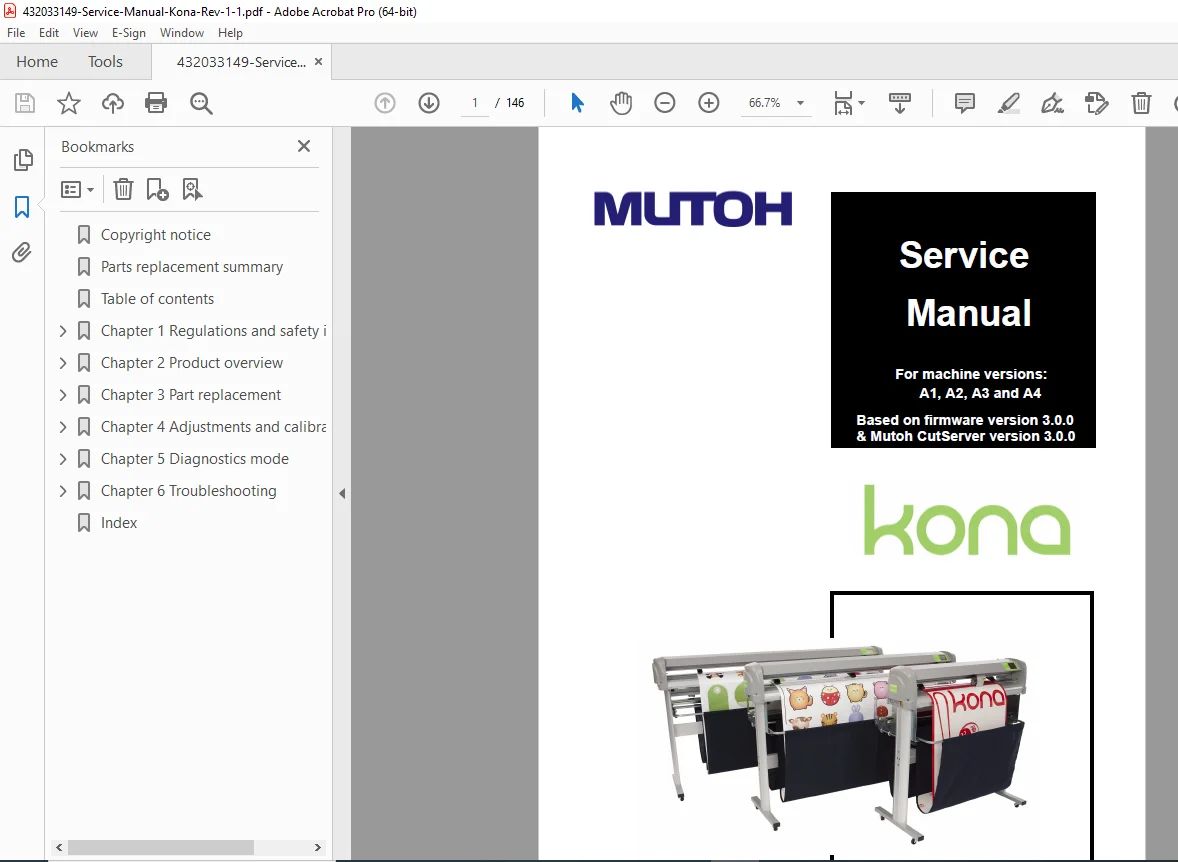
Mutoh Kona 760 1400 1650 Cutting Plotter Service Repair Manual PDF
Original price was: $85.00.$18.95Current price is: $18.95.
Complete factory service manual for Mutoh Kona series vinyl cutting plotters covering 760, 1400, and 1650 models (versions A1, A2, A3, A4). Comprehensive technical documentation includes parts replacement procedures, mechanical adjustments, firmware updates, diagnostics modes, calibration procedures, and complete disassembly instructions. Essential professional guide for servicing drag knife systems, EPOS sensors, precision cutting heads, and all major components with detailed photos and specifications.
Description
Mutoh Kona 760 1400 1650 Cutting Plotter Service Repair Manual Vinyl Cutter PDF DOWNLOAD
DESCRIPTION
This is the complete official Mutoh Kona Cutting Plotter Service Manual (Revision 1.1, April 2010) for professional vinyl cutting plotters. This comprehensive factory workshop manual provides authorized service technicians with detailed repair, maintenance, and calibration procedures for the entire Kona series.
Models Covered by This Service Manual
Kona Series – All Widths:
- Kona 760 – 760mm (30″) cutting width
- Kona 1400 – 1400mm (55″) cutting width
- Kona 1650 – 1650mm (65″) cutting width
Machine Versions:
- Version A1
- Version A2
- Version A3
- Version A4
Firmware Coverage:
- Based on Firmware Version 3.0.0
- Mutoh CutServer Version 3.0.0
Technical Specifications Summary
Kona 760:
- Width: 1200 mm (47.2″)
- Depth: 260 mm (10.2″)
- Height: 275 mm (10.8″)
- Weight (without options): 21 kg (46.3 lb)
- Weight (with options): 40 kg (88.9 lb)
Kona 1400:
- Width: 1850 mm (72.8″)
- Depth: 490 mm (19.3″)
- Height: 1150 mm (45.3″)
- Weight (without options): 48 kg (105.8 lb)
- Weight (with options): 56 kg (123.5 lb)
Kona 1650:
- Width: 2090 mm (82.3″)
- Depth: 490 mm (19.3″)
- Height: 1150 mm (45.3″)
- Weight (without options): 52 kg (114.6 lb)
- Weight (with options): 63 kg (138.9 lb)
Power Supply:
- Voltage: 100-240 V AC
- Current: 1.5 A
- Frequency: 50-60 Hz
Operating Environment:
- Temperature: 10°C – 35°C (50°F – 95°F)
- Humidity: 35% – 75% non-condensing
- Recommended: 16°C – 32°C, 35% – 70% humidity
Performance Specifications:
- Cutting Velocity: 1-100 cm/s (tool down: 1-60 cm/s default)
- Cutting Force: 20-450 grams (default: 100g)
- Offset Range: 0.1-1.0 mm (default: 0.5mm)
- Protocol Emulation: HPGL, HPGL2, MHGL, MHGL2
Complete Manual Contents (146 Pages)
This Mutoh Kona service manual PDF is organized into comprehensive chapters with quick-reference summaries:
PARTS REPLACEMENT SUMMARY
Quick-reference guide for essential procedures after component replacement:
1. Pen Head Replacement:
- Pen head replacement procedure (page 44)
- Y-Z measurement calibration (page 93)
- Sheeting-off knife position adjustment (page 91)
- EPOS calibration (page 103)
2. Mainboard Replacement: Complete pre and post-replacement procedures (page 67):
- Parameter backup using Mutoh CutServer (page 98)
- USB driver uninstall/reinstall (page 96)
- Firmware loading via USB (page 94)
- Parameter restoration (page 99)
- X and Y distance accuracy calibration (page 102)
- Y-Z measurement (page 93)
- EPOS calibration (page 103)
3. Y-Motor or Speed Reduction Belt:
- Component replacement (page 35)
- Belt tension adjustment to 3.5 kg (page 87)
4. X-Motor Replacement:
- Motor replacement procedure (page 33)
- Belt tension adjustment to 3.5 kg (page 86)
5. Pressure Roller Assembly:
- Assembly replacement (page 61)
- Pressure adjustment to 5.5 kg (page 90)
CHAPTER 1: REGULATIONS AND SAFETY INFORMATION
1.1 Warnings, Cautions and Notes
- Safety term classifications
- Risk category explanations
- Important: Death or serious injury prevention
- Caution: Moderate injury or equipment damage prevention
- Notes: Operational tips and important information
1.2 Compliance with Regulations
CE Marking:
- European Directive compliance
- Conformity with essential health and safety requirements
- Applicable EU directives adherence
- Mandatory marking for European market
CSA Certification:
- Canadian Standards Association approval
- IEC60950 standard testing
- Safety aspects coverage:
- Mechanical and electrical safety
- Component selection standards
- Material flammability requirements
- Connector and cable specifications
- Fire enclosure compliance
- User, service, and production personnel safety assurance
WEEE Directive 2002/96/EC:
- Environmental compliance
- Recycling and reuse requirements
- Proper disposal procedures
- Local collection system information
FCC Compliance:
- Class A digital device certification
- Part 15 FCC Rules compliance
- Commercial environment operation
- Radio frequency interference limits
- Residential area operation warnings
ICES Compliance:
- Canadian ICES-003 standards
- Class A digital apparatus certification
1.3 Important Notes
- Double pole/neutral fusing requirements
- Qualified personnel requirements for repairs
- Warranty void conditions for unauthorized service
- Power cycling wait time (10 seconds minimum)
- Earthed mains socket-outlet requirement
1.4 Safety Labels
- Moving parts warning labels (cutting head, grit rollers)
- Laser warning labels (do not stare into laser)
- Serial number label information:
- Serial number
- Unit name
- Power supply requirements
- Regulatory certifications
- Class A product designation
- Mutoh Europe address
CHAPTER 2: PRODUCT OVERVIEW
2.1 Dimensions Machine Detailed dimensional specifications for all three models with metric and imperial measurements
2.2 Installation Environment Requirements
Power Supply Specifications:
- Voltage range: 100-240V AC
- Current draw: 1.5A
- Frequency: 50-60Hz
Ambient Conditions:
- Operation environment ranges
- Recommended environment parameters (dark shaded area on chart)
- Temperature variation rate: 2°C per hour maximum
- Humidity variation rate: 5% per hour maximum
- Storage environment: 0°C – 50°C
Room Conditions:
- Protection from moisture, dust, draughts, sunlight
- Adequate ventilation space requirements
- Level surface installation
- Minimum clearance specifications:
- Sides: 1 meter minimum
- Rear: 1 meter minimum
- Top: 0.2 meter minimum
2.3 Part Names and Functions
13 Major Components:
- Pressure Rollers: Push media against grit rollers
- Media Guide: Vacuum-assisted platform for flat media transport
- Cutting Mat: Reliable cutting surface, knife tip protection
- Grit Rollers: Granular surface for media movement
- Control Panel Touch Screen: Settings and operation interface
- Cutting Head: Knife, sheet-off mechanism, EPOS sensor assembly
- USB Inlet: USB cable connection
- Power Inlet and Switch: Power connection and on/off control
- Roll Conveyor: Vinyl support and roll-off
- Stand and Wheels: Mobility features
- Media Bag: Sheeted media collection
- Roll-Off System: Pre-printed vinyl handling
- Pressure Roller Lever: Roller raise/lower mechanism
2.4 Overview Operation Panel
Main Menu Interface:
- Settings button (4 pages of settings)
- Actions button (2 pages of actions)
- USB connection indicator
- Play/pause button for job control
- Cancel button for job termination
Settings/Actions Menu Navigation:
- Home button for main menu access
- Back/cancel button for hierarchy navigation
- Previous/next buttons for page navigation
- Menu-specific function buttons
Adjust Value Menu:
- Numeric keyboard input
- Save button for value confirmation
- Increase/decrease buttons (single digit)
- Erase and erase all functions
- Maximum value protection (audible warning)
- Minimum value indication (blue display)
2.5 Menu Overview
User Mode Settings (4 Pages):
Settings 1/4:
- Velocity: Tool down (1-100 cm/s, default 60), Tool up (1-100 cm/s)
- Offset: 0.1-1.0 mm (default 0.5mm) with test function
- Force: 20-450g (default 100g) with test function
- Tool Selection: Drag knife or Pen
- Load Mode: 4 options (with/without front, uneven media variations)
Settings 2/4:
- Load Length: 100-10,000 mm (default 1000mm)
- Smoothing: On/Off
- Prefeed: 0-10,000 mm (default 1000mm)
- Sheet Off Settings:
- Mode: Automatic/Manual/Disabled
- Margin: 1-250 mm (default 5mm)
- Velocity: 10-100 cm/s (default 60 cm/s)
- Max Length: 0-10,000 mm (default 2000mm)
- Job Focus: Accuracy or Speed
- Auto Shuffle: On/Off
- Origin Point: 5 positions (Center, corners)
- Page Mode: 0-1-2
Settings 3/4:
- EPOS Alignment: Automatic/Manual
- Language Selection: 9 languages (English, Greek, Polski, Portugues, Italiano, Español, Deutsch, Français, Nederlands)
- Protocol Emulation: HPGL, HPGL2, MHGL, MHGL2
Settings 4/4:
- Additional configuration parameters
- Advanced user settings
Actions Menu (2 Pages):
- Operational functions
- Maintenance actions
- Calibration procedures
2.5.2 Diagnostics Mode 1 and 2
- Advanced troubleshooting access
- System parameter viewing
- Service-level diagnostics
2.6 Machine Version
- Version identification procedures
- Hardware/firmware compatibility verification
CHAPTER 3: PARTS REPLACEMENT PROCEDURES
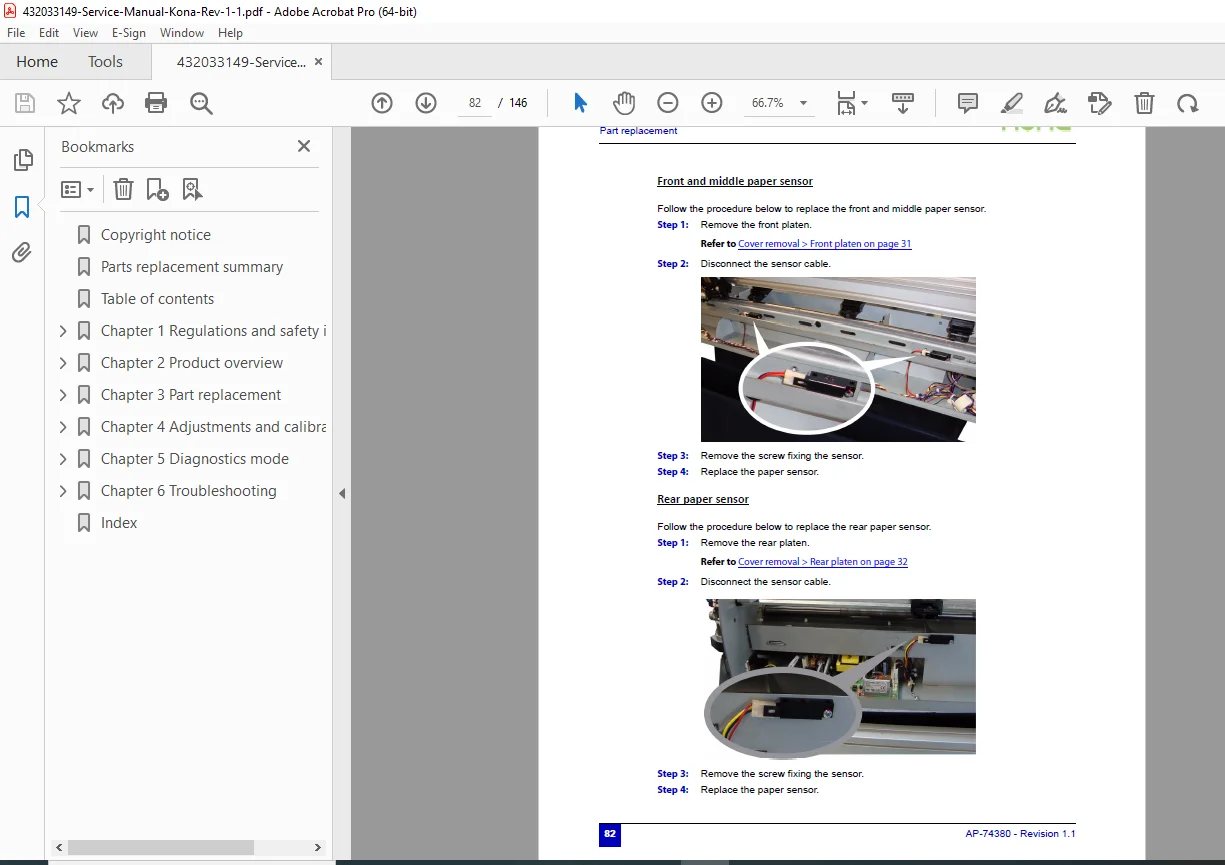
Comprehensive step-by-step disassembly and replacement procedures with photographs:
Major Component Replacement:
- Cutting head complete assembly
- Pen head mechanism
- Drag knife assembly
- EPOS sensor module
- Mainboard/controller
- X-axis motor and drive system
- Y-axis motor and belt system
- Grit rollers and shafts
- Pressure roller assemblies
- Media guide with vacuum fans
- Cutting mat replacement
- Touch screen control panel
- USB interface board
- Power supply unit
- Stand and wheel assemblies
- Roll conveyor system
- Media basket
- Roll-off system components
Detailed Procedures Include:
- Tool requirements
- Removal sequences
- Connector locations and pinouts
- Cable routing diagrams
- Fastener specifications
- Torque requirements
- Installation verification
- Post-replacement calibration
CHAPTER 4: MECHANICAL ADJUSTMENTS
Precision Adjustments:
Belt Tension Adjustments:
- X-axis belt tensioning (3.5 kg specification)
- Y-axis speed reduction belt tensioning (3.5 kg specification)
- Tension measurement procedures
- Belt replacement criteria
Pressure Roller Adjustment:
- Pressure setting to 5.5 kg specification
- Roller height alignment
- Even pressure distribution verification
- Adjustment verification procedures
Knife Position Adjustments:
- Sheeting-off knife positioning (page 91)
- Drag knife offset calibration
- Cutting depth optimization
- Tool holder alignment
EPOS Sensor Calibration:
- Complete EPOS calibration procedure (page 103)
- Sensor alignment verification
- Registration mark detection testing
- Automatic vs manual alignment modes
Y-Z Measurement:
- Diagnostic Y-Z measurement procedure (page 93)
- Axis perpendicularity verification
- Geometric accuracy testing
Distance Accuracy Calibration:
- X-axis distance calibration using CutServer (page 102)
- Y-axis distance calibration
- Scaling factor adjustment
- Verification cutting tests
CHAPTER 5: FIRMWARE AND SOFTWARE
Firmware Management:
USB Driver Installation:
- Driver installation procedures (page 96)
- Uninstall/reinstall procedures
- USB connection verification
- Troubleshooting USB communication
Firmware Update Procedures:
- Loading firmware via USB (page 94)
- Firmware version verification
- Update failure recovery
- Compatibility checking
Mutoh CutServer Software:
- Software overview and capabilities
- Parameter backup procedures (page 98)
- Parameter restoration (page 99)
- Distance accuracy calibration tools (page 102)
- Communication diagnostics
- Advanced configuration options
CHAPTER 6: DIAGNOSTICS AND TROUBLESHOOTING
Diagnostic Modes:
- Diagnostics Mode 1 access and functions
- Diagnostics Mode 2 advanced testing
- Sensor status monitoring
- Motor function testing
- Communication diagnostics
- Error code interpretation
System Diagnostics:
- Y-Z measurement procedures (page 93)
- EPOS sensor testing
- Vacuum system verification
- Cutting force verification
- Media detection testing
Common Issues and Solutions:
- Media feeding problems
- Cutting quality issues
- Registration mark detection failures
- Communication errors
- Mechanical binding or noise
- Sensor malfunctions
- Motor failures
Troubleshooting Flowcharts:
- Systematic problem isolation
- Component-level diagnostics
- Signal path verification
- Electrical testing procedures
CHAPTER 7: MAINTENANCE SCHEDULES
Preventive Maintenance:
- Daily maintenance tasks
- Weekly cleaning procedures
- Monthly inspection points
- Annual service requirements
Cleaning Procedures:
- Cutting head cleaning
- Grit roller maintenance
- Media guide vacuum system cleaning
- Cutting mat replacement intervals
- Sensor cleaning procedures
Lubrication:
- Lubrication points identification
- Lubricant specifications
- Lubrication intervals
- Over-lubrication prevention
Optional Accessories Covered
Media Support Rolls:
- Installation procedures
- Adjustment specifications
- Compatibility information
Media Basket:
- Assembly installation
- Capacity specifications
- Positioning guidelines
Roll-Off System:
- Installation and setup
- Pre-printed media handling
- Tension adjustment
- Alignment procedures
Control Panel Features
Touch Screen Interface:
- Intuitive navigation structure
- Multi-page settings organization
- Real-time parameter adjustment
- Visual feedback systems
- Job status monitoring
Multi-Language Support: 9 language options ensure global usability:
- English
- Deutsch (German)
- Français (French)
- Nederlands (Dutch)
- Español (Spanish)
- Italiano (Italian)
- Portugues (Portuguese)
- Polski (Polish)
- Greek
Professional Service Features
Comprehensive Documentation:
- Written by Mutoh Europe for authorized technicians
- Same manual used by factory service centers
- Professional technical language
- Clear safety warnings throughout
Visual Learning Aids:
- High-resolution color photographs
- Detailed exploded diagrams
- Step-by-step illustrated procedures
- Component identification callouts
- Cable routing illustrations
Quick Reference Sections:
- Parts replacement summary at beginning
- Critical procedure page references
- Cross-referenced information
- Specification tables
Safety Integration:
- Important/Caution/Note hierarchy
- Safety labels illustrated
- Laser safety protocols
- High-voltage warnings
- Moving parts hazards
Who Should Use This Manual?
This vinyl cutter repair guide download is essential for:
- Authorized Mutoh service technicians
- Professional sign equipment repair specialists
- Commercial printing service departments
- Wide-format equipment technicians
- Technical training institutions
- Experienced service engineers with cutting plotter knowledge
Required Qualifications:
- Qualified service personnel with training on this machine type
- Understanding of precision mechanical systems
- Knowledge of electronic controls and sensors
- Familiarity with cutting plotter operations
- Safety awareness for laser and moving parts
Important Service Notes
Authorized Service Only: Technical problems and maintenance requiring machine opening must be performed only by qualified personnel trained on this equipment type. Unauthorized service voids warranty.
Safety Critical:
- Wait minimum 10 seconds between power OFF/ON cycles
- Machine must be connected to earthed (grounded) outlet
- Removing covers without authorization is dangerous
- Follow all safety label warnings
Precision Equipment: This is a Class A product requiring:
- Controlled environment installation
- Regular calibration and maintenance
- Genuine Mutoh parts for replacement
- Proper firmware version compatibility
Environmental Compliance:
- WEEE Directive 2002/96/EC compliant
- Proper disposal required
- Recyclable materials throughout
- Local regulations must be followed
Copyright Protection: Manual is copyright protected by Mutoh Europe nv. Information is provided in confidence for service support. Reproduction requires written consent.
FILE DETAILS
| Attribute | Details |
|---|---|
| Manual Name | Mutoh Kona Cutting Plotter Service Manual |
| Models Covered | Kona 760, Kona 1400, Kona 1650 |
| Versions Covered | A1, A2, A3, A4 |
| Cutting Widths | 760mm (30″), 1400mm (55″), 1650mm (65″) |
| Firmware Version | 3.0.0 |
| CutServer Version | 3.0.0 |
| Equipment Type | Professional Vinyl Cutting Plotter |
| Technology | Drag Knife, EPOS Sensor, Precision Cutting |
| Manual Type | Factory Service & Repair Technical Manual |
| Document Number | AP-74380 |
| Revision | 1.1 |
| File Format | PDF (A4 size pages) |
| File Size | ~19 MB |
| Total Pages | 146 pages |
| PDF Quality | High-resolution with color photographs and diagrams |
| Language | English (9-language interface support documented) |
| Publisher | Mutoh Europe nv |
| Publication Date | April 27, 2010 |
| Certifications Covered | CE, CSA, FCC, ICES, WEEE |