Océ 3121 3122 Service Manual PDF Download
Original price was: $95.00.$13.95Current price is: $13.95.
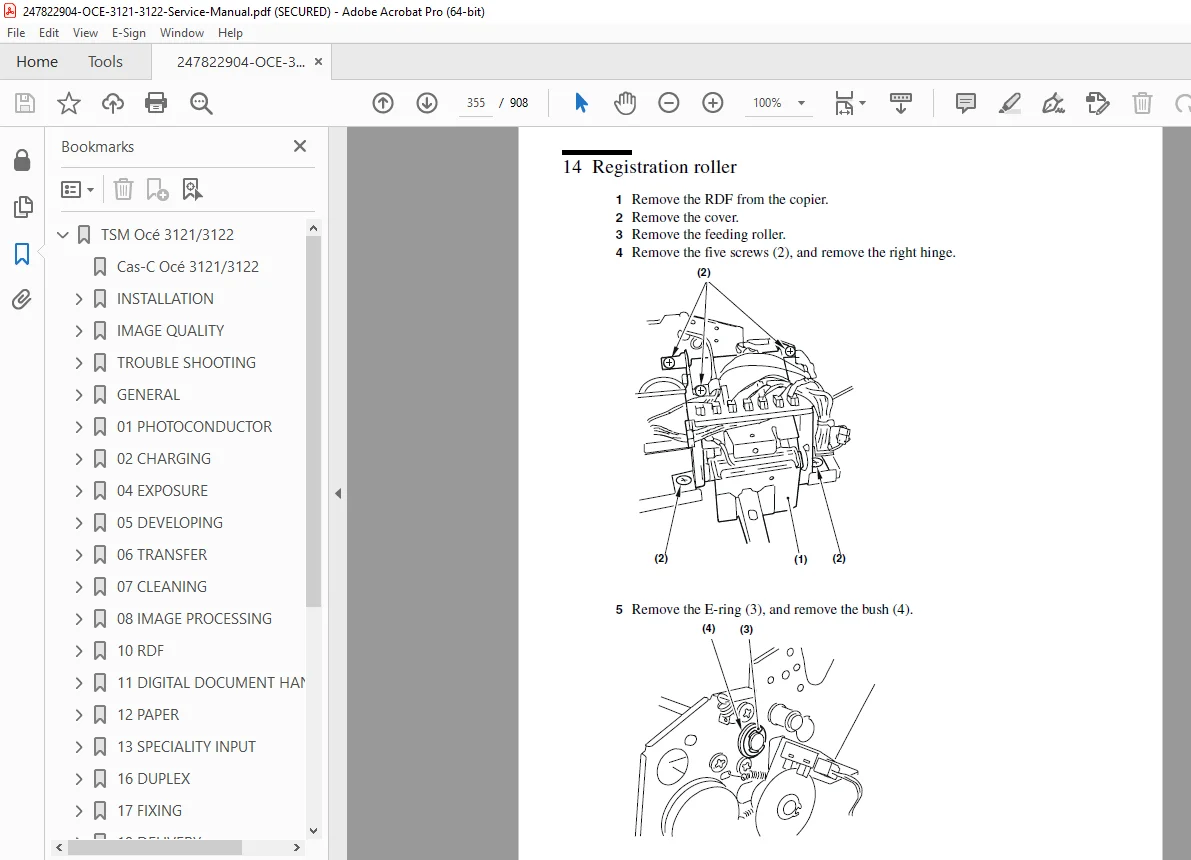
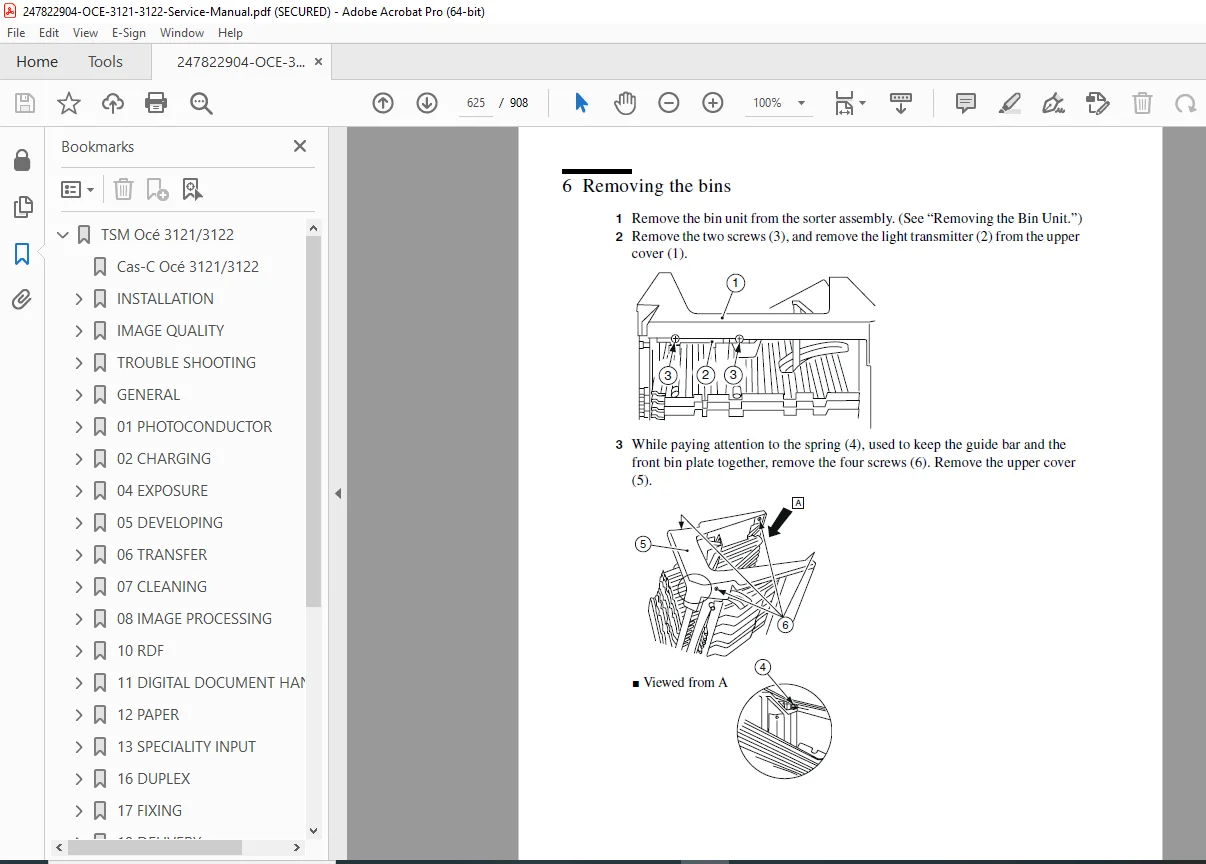
Access the official Océ 3121 service manual PDF for in-depth repair and maintenance on Océ 3122 models. This comprehensive Océ 3122 repair guide download includes troubleshooting, error codes, disassembly procedures, and parts lists. Perfect for technicians needing an Océ photocopier technical service handbook or Océ 3121 3122 maintenance manual PDF. High-quality 908-page document with diagrams, adjustments, and functional descriptions.
Description
Océ 3121 3122 Service Manual PDF Download
Description
The Océ 3121 service manual PDF is a detailed technical resource for servicing Océ’s reliable photocopiers and multifunction devices. Covering installation, image quality optimization, troubleshooting, and component-level repairs, this guide is indispensable for service professionals handling Océ 3122 repair guide download needs. It includes CAS-C codes for quick symptom-action referencing, preventive maintenance schedules, and technical data to ensure optimal performance.
File Details:
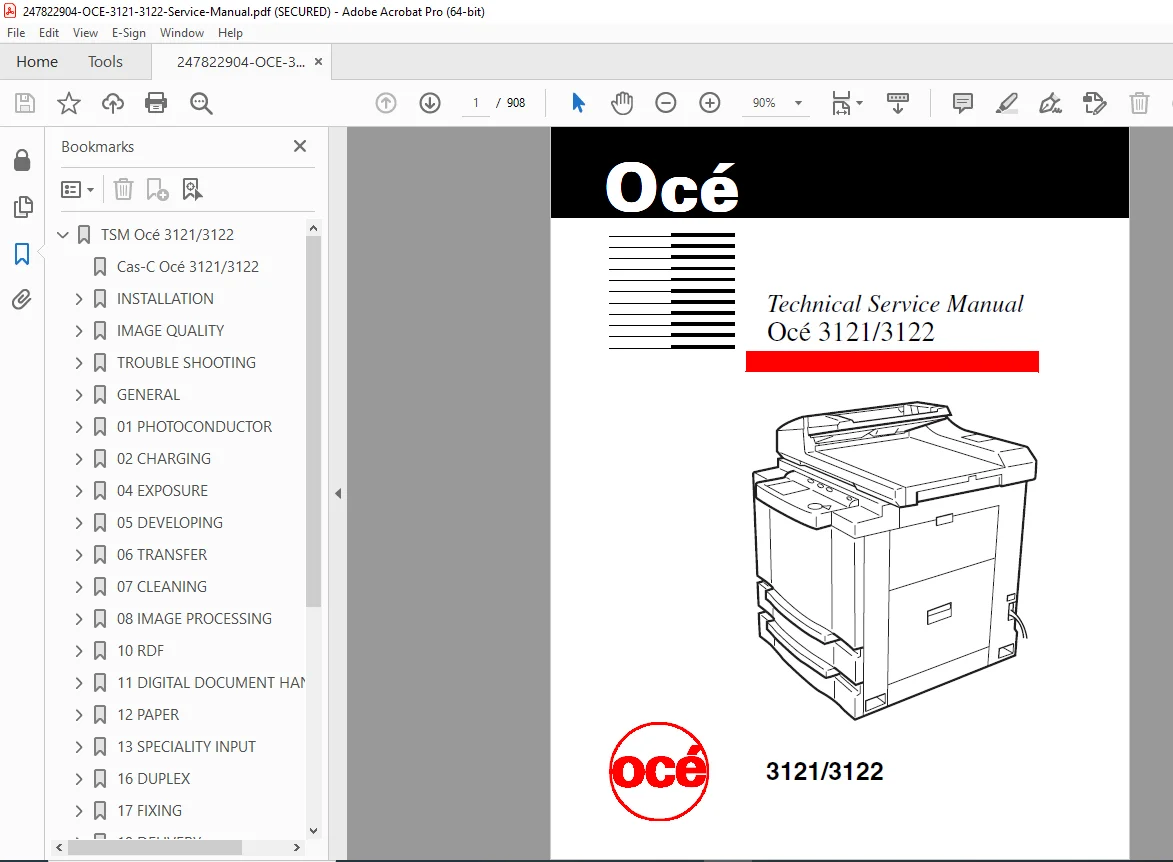
- Manual Name: Technical Service Manual Océ 3121/3122
- Models Covered: Océ 3121, Océ 3122
- Year: 1998 (Edition 1, January 1998)
- Manual PDF Quality: High-resolution, searchable text with diagrams, schematics, and illustrations
- No. of Pages: 908
The manual is structured with a main contents overview, followed by chapter-specific sub-contents for easy navigation. Extracted and categorized below:
Main Table of Contents (from Page 2):
- CAS-C Océ 3121
- INSTALLATION
- IMAGE QUALITY
- TROUBLE SHOOTING
- GENERAL
- 01 – PHOTOCONDUCTOR
- 02 – CHARGING
- 04 – EXPOSURE
- 05 – DEVELOPING
- 06 – TRANSFER
- 07 – CLEANING
- 08 – IMAGE PROCESSING
- 10 – RDF
- 11 – DIGITAL DOCUMENT HANDLING
- 12 – PAPER
- 13 – SPECIALITY INPUT
- 16 – DUPLEX
- 17 – FIXING
- 19 – DELIVERY
- 21 – SORTER
- 22 – POWER & CONTROL
- 23 – DRIVE
- MISCELLANEOUS
- PREVENTIVE MAINTENANCE
- TECHNICAL DATA
- SDS DESCRIPTION
- PARTS LIST Océ 3121
Detailed CAS-C Index (Categorized Symptom-Action Codes from Pages 3-5): This section provides a quick-reference index for troubleshooting, with codes linking symptoms to actions across components.
- Actions:
- 1 Replace (life time)
- 2 Replace (defective)
- 3 Install (missing part)
- 4 Adjust, correct
- 5 Repair/fix
- 6 Clean/dismount/lubricate
- 7 Replenish/drain
- 8 Instruct/install
- 9 –
- Symptoms:
- 1 General copy quality
- 2 Image position/deformation/size
- 3 Spots/stripes/pollution
- 4 Fusing/finishing (delivery)
- 5 Jammed or damaged original or copy
- 6 –
- 7 Total stop
- 8 Control
- 9 Noise/odour/damage/others
- 01. Photoconductor:
- 001 Unit positioning
- 002 OPC, mechanical damage
- 003 OPC, end of life
- 004 Potential sensor & PBA
- 038 Mechanical connections
- 039 Electrical connections
- 040 Others
- 02. Charging:
- 045 Charging roller
- 046 Cleaning pad
- 078 Mechanical connections
- 079 Electrical connections
- 080 Others
- 04. Exposure:
- 121 Platen glass
- 122 Scanner
- 123 Sensors document size
- 124 Scanner motor M2
- 125 Scanning lamp FL1
- 126 Home pos. sensor PS1
- 127 Scanning lamp intensity adjusting sensor
- 138 Mechanical connections
- 139 Electrical connections
- 140 Others
- 142 Laser
- 143 Laser unit
- 144 Beam detector PBA
- 145 Laser driver PBA
- 146 Laser motor M3
- 158 Mechanical connections
- 159 Electrical connections
- 160 Others
- 05. Developing:
- 161 Developing roller
- 162 Developing clutch CL4
- 163 Toner agglomeration
- 164 Toner level sensor TS1
- 165 Toner bias
- 198 Mechanical connections
- 199 Electrical connections
- 200 Others
- 06. Transfer:
- 201 Transfer roller
- 202 Static eliminator
- 238 Mechanical connections
- 239 Electrical connections
- 240 Others
- 07. Cleaning:
- 241 Waste toner sensor PS10
- 278 Mechanical connections
- 279 Electrical connections
- 280 Others
- 08. Image processing:
- 281 Image Processor PBA
- 282 Flash ROM IC 103/104
- 283 Analogue processor PBA
- 284 CCD unit
- 285 CCD driver PBA
- 318 Mechanical connections
- 319 Electrical connections
- 320 Others
- 10. RDF:
- 361 Fax document separation/output
- 362 Separation assy
- 363 Stamp
- 364 Delivery sensor S12
- 370 Document separation
- 371 Reverse roller
- 372 Registration roller
- 373 Photo sensors
- 374 Paper separation assy
- 380 Platen glass transport
- 381 Rollers
- 382 Feed belt
- 383 Feed belt motor M3
- 390 Gears
- 391 Motors
- 395 RDF controller PBA assy
- 396 Set indicator PBA
- 398 Mechanical connections
- 399 Electrical connections
- 400 Others
- 11. Digital Document Handling:
- 401 Fax
- 402 Fax PBA
- 403 Fax settings
- 404 Fax software
- 405 Fax customer environment
- 406 Fax telephone exchange system
- 407 Fax telephone line/quality
- 408 Fax customer applications
- 409 Fax Océ driver software
- 411 Fax mechanical connections
- 412 Fax electrical connections
- 413 Controller
- 414 Controller PBA
- 415 Controller interface PBA
- 416 Controller hard disk
- 417 Controller power supply
- 418 Controller settings
- 419 Controller software
- 423 Controller mechanical connections
- 424 Controller electrical connections
- 425 Controller customer environment
- 426 Customer software applications
- 427 Customer network hardware/software
- 428 Océ driver software
- 429 Océ utilities software
- 432 Scan-to-file
- 433 Scan-to-file PBA
- 434 Scan-to-file software
- 436 Scan-to-file mechanical connections
- 437 Scan-to-file electrical connections
- 438 Scan-to-file customer environment
- 439 Scan-to-file customer application
- 440 Océ TWAIN driver
- 12. Paper trays:
- 441 Paper trays main
- 442 Drive assembly
- 443 Registration roller
- 444 Registration roller clutch CL1
- 445 Separation roller
- 446 Vertical path clutch CL3
- 447 Feeding roller
- 448 Pick-up roller
- 449 Paper pick-up PBA
- 457 Mechanical connections
- 458 Electrical connections
- 459 Others
- 460 4 Cassette pedestal
- 461 Drive assy.
- 462 Pick-up roller
- 463 Registration roller
- 464 Registration roller clutch CL1
- 465 Separation roller
- 466 Feeding roller
- 467 Paper pick-up PBA
- 468 DC-controller PBA
- 478 Mechanical connections
- 479 Electrical connections
- 480 Others
- 13. Specialities input:
- 481 Manual feed arm
- 482 Speciality pick-up roller
- 483 Speciality roller clutch CL2
- 518 Mechanical connections
- 519 Electrical connections
- 520 Others
- 16. Duplex:
- 601 Inlet
- 602 Lower feeding inlet assy.
- 620 Lower paper feed
- 621 Retarding roller
- 622 Re-pick up roller
- 623 Photo sensors PS11, PS12
- 624 Re-pick up clutch CL5
- 625 Retarding/Re-pick up motor M6
- 638 Mechanical connections
- 639 Electrical connections
- 640 Others
- 17. Fixing:
- 641 Fixing film
- 642 Fixing heater H4
- 643 Heatsink roller
- 644 Pressure roller
- 645 Separation claw
- 646 Static charge eliminator
- 647 Fixing heater driver PBA
- 678 Mechanical connections
- 679 Electrical connections
- 680 Others
- 19. Delivery:
- 721 Delivery assembly
- 722 Rollers
- 723 Separation claws
- 724 Deflectors
- 737 Mechanical connections
- 738 Electrical connections
- 739 Others
- 740 2 Bin output tray
- 741 Rollers
- 742 Separation claws
- 743 Deflectors
- 758 Mechanical connections
- 759 Electrical connections
- 760 Others
- 21. Sorter:
- 801 Sorter bins
- 802 Rollers
- 803 Deflectors
- 804 Bin assy
- 805 Delivery sensors
- 806 Control panel PBA
- 810 Stapler assy
- 811 Stapler slide assy.
- 820 Fax & printer bins A/B
- 821 (A/B) Print/Fax delivery assy.
- 822 Tray controller PBA
- 838 Mechanical connections
- 839 Electrical connections
- 840 Others
- 22. Power & control:
- 841 Control panel assy
- 842 LCD unit
- 843 CPU PBA
- 844 DC controller
- 845 Power supply
- 875 Engine software bug
- 878 Mechanical connections
- 879 Electrical connections
- 880 Others
- 23. Drive:
- 881 Main drive assy
- 882 Motor M1
- 883 Fixing drive assy
- 918 Mechanical connections
- 919 Electrical connections
- 920 Others
- 24. Accessories:
- 958 Mechanical connections
- 959 Electrical connections
- 960 Others
- 25. Customer/environment/material/installation:
- 961 No fault on arrival
- 962 Customer
- 963 Speciality incorrectly positioned
- 964 Original incorrectly positioned
- 965 Paper jam incorrectly removed
- 966 Toner not refilled
- 968 Others
- 971 Environment
- 972 Relative humidity
- 973 Ambient temperature
- 974 Incorrect mains supply
- 979 Others
- 980 Material
- 981 Paper quality
- 982 Original quality
- 983 Specialities
- 984 Toner
- 986 Other
- 990 Installation
- 991 Packing
- 992 Covers
- 993 Language download
- 999 Machine OK
Chapter-Specific Sub-Contents (Extracted Examples):
- Installation (Page 7):
- 1 The site
- 2 Unpacking and installation
- 3 Relocating the Machine
- 4 Installing
- Image Quality (Page 73):
- 1 Initial check
- 2 Image adjustment basic procedure
- 3 Check and adjustment of the analog image
- Trouble Shooting (Pages 106-107):
- 1 Introduction to this chapter
- 2 Error codes descriptions
- 3 Detecting errors
- Includes detailed error code lists like E261, E310
- General Operation (Page 189):
- 1 System
- 2 Nomenclature
- 3 Image Formation
- 4 Auxiliary Process
- 5 High voltage control
- 01 Photoconductor (Page 202):
- Dis-/assembly: 1 Replacing the OPC unit
- Functional description: 1 Resistance of the OPC drum
- 02 Charging (Page 206):
- Functional description: 1 Limiting the charging bias, 2 Roller cleaning
- 04 Exposure (Page 211):
- Dis-/assembly: 1 Removing the Scanner Motor, 2 Removing the Scanner Cable
- And more
- 05 Developing (Page 240):
- Adjustments: 1 Adjusting the doctor blade
- Dis-/assembly: 1 Developing Clutch, 2 Removing the developing unit
- 06 Transfer (Page 252):
- Adjustments: 1 Adjusting the bias for the transfer roller
- Functional description: 1 Transfer
- 07 Cleaning (Page 261):
- Functional description: 1 Waste Toner
- 08 Image Processing (Page 264):
- Dis-/assembly: 1 Replacing the IP PBA, 2 IP software update
- Functional description: 1 Image processing system
- 10 RDF (Pages 300-301):
- Adjustments: 1 Adjusting the RDF Switch (MS1), 2 Switch (MS2) for the upper cover
- Dis-/assembly: 1 External View, 2 Removing the RDF
- 11 Digital Document Handling (Page 452):
- Functional description: 1 PRODUCT OUTLINE, 2 SPECIFICATIONS, 3 BASIC CONSTRUCTION
- 12 Paper Trays (Page 470):
- Adjustments: 1 Adjusting the Registration in Rear/Front Direction
- Dis-/assembly: 1 Removing the pick-up roller
- 13 Speciality Input (Page 510):
- Adjustments: 1 The position of the multifeeder paper guide cam, 2 Recording the VR settings
- 16 Duplex (Page 520):
- Dis-/assembly: 1 Duplex motor M7, 2 Motor M6
- 17 Fixing (Page 538):
- Adjustments: 1 Adjusting the pressure of the fusing film drive roller
- Dis-/assembly: 1 Fuser drive assembly
- 19 Delivery (Page 571):
- Adjustments: 1 The position of the deflection solenoid SL5
- Dis-/assembly: 1 Output
- 21 Sorter (Pages 608-609):
- SDS: 1 Tray Controller PBA
- Adjustments: 1 Adjustment of the stapling position
- Functional description: 1 Features of the sorter, 2 Specifications
- 22 Power & Control (Page 723):
- Dis-/assembly: 1 DC control PBA, 2 Power supply PBA
- Functional description: 1 Power supply
- 23 Drive (Page 774):
- Dis-/assembly: 1 Removing the main motor
- Functional description: 1 Main motor control PBA
- Miscellaneous (Page 779):
- 1 Handling the cables
- 2 Covers
- 3 Removing the right cover
- Preventive Maintenance (Page 786):
- 1 Points to note for scheduled servicing
- 2 Periodically Replaceable Parts
- Technical Data (Page 794):
- 1 SPECIAL FEATURES Screen
- 2 Functions
- 3 Features
- 4 Specifications
- SDS Description (Pages 810-811):
- 1 Outline
- 2 Starting Service Mode
- Includes detailed service mode functions like 4 FUNCTION 03 Shading Auto Correction
This Océ photocopier technical service handbook equips you with everything for efficient diagnostics and repairs as an Océ 3121 3122 maintenance manual PDF.
Empower your repairs with this essential Océ 3121 service manual PDF—download instantly to resolve issues quickly and save on professional service fees!