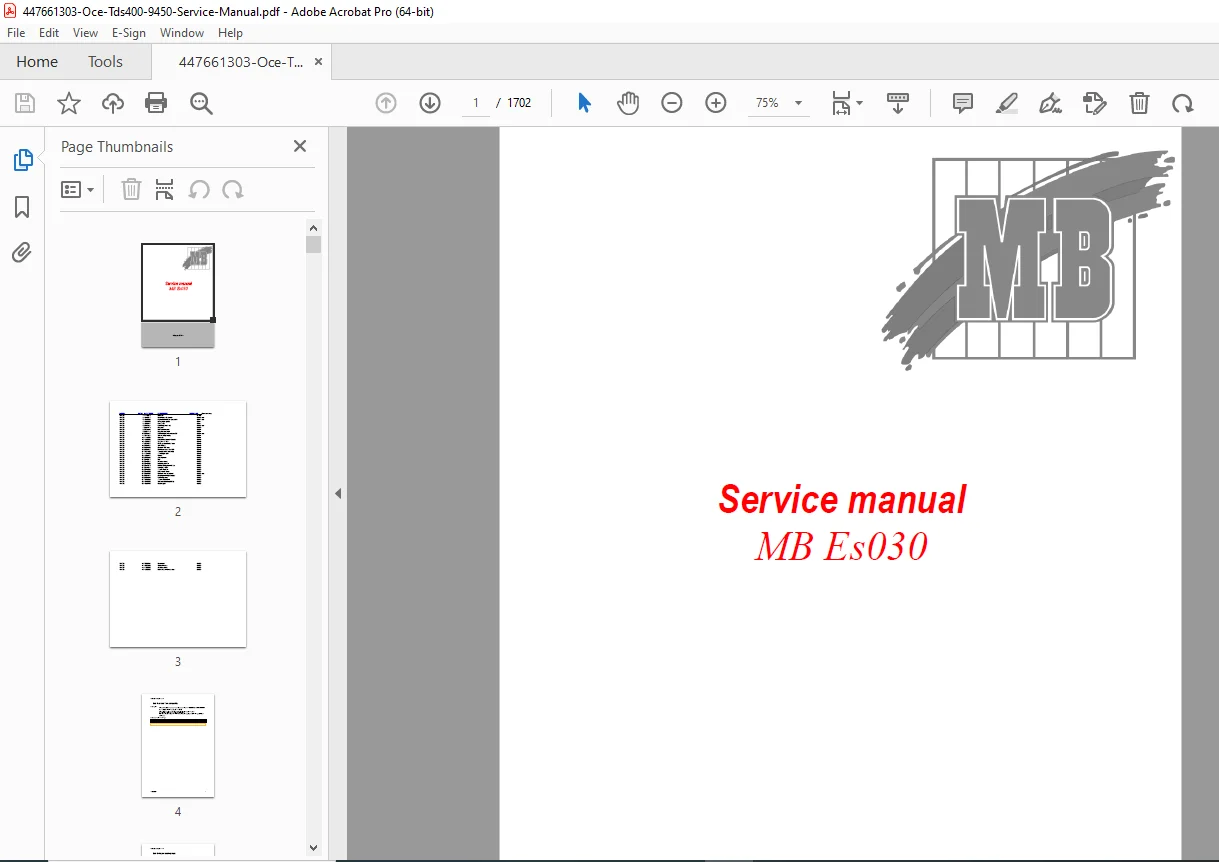
Oce TDS400 TDS 9450 Wide Format Printer Service Manual PDF
Original price was: $95.00.$18.95Current price is: $18.95.
Official Oce factory service manual for the TDS400 and TDS 9450 wide-format technical document systems. Comprehensive 1,702-page technical documentation covering LED printhead technology, electrostatic imaging, photoconductor systems, scanner integration, Power Logic controller setup, network configuration, troubleshooting procedures, parts identification, maintenance schedules, and complete system diagnostics. Essential workshop manual for technical service engineers, print production facilities, and large-format printing specialists.
Description
Oce TDS400 TDS 9450 Wide Format Printer Service Manual Complete Guide PDF DOWNLOAD
DESCRIPTION
Oce TDS400 / TDS 9450 Official Factory Service Manual – Complete Technical Documentation
This is the complete, official Oce factory service manual for the TDS400 and TDS 9450 wide-format technical document systems. With an extraordinary 1,702 pages of detailed technical information, this manual represents the most comprehensive resource available for servicing, maintaining, and troubleshooting these advanced large-format printing systems.
FILE DETAILS
- Manual Name: Oce TDS400/TDS 9450 Complete Service Manual
- System Type: Wide-Format LED Printer with Optional Scanner
- Manual Code: MB Es030
- Publication Date: August 2002 (Moscow)
- PDF Quality: High-quality optimized professional documentation
- Total Pages: 1,702 Pages
- File Size: 15.4 MB
- Language: English with technical diagrams
SYSTEM OVERVIEW
The Oce TDS400 series represents professional wide-format printing technology featuring:
- LED Printhead Technology – Multiple LED print heads with precision overlap alignment
- Electrostatic Imaging – Advanced photoconductor-based electrostatic printing process
- Dual Roll System – Two independent media roll feeders with automatic switching
- Optional Scanner Integration – High-resolution scanning for copy and scan-to-file functions
- Power Logic Controller – Embedded Windows NT-based print controller with network integration
- Professional Output – High-resolution technical document reproduction for CAD, blueprints, and engineering drawings
COMPREHENSIVE COVERAGE SECTIONS
Technical Service Manual (TSM) – Troubleshooting Guide
This extensive section provides systematic troubleshooting for hundreds of print quality and system issues:
- Print Quality Issues:
- Background problems and correction procedures
- Black/white stripes (absorber stripes) diagnosis
- Black dots on prints (photoconductor quality assessment)
- Black lines and stripes in feed direction
- Dirty prints and toner reprint issues
- Density differences between print heads
- Light/dark stripes (zebra-stripes) diagnosis
- Out-of-focus printed images
- Horizontal and vertical alignment problems
- Grey area density variations
- Scrambled print diagnosis
- Environmental Issues:
- Fusing quality problems in humid conditions
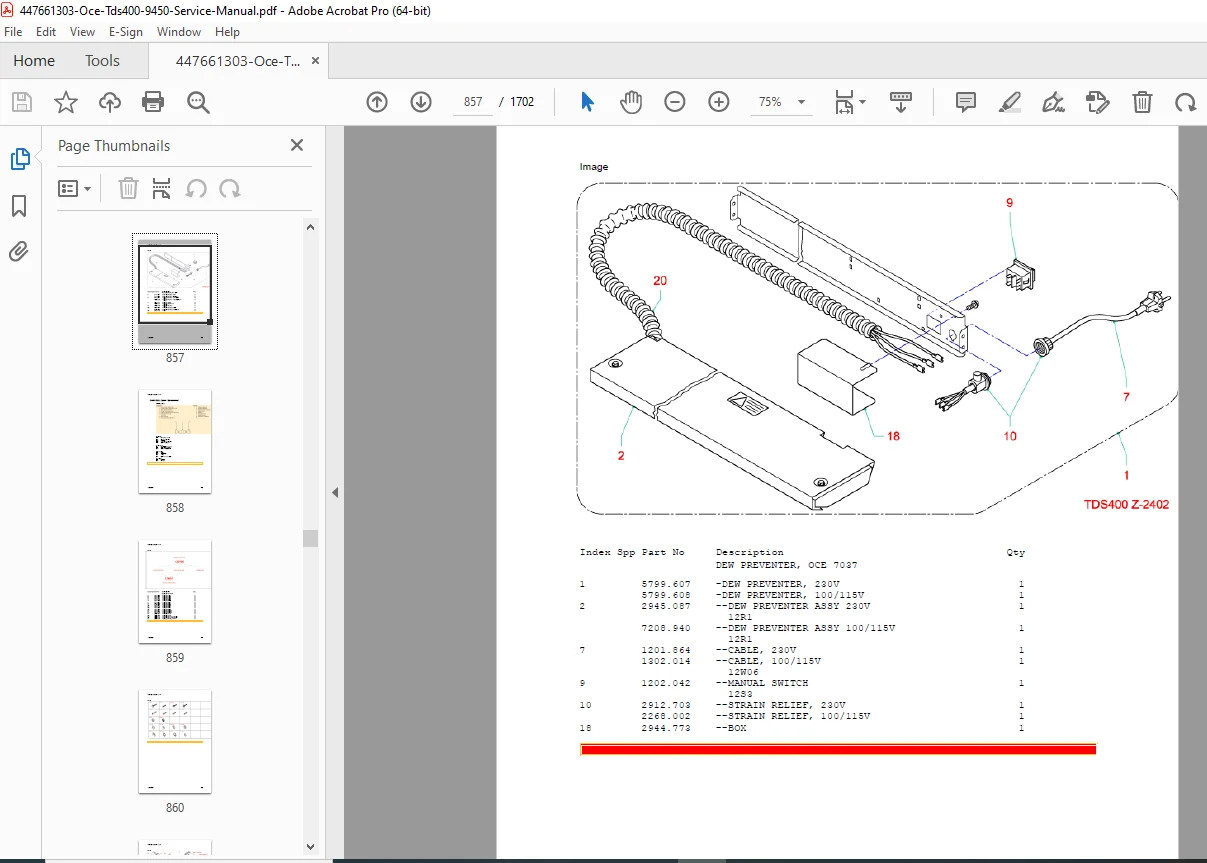
- Dew preventer installation and adjustment
- Leading edge fusing problems
- Moisture-related print quality issues
- Temperature and humidity compensation
- Copy-Specific Problems:
- Background on scanned copies
- No contrast with copy/digital background in photo mode
- Black stripes in feed direction (copy only)
- Scanner integration troubleshooting
- System-Level Diagnostics:
- Communication problems between TDS400 and Power Logic Controller
- Network integration issues
- Software initialization problems
Installation & Configuration Manual
- Complete Installation Workflow:
- Print engine installation (100% pre-adjusted from factory)
- Optional scanner installation procedures
- Power Logic controller hardware setup
- Copy Output Stacker (COS) installation
- Engine-to-stand separation procedures (when required)
- Printer control panel configuration
- Network settings configuration
- System Software Installation:
- Firmware version checking and upgrading
- Software download procedures
- GUI-less configuration methods
- Service mode operation
- Remote Logic applications installation
- Direct cable connection setup procedures
- Configuration Procedures:
- Network protocol configuration (TCP/IP, hostname settings)
- Queue management setup
- Scan destinations configuration
- Date, time, and time zone settings
- Temporary IP addressing (192.168.100.x/101.x/102.x)
- Settings Editor usage (SA and KO modes)
- Password configuration and management
- Installation Testing:
- SDS test 70.1: Installation technician procedures
- SDS test 70.2: Installation M&L (for non-pre-adjusted hardware)
- SDS test 51: Service test print procedures
- Print quality verification
- Scanner test original procedures
- Trailing edge length adjustment (rolls 1 and 2)
- Leading edge length adjustment
- Customer Workstation Setup:
- Network driver installation
- Print Exec Light installation
- PostScript driver setup
- Raster driver installation
- AutoCAD driver configuration
- Connectivity manual references
System Upgrade Procedures
- R1.0 to R1.1 Upgrade:
- System data backup procedures
- NGC controller upgrade sequence (30-minute automated installation)
- Scanner EPROM replacement (R1.0 to R1.1)
- Printer engine software download
- Settings restoration procedures
- Password file management
- Network reconnection protocols
- R1.1 to R1.2 Upgrade:
- Hardware requirements identification
- Scanner firmware pack upgrade (7095421)
- CPU scanner PBA replacement (5584710)
- RAM upgrade to 256MB (7078563) for Scan Logic/Print Exec Lt Web
- System preparation procedures
- Scan destination backup
- Controller hardware/software upgrade
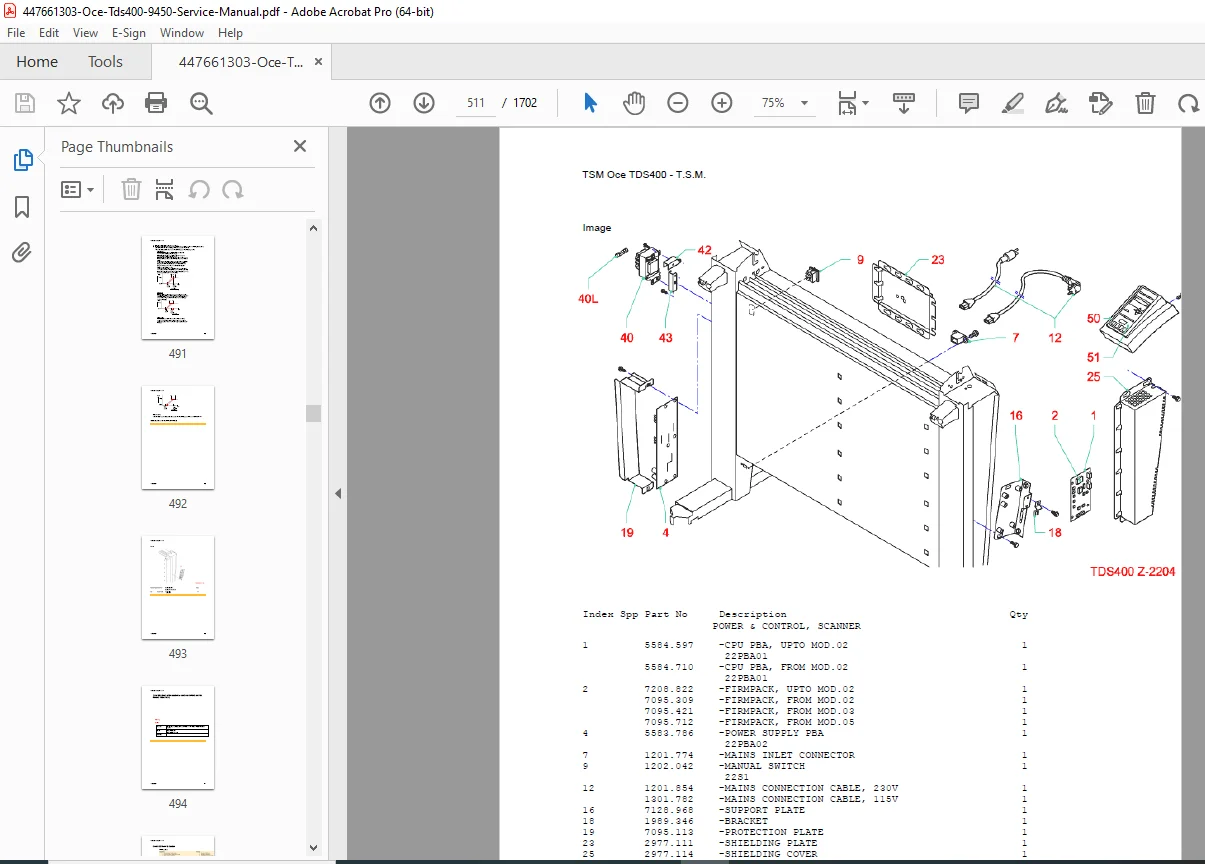
Parts Identification & Consumables
Comprehensive parts catalog with part codes and descriptions:
- Imaging Components:
- Photoconductor (consumable, lifetime tracking)
- Developer (consumable, part 7045011)
- Toner waste bag systems
- Cleaning blade assemblies (2912651)
- Corona wire assemblies
- Print Head System:
- LED printhead assemblies (TDS400 specific)
- Print head positioning mechanisms
- Print head cover assemblies
- Transport security bolt systems
- Alignment and focus adjustment components
- High-Voltage Power Systems:
- High-voltage PCB (22PBA04)
- Transfer assemblies (TDS400)
- Charging assemblies and grid PCBs
- SSR 24V DC 20A components
- Electronic Components:
- CPU PCB assemblies (5584470)
- CPU scanner PCB (5584710)
- CCD interface boards (10PBA02)
- Low-voltage power supply PCBs
- Hard drives (EIDE – 7175972, 7176292)
- Mechanical Components:
- Drive belts and pulleys
- Timing belt systems (48 3M)
- Actuator assemblies
- Sensor housings and adjusted sensors
- Paper guide wires and racks
- Weight sheets
- Damper units (100W)
- Scanner Components:
- Original glass
- Mirrors and optics
- White plate assemblies
- CCD sensors
- Scanner transport mechanisms
- Paper Handling:
- Roll feeding mechanisms
- Transfer units
- Fusing assemblies
- Paper guides and sensors
Controller & Software Systems
- Power Logic Controller:
- Windows NT-based embedded controller
- Network integration capabilities
- Direct cable connection configuration
- Service mode operation
- Diagnosis mode procedures
- Boot sequence management
- Software Components:
- Remote Logic applications
- Settings Editor (KO and SA modes)
- WebSDS direct access
- NotesSDS laptop connection
- Print Settings backup and restore
- SDS Testing System:
- SDS test 20-1-010: Controller mode setting
- SDS test 31: Fault and service counter management
- SDS test 51: Service test print
- SDS test 70.1: Installation technician
- SDS test 70.2: Installation M&L
- SDS test 71: System data backup
- SDS test 73: Software download
- SDS tests 04-1-003, 14-1-003: Light intensity testing
- SDS tests 12-1-051, 12-1-052: Trailing edge adjustment
- SDS test 15-1-005: Leading edge adjustment
Preventive Maintenance
- Scheduled Maintenance Procedures:
- Photoconductor lifetime monitoring
- Developer replacement schedules
- Cleaning blade replacement intervals
- Corona wire cleaning and replacement
- Sensor adjustment and calibration
- Transfer unit maintenance
- Toner waste bag replacement
- Paper path cleaning procedures
- Environmental Specifications:
- Operating temperature: 20-27°C
- Relative humidity: 30-60% RH
- Paper storage requirements
- Dust and sunlight protection guidelines
- Quality Control:
- Photoconductor Quality Chart (2550-20) usage
- Print quality acceptance criteria
- Small black dot tolerance specifications
- Break-in period requirements (50-100 A0 prints)
Diagnostic Procedures & Fault Finding
- Systematic Diagnostic Approaches:
- Visual inspection protocols
- Test print interpretation
- Service test original usage
- Component isolation procedures
- Voltage and resistance testing
- Sensor verification methods
- Communication link testing
- Suspected Parts Tables:
- Cross-referenced by symptom
- Part index numbers and descriptions
- Testing procedures for each component
- Replacement recommendations
- Bulletin and CAS number references
- Diagram number cross-references
- Service Bulletins & Updates:
- Technical service bulletin index
- CAS (Customer Alert System) numbers
- Diagram reference system
- Field service updates
Network Integration
- Protocol Support:
- TCP/IP configuration
- Protocol enable/disable procedures
- Hostname configuration
- Network address management
- Temporary addressing for troubleshooting
- Driver Support:
- PostScript driver installation
- Raster driver setup
- AutoCAD driver integration
- Print Exec Light Web integration
- Queue management configuration
Special Language Support
- International Configuration:
- Polish language character set configuration
- Czech language character set configuration
- Special character handling for engine and scanner
- Localization settings
TECHNICAL SPECIFICATIONS COVERED
Print Engine:
- Technology: LED electrostatic imaging
- Multiple LED print head configuration
- Photoconductor-based imaging
- Corona charging system
- Developer unit with toner conservation
- Transfer corona system
- Cleaning blade assembly
- Waste toner collection
Media Handling:
- Dual independent roll feeders (Roll 1 and Roll 2)
- Manual feed option
- Automatic roll switching
- Leading edge and trailing edge length adjustment
- Multiple media size support
- Paper moisture content management
Optional Components:
- High-resolution scanner
- Copy Output Stacker (COS)
- Dew preventer for humid environments
- Scan Logic software
- PostScript option
- Print Exec Light Web
Controller Specifications:
- Windows NT-based operating system
- Network-ready architecture
- Remote management capabilities
- Direct cable connection support
- CD-ROM drive
- Hard disk storage (EIDE)
- RAM: Standard/256MB upgrade option
SPECIAL TOOLS & EQUIPMENT REFERENCED
- Photoconductor Quality Chart (2550-20)
- Service test originals (transparent)
- Settings Editor software
- Remote Logic applications
- NotesSDS diagnostic software
- WebSDS browser interface
- Direct cable connection kit
- Service laptop requirements
- Boot diskette creation tools
IDEAL FOR:
- Professional print service engineers
- Oce authorized service centers
- Large-format printing facilities
- Engineering document reproduction centers
- Architectural and construction firms with in-house printing
- Print production facility managers
- Technical training institutions
- CAD/engineering plotting departments
- Facilities management companies
- Print shop technicians specializing in wide-format systems
WHY THIS MANUAL IS ESSENTIAL:
The Oce TDS400/TDS 9450 systems represent sophisticated large-format printing technology requiring specialized knowledge for proper maintenance and repair. This comprehensive 1,702-page manual provides:
✓ Complete Troubleshooting Database – Hundreds of documented problems with solutions
✓ Factory Installation Procedures – Step-by-step system setup and configuration
✓ Software Upgrade Guides – Detailed procedures for system updates
✓ Parts Identification – Comprehensive parts catalog with part numbers
✓ Diagnostic Testing – SDS test procedures for systematic fault finding
✓ Network Integration – Complete network setup and driver installation
✓ Print Quality Optimization – Adjustment procedures for optimal output
✓ Preventive Maintenance – Scheduled service procedures to maximize uptime
✓ Environmental Compensation – Procedures for varying temperature/humidity conditions
✓ Scanner Integration – Complete scanner service and calibration procedures
Don’t let your Oce TDS400/TDS 9450 system stay down due to lack of proper documentation! This official factory service manual provides the same comprehensive information used by Oce-certified technicians worldwide. With instant PDF download, you can access this 1,702-page technical resource immediately. Whether you’re troubleshooting print quality issues, performing scheduled maintenance, or installing system upgrades, this manual is your complete technical reference.