Pantum CM1100 Service Manual & Repair Guide (Color Laser Printer) PDF
Original price was: $95.00.$18.95Current price is: $18.95.
Complete Service Manual for the Pantum CM1100 Series Multi-Function Color Laser Printer. Published in July 2021 (V1.0), this 109-page guide covers disassembly/assembly, error codes (01.001-05.001), image quality troubleshooting, and component replacement. Essential for technicians repairing models CM1100DN, CM1100DW, CM1100ADN, and CM1100ADW.
Description
Pantum CM1100 Service Manual & Repair Guide (Color Laser Printer) PDF DOWNLOAD
Description
Unlock the full repair capabilities for your Pantum CM1100 Series Multi-Function Color Laser Printer with this official service manual. Whether you are a professional technician or an experienced DIYer, this document provides the critical technical data needed to maintain, troubleshoot, and repair the machine.
This manual is meticulously organized, offering step-by-step instructions for Pantum CM1100 disassembly, solving Pantum printer image quality troubleshooting issues like blank pages or vertical lines , and handling precise CM1100 fuser replacement procedures. It includes comprehensive tables for error codes and detailed exploded views for parts identification.
Key Topics Covered:
Product Series & Specifications:
Covers models: CM1100DN, CM1100DW, CM1100ADN, CM1100ADW.
Technical parameters: Print speed (A4 18ppm), USB/NET/Wi-Fi interfaces, and control panel functions (LCD/Touch Screen).
Theory of Operation:
Image Formation Process: Detailed explanation of Charging, Exposure, Developing, First/Second Transfer, Fusing, and Cleaning.
Paper Path: Automatic vs. Manual feed paths and duplex unit operation.
Troubleshooting & Error Codes:
Self-Diagnosis: Full list of error codes (e.g., 01.004 Fuser overheat, 03.002 Laser synchronization timeout) with specific inspection measures.
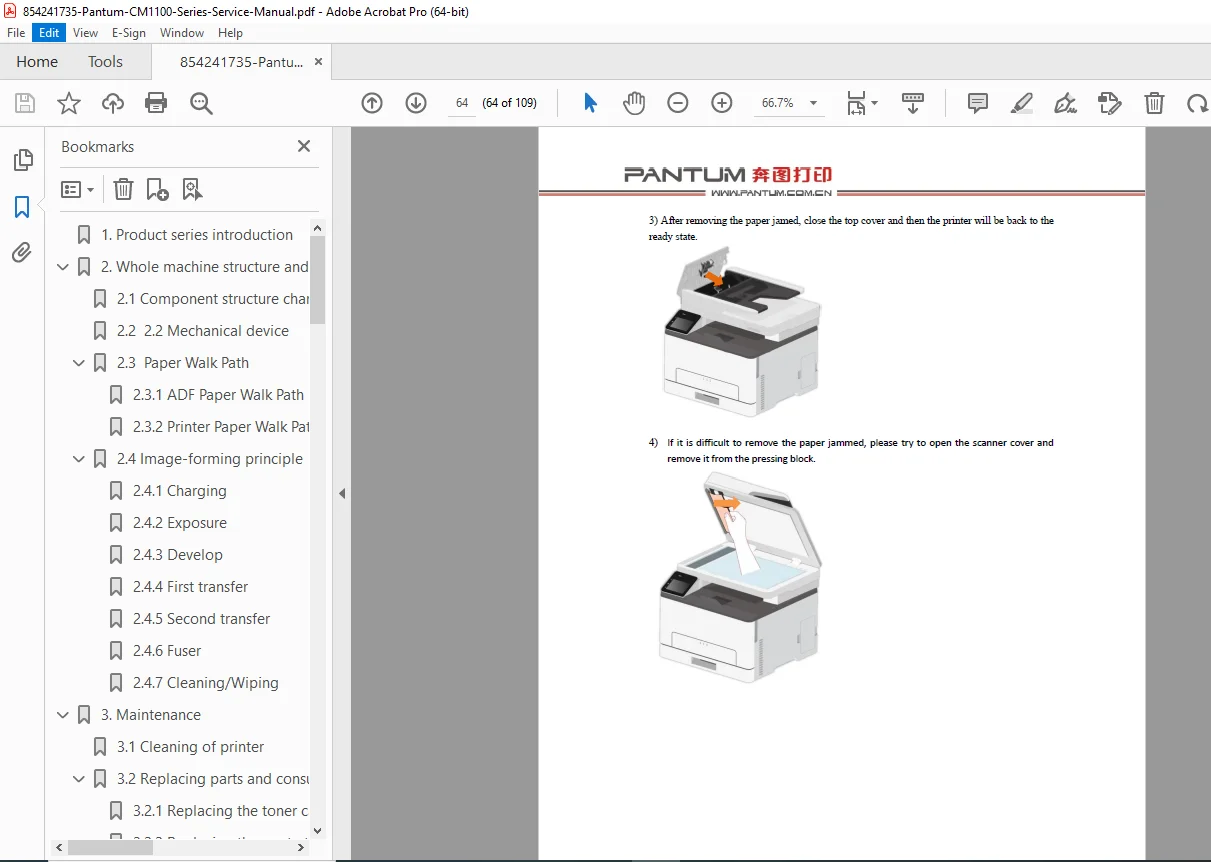
Paper Jams: Identifying and removing jams in the Fuser, ADF, Manual Tray, and Automatic Input Tray.
Image Defects: Solutions for blank prints, all-black pages, vertical lines, and ghosting.
Disassembly & Assembly:
Covers: Removal of Left, Right, Front, Rear, and Top covers.
Major Units: Step-by-step guides for removing the Laser Unit (LSU), Fuser Unit, Transfer Belt Assembly, and Controller Board.
Motors & Sensors: Disassembly of Main Drive, Pick-up Clutch, Toner Spot Sensor, and various motors (CMY/K).
Maintenance & Calibration:
Color Calibration: Instructions for manual color calibration on FB and ADF models.
Part Replacement Calibration: Procedures for importing calibration data after replacing the Controller Board, Laser, or IDC sensor.
Cleaning: Guidelines for cleaning the transfer belt, photoconductor drum, and scanner glass.
Table of Contents Overview:
Product Series Introduction
Model Parameters & Interfaces
Whole Machine Structure and Principle
Mechanical Device & Paper Path
Image-Forming Principle (Charging to Cleaning)
Maintenance
Cleaning Procedures
Replacing Consumables (Toner, Waste Bottle)
Printer Panel Structure
FB & Touch Screen Control Panel Functions
Error Display and Troubleshooting
Error Messages & Fault Codes
Paper Jam Removal (Trays, Fuser, ADF)
Image Quality Problems
Disassembly and Assembly
Cover Removal
Circuit Board & Laser Disassembly
Drive & Fuser Unit Removal
Precautions for Replacement of Spare Parts
Calibration Methods & Data Upload
Appendices: Roller Circumference & Serial Number Description
File Details
Manual Name: Service Manual for Pantum CM1100 Series Multi-Function Color Laser Printer
Models Covered: CM1100DN, CM1100DW, CM1100ADN, CM1100ADW
Year: July 2021 (Version V1.0)
File Type: PDF (Searchable, High Quality)
Page Count: 109 Pages