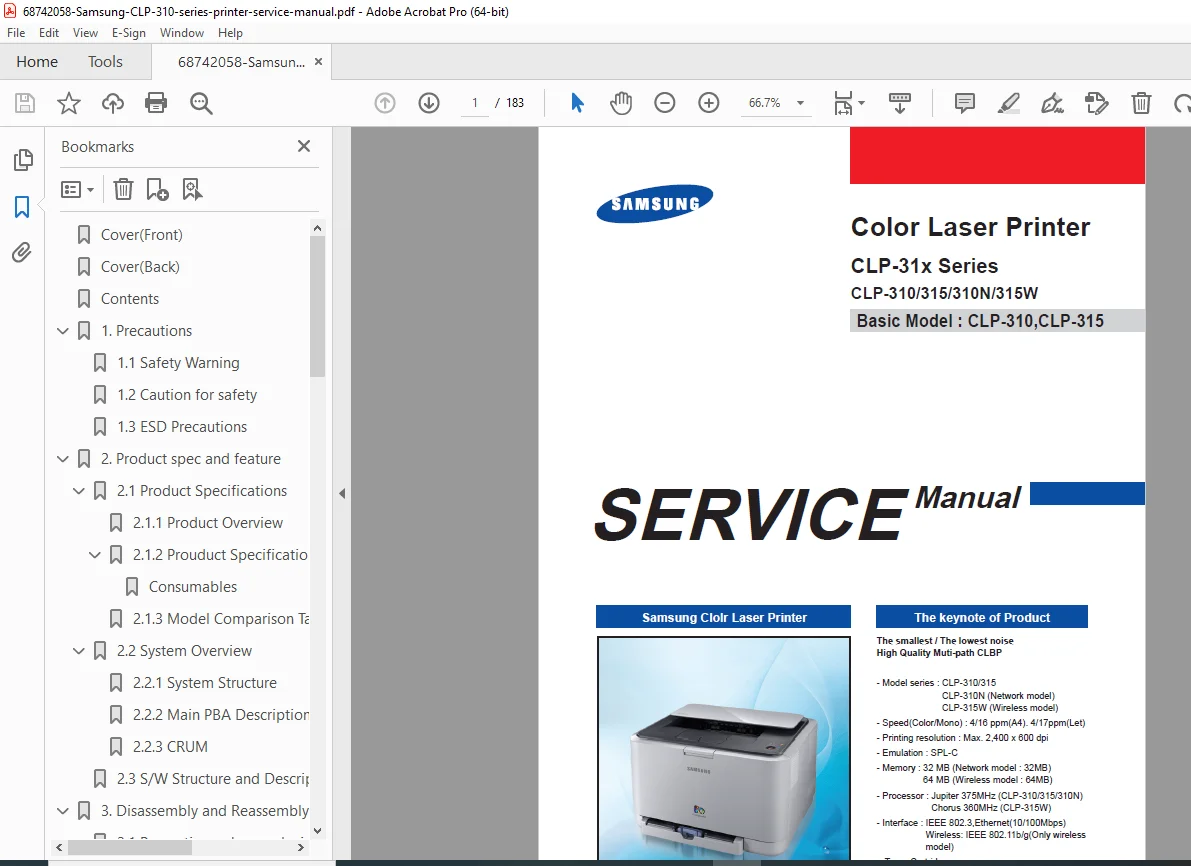
Samsung CLP-310 CLP-315 Color Laser Printer Service Manual PDF
Original price was: $95.00.$18.95Current price is: $18.95.
Complete factory service manual for Samsung CLP-310 Series color laser printers including CLP-310, CLP-315, CLP-310N, and CLP-315W models. Includes detailed disassembly procedures, ITB and fuser service, HVPS diagnostics, EDC diagnostic mode codes, color calibration, troubleshooting guides, exploded parts diagrams, electrical schematics, CRUM information, and wireless setup. Essential technical documentation for color printer technicians. Instant PDF download.
Description
Samsung CLP-310 CLP-315 Color Laser Printer Service Manual Repair Guide PSD DOWNLOAD
Description
Samsung CLP-310 Series Color Laser Printer Complete Service Manual – Professional Technical Documentation
This comprehensive Samsung CLP-310 service manual PDF provides complete service information, disassembly procedures, troubleshooting guides, and parts identification for the Samsung CLP-310 Series color laser printers. This professional-grade color laser printer repair guide covers CLP-310, CLP-315, CLP-310N (Network), and CLP-315W (Wireless) models with detailed technical specifications, diagnostic procedures, and maintenance instructions essential for printer service technicians and repair professionals.
File Details
- Manual Name: Samsung CLP-310 Series Service Manual
- Models Covered: CLP-310, CLP-315, CLP-310N, CLP-315W
- Basic Service Models: CLP-310, CLP-315
- Manufacturer: Samsung Electronics Co., Ltd.
- Version: 1.00
- Code: 0310-C0SEE
- Total Pages: 183 pages
- PDF Quality: High-quality factory original
- Language: English
- Publication Date: January 2008
- Document Format: A4 size
Product Specifications Overview
Key Features:
- Print Speed: 4ppm Color / 16ppm Mono (A4), 4ppm Color / 17ppm Mono (Letter)
- Resolution: Maximum 2,400 x 600 dpi
- Technology: High Quality Multi-path CLBP (Color Laser Beam Printer)
- Emulation: SPL-C
- Processor:
- Jupiter 375MHz (CLP-310/315/310N)
- Chorus 360MHz (CLP-315W)
- Memory:
- 32MB (CLP-310/315/310N)
- 64MB (CLP-315W wireless model)
- Connectivity:
- USB 2.0 (all models)
- IEEE 802.3 Ethernet 10/100Mbps (CLP-310N)
- IEEE 802.11b/g Wireless (CLP-315W only)
- Toner Cartridges:
- Initial: 1K Black, 0.7K Color (C, M, Y each)
- Sales: 1.5K Black, 1K Color (C, M, Y each)
- Printer Life: 100,000 pages
- Monthly Max Duty: 20,000 pages/month
- Key Selling Point: Smallest & lowest noise color laser printer
Complete Table of Contents
Section 1: Precautions (Pages 1-1 to 1-5)
- 1.1 Safety Warnings
- Qualified service engineer requirements
- High voltage hazards
- Laser safety statement (Class I laser product)
- DHHS 21 CFR compliance
- IEC 825 certification
- Laser/Scanner assembly warnings
- 1.2 Cautions for Safety
- Toxic material handling
- Toner handling precautions
- Component safety guidelines
- Service procedures safety
- 1.3 ESD Precautions
- Electrostatic discharge protection
- Grounding requirements
- Component handling procedures
- Anti-static workspace setup
Section 2: Product Specifications and Features (Pages 2-1 to 2-31)
- 2.1 Product Specifications
- 2.1.1 Product Overview
- Market positioning
- Smallest/lowest noise design
- Multi-path CLBP technology
- 2.1.2 Product Specification
- Detailed print specifications
- Paper handling capabilities
- Physical dimensions
- Environmental requirements
- Power consumption
- 2.1.3 Model Comparison Table
- CLP-310 vs CLP-315 differences
- Network model (CLP-310N) features
- Wireless model (CLP-315W) specifications
- Memory and processor comparisons
- 2.1.1 Product Overview
- 2.2 System Overview
- 2.2.1 System Structure
- Overall architecture
- Color printing process
- Paper path description
- Transfer unit operation
- Fuser system
- Imaging components
- 2.2.2 Main PBA Description
- Main board layout and functions
- Connector Identification:
- Deve home CON (3P)
- ITB CLT (3P)
- Deve CLT (2P)
- Debug (4P)
- T2 CLT (2P)
- Fuser (2P)
- Regi CLT (2P)
- Fuser CLT (2P)
- BLDC Motor (10P)
- ITB Tension (3P)
- HVPS (26P)
- Wired N/W Con (14P) – CLP-310N
- OPE & ITB (15P)
- USB Con (6P)
- Key PTL (10P)
- Cover OPEN (2P)
- Pickup CLT (2P/3P)
- SMPS (16P)
- CRUM Con (5P)
- LSU Con (16P)
- W-LAN PBA (CLP-315W only)
- 2.2.3 CRUM (Customer Replaceable Unit Monitor)
- CRUM chip technology
- Toner cartridge authentication
- Usage tracking system
- 2.2.1 System Structure
- 2.3 Software Structure and Descriptions
- 2.3.1 Architecture
- System software design
- Component interaction
- 2.3.2 Language Monitor
- Print language processing
- SPL-C emulation
- 2.3.3 Status Monitor
- Real-time status reporting
- Error notification system
- 2.3.4 Network Interface
- Network configuration (CLP-310N)
- Wireless setup (CLP-315W)
- 2.3.5 Printer Driver <-> Status Monitor
- Driver communication
- Status feedback
- 2.3.6 System F/W Flow
- Firmware operation sequence
- Boot process
- 2.3.7 Alarm Shortage
- Consumable level warnings
- Toner low alerts
- 2.3.8 Error Status
- Error code system
- Status reporting
- 2.3.9 CRUM Overview
- Detailed CRUM functionality
- Cartridge management
- 2.3.10 FW Upgrade
- Firmware update procedures
- Version management
- 2.3.11 Initialize Flow
- System initialization
- Reset procedures
- 2.3.1 Architecture
Section 3: Disassembly and Reassembly (Pages 3-1 to 3-14)
- 3.1 Precautions When Replacing Parts
- 3.1.1 Assembly/Disassembly Precautions
- Proper handling techniques
- Tool requirements
- 3.1.2 PBA Handling Precautions
- Circuit board safety
- ESD protection
- 3.1.3 Releasing Plastic Latches
- Clip removal techniques
- Preventing breakage
- 3.1.1 Assembly/Disassembly Precautions
- 3.2 Parts for Maintenance and Repair
- 3.2.1 Replacement Interval for Limited Life Parts
- Transfer roller
- Fuser components
- Pick-up roller
- Feed roller
- ITB belt
- 3.2.2 Printer Cleaning
- Interior cleaning procedures
- Exterior maintenance
- Component cleaning
- 3.2.1 Replacement Interval for Limited Life Parts
- 3.3 Information Related to Disassembly/Assembly
- 3.3.1 Special Service Parts
- Tools and fixtures
- Service-specific components
- 3.3.2 Screws Used in the Printer
- Screw type identification
- Location reference
- Torque specifications
- 3.3.1 Special Service Parts
- 3.4 Disassembly Procedures
- 3.4.1 Cover – Top, front, and rear cover removal
- 3.4.2 ITB – Intermediate Transfer Belt unit removal
- 3.4.3 Fuser – Fuser unit disassembly procedures
- 3.4.4 HVPS Board – High Voltage Power Supply removal
- 3.4.5 Main PBA – Main printed board assembly removal
- 3.4.6 SMPS Board – Switching Mode Power Supply disassembly
- 3.4.7 LSU Unit – Laser Scanning Unit removal
- 3.4.8 Holder Pad – Separation pad removal
- 3.4.9 Transfer Roller – Transfer roller replacement
- 3.4.10 OPE PBA – Operator Panel board removal
- 3.4.11 Pick Up Roller – Roller replacement procedures
- 3.4.12 Wireless PBA – Wireless board removal (CLP-315W only)
Section 4: Alignment & Troubleshooting (Pages 4-1 to 4-58)
- 4.1 Alignment and Adjustments
- 4.1.1 Control Panel
- LED indicators
- Button functions
- Status display interpretation
- 4.1.2 Function
- Operational features
- Control panel navigation
- 4.1.3 Jam Removal
- Paper jam location identification
- Clearing procedures by location
- Prevention techniques
- 4.1.4 Sample Pattern
- Test print procedures
- Pattern interpretation
- Quality assessment
- 4.1.5 Periodic Defective Image
- Repetitive defect identification
- Roller circumference measurements
- Component isolation
- 4.1.6 How to Use EDC (Engine Diagnostic Control) Mode
- EDC Mode Access
- Diagnostic Tests:
- (a) Sensors Test
- Cover open/close detection
- Tray1 Empty sensor
- Tray2 Empty sensor
- (b) Solenoid Test
- LSU Motor test
- LSU Power control
- Laser Diode test
- Eraser test
- Fuser test
- (d) HVPS Test
- Charger voltage test (Duty: 50% → -789V, Range: -81V to -1689V)
- T1 voltage test (Duty: 50% → 1159V, Range: 122V to 2188V)
- T2 voltage test (Duty: 50% → 2552V, Range: 264V to 4730V)
- T2 Reverse test
- Dev DC test (Duty: 50% → -269V, Range: -1V to -591V)
- Dev AC Vpp test (Duty: 50% → 1210V, Range: 800V to 2160V)
- Dev AC test
- (e) Maintenance
- Service mode functions
- Counter resets
- (a) Sensors Test
- 4.1.1 Control Panel
- 4.2 Troubleshooting
- 4.2.1 Procedure of Checking the Symptoms
- Systematic diagnostic approach
- Problem categorization
- 4.2.2 Troubleshooting Checklist
- Quick reference guide
- Common issues checklist
- 4.2.3 Solving General Printing Problems
- Power issues
- Paper feed problems
- Communication errors
- Network connectivity (CLP-310N)
- Wireless issues (CLP-315W)
- 4.2.4 Solving Print Quality Problems
- Color registration issues
- Banding and streaking
- Toner scatter
- Background contamination
- Color accuracy problems
- Fuser-related defects
- 4.2.5 Common Windows Problems
- Driver installation issues
- Print spooler errors
- USB connectivity
- 4.2.6 Common Macintosh Problems
- Mac driver issues
- AppleTalk configuration
- Print quality on Mac
- 4.2.7 Common Linux Problems
- Linux driver setup
- CUPS configuration
- Compatibility issues
- 4.2.8 Major Problems Troubleshooting
- Critical system failures
- Board-level diagnostics
- Component replacement decisions
- 4.2.1 Procedure of Checking the Symptoms
Section 5: System Diagrams (Pages 5-1 to 5-2)
- 5.1 Block Diagram
- System architecture overview
- Component interconnections
- Signal flow
- 5.2 Connection Diagram
- Electrical connections
- Cable routing
- Connector pinouts
- Board interconnections
Section 6: Reference Information (Pages 6-1 to 6-5)
- 6.1 Tools for Troubleshooting
- Required service tools
- Specialized equipment
- Test instruments
- 6.2 Acronyms and Abbreviations
- Technical terminology
- Component abbreviations
- Industry standards
- 6.3 Select a Location for the Printer
- Environmental requirements
- Clearance specifications
- Ventilation needs
- 6.4 A4 ISO 19798 Standard Pattern
- Standardized test pattern
- Yield testing reference
Parts Catalog Section
- Power Cord Specifications
- Thumbnail Index
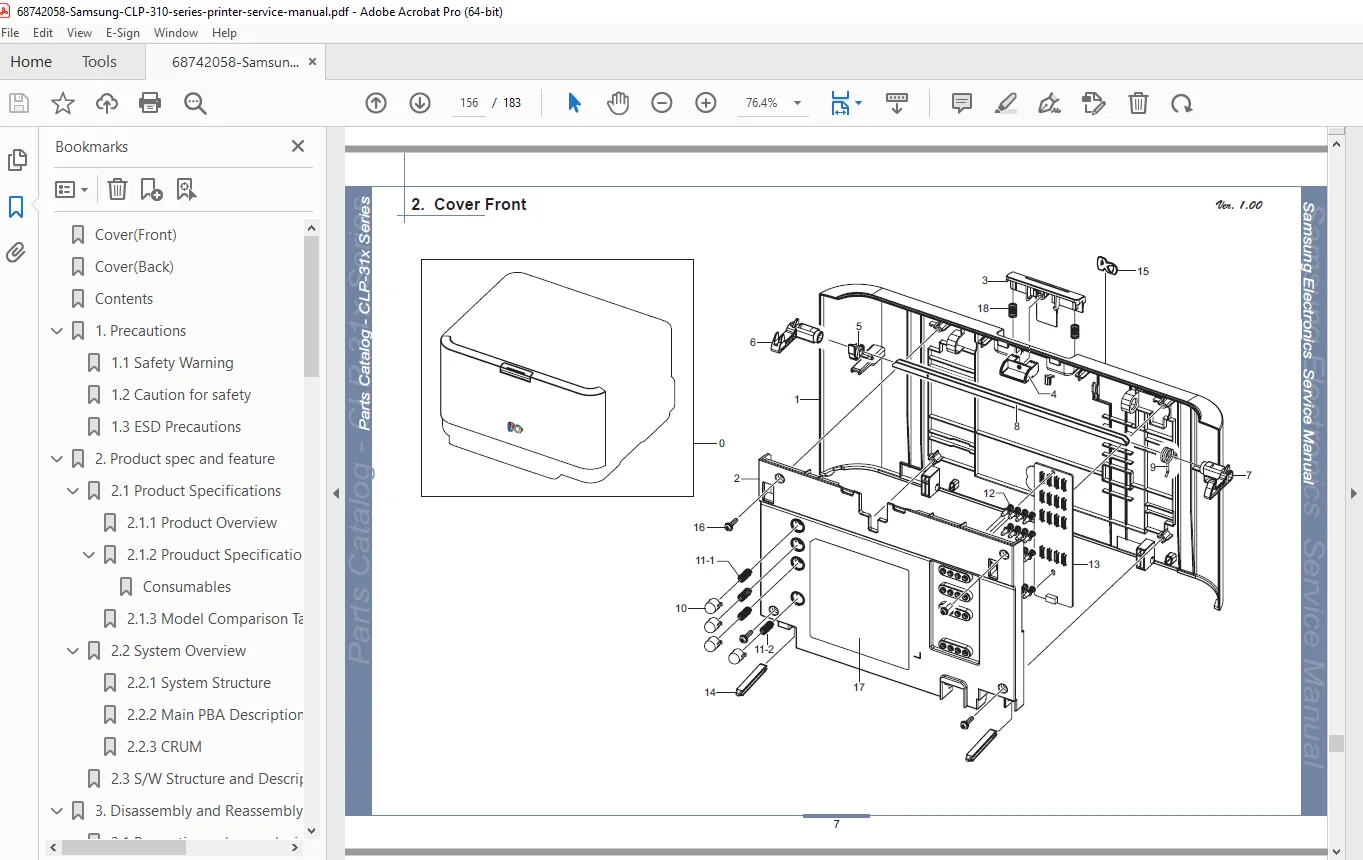
- Exploded View Diagrams:
- Main Assembly
- Cover Front
- Cover Top
- Rear Cover
- Transfer Unit (ITB)
- Frame 1
- Frame 2
- Main Drive 1
- Main Drive 2
- Fuser Unit
- Waste Toner Tank Unit
- Cassette
- Frame Sub Unit 1 (Pick Up Roll)
- Frame Sub Unit 2 (Frame Exit)
- Frame Sub Unit 3 (Guide Pick Up)
Key Technical Features
Color Printing Technology:
- Multi-path CLBP (Color Laser Beam Printer)
- ITB (Intermediate Transfer Belt) system
- Four separate toner cartridges (K, C, M, Y)
- CRUM chip authentication
- High-resolution 2,400 x 600 dpi output
Diagnostic Capabilities:
- Complete EDC (Engine Diagnostic Control) mode
- Sensor testing suite
- HVPS voltage testing with precise ranges
- Solenoid and motor diagnostics
- Component-level troubleshooting
Model Variations:
- CLP-310: Base USB model
- CLP-315: Enhanced base model
- CLP-310N: Network-enabled (Ethernet 10/100)
- CLP-315W: Wireless-enabled (802.11b/g) with 64MB memory
Who Needs This Manual?
- Color Printer Service Technicians – Complete technical reference for professional repairs
- Computer Repair Shops – Essential documentation for Samsung color laser printer service
- IT Department Staff – In-house maintenance capability reduces outsourcing costs
- Office Equipment Dealers – Installation and service support for customers
- Technical Training Programs – Educational resource for color printer repair training
- Small Business Owners – DIY maintenance and troubleshooting guidance
Why Choose This Digital Download?
This Samsung CLP-310 service manual PDF is the official factory service documentation used by authorized Samsung service centers worldwide. Color laser printers are complex machines requiring specialized knowledge – this manual provides the exact technical information needed to diagnose and repair Samsung CLP-310 series printers professionally.
Instant download provides immediate access to 183 pages of detailed service procedures, exploded parts diagrams, electrical schematics, and comprehensive troubleshooting guides. Keep this essential reference on your computer, tablet, or smartphone for quick access during repairs. With complete EDC diagnostic procedures, HVPS voltage specifications, and ITB service information, you’ll quickly identify and resolve even complex color printing issues, saving time and money on every repair!
Pricing Rationale:
- Consumer/small business color laser printer (moderate-high value)
- 183 pages of comprehensive service content including parts catalog
- Professional factory service manual with color printing diagnostics
- Target audience: technicians and repair shops
- Replaces expensive factory documentation (typically $75-150)
- Color laser technology more complex than mono (higher value than ML-2850)
- Multiple model coverage (4 models) adds value
- Wireless and network troubleshooting included
- CRUM and ITB service information specialized knowledge
- Competitive with similar color laser printer service manuals