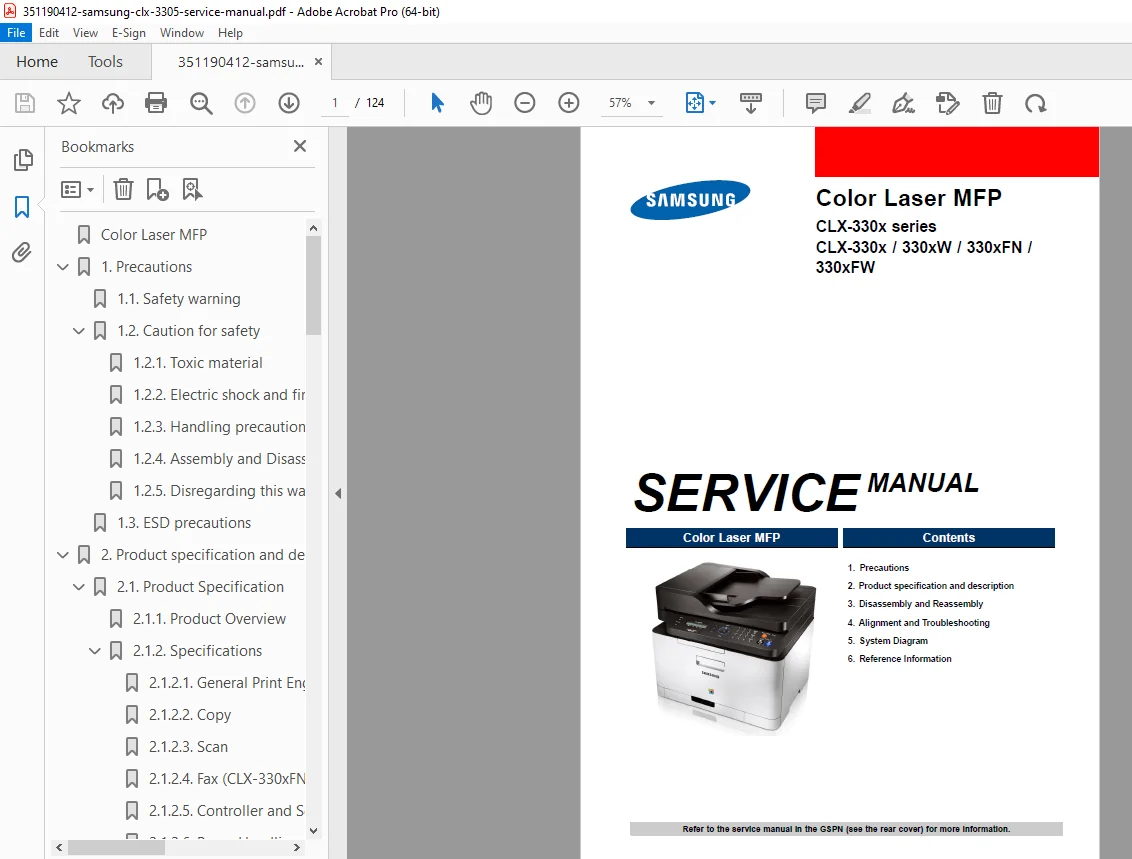
Samsung CLX-3305 CLX-330x Series Color Laser MFP Service Manual PDF
Original price was: $95.00.$13.95Current price is: $13.95.
Official Samsung factory service manual for CLX-3305 series color laser multifunction printers. Covers CLX-330x, CLX-330xW, CLX-330xFN, and CLX-330xFW models. This comprehensive 124-page technical manual includes complete disassembly/reassembly procedures, troubleshooting guides, alignment procedures, system diagrams, and error code diagnostics. Essential for certified printer technicians and authorized Samsung service centers. Includes wireless LAN models and fax-equipped variants with detailed component-level repair information.
Description
Samsung CLX-3305 CLX-330x Series Color Laser MFP Service Manual PDF DOWNLOAD
DESCRIPTION
Samsung CLX-3305 Series Service Manual – Official Factory Technical Documentation
This is the complete official Samsung factory service manual for the CLX-3305 series color laser multifunction printers (MFP). With 124 comprehensive pages of technical information, this manual is the authoritative reference for certified printer technicians, copier service specialists, and authorized Samsung service centers performing diagnosis, repair, and maintenance on these professional color laser MFP devices.
📋 FILE DETAILS
- Manual Name: Samsung CLX-330x Series Service Manual
- Models Covered:
- CLX-330x – Base model (USB connectivity)
- CLX-330xW – Wireless network model (USB + Ethernet + 802.11b/g/n WiFi)
- CLX-330xFN – Network with fax model (USB + Ethernet + Fax)
- CLX-330xFW – Full-featured model (USB + Ethernet + WiFi + Fax)
- Format: PDF (Digital Download)
- Pages: 124 pages
- PDF Quality: Excellent – Factory original high-resolution document
- Language: English
- Publication Date: July 2012 (Updated December 2013)
- Publisher: Samsung Electronics
🖨️ EQUIPMENT SPECIFICATIONS & FEATURES
Print Performance:
- Print Speed: 18 ppm mono / 4 ppm color (A4), 19 ppm mono / 4 ppm color (Letter)
- First Print Out Time (FPOT):
- From Ready: Less than 26 sec (color) / 14 sec (mono)
- From Sleep: Less than 29.5 sec
- Resolution: 600 x 600 dpi (2-bit best quality, 1-bit normal)
- Processor: 533 MHz
- Memory: 128 MB (standard and maximum)
Copy Specifications:
- Copy Speed: 18 cpm mono / 4 cpm color (A4)
- First Copy Out Time (FCOT):
- Color: Less than 26 seconds
- Mono: Less than 18 seconds
Scan Specifications:
- Scanner Type: Contact Image Sensor (CIS)
- Scan Resolution: Optical scanning capability
- ADF (Automatic Document Feeder): Available on CLX-330xFN and CLX-330xFW models
Fax Specifications (CLX-330xFN / CLX-330xFW only):
- Fax Board: Integrated fax modem
- Fax Capability: Full fax send/receive functionality
Connectivity:
- USB: High-Speed USB 2.0 (all models)
- Ethernet: 10/100 BaseTX network (CLX-330xW, CLX-330xFN, CLX-330xFW)
- Wireless LAN: 802.11b/g/n (CLX-330xW, CLX-330xFW only)
Printer Languages:
- SPLC-B, PCL-5c/6, PS3, URF
Consumables:
- Toner Cartridges:
- Initial: 1.5K (Black) / 1K (Cyan, Magenta, Yellow)
- Sales: 1.5K (Black) / 1K (Cyan, Magenta, Yellow)
Physical Specifications:
- Dimensions: 406 x 362 x 333.5 mm (16 x 14.3 x 13.1 in) – CLX-330xFN/FW
- Weight: 14.3 kg (31.5 lb) – CLX-330xFN/FW
Power Consumption:
- CLX-330xW Series: Less than 1.7 W (sleep mode)
- CLX-330xFN Series: Less than 1.6 W (sleep mode)
- CLX-330xFW Series: Less than 2.1 W (sleep mode)
📚 COMPREHENSIVE MANUAL CONTENTS
Section 1: Precautions (Safety and ESD)
- Safety Warnings
- Factory-trained technician requirements
- Samsung replacement parts specifications
- Laser safety statements (Class I laser product certification)
- DHHS 21 CFR compliance information
- IEC 60825-1 conformance
- Safety Cautions
- Toxic Material Handling
- Toner handling safety
- Chemical exposure prevention
- Proper disposal procedures
- Electric Shock and Fire Safety
- High voltage component identification
- Power disconnection procedures
- Safe working practices
- Emergency shutdown protocols
- Handling Precautions
- Heavy component lifting techniques
- Proper installation procedures
- Level surface requirements
- Stability verification
- Assembly and Disassembly Precautions
- Proper tool usage
- Component marking procedures
- Reassembly sequence guidelines
- High Temperature Warnings
- Fuser unit safety (high temperature operation)
- Cooling down requirements before disassembly
- Burn prevention protocols
- Rotating Parts Safety
- Paper feed entrance safety
- Motor and fan safety
- Hair and clothing entanglement prevention
- Toxic Material Handling
- ESD (Electrostatic Discharge) Precautions
- Semiconductor device protection
- ES device identification
- Grounding procedures before handling components
- Wrist strap usage guidelines
- Conductive surface requirements (aluminum foil, conductive foam)
- Soldering iron grounding requirements
- Anti-static solder removal devices
- Freon-propelled chemical warnings
- ESD packaging procedures
- Continuous electrical contact requirements
- Body motion minimization protocols
Section 2: Product Specification and Description
- 2.1 Product Specifications
- Product Overview
- Printing speed specifications
- Processor details (533 MHz)
- Printer language support
- Memory configuration
- Interface options by model
- Toner cartridge specifications
- Detailed Specifications
- General Print Engine
- Engine speed (simplex/duplex)
- FPOT specifications
- Resolution settings
- Copy Specifications
- Copy speed details
- FCOT measurements
- Original document types (platen and ADF)
- Multiple copy capabilities
- Scan Specifications
- Scanner technology (CIS)
- Scan resolution
- ADF specifications
- Fax Specifications (FN/FW models)
- Fax modem specifications
- Transmission capabilities
- Memory specifications
- Controller and Software
- Operating system support
- Driver compatibility
- Network protocols
- Software utilities
- Paper Handling
- Paper tray capacity
- Supported paper sizes
- Paper weight specifications
- Media type compatibility
- Reliability and Service
- Duty cycle specifications
- MTBF (Mean Time Between Failures)
- Maintenance intervals
- Environment
- Operating temperature/humidity
- Storage conditions
- Power consumption details
- Consumables
- Toner cartridge yield
- Imaging unit life
- Replacement intervals
- Maintenance Parts
- Service life specifications
- Replacement part numbers
- General Print Engine
- Product Overview
- 2.2 System Overview
- Front View Diagrams
- Component identification
- Control panel layout
- Paper tray locations
- Cover and access panel identification
- Rear View Diagrams
- Port locations (USB, Ethernet, telephone)
- Power connection
- Rear cover access
- Cable routing
- Paper Path Diagrams
- Complete paper flow illustration
- Pickup roller locations
- Transfer belt path
- Fuser unit routing
- Exit path configurations
- System Layout
- Feeding Section
- Pickup assembly
- Feed roller mechanisms
- Separation pad components
- Paper sensors
- Transfer Roller
- Transfer belt assembly
- Transfer roller specifications
- Belt cleaning mechanisms
- Drive Unit
- Motor locations
- Gear train layout
- Clutch mechanisms
- Drive belt routing
- Fuser Unit
- Heating element specifications
- Pressure roller assembly
- Temperature sensors
- Thermistor locations
- LSU (Laser Scanner Unit)
- Laser diode specifications
- Mirror assembly
- Lens system
- Scanning motor
- Toner Cartridges and Imaging Unit
- CMYK cartridge layout
- Imaging drum specifications
- Developer roller assembly
- Waste toner collection
- Feeding Section
- Front View Diagrams
- Hardware Configuration
- Main Board
- CPU and memory specifications
- Interface controllers
- Connector locations
- Component layout diagrams
- OPE (Operator Panel Electronics) Board
- Display interface
- Button matrix
- LED indicators
- Control signals
- Fax Board (FN/FW models)
- Modem specifications
- Telephone line interface
- Memory buffer
- Connection Board
- Interface hub
- Signal routing
- Connector types
- CTD (Color Tone Density) Board
- Density sensor specifications
- Calibration circuits
- Signal processing
- CRUM Joint Board
- Chip communication
- Authentication circuits
- USB Host
- USB port specifications
- Direct print capability
- Wireless LAN Board (W/FW models)
- 802.11b/g/n specifications
- Antenna connection
- Security protocols
- SMPS (Switching Mode Power Supply) Board
- AC input: 110V (110-127V) / 220V (220-240V)
- Input current: 4A (110V) / 2A (220V)
- Output power: 58.2W
- DC outputs: +24V, +5V (+5.1V: 10.2W)
- Protective functions (over current, over voltage, over load)
- HVPS (High Voltage Power Supply) Board
- High voltage generation
- Transfer voltage
- Charging voltage
- Developing voltage
- Electrical Parts Location Diagrams
- Complete component mapping
- Sensor locations
- Motor positions
- Solenoid placements
- Main Board
Section 3: Disassembly and Reassembly
- Complete Disassembly Procedures
- External cover removal
- Scanner assembly disassembly
- Top cover removal sequences
- Side panel removal
- Internal component access procedures
- Component-Level Disassembly
- Platen Unit Disassembly
- Screw location diagrams
- Flat cable disconnection
- Platen upper/lower separation
- CIS (Contact Image Sensor) Unit
- CIS unit removal procedures
- Cable routing documentation
- Mounting bracket removal
- Scan Drive Unit
- Motor removal
- Belt and pulley disassembly
- Carriage removal
- OPE Unit Removal
- Display panel removal
- Control board extraction
- Cable management
- Main Board Removal
- Connector identification
- Anti-static precautions
- Mounting screw locations
- Fuser Unit Disassembly
- Safety cooling requirements
- Heating element removal
- Pressure roller extraction
- Thermistor handling
- LSU Removal
- Laser safety precautions
- Scanning motor disconnection
- Mirror assembly care
- Transfer Belt Assembly
- Belt tension release
- Roller removal sequence
- Cleaning procedures
- Drive System Disassembly
- Main motor removal
- Gear train disassembly
- Clutch mechanism removal
- Paper Feed Mechanism
- Tray removal procedures
- Pickup roller replacement
- Separation pad removal
- Sensor bracket disassembly
- Platen Unit Disassembly
- Reassembly Procedures
- Reverse sequence guidelines
- Torque specifications
- Alignment verification
- Cable routing diagrams
- Connector engagement verification
- Post-assembly testing protocols
Section 4: Alignment and Troubleshooting
- Alignment Procedures
- Registration alignment
- Color registration adjustment
- Scan alignment calibration
- Paper path alignment
- Transfer belt alignment
- Image Quality Troubleshooting
- Periodic Defective Image Analysis
- Roller circumference chart
- Period measurement (mm)
- Defective part identification
- Pressure roller: 62.4mm period
- Developer roller period
- Transfer roller period
- Fuser roller period
- OPC drum period
- Print quality defect diagnosis
- Color balance problems
- Background shading issues
- Streaks and lines troubleshooting
- Toner scatter diagnosis
- Ghosting problems
- Periodic Defective Image Analysis
- Error Code Diagnostics
- Complete Error Code Database
- C1-series Error Codes:
- C1-2110, C1-3110, C1-4110, C1-5110: Prepare Toner
- Symptom: Toner cartridge less than 10% remaining
- Troubleshooting: Print supply information report, check life remaining, replace cartridge
- C1-2120, C1-3120, C1-4120, C1-5120: Toner-related errors
- Additional C1-series codes with detailed diagnostics
- C1-2110, C1-3110, C1-4110, C1-5110: Prepare Toner
- Error message interpretation
- Symptom descriptions
- Step-by-step troubleshooting methods
- Component replacement procedures
- C1-series Error Codes:
- Complete Error Code Database
- System Troubleshooting
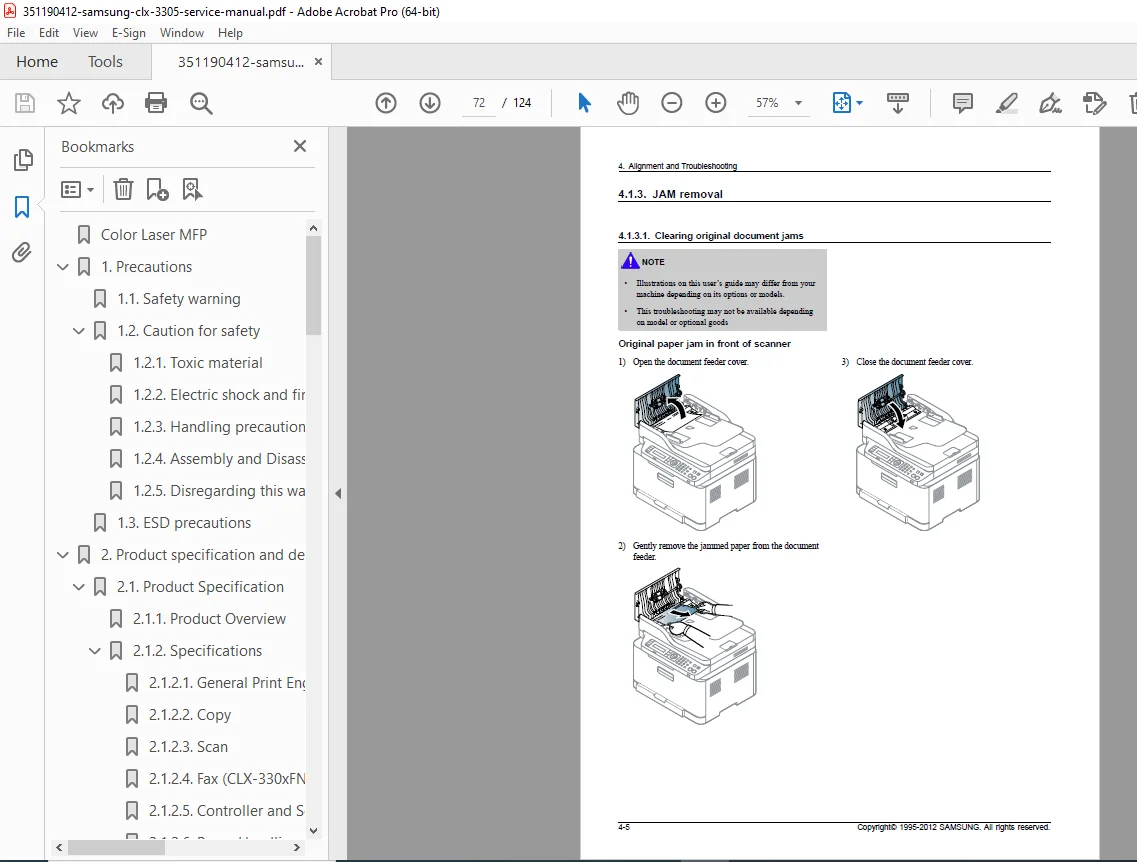
- Paper jam diagnosis
- Feed failure troubleshooting
- Network connectivity issues
- Wireless connection problems
- Fax transmission errors
- Scan function failures
- Power supply problems
- Control panel errors
- Component Testing Procedures
- Sensor testing protocols
- Motor function tests
- Solenoid operation verification
- Switch continuity checks
- Voltage measurements
- Signal tracing procedures
Section 5: System Diagrams
- Complete Wiring Diagrams
- Main board connections
- Power distribution
- Signal flow diagrams
- Interface connections
- Sensor wiring
- Motor control circuits
- Block Diagrams
- System architecture
- Data flow
- Control signal paths
- Communication buses
- Mechanical Diagrams
- Drive system layout
- Gear train illustrations
- Belt routing paths
- Linkage mechanisms
Section 6: Reference Information
- Technical Glossary
- DLNA (Digital Living Network Alliance)
- Network device sharing standard
- Home network integration
- DNS (Domain Name Server)
- Network name resolution
- Internet connectivity
- Dot Matrix Printer definition
- DPI (Dots Per Inch) explanation
- Industry-standard terminology
- Samsung-specific acronyms
- DLNA (Digital Living Network Alliance)
- Appendices
- Part number cross-references
- Maintenance schedules
- Specifications summary tables
- GSPN (Global Service Parts Network) information
🔧 SPECIAL FEATURES OF THIS MANUAL
✅ Multi-Model Coverage – Single manual covers all CLX-330x series variants
✅ Model-Specific Sections – Clear identification of features by model (W/FN/FW)
✅ Step-by-Step Disassembly – Detailed procedures with screw count and locations
✅ Error Code Database – Complete C1-series error codes with solutions
✅ Periodic Defect Chart – Roller circumference reference for image quality issues
✅ Safety Emphasis – Comprehensive ESD and electrical safety protocols
✅ Component Diagrams – Clear illustrations of all major assemblies
✅ Wireless Configuration – 802.11b/g/n wireless setup for W/FW models
✅ Fax System Service – Complete fax board diagnostics for FN/FW models
✅ Power Supply Specs – Detailed SMPS and HVPS specifications
✅ CIS Scanner Service – Contact Image Sensor maintenance procedures
✅ Color Laser Technology – CMYK toner system service information
🎯 WHO NEEDS THIS MANUAL?
- Certified Printer/Copier Technicians
- Authorized Samsung Service Centers
- Office Equipment Repair Companies
- IT Service Departments (corporate, education, government)
- Managed Print Service Providers
- Small Business IT Support Specialists
- Computer Repair Shop Technicians
- Independent Printer Repair Services
- Vocational/Technical Training Programs
- Corporate Help Desk Support Teams
🔑 ESSENTIAL SERVICE INFORMATION INCLUDED
✅ Complete disassembly with screw locations and cable routing
✅ CIS (Contact Image Sensor) scanner unit service
✅ Fuser assembly removal and safety procedures
✅ LSU (Laser Scanner Unit) service and alignment
✅ Transfer belt and roller replacement procedures
✅ SMPS power supply diagnostics and specifications
✅ Error code database with troubleshooting steps
✅ Periodic image defect diagnosis by roller circumference
✅ Wireless LAN board installation and configuration
✅ Fax board service procedures (FN/FW models)
✅ Toner cartridge and imaging unit replacement
✅ Paper feed mechanism troubleshooting
✅ Color registration and alignment procedures
✅ ESD protection protocols for electronics service
✅ Network connectivity troubleshooting
✅ Control panel and OPE board replacement
📥 INSTANT DOWNLOAD – START SERVICING TODAY!
Stop searching for scattered repair information! This is the official Samsung factory service manual used by authorized service centers worldwide. With 124 pages of detailed procedures, complete error code diagnostics, component-level disassembly instructions, and comprehensive troubleshooting guides, you’ll have everything needed to professionally service the entire CLX-3305 series including wireless and fax-equipped models. Download immediately and diagnose any issue – no shipping delays, no expensive printed manual costs, no missing critical diagrams. Access this professional-grade documentation 24/7 from any device and resolve service calls efficiently with complete confidence!