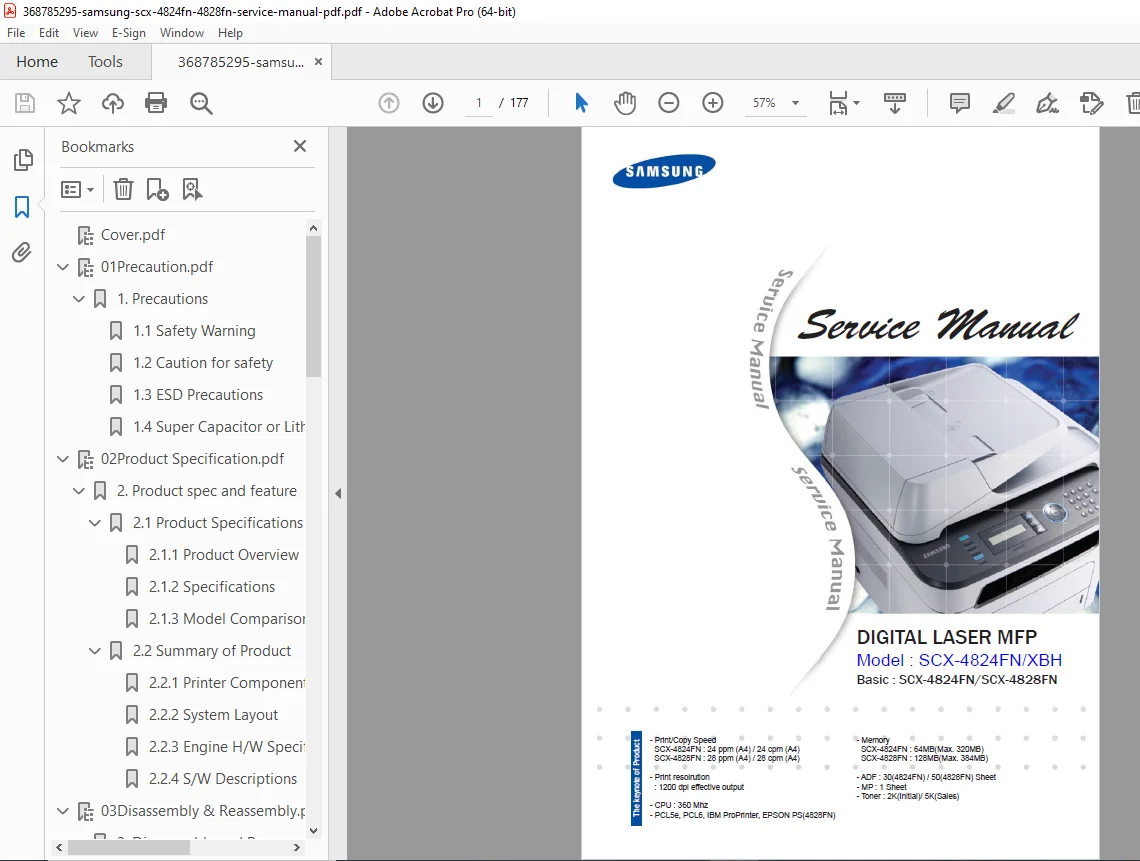
Samsung SCX-4824FN SCX-4828FN MFP Service Manual Repair PDF
Original price was: $95.00.$18.95Current price is: $18.95.
Complete factory service manual for Samsung SCX-4824FN and SCX-4828FN digital laser multifunction printers. This comprehensive Samsung MFP service manual PDF includes detailed repair procedures, disassembly guides, troubleshooting flowcharts, tech mode access, error code diagnostics, and alignment adjustments. Covers print engine service, scanner repair, ADF maintenance, fuser replacement, and electrical system troubleshooting for both models of this network-ready laser printer copier scanner fax.
Description
Samsung SCX-4824FN SCX-4828FN MFP Service Manual Repair PDF DOWNLOAD
DESCRIPTION
Samsung SCX-4824FN / SCX-4828FN Digital Laser MFP Service Repair Manual
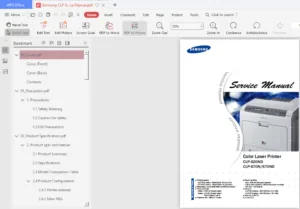
This is the official Samsung factory service manual for the Samsung SCX-4824FN and SCX-4828FN digital laser multifunction printers (MFP) published September 2008. This professional-grade Samsung service manual PDF provides complete technical documentation, detailed repair procedures, comprehensive troubleshooting guides, and diagnostic tools needed for servicing and maintaining these network-ready laser MFPs.
Perfect for authorized Samsung technicians, independent printer repair specialists, or IT service professionals, this Samsung printer repair manual delivers the factory-authorized technical information required for professional-level printer service and maintenance.
MODELS COVERED:
Samsung SCX-4824FN – 24 ppm Digital Laser MFP
- Print/Copy Speed: 24 ppm (A4) / 24 cpm (A4)
- Memory: 64MB (Expandable to 320MB)
- ADF: 30-sheet capacity
- Network: Ethernet 10/100 Base-TX
Samsung SCX-4828FN – 28 ppm Digital Laser MFP
- Print/Copy Speed: 28 ppm (A4) / 28 cpm (A4)
- Memory: 128MB (Expandable to 384MB)
- ADF: 50-sheet capacity
- Network: Ethernet 10/100 Base-TX
- Standard Duplex Unit
Common Features:
- Print Resolution: 1200 dpi effective output
- CPU: 360 MHz
- Interface: Hi-Speed USB 2.0, Ethernet 10/100
- PDL: PCL5e, PCL6, IBM ProPrinter, EPSON (PS on 4828FN)
- Functions: Print, Copy, Scan, Fax
COMPREHENSIVE TABLE OF CONTENTS
CHAPTER 1 – PRECAUTIONS
- Safety Warnings and Guidelines
- Caution for Safety Procedures
- ESD (Electrostatic Discharge) Precautions
- Super Capacitor and Lithium Battery Precautions
CHAPTER 2 – PRODUCT SPECIFICATIONS & FEATURES
- Product Specifications:
- Product Overview and Concept
- Detailed Technical Specifications
- Model Comparison Chart (4824FN vs 4828FN)
- Summary of Product:
- Printer Components Identification
- System Layout Diagrams
- Engine Hardware Specifications
- Software Descriptions
CHAPTER 3 – DISASSEMBLY AND REASSEMBLY
- Disassembly Instructions:
- Screws Used in the Printer (Identification Guide)
- General Disassembly Procedures:
- Front Cover Removal
- Rear Cover Removal
- Right/Left Cover Removal
- Scan and ADF Assembly
- Middle Cover
- Fuser Unit Removal
- LSU (Laser Scanning Unit) Removal
- Main Drive Assembly
- HVPS/SMPS/Main Board Removal
- Transfer Roller Replacement
- Holder Pad Unit
CHAPTER 4 – ALIGNMENT & TROUBLESHOOTING
- Alignment and Adjustments:
- Control Panel Overview
- Understanding Status LED Indicators
- Paper Path Diagrams
- Complete Menu Map
- Tech Mode – Service Mode Access and Functions
- EDC Mode – Engineering Development Configuration
- Abnormal Image Printing Analysis
- Defective Roller Identification
- Error Message Reference
- Comprehensive Troubleshooting:
- Procedure for Checking Symptoms
- Bad Image Causes & Solutions:
- Print Quality Issues
- Streaks, Lines, and Spots
- Density Problems
- Image Defects
- Bad Discharge Causes & Solutions:
- Paper Feed Problems
- Paper Jam Troubleshooting
- Exit Issues
- Malfunction Causes & Solutions:
- Mechanical Failures
- Electrical Problems
- Motor Issues
- Software Environment Problems:
- Driver Issues
- Network Configuration
- Communication Errors
- Fax & Phone Problems:
- Transmission Failures
- Reception Issues
- Line Problems
- Copy Problems:
- Copy Quality Issues
- ADF Malfunctions
- Scanner Errors
- Scanning Problems:
- Scan Quality Troubleshooting
- USB/Network Scanning Issues
CHAPTER 5 – EXPLODED VIEWS & PARTS LIST
- Complete Thumbnail Overview
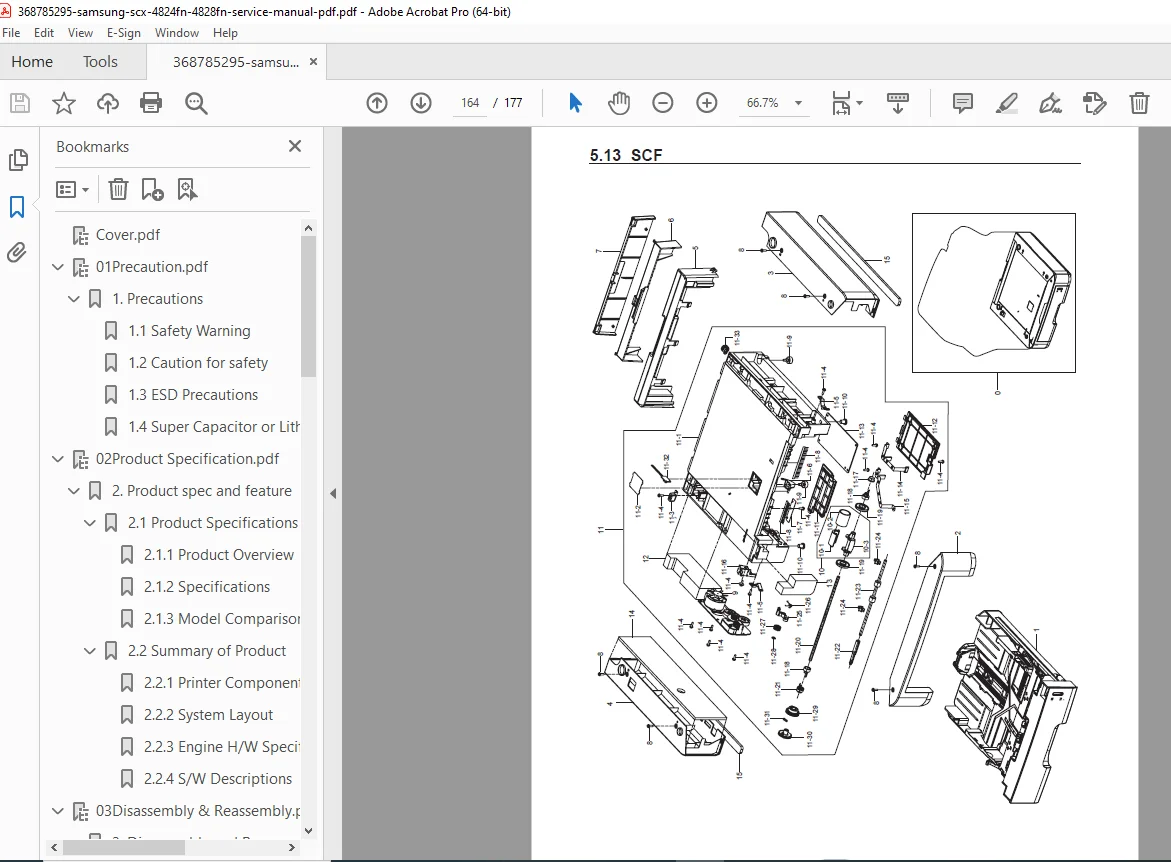
- Detailed Exploded Views:
- Main Assembly
- Cover Assembly
- Cover Middle Section
- Frame Components
- Main Drive System
- Scan Assembly
- ADF (Auto Document Feeder) Assembly
- Platen Assembly
- OPE (Operation Panel) Unit
- Duplex Unit
- Fuser Components
- Cassette Assembly
- SCF (Scanner Control Function) Unit
- Complete Parts Lists with Part Numbers
CHAPTER 6 – SYSTEM DIAGRAMS
- Block Diagram – System Architecture
- Connection Diagram – Complete Wiring Layout
CHAPTER 7 – REFERENCE INFORMATION
- Tools for Troubleshooting
- Acronyms and Abbreviations:
- Technical Acronyms
- Service Parts Nomenclature
- Sample Patterns for Testing
- Selecting Proper Location Guidelines
WHAT’S INCLUDED IN THIS SERVICE MANUAL:
✓ 177 Pages of Factory Technical Documentation ✓ Complete Disassembly/Assembly Instructions – Step-by-step with detailed diagrams ✓ Tech Mode & EDC Mode Access – Service mode configuration and diagnostics ✓ Comprehensive Troubleshooting Flowcharts – Systematic problem diagnosis ✓ Exploded Parts Diagrams – Every component illustrated with part numbers ✓ Error Code Reference – Complete error message interpretation ✓ Print Quality Troubleshooting – Detailed image defect analysis ✓ Paper Path Diagrams – Complete paper flow illustrations ✓ Electrical System Diagrams – Block diagrams and connections ✓ ADF Service Procedures – Auto document feeder repair ✓ Fuser Maintenance – Complete fuser unit service ✓ Scanner/Copy Troubleshooting – CIS scanner diagnostics ✓ Network Configuration – Ethernet setup and troubleshooting ✓ Fax System Service – Complete fax troubleshooting guide
KEY FEATURES & SYSTEMS COVERED:
🖨️ PRINT ENGINE SERVICE Complete print engine disassembly, LSU (laser) service, imaging unit maintenance, transfer roller replacement, and print quality optimization procedures.
📄 PAPER HANDLING SYSTEMS Paper cassette service, duplex unit repair, paper feed mechanisms, jam clearance procedures, and paper path alignment.
🔧 FUSER UNIT MAINTENANCE Fuser roller replacement, temperature sensor service, thermostat replacement, and fuser pressure adjustment.
📠 SCANNER & ADF SERVICE CIS scanner maintenance, ADF roller replacement, document feed troubleshooting, and scan quality optimization.
⚡ ELECTRICAL SYSTEMS HVPS (high voltage power supply), SMPS (switching mode power supply), main PCB service, and connector diagnostics.
🌐 NETWORK & FAX Ethernet configuration, network troubleshooting, fax board service, and modem diagnostics.
FILE DETAILS:
| Specification | Details |
|---|---|
| Manual Name | Samsung Service Manual |
| Models Covered | SCX-4824FN, SCX-4828FN |
| Model Code | 4824-FN0XBH |
| Version | 1.00 |
| Publication Date | September 2008 |
| Total Pages | 177 Pages |
| File Format | PDF (Searchable & Printable) |
| File Quality | Excellent – Clear Professional Scans |
| File Size | 20.6 MB |
| Language | English |
| Publisher | Samsung Electronics Co., Ltd. |
| Manual Type | Factory Service Manual |
| Product Type | Digital Laser Multifunction Printer |
WHO NEEDS THIS MANUAL:
This Samsung MFP service manual is essential for:
- ✓ Authorized Samsung Service Technicians
- ✓ Independent Printer Repair Professionals
- ✓ Office Equipment Service Centers
- ✓ Corporate IT Support Teams
- ✓ Managed Print Services Providers
- ✓ Technical Training Programs
- ✓ Printer Refurbishment Specialists
TECHNICAL SPECIFICATIONS HIGHLIGHTS:
SCX-4824FN:
- 24 ppm print/copy speed
- 64MB RAM (expandable to 320MB)
- 30-sheet ADF
- Manual duplex capability
SCX-4828FN:
- 28 ppm print/copy speed
- 128MB RAM (expandable to 384MB)
- 50-sheet ADF
- Standard automatic duplex unit
- Direct USB connectivity
Both Models Feature:
- 1200 x 1200 dpi addressable resolution
- 250-sheet cassette + 1-sheet manual tray
- Optional 250-sheet cassette available
- Network ready (Ethernet 10/100)
- USB 2.0 Hi-Speed interface
- ID Copy, Clone, and Poster Copy features
- 2K initial toner / 5K sales toner cartridge
SERVICE MODE ACCESS:
This manual includes complete documentation for:
- Tech Mode – Access advanced service functions, adjustments, and diagnostics
- EDC Mode – Engineering development configuration for system optimization
- Menu Navigation – Complete menu map for all service settings
- Counter Management – Print counters, page counts, and service intervals
- Test Patterns – Built-in test pattern printing for diagnostics
COMMON REPAIRS COVERED:
✓ Paper jam troubleshooting and clearance ✓ Print quality issues (lines, streaks, spots) ✓ ADF feed problems and roller replacement ✓ Fuser unit service and temperature errors ✓ Scanner CIS cleaning and calibration ✓ Network connectivity troubleshooting ✓ Fax transmission/reception failures ✓ Copy quality optimization ✓ Toner cartridge recognition issues ✓ Error code diagnosis and resolution
📥 Download this Samsung SCX-4824FN/4828FN service manual PDF instantly and get factory-authorized repair procedures! Essential technical documentation for professional printer service with complete disassembly guides, troubleshooting flowcharts, and diagnostic procedures.
Pricing Rationale:
- Professional office equipment manual (multifunction printer)
- 177 pages of comprehensive factory technical content
- Covers 2 models (SCX-4824FN and SCX-4828FN)
- Includes advanced service modes (Tech Mode, EDC Mode)
- Complete troubleshooting for print/copy/scan/fax functions
- Exploded parts diagrams with part numbers
- Network and duplex system coverage
- Essential for service technicians and IT professionals
- Competitive pricing for Samsung MFP service documentation