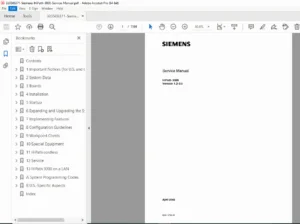
Siemens HiPath Cordless Office Service Manual PDF (HiPath 3000 DECT)
Original price was: $85.00.$16.95Current price is: $16.95.
his is the official Siemens HiPath Cordless Office Service Manual PDF for the HiPath 3000 product line. Dated October 2007, it covers DECT system planning, base station installation, Cordless Office system configuration, SLC/SLCN boards, startup, licensing, troubleshooting, and diagnostics. Essential for configuring and maintaining HiPath Cordless Office DECT solutions on HiPath 3000 systems.
Description
Siemens HiPath Cordless Office Service Manual PDF (HiPath 3000 DECT) DOWNLOAD
Description
This is the complete Siemens HiPath Cordless Office Service Manual for the HiPath 3000 family, providing everything a technician needs to plan, install, configure, commission, and troubleshoot a HiPath Cordless Office DECT system.
The manual is an official Siemens Enterprise Communications service document (Ref. No. A31003-G1531-B550-2-7620, dated October 2007) and is intended for authorized service personnel working with HiPath Cordless Office on HiPath 3000 V5.0 and higher.
It covers:
System overview of HiPath Cordless Office and DECT radio technology
System configuration tables for HiPath 3000 V5.0, including maximum base stations and MTs
Detailed planning guidelines for indoor and outdoor radio coverage
Installation and commissioning of base stations (BS2/2, BS3/1, BS3/3, BS4) and SLC/SLCN boards
Putting into service, licensing, and handset logon procedures
Diagnosis, testing radio area, and troubleshooting flowcharts and checks
Perfect for system integrators, PBX technicians and enterprise telecom engineers deploying or maintaining HiPath Cordless Office.
Table of Contents
1. Important Information
1.1 Safety Information
1.1.1 Safety Information: Danger
1.1.2 Safety Information: Warnings
1.1.3 Safety Information: Caution
1.1.4 General Information
1.1.5 What to Do in Emergencies
1.1.6 Reporting Accidents
1.2 Data Protection and Data Security
Legal notes (e.g. BDSG in Germany)
Rules for handling customer data and storage media
1.3 Information on Display Options
Meaning of highlight icons, grey font, italics and step numbering in the manual
2. Overview
2.1 Introduction
Operation of HiPath Cordless Office on all HiPath 3000 systems (v1.2+)
Direct connection and SLC-based connection
2.2 System Configuration
Large system configuration table for HiPath 3000 V5.0 showing:
Max number of clock modules
Max number of base stations per system
Simultaneous calls per base station
Max number of mobile terminals (MTs)
Analog trunk access and CMA/CMS requirements
2.3 Technical Data for Base Station Types
Electrical and RF data for BS2/2, BS3/1, BS3/3, BS4
2.4 Power-Related Capacity Limits
2.5 Grade of Service (GoS)
2.6 Traffic Capacity
2.7 Multi-SLC and System-Wide Networking
2.8 Planning Networked HiPath 3000 Systems with Network-Wide Roaming
2.9 Clock Supply
3. Planning a HiPath Cordless Office System
3.1 Planning According to Call Traffic Load
3.2 General
3.3 Propagation Conditions for Radio Traffic
3.3.1 In the Open with Visibility
3.3.2 Industrial Sites
3.3.3 Indoor Areas in Brick / Light Construction
3.3.4 Indoor Areas in Reinforced Concrete Buildings
3.4 Determining the Installation Site
3.4.1 Indoors
3.42 Outdoors
3.5 Installing Base Stations
3.5.1 Connection Cables
3.5.2 Where not to install base stations
3.5.3 Recommended positions for base stations
3.5.4 Indoor installation details
3.5.5 Tools and aids
3.5.6 Outdoor installation details
3.5.7 Heating board for outdoor BS installation
4. Putting Into Service
4.1 Preparation
4.2 Entering the System Number
4.3 Startup
4.4 Logging Mobile Telephones on to the System
4.4.1 Opening the logon window in HiPath 3000
4.4.2 Logging a mobile telephone on
4.4.3 Checking mobile telephone logon status
4.4.4 Exchanging, blocking and logging off mobile telephones
4.5 Assigning licenses for BS4
4.6 Testing
4.7 Maintenance
5. Boards
294871188-HiPath-Cordless-Offic…
5.1 CMA (cordless master board)
5.2 CMS
5.3 SLC Board (Subscriber Line Cordless)
5.4 SLCN (for HiPath 3800 and others)
(Each board section typically includes connector layouts, LED indications, block diagrams, switch and jumper settings, and notes on capacity and wiring.)
6. Technical Data
6.1 System Data
6.1.1 Base Stations (RF power, frequency band, power supply, interfaces)
6.1.2 Mobile Telephones (GAP / PN-CAP compatibility, supported Siemens Gigaset models)
6.1.x Item Number Overview (part codes for boards and BS types)
6.2 Measuring Equipment
6.3 Operating Manuals
7. Diagnosis and Maintenance
294871188-HiPath-Cordless-Offic…
7.1 Checking the Base Stations and Radio Coverage
7.1.1 Base stations
7.1.2 Quick verification of coverage
7.2 Testing the Radio Area
7.2.1 Significance of results
7.2.2 Gigaset 3000 Comfort
7.2.3 Gigaset Family
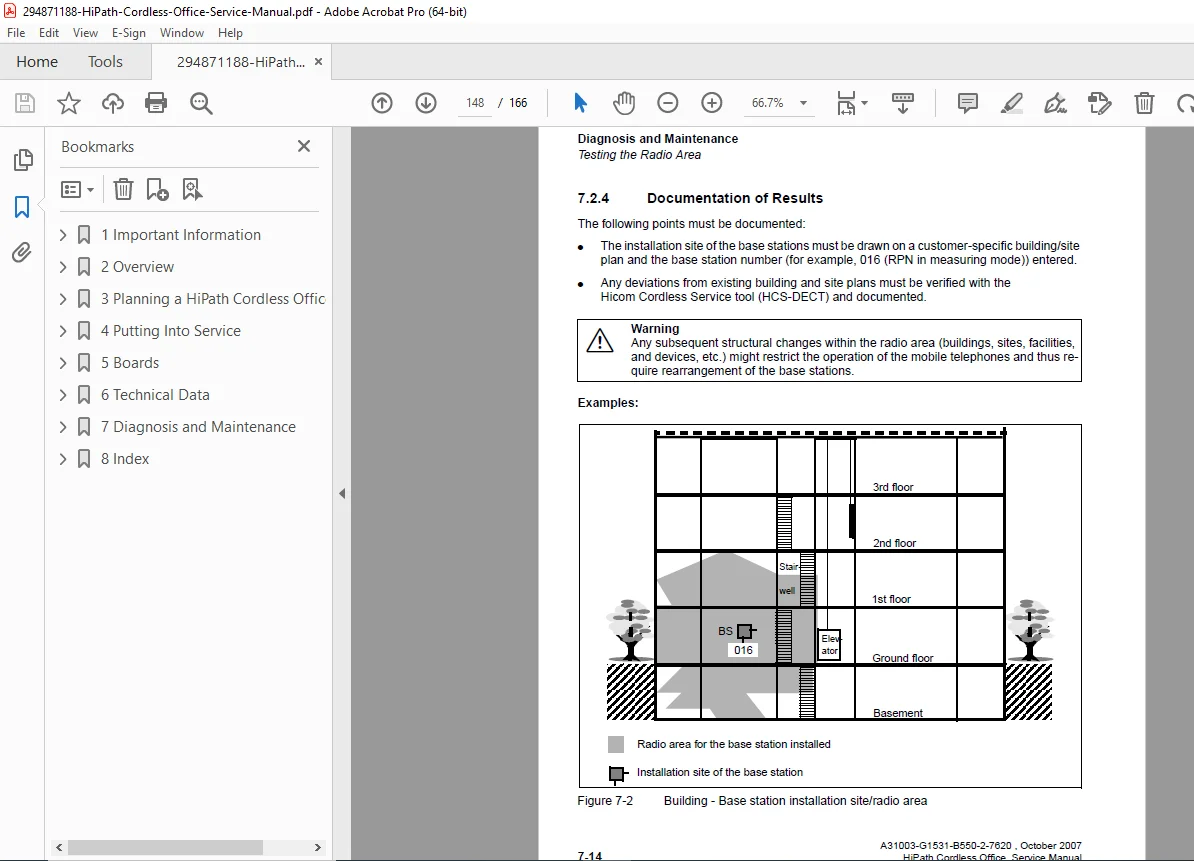
7.2.4 Documentation of results
7.3 Troubleshooting
7.3.1 Checking HiPath Cordless components
7.3.2 “What Happens If…” symptom list
7.3.3 Deactivating the PIN lock on Gigaset S1 / SL1 / S2 / SL2 / S3 / SL3
7.4 Checking the Base Station Status
7.5 Checking Error Messages in the Error History
8. Index
Alphabetical index for quick lookup of topics, parameters, boards and base station types.
📂 File Details
Manual Name:
Siemens HiPath 3000 – HiPath Cordless Office Service ManualModels / Systems Covered:
HiPath Cordless Office on HiPath 3000 product line (v1.2 or higher), including:HiPath 3300, 3350, 3500, 3550, 3700, 3750, 3800
Base stations: BS2/2, BS3/1, BS3/3, BS4 (via UP0/E, SLC16/SLC16N, SLCN boards)
Year:
2007 (Reference No. A31003-G1531-B550-2-7620, October 2007)
Manual PDF Quality:
High-quality OEM scan / digital service manual, clear text and diagrams, fully structured with contents, technical data tables and diagnostic sections.No. of Pages:166