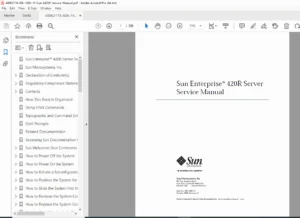
Sun Enterprise 420R Server Service Manual 1999 – PDF DOWNLOAD
Original price was: $85.00.$20.95Current price is: $20.95.
Comprehensive Sun Enterprise 420R server service manual PDF from 1999, detailing removal, installation, and replacement of parts like main logic boards, CPU modules, and disk drives. Includes diagnostics, troubleshooting, and how-to guides for E420R rackmount server repair instructions, ideal for technicians handling Sun E420R parts replacement procedures and Enterprise 420R maintenance.
Description
Sun Enterprise 420R Server Service Manual 1999 – PDF DOWNLOAD
Description
This official Sun Enterprise 420R server service manual PDF (Part No. 806-1080-10, Revision A, October 1999) is an essential resource for qualified service providers, system administrators, and advanced users performing maintenance on the Sun Enterprise 420R rackmount server. It provides step-by-step Sun Enterprise 420R diagnostics and troubleshooting guide, covering everything from powering off the system to replacing critical components. With detailed Sun E420R parts replacement procedures, this manual ensures safe and efficient repairs, including how to replace Sun E420R main logic board, install CPU modules, and handle storage devices. It also includes functional descriptions, system specifications, and connector pinouts for thorough Enterprise 420R rackmount server repair instructions.
The manual emphasizes safety compliance, electrostatic discharge prevention, and reconfiguration boots after hardware changes. For Sun 420R power supply installation guide and similar tasks, it offers clear illustrations and tools required lists. While internal disk drives and power supplies are hot-pluggable, other Sun E420R parts replacement procedures require powering down the system.
Table of Contents
- Front Matter
- Declaration of Conformity (Page iii)
- Regulatory Compliance Statements (Page v)
- FCC Class A Notice (Page v)
- DOC Class A Notice – Avis DOC, Classe A (Page v)
- BSMI Class A Notice (Page vi)
- Safety Agency Compliance Statements (Page vii)
- Preface (Page xxix)
- How This Book Is Organized
- Using UNIX Commands
- Typographic and Command Entry Conventions
- Shell Prompts
- Related Documentation
- Accessing Sun Documentation Online
- Sun Welcomes Your Comments
- Chapter 1: Preparing to Service the System (Page 1)
- How to Power Off the System (Page 2)
- How to Power On the System (Page 3)
- How to Initiate a Reconfiguration Boot (Page 6)
- How to Position the System for Service (Page 8)
- How to Slide the System Into the Rack (Page 11)
- How to Remove the System Cover (Page 14)
- How to Replace the System Cover (Page 16)
- How to Avoid Electrostatic Discharge (Page 18)
- About the Status and Control Panel (Page 20)
- About Communicating With the Server (Page 23)
- How to Attach an Alphanumeric Terminal (Page 24)
- How to Configure a Local Graphics Console (Page 26)
- Tools Required for Installation and Service (Page 29)
- How to Remove the System From the Rack (Page 30)
- How to Place the System Into the Rack Glides (Page 33)
- Chapter 2: Servicing the Main Logic Board and Components (Page 39)
- How to Remove the Memory Riser Assembly (Page 40)
- How to Replace the Memory Riser Assembly (Page 43)
- How to Remove a Memory Module (Page 46)
- How to Install a Memory Module (Page 48)
- How to Remove the DC-to-DC Converter (Page 54)
- How to Replace the DC-to-DC Converter (Page 56)
- How to Remove a PCI Card (Page 58)
- How to Install a PCI Card (Page 61)
- How to Remove a CPU Module (Page 65)
- How to Install a CPU Module (Page 68)
- How to Remove the NVRAM/TOD Module (Page 72)
- How to Replace the NVRAM/TOD Module (Page 74)
- How to Remove the Air Guide (Page 77)
- How to Replace the Air Guide (Page 79)
- How to Remove the CPU Card Cage Assembly (Page 81)
- How to Replace the CPU Card Cage Assembly (Page 83)
- How to Remove the Main Logic Board (Page 85)
- How to Replace the Main Logic Board (Page 89)
- How to Set the Serial Port Jumpers (Page 92)
- How to Set the Flash PROM Jumpers (Page 95)
- Chapter 3: Removing and Installing Storage Devices (Page 97)
- How to Remove a Disk Drive (Page 98)
- How to Install a Disk Drive (Page 100)
- How to Remove the Removable Media Assembly (RMA) (Page 103)
- How to Replace the Removable Media Assembly (RMA) (Page 107)
- How to Remove a CD-ROM or Tape Drive (Page 110)
- How to Install a CD-ROM or Tape Drive (Page 112)
- Chapter 4: Removing and Replacing Backplanes and Cables (Page 115)
- How to Remove the UltraSCSI Backplane (Page 116)
- How to Replace the UltraSCSI Backplane (Page 119)
- How to Remove the Power Distribution Board (Page 121)
- How to Replace the Power Distribution Board (Page 125)
- How to Connect the System Cables (Page 130)
- Chapter 5: Removing and Replacing Miscellaneous Assemblies (Page 135)
- How to Remove a Power Supply (Page 136)
- How to Install a Power Supply (Page 138)
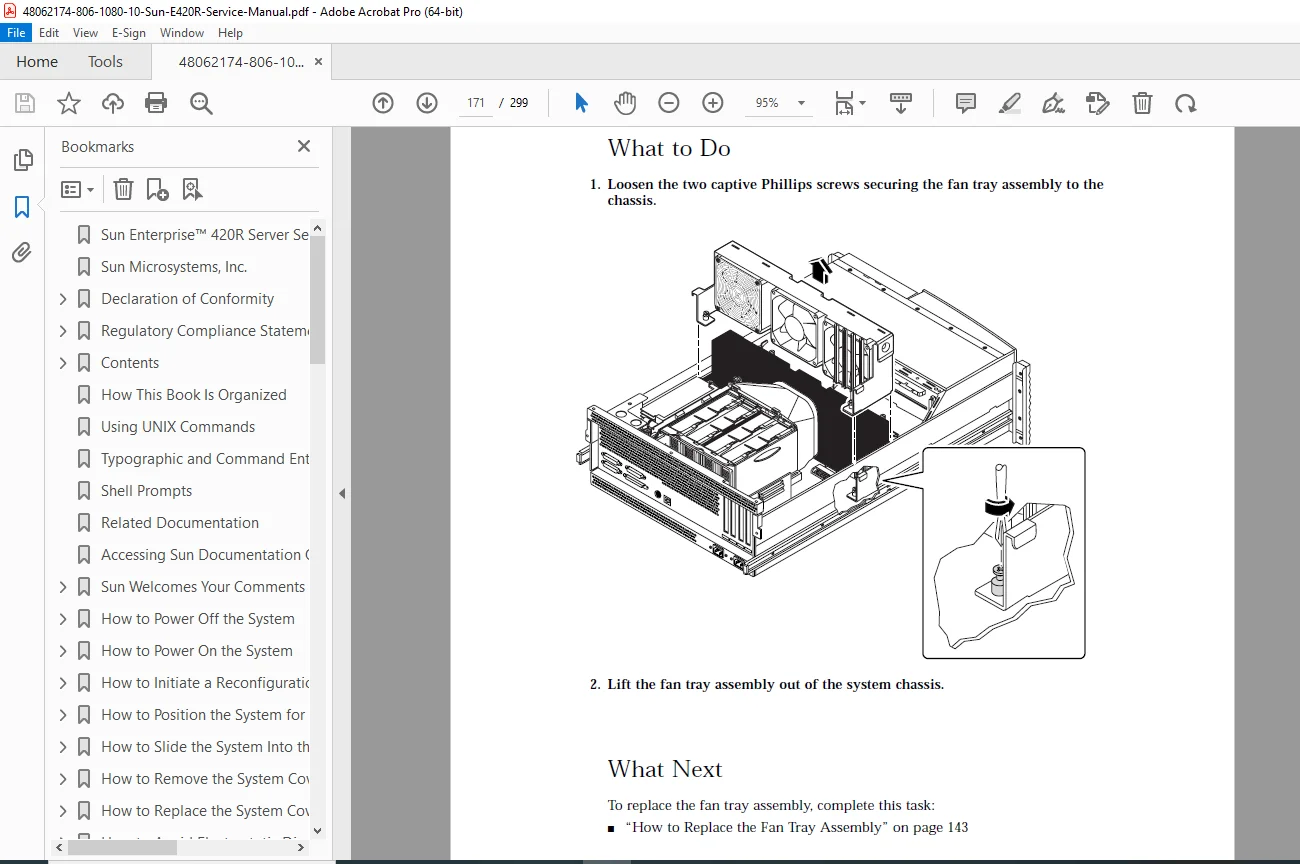
- How to Remove the Fan Tray Assembly (Page 141)
- How to Replace the Fan Tray Assembly (Page 143)
- How to Remove the Keyswitch/Power Button/LED Assembly and Cable (Page 145)
- How to Replace the Keyswitch/Power Button/LED Assembly and Cable (Page 148)
- How to Remove a System Door (Page 151)
- How to Replace a System Door (Page 154)
- Chapter 6: Diagnostics and Troubleshooting (Page 157)
- About Diagnostic Tools (Page 158)
- About Power-On Self-Test (POST) Diagnostics (Page 160)
- How to Use POST Diagnostics (Page 161)
- How to Set Up a tip Connection (Page 164)
- About OpenBoot Diagnostics (OBDiag) (Page 166)
- How to Use OpenBoot Diagnostics (OBDiag) (Page 169)
- How to Set the Diagnostic Level for POST and OBDiag (Page 182)
- About SunVTS Software (Page 183)
- How to Check Whether SunVTS Software Is Installed (Page 185)
- How to Use SunVTS Software (Page 186)
- About Sun Enterprise SyMON Software (Page 188)
- About Troubleshooting Your System (Page 189)
- About Diagnosing Specific Problems (Page 205)
- Appendices
- Appendix A: Connector Signal Descriptions (Page 213)
- Appendix B: System Specifications (Page 225)
- Appendix C: Functional Description (Page 229)
- Appendix D: Illustrated Parts Breakdown (Page 261)
- Includes exploded views, part numbers for FRUs like main logic board (501-5168), CPU modules (501-5539), power supplies (300-1449), and cables.
Note: No index section is present in the manual, but the detailed table of contents and illustrated parts breakdown serve as navigation aids for quick reference during Sun Enterprise 420R diagnostics and troubleshooting guide tasks.
This vintage manual is invaluable for legacy system support, ensuring proper Enterprise 420R rackmount server repair instructions and Sun 420R power supply installation guide adherence.
File Details
- Manual Name: Sun Enterprise 420R Server Service Manual
- Models Covered: Sun Enterprise 420R (E420R)
- Year: 1999
- Manual PDF Quality: High (clear text and illustrations, scanned from original)
- No of Pages: 299