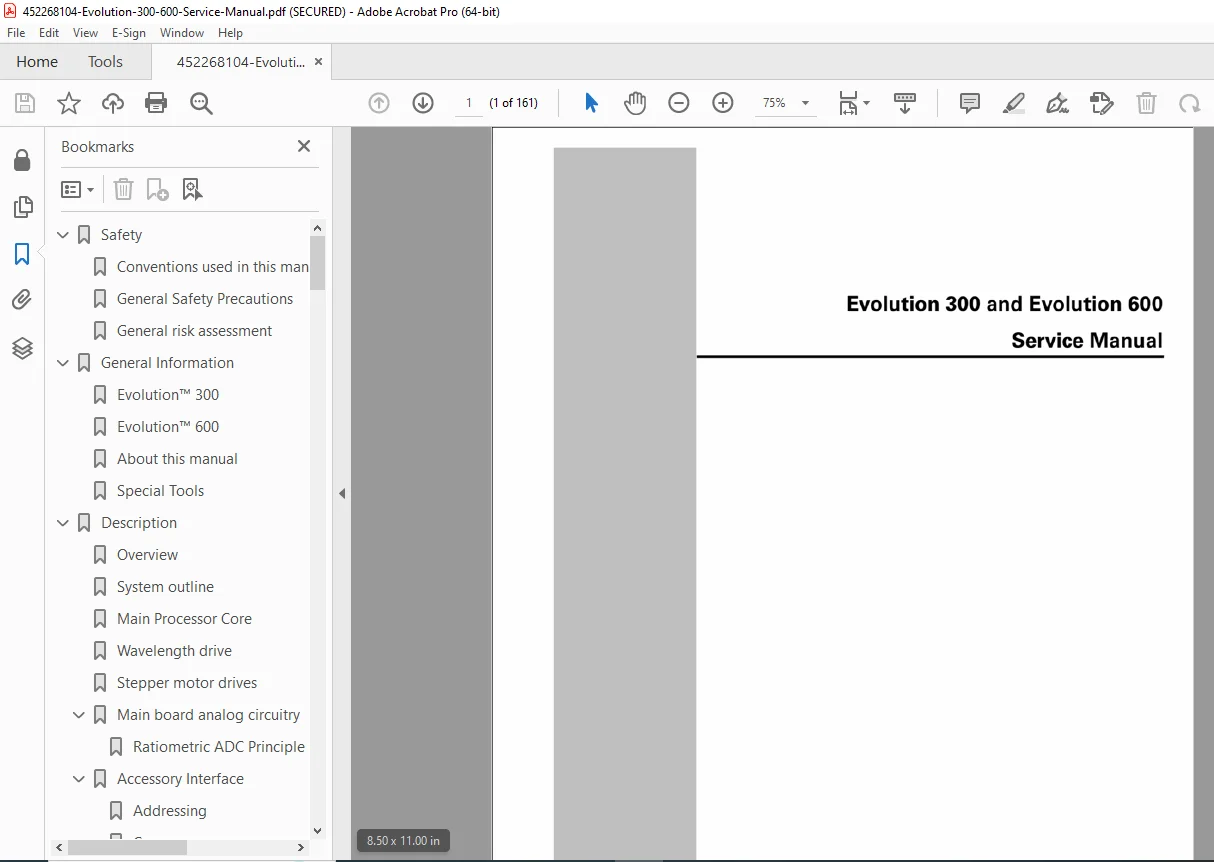
Thermo Electron Evolution 300 600 Service Manual PDF
Original price was: $65.00.$16.95Current price is: $16.95.
Official Thermo Electron Evolution 300/600 UV-Visible spectrophotometer service manual (Document 269-166500, March 2006, Copyright © 2004-2006). This comprehensive 161-page technical manual covers safety precautions, system description, lamp subsystems (xenon, tungsten, deuterium), measurement systems, optical diagrams, wavelength drive, performance testing, remote diagnostics, error messages, routine maintenance, fault finding, optics alignment, and complete service information for qualified laboratory technicians servicing analytical instruments.
Description
Thermo Electron Evolution 300 600 Service Manual PDF Spectrophotometer 269-166500 – PDF DOWNLOAD
DESCRIPTION
This is the official Thermo Electron Corporation Evolution 300 and Evolution 600 Service Manual (Document Number 269-166500, Copyright © 2004-2006, Created March 16, 2006, Modified June 15, 2006). This comprehensive 161-page technical manual is intended for qualified service technicians and provides complete maintenance, troubleshooting, repair, and alignment procedures for the Evolution series UV-Visible spectrophotometers used in analytical laboratories, research facilities, pharmaceutical companies, quality control labs, and educational institutions worldwide for molecular spectroscopy and quantitative analysis.
Product Overview
Thermo Electron Evolution™ 300 and Evolution™ 600 Spectrophotometers:
The Evolution series represents Thermo Electron’s advanced UV-Visible spectrophotometer platform designed for precise spectroscopic measurements. These sophisticated analytical instruments combine precision optics, xenon flash lamp technology (Evolution 300) or dual-beam tungsten-deuterium lamp systems (Evolution 600), wavelength drive mechanisms, photodetector systems, and VISIONpro™ software integration to deliver accurate absorbance, transmission, and concentration measurements for diverse analytical applications.
Key Applications:
- Pharmaceutical analysis
- Quality control testing
- Chemical analysis
- Biological research
- Environmental testing
- Food and beverage analysis
- Clinical diagnostics
- Academic research
- Material characterization
- Concentration measurements
Models Covered
Evolution™ 300:
- Single-beam UV-Visible spectrophotometer
- Xenon flash lamp light source
- 190-1100 nm wavelength range
- VISIONsecurity™ software compatible
- VISIONpro™ software compatible
- Optional CTU (Cell Transport Unit)
- Flash to hold delay timing
Evolution™ 600:
- Dual-beam UV-Visible spectrophotometer
- Tungsten and deuterium lamps
- 190-1100 nm wavelength range
- Chopper system for dual-beam operation
- Reference and sample beams
- Advanced performance specifications
- Multiple detector capability
Key Technical Systems
Light Sources:
Evolution 300:
- Xenon flash lamp
- Pulsed operation
- Long lamp life
- Stable energy output
- Flash timing control
Evolution 600:
- Tungsten halogen lamp (visible range)
- Deuterium lamp (UV range)
- Automatic lamp switching
- Dual-lamp configuration
- Continuous illumination
Optical System:
Evolution 300:
- Czerny-Turner monochromator
- Single-beam configuration
- Holographic grating
- Wavelength drive mechanism
- Filter wheel
- Flipping mirror
- Variable slits
Evolution 600:
- Czerny-Turner monochromator
- Dual-beam configuration
- Chopper system
- Reference and sample beams
- Holographic grating
- Filter wheel
- Variable bandwidth control
Detection System:
- Silicon photodiode detector
- High sensitivity
- Wide dynamic range
- Low noise characteristics
- Fast response time
- Multiple detector options (Evolution 600)
Control Electronics:
- Main processor core
- Wavelength drive control
- Stepper motor drives
- Main board analog circuitry
- Accessory interface
- Smart Accessory™ recognition
- Digital signal processing
Sample Compartment:
- Standard cuvette holder
- Temperature-controlled cell holder option
- Reference connector
- Sample connector
- Accessory/detector connectors (Evolution 600)
- Sliding door access
User Interface:
- LCD screen with contrast control
- Keypad for local control
- Optional internal printer (Epson)
- Floppy disk drive
- RS-232 interface
- External display connector
- External accessory port
Comprehensive Manual Contents
DOCUMENT INFORMATION:
- Document Number: 269-166500
- Title: Evolution 300 and Evolution 600 Service Manual
- Copyright: © 2004-2006 Thermo Electron Corporation
- Location: Madison, WI 53711
- Creation Date: March 16, 2006
- Modified Date: June 15, 2006
- Creator: Acrobat PDFMaker 6.0 for Word
- Producer: Acrobat Distiller 6.0.1 (Windows)
- Pages: 161 pages
- Format: Letter (612 x 792 pts)
- PDF Version: 1.6
- Encrypted: Yes (print allowed, copy restricted, annotations allowed)
- File Size: 5.1 MB
Contact Information:
- Technical Support: Thermo Electron Corporation
- Address: 5225 Verona Road, Madison WI 53711-4495 U.S.A.
- Telephone: 800-642-6538 or +608-273-5015 (worldwide)
- Fax: +608-273-5045 (worldwide)
- E-mail:
Trademarks:
- Evolution™ – Thermo Electron Scientific Instruments Corporation
- Smart Accessory™ – Thermo Electron Scientific Instruments Corporation
- VISIONsecurity™ – Thermo Electron Scientific Instruments Corporation
- VISIONpro™ – Thermo Electron Scientific Instruments Corporation
- Windows® – Microsoft Corporation
- Epson® – Seiko Epson Corporation
- Hamamatsu® – Hamamatsu Photonics K.K. Corporation
- Motorola® – Motorola Incorporated
- Molex® – Associated Steel Company, Inc.
COMPLETE TABLE OF CONTENTS
CHAPTER 1.0: SAFETY (Pages 1-3)
1.1 Conventions Used in This Manual:
- Warning symbols
- Caution indicators
- Note designations
- Safety icons
1.2 General Safety Precautions:
- Electrical safety
- Lamp safety (UV exposure, high voltage)
- Mechanical hazards
- Chemical safety
- Service personnel requirements
1.3 General Risk Assessment:
- Risk identification
- Hazard mitigation
- Safe work practices
CHAPTER 2.0: GENERAL INFORMATION (Page 4)
2.1 Evolution™ 300:
- Model overview
- Key features
2.2 Evolution™ 600:
- Model overview
- Key features
2.3 About This Manual:
- Manual purpose
- How to use this manual
2.4 Special Tools:
- Required service tools
- Recommended equipment
CHAPTER 3.0: DESCRIPTION (Pages 5-11)
3.1 Overview:
- System architecture
- Component identification
3.2 System Outline:
- Block diagram
- Subsystem overview
3.3 Main Processor Core:
- CPU specifications
- Control functions
- Software architecture
3.4 Wavelength Drive:
- Monochromator drive mechanism
- Stepper motor control
- Position feedback
- Calibration
3.5 Stepper Motor Drives:
- Motor control circuits
- Drive specifications
- Position accuracy
3.6 Main Board Analog Circuitry:
- Signal conditioning
- A/D conversion
- Gain control
- Amplifier circuits
3.7 Accessory Interface:
- Smart Accessory™ recognition
- Connector pinouts
- Communication protocol
- Accessory power supply
3.8 Accessory Lamps:
- External lamp support
- Power specifications
- Control interface
CHAPTER 4.0: LAMP SUB SYSTEMS (Pages 12-16)
4.1 Xenon Lamp (Evolution 300):
- Xenon flash lamp operation
- High voltage power supply
- Flash energy control
- Trigger circuitry
- Lamp life expectancy
- Safety considerations
4.2 Tungsten and Deuterium Lamps (Evolution 600):
- Tungsten halogen lamp operation
- Deuterium lamp operation
- Lamp switching mechanism
- Power supply specifications
- Lamp alignment
- Lamp replacement procedures
CHAPTER 5.0: THE MEASUREMENT SYSTEM (Pages 17-21)
5.1 Evolution 300 Measurement System Overview:
- Single-beam operation
- Flash lamp synchronization
- Signal processing
- Data acquisition
5.2 Evolution 600 Measurement System Overview:
- Dual-beam operation
- Chopper synchronization
- Reference beam correction
- Signal processing
CHAPTER 6.0: OPTICAL SYSTEM (Pages 22-25)
6.1 Evolution 300 Optical System Diagram:
- Complete optical path
- Component layout
- Light path tracing
6.2 Evolution 600 Optical System Diagram:
- Dual-beam optical path
- Component layout
- Reference and sample paths
6.3 Filter Wheel:
- Filter positions
- Wavelength ranges
- Automatic filter selection
- Filter alignment
6.4 Chopper (Evolution 600 Only):
- Chopper wheel operation
- Beam modulation
- Synchronization
- Phase detection
CHAPTER 7.0: LOCAL CONTROL POD (Pages 26-27)
7.1 Overview:
- LCD display
- Keypad functions
- Contrast adjustment
7.2 Internal Printer:
- Optional Epson printer
- Installation
- Print functions
- Paper loading
CHAPTER 8.0: OPERATION (Pages 28-35)
8.1 Evolution 300 Initialization:
- Power-on sequence
- Self-test procedures
- Wavelength calibration
- Baseline correction
8.2 Evolution 600 Initialization:
- Power-on sequence
- Lamp warm-up
- Chopper synchronization
- System checks
8.3 Evolution 300 Energy Profile and Gain Control:
- Energy profile characterization
- Automatic gain adjustment
- Dynamic range optimization
8.4 Evolution 600 Energy Profile and Gain Control:
- Energy profile across wavelength range
- Gain matrix adjustment
8.5 How the Evolution 300 Energy Profile is Modified:
- Profile optimization procedures
- Flash energy adjustment
- Baseline corrections
8.6 Adjusting the Gain Matrix:
- Gain calibration procedures
- Matrix storage
- Optimization algorithms
CHAPTER 9.0: PERFORMANCE AND SPECIFICATION TESTING (Pages 36-47)
9.1 Retrieving Instrument Performance Limits:
- Factory performance data
- Specification verification
- Diagnostic commands
9.2 Evolution 300 Performance Specifications:
- Wavelength accuracy
- Wavelength repeatability
- Photometric accuracy
- Photometric repeatability
- Noise specifications
- Baseline flatness
- Stray light
9.3 Evolution 600 Performance Specifications:
- Wavelength accuracy
- Wavelength repeatability
- Photometric accuracy
- Photometric repeatability
- Noise specifications
- Baseline flatness
- Stray light
9.4 Performance Tests Using the Local Control Software:
- Built-in test procedures
- Test execution
- Results interpretation
9.5 Evolution 300 and Evolution 600 Specification Overview:
- Complete specification summary
- Operating conditions
- Environmental specifications
CHAPTER 10.0: REMOTE DIAGNOSTICS (Pages 48-52)
10.1 Connecting the Instrument to a PC:
- RS-232 connection procedures
- Communication settings
- Terminal emulation software
- Command line interface
CHAPTER 11.0: REMOTE COMMANDS (Pages 53-80)
11.1 Alphabetic List of the Remote Commands:
- Complete command reference
- Command syntax
- Parameters
- Response formats
- Examples (70+ commands)
11.2 Test and Configuration Commands:
- Diagnostic commands
- Calibration commands
- Configuration settings
- System information retrieval
CHAPTER 12.0: ERROR MESSAGES (Pages 81-86)
12.1 Error Types:
- Warning errors
- Fatal errors
- Accessory errors
12.2 Warnings: Error Numbers 1000-1999:
- Non-critical warnings
- Corrective actions
12.3 Fatal Errors: Error Numbers 3000-3999:
- Critical system errors
- Troubleshooting procedures
- Recovery procedures
12.4 Accessory Errors: Error Numbers 5000-5999:
- Accessory communication errors
- Smart Accessory™ issues
- Resolution procedures
CHAPTER 13.0: ROUTINE MAINTENANCE (Pages 87-89)
13.1 Additional Maintenance Tasks Every 1000 Hours or 12 Months:
- Regular maintenance schedule
- Cleaning procedures
- Inspection items
13.2 Additional Maintenance Tasks Every 2000 Hours or 24 Months:
- Extended maintenance procedures
- Component replacement
- System recalibration
13.3 Airflow and Cleaning:
- Ventilation requirements
- Filter cleaning
- Dust removal
- Optical cleaning
CHAPTER 14.0: SERVICING (Pages 90-96)
14.1 Accessing the Lamps:
- Lamp compartment access
- Safety procedures
14.2 Removing the Top Covers:
- Cover removal procedures
- Internal access
14.3 Accessing the Underside:
- Bottom cover removal
- Component access
14.4 Removing and Replacing the Power Supply:
- Power supply removal
- Installation procedures
- Electrical connections
14.5 Removing and Replacing the Optics Cover:
- Optics compartment access
- Alignment considerations
14.6 Removing and Replacing the Main PCB:
- Circuit board removal
- Connector identification
- Installation procedures
14.7 Checking Operation of Slits and Flipping Mirror:
- Slit mechanism testing
- Mirror operation verification
- Adjustment procedures
14.8 Removing the Detector Cover:
- Detector access
- Safety precautions
CHAPTER 15.0: FAULT FINDING (Pages 97-113)
15.1 General Advice on Fault Finding:
- Systematic troubleshooting approach
- Diagnostic strategy
15.2 Getting Help from Technical Support:
- Contact procedures
- Information required
- Remote assistance
15.3 Using the Debug Information:
- System diagnostics
- Log file analysis
- Error interpretation
15.4 Error 1022 – NVM Corrupted:
- Non-volatile memory issues
- Recovery procedures
15.5 Error 1077 – Wavelength Table Compression Failed:
- Calibration data issues
- Resolution steps
15.6 Error 3024 – Monochromator Requested to Drive Out of Range:
- Drive limit errors
- Corrective actions
15.7 Error 3027 – Instrument Failed to Initialize:
- Initialization failures
- Troubleshooting guide
15.8 Instrument Fails to Wavelength Calibrate:
- Calibration failure causes
- Optical alignment check
- Filter wheel verification
15.9 Error 3060 – Default Baseline Corrupt:
- Baseline data issues
- Regeneration procedures
15.10 Error 3079 – Default Baseline Cannot Be Compressed:
- Data compression issues
- Resolution procedures
15.11 Wavelength Errors:
- Accuracy problems
- Calibration procedures
- Mechanical issues
15.12 Absorbance Errors:
- Photometric accuracy issues
- Detector problems
- Light path obstructions
15.13 Noise:
- Noise sources identification
- Reduction techniques
- Troubleshooting
15.14 Drift:
- Drift causes
- Thermal stability
- Lamp stability
15.15 Noise on Kinetics Data:
- Kinetic measurement issues
- Data acquisition problems
15.16 Fixing Baseline Flatness Problems:
- Baseline correction procedures
- Optical alignment
- Filter optimization
- Gain adjustments
CHAPTER 16.0: HOW TO GUIDE (Pages 114-135)
16.1 How to Align the Optics:
- Complete optical alignment procedures
- Light source alignment
- Monochromator alignment
- Detector alignment
- Filter wheel alignment
- Mirror alignment
16.2 How to Install a CTU (Evolution 300 Only):
- Cell Transport Unit installation
- Connection procedures
- Configuration
16.3 How to Lubricate the Monochromator Drive:
- Lubrication procedures
- Lubricant specifications
- Maintenance schedule
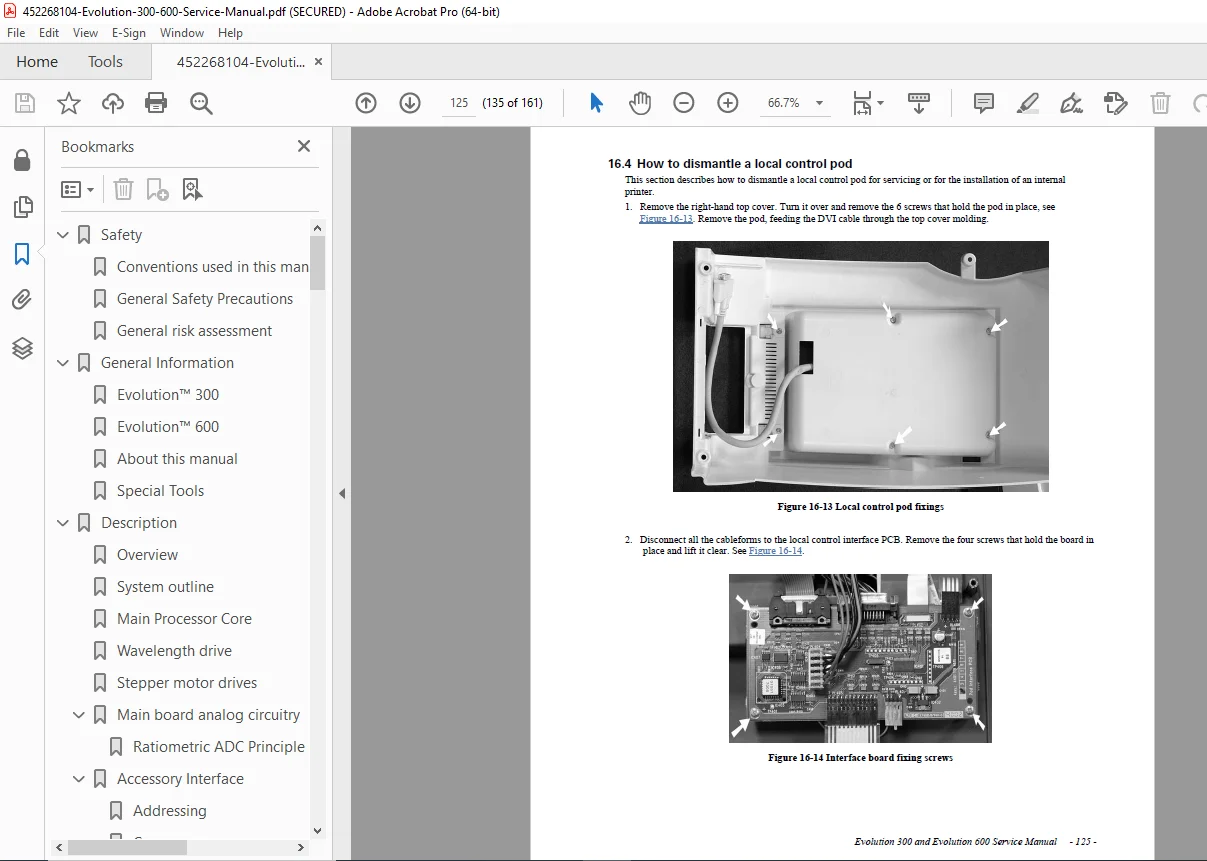
16.4 How to Dismantle a Local Control Pod:
- Control pod disassembly
- Component access
- Reassembly
16.5 How to Install an Internal Printer:
- Printer installation procedures
- Cable routing
- Configuration
16.6 How to Check the Flash to Hold Delay (Evolution 300 Only):
- Timing verification
- Adjustment procedures
- Test procedures
16.7 How to Check Energy Throughput:
- Energy measurement procedures
- Specifications verification
- Troubleshooting low energy
16.8 How to Replace the Xenon Lamp:
- Xenon lamp replacement procedure
- Safety precautions
- UV exposure warnings
- High voltage warnings
16.9 How to Use the Maintenance Log:
- Maintenance tracking
- Service history
- Documentation
16.10 How to Use Reset Instrument Defaults:
- Factory reset procedures
- Default restoration
- Recalibration requirements
CHAPTER 17.0: PRODUCTION UTILITY AND SERVICE TOOL (Pages 136-161)
17.1 Requirements:
- Software requirements
- Hardware requirements
17.2 Installation:
- Service tool installation
- Configuration
Additional Sections:
- Service utility functions
- Production testing
- Calibration procedures
- Advanced diagnostics
Who Needs This Manual?
This Thermo Electron Evolution service manual is essential for:
- Laboratory instrument service technicians
- Thermo authorized service engineers
- Analytical laboratory maintenance teams
- Biomedical equipment technicians
- Research facility technical staff
- Anyone performing authorized service on Evolution spectrophotometers
Prerequisites:
✓ Qualified laboratory instrument technician
✓ UV-Visible spectrophotometer experience
✓ Optical alignment skills
✓ Electrical troubleshooting proficiency
✓ Understanding of spectroscopy principles
✓ PC interface and communication skills
✓ Proper tools and test equipment
✓ Safety training (UV exposure, high voltage)
FILE DETAILS
| Detail | Specification |
|---|---|
| Document Number | 269-166500 |
| Manual Title | Evolution 300 and Evolution 600 Service Manual |
| Models | Evolution™ 300, Evolution™ 600 |
| Copyright | © 2004-2006 Thermo Electron Corporation |
| Manufacturer | Thermo Electron Corporation |
| Location | Madison, WI 53711 |
| Creation Date | March 16, 2006 |
| Modified Date | June 15, 2006 |
| Product Type | UV-Visible Spectrophotometer |
| Wavelength Range | 190-1100 nm |
| Software | VISIONpro™, VISIONsecurity™ |
| Pages | 161 pages |
| PDF Quality | Professional technical manual with detailed diagrams |
| File Size | 5.1 MB |
| Page Size | Letter (612 x 792 pts) |
| Language | English |
| Creator | Acrobat PDFMaker 6.0 for Word |
| Producer | Acrobat Distiller 6.0.1 (Windows) |
| PDF Version | 1.6 |
| Encryption | Yes (print allowed, copy restricted, annotations allowed) |
| Technical Support | 800-642-6538 or +608-273-5015 |