
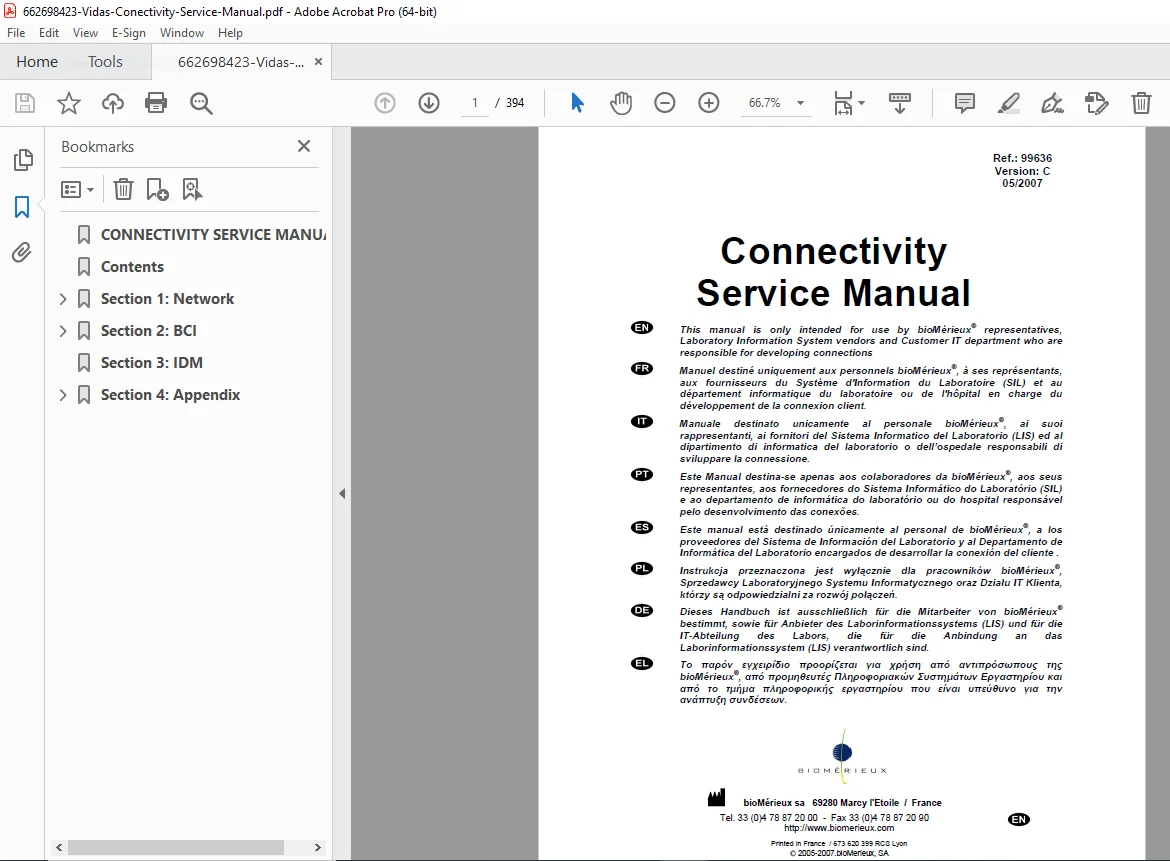
VIDAS / VIDIA Connectivity Service Manual PDF (Ref 99636 V.C 2007)
Original price was: $85.00.$26.95Current price is: $26.95.
This is the official bioMérieux Connectivity Service Manual (Ref. 99636 – Version C, 05/2007) for VIDAS®, VIDIA® and TEMPO® systems. It covers full LIS network integration using BCI NET and BCI RS232, printer installation and configuration, network rules, and BCI Simulators. Includes detailed architecture diagrams, IP addressing rules, firewall/FTP flow matrix, and step-by-step setup procedures for IT and LIS vendors.
Description
VIDAS / VIDIA Connectivity Service Manual PDF (Ref 99636 V.C 2007) DOWNLOAD
Description
This Connectivity Service Manual is the official bioMérieux reference for integrating VIDAS®, VIDIA® and TEMPO® analysis systems into a Laboratory Information System (LIS).
It is intended for:
bioMérieux® representatives and field service engineers
LIS vendors and middleware developers
Customer IT departments responsible for LIS connectivity
The manual details network architecture, BCI NET and BCI RS232 communication, printer configuration, and connectivity validation, combining multiple connectivity documents into one structured service reference.
🔧 Key Connectivity Coverage
VIDAS / VIDIA / TEMPO system network architecture
Ethernet and serial connection topologies
LIS communication over BCI NET (FTP) and BCI RS232
Naming and IP addressing rules for all devices
Firewall and network security (flow matrix)
HP1320n and HP1100d network printer installation and configuration
BCI NET & BCI RS232 driver development and troubleshooting
BCI Simulators installation and usage
Site pre-qualification and BCI environment checklist
📑 Global Contents Overview (Master Manual Index)
The Connectivity Service Manual compiles several detailed documents, grouped by sections:
| Section | Doc Ref | Title / Purpose | Applies To |
|---|---|---|---|
| 1 | 4501-1592 | System architecture / Printer installation | VIDAS / VIDIA / LIS |
| 1 | 4501-1550 | VIDIA®–VIDAS® system network configuration procedure | VIDAS / VIDIA |
| 2.1 | 4501-1551 | BCI NET Interface Driver Development Guide | BCI NET / LIS |
| 2.1 | 4501-1545 | BCI NET Troubleshooting Guide | BCI NET |
| 2.1 | 4501-1549 | BCI NET Installation Procedure | BCI NET |
| 2.2 | 4501-1552 | BCI RS232 Interface Driver Development Guide | BCI RS232 / LIS |
| 2.2 | 4501-1593 | BCI RS232 Installation Procedure for VIDIA® | VIDIA |
| 2.2 | 4501-1539 | BCI RS232 Installation Procedure for TEMPO® | TEMPO |
| 2.3 | 4501-1547 | BCI Simulators User Guide | BCI Simulators |
| 2.3 | 4501-1546 | BCI Simulators Installation Procedure | BCI Simulators |
| 4 | 4501-1503 | Site pre-qualification – BCI environment | All sites |
🔌 Section 1 – Network (System Architecture / Printer Installation)
This core section defines how VIDAS, VIDIA, printers, and the LIS are physically and logically connected.
Main chapters include:
Architecture / Installation / Network Rules
Object and scope of the document
Technical prerequisites (Windows XP admin basics, network admin basics)
Required materials (switches, router, Ethernet cabling, password generator)
Architecture / Physical Connection
Network connection: VIDAS / VIDIA / Printer / LIS
Configuration #1 – Each device directly on customer network
Configuration #2 – All devices via switch
Configuration #3 – Devices via dispatcher (not managed by bioMérieux)
Serial connection topologies: VIDAS / VIDIA / Printer / LIS
Network Rules
LIS connection over BCI NET (FTP port 21, data channels)
Hostname rules:
VIDIAxx (e.g. VIDIA01)
VIDASPCyy (e.g. VIDASPC01)
BMXPRINTERzz (e.g. BMXPRINTER01)
Workgroup: BIOMERIEUX
IP addressing for private networks (10.0.0.x schema)
Examples of IP for VIDIA, VIDASPC and printers
Network card configuration, IP/Subnet setup, ping tests
Network Security
Flow matrix between BCI NET and LIS (FTP control and data flows)
Firewall configuration rules
Discussion of passive vs active FTP modes
Note that bioMérieux PCs do not include firewall or antivirus by default
Printers Installation / Configuration
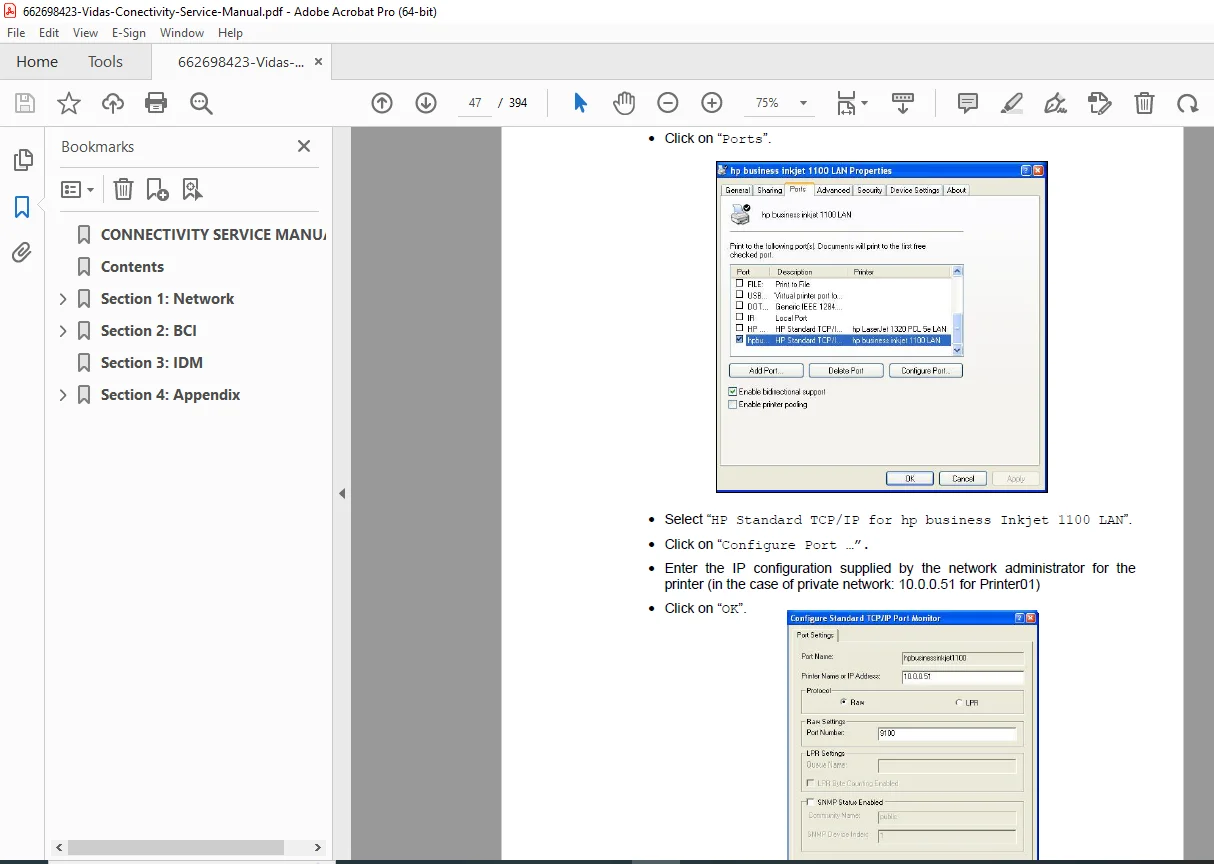
HP1320n printer installation and network configuration
HP1100d printer installation and configuration
Printer IP configuration (default 192.0.0.192 → final 10.0.0.51)
Web JetDirect configuration via Internet Explorer
TCP/IP port configuration in Windows
Form-to-tray assignment (A4), test print verification
Ensuring correct printing from VIDIA / VIDAS PC software
🌐 Section 2 – BCI (BCI NET, RS232, Simulators)
Section 2.1 – BCI NET
BCI NET Interface Driver Development Guide
BCI NET Installation Procedure
BCI NET Troubleshooting Guide
Commissioning notes linked to network configuration procedure
How LIS acts as FTP client, file naming conventions, and dispatching modes
Section 2.2 – BCI RS232
BCI RS232 Interface Driver Development Guide
RS232 installation procedure for VIDIA®
RS232 installation procedure for TEMPO®
Serial communication parameters, COM settings, cabling
Section 2.3 – BCI Simulators
BCI Simulators User Guide
BCI Simulators Installation Procedure
Using simulators for LIS interface development and validation
📎 Section 3 – IDM
Reserved / Not Applicable in this version (not implemented).
📂 Section 4 – Appendix
Site Pre-Qualification – BCI Environment
Site readiness checklist
Environmental and network constraints
LIS collaboration expectations
Documentation of required ports, addressing, and hardware
5. File Details
| Detail | Information |
|---|---|
| Manual Name | Connectivity Service Manual – Ref. 99636 – Version C |
| Models Covered | VIDAS®, VIDIA®, TEMPO® analysis systems with LIS connectivity (BCI NET/RS232) |
| Year | 2007 (Version C – 05/2007, with TEMPO integration) |
| Manual PDF Quality | High-quality OEM CD version; clean text, diagrams and screenshots |
| No. of Pages | 394 |