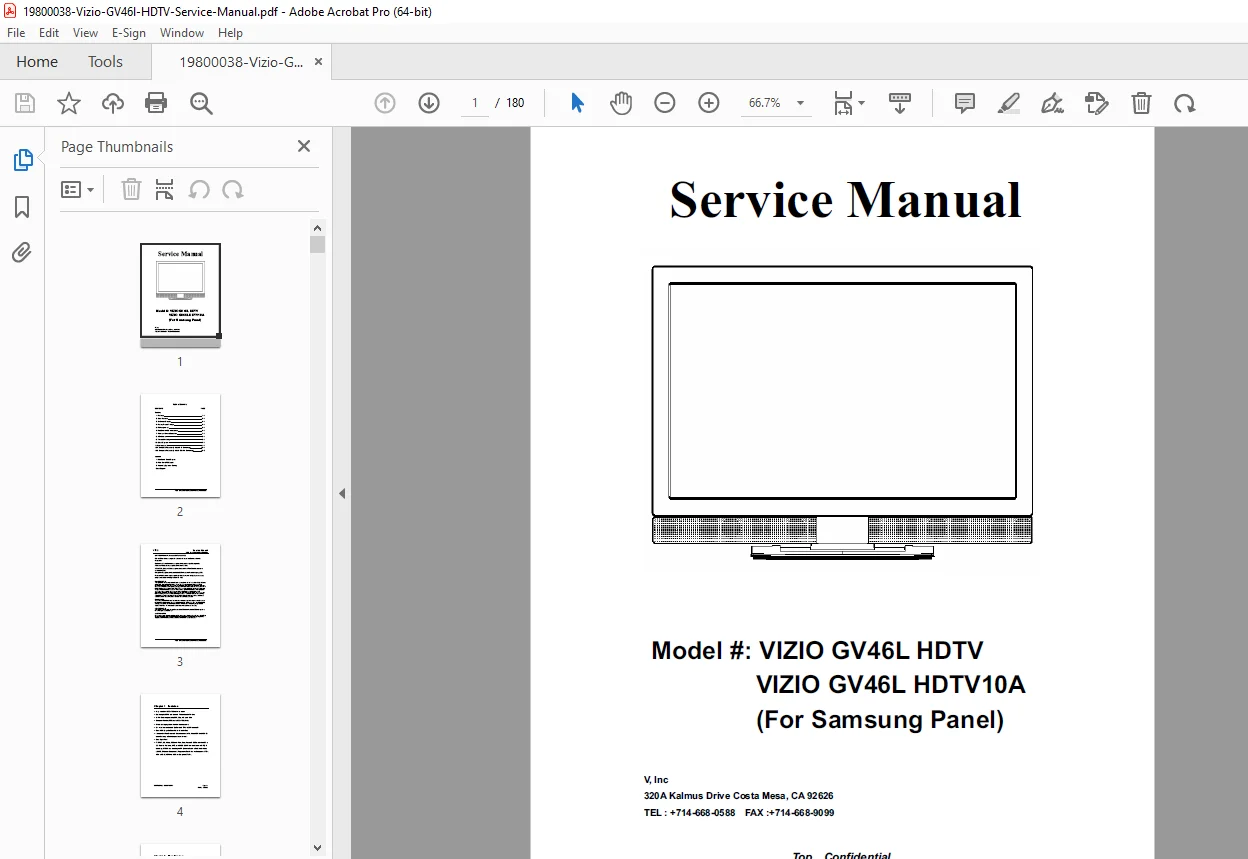
Vizio GV46L 46″ LCD HDTV Service Manual PDF
Original price was: $95.00.$15.95Current price is: $15.95.
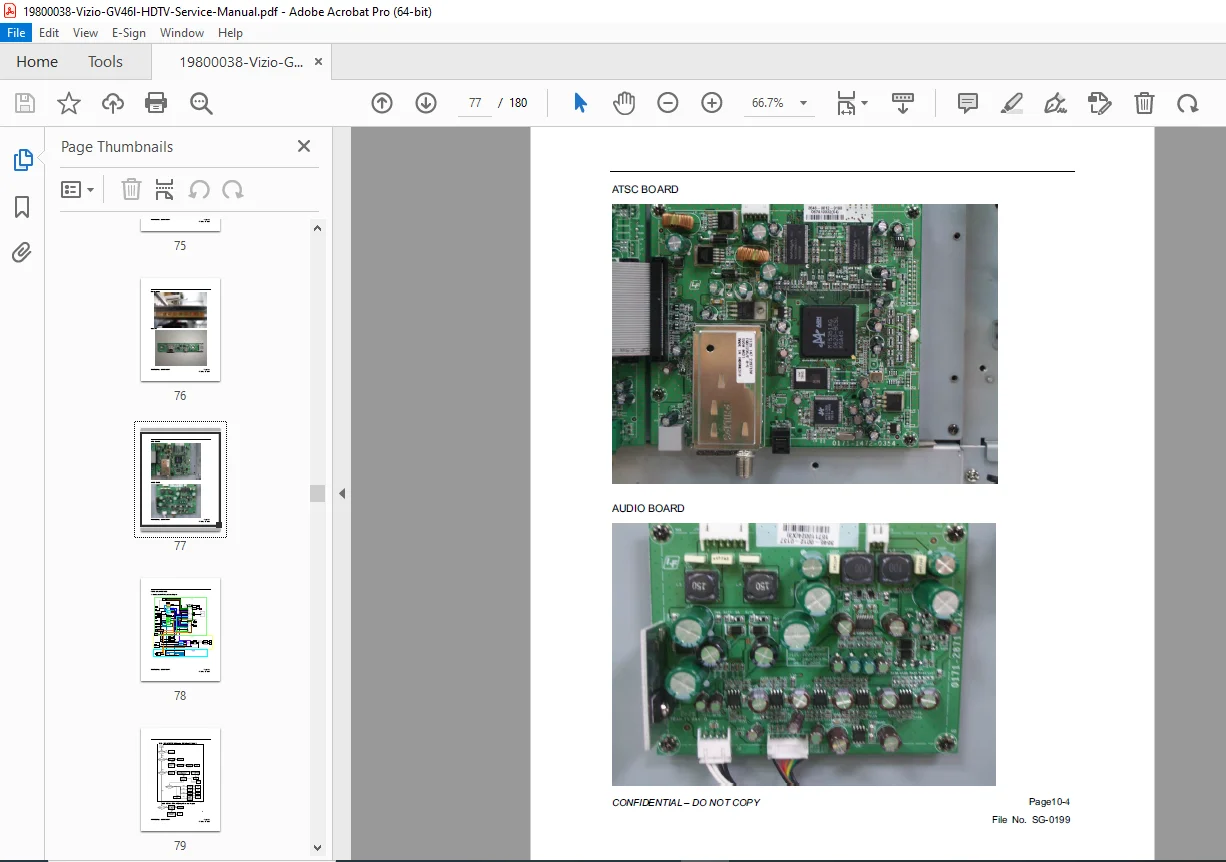
Professional Vizio GV46L 46-inch LCD HDTV service manual with complete disassembly procedures, panel replacement, power supply repair, and troubleshooting guides. This comprehensive technical manual covers all service operations including backlight system service, main board diagnostics, T-Con board replacement, and picture quality adjustments. Essential resource for TV repair technicians servicing Vizio GV46L flat-panel HDTVs with detailed schematics, block diagrams, and adjustment procedures.
Description
Vizio GV46L 46″ LCD HDTV Service Manual Complete Repair Guide PDF DOWNLOAD
Description
📋 File Details
- Manual Name: Vizio GV46L LCD HDTV Service Manual
- Model: GV46L (46-inch LCD HDTV)
- Screen Size: 46 inches diagonal
- Resolution: 1920 x 1080 Full HD 1080p
- Year: 2007-2010 Production Period
- Pages:180 pages
- PDF Quality: High-quality scanned manual with clear diagrams and technical illustrations
🔧 Complete Service Manual Contents
This Vizio GV46L service manual PDF provides everything professional TV repair technicians need for complete LCD HDTV maintenance, repair, and troubleshooting.
Section 1: Safety & Precautions
- Critical safety warnings
- High voltage safety procedures
- ESD (Electrostatic Discharge) precautions
- CRT disposal guidelines (not applicable)
- LCD panel handling precautions
- Service safety requirements
- Lead-free solder considerations
- Capacitor discharge procedures
Section 2: Specifications
- Product specifications:
- Screen size: 46″ diagonal
- Resolution: 1920 x 1080 pixels (Full HD)
- Aspect ratio: 16:9
- Contrast ratio specifications
- Brightness specifications
- Response time
- Viewing angle
- Input/Output specifications:
- HDMI inputs (quantity and version)
- Component video inputs
- Composite video inputs
- VGA/PC input
- Audio inputs/outputs
- USB port (if equipped)
- Tuner specifications:
- ATSC digital tuner
- NTSC analog tuner
- QAM cable tuner
- Power specifications:
- Input voltage: 120V AC, 60Hz
- Power consumption (typical/maximum)
- Standby power consumption
- Physical specifications:
- Dimensions (with/without stand)
- Weight
- VESA mount specifications
Section 3: Product Overview
- Model identification
- Serial number location
- Feature overview
- Remote control functions
- On-screen display (OSD) menu structure
- Control panel buttons
- LED indicator meanings
Section 4: Block Diagram & System Architecture
- Complete system block diagram
- Signal flow diagram
- Main board architecture
- Power distribution diagram
- Video signal processing path
- Audio signal processing path
- Interface connections
- Internal cable routing
Section 5: Disassembly Procedures
- Safety precautions before disassembly
- Tools required for service
- Step-by-step disassembly:
- Stand removal procedures
- Rear cover removal
- Screw location diagrams
- Cable disconnection sequence
- Main board removal
- Power supply board removal
- T-Con board access
- LCD panel removal (if required)
- Backlight inverter removal
- Speaker removal
- Front bezel removal
- Reassembly notes and precautions
- Cable connection reference
Section 6: Power Supply Service
- Power supply circuit description
- Power supply schematic diagram
- Voltage output specifications:
- Primary voltage outputs
- Secondary voltage outputs
- Standby voltage
- Backlight voltage
- Power supply troubleshooting:
- No power symptoms
- Standby LED behavior diagnosis
- Voltage measurement points
- Fuse location and ratings
- Transistor testing procedures
- Capacitor testing
- Common power supply failures:
- Blown fuses
- Failed capacitors
- Switching transistor failures
- Optocoupler failures
- Power supply board replacement procedures
Section 7: Main Board Service
- Main board circuit description
- Main board block diagram
- Video processing section:
- Scaler IC specifications
- Video input circuits
- HDMI interface
- Component input circuits
- Audio processing section:
- Audio decoder IC
- Audio amplifier circuits
- Speaker output specifications
- Tuner section:
- Digital tuner module
- IF processing
- Demodulation circuits
- Main board troubleshooting:
- No video symptoms
- No audio symptoms
- Input selection problems
- HDMI handshake issues
- Tuner problems
- Main board firmware:
- Firmware version identification
- Update procedures (if applicable)
- EEPROM data
Section 8: T-Con Board & LCD Panel
- T-Con (Timing Controller) board description
- T-Con board circuit diagram
- LVDS signal interface:
- LVDS cable specifications
- Signal integrity requirements
- Cable routing precautions
- T-Con troubleshooting:
- No picture symptoms
- Vertical lines on screen
- Horizontal lines on screen
- Color abnormalities
- Image distortion
- LCD panel specifications:
- Panel manufacturer
- Panel model number
- Native resolution
- Panel interface type
- LCD panel issues:
- Dead pixels
- Panel cracks
- Image retention
- Backlight bleed
- T-Con board replacement procedures
- LCD panel replacement procedures
Section 9: Backlight System
- Backlight system description:
- CCFL (Cold Cathode Fluorescent Lamp) configuration
- Number of lamps
- Lamp arrangement
- Inverter board service:
- Inverter circuit diagram
- High voltage output specifications
- Inverter troubleshooting
- Backlight problems:
- No backlight (audio only)
- Dim picture
- Flickering backlight
- Partial backlight failure
- Pink/purple tint
- CCFL lamp replacement:
- Lamp specifications
- Replacement procedures
- Safety precautions (high voltage)
- Inverter board replacement
- Brightness adjustment procedures
Section 10: Audio System
- Audio circuit description
- Speaker specifications:
- Speaker impedance
- Speaker power rating
- Speaker location
- Audio troubleshooting:
- No sound from speakers
- Distorted audio
- Audio hum/noise
- Volume control problems
- Audio output (headphone/line-out) issues
- Speaker replacement procedures
Section 11: Troubleshooting Guide
- Symptom-based troubleshooting charts:
- Power Problems:
- Dead set (no power LED)
- LED on but no picture/sound
- Intermittent power
- Shuts off after power-on
- Picture Problems:
- No picture (audio OK)
- Black screen with backlight
- Vertical lines
- Horizontal lines
- Color problems (no color, wrong colors)
- Snowy/noisy picture
- Ghosting/double images
- Overscan issues
- Aspect ratio problems
- Audio Problems:
- No audio (picture OK)
- Low volume
- Distorted sound
- Audio dropouts
- Unbalanced stereo
- Input/Interface Problems:
- HDMI no signal
- Component input problems
- VGA input issues
- Tuner reception problems
- Remote control problems
- On-Screen Display Problems:
- OSD menu not appearing
- OSD stuck on screen
- Settings not saving
Section 12: Service Mode & Adjustments
- Entering service mode:
- Service mode access procedures
- Service menu navigation
- Service adjustments:
- White balance adjustment
- Color temperature settings
- Geometry adjustments (if applicable)
- Convergence (not applicable for LCD)
- Focus (not applicable for LCD)
- Factory reset procedures
- Burn-in prevention settings
- Service menu options list
Section 13: Electrical Schematics
- Complete circuit schematics:
- Power supply schematic (multi-page)
- Main board schematic
- T-Con board schematic
- Inverter board schematic
- Audio amplifier schematic
- Input interface circuits
- Control panel circuits
- Component location diagrams:
- Power supply board component locations
- Main board component locations
- T-Con board component locations
- Wiring diagrams:
- Internal cable connections
- Harness routing
- Connector pinouts
Section 14: Parts List & Exploded Views
- Board-level replacement parts:
- Main board part numbers
- Power supply board part numbers
- T-Con board part numbers
- Inverter board part numbers
- Major component parts:
- LCD panel assembly part number
- Backlight lamps
- Speakers
- Stand parts
- Screws and hardware
- Exploded view diagrams:
- Complete TV assembly
- Stand assembly
- Housing components
- Internal mounting brackets
- Parts ordering information
Section 15: Software & Firmware
- Software version identification
- Firmware update procedures (if available)
- EEPROM data structure
- Factory default settings
- Software troubleshooting
Section 16: Regulatory & Compliance
- FCC compliance information
- Energy Star requirements
- Safety certifications
- Disposal and recycling information
- Warranty information
✅ What Makes This Vizio GV46L Service Manual Essential?
✓ Comprehensive 94-page technical documentation for complete TV repair
✓ Detailed power supply schematics with voltage specifications
✓ Complete disassembly procedures with screw location diagrams
✓ Backlight system troubleshooting for common failures
✓ T-Con board diagnostics for picture quality issues
✓ Extensive symptom-based troubleshooting for rapid diagnosis
✓ Block diagrams and signal flow for system understanding
✓ Service mode access procedures for professional adjustments
✓ Parts identification and board replacement information
🎯 Perfect For:
- Professional TV repair technicians servicing flat-panel displays
- Electronics repair shops specializing in consumer electronics
- Service centers providing warranty and out-of-warranty repairs
- Technical training programs for TV repair certification
- Independent repair businesses offering LCD TV services
- Technicians transitioning from CRT to flat-panel repair
📥 Instant Digital Download
Stop wasting time searching for Vizio GV46L repair information! This official service manual gives you instant access to the exact same technical documentation factory-certified technicians use. Download immediately after purchase and start diagnosing and repairing your Vizio GV46L LCD HDTV within minutes—no shipping delays, no waiting! Get the schematics and procedures you need for professional-quality repairs.
Pricing Rationale:
- Consumer electronics TV service manual (mature product)
- Comprehensive 94-page professional technical documentation
- Includes complete schematics and troubleshooting procedures
- Covers common LCD TV failures (backlight, power supply, T-Con)
- Competitive pricing for older-generation LCD HDTV models
- Good value for TV repair shops and technicians
- Essential for extending equipment life and reducing e-waste
- Standard pricing for consumer electronics service manual