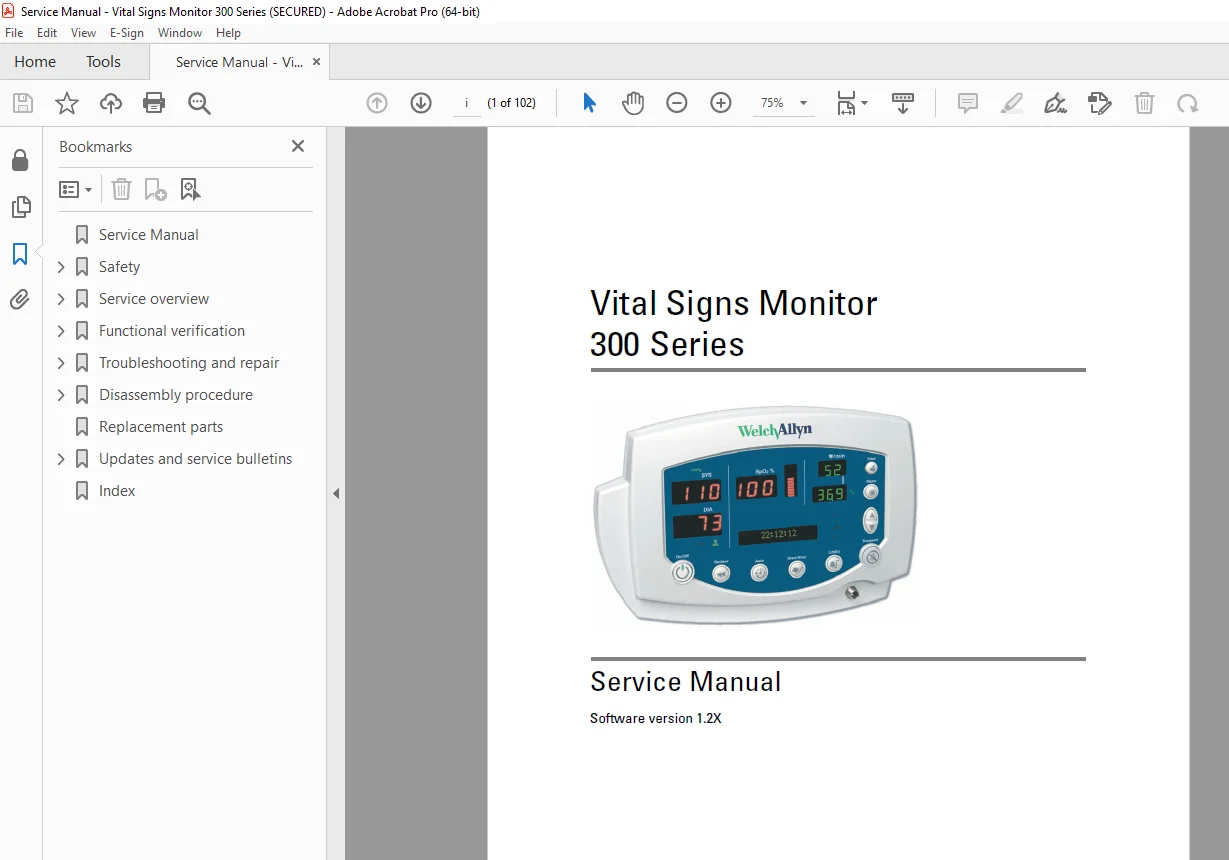
Welch Allyn Vital Signs Monitor 300 Series Service Manual – Medical Device PDF
Original price was: $95.00.$30.95Current price is: $30.95.
Instant download Welch Allyn VSM-300 vital signs monitor service manual with complete repair, maintenance, troubleshooting, and calibration procedures for medical monitoring equipment. This comprehensive 102-page Welch Allyn biomedical service manual includes NIBP calibration, SpO2 module service, temperature sensor repair, printer maintenance, functional verification tests, and complete disassembly procedures. Biomedical equipment technicians get full access to wiring diagrams, replacement parts lists, service utilities, and professional repair protocols.
Description
Welch Allyn Vital Signs Monitor 300 Series Service Manual Medical Device PDF DOWNLOAD
DESCRIPTION
Welch Allyn Vital Signs Monitor 300 Series Service Manual – Complete Biomedical Equipment Repair Guide
Get instant access to the Welch Allyn VSM-300 service manual in downloadable PDF format. This official Welch Allyn vital signs monitor repair manual is the factory-level technical documentation used by certified biomedical equipment technicians (BMETs) and hospital clinical engineering departments worldwide. Whether you’re servicing hospital patient monitors, ambulatory care equipment, or physician office monitoring systems, this VSM-300 biomedical equipment service guide provides everything needed for professional diagnostics, calibration, and repairs.
📋 File Details
| Specification | Details |
|---|---|
| Manual Name | Welch Allyn Vital Signs Monitor 300 Series Service Manual |
| Manual Part Number | 810-1651-02 Rev A |
| Reorder Numbers | 810-2811-XX (CD), 810-2812-XX (Printed) |
| Software Version | 1.2X |
| Publication Date | January 2008 |
| Manufacturer | Welch Allyn, Inc. |
| Total Pages | 102 Pages |
| File Format | PDF (High-Quality Professional Documentation) |
| Manual Quality | Factory Original OEM Documentation |
| File Size | 7.0 MB |
| Language | English |
🏥 Medical Equipment Covered
Welch Allyn Vital Signs Monitor 300 Series:
- ✅ All VSM-300 Series configurations
- ✅ Various module combinations
- ✅ Multiple software versions
Vital Sign Parameters Monitored:
- ✅ NIBP – Non-Invasive Blood Pressure (oscillometric)
- ✅ SpO2 – Pulse Oximetry (oxygen saturation)
- ✅ Temperature – Body temperature monitoring
- ✅ Pulse Rate – Heart rate detection
- ✅ MAP – Mean Arterial Pressure calculation
Technology Options:
- ✅ Nellcor SpO2 Module – Nellcor Oximax technology
- ✅ Masimo SpO2 Module – Masimo SET technology
- ✅ Thermal Printer – Built-in patient data printer
- ✅ Battery Operation – Rechargeable battery backup
- ✅ Network Connectivity – FlexNet communication
- ✅ POEM Protocol – Point-of-care data transfer
🏥 Clinical Applications
The Welch Allyn VSM-300 is used in:
- Hospital Patient Rooms – Bedside vital signs monitoring
- Emergency Departments – Triage and acute care
- Operating Rooms – Pre/post-operative monitoring
- Outpatient Clinics – Physician office monitoring
- Ambulatory Surgery Centers – Same-day surgery facilities
- Long-Term Care Facilities – Nursing homes and rehabilitation
- Mobile Health Units – Community health screenings
- Home Healthcare – Patient home monitoring programs
📖 Complete Manual Contents
This Welch Allyn patient monitor maintenance manual covers all technical aspects across 102 comprehensive pages:
CHAPTER 1 – SAFETY (Pages 1-4)
Critical Safety Information:
- ✅ General Safety Considerations
- Patient safety protocols
- Electrical safety requirements
- Proper equipment placement
- Device limitations and restrictions
- MRI and hyperbaric chamber warnings
- Flammable anesthetic precautions
- Accessory compatibility requirements
- ✅ Electrostatic Discharge (ESD) Protection
- ESD damage prevention
- Static-safe workstation requirements
- Grounding procedures
- Wrist strap specifications
- Component handling protocols
- ESD-sensitive device identification
- ✅ Symbols and Labels
- Documentation warning symbols
- Equipment certification marks
- Safety label meanings
- Regulatory compliance symbols
- International standards icons
CHAPTER 2 – SERVICE OVERVIEW (Pages 5-8)
2.1 Purpose and Scope:
- ✅ Manual objectives and intended users
- ✅ Qualified technician requirements
- ✅ Service limitations and restrictions
2.2 Technical Support Services:
- ✅ Welch Allyn support contact information
- ✅ Global service center locations
- ✅ Technical assistance procedures
- ✅ Warranty service protocols
2.3 Returning Products:
- ✅ RMA (Return Merchandise Authorization) procedures
- ✅ Packaging requirements
- ✅ Shipping instructions
- ✅ Decontamination requirements
2.4 Product Configurations:
- ✅ Standard monitor configurations
- ✅ Optional module combinations
- ✅ SpO2 technology variants (Nellcor vs. Masimo)
- ✅ Printer-equipped models
- ✅ Battery backup options
2.5 Recommended Service Intervals:
- ✅ Preventive maintenance schedules
- ✅ Calibration frequency requirements
- ✅ Component replacement intervals
- ✅ Battery service cycles
2.6 Service Options:
- ✅ Field service vs. depot repair
- ✅ Warranty vs. out-of-warranty service
- ✅ Component-level vs. module exchange
2.7 Related Documents:
- ✅ User manuals and quick reference guides
- ✅ Operator instructions
- ✅ Accessories catalog
- ✅ Technical bulletins
2.8 Service Menu:
- ✅ Accessing service mode
- ✅ Service menu navigation
- ✅ Hidden diagnostic functions
- ✅ Password protection
CHAPTER 3 – FUNCTIONAL VERIFICATION (Pages 9-32)
3.1 Functional Verification Overview:
- ✅ Purpose of functional testing
- ✅ When to perform verification
- ✅ Test sequence overview
- ✅ Pass/fail criteria
3.2 Equipment Required:
- ✅ NIBP Simulator – Blood pressure test equipment
- ✅ SpO2 Simulator – Pulse oximetry test device
- ✅ Temperature Simulator – Calibrated temperature source
- ✅ Digital Multimeter – Electrical testing
- ✅ Stopwatch – Timing verification
- ✅ Test Fixtures – Specialized test equipment
3.3 Functional Verification Procedure:
Complete Step-by-Step Testing:
Power-On Self-Test (POST):
- ✅ Power supply verification
- ✅ Display functionality check
- ✅ Audio alarm testing
- ✅ Keypad responsiveness
- ✅ Memory integrity check
- ✅ System initialization
NIBP (Blood Pressure) Testing:
- ✅ Cuff inflation/deflation test
- ✅ Pressure measurement accuracy
- ✅ Systolic pressure verification
- ✅ Diastolic pressure verification
- ✅ MAP calculation accuracy
- ✅ Pressure release safety test
- ✅ Over-pressure protection
- ✅ Leak test procedures
- ✅ Multiple test pressures (80, 120, 200 mmHg)
SpO2 (Pulse Oximetry) Testing:
- ✅ Nellcor Module Testing:
- Sensor detection
- Oxygen saturation accuracy (70%, 85%, 98%)
- Pulse rate accuracy
- Signal quality verification
- Alarm threshold testing
- ✅ Masimo Module Testing:
- SET technology verification
- Low perfusion performance
- Motion artifact handling
- Sensor compatibility
Temperature Module Testing:
- ✅ Oral probe accuracy
- ✅ Rectal probe accuracy
- ✅ Axillary probe accuracy
- ✅ Temperature range verification (32°C – 43°C)
- ✅ Celsius/Fahrenheit conversion
- ✅ Probe detection
Printer Testing (If Equipped):
- ✅ Paper feed mechanism
- ✅ Print quality verification
- ✅ Data printout accuracy
- ✅ Paper jam detection
- ✅ Low paper alert
Display and Interface Testing:
- ✅ LCD screen functionality
- ✅ Contrast and brightness
- ✅ Pixel integrity
- ✅ Backlight operation
- ✅ Touch screen response (if equipped)
Alarm System Testing:
- ✅ Audio alarm volume
- ✅ Visual alarm indicators
- ✅ Alarm priority levels
- ✅ Alarm pause function
- ✅ Alarm limits configuration
Battery Testing:
- ✅ Battery charge status
- ✅ Run time on battery
- ✅ Low battery alarm
- ✅ Charging circuit verification
- ✅ Battery capacity assessment
Network/Communication Testing:
- ✅ FlexNet connectivity
- ✅ Data transfer verification
- ✅ POEM protocol testing
- ✅ Network configuration
3.4 Checklist and Test Results Report Form:
- ✅ Comprehensive test checklist
- ✅ Documentation templates
- ✅ Pass/fail recording
- ✅ Technician sign-off
- ✅ Date and serial number tracking
CHAPTER 4 – TROUBLESHOOTING AND REPAIR (Pages 33-52)
4.1 Troubleshooting Chart:
- ✅ Symptom-based troubleshooting:
- Monitor will not power on
- Display problems (blank, dim, garbled)
- NIBP errors and failures
- SpO2 measurement errors
- Temperature reading problems
- Printer malfunctions
- Battery not charging
- Alarm system failures
- Communication errors
- ✅ Error Code Reference:
- Error code listings
- Error message meanings
- Corrective actions
- Component replacement guidance
4.2 Requirements for Module-Level Repair:
- ✅ Authorized repair levels
- ✅ Required certifications
- ✅ Warranty considerations
- ✅ Component-level vs. board-level repair
4.3 NIBP Characterization:
- ✅ NIBP Calibration Procedures:
- Calibration equipment setup
- Baseline calibration steps
- Characterization process
- Verification testing
- Calibration data storage
- Re-calibration requirements
4.4 Welch Allyn Monitor Service Utility:
- ✅ Service Software Overview:
- Part number 810-1784-XX
- Software installation
- Computer requirements
- Cable connections
- ✅ Service Utility Functions:
- Firmware Updates – Software version upgrades
- Configuration Settings – Parameter programming
- Calibration Data – Load/save calibration
- Diagnostic Tests – Automated test sequences
- Error Log Retrieval – Historical fault data
- Module Identification – Component serial numbers
- Factory Reset – Return to default settings
- Security Features – Password protection
- ✅ Step-by-Step Utility Procedures:
- Connecting to the monitor
- Navigation instructions
- Test execution
- Data backup and restore
- Troubleshooting software issues
CHAPTER 5 – DISASSEMBLY PROCEDURES (Pages 53-84)
5.1 Procedures Overview:
- ✅ Disassembly sequence planning
- ✅ Required tools list
- ✅ ESD precautions
- ✅ Screw identification system
- ✅ Component handling guidelines
5.2 Battery Removal:
- ✅ Battery compartment access
- ✅ Connector disconnection
- ✅ Safe battery removal
- ✅ Battery disposal guidelines
5.3 Chassis Separation:
- ✅ Front and Rear Chassis Separation:
- Screw locations and removal
- Cable disconnection sequence
- Chassis separation technique
- Assembly notes for reassembly
5.4 Front Chassis Disassembly:
- ✅ LCD display removal from main board
- ✅ Display cable disconnection
- ✅ Mounting bracket removal
- ✅ Front bezel removal
- ✅ Keypad/button assembly
5.5 Rear Chassis Disassembly:
- ✅ Module bay access
- ✅ Connector identification
- ✅ Cable routing documentation
5.6 Main Board Removal:
- ✅ Complete main circuit board removal
- ✅ All cable disconnections (power, display, modules)
- ✅ Mounting hardware removal
- ✅ ESD handling procedures
- ✅ Board-level component identification
5.7 NIBP Assembly Disassembly:
- ✅ NIBP module removal from chassis
- ✅ Pneumatic connections
- ✅ Pressure transducer removal
- ✅ Pump and valve assembly
- ✅ Tubing replacement
- ✅ Air filter service
- ✅ Leak testing after reassembly
5.8 Printer Assembly Disassembly:
- ✅ Printer module removal
- ✅ Paper path disassembly
- ✅ Thermal print head removal
- ✅ Paper cutter mechanism
- ✅ Motor and drive assembly
- ✅ Sensor cleaning
- ✅ Paper roll holder
5.9 Temperature Module Disassembly:
- ✅ Temperature module removal
- ✅ Connector disassembly
- ✅ Circuit board access
- ✅ Probe jack replacement
5.10 Nellcor SpO2 Assembly Disassembly:
- ✅ Nellcor module removal
- ✅ Sensor connector replacement
- ✅ Module board access
- ✅ Cable routing
- ✅ Oximax technology components
5.11 Masimo SpO2 Assembly Disassembly:
- ✅ Masimo SET module removal
- ✅ LNCS sensor connector service
- ✅ Board-level component access
- ✅ Signal processing components
Each Disassembly Section Includes:
- Detailed step-by-step instructions
- High-resolution photographs
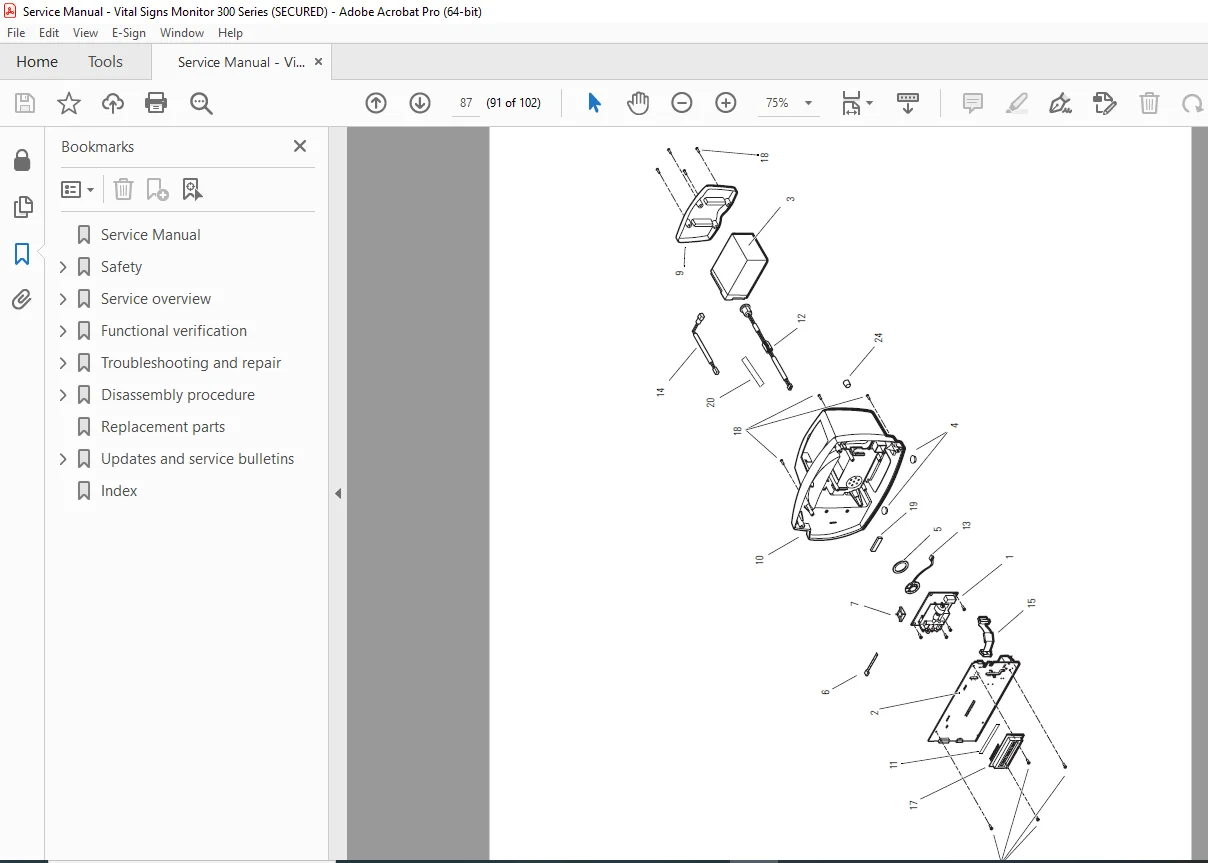
- Exploded view diagrams
- Screw type and torque specifications
- Cable routing diagrams
- Reassembly notes and tips
- Critical alignment procedures
CHAPTER 6 – REPLACEMENT PARTS (Pages 85-94)
Complete Parts Catalog:
- ✅ Chassis and Housing Parts:
- Front chassis assembly
- Rear chassis assembly
- Battery door
- Module covers
- Mounting hardware
- ✅ Electronic Assemblies:
- Main circuit board (CPU board)
- Display assembly (LCD panel)
- Power supply board
- NIBP module board
- SpO2 module boards (Nellcor and Masimo)
- Temperature module board
- Printer module board
- ✅ Mechanical Components:
- NIBP pump assembly
- NIBP valve assembly
- Printer mechanism
- Battery assembly
- Keypad assembly
- ✅ Cables and Connectors:
- Power cables
- Display cables
- Module interconnect cables
- AC adapter
- Communication cables
- ✅ Consumables and Accessories:
- Air filters
- Printer paper
- Thermal print head
- Seals and gaskets
Parts List Format:
- Part number
- Description
- Quantity per unit
- Assembly reference
- Ordering information
CHAPTER 7 – UPDATES AND SERVICE BULLETINS (Pages 95-96)
Field Service Bulletins:
- ✅ DC Power Cable Clamp:
- Service bulletin details
- Installation instructions
- Affected serial numbers
- Implementation procedures
- ✅ Software Updates:
- Firmware revision notes
- Update procedures
- Compatibility information
- ✅ Hardware Modifications:
- Engineering change orders
- Retrofit procedures
- Component upgrades
INDEX (Pages 97-102)
- ✅ Comprehensive alphabetical index
- ✅ Quick reference for all topics
- ✅ Cross-referenced sections
🔧 Professional Applications
This medical vital signs monitor technical manual is essential for:
- Biomedical Equipment Technicians (BMETs) – Hospital clinical engineering
- Hospital Maintenance Departments – In-house medical device service
- Independent Service Organizations (ISOs) – Third-party medical equipment repair
- Medical Equipment Distributors – Installation and warranty support
- Healthcare Technology Management – Fleet maintenance planning
- Clinical Engineering Consultants – Multi-facility service management
- Medical Device Training Schools – BMET certification programs
- Military Medical Facilities – Defense healthcare system equipment
⚡ Key Service Areas Covered
Non-Invasive Blood Pressure (NIBP):
- Oscillometric measurement technology
- Automated cuff inflation/deflation
- Pressure transducer calibration
- Pump and valve diagnostics
- Leak detection and repair
- Over-pressure safety systems
Pulse Oximetry (SpO2):
- Nellcor Oximax technology
- Masimo SET (Signal Extraction Technology)
- LED and photodetector systems
- Sensor compatibility
- Signal processing algorithms
- Motion artifact rejection
Temperature Monitoring:
- Thermistor-based sensing
- Probe type detection
- Temperature range calibration
- Celsius/Fahrenheit conversion
Data Management:
- Patient data storage
- Thermal printing systems
- Network communication (FlexNet)
- POEM data transfer protocol
- Electronic medical record integration
💡 Advanced Features of This Manual
✔️ 102 Pages of Medical Device Documentation – Comprehensive repair coverage
✔️ Functional Verification Procedures – Complete test protocols
✔️ NIBP Calibration Guide – Blood pressure accuracy procedures
✔️ Service Utility Software – Diagnostic and configuration tool
✔️ Multiple SpO2 Technologies – Nellcor and Masimo modules
✔️ Complete Disassembly Procedures – Step-by-step with photos
✔️ Troubleshooting Charts – Systematic problem diagnosis
✔️ Replacement Parts List – Part numbers for ordering
✔️ ESD Protection Guidelines – Component safety protocols
✔️ Service Bulletins – Field updates and modifications
📱 Technical Support Resource
- ✅ Compatible with all devices (PC, Mac, tablet, smartphone)
- ✅ Searchable PDF with bookmarks for quick navigation
- ✅ Print specific procedures for bench reference
- ✅ High-resolution diagrams and photographs
- ✅ Detailed test equipment specifications
- ✅ Lifetime access with no restrictions
🛠️ Common Service Tasks Covered
The manual guides you through:
- Complete functional verification testing
- NIBP calibration and characterization
- SpO2 module replacement (Nellcor/Masimo)
- Temperature sensor troubleshooting
- Printer mechanism service and repair
- Battery replacement and charging system
- Display replacement and adjustment
- Main board replacement
- Firmware updates via service utility
- Error code diagnosis and resolution
- Pneumatic system leak testing
- Network configuration and setup
- Preventive maintenance procedures
🎯 Technical Specifications Included
- Measurement Parameters – NIBP, SpO2, temperature, pulse
- NIBP Range – Measurement ranges and accuracy specs
- SpO2 Accuracy – Oxygen saturation precision
- Temperature Range – Monitoring range specifications
- Display – LCD specifications and resolution
- Battery – Runtime and charging specifications
- Power Requirements – AC adapter voltage and current
- Environmental – Operating and storage conditions
- Safety Standards – IEC 60601-1 compliance
- EMC Compliance – Electromagnetic compatibility
- Regulatory – FDA, CE marking, CSA certification
📥 Download Your Medical Service Manual Now!
Get instant access to your Welch Allyn VSM-300 service manual immediately after purchase! No shipping delays, no backorders – download all 102 pages of professional biomedical equipment service documentation right now. This VSM 300 series troubleshooting guide provides the same factory-level technical information used by Welch Allyn-certified biomedical technicians worldwide. Reduce equipment downtime, ensure accurate patient monitoring, and maintain your vital signs monitors to medical device standards with this essential BMET resource!