Xerox AltaLink C8170F Service Manual PDF DOWNLOAD
Original price was: $120.00.$20.95Current price is: $20.95.
Get the complete Xerox AltaLink C8170F service manual PDF download for the AltaLink C81XX color multifunction printer series. This official Xerox AltaLink C8170F service manual includes service call procedures, status indicator fault code RAPs, image quality troubleshooting, repairs and adjustments, HFSI maintenance, full parts list, and wiring diagrams with BSDs, for professional field technicians.
Description
Xerox AltaLink C8170F Service Manual PDF (C81XX Series) DOWNLOAD
Description
Complete Xerox AltaLink C8170F Service Manual PDF (C81XX Series)
This is the official Xerox® AltaLink® C8170F Service Manual (705P01438, Initial Issue May 2020) covering the AltaLink C81XX color multifunction printer family – including the AltaLink C8130, C8135, C8145, C8155, and C8170 color MFP models. This factory service manual is provided in PDF format and is intended for certified Xerox-trained service personnel.
The manual is the primary reference for Xerox AltaLink C8170F service call procedures, status indicator fault code RAPs, image quality repair analysis, mechanical and electrical repairs, parts identification, and wiring data. It is an essential AltaLink C81XX color multifunction printer repair guide for any technician performing installation, maintenance, or complex board-level troubleshooting.
🔧 Manual Structure & Main Sections
The Xerox AltaLink C8170F service manual is organized into an Introduction and 8 main sections:
Introduction
About This Manual
How to Use This Manual
Change History (Initial Issue)
Mod/Tag Identification
Voltages, Resistances, and Tolerances (DC levels, logic thresholds)
Safety Information & Icons (ESD, hot surface, lethal voltage)
Health and Safety Incident Reporting (Xerox EH&S process)
Translation of Warnings (EN / FR / IT / DE / ES)
1. Service Call Procedures (SCP)
Step-by-step procedures to start, analyze, and complete a service call on an AltaLink C8170F:
SCP 1 – Initial Actions
Record fault codes and messages (dC122 Fault Codes & History Files)
Power-cycle procedure (GP 4 Power the System Off/On)
Basic checks: power, trays, doors, paper loading
Customer interaction: reproduce problem & operator error checks
SCP 2 – Call Actions
Check and record machine configuration & options
Verify network settings and clone files (GP 13 Cloning Network Configurations)
Capture usage counters
SCP 3 – Fault Analysis
Entry points for:
Network printing problems (OF8, OF9, OF10, OF11)
FAX issues (OF12, GP1)
UI touch screen failures (OF2)
Power distribution issues (OF3–OF5)
Guidance for status indicator fault code RAP selection
SCP 4 – Subsystem Maintenance
High Frequency Service Items (HFSI) table for:
Second Bias Transfer Roll
Fuser module
Transfer belt cleaner, developer housings & developer (CMYK)
Tray 1–4 feed/nudger/retard rolls
HCF/MSI feed rolls
IBT belt assembly
Suction filter (C8170 only)
692441295-Altalink-c8170f-Serie…
Service checks per visit: image quality, cleaning, safety checks
Cleaning procedures: interior, rollers, jam sensors, print head assemblies
Drum cartridge handling and light-exposure precautions
SCP 5 – Final Actions
Verify all modes (copy, print, scan, fax)
System registration adjustment (dC126)
Re-train customer if necessary
Log counters & update configuration report
2. Status Indicator Repair Analysis Procedures (RAPs)
This section provides detailed RAPs for AltaLink C8170F status indicator fault codes, including chains 302, 303, 305, 310, etc.
692441295-Altalink-c8170f-Serie…
Key coverage includes:
Chain 302 – Controller / UI / Software Faults
302-302 Flash Rewrite Failure
302-306 Flash Erase Failure
302-308 Flash Download Failure
302-312 Application SW Checksum Failure
302-320 UI Data Time Out Error
302-380 / 302-381 UI Communication Fault
Chain 303 – Platform, NVM & Communication Faults
303-315 DC Platform Internal Interface Fault
303-316 CCM Cannot Communicate with IOT
303-317 / 318 / 319 IOT NVM Save / Init / Restore Failures
303-331 / 332 NC Communications Timeout Faults
303-338 Main Controller Reset
303-346 / 347 UI Communication Faults
303-390 Upgrade Automation Failed, 303-397 System Configuration Lost
Chain 305 – DADF 130 / DADF 250 (C8170)
Feed in/out sensor jams, registration jams, skew detect jams
DADF tray lift up/down failures
APS sensor logic failures
“No original”, “Not enough document”, and size mismatch jams
Chain 310 – Fusing System Faults
310-327 Fusing On Time Fail
310-330 Fuser Motor Fault
Each RAP contains:
Symptom description
Fault code logic
Probable causes
Step-by-step corrective actions
This section is a major highlight for Xerox AltaLink C8170F status indicator fault code RAPs and is crucial for advanced diagnostics.
3. Image Quality (IQ) Section
(Referenced in the introduction; full IQ RAPs are included later in the manual.)
Typical coverage includes:
IQ entry RAPs
Density, background, streaks, banding, and registration issues
Test pattern procedures and adjustments
Image quality calibration (GP 5)
This content supports AltaLink C8170 fuser replacement and image quality troubleshooting.
4. Repairs and Adjustments
Removal and replacement procedures for field-replaceable units (FRUs)
Adjustment steps for paper feed, registration, drive components, fuser assemblies, and document feeder
Mechanical disassembly of C81XX engine modules
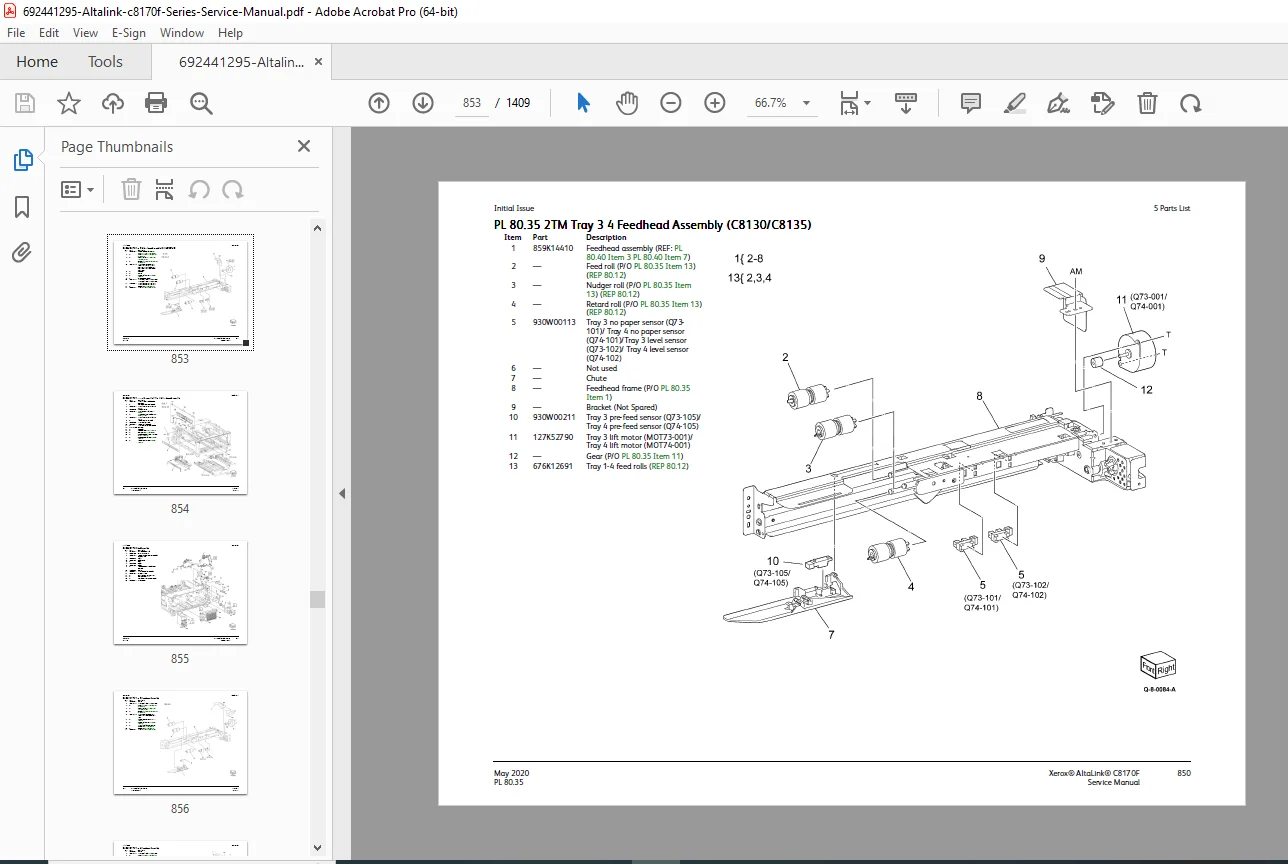
5. Parts List (PL Section)
Fully illustrated spare parts list
PL tables with item numbers, part descriptions, and FRU references
Includes parts that must be removed to access another spared part
This is key when using the AltaLink C81XX color multifunction printer repair guide for ordering or identifying FRUs.
6. General Procedures and Information
Product specifications & environmental data
Tag/MOD information
System software installation (GP 9)
Tools access (GP 2)
Controller boot sequence (GP 3)
Back up and restore, administrator password procedures (GP 11–13)
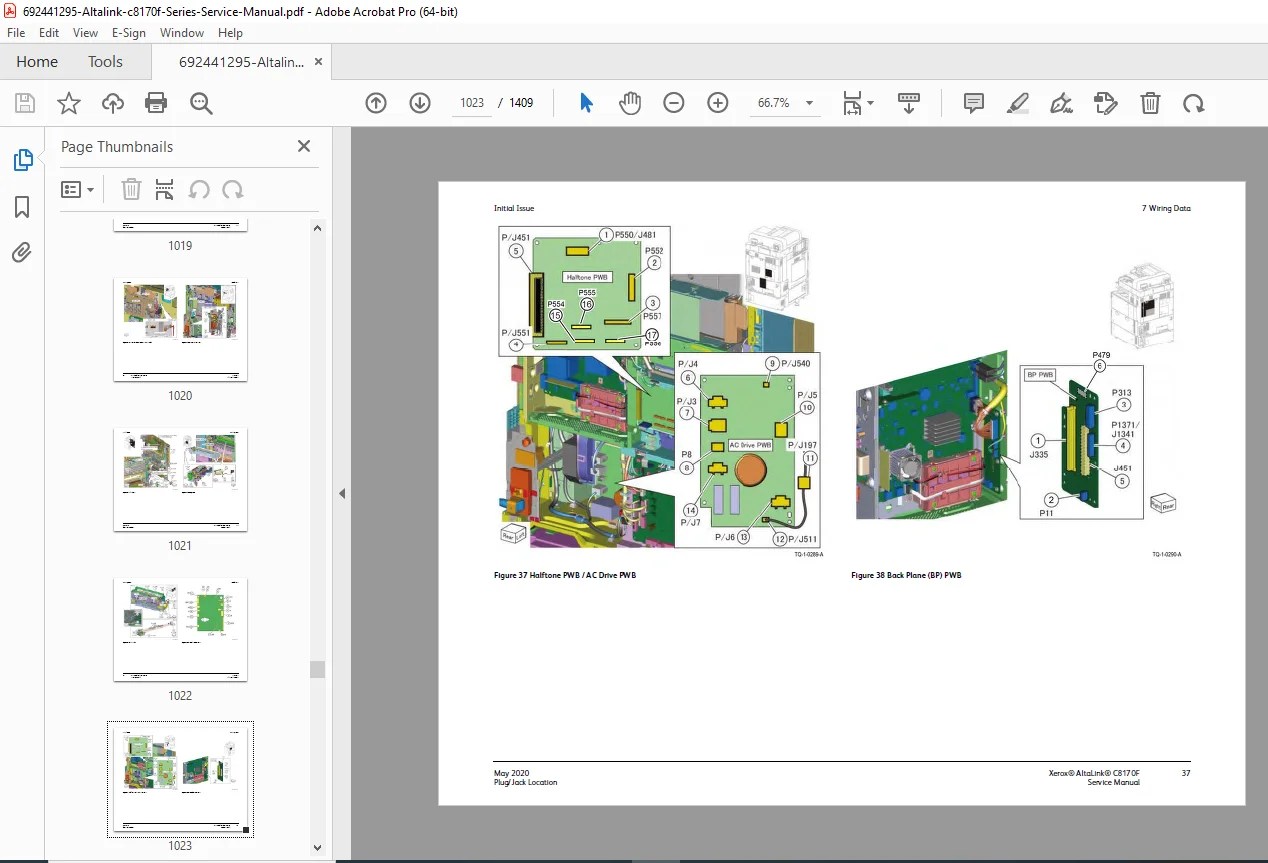
7. Wiring Data & BSDs
This section contains complete Xerox AltaLink C8170 wiring diagrams and BSDs:
PJ locations
Detailed wiring diagrams
Block Schematic Diagrams (BSDs) showing functional relationships between the SBC, motors, sensors, UI, and IOT
Essential for electrical diagnosis and board-level repair.
8. Product Technical Overview
Overall architecture of the AltaLink C8130 / C8135 / C8145 / C8155 / C8170
Subsystem descriptions (paper path, xerographic, fuser, scanning, document feeder, controller)
📄 File Details (For Product Page)
| Detail | Information |
|---|---|
| Manual Name | Xerox® AltaLink® C8170F Service Manual (705P01438, Initial Issue) |
| Models Covered | C81XX Series: AltaLink C8130, C8135, C8145, C8155, C8170 Color MFP |
| Year | 2020 (Initial Issue – May 2020) |
| Manual PDF Quality | Official OEM Xerox PDF, clear text & diagrams, fully searchable |
| Number of Pages | 1409 |