
1998 Panasonic FP-7718 FP-7722 FP-7728 FP-7735 FP-7742 FP-7750 Copier Service Manual
Original price was: $39.95.$24.95Current price is: $24.95.
Complete 1998 Panasonic field service manual for the FP-7718, FP-7722, FP-7728, FP-7735, FP-7742 and FP-7750 desktop copiers – specifications, service modes, PCB connector pinouts, troubleshooting, disassembly and schematics in one 288-page PDF.
Description
Panasonic FP-7718 / FP-7722 / FP-7728 / FP-7735 / FP-7742 / FP-7750 Copier Service Manual
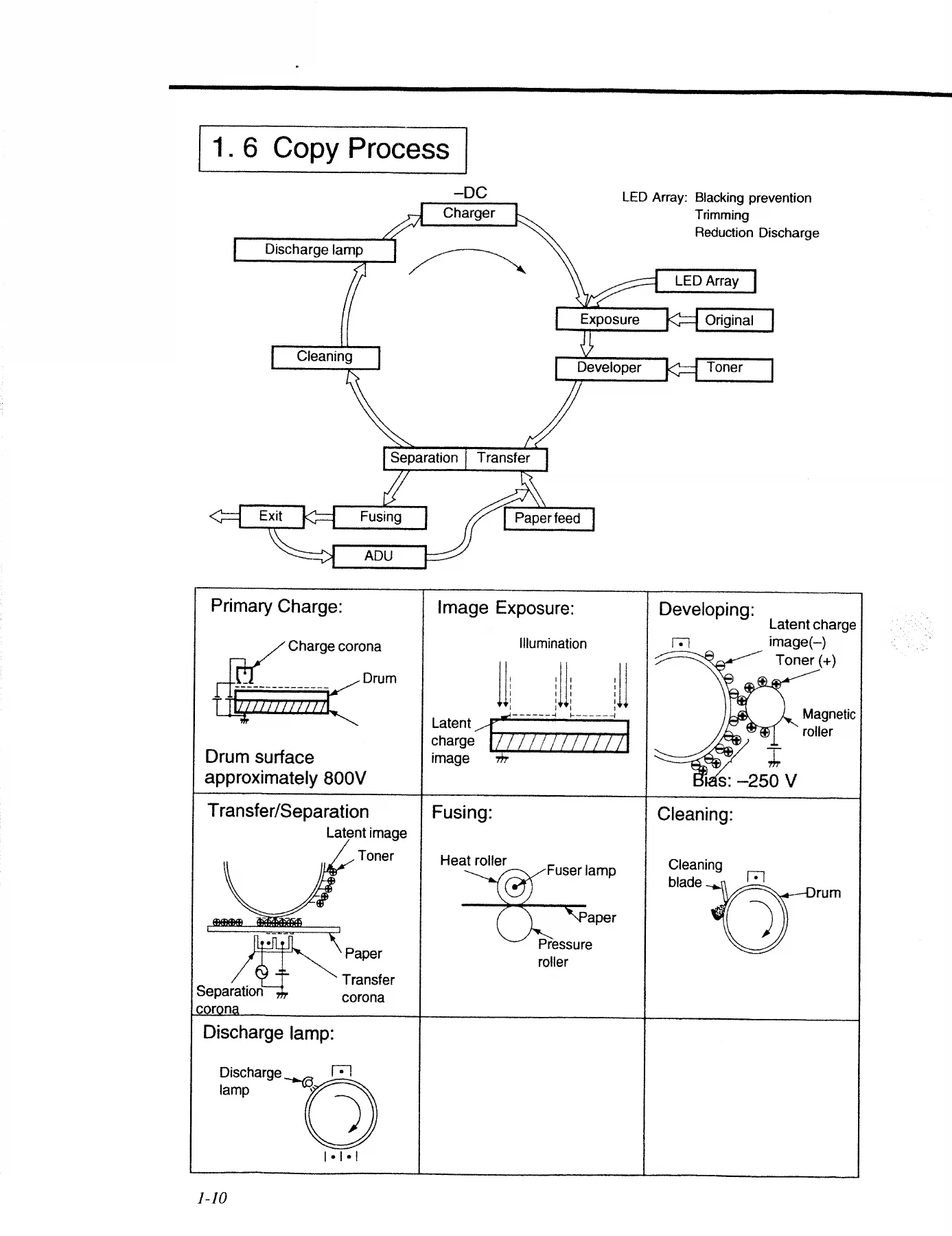
This is the 1998 field service manual published by Matsushita Electric Industrial Co., Ltd. for the Panasonic FP-7700 series desktop copiers. It covers six machines in one document – the FP-7718, FP-7722, FP-7728, FP-7735, FP-7742 and FP-7750 – and is written for the technician who has to install, adjust, diagnose and repair them rather than for the operator. Everything from the copy process theory through to the service mode codes and the disassembly order is included.
File Details
- Manual type: Field Service Manual (Service Manual)
- Manufacturer: Matsushita Electric Industrial Co., Ltd. (Panasonic)
- Models covered: FP-7718, FP-7722, FP-7728, FP-7735, FP-7742, FP-7750
- Language: English
- Pages: 288
- File format: PDF
- Document date: 1998
- Equipment type: Desk top electrostatic photographic copier, two component magnetic brush development
Chapters Covered
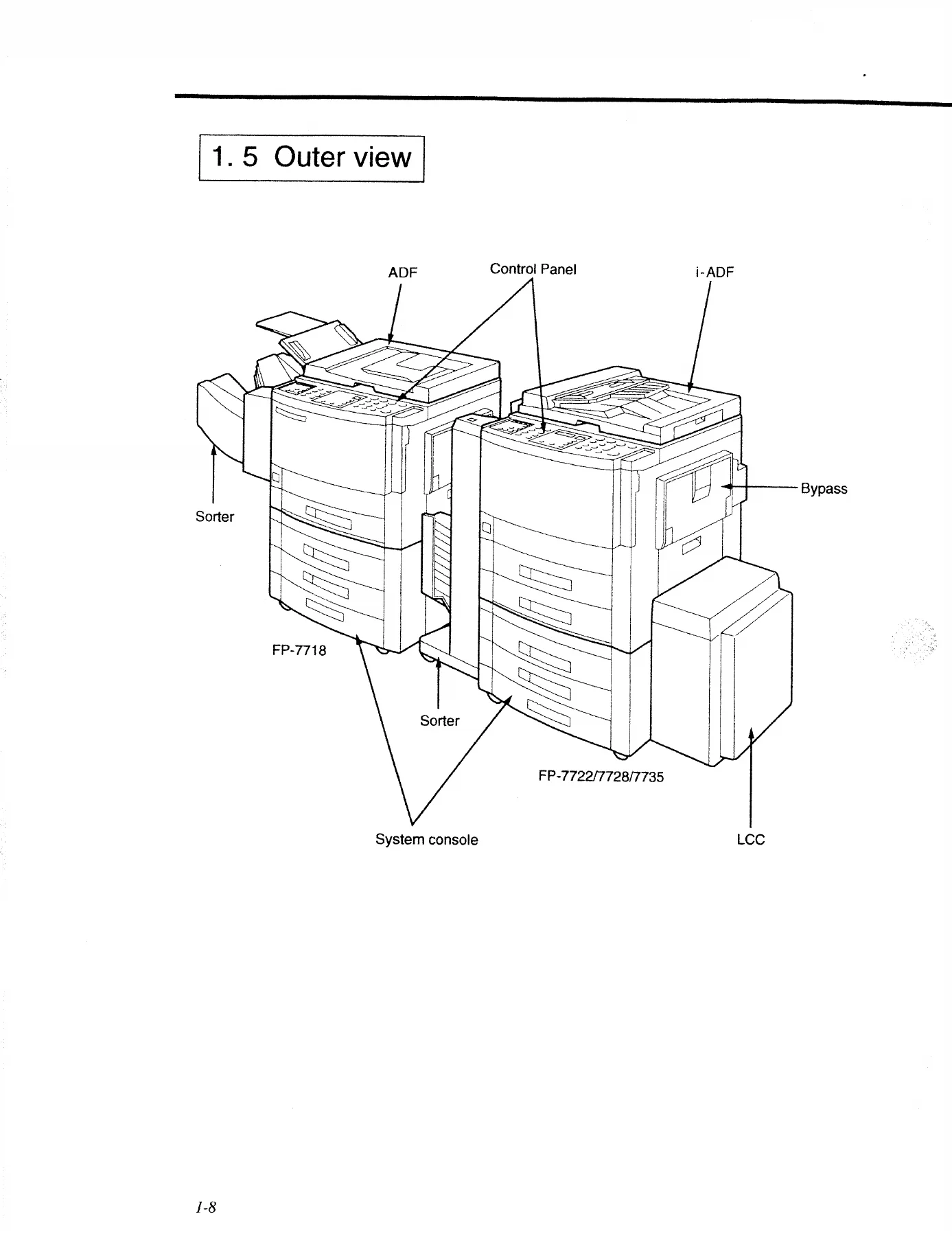
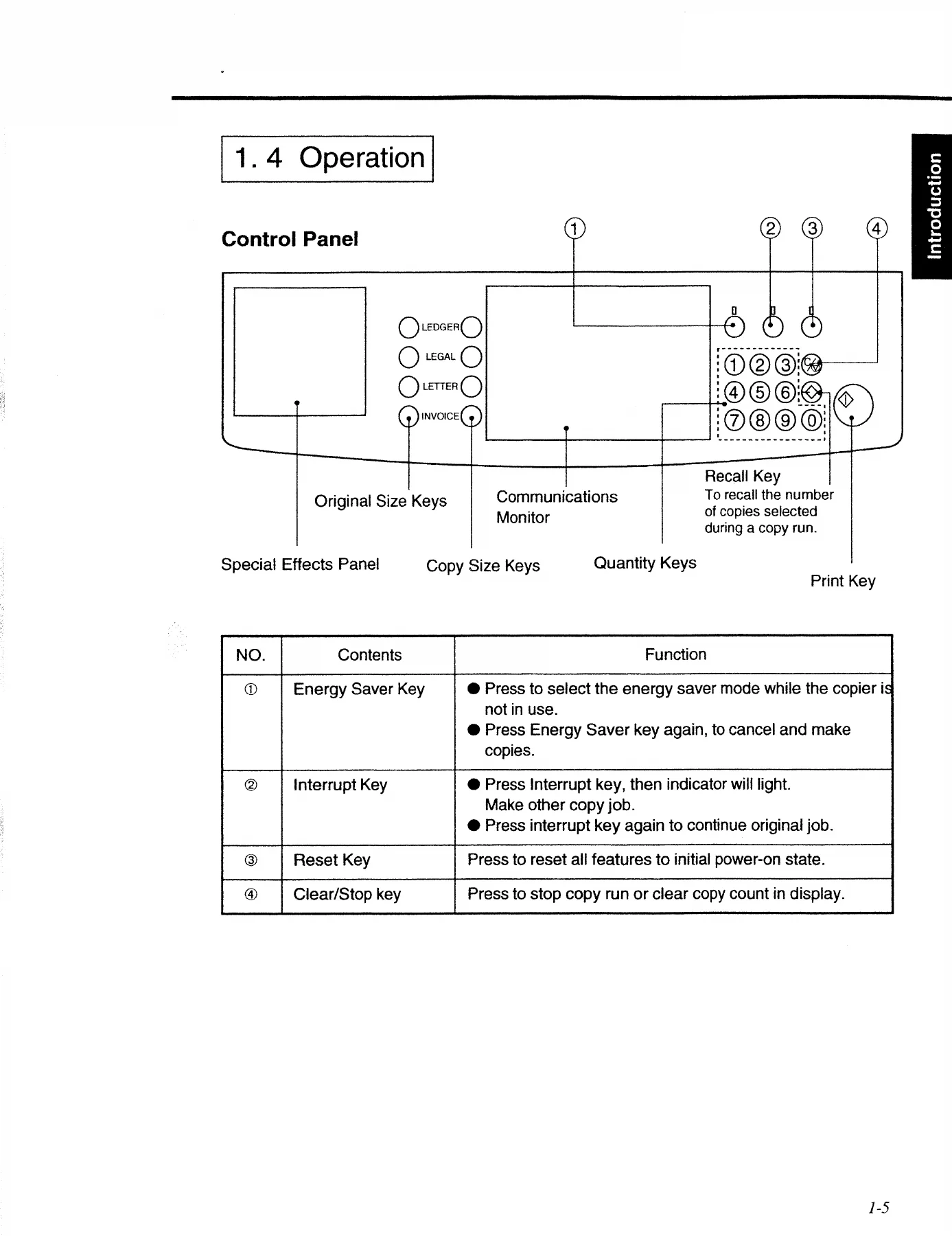
- Introduction – Specifications, Features, System Configuration, Operation, Outer View
- Component Location – Inner View, Fan/Motor Location, Sensor Location, Solenoid/Clutch/Discharge Lamp Location, PCB Location
- Preventive Maintenance – Maintenance Chart and replacement cycles
- PCB Connector and Signal Information – Main CPU PCB, Control Panel PCB, Low Voltage Power Supply PCB
- Troubleshooting – Service Mode F4 Input/Output Check, F5 Copier Function Programming, F6 Adjustment and Programming, F7 Electronic Counter, F8 Copier Operation Adjustment, F9 Telephone Number Program
- Self-diagnostics / Machine Malfunctions – User Error codes
- User Preset Mode – UP00 through UP34 settings, department counter, key operator ID code
- Installation – Installation Requirements, Unpacking, Installation Procedure, White Density Adjustment
- Schematics – Paper Feed Unit, Fuser Temperature Control Unit, Fuser Abnormal Detecting Circuit, Toner Density Sensor, Hopper Unit, Automatic Duplex Unit
- Special Features – Image Control (Quantum Technology), Toner Density Control, Trouble Avoidance Mechanism, ETP System (Evaluative Toner Processing), Re-try Control for Paper Misfeed
- Subassemblies – Main Drive, Sheet Bypass Paper Feed, Paper Feed Unit, Developer Unit, Toner Hopper Unit, Paper Transport and Separation Unit, Fuser Unit, Optics Unit, Automatic Duplex Unit
- Periodic Maintenance Service – Precautions, Cleaning Method, Disassembly and Re-assembly (Multi-feed Bypass, Paper Feed Unit, Developer Unit, Fuser Unit, Optics Unit, Automatic Duplex Unit, Main Body)
What makes this Panasonic FP-7718 FP-7722 FP-7728 FP-7735 FP-7742 FP-7750 copier service manual genuinely useful is the way the technical sections build on each other. The image control chapter explains how Quantum Technology reads white, medium and black density patches off the drum and corrects the gamma curve, and then the toner density control chapter follows with the TDC sensor logic – including the 2.5 V target and the toner supply/refresh cycle. The subassembly chapters describe how each mechanical unit actually works before you take it apart, so the disassembly steps make sense instead of being a list of screws. The PCB connector tables give pin numbers, signal names, destinations, states and functions for the Main CPU, Control Panel and Low Voltage Power Supply boards, which is the difference between a two-minute diagnosis and an afternoon of guessing.
Service Modes and Diagnostics
The self-diagnostic and service mode material is one of the strongest parts of this manual. The F4 input/output check tables let you watch sensor states and drive solenoids, clutches, fans and motors one code at a time, covering the sorter, ADF, system console, LCC and duplex unit. The F5 and F6 modes handle copier function programming and adjustment values – registration, LED array synchronisation, paper loop, paper feed timing, exposure light compensation and the duplex unit settings. F7 reads the electronic counters, including the PM count, developer count, fuser cleaning web count and per-drawer copy totals. F8 covers TDC sensor gain adjustment, black density sensor gain adjustment, and the machine error and paper jam code read/clear routine. F9 stores the service telephone number. Together these modes cover the faults a working technician actually meets on these machines.
Adjustments, Maintenance and Replacement Cycles
The preventive maintenance charts give part numbers, quantities per unit and replacement intervals in thousands of copies, split between the FP-7718/7722 group and the FP-7728/7735 group. Wear items listed include paper feed rollers, DFP rollers, pick-up rollers, registration rollers and bearings, middle rollers, torque limiters, cleaning blades, corona wires, developer, drums, side seals, spacer rings, waste toner bottles, magnetic roller stoppers and drum separation fingers. The cleaning section explains what to use on each surface – cloth with water, IPA, blower brush or vacuum – and where using the wrong method causes damage, for example on the TDC sensor, corona wires and the drum. The optics section covers lens and mirror movement for zoom, scanning speed calculations, LED array black-belt prevention and AE sensor light quantity adjustment.
Specifications at a Glance
The front of the manual lists copy speeds by paper size for all six models – for example 18 cpm on Letter/A4 for the FP-7718 rising to 50 cpm on the FP-7750 – along with first copy times, fixed and zoom copy ratios, 550-sheet cassette and 50-sheet multi-feed bypass capacities, 250-sheet exit tray capacity, paper weight ranges, fusing system, OPC photoreceptor, warm-up times, power consumption, dimensions, weight and ambient operating conditions. Everything is laid out model by model, with the FP-7742 and FP-7750 treated as full-speed machines and the FP-7718 through FP-7735 as half-speed.
Why This Panasonic Copier Service Manual Matters
These FP-7700 series copiers are now well past their supported life, and the machines still in service are kept alive by technicians with a paper manual and a multimeter. Working from the correct specifications is what separates a repair that holds from one that comes back next month. The registration and paper loop values, the fuser temperature targets around 190 degrees C, the developing bias of -250 V, the toner density reference of 4.0 percent and the TDC sensor output voltage all have to be right before the copy quality will be. The self-diagnostic codes and the service mode input/output checks turn a vague symptom into a specific component, and the connector pinout tables tell you exactly which pin to probe. The disassembly sequences for the fuser unit, developer unit, optics unit, ADU and main body are written in the order that avoids damaging seals, fingers, mirrors and wiring harnesses.
IMAGES PREVIEW
Instant PDF Delivery
The 1998 Panasonic FP-7718 FP-7722 FP-7728 FP-7735 FP-7742 FP-7750 copier service manual is delivered as a PDF download immediately after payment. There is no shipping, no waiting for a parcel and no physical book to lose in the workshop. Open it on a laptop at the machine, on a tablet on the bench, or on a phone while you are tracing a wire – and print the pages you want to work from, whether that is a single connector table, a cleaning procedure or the full preventive maintenance chart. Keep it on file and it stays available for every one of these six copiers you work on.
Reviews
There are no reviews yet.