
Abaxis piccolo xpress Chemistry Analyzer Operator’s Manual – PDF
Original price was: $24.95.$14.95Current price is: $14.95.
Complete Abaxis piccolo xpress Chemistry Analyzer Operator’s Manual in PDF – setup, reagent disc handling, patient and control testing, result recall, calibration, QC, troubleshooting, maintenance and computer/printer connection for the piccolo xpress in-vitro diagnostic analyzer.
Description
Abaxis piccolo xpress Chemistry Analyzer Operator’s Manual
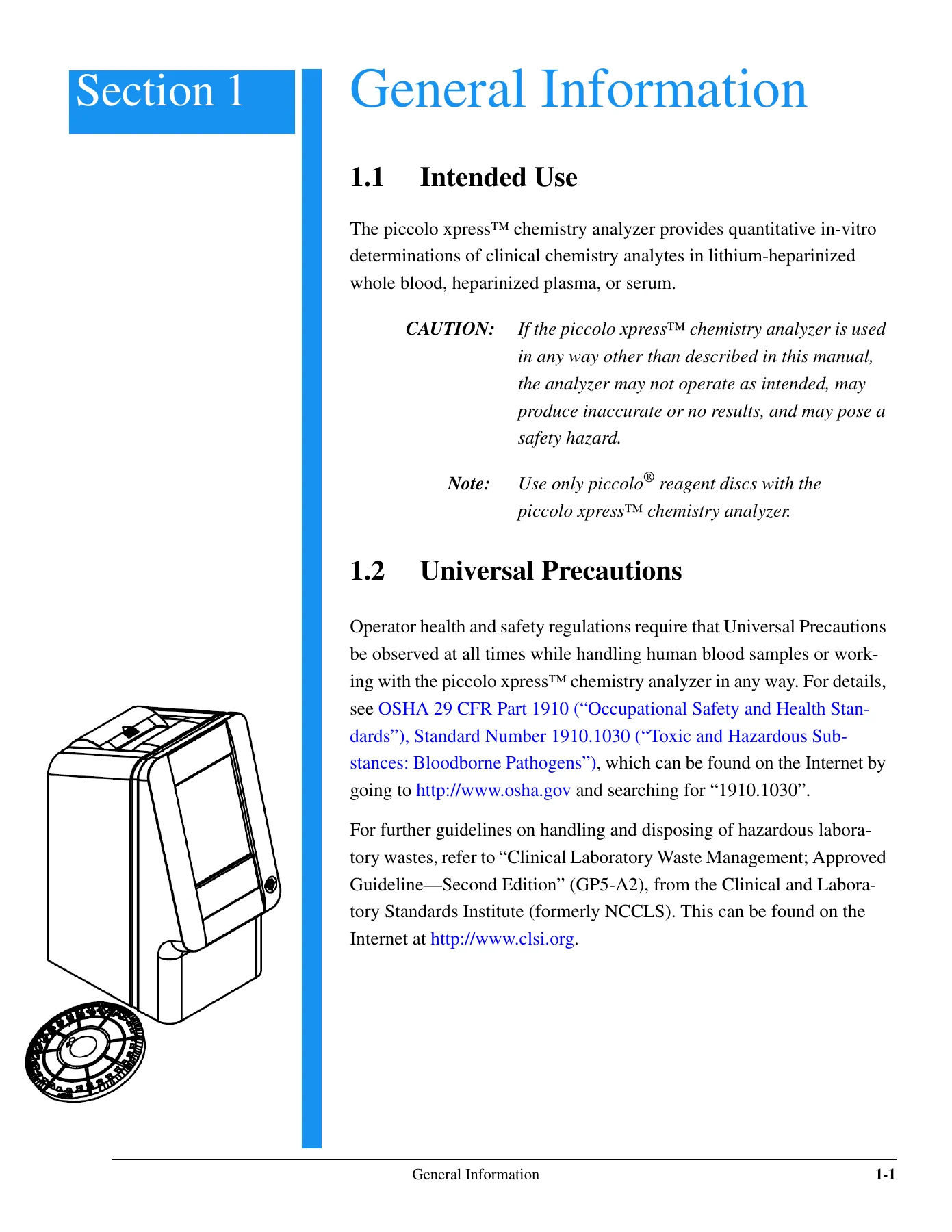
The Abaxis piccolo xpress Chemistry Analyzer Operator’s Manual is the full operator guide supplied with the piccolo xpress chemistry analyzer, a compact in-vitro diagnostic system that returns quantitative clinical chemistry results from lithium-heparinized whole blood, heparinized plasma, or serum. Every routine task an operator performs on the instrument is documented here: unpacking and setup, the analyzer self test, reagent disc preparation, sample loading with the 100 microlitre pipette, running patient and control samples, reading the adhesive-backed result printout, recalling stored results, customizing reference ranges, running external controls, and wiring the analyzer to an external printer or computer. This PDF edition carries the complete manual text at revision B, together with the assembly documentation at revision A.
File Details
- Manual type: Operator’s Manual
- Brand: Abaxis, Inc.
- Instrument: piccolo xpress Chemistry Analyzer
- Language: English
- File format: PDF
- Page count: 113 pages
- Part numbers: 1100-7008 (Manual Text, Rev. B) and 1100-7009 (Manual Assembly, Rev. A)
- Publication year: 2006
- Intended use statement: For In-Vitro Diagnostic Use Only
Chapters Covered
- Section 1 – General Information: Intended Use; Universal Precautions; Introduction; Technical Support; Symbols Used in Labeling
- Section 2 – Setup and Description: Unpacking; Physical and Environmental Specifications; Setup; piccolo xpress System Description; Touchscreen and Front Panel; Reagent Discs; Ancillary Products
- Section 3 – Testing: Sample Requirements; Preparing the Reagent Disc; Running a Patient Sample; Canceling Analysis; Results; Testing Procedure Summary
- Section 4 – Configuring the Analyzer: Using the Settings Screens; Customizing Reference Ranges; Printing and Archiving Reference Ranges; Retrieving Reference Ranges; Transmitting Reference Ranges; Viewing Analyzer Identification; Changing Date and Time; Selecting the Language; Selecting Units; Setting Sound Volumes; Adjusting the Display; Printer Settings; Setting Communication Protocol; Using Optional Data Functions; Running Controls
- Section 5 – Recalling Results: Recalling the Results of the Last Disc Run; Searching for Results; Browsing Results; Transmitting All Results
- Section 6 – Calibration and Q.C.: Calibration; Quality Control Features; Running External Controls
- Section 7 – Troubleshooting: Error Messages; Electrostatic Discharge; Technical Support; Disc Cancellations; Instrument and Result Messages; Reinitializing the Analyzer
- Section 8 – Operating Principles: Principles of Procedure; Principles of Operation
- Section 9 – Maintenance and Service: Cleaning the Analyzer; Cleaning Spills; Cleaning the Air Filter; Updating the Analyzer Software; Returning the Analyzer to the Manufacturer for Service
- Section 10 – Connecting a Computer/Printer: Connecting an External Printer; Connecting a Computer; Transmission Specifications; Installing the Abaxis Driver; Setting Up HyperTerminal; Capturing Results with HyperTerminal
- Index
Across those ten sections the manual builds a complete operating picture of the piccolo xpress system rather than a set of unrelated procedures. It explains what the analyzer is and what it will and will not accept as a specimen, then walks the operator step by step through the physical preparation of a reagent disc, the exact 90 to 120 microlitre sample volume that fills the sample chamber to the molded fill line, and the point at which the run must be started. From there it moves into the analyzer software itself – the Home screen, the Analyze button, the disc drawer, the touchscreen keypad used for operator ID, patient type, gender, age, sample ID, and alternate ID entry – and shows what each screen looks like at each stage of the run. Later sections deal with the parts of the workflow that are easy to get wrong: interpreting the four-column result printout, understanding the asterisk, less-than, greater-than and tilde flags, reading the HEM, LIP and ICT sample indices, and knowing when a suppressed chemistry should be retested rather than reported. The reference range, unit selection, language, date and time, and printer configuration procedures are covered with the same screen-by-screen detail, and the manual closes with the calibration and quality control logic behind iQC, the troubleshooting messages the analyzer can display, and the maintenance routine that keeps the optics and air path clean.
Abaxis piccolo xpress System Coverage
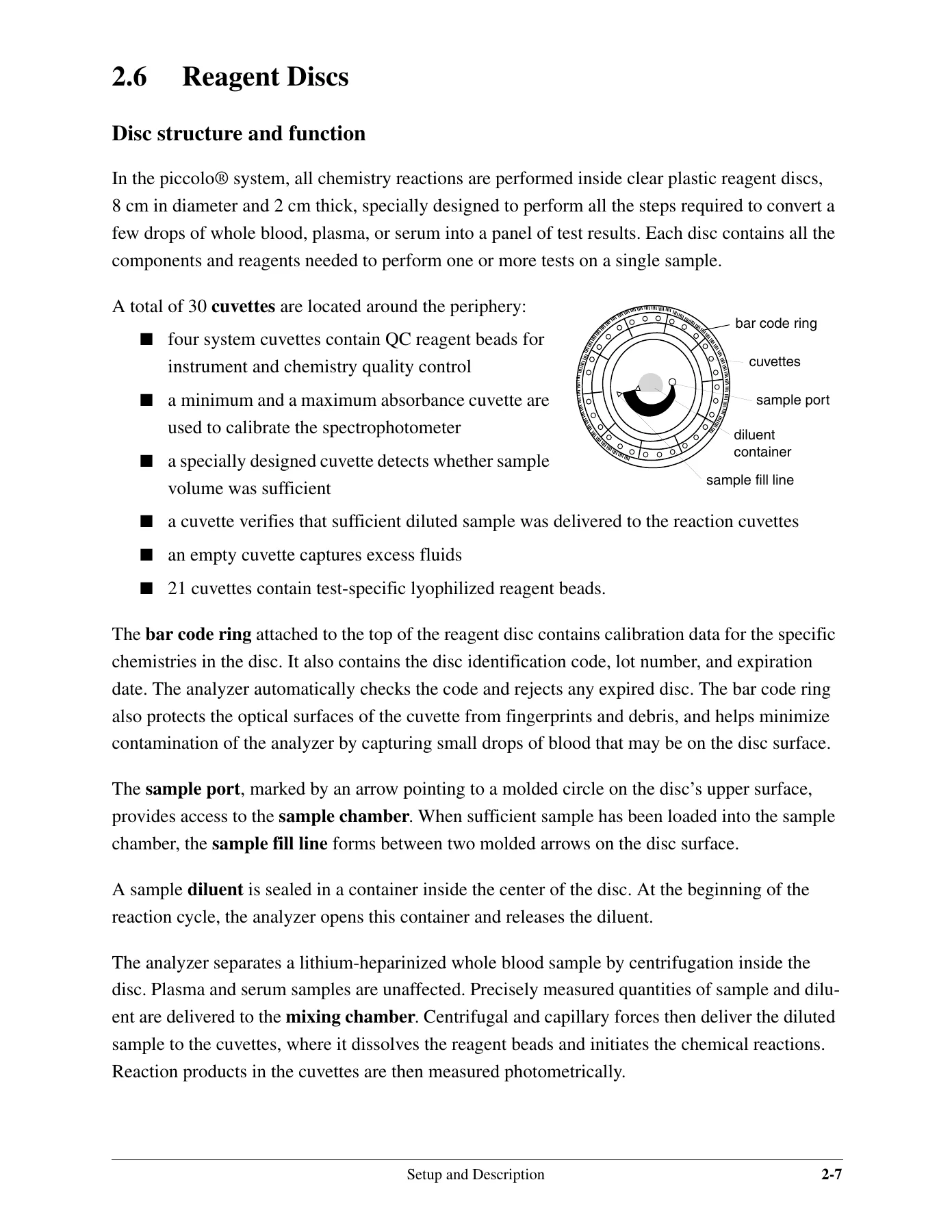
The manual is written around the piccolo xpress analyzer and the matching single-use piccolo reagent discs, which are 8 cm in diameter and 2 cm thick and contain an aqueous diluent in the centre and dry reagent beads in cuvettes around the edge. It documents the 30-cuvette disc layout – the system cuvettes holding QC reagent beads, the minimum and maximum absorbance cuvettes used to calibrate the spectrophotometer, the sample volume and diluted-sample delivery checks, the excess fluid cuvette, and the 21 test-specific lyophilized reagent beads. Storage rules are given explicitly: discs at 2 to 8 degrees Celsius, usable straight from the refrigerator, no more than 48 cumulative hours at room temperature, no direct sunlight or temperatures above 32 degrees Celsius, and use within 20 minutes of opening the foil pouch. Sample handling is equally specific: lithium heparin as the only recommended anticoagulant, whole blood analysed within 60 minutes of collection, plasma or serum stable for 5 hours at room temperature or up to 48 hours refrigerated at 2 to 8 degrees Celsius.
Results, Quality Control and Data Handling
A large part of the Abaxis piccolo xpress Chemistry Analyzer Operator’s Manual is about trusting and tracing the numbers the analyzer produces. The Recall function is covered in full – recalling the last disc run, searching by sample ID or by date, browsing all stored results in reverse chronological order, and transmitting every stored record to a connected computer. Reference ranges can be customized by analyte or by demographic, printed, archived internally, sent to an external archive, or retrieved later, and the manual warns that retrieving an archived set overwrites the values currently in the analyzer. Units can be switched between Common and SI across all analytes, a single analyte, or a group such as electrolytes, enzymes, lipids, minerals, or proteins. The quality control chapter explains the iQC test performed at power-up, the reaction monitoring applied during analysis for rate and endpoint chemistries, and the sample index measurements at 340, 405 and 467 nm that decide whether a result is printed or suppressed.
Connectivity, Maintenance and Troubleshooting
The connectivity chapter covers both paths out of the analyzer: the built-in thermal line printer with its adhesive-backed paper, and the USB serial connection to a computer. Transmission specifications are listed in full – USB cable, 9600 baud, ASCII data, no parity, 8 data bits, 1 stop bit, with the form feed, carriage return and line feed, and end-of-file sentinels defined – followed by driver installation on Windows 98, ME, 2000, XP, Linux and Mac OS X, HyperTerminal setup, and capturing transmitted results to a text file. Maintenance is deliberately light and clearly defined: weekly cleaning of the case and display with mild detergent, a 10 percent bleach solution, or a 30 percent isopropyl alcohol solution, cleaning of spills under universal precautions, and cleaning the rear air filter at least twice a year. The troubleshooting chapter gives the action to take when the analyzer freezes after an electrostatic discharge, when a chemistry is suppressed and a HEM, LIP, ICT or tilde flag is printed instead of a value, and when a disc cancels outright – including the lot number, product name, four-digit error code and specimen details to record before calling Abaxis Technical Support.
Get the Abaxis piccolo xpress Chemistry Analyzer Operator’s Manual
IMAGES PREVIEW
With this manual on hand an operator can set up the piccolo xpress analyzer correctly, prepare and load reagent discs without wasting them, run patient and control samples through to a printed result, and interpret every flag and error message the system can produce. It supports the reference range and unit configuration work that keeps results meaningful for a specific patient population, the quality control routine that keeps the analyzer accountable, and the driver and HyperTerminal setup that gets results off the instrument and into a record system. Every one of those tasks depends on doing the procedure the way the analyzer expects it, and this is the document that states that procedure. The Abaxis piccolo xpress Chemistry Analyzer Operator’s Manual is delivered as an instant PDF download – no shipping, no waiting, readable on any computer, tablet or phone, and printable in full so the setup, testing and troubleshooting pages can sit next to the analyzer.
Reviews
There are no reviews yet.